

Do you know which is the best antivirus for iPhone and iPad? In this article, we are describing the best 5 antiviruses that can be helpful for your iPhone and iPad.
The computer systems that exist nowadays are vulnerable before various malicious agents. Among them are viruses or malware, which do significant damage to electronic devices.
Therefore, it is necessary to use applications or programs to protect both the equipment and the information that it can store.
Many people believe that it is not necessary to use an antivirus on your phone because they are of the Apple brand and use IOS software. However, there are ways to violate the protection of this company and it is worth being prepared to face any mishap.
Therefore, you should take into account what I tell you below to learn more about these systems. Which, not only take care of your equipment but also give you a variety and very interesting features.
What is the best antivirus for iPhone?
The iPhone is devices that come loaded with iOS software. It has excellent protection against any dangerous agent. However, as everything you get fissures that must be covered to avoid any violation of the information of the equipment.
To do this, several mobile applications have been designed that provide greater support for your information and we already have an antivirus for iOS.
So, if you want to secure all your data and be able to navigate calmly on your phone, we recommend you take a look at these antiviruses. Among them, is the best antivirus for iPhone and some recommendations that also present excellent results.
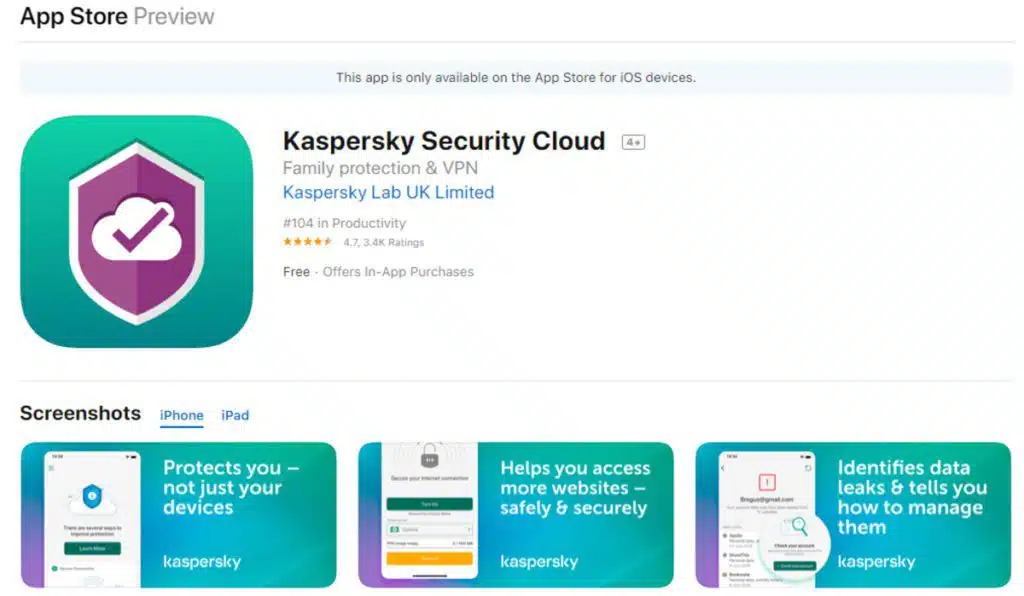
Kaspersky Security for iPhone or iPod
The Russian-based company Kaspersky has developed the best iPhone antivirus of 2020. This has given it significant prestige in this field and its effectiveness has been proven in large-scale cyber-attacks.
This company has designed an antivirus system for iPhone and focuses mainly on web browsing. So, it eliminates all malicious advertising from the pages you visit. Also, avoid the emergence of pop-up ads and maintain a real-time analysis of the equipment.
McAfee® Antivirus Plus
Possibly, the name of this application seems similar or you have heard it at some time since McAfee is a great antivirus. Since it is one of the most popular antivirus brands that currently exist for computers.
It has gained prestige in this field for the effectiveness of its operation against computer attacks.
Among the functional features of this application, there is the possibility of hiding all the photos you want. In the same way, it offers you the possibility of making backup copies to protect your information. In addition, it keeps a constant record of the location of your phone so you can locate it for a loss or theft.
Norton Security DELUXE
Finally, there is the Norton platform, which is also well known for its important presence on desktops. Experts say that the application for smartphones is much better than the computer version.
This application provides a wide coverage that is based on functions such as web browsing protection. It also has a functionality to record the location of the equipment in real-time, while keeping it analyzed.
Additionally, it automatically backs up to protect all the information stored on the iPhone.
What is the best free antivirus for iPhone?
The antivirus that was presented in the previous section has the peculiarity that its services require some payment. Usually, they usually offer packages to enjoy their full services or some features.
However, in case you don’t want to pay anything you don’t have to worry because there is also free antivirus for iPhone.
Next, we bring you a selection of free iPhone iPad antivirus, first of all, it is the best and additionally, I will give you some additional recommendations.
Lookout Mobile
What to say about Lookout? Many connoisseurs of the field have determined that the best free antivirus for iPhone is this, for its constant monitoring functionality. Which keeps a record of the location of the phone on a map, so that it can be located in case of loss or theft.
Also, it keeps the phone examined constantly to avoid the occurrence and development of any dangerous activity. During the analysis of the equipment, this app checks the documents and other material stored in the device.
MobiShield
MobiShield is a system that has been in great demand as an antivirus for iPad for free since in these devices its performance was excellent. Since it is responsible for searching in the equipment code for the existence of any failure or problem.
Also, it is dedicated to checking the security status of the iPad to optimize it and update it for new threats.
Additionally, this system allows you to make backup copies of all your information to replace it at any time. In addition, it has the ability to control the cost of mobile data at your convenience.

Avast for IOS
Lastly, we have the Avast free iPad antivirus, it should be mentioned that it can also work for iPhone devices.
This amazing application has very interesting functions that make it very complete and useful. Among them, the ability to encrypt your information and its traffic to prevent others from seeing it stands out.
However, the most important thing is that it has a built-in VPN functionality, to avoid local navigation restrictions. If you want to know more about dri avast software, you can follow their website or Google.
Antivirus on iOS, is an antivirus needed for iPhone and iPad?
The Apple company has always boasted that its devices do not need to use antivirus to protect themselves. Since the iOS operating system has security protocols and systems that guarantee the protection of the device and the information stored in it.
Over time, this statement has been questioned on several occasions to verify its veracity. As a result, it has been proven that the operating system has incredible efficiency in terms of security concerns.
However, there are ways to violate its security to affect the entire device. It should be mentioned that many of the ways require the participation or interaction of the user in a careless or irresponsible way.
Usually, errors can occur in the software code of the equipment and these are the ideal door for any threat. Additionally, applications downloaded from unknown sources or irresponsible web browsing also allow the entry of dangerous agents.
In addition to the aforementioned reasons, there are many others for which it is very important to have an antivirus. Which, helps you strengthen the security of your iPad and iPhone.
Finally, it is worth bearing in mind that these systems not only help protect your device and its information. If not, they also offer you various functionalities that raise the security levels of your equipment due to the possibility of theft or loss.
Additional recommendations
Apple devices have great support and security protection in your system. Which, you can benefit from the use of antivirus systems such as those shown in this publication.
However, the effectiveness of all these “shields” only works if the user is aware and avoids falling into the traps that are used to enter these computers.
First, it highlights the fact of downloading applications from external sources, which happens a lot in jailbroken equipment. This is extremely dangerous because there is no control over the downloaded application.
Therefore, it may contain various malicious agents that only want to attempt against the equipment and its information.
Also, it is important to keep the device updated because that way the operating system is loaded with inflammation of new threats. As a result, it was not taken by surprise and can face any attack effectively.
Finally, it is important to always have an application to backup both outside and inside the cloud. Because, so the data is protected at all times in an off-grid space where they can always be found and hijacked.
How to choose the antivirus indicated for my iPhone and iPad?
The iPhone and iPad devices have the peculiarity that they receive updates up to a certain limit. Therefore, there are iPhone 6 antivirus and iPhone 7 antivirus, which have been updated for the two most recent versions of the company.
However, previous computers may have problems with software updates, presenting the need to find an ideal antivirus for the software used.
Additionally, the features offered and the price should be taken into account if it is a paid version. So, very pending to choose a system that can be attached to your device and your pocket.
Read More: 5 Best Antivirus Apps for Android Smartphone
In short, antivirus programs are systems that can function as a backup means to established protocols. This does not hurt because new cyber-attack methods are being developed every day.
Which, seek to steal information or kidnap it and then ask for billionaire bailouts. So, write down all this information that well used can save your life, your information, your personal data, and many other things.























