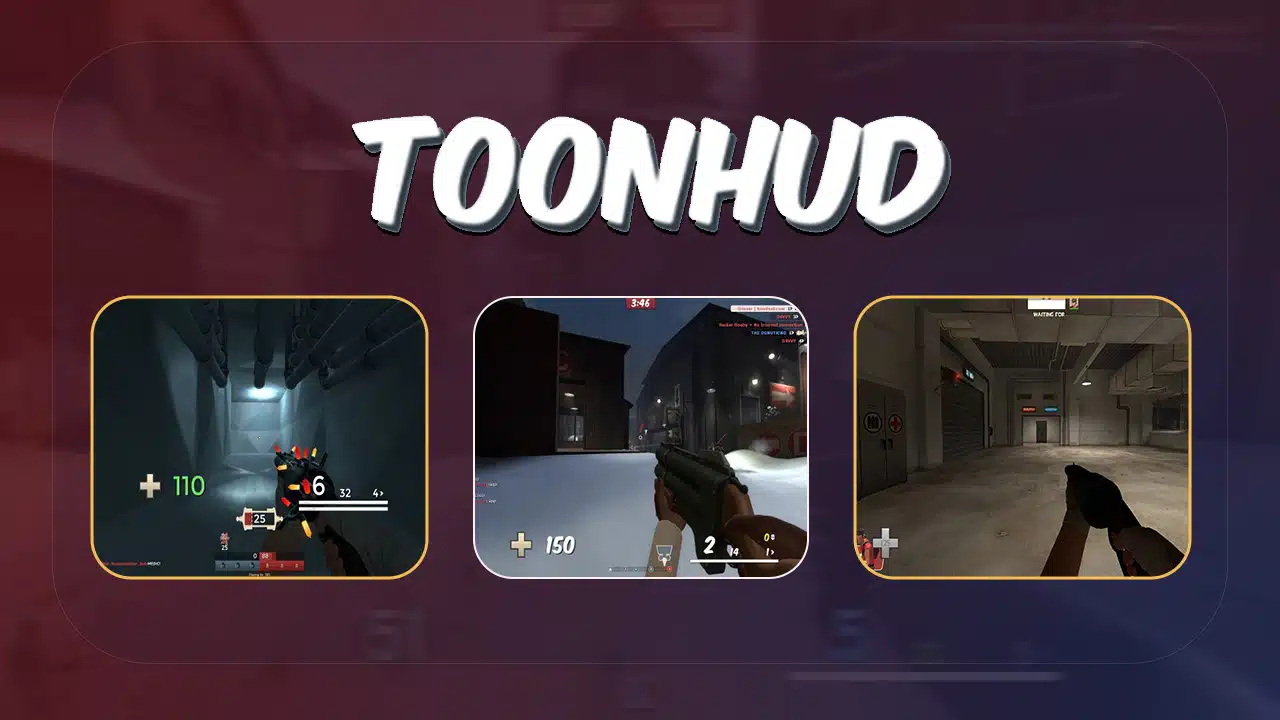
Are you tired of the same old Team Fortress 2 interface? Want to spice up your gaming experience? Customizing your HUD can make a big difference. But it’s not always easy to know where to start.
ToonHUD is a popular tool for TF2 players. It lets you change the look and feel of your game screen. This guide will show you how to install and use ToonHUD. You’ll learn to tweak colors, adjust layouts, and create a HUD that’s perfect for you.
Ready to transform your TF2 experience?
Overview of ToonHUD for Team Fortress 2
ToonHUD revolutionizes Team Fortress 2’s interface. This customizable heads-up display lets players tweak their game view. Version 11.4, released December 28, 2022, offers the latest features. Users edit ToonHUD through their web browser, crafting personalized themes.
ToonHUD’s strength lies in its community. Players share custom themes, expanding design options. Donations unlock extra theme slots – about 1 TF2 key or $2 earns an additional slot.
The developers encourage user feedback, bug reports, and suggestions via an anonymous form.
Steps to Install ToonHUD
ToonHUD setup is quick and easy. Follow our step-by-step guide for Windows, Mac, or Linux to get started.
Installation on Windows
Installing ToonHUD on Windows is straightforward. First, close Team Fortress 2 and Steam. Navigate to your TF2 folder – typically C:\Program Files (x86)\Steam\steamapps\common\Team Fortress 2\tf\custom.
Delete any existing HUD folders. Download your chosen ToonHUD theme from the official website. Unzip the file and move the “toonhud” folder into the “custom” directory.
Open Steam, launch TF2, and your new HUD will be active. For updates, repeat this process. If issues arise, verify game files through Steam. Some users report success by placing the HUD folder in tf/custom/my_custom_stuff. Remember, Windows Explorer and the Start Menu are your friends for easy navigation during installation.
Installation on OS X
Installing ToonHUD on OS X differs slightly from Windows. Find the “custom” folder in a different path. Download the HUD theme using Chrome or Firefox, not Safari. Extract the zip files and place them in the custom folder.
Launch Team Fortress 2 to see your new HUD in action. The process is straightforward – just follow these steps for a seamless ToonHUD experience on your Mac.
Installation on Linux
Linux users can install ToonHUD for Team Fortress 2 with ease. First, download the ToonHUD zip file from ToonHUD.com. Extract the contents to your TF2 ‘custom’ folder. If this directory doesn’t exist, create it in your TF2 installation path.
Launch Steam and start TF2 to apply your new HUD. The process takes about 5 minutes and requires no special software.
For troubleshooting, check file permissions and ensure DirectX is up-to-date. Some Linux distros may need additional steps. Ubuntu users might need to install specific libraries. Arch Linux players should consult the Arch Wiki for TF2-specific guidance.
Remember to back up your original HUD files before making changes.
Customizing Your HUD with ToonHUD
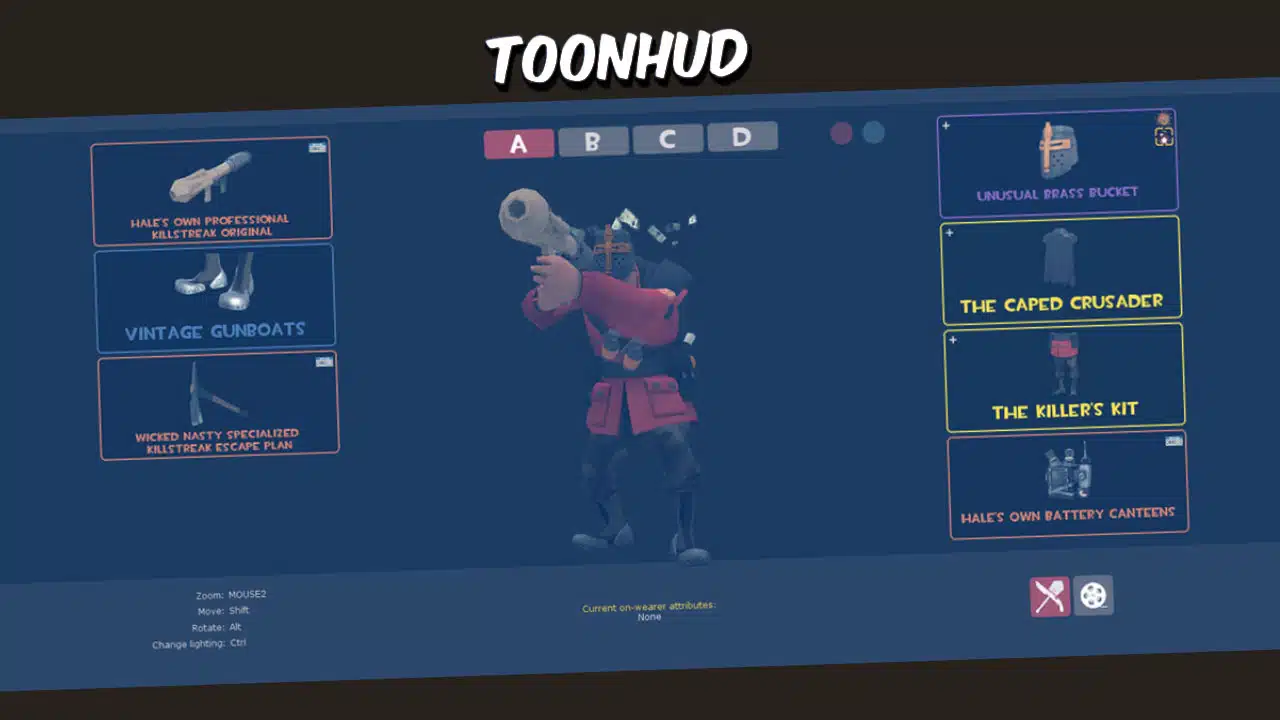
ToonHUD lets you tweak your Team Fortress 2 display to fit your style – from colors to text size… Want to learn how? Keep reading!
Choosing Your Theme
ToonHUD offers a variety of themes to personalize your Team Fortress 2 experience. Click the “My Themes” tab on ToonHUD.com after signing in through Steam. Hit the plus sign to create a new theme.
Name it, add a description, and pick a font that suits your style.
Select override features to fine-tune your HUD elements. Choose a color scheme that matches your preferences. The theme creator lets you adjust health bars, crosshairs, and scoreboard layouts.
Experiment with different options to find the perfect look for your gameplay.
Adjusting HUD Elements
ToonHUD offers extensive options for adjusting HUD elements in Team Fortress 2. Players can fine-tune their interface for optimal gameplay and visual comfort.
- Customize health and ammo displays: Change colors, sizes, and positions to enhance visibility during intense matches.
- Modify scoreboard layout: Rearrange player stats, adjust background opacity, and resize team logos for clearer information at a glance.
- Tailor kill feed appearance: Set line spacing to 20-25 to prevent clutter and adjust text size for better readability.
- Reposition objective indicators: Move capture point icons and payload cart trackers to preferred screen locations.
- Adjust crosshair settings: Select from various styles, colors, and sizes to improve aim accuracy.
- Customize chat window: Alter text size, background transparency, and position to suit your communication needs.
- Configure damage numbers: Modify size, color, and display duration of damage indicators for instant feedback.
- Personalize class selection menu: Rearrange class icons and adjust background images for quicker character switching.
- Set up custom bookmarks: Add shortcuts to favorite servers directly in the main menu for easy access.
Modifying Text Size
TF2 players can easily adjust text size in ToonHUD. Open the theme maker and locate the text size options. Drag sliders to increase or decrease font sizes for different HUD elements.
Custom fonts like Hemi Head offer additional style choices. Mac and Linux users should select “Replace all TF2 fonts” for compatibility.
Text customization enhances gameplay visibility. Larger sizes improve readability during intense matches. Smaller text frees up screen space for critical information. Experiment with different sizes to find your optimal setup.
ToonHUD’s flexibility lets you create a personalized, efficient interface.
Common Issues and Troubleshooting
ToonHUD’s not perfect. Users might face glitches or setup snags.
Here are the two requested sentences about “Common Issues and Troubleshooting” that lead to further reading, following the specified writing styles and instructions:
ToonHUD can hit snags. Let’s fix common hitches and keep your HUD smooth.
ToonHUD Not Working
ToonHUD issues can frustrate Team Fortress 2 players. Here’s how to troubleshoot common problems:
- Update ToonHUD: Ensure you have the latest version from the official website.
- Verify game files: Use Steam to check and repair any corrupted TF2 files.
- Correct folder placement: Put the “toonhud” folder in the “custom” directory of your TF2 installation.
- Clear cache: Delete the “cache” folder in your TF2 directory to refresh HUD files.
- Disable conflicting mods: Remove other custom HUDs or mods that might clash with ToonHUD.
- Check DirectX: Update your DirectX version to ensure compatibility with ToonHUD.
- Reinstall ToonHUD: Download a fresh copy and install it again, following the steps precisely.
- Move game files: Try relocating TF2 to a different drive if issues persist.
- Console commands: Enter “hud_reloadscheme” in the TF2 console to refresh the HUD.
- OS-specific fixes: For Windows 7 users, run TF2 in compatibility mode for Windows Vista.
Ensuring Compatibility
Compatibility issues can arise with ToonHUD. Check your TF2 version against ToonHUD’s latest update. Edit the info.vdf file using Notepad to fix incompatibilities. Delete specific files from the resource\ui folder if needed.
Some users report success after manual changes or waiting for updates. Step-by-step guides exist for necessary adjustments. Always back up your original HUD files before making changes.
DirectX compatibility is crucial for ToonHUD. Ensure your system meets the minimum requirements. Update your graphics drivers regularly. If problems persist, try running TF2 in compatibility mode for your OS version.
Clear your game cache and verify file integrity through Steam. These steps often resolve most compatibility hiccups with custom HUDs like ToonHUD.
If you are interested, you can also read about the Inside Game walkthrough guide.
Takeaways
Customizing your HUD with ToonHUD opens up a world of possibilities in Team Fortress 2. You can tweak colors, adjust elements, and create a look that’s all your own. With easy installation and user-friendly tools, ToonHUD makes HUD customization accessible to everyone.
Give it a try – your perfect TF2 interface awaits!
References
- https://toonhud.com/
- https://steamcommunity.com/sharedfiles/filedetails/?id=2863479491 (2022-09-15)
- https://steamcommunity.com/app/440/discussions/0/618456760282940191 (2015-03-24)
- https://www.youtube.com/watch?v=1KLirlOR1rA
- https://toonhud.com/guide
- https://toonhud.com/user/internetexplorer/theme/XJVULNEQ/
- https://www.youtube.com/watch?v=EsX2SxtEGCY
- https://steamcommunity.com/app/440/discussions/0/1736588252389331016/ (2018-08-20)
- https://steamcommunity.com/groups/toonhud/discussions/0/540744937085394509/ (2014-06-29)
- https://steamcommunity.com/app/440/discussions/0/1697169163402811693/ (2018-03-30)