


There is no doubt about the importance of UI/UX design in web software development. If people can’t find the “add to cart” button on the screen or if users get lost because of the sheer number of animations, no top-tier high-quality feature will be able to keep them engaged.
People love beautiful and user-friendly interfaces, and if you don’t pay enough attention to its design, it will be very difficult to build the web solution of your dreams. You can turn to a web app development company or a UI/UX design studio for help, but without clear and understandable requirements, they will also have a hard time recreating your vision.
To ensure that your web solution keeps up with the times, you can rely on design trends. Thanks to them, your application will be modern, aesthetically pleasing, and inclusive. Let’s learn the most relevant design trends for this year.
AI-driven personalization

You knew that we couldn’t avoid mentioning AI in this list. AI-driven personalization is transforming one-size-fits-all interfaces into truly custom experiences that adapt to each user in real time. In 2025, users expect websites to “know” them: What they like, what they need, and what they might want next. Today, personalized ads and recommendations are the bare minimum. Almost every touchpoint should now feel custom-made.
How can it work? AI algorithms can analyze a wide range of user data (browsing history, interaction patterns, location, device type, and more). Then, based on this information, the UI/UX can adapt: change what content is shown, adjust the layout, or even tweak the interface itself.
Voice and gesture-based interfaces
Voice and gesture-based interfaces are expanding the definition of “user experience.” The pandemic accelerated contactless technology, and user expectations have evolved alongside it. Designers must now think beyond screens and take into account multi-modal interaction where users talk, wave, nod (or even do nothing at all), and still get what they need. Voice and gesture-based interfaces are designed to reduce friction, improve accessibility, and align with the way humans naturally communicate.
Examples include voice-controlled navigation on websites, virtual assistants (we all know Alexa and Siri), and swipe and pinch gestures on mobile and touch-enabled web apps. And these interfaces work well with devices like AR/VR headsets or IoT appliances. However, you should keep privacy in mind here. Always-listening microphones or cameras raise red flags for users, so transparency and control are essential.
AR/VR experiences

In 2025, augmented reality (AR) and virtual reality (VR) are no longer reserved for gaming or experimental tech demos. With technologies like WebXR, WebGL, and Three.js, immersive experiences are now accessible directly through browsers, without the need for dedicated apps or high-end hardware. And UI/UX services for such solutions will differ from those for general web apps. As more browsers and devices support immersive content, web developers and designers must expand their toolkits to create experiences that users can not just look at, but exist in.
And these technologies are already working for a lot of businesses. For example, virtual try-ons for fashion and previewing furniture in real-life spaces via AR are quite popular ways to enhance user experience for a lot of businesses. Also, education and healthcare rely more and more heavily on AR/VR to improve their work.
Inclusive and accessibility-first design
If you don’t consider inclusive design when you are building a web application in 2025, what are you doing? Today, inclusive design is a core requirement for almost every piece of software. Users are demanding, regulators are enforcing, and businesses are realizing that building for everyone doesn’t just make moral sense, it makes business sense, too.
Accessibility-first design ensures that digital products can be used by people of all abilities, including those with visual, auditory, motor, or cognitive impairments. But inclusive design goes a step further: It considers users from diverse cultural, linguistic, age, and socio-economic backgrounds. The best digital experiences are those that work for everyone, in every context, on every device.
Microinteractions that drive engagement
Microinteractions are the small, subtle design moments that enhance the overall user experience. Like a button that animates when clicked, a “like” that pops with a heart animation, or a friendly loading message. In 2025, these tiny moments are doing big work: They are improving usability and making digital experiences feel more human. When done right, microinteractions turn passive users into active, emotionally engaged participants.
Why do they matter all of a sudden? First of all, user expectations are high. People expect smooth, delightful, responsive interfaces as a basic standard. Secondly, people have short attention spans. Microinteractions keep users engaged by providing immediate feedback. Finally, they provide functional clarity. Subtle cues help users understand what’s happening, what’s clickable, and what action was just performed.
Motion design for storytelling
Motion design has evolved beyond flashy hover effects into a core storytelling tool. Its elements can guide users through complex flows and bring brand narratives to life. Animation now plays a vital role in communicating intent, hierarchy, and emotion. When motion is used purposefully, it makes interfaces feel alive, memorable, and deeply engaging.
Short-form content culture actually played a role in this trend’s popularity. With TikTok, Reels, and Shorts setting user expectations, people are drawn to quick and story-driven visual content. It also adds to emotional storytelling. Motion lets brands infuse personality, tone, and emotion into digital experiences in ways static design can’t.
Biometric authentication integration
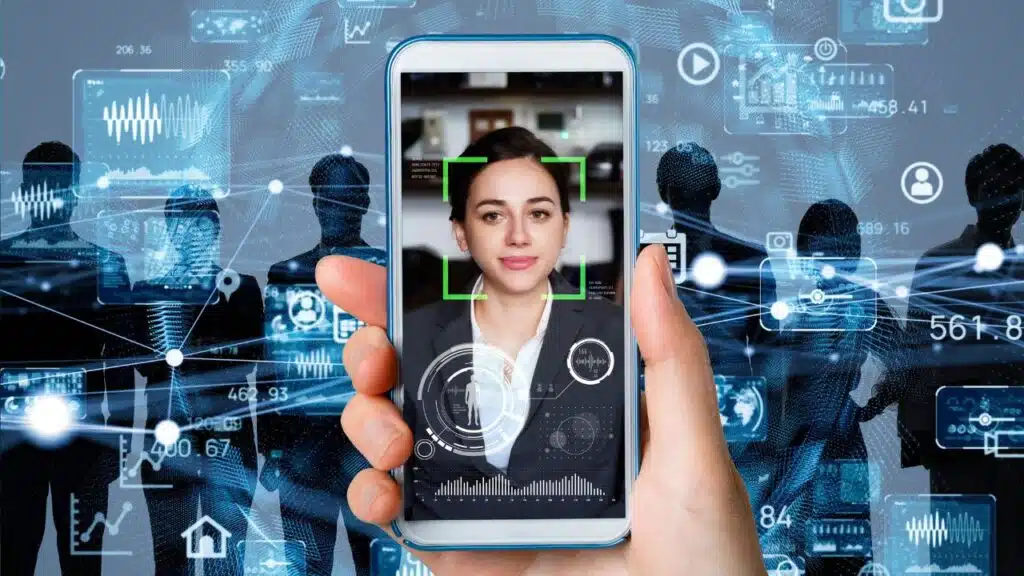
Biometric authentication, like fingerprint scanning, facial recognition, and even voice identification, is becoming a mainstream part of web interfaces. What used to be the domain of mobile apps is now native to browsers, so users can have seamless, secure, and passwordless access to everything they need.
Thanks to growing support for technologies like WebAuthn and FIDO2, biometric login is faster, more secure, and increasingly expected. It’s especially useful for banking and fintech platforms for fast and secure access to accounts using device biometrics and healthcare portals for easy and private login to sensitive patient data.
To sum it all up
These are the modern trends in software UI/UX design. You don’t have to follow them all at once, but incorporating some of them into your design is a good business decision. If your web solution meets today’s expectations, users will be eternally grateful to you.
























