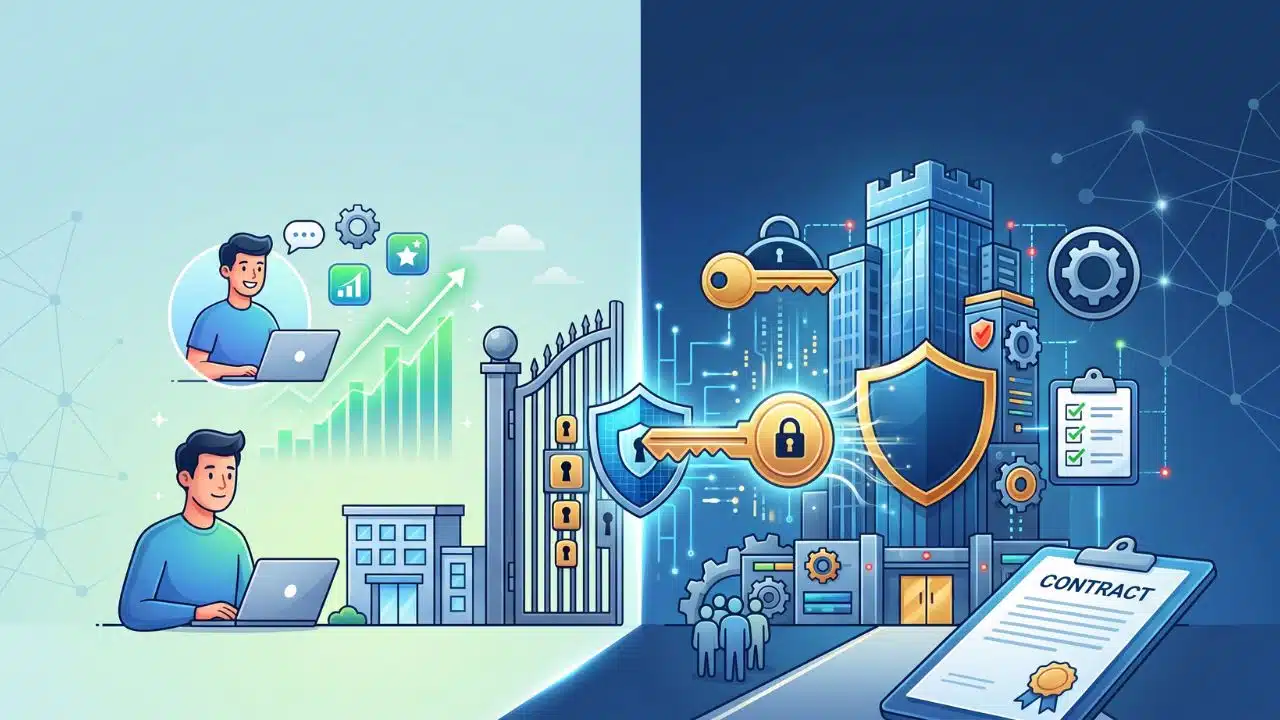
I’ve watched it happen time and time again in the B2B SaaS world. A growing company finally gets a massive, six-figure enterprise contract on the table, the kind of logo that changes a startup’s entire trajectory. The target team loves the product, the economic buyer is enthusiastic, and all that stands in the way is a “routine” IT security review to get the ink dry.
Then, the dreaded 90-page security questionnaire arrives. The procurement team starts asking about SAML integrations, SCIM provisioning, zero-trust architecture, and SOC 2 Type II compliance. For a platform running on a basic email-and-password login system, that dream deal usually dies right there.
It’s a harsh realization for many teams: “enterprise-ready” doesn’t just mean slapping a “Contact Sales” button on your highest pricing tier and offering priority support. Enterprise readiness isn’t a marketing tier; it’s a profound organizational and technical evolution. It is the threshold where you stop selling to individual users and start selling to complex, highly regulated corporate machines.
If you are eyeing larger contracts, here is what enterprise readiness actually requires, the traps to avoid, and, most importantly, when you should finally pull the trigger.
The Core Shift: Who Owns the Account?
At its core, enterprise readiness is about a fundamental shift in control.
In a standard Product-Led Growth (PLG) motion, the user owns their account. John signs up with his work email, sets a password, and does his work. But in an enterprise model, the company owns the account. John’s email address belongs to BigCorp, and BigCorp’s IT department demands absolute control over what John can access, what he does while he’s there, and exactly when his access is revoked.
To facilitate that shift, you have to master three foundational pillars.
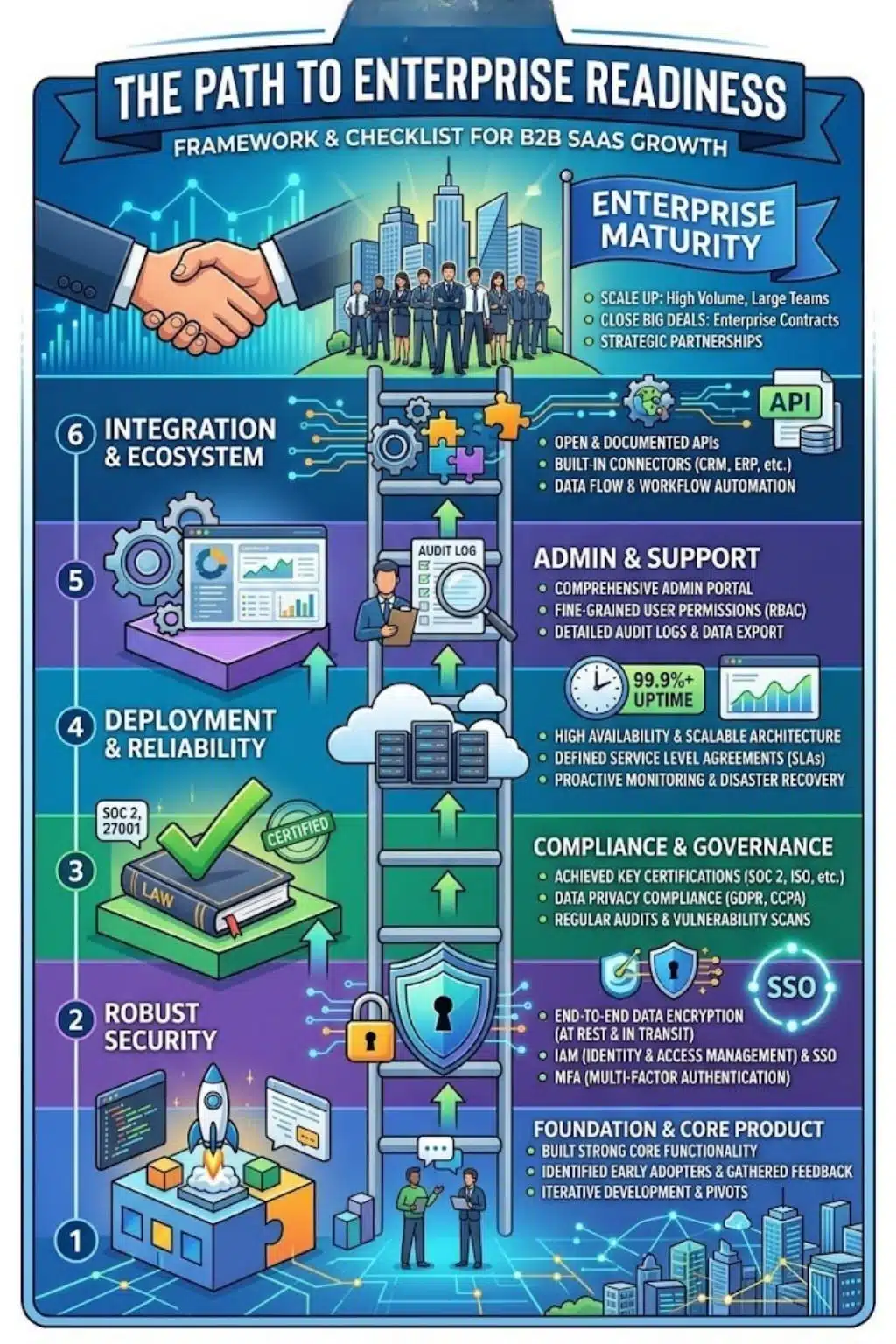
1. Identity and Access Management (IAM)
Enterprises will not let their employees manage standalone passwords on your app. It is a massive security vulnerability. They need your software to plug directly into their centralized identity systems.
- Single Sign-On (SSO): You must support protocols like SAML 2.0 or OpenID Connect (OIDC). Without this, enterprise IT won’t even return your emails.
- Automated Provisioning (SCIM): When an employee is fired or changes roles, IT needs your app to automatically update or revoke their access in real time, without human intervention.
- Role-Based Access Control (RBAC): Granular permissions are non-negotiable. A marketing intern should never have the same administrative dashboard access as the VP of Finance.
2. Governance and Visibility
Security teams operate on a strict principle of “trust, but verify.” They need to prove to their own auditors that they are actively controlling access to third-party software.
- Immutable Audit Logs: You must record exactly who did what, when they did it, and from what IP address.
- Log Streaming: Enterprises want to export your activity logs directly into their own centralized security hubs (like Datadog or Splunk) to monitor for anomalies or internal threats.
3. Security and Compliance
You are asking a massive corporation to trust you with their proprietary data. You have to prove you won’t lose it, leak it, or get hacked.
- SOC 2 Type II: This is the gold standard for B2B SaaS in North America. It is an independent, months-long audit proving your security practices actually work.
- Reliability Guarantees: You need ironclad Service Level Agreements (SLAs) promising 99.9% or 99.99% uptime, backed by financial penalties if your system goes down.
When Should You Build It? [The Timing Trap]
This is the hardest strategic question for any founder or product lead.
If you build enterprise features too early, you burn precious engineering cycles on backend admin controls instead of the core features that actually make your product great. You risk building the most secure, compliant software that nobody actually wants to use.
But if you build it too late, you hit a revenue ceiling. You stall out, unable to close larger Annual Contract Values (ACVs), and lose deals to legacy competitors who have worse products but better compliance.
There are two distinct signals to look for before writing a line of enterprise code:
Signal 1: The Market Pull
This happens when you have strong bottoms-up adoption. Teams inside large organizations are swiping corporate credit cards to use your tool, and they love it. But when they try to roll it out company-wide, the IT department steps in and blocks the purchase. When your sales team consistently loses mid-to-late-stage deals solely because you lack SSO or SOC 2, it is time to build.
Signal 2: The Strategic Push
This happens when you’ve saturated the SMB market. Small businesses naturally churn at a higher rate. To fix your unit economics and scale your revenue, you make a strategic decision to target $100K+ ACVs. If this is your goal, enterprise readiness must be funded and built before you hire an expensive enterprise sales team.
The Build vs Buy Dilemma: A Costly Mistake
One of the biggest early mistakes development teams make is tasking their core engineers with building custom SAML integrations from scratch.
It is easy to assume it will only take a few weeks. In reality, it often takes months, costs hundreds of thousands of dollars in developer time, distracts from the core product roadmap, and creates a massive, ongoing maintenance burden.
Enterprise features like SSO, SCIM, and audit logs are “table stakes.” They do not differentiate your software in the eyes of the end-user; they simply remove a procurement roadblock for the buyer.
Today, the smartest development teams use “enterprise-in-a-box” middleware and identity APIs. These services allow you to drop in enterprise-grade authentication and compliance infrastructure in a matter of days. Save your engineers for the proprietary features that actually make your software special.
Final Thoughts: Crossing the Threshold
Moving upmarket is not a simple product roadmap update; it is a full company transformation. Your sales cycles will stretch from 30 days to 6 months. You will need to align buying committees of 10 to 15 different stakeholders. Your customer success team will have to evolve from reactive support to proactive, strategic account management.
It is a grueling transition. But when a company finally crosses that threshold, when they pass the audits, deploy the infrastructure, and sign that first massive enterprise contract, the stability, the drastically lower churn, and the explosive revenue growth make every single security questionnaire worth it.
Frequently Asked Questions About Enterprise Readiness
1. What exactly is SCIM, and why do enterprise IT teams demand it?
SCIM stands for System for Cross-domain Identity Management. Think of it as a remote control for user accounts. Without SCIM, an IT admin has to log into your app manually to delete a terminated employee’s account. With SCIM, the moment HR removes the employee from their central corporate directory, their access to your app is instantly and automatically revoked.
2. How much does getting a SOC 2 Type II audit actually cost a startup?
It is a significant investment. Between compliance automation software, penetration testing, auditor fees, and the internal engineering time required to fix security gaps, a startup should expect to spend anywhere from $40,000 to $100,000 for their first certification. The catch? Not having it will cost you millions in lost enterprise deals.
3. Can we just fake “Enterprise Readiness” with a high-priced tier and priority support?
Absolutely not. Enterprise buyers are sophisticated, and their procurement teams are ruthless. If you throw up an “Enterprise” pricing tier without the underlying infrastructure (like audit logs, SAML, and data encryption), you will be immediately exposed and disqualified during the vendor risk assessment.
4. Between SAML and OIDC for Single Sign-On, which should we build first?
While OpenID Connect (OIDC) is the modern, developer-friendly standard, SAML 2.0 is still the entrenched legacy giant in the corporate world. Many large, older enterprises still rely heavily on SAML. The good news is that if you use a modern third-party authentication provider, you can usually support both protocols simultaneously with minimal extra effort.
5. Does building enterprise features ruin the user experience for smaller teams?
It shouldn’t, as long as you compartmentalize your design. The best SaaS companies keep their core user experience incredibly simple and frictionless for individual users. All the heavy enterprise governance, granular role management, and complex billing settings are hidden away in a dedicated “Admin Console” that only the IT buyers ever see. Keep the tool beautiful for the user, and powerful for the admin.