

Many business owners complete the obvious parts of their Google Business Profile, including the name, address, phone number, website and regular hours. Then they stop.
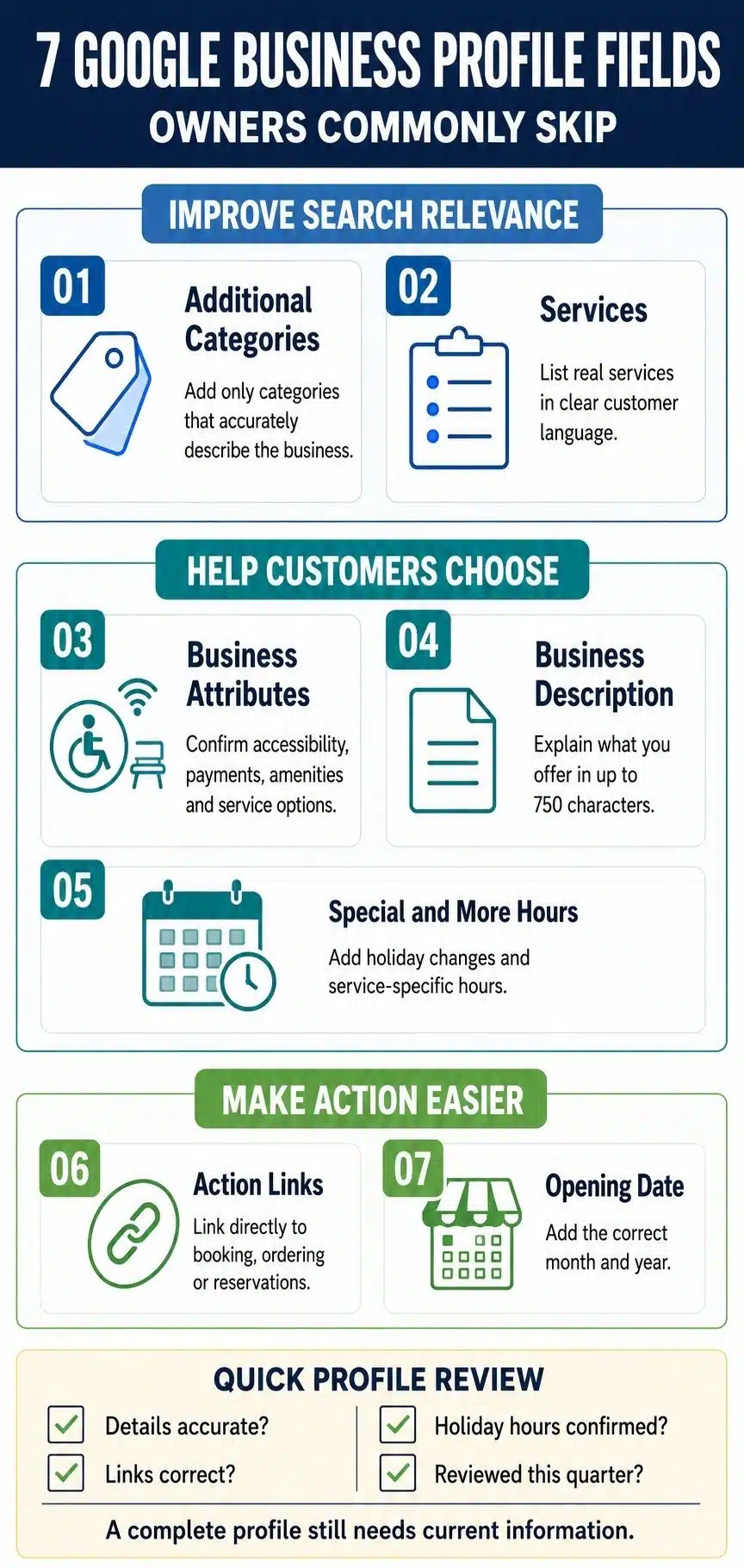
The Google Business Profile fields they commonly overlook are additional categories, services, attributes, the business description, special hours, action links and the opening date. These fields do not all influence rankings in the same way. Some help Google understand the business, while others help customers decide whether to call, visit or book.
Google does not publish a universal count of which fields owners leave blank most often, and the available options vary by business category and location. Still, these seven are frequently overlooked and useful enough to deserve attention.
1. Additional Business Categories
Most owners choose a primary category when creating their profile and never revisit the setting. That can leave valuable additional categories unused.
The primary category should be the most specific option that accurately describes the core business. Google also allows up to nine additional categories, although there is rarely a good reason to use all nine.
A simple way to evaluate a category is to complete this sentence: “This business is a…”
For example, a grocery store with its own bakery and deli could use “Grocery store” as the primary category, then add “Bakery” and “Deli” as additional categories.
Categories should describe what the business is, not list every service, product or amenity it offers. A plumbing company should not add loosely related categories simply because those terms receive searches.
I would treat additional categories as the highest-priority field on this list. Categories directly affect how Google understands a business and the searches for which it may be relevant. However, accuracy matters more than quantity.
Review the available options periodically because Google changes its category list over time. Be careful when editing them, too, because a category change may trigger another verification request.
2. Services and Service Details
Categories explain what a business is. The Services section explains what it actually does.
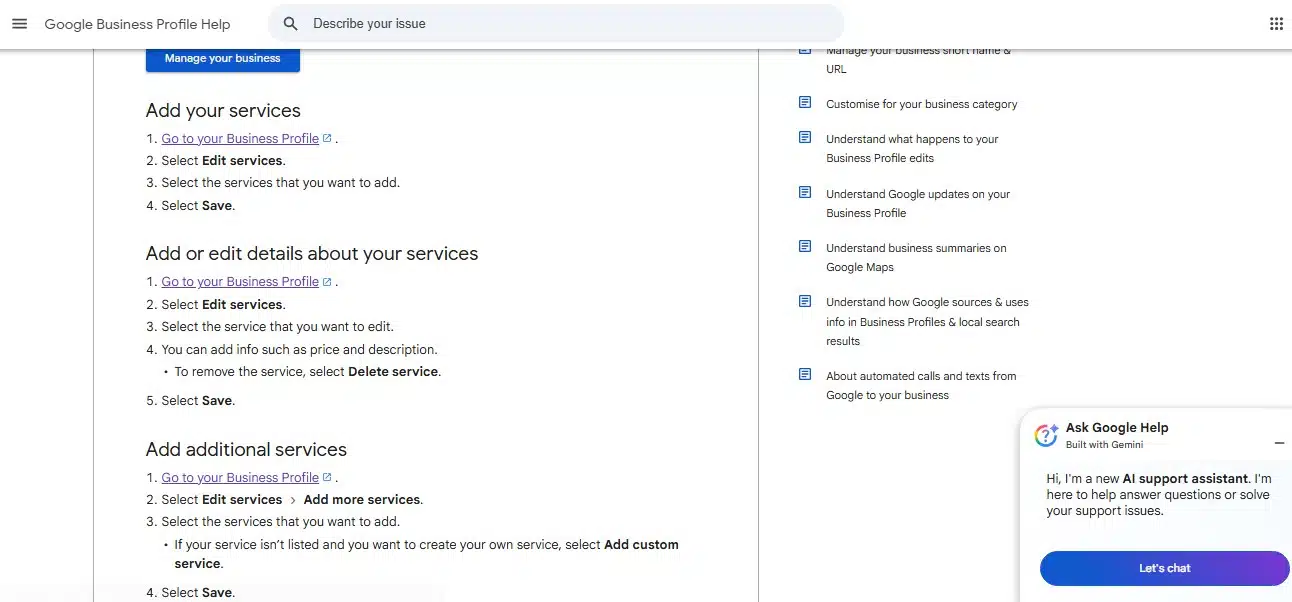
Depending on the business type, Google may suggest predefined services. Owners can also create custom services when the right option is missing. Individual entries may include a short description and price.
A plumber, for example, might list:
- Drain cleaning
- Water heater installation
- Faucet repair
- Leak detection
- Emergency plumbing
This gives potential customers an immediate answer to an important question: “Does this business handle my problem?”
Google may also highlight a service when it closely matches someone’s search. Independent local SEO tests have found that adding relevant services can affect visibility for related queries, although the results vary by industry and location. Predefined services currently have stronger evidence behind them than custom entries.
Add every genuine service that matters to customers, using familiar language rather than internal terminology. A short description can clarify the scope, process or result. It should not repeat the same keyword several times.
Include a price only when it is useful and realistic. If the final cost varies, a starting price or a clear explanation may be more honest than an exact figure.
3. Business Attributes
Attributes are small factual details that help customers decide whether a business fits their needs. Depending on the category, they may cover:
- Accessibility
- Outdoor seating
- Wi-Fi
- Payment methods
- Online appointments
- On-site services
- Delivery or pickup
- Business identity information
Available attributes vary by industry, country and location. A restaurant, hotel, retailer and law firm will not see the same options.
Certain attributes may help a business appear when someone searches for a specific feature, such as outdoor seating or wheelchair access. More importantly, they answer practical questions before a customer has to call.
Review every available attribute group and complete only the fields you can verify. Accessibility details require particular care. Do not mark a location wheelchair accessible based on an assumption or an arrangement that is not reliably available.
Some attributes may also be influenced by information submitted by customers. Check the public profile occasionally to make sure it still reflects the business accurately.
4. Business Description
The business description appears in the “From the business” section and can contain up to 750 characters. It is the owner’s opportunity to explain the business in their own words.
A useful description should answer four questions:
- What does the business offer?
- Who does it serve?
- What makes it meaningfully different?
- What factual detail helps establish confidence?
Google does not allow links, HTML code, promotional offers, prices or sales-focused copy in this field.
I would write the description for a potential customer, not for the algorithm. There is no reliable evidence that adding keywords to it directly improves local rankings. Its real value is making the business easier to understand and evaluate.
A bakery description might begin like this:
“We are a family-run bakery serving sourdough bread, celebration cakes and fresh pastries in central Austin. Our kitchen prepares small batches each morning, with vegan and gluten-conscious options available by advance order.”
That is more useful than vague claims about exceptional quality or outstanding customer service. It tells the reader what the bakery makes, where it operates and what options are available.
Google can suggest an AI-generated description in certain regions and languages. If that option appears, check every claim before publishing it. Generated text can sound convincing while getting services, history or location details wrong.
5. Special Hours and More Hours
Regular hours are easy to find. Special hours and More hours are easier to miss.
Special hours are for temporary changes such as:
- Public holidays
- Private events
- Staff training
- One-off early closures
- Short seasonal changes
Google recommends confirming holiday hours even when the regular schedule remains unchanged. This shows customers that the information has been checked.
Special hours are suitable for a closure or temporary adjustment lasting up to six consecutive days. If a business will be closed for seven days or longer, marking it temporarily closed is generally more appropriate.
More hours serve a different purpose. They show when a particular service is available within the regular schedule. A restaurant might have separate hours for dine-in, delivery, takeout or happy hour. A retailer might offer pickup only during part of the day.
Regular hours must be set before More hours can appear. Google also generally recommends keeping service-specific hours within the main operating schedule.
These settings may look administrative, but customers rely on them. Someone who travels to a business that Google incorrectly shows as open is unlikely to trust the profile again.
6. Booking, Ordering and Other Action Links
Eligible businesses can add links that let customers act directly from Google Search or Maps. Depending on the category and region, these links may allow people to:
- Book an appointment
- Make a reservation
- Place a food order
- Place a shopping order
- View a menu
- Review a service list
If multiple options appear, the owner may be able to select a preferred link. This is particularly useful when Google has automatically added a third-party booking or ordering provider that creates a less convenient experience or charges the business higher fees.
I think of action links as friction removers. Someone looking for a haircut should land on the appointment calendar, not a generic homepage where the booking option is difficult to find.
The destination should belong to the correct business and location. It must also allow the visitor to complete the promised action. An order link should lead to ordering, while an appointment link should lead to an actual booking process.
Google does not accept social profiles, messaging links, app-store pages or shortened URLs as replacements for these action pages. Availability differs across categories and regions, so not every profile will display the same link options.
7. Opening Date
The opening date is one of the easiest fields to complete, yet it is often forgotten once a profile goes live.
An established business can add the month and year it opened at its current location. Google may use this information to indicate how long the business has been operating.
New businesses can enter an opening date up to one year in advance. Once the profile is verified, it may begin appearing 90 days before opening. Google may then show a “Recently opened” label for 90 days after the launch.
The opening date is not a major local ranking lever, but it provides useful context. Longevity can reassure potential customers, while pre-opening visibility gives a new business time to introduce itself, publish updates and add photos.
For businesses with multiple locations, use the opening date of each location rather than applying the company’s original founding date to every profile.
Complete the Fields Customers Actually Use
Completing these Google Business Profile fields does not guarantee a top position in local results. Google also considers relevance, distance and prominence, while reviews, website quality, accurate contact information and other signals still matter.
The fields serve different purposes:
- Additional categories and services clarify relevance.
- Attributes and detailed hours help customers judge suitability.
- The business description and opening date add context and confidence.
- Action links turn interest into a booking, order or reservation.
If I were prioritizing an incomplete profile, I would begin with additional categories, services and attributes. I would then improve the description, verify every type of operating hour and connect the most direct action links available.
Finally, treat the profile as a living business record. Review it whenever services, hours or contact details change, and conduct a fuller check every few months. A filled-out profile is not genuinely complete if the information is no longer accurate.
Frequently Asked Questions on Google Business Profile Field
1. Which Google Business Profile field matters most for local rankings?
The primary business category is generally the most influential editable field for relevance. Among the commonly overlooked fields, accurate additional categories and services should receive the highest priority.
2. Does the business description improve Google Maps rankings?
There is no reliable evidence that keywords in the description directly improve local rankings. The field is still valuable because it explains the business and helps potential customers decide whether to contact it.
3. How many additional business categories should I add?
Google allows up to nine additional categories, but you do not need to use the full allowance. Add only categories that accurately describe what the business is. Use the Services section for individual jobs or offerings.
4. Will adding service areas help my business rank in more cities?
No. Service areas tell customers where a business travels or delivers, but adding more locations does not automatically make the profile rank in those places. Service-area businesses can list up to 20 areas and should keep them specific, accurate and reasonably close to their base.
5. How often should I update my Google Business Profile?
Update it whenever hours, services, contact details, booking links or operating conditions change. Confirm special hours before holidays and review categories, attributes, services and links at least once every few months.























