

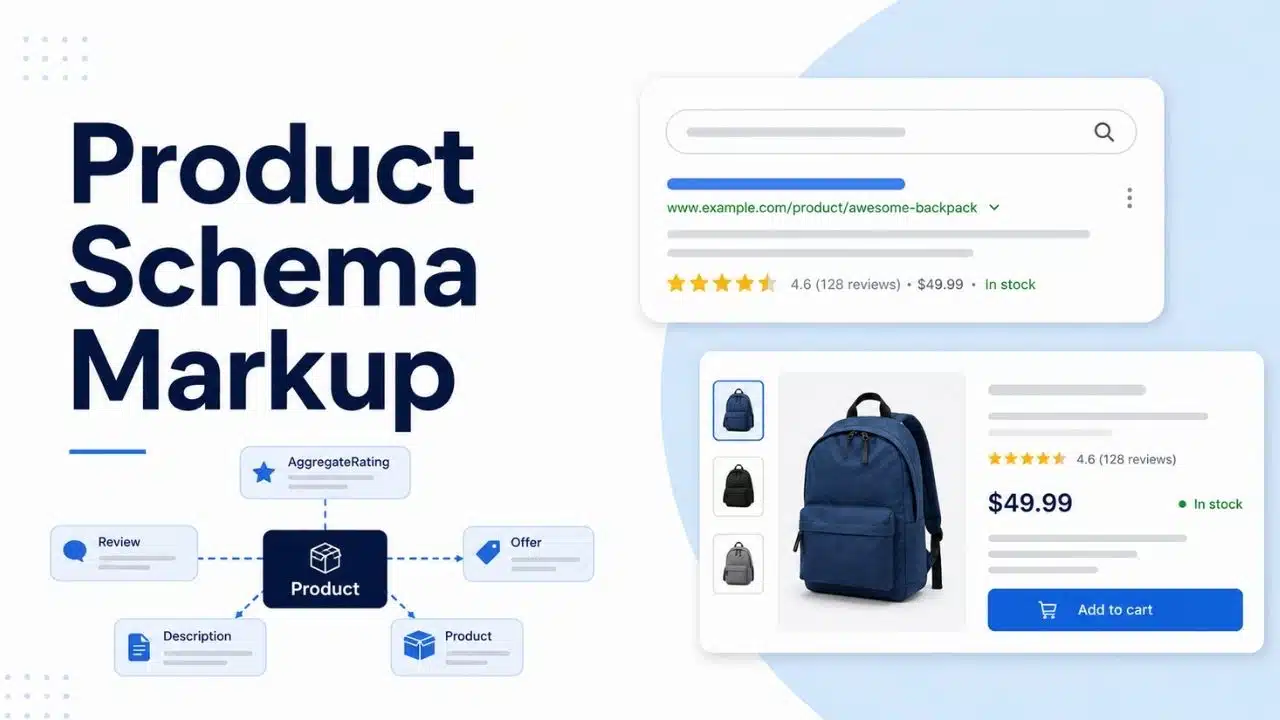
Product schema markup is structured code (JSON-LD) added to a webpage’s HTML that helps search engines immediately understand detailed product information—such as price, availability, star ratings, and shipping details. Implementing this markup allows Google, Bing, and AI search engines to display rich snippets and interactive product cards directly in search results.
By structuring your catalog with accurate schema, you make your inventory machine-readable for traditional search engines, conversational AI agents, and Google AI Overviews alike. This immediate clarity improves your brand’s Search Engine Optimization (SEO), Answer Engine Optimization (AEO), and Generative Engine Optimization (GEO). The result? Higher click-through rates, better qualified traffic, and greater search visibility for your e-commerce store.
What Is Product Schema Markup?
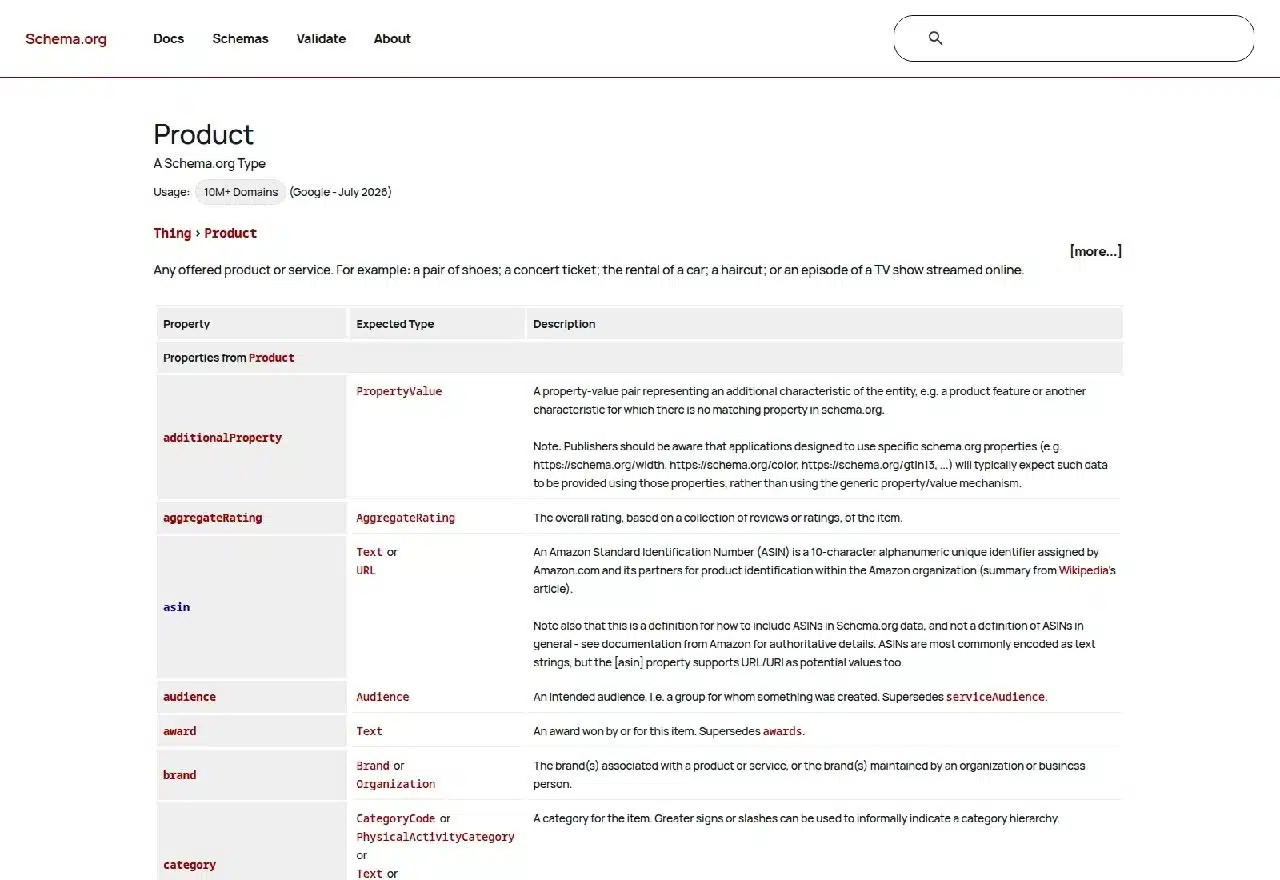
Product schema uses the Schema.org vocabulary to describe a product in machine-readable form. The central entity is usually Product. Related information sits beneath or alongside it. An Offer can describe the current selling price and currency. AggregateRating can represent genuine customer ratings. Other properties can identify the brand, SKU, GTIN, condition, color, or availability.
There are two rulebooks involved. Schema.org tells you what properties exist. Google tells you which ones it supports for particular Search features.
A field can be valid Schema.org markup without being required for a Google merchant listing or product snippet. Adding every available property therefore creates more maintenance work without necessarily creating more search value. For most ecommerce sites, accurate markup beats extensive markup.
Product Snippets and Merchant Listings Are Different
Before writing any schema, decide what kind of product page you have.
Merchant listings
Merchant listing markup is for pages where customers can buy the product directly from the merchant represented on the page.
Google can use merchant listing data for richer shopping experiences involving information such as:
- price;
- availability;
- shipping;
- returns;
- product identifiers;
- variant attributes.
If the page is simply an editorial article or an affiliate page sending the shopper to another retailer, it should not be presented as though the publisher itself is the seller.
Product snippets
Product snippets apply more broadly to product-focused pages, including editorial reviews and pages where direct purchase from the site is not the main purpose.
For Product snippet eligibility, Google currently requires the product name and at least one of:
- review;
- aggregateRating;
- offers.
You do not need all three.
For publishers, this is an important boundary. A laptop review can describe the product and its rating without pretending the publication is the merchant selling it.
Product Schema Markup Should Match the Visible Product
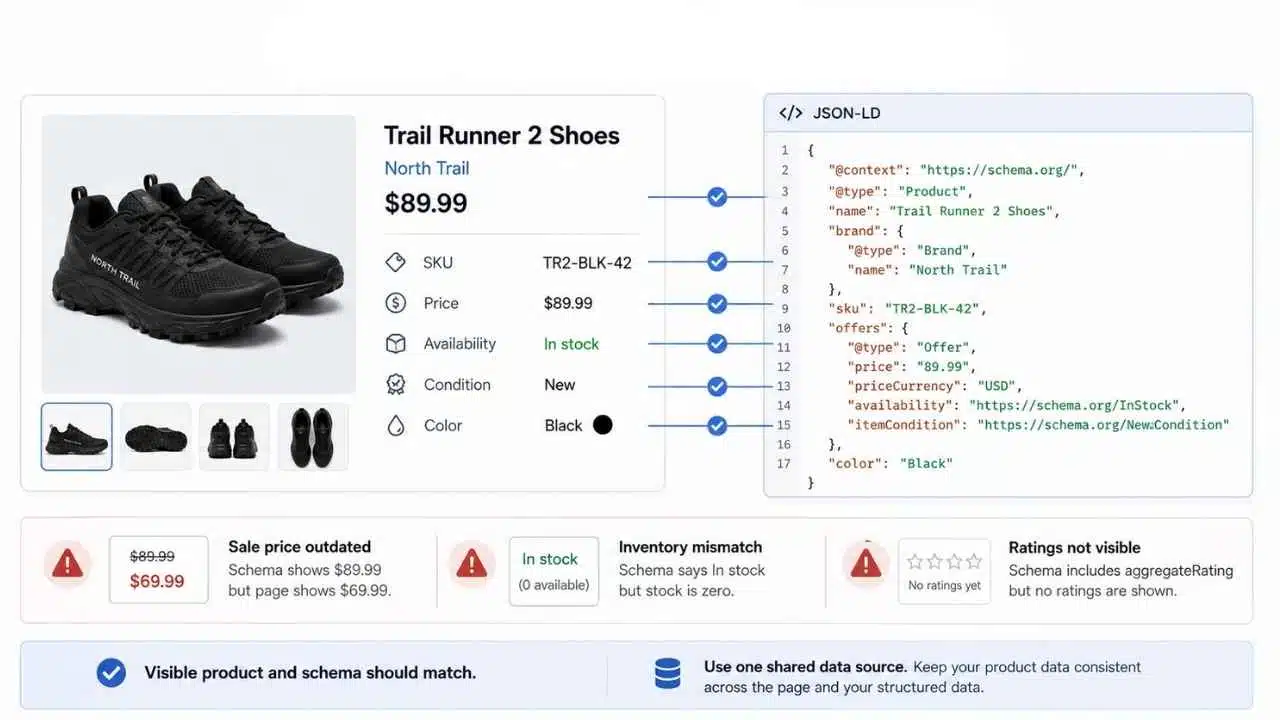
The markup should describe the page shoppers are looking at, not a separate version of the product stored somewhere in the SEO system.
Imagine the page shows:
- Product: Trail Runner 2 Shoes
- Brand: North Trail
- SKU: TR2-BLK-42
- Price: $89.99
- Availability: In stock
- Condition: New
- Color: Black
The structured data should say the same thing. Problems start when product data gets out of sync.
A promotion ends, but the JSON-LD still reports the sale price. Inventory reaches zero, but the schema continues to say InStock. The page has no visible customer ratings, but the template adds an aggregateRating because somebody wanted star results.
Google’s structured-data policies require markup to represent the actual content of the page and prohibit misleading information. For ecommerce teams, this makes product-data architecture more important than clever markup. If possible, generate the visible price, inventory state, identifiers, and JSON-LD from the same underlying source.
A Practical JSON-LD Product Example
Google supports JSON-LD, Microdata, and RDFa. JSON-LD is usually the cleanest option for modern ecommerce implementations and is the format Google recommends.
A basic merchant product could look like this:
{
“@context”: “https://schema.org”,
“@type”: “Product”,
“name”: “Trail Runner 2 Shoes”,
“image”: [
“https://example.com/images/trail-runner-2.jpg”
],
“description”: “Lightweight trail running shoes with a rubber outsole.”,
“sku”: “TR2-BLK-42”,
“brand”: {
“@type”: “Brand”,
“name”: “North Trail”
},
“offers”: {
“@type”: “Offer”,
“url”: “https://example.com/trail-runner-2”,
“price”: 89.99,
“priceCurrency”: “USD”,
“availability”: “https://schema.org/InStock”,
“itemCondition”: “https://schema.org/NewCondition”
}
}
The example is intentionally small. Do not copy every field from a sample into a production template. A useful schema implementation is generated from real product data, not from the desire to make a testing tool show fewer warnings.
Which Product Properties Does Google Require?
For a merchant listing, Google currently requires the Product to contain:
- name;
- image;
- offers using an Offer.
Inside the Offer, the active price must be supplied, either through price or a supported priceSpecification, along with the corresponding currency. The currency should use a three-letter ISO 4217 code such as USD, GBP, or EUR. For merchant listings, the active price must be greater than zero.
Google recommends additional information where it applies, including:
- availability;
- brand;
- description;
- SKU;
- GTIN;
- MPN;
- item condition;
- shipping details;
- return information;
- legitimate ratings and reviews.
The important word is applies. If the manufacturer did not assign a GTIN, do not invent one. If the store has no reviews, do not fabricate an aggregate rating just because Search Console lists it as a recommended property. A warning is not the same as an error.
Keep price and currency separate
Avoid writing:
“price”: “$89.99”
Use:
“price”: 89.99,
“priceCurrency”: “USD”
Sales, loyalty pricing, unit prices, and other pricing models can require more specific structures. If pricing is complicated, model the price customers can actually purchase at instead of forcing everything into one simplified value.
Availability Only Helps When It Stays Current
Availability is recommended rather than one of the core required merchant-listing fields, but most ecommerce stores should include it when their inventory system can keep it accurate.
Google supports values such as:
- InStock;
- OutOfStock;
- BackOrder;
- PreOrder;
- LimitedAvailability;
- SoldOut;
- Discontinued;
- InStoreOnly;
- OnlineOnly.
The difficult part is not choosing the right vocabulary. It is updating it at the same speed as the storefront. If an item sells out at 11:30 a.m. but the structured data stays cached as InStock until the following morning, the schema is no longer describing the page correctly. For large catalogues, inventory freshness should be treated as a data-flow problem, not an SEO maintenance task.
Do Not Add Ratings Just Because Stars Look Attractive
Ratings can make search results more noticeable. That also makes rating markup a frequent source of abuse. If genuine customer ratings are displayed on the page and meet Google’s requirements, AggregateRating may be appropriate. Individual reviews can be represented using Review.
Do not create ratings purely for structured data. A five-star value hidden in JSON-LD while no rating appears anywhere on the page is not a legitimate optimization. The same applies to review counts.
If Search Console reports that rating information is recommended, the correct response is not to manufacture reviews. Recommended properties improve eligibility or presentation when real data exists. They are not blank fields that must be filled.
Product Variants Need More Than an Extra Property
Variants are where Product schema stops being a simple copy-and-paste task. Take one shoe model with three colors and seven sizes. Those combinations may have different SKUs, images, inventory, and sometimes prices.
Google supports ProductGroup for describing products that belong to the same variant family. Properties such as variesBy, hasVariant, productGroupID, inProductGroupWithID, and isVariantOf can express those relationships.
The identifiers matter. Each variant should have its own unique identifier, such as an SKU or GTIN where appropriate. The overall group should also have a stable identifier.
URLs matter just as much. Google’s current variant guidance expects each variant to be directly addressable through a URL capable of preselecting that version of the product. If a shopper opens the blue-size-10 URL, the page should show the blue size 10—with the correct image, stock status, price, and purchase state.
A color selector that changes the image but leaves every variant effectively indistinguishable at the URL level creates unnecessary ambiguity.
- For single-page variant setups, Google expects one canonical URL for the overall product group, typically the base product URL.
- For multi-page variant setups, each page needs complete structured data for the entities it describes. The single-group canonical approach does not apply in the same way.
Schema cannot rescue a confusing variant architecture. URLs, canonicals, identifiers, visible selections, and product data all need to agree.
JavaScript-Generated Product Markup Needs Extra Care
Google can process structured data generated with JavaScript. That does not mean client-side generation is always the best option for ecommerce.
For shopping-related implementations, Google recommends placing Product structured data in the initial HTML where possible. Its documentation notes that dynamically generated Product markup can make shopping crawls less frequent or less reliable, particularly when details such as price and availability change quickly.
This is not a blanket rule against JavaScript. It is a reliability issue. If the product name renders immediately but the price, inventory status, and JSON-LD depend on several API calls after page load, there are more opportunities for delays and mismatches. For frequently changing commerce data, simpler delivery is easier to audit.
Product Schema and Merchant Center Should Agree
Product structured data and Google Merchant Center complement each other. Structured data describes what is on the product page. Merchant Center gives retailers another channel for providing Google with structured product information and more direct control over product updates.
Merchant Center is not required simply for ordinary Google Search inclusion, but it is required for some Google shopping surfaces, including the Shopping tab.
For a small store with stable inventory, on-page structured data may stay reasonably current through normal crawling. For a retailer changing thousands of stock states and prices throughout the day, feeds become more important because crawling does not guarantee instant updates.
The real problem appears when the systems disagree:
Visible page: $89.99
Structured data: $99.99
Merchant data: $94.99
No schema plugin fixes that.
The business has three conflicting sources of product truth. Where possible, the visible page, Product markup, and Merchant Center feed should all originate from the same dependable commerce data.
Be Careful With Category and Collection Pages
Google’s Product rich-result guidance is centered on pages about one product or variants of the same product. A category page containing 80 unrelated running shoes is not one product. That does not mean Product entities can never exist on a collection page. Structured data can describe multiple entities where appropriate.
The mistake is treating a collection of separate products as though the whole page were a single Product detail page in an attempt to gain merchant rich results. For most ecommerce teams, individual product detail pages should receive priority for Product rich-result implementation.
Test the Difficult Product States, Not Just the Perfect One
A schema implementation can pass development review and still fail as soon as real catalogue conditions appear. Use Google’s Rich Results Test during development, then deploy the markup to a small set of representative pages. Check those pages through URL Inspection in Search Console and monitor the relevant enhancement reports after Google recrawls them.
Do not test only the cleanest product.
Include:
- a normal in-stock item;
- an out-of-stock product;
- a sale item;
- a product with several variants;
- a discontinued item if those URLs remain live;
- any template with unusual pricing or inventory behavior.
These edge cases expose stale values and template assumptions quickly. Search Console separates Merchant listings and Product snippets because the two experiences have different eligibility requirements. Use the report that matches the type of page you are implementing.
Passing the Rich Results Test Is Not a Promise
A green Rich Results Test result means Google can detect supported structured data and that the required fields are valid enough for eligibility.
It does not guarantee that Google will display the rich result. Search appearance can vary by query, user, device, page quality, and other factors. A page can also pass syntax validation while still violating broader structured-data quality policies.
So if the test passes but price, stock, or ratings do not appear in Search, do not assume the implementation is broken. Validation gives the page a chance to qualify. It does not reserve a particular presentation.
Product schema is also not a documented direct ranking boost. Its value is more practical: it gives Google explicit product information and makes qualifying pages eligible for richer shopping presentations.
Common Product Schema Mistakes
The biggest failures usually have little to do with brackets or commas.
The price is stale
A promotion ends but cached markup still contains the discount.
Stock status disagrees with the storefront
The customer sees “Sold out” while Google is told InStock.
Variants reuse identifiers
Different SKUs or configurations become difficult to distinguish.
Ratings exist only inside JSON-LD
The markup describes something the customer cannot see.
A category is treated as one product
The markup no longer reflects what the page is actually about.
Critical product data depends on unreliable client-side rendering
Schema eventually appears, but crawling and freshness become harder to control.
Warnings are treated as mandatory fields
The team starts inventing recommended information simply to make Search Console look cleaner.
These are product-data and architecture problems first. Schema only exposes them.
Final Thoughts
Good product schema markup starts with accurate product data, not with a long JSON-LD template. First decide what the page actually is. A product sold directly by the merchant should follow merchant listing requirements. An editorial review or other non-purchase product page should use the Product snippet requirements that fit it.
Then make the markup reflect the real product: current price, currency, stock status, identifiers, ratings, images, and variant relationships. Test the awkward states—sales, sold-out items, variant URLs, discontinued products—not just one ideal page.
If there is one implementation priority worth keeping, it is consistency. The storefront, structured data, canonical URLs, and Merchant Center feed should not tell Google four different stories about the same product. Product schema works best when it becomes part of the commerce system rather than an SEO layer pasted on afterward.























