
Choosing the right VPS (Virtual Private Server) hosting plan for your business is a critical decision that can impact your website’s performance, security, and scalability.
If you’re wondering how to select VPS hosting plan, you’re not alone. With countless options available, navigating through the technical jargon and feature lists can feel overwhelming.
However, by breaking the process into manageable steps, you can ensure that you select a VPS hosting plan that aligns with your business needs and growth aspirations.
In this comprehensive guide, we’ll walk you through 10 essential steps to selecting the perfect VPS hosting plan for your business.
Whether you’re a small startup or a growing enterprise, these steps will equip you with the knowledge to make an informed decision.
What is VPS Hosting?
VPS hosting is a type of web hosting that uses virtualization technology to provide you with dedicated resources on a shared server.
Unlike shared hosting, where multiple websites share the same resources, VPS hosting allocates a portion of the server’s resources exclusively for your website.
This setup ensures greater control, better performance, and enhanced security.
For businesses looking for a balance between affordability and functionality, learning how to select VPS hosting plan is crucial.
Why Your Business Needs VPS Hosting
- Scalability: Easily scale resources as your traffic grows without major disruptions.
- Performance: Dedicated resources ensure faster load times and a seamless user experience.
- Control: Greater customization options compared to shared hosting.
- Cost-Effective: Provides many benefits of dedicated hosting at a fraction of the cost.
| Feature | Shared Hosting | VPS Hosting |
| Resource Sharing | Shared with multiple users | Dedicated to your website |
| Customization | Limited | Extensive |
| Performance | Moderate | High |
| Scalability | Restricted | Flexible |
Step 1: Define Your Business Hosting Needs
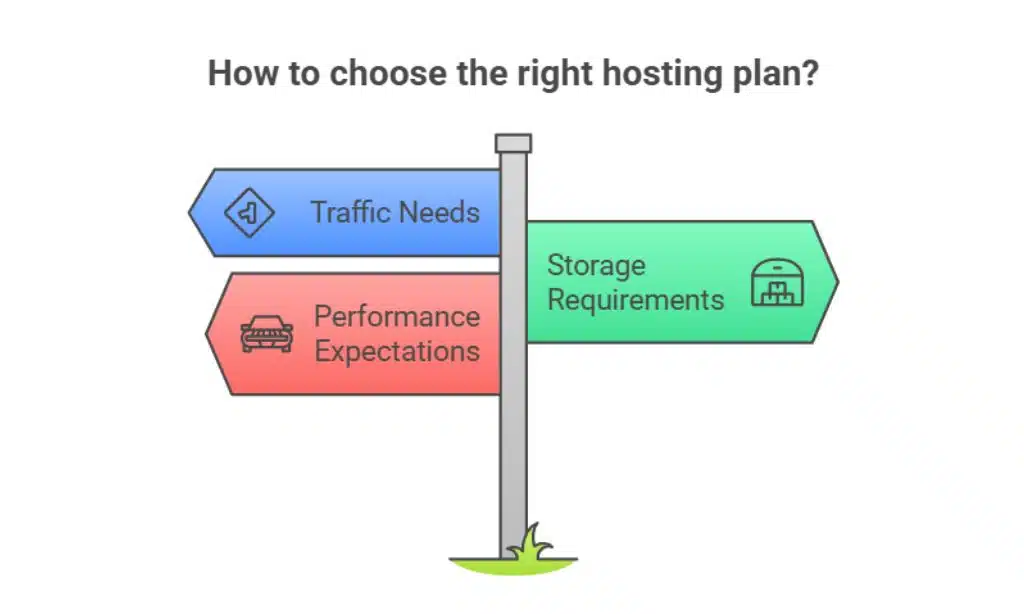
Before diving into VPS hosting plans, take stock of your business’s specific requirements. Knowing how to select VPS hosting plan starts with identifying what your business truly needs.
Traffic, Storage, and Performance Requirements
- Traffic: Assess your current and anticipated traffic. High-traffic sites require more bandwidth to handle user requests efficiently.
- Storage: Determine the amount of disk space needed for storing files, databases, media, and backups.
- Performance: Ensure your server can handle spikes in traffic without downtime or sluggishness, which could harm user experience.
| Metric | Low-Traffic Sites | High-Traffic Sites |
| Bandwidth | < 1 TB | > 2 TB |
| Storage | 20-50 GB | 100 GB or more |
| CPU Cores | 1-2 | 4+ |
Tip: Use tools like Google Analytics to analyze your website’s traffic trends and predict future resource needs.
Future Growth and Scalability
Opt for a VPS hosting plan that allows seamless upgrades. For example, if your e-commerce site anticipates increased holiday traffic, choose a scalable VPS plan to handle the surge without impacting performance.
Example:
An online store with seasonal spikes during Black Friday or holiday sales might benefit from a VPS provider offering rapid resource scaling to handle sudden traffic increases.
Step 2: Assess Different Types of VPS Hosting
Understanding the types of VPS hosting available will help you select the right plan. If you’re still unsure how to select VPS hosting plan, comparing the types of hosting is a great starting point.
Managed vs. Unmanaged VPS Hosting
- Managed VPS: Ideal for businesses without in-house technical expertise. The hosting provider handles server maintenance, updates, and security. This is particularly useful for startups or non-technical teams who need a hands-off solution.
- Unmanaged VPS: Offers full control but requires technical know-how to manage and maintain the server. It’s a cost-effective option for businesses with IT expertise.
Cloud VPS vs. Traditional VPS
| Feature | Cloud VPS | Traditional VPS |
| Scalability | High (resources can be added) | Limited (fixed server capacity) |
| Reliability | Redundant and reliable | Single point of failure |
| Cost | Pay-as-you-go | Fixed monthly fee |
Example:
A digital agency managing multiple client websites might benefit from Cloud VPS due to its scalability and flexibility.
On the other hand, a small e-commerce store with steady traffic may find Traditional VPS sufficient and cost-effective.
Actionable Tip: For businesses anticipating rapid growth, Cloud VPS is often the better choice due to its flexibility and pay-as-you-go pricing.
Step 3: Evaluate Hosting Providers’ Reputation
Selecting a reputable hosting provider ensures reliability and support. This is a key consideration in understanding how to select VPS hosting plan effectively.
Research Customer Reviews and Ratings
- Look for unbiased reviews on platforms like Trustpilot or G2 to understand the experiences of other users.
- Check for recurring issues in customer feedback, such as slow response times or unreliable uptime.
Check for Awards and Certifications
Hosting providers with industry recognition or certifications (e.g., ISO 27001 for security or SSAE 18 compliance) demonstrate a commitment to quality and reliability.
| Provider | Customer Rating | Certifications |
| Provider A | 4.8/5 | ISO 27001, PCI DSS |
| Provider B | 4.5/5 | SSAE 18, GDPR Compliance |
| Provider C | 4.7/5 | SOC 2, HIPAA Compliance |
Example: A hosting provider with high ratings on Trustpilot and ISO certifications would be a strong candidate for reliability.
Step 4: Analyze Uptime and Reliability Metrics
Downtime can lead to lost revenue and poor user experiences. Prioritize uptime. This step is critical when learning how to select VPS hosting plan for your business.
Importance of High Uptime Guarantees
Look for hosting providers that offer an uptime guarantee of at least 99.9%. A 0.1% downtime equates to approximately 8.76 hours annually, which could significantly affect businesses reliant on continuous online availability.
How to Verify Uptime Claims
Use monitoring tools like Pingdom or UptimeRobot to independently track a provider’s performance. Some providers also publish real-time status updates to ensure transparency.
| Provider | Uptime Guarantee | Downtime (Annually) |
| Provider A | 99.99% | < 1 hour |
| Provider B | 99.9% | ~8.76 hours |
| Provider C | 99.5% | ~43.8 hours |
Tip: Check whether the provider offers uptime monitoring tools or dashboards for added transparency.
Step 5: Compare Pricing and Plans
Price is an important factor, but it should align with the features and resources offered. When deciding how to select VPS hosting plan, understanding pricing structures is vital.
Understand Pricing Models
- Monthly Plans: Flexible but slightly more expensive for short-term needs.
- Annual Plans: Cost-effective but requires upfront payment, which can save you up to 20% on total costs.
Compare Features Across Plans
| Provider | RAM | Bandwidth | CPU Cores | Price/Month |
| Provider A | 4 GB | 2 TB | 2 | $20 |
| Provider B | 8 GB | 3 TB | 4 | $40 |
| Provider C | 16 GB | Unlimited | 6 | $70 |
Insight:
If you’re hosting a resource-heavy application, investing in higher RAM and bandwidth is crucial, even if it comes at a higher price point.
Tip: Many providers offer trial periods or money-back guarantees, which can help you test services before committing.
Step 6: Prioritize Security Features

Security is non-negotiable for any business hosting plan. Knowing how to select VPS hosting plan involves prioritizing robust security measures.
Must-Have Security Features
- SSL Certificates: Encrypts data between your website and users, protecting sensitive information.
- DDoS Protection: Shields your website from malicious traffic surges.
- Firewalls: Blocks unauthorized access to your server.
Backup and Disaster Recovery Options
Regular backups are essential for business continuity. Look for hosting providers offering automated daily backups and easy restoration options.
| Security Feature | Benefit |
| SSL Certificates | Secure communication |
| DDoS Protection | Prevents traffic overload |
| Automated Backups | Ensures data recovery |
Tip: Choose a provider with geo-redundant backup options to ensure maximum data protection.
Step 7: Test Customer Support Quality
Responsive and knowledgeable support is crucial for resolving issues quickly. This is a core aspect of understanding how to select VPS hosting plan.
Availability of Support Channels
Ensure the provider offers 24/7 support via multiple channels, such as live chat, phone, and email. Access to a knowledge base or tutorials is an added advantage.
Evaluate Response Times
Test their response time with a pre-sales inquiry. Quick and helpful responses are a good indicator of reliable support. Some providers also offer dedicated account managers for premium plans.
| Provider | Support Channels | Average Response Time |
| Provider A | Live Chat, Email, Phone | < 5 minutes |
| Provider B | Email, Phone | ~15 minutes |
| Provider C | Live Chat, Knowledge Base | ~10 minutes |
Example: A provider offering under 5-minute response times with a knowledgeable support team is ideal for businesses with critical uptime needs.
Step 8: Check for Customization Options
Flexibility in resources and add-ons can make a VPS hosting plan more suitable. Understanding how to select VPS hosting plan involves ensuring the ability to customize your hosting environment.
Tailoring Resources to Fit Your Needs
Opt for plans that let you adjust resources like CPU, RAM, and storage as your needs evolve. For example, seasonal businesses can benefit from adding more bandwidth during peak seasons.
Add-Ons and Extra Features
Look for options like CDN integration for faster load times, advanced caching solutions, and user-friendly control panels (e.g., cPanel, Plesk).
| Customization Option | Benefit |
| Adjustable RAM | Scales with business needs |
| CDN Integration | Improves global performance |
| Advanced Caching | Reduces server load |
Tip: Ensure the provider allows on-the-fly adjustments without significant downtime.
Step 9: Evaluate Migration Services
Smooth migration minimizes downtime when switching providers. Knowing how to select VPS hosting plan includes evaluating migration assistance.
Free vs. Paid Migration Services
Some providers offer free migration for new customers, while others charge a fee. Confirm whether database transfers, email accounts, and DNS configurations are included.
Minimizing Downtime During Migration
Schedule migrations during low-traffic periods and use staging environments to test the setup before going live.
A detailed migration plan can significantly reduce the risk of errors.
| Provider | Migration Service Cost | Included Services |
| Provider A | Free | Website + Database |
| Provider B | $50 | Full Account Migration |
| Provider C | Free | Limited (Website Only) |
Example: A provider offering free migration with comprehensive support during the process can save time and money for businesses.
Step 10: Consider User Experience and Control Panel Usability
A user-friendly control panel ensures ease of use. This step is critical when learning how to select VPS hosting plan effectively.
Comparing Control Panels: cPanel vs. Plesk
- cPanel: Popular among Linux users, offering a straightforward interface for managing domains, emails, and files.
- Plesk: Great for Windows-based servers with intuitive navigation and enhanced compatibility.
Importance of an Intuitive Interface
A simple and well-designed control panel saves time, especially for users with limited technical skills. Opt for providers that offer demos or trials of their control panels.
| Feature | cPanel | Plesk |
| OS Compatibility | Linux | Linux, Windows |
| User Interface | Intuitive | Highly User-Friendly |
Tip: Look for providers that offer comprehensive tutorials or onboarding guides to simplify the setup process.
Final Thoughts: Choose the Right VPS Hosting Plan for Long-Term Success
Selecting the perfect VPS hosting plan involves understanding your business needs, comparing providers, and prioritizing key features like uptime, security, and support.
By following these 10 steps, you can confidently navigate the process and make a decision that supports your business’s growth and performance.
With a clear roadmap on how to select a VPS hosting plan, you’re now equipped to elevate your website’s performance and reliability.
Start your journey by evaluating providers and exploring trial plans to find the best fit for your business.