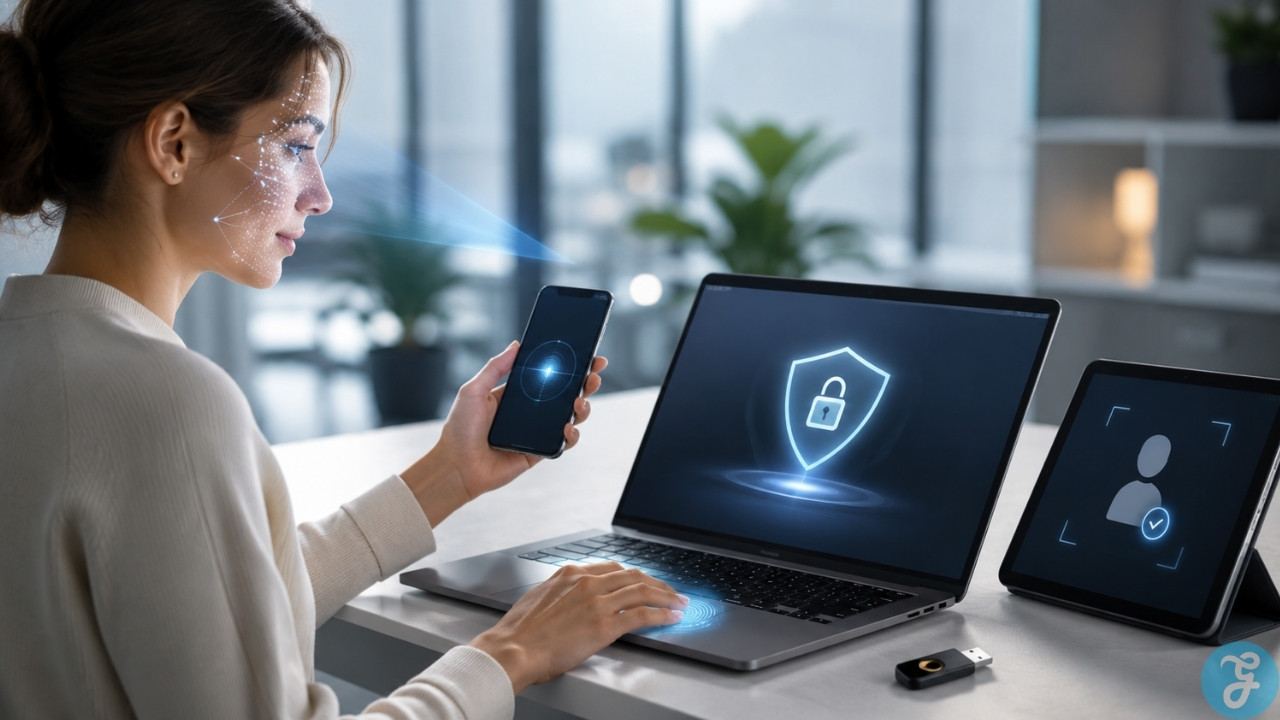
If you’re tired of constantly resetting forgotten passwords and worrying about data breaches, you’re not alone. Many IT leaders face the same headaches like too many logins to manage, too many risks with each reused or weak password. Passwords are often the weak link in digital security, leading to phishing attacks, lost productivity, and frustrated users.
I know this struggle well because I’ve wrestled with these challenges myself. Did you know that moving away from traditional passwords can cut down on credential theft by a large margin? I’ve spent time researching what actually works for both strong cybersecurity and smoother user experiences. In this blog post, I’ll break down how passwordless authentication improves security, simplifies access control for everyone involved, and addresses common concerns about privacy and compliance. Discover what the future of passwordless authentication really means for your business—and why it could change everything about keeping your information safe. Keep reading to find out how ready your organization is for this next step!
Why Passwords Are Being Replaced
I see a clear shift away from traditional passwords in digital authentication. Passwords require users to create, memorize, and store complex strings of characters. This process often leads to frustration or poor choices that compromise security.
Many users face the risk of credential theft using these outdated methods. Passwordless authentication provides a better solution by reducing risks like phishing and breaches. It uses biometrics and security keys instead; these forms improve both protection and user experience.
With big tech companies adopting standards like FIDO2, passwordless solutions are becoming common in organizations today.
Why Passwordless Adoption Is Accelerating
Passwordless authentication is growing fast. This shift happens because it removes the need for users to create and remember traditional passwords. Many people struggle with password management.
They often forget or reuse passwords, which leads to security risks. Passwordless solutions cut down on credential theft and misuse significantly compared to old systems.
Companies see big benefits in using passwordless methods. Enhanced security is a major advantage when we move away from weak password practices. It also makes the user experience smoother by easing login processes.
Cost savings come from reduced IT support needs as managing devices becomes easier too. With better compliance standards, organizations are more secure and efficient with access control, making this shift even more appealing overall.
How Passwordless Authentication Improves Security
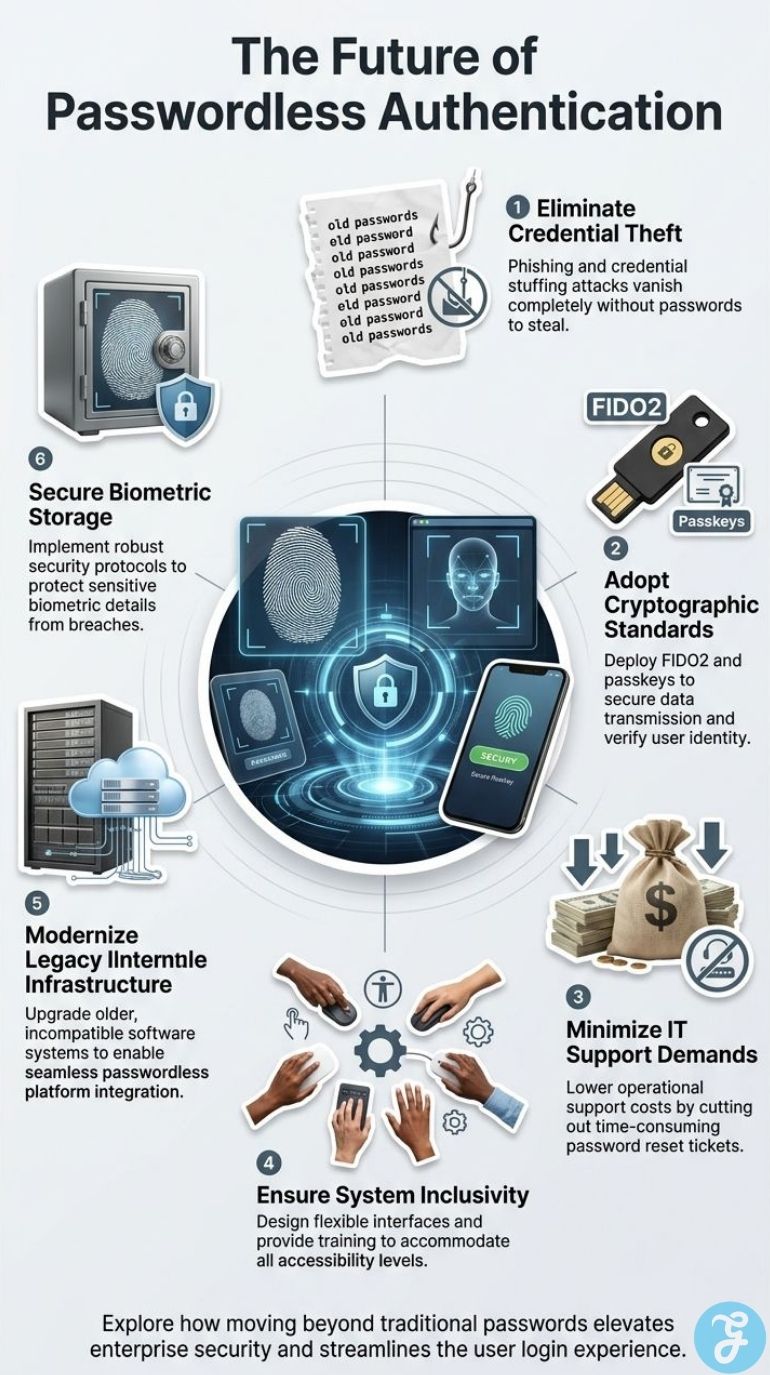
Passwordless authentication boosts security by removing the risks tied to passwords. It uses biometrics and security keys, making it harder for attackers to break in.
Reducing Phishing, Credential Stuffing, and Breaches
Switching to passwordless authentication cuts out many common problems. Phishing attacks often trick users into giving away their passwords. Without passwords, these scams lose power.
Credential stuffing is another risk that vanishes. Hackers use stolen credentials from one site on others, but this does not work if there are no passwords to steal.
Breaches also decline with passwordless systems. Traditional passwords are often weak and easily compromised. I have seen how companies adopting biometric authentication or security keys face fewer breaches overall.
This shift greatly strengthens cybersecurity for organizations like mine.
Biometrics, Security Keys, and Cryptographic Protection
Biometric authentication provides a strong layer of security. It uses traits like fingerprints or facial recognition to verify identity. This method makes it hard for unauthorized users to access systems.
Security keys also add extra protection. They work with devices to ensure that only the right person can log in.
Cryptographic protocols secure data during transfer and storage. These protocols protect against common threats, such as credential theft and breaches. I have seen firsthand how these methods cut down risks compared to traditional passwords.
Organizations benefit from improved cybersecurity while making user experiences smoother and more efficient. Passwordless solutions offer scalability across different platforms, making them ideal for many businesses today.
Passkeys and FIDO2 in Practice
Passkeys and FIDO2 are changing how we think about security. Many major tech companies have adopted these solutions. Passkeys replace traditional passwords with digital keys stored on devices.
They work seamlessly across different platforms and systems, enhancing user experience while improving access control.
FIDO2 takes this further by providing strong authentication without the need for a password. I’ve seen firsthand how this reduces credential theft risks. This makes users feel more secure when accessing sensitive data.
As businesses adopt FIDO2, they can ensure better compliance standards as well, making it easier to meet cybersecurity regulations in their industry.
User Experience Benefits and Challenges
Usability is vital for passwordless authentication. It makes logging in easier and faster for users. But, there are challenges too. Some people may find new methods hard to use at first.
Faster Logins and Less User Friction
Passwordless authentication makes logging in easier for users. They no longer need to remember complex passwords. This change reduces time spent on login and lowers frustration. With tools like biometrics, users can access systems quickly and securely.
Information flows more smoothly with passwordless methods. There is less friction during the process because no passwords are involved. Security protocols ensure safe access while improving user experience.
I find that this shift not only enhances security but also supports cost efficiency for organizations in managing access control and identity verification needs.
Lower IT Support and Easier Device Management
Passwordless authentication makes IT support easier. Users no longer need help with forgotten passwords. This change reduces the workload on IT teams. As a result, support costs go down.
Device management also gets simpler. With fewer passwords to manage, it is easier to keep devices secure. Passwordless systems offer better security protocols too. Organizations can scale these solutions across platforms easily.
I see this as a major benefit for businesses looking to improve their cybersecurity and user experience.
Accessibility and Inclusivity
Addressing accessibility and inclusivity is vital for passwordless authentication. I see how some users may struggle with new methods, especially those with disabilities. Biometric options like fingerprint scans can be tough for people who have certain conditions.
Systems must accommodate various needs to ensure everyone can use them easily.
I also notice the importance of education in this shift. Users need clear guidance on how to use these new tools effectively. Training helps improve user experience and boosts confidence in using biometric or multi-factor authentication systems.
Inclusivity makes our approach stronger and ensures better security for all users across different platforms and systems.
Implementation Challenges and Risks
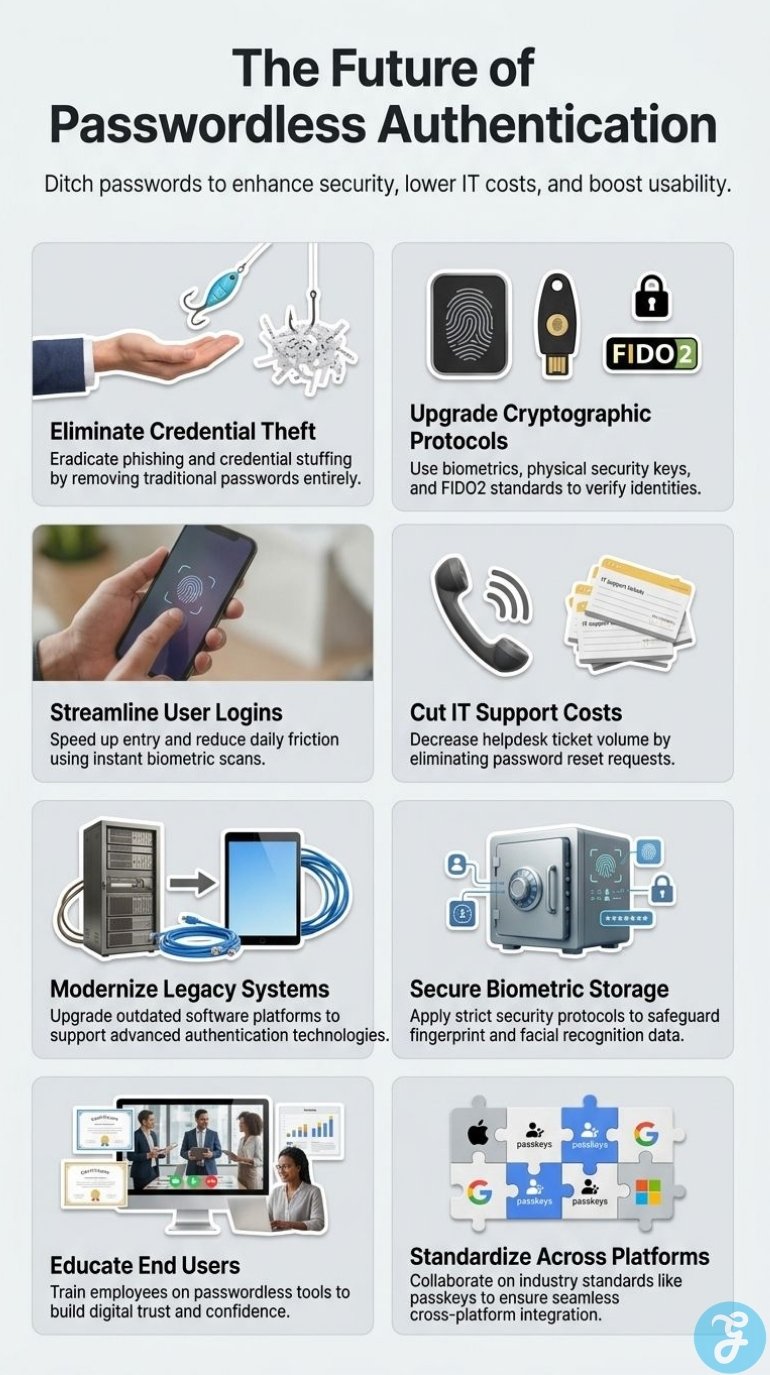
The move to passwordless systems brings challenges like outdated technology and user education needs. Privacy issues also arise with storing biometric data. It’s crucial to balance strong security with easy use.
Legacy Systems, User Education, and Interoperability
Legacy systems can stop us from adopting passwordless authentication. Many organizations still rely on old software that does not support modern methods. This creates a challenge, as we need to upgrade or replace these systems for a smooth transition.
User education is another barrier. Many people still depend on traditional passwords. They may feel unsure about using new methods like biometric authentication or multi-factor authentication.
Training users helps ease this change and builds confidence in new security protocols.
Interoperability also matters. Not all passwordless solutions work with every system. This can complicate access control and identity verification across platforms, slowing down the process of implementing stronger cybersecurity measures.
Biometric Privacy and Data Storage
Biometric data storage raises privacy concerns. Many worry about how their personal information is kept safe. As I move to passwordless authentication, these issues come into play.
Biometric authentication uses unique traits like fingerprints or facial recognition. This can help reduce the risk of credential theft and misuse.
Storing biometric data needs strong security protocols. Misuse could lead to serious privacy breaches if this data falls into the wrong hands. Organizations must ensure that they have proper access control in place for this sensitive information.
With a passwordless future on its way, we need to balance security with user trust and compliance requirements effectively.
Balancing Security, Usability, and Compliance
Security, usability, and compliance are key factors in passwordless authentication. I focus on enabling strong security while keeping user experience smooth. Passwordless solutions reduce the risk of credential theft and misuse.
They offer better protection than traditional passwords.
Usability improves as users can access systems quickly without remembering complex passwords. This efficiency lowers IT support needs and makes device management easier. Compliance standards also benefit from these changes, ensuring that businesses meet regulations effectively.
Balancing all three aspects is essential for organizations ready to adopt new methods in cybersecurity.
What Comes Next for Passwordless Authentication
The future of passwordless authentication will change how we think about security. Users need to adapt quickly as businesses move towards new standards in identity verification.
Identity as the New Security Perimeter
Cyber threats are changing fast. Identity is now the key to security. Traditional passwords often get stolen or misused, making passwordless solutions essential. With biometric authentication and other methods, I notice a big drop in credential theft risk.
This shift not only boosts cybersecurity but also streamlines user experience.
As I implement passwordless authentication, I see that it offers better compliance standards for organizations. The scalability of these systems means they can fit different platforms easily.
Collaborating with others in our industry helps make this technology more standard and accessible across various businesses.
Industry Standards and Cross-Platform Adoption
I see preparing for widespread adoption as crucial. Industry collaboration will speed up the shift to passwordless authentication. By working together, tech companies can set clear standards.
This helps all users across various platforms.
Companies need to focus on interoperability and scalability. Having these features allows systems to connect easily, which enhances user experience and access control. The rise of biometrics makes security stronger while ensuring ease of use.
As I look at the landscape, shared knowledge among organizations will make this transition smoother and more cost-effective for everyone involved in cybersecurity efforts.
Next Steps for Businesses and Users
Many organizations are ready to embrace passwordless authentication. First, I would assess current systems. Not all technology may support new methods like biometric authentication or security keys.
Upgrading legacy systems can help with smoother integration. Educating users is also a key step. They must understand how to use new tools safely and effectively.
Collaboration within the industry is vital for success. Sharing knowledge helps set standards for passwordless solutions across businesses. Compliance requirements will change as well, so staying informed matters greatly.
I see this shift leading to better identity verification and access control measures in place, enhancing overall cybersecurity efforts while improving user experience significantly.
Frequently Asked Questions(FAQs) on The Future of Passwordless Authentication
1. What Is Passwordless Authentication?
Passwordless authentication uses Biometric Authentication and other checks to prove who you are. It changes Identity Verification and Access Control. It relies on clear Security Protocols to protect systems and boost Cybersecurity.
2. Is Passwordless Authentication Safer Than Passwords?
Yes, it can be safer. Biometric Authentication and MultiFactor Authentication cut risks from stolen passwords. TwoFactor Authentication adds a second step to strengthen Identity Verification and Cybersecurity.
3. Does Passwordless Authentication Improve User Experience?
Yes. It speeds login and cuts user error. It makes User Experience smooth while keeping Access Control and Identity Verification strong.
4. What Are the Main Risks of Passwordless Authentication?
Plan for failures and backups. Use TwoFactor Authentication or MultiFactor Authentication as fallbacks. Test your Security Protocols and watch Cybersecurity alerts. Keep User Experience in mind when you change Access Control or Identity Verification.