

Streaming games is fun, but blurry video can ruin the experience. Good cameras make a world of difference with crisp, clear visuals. This guide lists the 7 Best Cameras For Streaming High-Quality Gameplay to help you shine online.
Stick around—it’s worth it!
Key Takeaways
- Elgato Facecam MK2 offers 1080p at 60 fps or 720p at 120 fps, HDR for vibrant colors, and flexible settings under $110.
- Logitech C922 Pro is a budget pick under $60 with dual mics, 1080p at 30 fps, and good low-light performance.
- Razer Kiyo Pro adjusts to dim rooms with an adaptive light sensor, providing sharp visuals and HDR for rich colors.
- OBSBOT Tiny 2 features AI tracking, captures in stunning 4K video, and has a built-in gimbal for smooth footage.
- Sony ZV-E10 delivers pro-level streams with interchangeable lenses, autofocus, image stability, and sharp details.
Overview of Elgato Facecam MK2 – Top Choice for Overall Streaming Quality
To stream high-quality gameplay, you need the right tools. A great camera can make a big difference. Clear and sharp video helps your audience stay engaged. Some cameras work better in different settings.
Below are the best picks for gamers and live streaming fans.
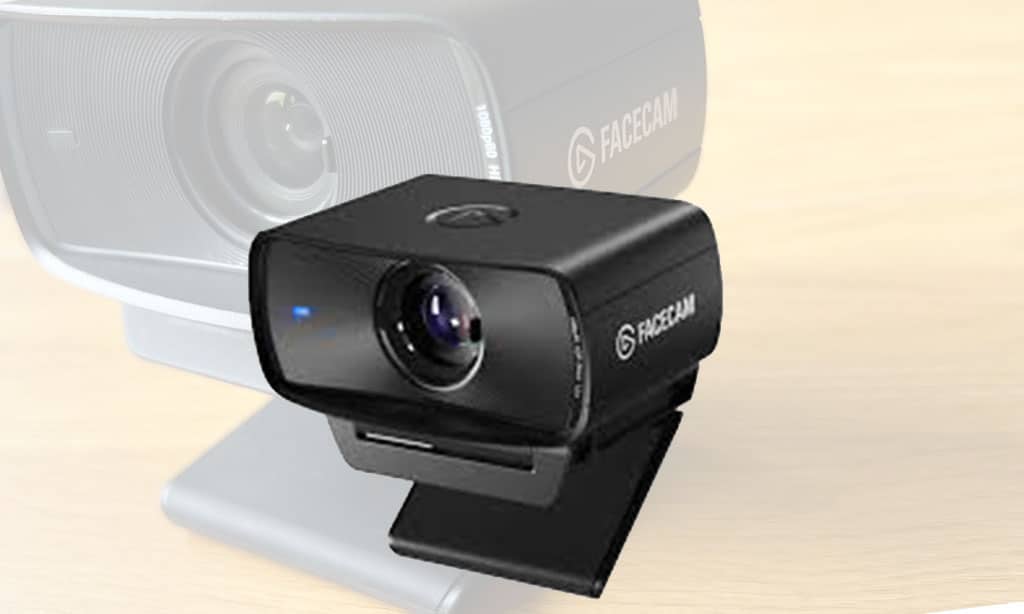
Elgato Facecam MK2 stands out as an excellent choice for streaming quality. It captures crisp 1080p resolution at 60 frames per second (fps), delivering smooth visuals every time. Gamers who want sharper motion action will love its ability to hit 120 fps at 720p.
Its sleek design also features an 84-degree field of view (FOV), making it ideal for showing more of your setup without distortion. The High Dynamic Range (HDR) image gives vibrant colors, even in tricky lighting conditions.
This web camera offers flexible customization options through Elgato’s software, giving users control over white balance, exposure, and brightness levels—perfect for tweaking streams exactly how you like them! While some advanced features require Nvidia graphics cards to function fully, many users still find this webcam impressive for under $110 after discounts from its original price of $129.98!
Features of Logitech C922 Pro – Most Cost-Effective Camera
The Logitech C922 Pro offers incredible value for its price. It records in 1080p resolution at 30 fps, ideal for clear and smooth streaming. If you prefer higher frame rates, use the 720p setting to achieve up to 60 fps performance.
Its dual microphones capture audio from all directions, providing rich sound quality during live-streaming or video calls. The camera also features a wide 78-degree field of view (FOV).
This is perfect for showing multiple items or fitting two people on-screen without hassle.
Setting it up is as simple as plugging it into your computer’s USB port. No complicated steps needed! Priced under $100, often around $59.99, it’s one of the best budget webcams available today.
Its image enhancement tools adjust lighting well even in dim rooms—saving you time tweaking settings manually. While limited to 30 fps at full HD resolution, this webcam performs impressively when used for gaming or video conferencing needs!
Advantages of Razer Kiyo Pro – Optimal for Low-Light Conditions
Razer Kiyo Pro works great in dim rooms. Its adaptive light sensor adjusts quickly, so even soft lighting looks sharp. With 1080p resolution at 60 fps, the video stays smooth and clear.
Gamers and streamers enjoy this feature during late-night sessions.
The wide-angle lens offers three FOV settings: 103, 90, or 80 degrees. This gives flexibility for framing shots just right. Priced at $79.99 on sale (down from $86.94), it’s a budget-friendly choice for low-light streaming setups.
HDR adds depth to colors, making visuals pop even in tricky lighting situations!
Benefits of OBSBOT Tiny 2 – Leading AI Technology in 4K Streaming
OBSBOT Tiny 2 is a powerhouse for streaming. It captures stunning 4K video at 30 fps and smooth 1080p at 60 fps. Its AI tracking keeps you in focus, even if you move around. Say goodbye to blurry shots! The camera also has HDR for vibrant colors and better lighting.
The built-in 2-axis gimbal ensures steady footage, no matter the angle. With a diagonal FOV of 79.4 degrees, it covers more space on your screen. Priced at $179, it offers great value for high-quality streaming.
Advanced features like these make it stand out in live streaming setups!
Capabilities of Sony ZV-E10 – Ideal for High-Level Streaming
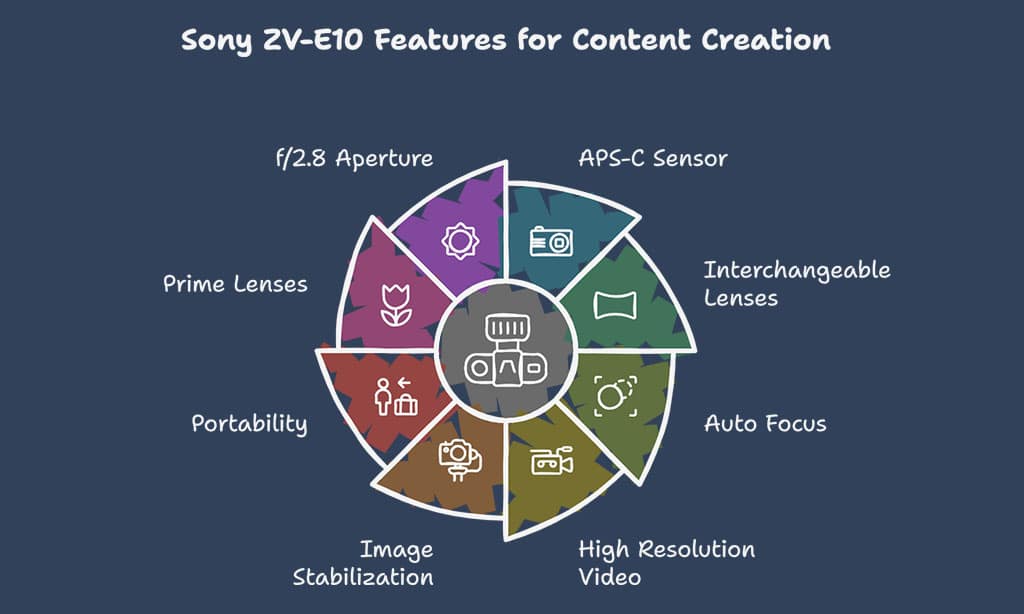
The Sony ZV-E10 stands out with its APS-C sensor, delivering sharp videos that are perfect for pro-level streaming. It supports interchangeable lenses, allowing creators to switch between a wide-angle lens or a macro lens depending on needs.
This feature makes it great for close-up details or capturing more of the scene. Its auto focus keeps subjects clear and sharp, even during movement. With high resolution video quality and smooth 30 fps output, your streams will always look polished and professional.
This mirrorless camera also includes image stabilization to keep recordings steady if you’re shooting handheld. Compact yet powerful, it’s easy to carry around for on-the-go live streaming setups.
You can combine this camera with prime lenses for dreamy background blur effects, making every frame pop with depth. The f/2.8 aperture is excellent in dim settings for bright results without extra lights needed.
It’s truly built with content creators in mind!
Uses of GoPro Hero10 Black – Excellent for Outdoor Streaming Scenarios
The GoPro Hero10 Black records video in 30 frames per second. Its 55-degree diagonal field of view makes wide scenes look crisp and clear. RightLight technology helps it work well under different lighting settings, like bright sun or cloudy skies.
This feature is great for outdoor streamers capturing nature or busy streets.Its noise-reducing microphone ensures clear audio even in loud areas. Gamers who love streaming their adventures outdoors will find it handy too. From hikingtrails to urban rooftops, its performance stands out among budget webcams less suited for movement-heavy conditions.
Moving on to Canon EOS M50 Mark II, let’s explore how it offers superior versatility and top-notch quality!
Functions of Canon EOS M50 Mark II – Superior Versatility and Stream Quality
Canon EOS M50 Mark II boosts streaming with sharp ultra HD video. Its wide-angle lenses and optical zoom ensure clear shots of every detail. Perfect for live streaming, it supports 30 frames per second in high definition video.
The dslr camera includes an energy-efficient Exmor RS sensor, keeping power use low without losing quality.
You get smooth visuals thanks to its fast shutter speed and image stabilization. It adjusts well in different lighting conditions. This makes it great for both bright and dim setups.
Paired with adaptable focal lengths, content creators can use this camera across various scenes effortlessly—gaming, chatting, or action-packed streams!
Takeaways
Streaming needs the right camera, and now you know the best ones. From budget options like Logitech C920 to advanced picks like Sony ZV-E10, there’s something for every gamer. Each camera brings its own perks—sharp pixels, smooth fps, or great low-light modes.
Pick one that fits your style and game on!
FAQs
1. What are the best webcams for streaming high-quality gameplay?
Some of the best webcams include the Razer Kiyo Pro, OBSBOT Tiny 2 Lite, and Logitech StreamCam. These cameras offer great features for live streaming.
2. Are there budget-friendly webcams for gaming streams?
Yes, there are many budget webcams that still deliver solid performance. The Razer Kiyo Pro is a good option with its adaptive light sensor for clear video in different lighting.
3. Can DSLR cameras be used for live streaming gameplay?
Absolutely! DSLRs provide superior image quality with their adjustable apertures and zoom lenses, making them ideal if you want sharp details during your stream.
4. How do these cameras help reduce carbon footprints?
Some brands focus on carbon neutrality by using energy-efficient designs or offsetting emissions through carbon credits to support climate action.
5. Do these cameras work well across different systems like macOS or Windows?
Yes, most top-tier options like the Logitech StreamCam or OBSBOT Tiny 2 Lite are compatible with both macOS and Windows systems, ensuring smooth video chat and gameplay recording experiences.























