


Choosing the right AWS services for SaaS startups is not about using more tools. It is about building a small, understandable stack that protects customer data, handles growth, exposes the product safely, and keeps costs visible.
The following AWS services cover those core responsibilities. This is not a checklist to deploy in full. Knowing a service means understanding the problem it solves, when it fits, and where it can create unnecessary cost or complexity.
1. AWS Identity and Access Management (IAM)
AWS Identity and Access Management controls access to your AWS environment. It covers employees, contractors, deployment pipelines, and application workloads, not customers signing in to your product.
Use temporary credentials and IAM roles instead of placing long-lived access keys in code. Give each person and workload only the permissions required for its task. Protect the root user, require multi-factor authentication, and remove unused access as the team changes. Separating development and production also reduces the damage a mistake can cause.
Best for: controlling access to AWS resources.
Watch out for: IAM is not a customer login system.
2. Amazon Cognito
Amazon Cognito provides identity services for web and mobile apps. User pools can manage sign-up, sign-in, user directories, MFA, social login, and federation with SAML or OpenID Connect providers. Identity pools have a different role: they can give authenticated or guest users temporary AWS credentials.
Cognito can save a startup from building security-sensitive authentication features from scratch. However, it does not provide complete tenant isolation. Your application must still verify the tenant on every request and enforce that boundary in APIs, database queries, storage policies, and background jobs.
Review costs for active users, enterprise federation, machine-to-machine access, and messaging before committing.
Best for: customer authentication and identity federation.
Watch out for: a valid login does not prove that a user may access another tenant’s data.
3. AWS Lambda
AWS Lambda runs code in response to events without requiring you to manage servers. It works well for webhooks, scheduled tasks, file processing, queue consumers, and lightweight APIs.
Lambda suits short, bursty, or unpredictable work because it scales with requests. Standard Lambda invocations are stateless and cannot run longer than 15 minutes. Durable functions can coordinate longer, wait-heavy workflows, but persistent services usually fit containers better.
Watch cold starts, concurrency, and downstream capacity. A function can scale faster than a database or third-party API can cope with. Serverless can reduce idle infrastructure, but it is not automatically the cheapest choice for steady workloads.
Best for: short, event-driven workloads.
Watch out for: uncontrolled scaling can overwhelm downstream systems.
4. Amazon ECS with AWS Fargate
Amazon Elastic Container Service manages containers, while AWS Fargate runs them without an EC2 fleet. This combination suits long-running APIs, workers, microservices, custom runtimes, and applications that need persistent connections.
You still own container images, health checks, task sizing, deployments, autoscaling, and application security. Fargate charges for the CPU and memory requested while tasks run, even when they are underused. Logging, load balancers, public IPv4 addresses, storage, and data transfer can add further costs.
Lambda and Fargate are not mutually exclusive. Many products use Fargate for the core application and Lambda for event-driven jobs.
Best for: long-running containerized services.
Watch out for: oversized, always-on tasks waste money.
5. Amazon API Gateway
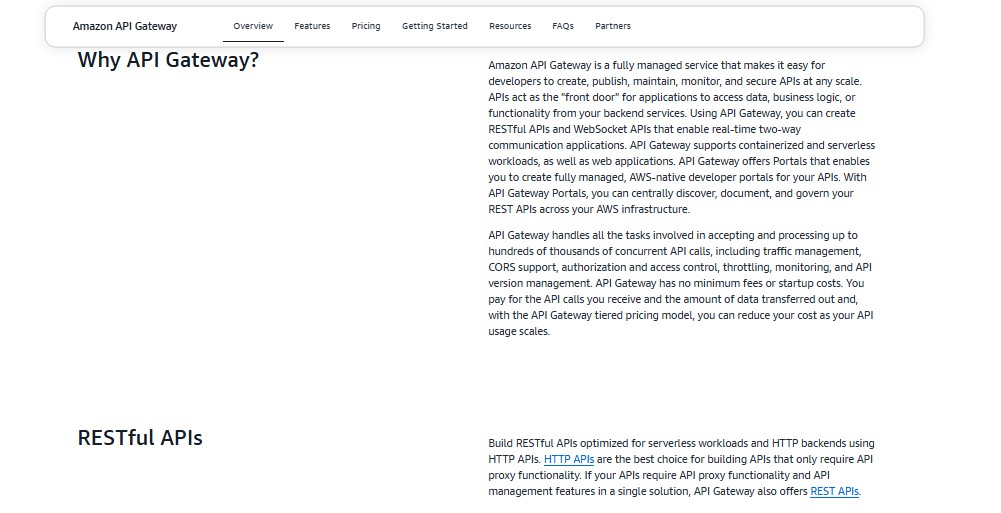
Amazon API Gateway creates, secures, publishes, and monitors HTTP, REST, and WebSocket APIs. It can send requests to Lambda functions, container services, or other HTTP backends.
HTTP APIs offer a simpler, lower-cost feature set. REST APIs add features such as API keys, per-client throttling, request validation, caching, private endpoints, and AWS WAF integration.
An API key should not serve as authentication or authorization. Use IAM, Cognito, or an appropriate authorizer. Usage-plan quotas and throttling are also best-effort controls, not guaranteed spending caps. For a conventional containerized web application, compare API Gateway with an Application Load Balancer before adding another layer.
Best for: managed APIs that need gateway features.
Watch out for: API keys identify clients but do not securely establish user permissions.
6. Amazon RDS, Including Amazon Aurora
Amazon Relational Database Service runs managed relational databases, including PostgreSQL, MySQL, MariaDB, SQL Server, Oracle, and Db2. AWS manages much of the infrastructure work, such as backups, software patching, failure detection, and recovery. Amazon Aurora is part of RDS and is compatible with PostgreSQL and MySQL.
Relational databases suit SaaS records that need transactions, constraints, and joins, including accounts, subscriptions, permissions, and invoices.
Your team still owns schema design, migrations, indexes, query tuning, connections, and tenant isolation. Lambda-heavy applications must also control connection spikes; pooling or RDS Proxy may help. Aurora Serverless can suit variable demand, but it is not guaranteed to cost less.
Best for: structured, transactional SaaS data.
Watch out for: managed infrastructure cannot fix poor queries or weak tenant boundaries.
7. Amazon S3
Amazon Simple Storage Service is object storage for customer uploads, media, static assets, reports, exports, backups, and logs. It should not be treated like a relational database or ordinary application file system.
S3 buckets and objects are private by default, and S3 provides strong read-after-write consistency. Keep Block Public Access enabled unless public access is necessary. Use narrow permissions, lifecycle rules for aging files, and versioning where recovery matters.
Presigned URLs let customers upload or download objects without routing large files through your server. Treat them as bearer tokens because anyone holding a valid URL may be able to use it. Abandoned multipart uploads also remain billable until completed or stopped.
Best for: durable file and object storage.
Watch out for: careless permissions and forgotten data create security and cost risks.
8. Amazon SQS
Amazon Simple Queue Service moves work into the background. It is useful for emails, imports, invoice generation, image processing, webhooks, and sudden traffic bursts. If a worker fails, the job can be retried instead of failing the customer’s original request.
Standard SQS queues provide at-least-once delivery and best-effort ordering. Messages can arrive more than once or out of order. Consumers must therefore be idempotent: repeating a job should not create duplicate charges, invoices, or notifications.
Set sensible visibility timeouts and retry rules. Send repeatedly failing jobs to a dead-letter queue and alert the team when messages appear there. Choose FIFO queues when ordering and deduplication are essential.
Best for: background jobs and traffic buffering.
Watch out for: duplicate delivery is normal with standard queues.
9. Amazon CloudWatch
Amazon CloudWatch brings together metrics, logs, alarms, dashboards, and application-performance data. It helps answer practical questions: Is the API slowing down? Are errors increasing? Is a queue stuck? Is one subscription tier affecting other customers?
Include safe tenant and plan context in structured logs and traces, but never record secrets or unnecessary personal data. Alert on customer-facing symptoms such as latency, error rates, failed jobs, queue age, and availability, not only CPU. OpenTelemetry offers a standards-based option for new metrics, logs, and tracing work.
CloudWatch is not entirely free. Log ingestion and retention, custom metrics, detailed monitoring, and queries can generate charges. Avoid creating a separate custom metric for every tenant; detailed tenant context often belongs in logs or traces.
Best for: monitoring and incident diagnosis.
Watch out for: collecting everything indefinitely increases noise and cost.
10. AWS Budgets
AWS Budgets tracks actual and forecast cloud costs against thresholds. It can send alerts and trigger supported actions, giving startups an early warning when infrastructure spending changes unexpectedly.
Create budgets before production traffic arrives. Use several thresholds and pair them with Cost Explorer and activated cost-allocation tags to identify expensive services and environments.
Budgets are not real-time spending caps. Their information updates up to three times a day, normally with hours between updates, while some billing data can arrive later. A sudden cost spike may happen before an alert fires.
Tags also cannot reliably calculate the cost of individual tenants sharing the same resources. Measure tenant consumption inside the application and correlate it with the AWS bill when unit economics matter.
Best for: cost alerts and spending guardrails.
Watch out for: a budget does not guarantee that spending stops at a fixed amount.
Build a Stack Your Team Can Operate
The best AWS architecture is not the one with the most services. It is the one a small team can secure, understand, monitor, and afford while real customers use it.
Learn these services, then adopt them selectively. Match compute to the workload, keep authentication separate from tenant isolation, monitor problems customers can feel, and track costs before they become surprises. Let real usage, not architecture fashion, guide what you add next.
Frequently Asked Questions on AWS Services
1. Which AWS services should a SaaS startup configure first?
Begin with IAM and AWS Budgets so security and cost visibility exist from the start. Add compute, identity, storage, and database services according to the product’s actual requirements.
2. Should a SaaS backend use Lambda or Fargate?
Choose Lambda for short, event-driven work. Choose ECS with Fargate for long-running containers, persistent connections, or specialized runtimes. Many SaaS products benefit from using both.
3. Is RDS or DynamoDB better for SaaS applications?
RDS suits relational data, transactions, joins, and flexible queries. DynamoDB fits key-value or document workloads with clearly defined access patterns. Let the data model decide.
4. Does Amazon Cognito isolate customer data?
No. Cognito authenticates users and issues identity or access claims. Your application must enforce tenant isolation throughout its services, queries, storage, and asynchronous jobs.
5. Is serverless always cheaper for a startup?
No. It can reduce idle costs for bursty or unpredictable traffic. Steady compute, heavy logging, chatty APIs, and data transfer can make another architecture less expensive.
























