

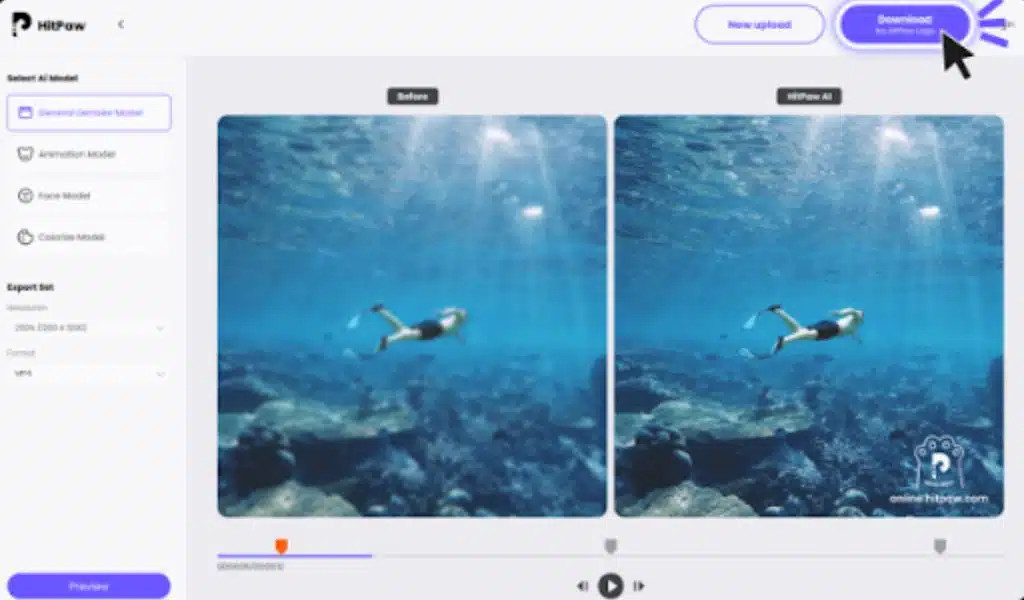
Enhancing the videos was an extremely difficult task before, but in this current era, i.e., 2023, with the help of free video editors online, it is not a challenging errand. Well, if you are thinking why we are mentioning it, you must delve deeper into this informative piece, and we will elaborate on how online video enhancers have completely changed the landscape of quality videos.
What Does 1080P Mean?
While watching short clips of movies on YouTube or Netflix, you might have seen something written “1080P” and wondered what it means, right? Let’s highlight 1080P for you!
You might be astonished that 1080P has revolutionized how we experience video quality. It presents a remarkable display resolution of 1920×1080 pixels; the visual appeal of this device is awe-inspiring. 1080P has altered how we see videos online; it is remarkably clear and can provide you with a great experience.
Good video quality is an essential instrument for engaging the attention of viewers. When a video is blurry or not of good quality, people are likely to skip it. For instance, when a pirated movie is uploaded on the internet, people usually do not see it and prefer to buy the original movie; why? Because of the QUALITY!
What’s the Differences between 1080P and 4K?
If you are not impressed yet, we must highlight that there is also a newer term that you have heard with your friends: “4K” do you know the difference between 1080P and 4K? No? So first, you must remember that video resolutions such as 1080P and 4K are determined by the number of pixels displayed horizontally and vertically on a screen. While 1080P has a pixel count of 1920×1080, the resolution for 4K is significantly higher at 3840×2160. The main difference between them is the level of detail they offer. With four times more pixels than 1080P, 4K provides sharper and more vibrant images with intricate details, making it especially beneficial for larger screens or zooming in without affecting image quality. However, since 4K videos require more storage space and powerful hardware to ensure smooth playback and editing, some may prefer the widely-used standard of 1080P, which offers a good balance between qualities and file size compatibility with most devices and online sharing convenience instead. Ultimately, choosing between these two resolutions depends on the specific needs of content creators and viewers.
Are you wondering how to make your videos of that quality? WELL! The good news is that free online video editors make it possible to create high-quality content without spending a single penny. These video enhancers online offer a range of features and tools that can help easily produce professional-looking videos. These online editors have covered you, from simple cutting and trimming tools to more advanced effects and transitions.
How To Enhance Video Quality Online?
After reading all the fascinating tidbits, if you want to make your videos of that quality, there is a remarkable tool that can assist you in fulfilling your wish. Remember that this tool is no less than a Video Genie! An online video editor, HitPaw Online Video Enhancer uses advanced AI technology to improve the quality of videos and convert low-resolution footage into higher resolutions up to 1080P/4K without difficulty. It has a user-friendly interface that offers a simple one-click solution for enhancing video quality and removing blurriness. Additionally, this editing tool can be used for free.

You just have to follow some steps to use this video enhancement GENIE!
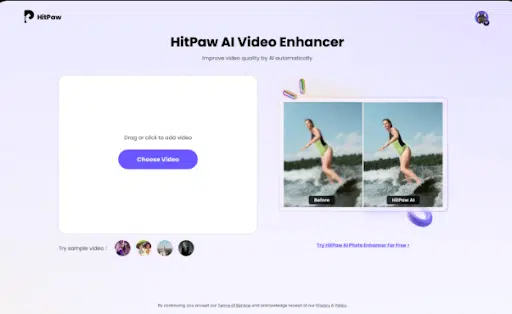
Step 1: Upload A Video: First, to enhance the quality of your video, go to the HitPaw Online Video Enhancer website. You can click the upload button or drag and drop your video onto the website.
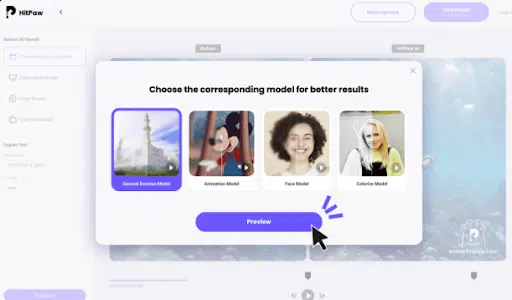
Step 2: Choose AI Model: After uploading your video, you will be asked to select an appropriate AI model that matches the characteristics of your video.
Step 3: Video Enhancement: After choosing the appropriate AI model, HitPaw’s video enhancement algorithms will initiate the processing of your video.
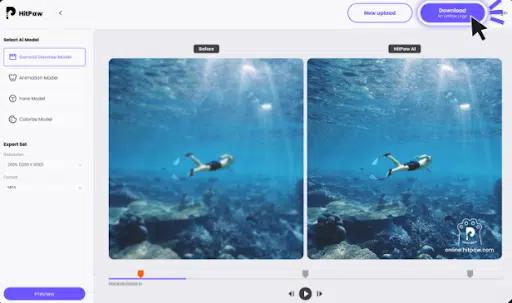
Step 4: Check Upscaled Video: Preview the upscaled video you did with the video enhancer online on the website after the enhancement process is done to ensure that it meets your expectations.
Step 5: Download & Email: You can directly download the website’s video to your device if you are content with its improved quality. Alternatively, you can also opt to receive the enhanced video through email.
Now you have to improve your videos’ quality with HitPaw Online Video Enhancer. If you want to know more about this amazing AI video enhancer, we must tell you that you can enjoy incredibly clear and detailed videos while ensuring your security and privacy are well taken care of. Nonetheless, numerous apps hack their users’ data and then use it for illicit purposes, but HitPaw isn’t like that! It primarily focuses on YOUR privacy and keeps it safe from hackers.
Moreover, the user interface is designed to be intuitive and user-friendly, so even people without technical expertise can easily enhance their videos. In addition, the one-click solution makes enhancing videos easy and convenient. It saves you time and effort, making the whole process a breeze.
How To Enhance Video Quality On Mobile Phone?
Videoshop is an online video enhancer that enables individuals to enhance and edit their smartphone videos. The app offers numerous features such as filters, color adjustments, and special effects that can be utilized to improve the overall quality of the video.
Step 1: Download and Install Videoshop
Download Videoshop from the App Store (iOS) or Google Play Store (Android) and install it on your mobile device. Once the installation has finished, launch the application.
Step 2: Import Your Video
Create a new project by tapping the “+” icon and importing the desired video from your camera roll to enhance it. The video will be displayed on the timeline, all set for editing.
Step 3: Adjust Colors and Brightness
Access color and brightness settings by tapping on the “Adjust” icon. Videoshop can modify your video’s saturation, contrast, temperature, and brightness. Play around with these options to enhance the color balance of your video and give it a more lively appearance.
Step 4: Apply Filters and Effects
Select from various presets in Videoshop that can improve the visual appeal of your video by adding style and flair with filters and effects.
Conclusion
We suggest using HitPaw Video Enhancer, an online video editor available for free if you are searching for one. This remarkable and intuitive tool enables you to improve the quality of your videos without downloading or installing any software directly from your web browser.
HitPaw Video Enhancer is a great AI video enhancer and focuses on privacy, user experience, and quality. Moreover, due to the commitment and professional attitude of the designers of HitPaw, this application is spreading like wildfire for enhancing videos, and it is one of the most famous free video editors online!
























