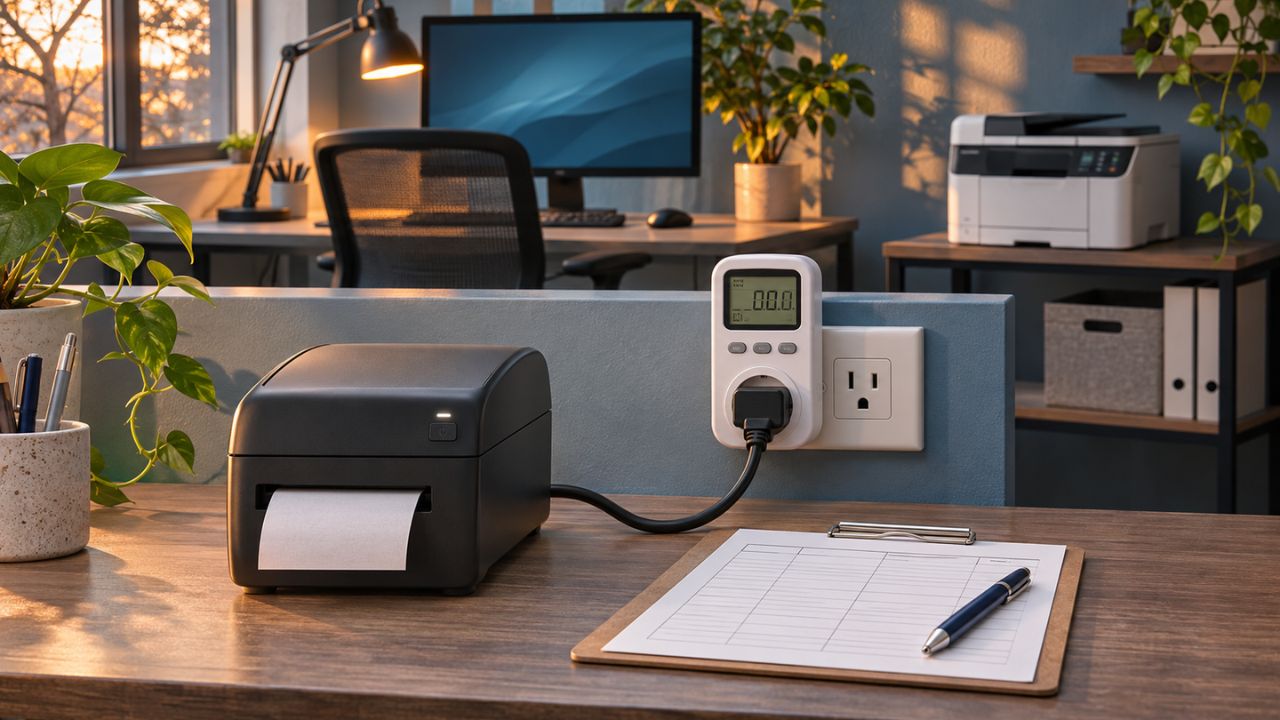


An office device energy log records how much electricity a defined device or group used during a stated period. Start with one suitable plug-in device, a manufacturer-approved measurement setup, and a record of the operating conditions. Keep the meter readings, units, and timestamps together so another person can follow the calculation.
The result can help you decide whether to investigate a sleep setting, repeat a measurement, or request a wider assessment. It cannot, by itself, establish how much electricity the whole building saved. That distinction belongs in the log from the first entry—not in a footnote added after a savings claim.
Method: This research-based workflow was checked against government, university, and manufacturer guidance on November 22, 2026. A physical measurement demonstration has not been performed. All numerical examples below are hypothetical calculation examples, not observed device results.
Define the question and the measurement boundary
Write a question you can answer within the setup: “How much electricity does this reception monitor use during our opening and closing routine?” is workable. “How much will our building save?” requires a different scope and evidence.
Assign a device ID and list everything included in the reading. If the meter covers a monitor and a docking station together, name both. Do not later describe that combined total as the monitor’s consumption. Record anything excluded, such as the computer, room lighting, or heating and cooling.
Choose an observation period that includes the operating pattern you want to understand. A single afternoon describes that afternoon. A period covering working and nonworking hours can reveal more about the routine, but holidays, unusual workloads, and maintenance still need notes. There is no universal duration that makes every device measurement representative.
For an overview of useful power states and measurements, see the companion guide to six measurements for a small office device energy log. This guide focuses on creating a traceable record and deciding what it supports.
Prepare a suitable measurement setup
Use a meter intended by its manufacturer for the local supply and the specific equipment being observed. Check its instructions, ratings, permitted loads, measurement range, and environmental limits. A plug that physically fits is not sufficient evidence of compatibility.
Have the person responsible for the equipment approve any interruption. Network, security, backup, and other essential systems may need uninterrupted service. Hardwired equipment, uncertain compatibility, or a setup requiring access to wiring should go to a qualified facility or electrical professional. This workflow provides no wiring or electrical-panel instructions.
Do not improvise adapters, modify equipment, or exceed ratings to obtain a reading. If the equipment is damaged, becomes unusually hot, or shows another unsafe condition, stop the measurement and use the workplace’s safety procedure. A missing log entry is preferable to an unsuitable test.
Before recording results, understand what your meter retains. Some instruments lose or reset cumulative readings when power is removed; others store history. Record the exact model and relevant manual revision rather than assuming every meter works the same way. If the instructions do not answer a necessary question, obtain clarification before proceeding.

Create your office device energy log
A spreadsheet is convenient, but a dated paper sheet can work. Use one row per uninterrupted observation interval. Keep the original evidence separate from calculations so a corrected formula does not overwrite a reading.
| Record group | Fields to include | Why it matters |
|---|---|---|
| Identity and scope | Device ID, model, location, included and excluded equipment | Defines what the result describes. |
| Instrument | Meter ID/model, manual revision, units, resolution and applicable accuracy specification | Shows the measurement limits. |
| Time | Start and end timestamps, time zone, elapsed hours, gaps or resets | Makes the observation interval traceable. |
| Raw evidence | Start and end cumulative kWh, photo filenames or original export | Let another reader check the calculation. |
| Operating context | Settings, workload, opening hours, charging and unusual events | Helps explain differences between intervals. |
| Interpretation | Calculated interval kWh, data-quality status, permitted conclusion | Separates the reading from the claim. |
Use explicit statuses such as “complete interval,” “interrupted,” “below resolution,” and “estimated.” Do not leave an unexplained blank that someone could mistake for zero. Where an accuracy specification is unavailable, record that limitation instead of inventing a tolerance.
Follow the recording workflow
1. Save the opening record
Once the approved setup is ready, record the starting cumulative energy reading and its unit, along with the timestamp. Photograph the display if permitted, keeping the unit indicator readable. A close-up of a number without “W,” “Wh,” or “kWh” is ambiguous.
Record whether the cumulative counter begins at zero or already contains a value. Follow the instrument’s instructions if a reset is appropriate; never interrupt essential equipment merely to make the starting number convenient.
2. Describe the ordinary operating conditions
Note the relevant settings and work performed. For a monitor, that could include brightness and sleep settings. For a printer, record a useful workload description, such as job volume and whether a large batch occurred. For battery-powered equipment, note charging conditions because different starting charge levels can change the comparison.
Keep the device configuration stable during a baseline observation unless normal operation requires a change. If someone changes a setting, record when and why. The log should preserve what happened, not a tidier version reconstructed later.
3. Record interruptions as events
Log a power interruption, meter reset, device replacement, or change in what the meter covers. If the cumulative counter restarts, close the earlier interval only when you have a valid ending reading. Otherwise, mark that interval incomplete.
Start a new row after the interruption. Do not join two fragments into a continuous total unless the evidence supports that calculation. A note such as “coverage missing between these timestamps” is more useful than a guessed value disguised as measurement.
4. Save the closing record before changing the setup
Capture the ending cumulative kWh and timestamp while the reading remains available. Keep the original photo or export and give it a filename that matches the log’s device and interval IDs. Redact personal or commercially sensitive information only in a separate sharing copy.
Check that the opening and closing records use the same unit and refer to the same uninterrupted counter. If a counter rolled over, use the manufacturer’s documented behavior to interpret it; do not assume a negative difference means the device generated electricity.
5. Calculate the interval total
For a continuous cumulative register with no reset or rollover, subtract the starting kWh from the ending kWh. Keep the elapsed duration beside the result. Watts describe power at a moment or over a stated averaging period; kilowatt-hours describe accumulated energy.
Virginia Cooperative Extension explains the relationship between power, operating time, and estimated electricity consumption. Multiplying watts by hours and dividing by 1,000 produces kWh when the power value appropriately represents that interval. One brief watt reading does not necessarily represent a changing office workload.
6. Review the record before drawing a conclusion
Ask a colleague to match the values to the evidence files and reproduce the subtraction. Confirm the device boundary, timing, and event notes. This is a record-quality check, not calibration of the meter or certification of savings.
Then write a conclusion that includes the device ID, interval, energy total, and limitations. Keep any proposed next action in a separate sentence.
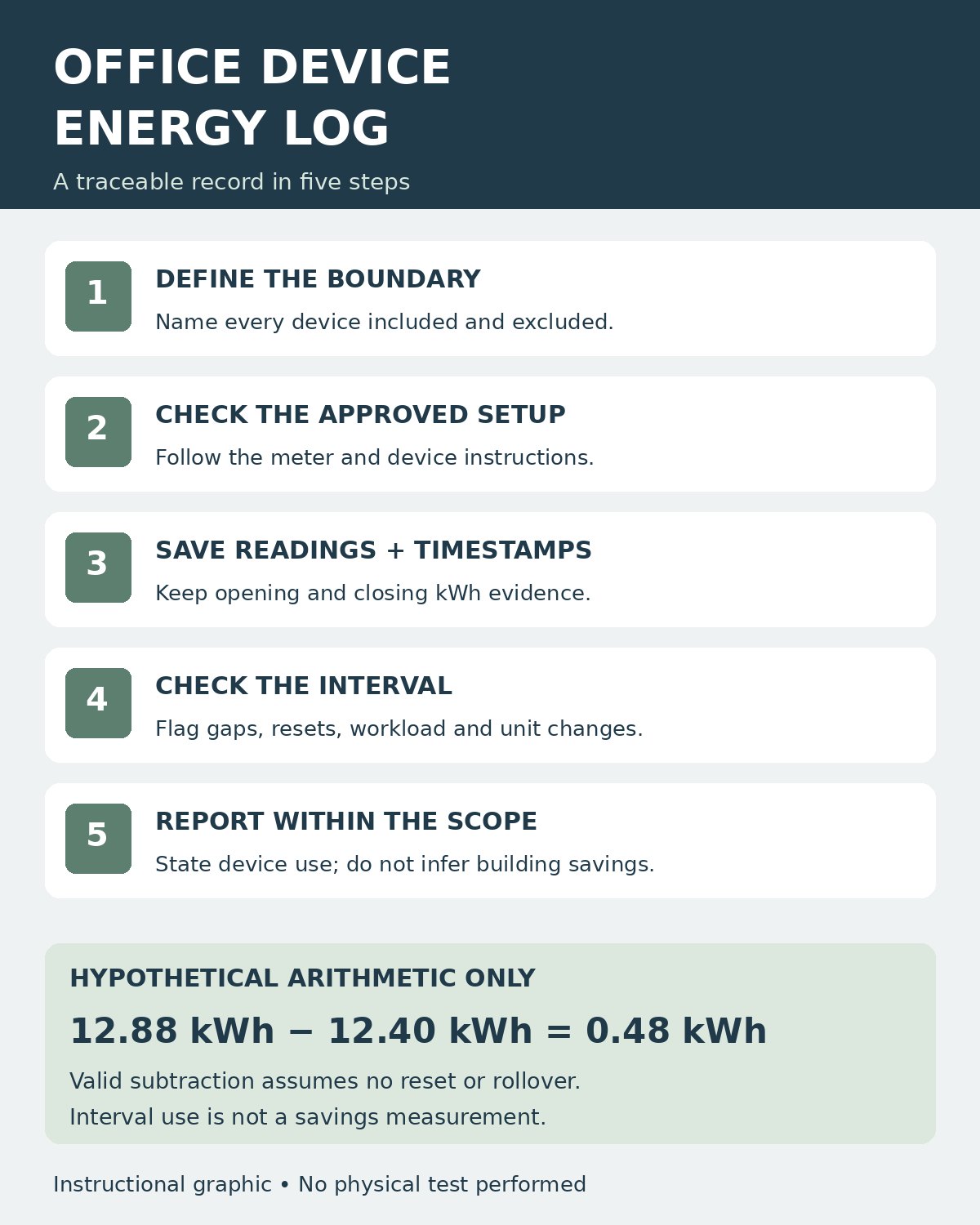
Worked example: an interval total, not a savings result
The following invented values demonstrate arithmetic only. They are not typical consumption figures, actual meter readings, or a prediction for your equipment.
| Example field | Hypothetical value |
|---|---|
| Boundary | One monitor; computer and dock excluded |
| Starting cumulative reading | 12.40 kWh |
| Ending cumulative reading | 12.88 kWh |
| Continuous elapsed interval | 48 hours |
| Interval energy | 12.88 − 12.40 = 0.48 kWh |
| Calculated average power | 0.48 kWh ÷ 48 h = 0.010 kW = 10 W |
The 10 W figure is the calculated average across the entire hypothetical interval. It is not the monitor’s active-mode wattage. Nor does 0.48 kWh represent savings: there is no comparable baseline or documented change in this example.
A suitable reporting template is “Device [ID] used [interval kWh] between [start] and [end], within the stated meter boundary. Recorded conditions were [conditions]; limitations were [limitations].” Fill it only with values supported by your own record.
Handle incomplete or misleading readings
| Situation | Next action | Conclusion to avoid |
|---|---|---|
| The counter reset before the closing reading. | Mark the affected interval incomplete and begin a new one. | A guessed full-period total presented as measured. |
| The display shows 0.00 at a very low load. | Check resolution and applicable accuracy; record the display and limitation. | “The device consumes no electricity.” |
| One period was quiet and another unusually busy. | Retain both records and identify the workload difference; repeat if needed. | Attributing the entire difference to a setting change. |
| A laptop starts one interval charging and another fully charged. | Record battery conditions and use a comparable task and starting state. | A hardware-efficiency comparison based on unequal charging. |
| The app export and display disagree. | Check units, date range, time zone, resets and export aggregation. | Silently selecting the lower number. |
| The setup’s compatibility is uncertain. | Pause and obtain manufacturer or qualified professional guidance. | Assuming a matching plug makes the test suitable. |
Low-power work deserves particular care. The Department of Energy’s standby-measurement guidance distinguishes stable readings from fluctuating consumption and specifies instrument requirements for formal testing. This informal workflow does not demonstrate compliance with a laboratory test standard.
Separate observations, comparisons, and building claims
A complete interval supports a statement about the equipment within its boundary. Two intervals can support a descriptive comparison, but first check duration, workload, settings, equipment, and data quality. A lower second total is an observation; attributing that reduction to a specific action requires a defensible comparison.
For example, if a hypothetical first interval used 0.60 kWh and a second used 0.48 kWh, the second is 0.12 kWh lower, or 20% lower relative to the first. That percentage applies only to those hypothetical totals. It does not establish a 20% improvement in device efficiency, annual energy use, or building consumption.
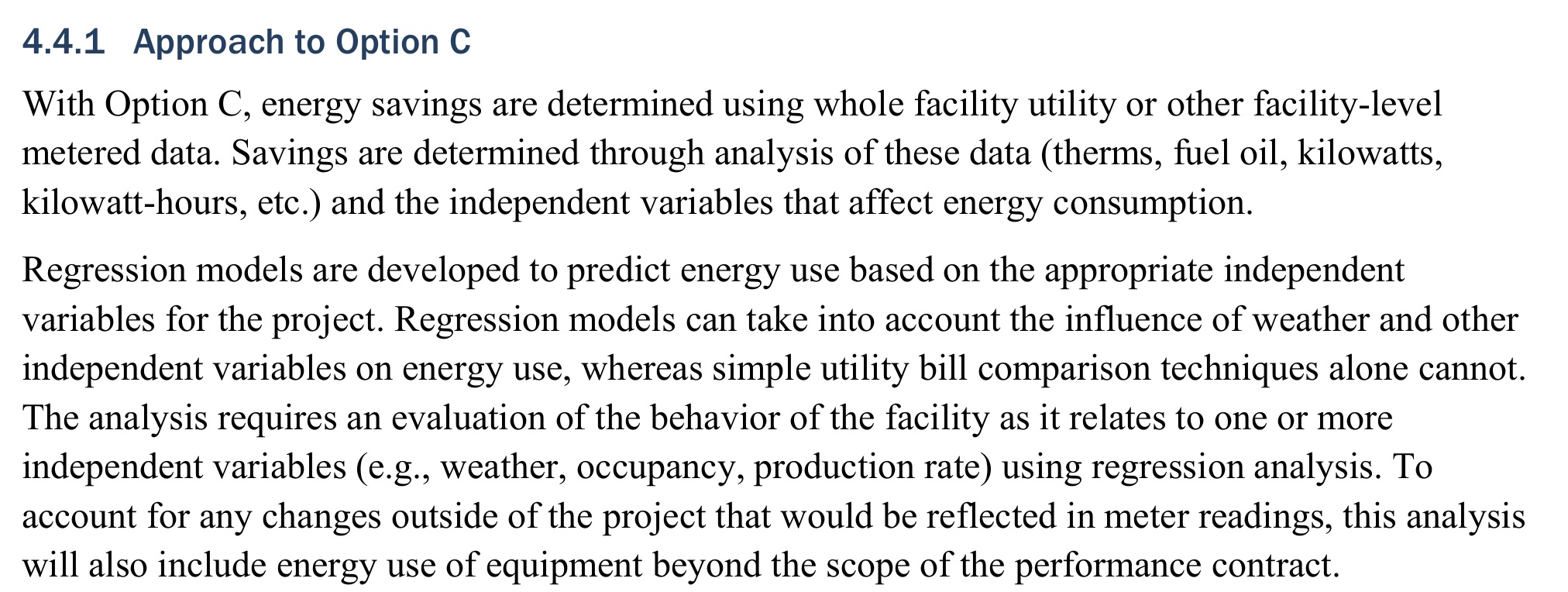
The Department of Energy’s measurement and verification guidance treats whole-building verification as a wider analysis of facility energy use. It commonly accounts for weather, occupancy, load, and operating changes when assessing a baseline. A plug-level log does not provide that evidence for the building.
Likewise, multiplying one observation by a year creates a projection with assumptions, not a year of measured data. Keep estimated electricity charges separate from guaranteed bill reductions: fixed charges, demand charges, and time-dependent rates may require additional analysis. A kWh total is also not an emissions figure without a suitable conversion method and scope.
If you later model emissions, review the assumptions behind a carbon savings calculator before making a public claim.
Apply a final acceptance check
Consider an interval ready for descriptive reporting when its scope is identifiable, the approved setup is documented, the units and timestamps are clear, and the calculation can be traced to preserved evidence. Any gap, reset, uncertainty, or estimate must remain visible.
For a small shop investigating one device, a carefully documented repeat observation may be the right next step. For a buyer comparing equipment, seek comparable work delivered under comparable conditions rather than selecting the lowest unqualified kWh figure. For a building-wide savings statement, involve an appropriately qualified energy professional and use evidence covering that wider scope.
Do not replace working equipment solely because a short reading looks high. The log addresses operating electricity within its boundary; it does not establish the environmental benefit of manufacturing and purchasing a replacement.
Keep the conclusion inside the evidence
A useful office device energy log makes a modest result reproducible: what was measured, when, under which conditions, and with what limitations. Preserve those details before comparing periods or considering a change. Report the device-level observation first, and request broader evidence when the decision reaches beyond it.
For related workplace and environmental topics, explore Editorialge’s Sustainability & Living hub.
Frequently asked questions
Can you use the wattage printed on the device instead?
Keep label information in the equipment record, but do not enter it as measured energy. A rating and an observed interval total answer different questions. Any calculation using assumed power and hours should be labeled an estimate.
How long should you measure?
Choose a period that captures the routine relevant to your question, including nonworking time when applicable. Document unusual events. Repeat observations when the initial period does not reasonably represent that routine.
Is an energy-monitoring smart plug suitable?
Only if its manufacturer permits the intended setup and its measurement capabilities suit the task. Check units, resolution, accuracy, data retention, and export behavior. Remote switching is not needed merely to keep a log.
Can a device log prove whole-building savings?
No. It covers the stated device boundary. A building claim requires an appropriate baseline and broader measurement and verification that address other loads and relevant operating changes.