
The best AI localization tools for SaaS websites and help centers do more than produce a plausible translation. They keep product terminology consistent, preserve variables, route uncertain text for review and return approved content to the right publishing system. Lokalise, Crowdin and Phrase are strong starting points for coordinated product workflows; Weglot and Localize suit website delivery; DeepL is useful when your team needs a translation engine inside a workflow it already owns.
What We Checked
Author observations for this draft on November 22, 2026: we reviewed official product documentation and pricing, then made three limited public-browser checks. This is a research-led shortlist, not a ten-platform translation-quality benchmark.
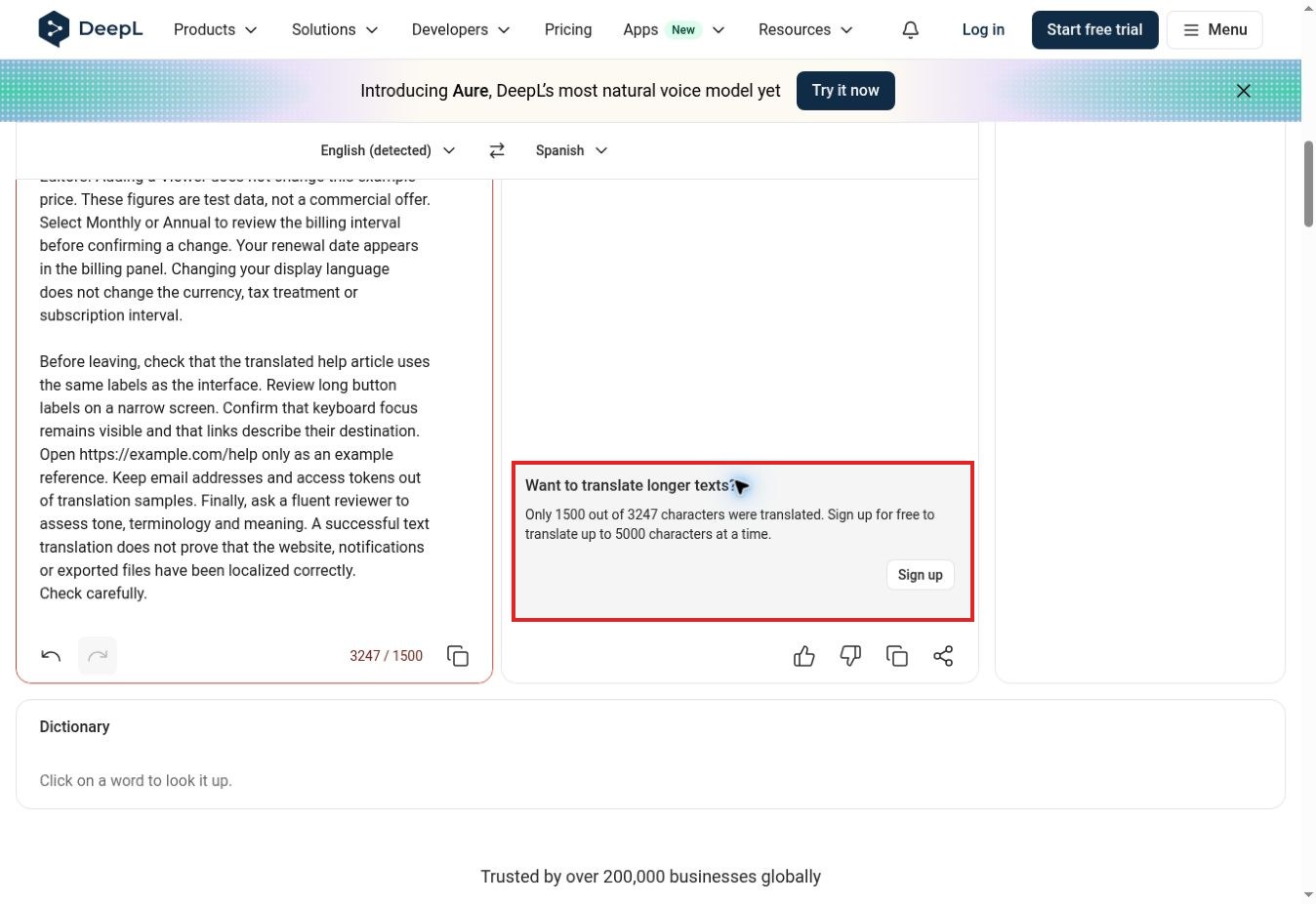
- We submitted a fictional 500-word English UI/help sample to DeepL with Spanish selected. The anonymous session translated only the first 1,500 of the 3,247 characters reported by the interface. The visible output retained {first_name} and {workspace_name}; the full sample was not translated.
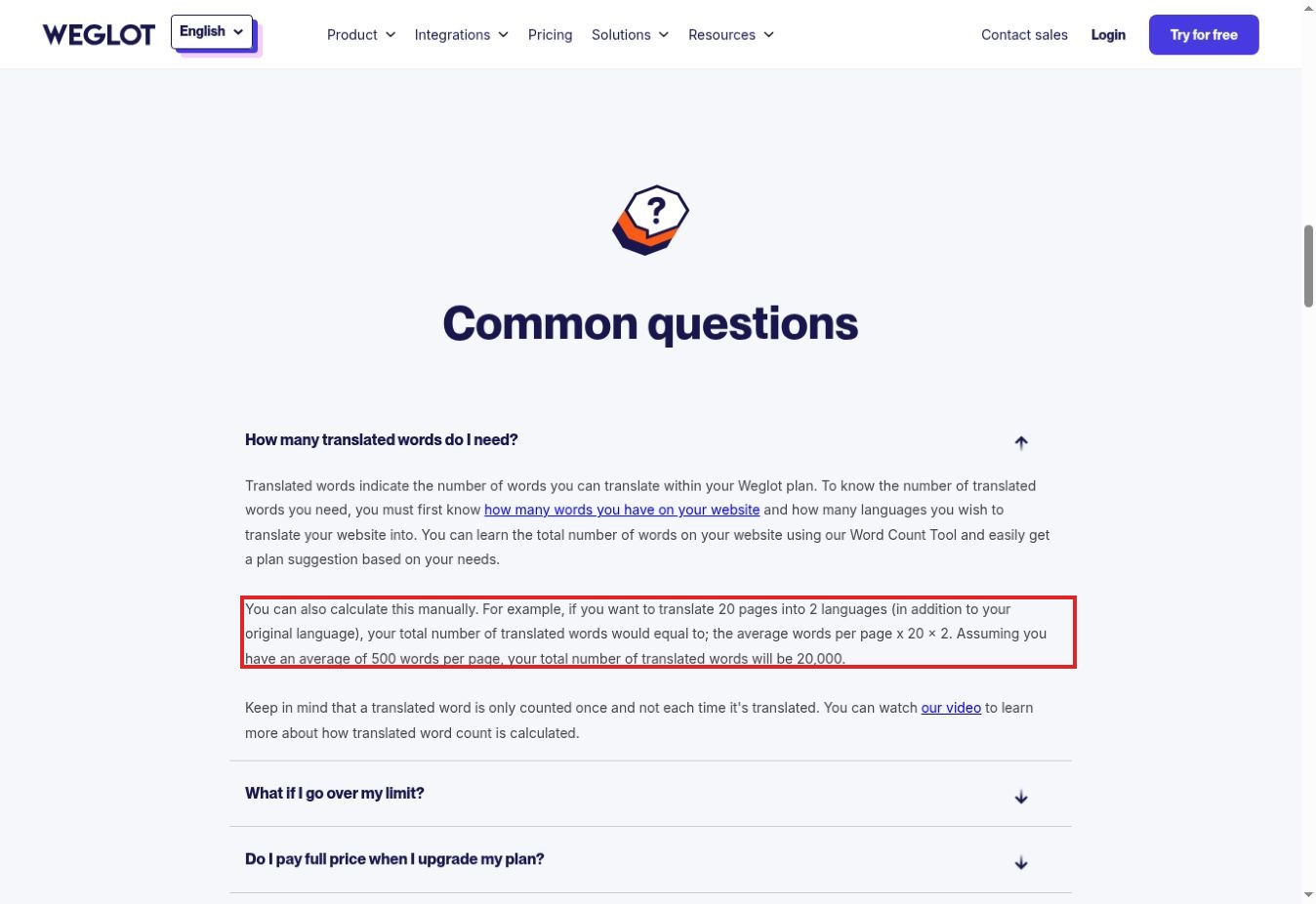
- We expanded Weglot’s translated-word FAQ. Its example multiplies source content by target languages, which matters when budgeting a help center.
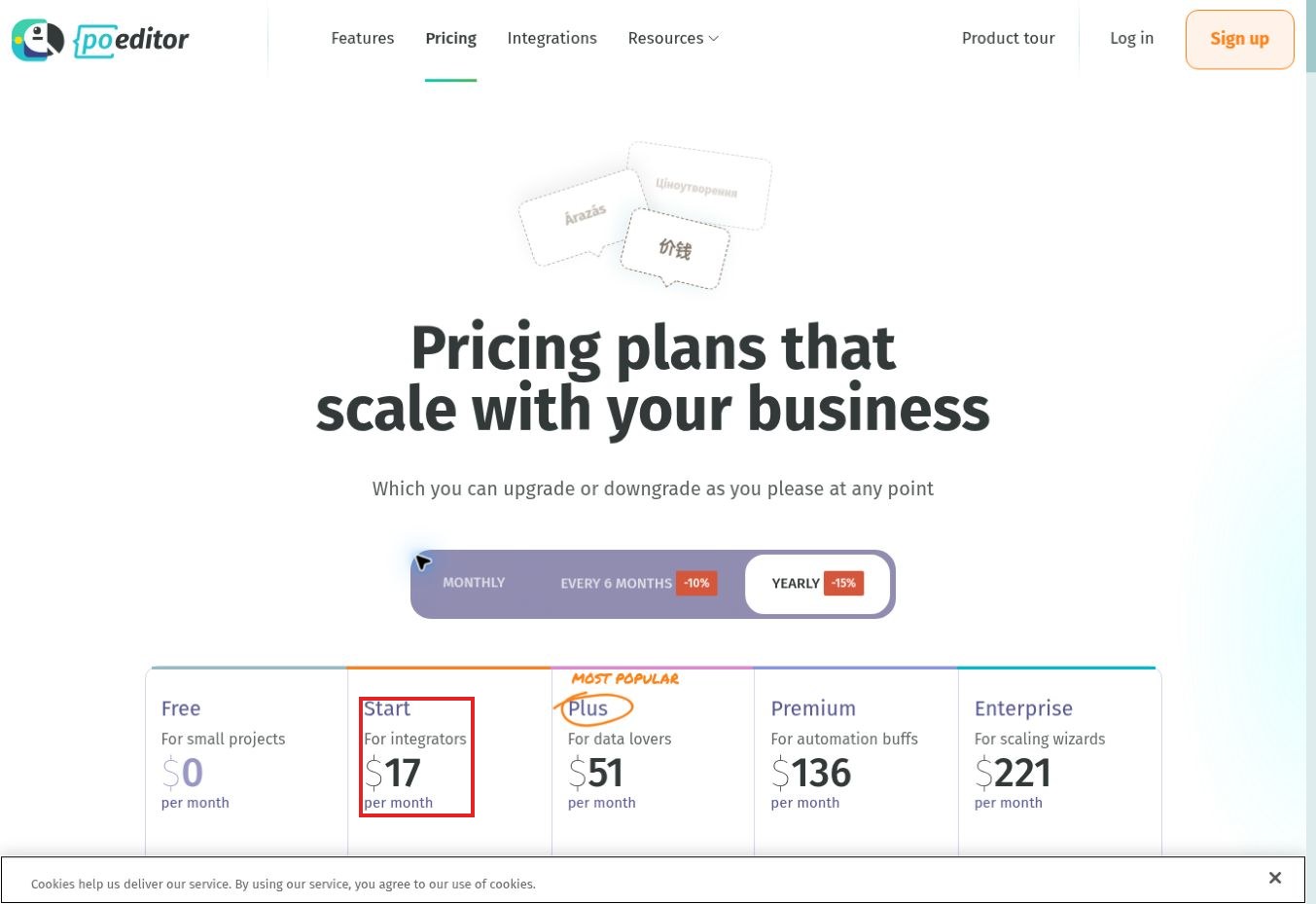
- We switched POEditor from annual to monthly billing. Start changed from a $17 monthly equivalent to $20 per month. That subscription does not pay your separate AI provider’s usage charges.
No production website, customer record or private support ticket was uploaded. We did not create authenticated projects, run connectors or obtain a professional linguistic review. Our observations establish the specific interface behavior described, not overall accuracy or deployment reliability.
How We Selected These AI Localization Tools
The shortlist covers three jobs: managing product strings and documentation, delivering translated web pages, and supplying translation through an API. A useful selection must make those differences visible. A translation engine can be excellent at producing text while leaving release approvals, routing, page delivery and rollback to your developers.
We considered documented AI support, terminology controls, review workflows, integration fit and understandable cost boundaries. Numbering reflects an editorial reading order, not a laboratory score or sponsorship priority. The right choice depends on where your source content lives and who approves the final result.
For a broader website-first comparison, see our guide to website translation and localization tools. This shortlist concentrates on the harder SaaS problem: keeping interface labels and help instructions aligned as both change.
AI Localization Tools at a Glance
Commercial details were checked on November 22, 2026. Amounts are plan examples, not complete implementation quotes. Tax, billing interval, language coverage, provider usage and connector charges can change the total.
| Tool | Most useful for | Cost or access check | Main limitation to test |
|---|---|---|---|
| 1. Lokalise | Coordinated product and content teams | Explorer displayed from $149/month; confirm billing basis and allowances | Standard AI/MT versus Pro AI capacity |
| 2. Crowdin | Connected repositories and help content | Organization pricing uses annual billing; verify plan and AI charges | Connector scope and approval-to-sync behavior |
| 3. Phrase | Multiple localization teams and workflows | Business and developer offerings have different capacities | Strings seats, TMS words and AI units are separate |
| 4. Transifex | Continuous product and help localization | Current AI-first offer prices AI-translated words; request a volume quote | Reconcile older add-on documentation with the current offer |
| 5. Smartling | Managed translation and review operations | Quote by translation route, volume and workflow | Distinguish AI Hub from human-reviewed services |
| 6. Weglot | Website localization with a visual editor | Starter €15/month; 10,000 translated words, one target language | Stored words versus monthly AI credits and requests |
| 7. Localize | Managed website and dynamic app delivery | Custom pricing advertised from $25,000/year | Contract scope, pageviews and external human translation |
| 8. SimpleLocalize | Developer teams managing translation keys | Four plans; 14-day no-card trial advertised | Key allowance versus auto-translation characters |
| 9. POEditor | File-based localization with your own AI provider | Free 1,000 strings; Start $20/month monthly billing | Strings include terms and translations; provider usage is separate |
| 10. DeepL | Translation inside an existing process | API and Translator subscriptions are separate | No complete release workflow from a text translation alone |
1. Lokalise
Lokalise is a sensible first shortlist entry when product managers, developers and content reviewers need a common localization workspace. Its documented tools include translation memory, glossaries, screenshots, in-context editing and workflow automation. Those capabilities address the gap between translating a sentence and understanding where that sentence appears.
The AI distinction deserves attention. Standard AI/MT provides conventional machine translation options, while Pro AI adds context-aware functionality and quality-oriented automation. Treat those as different allowances. A plan that permits substantial standard translation does not automatically provide the same volume of premium AI work.
The pricing page displayed Explorer from $149 per month and advertised a 14-day no-card trial. Verify the selected billing interval, processed-word allowance, advanced seats and Pro AI capacity in your actual quote. For a trial, use a button label, its related help paragraph and a screenshot together. Change the source label afterwards and check whether the documentation translation is flagged for review. That small change is more revealing than translating a clean paragraph once.
Best fit: teams coordinating product releases and content updates. Main caution: useful context and automation still require deliberate project setup and an accountable reviewer.
2. Crowdin
Crowdin is worth considering when translation must connect to several sources rather than arrive as occasional spreadsheets. Its integration catalogue includes developer and content systems, while Crowdin AI supports configurable providers and prompts. That makes it a candidate for a SaaS team whose interface strings and support articles are maintained by different people.
The important question is what actually synchronizes. A connector may support articles but require separate handling for categories, labels, attachments or embedded screenshots. Ask the team to demonstrate one changed source article, its review state and the returned translation in your exact help platform. A long integration list alone does not answer that question.
Crowdin’s pricing page distinguishes organization plans with annual billing from indie and crowdsourcing options. It also lists managed balances for additional translation and AI services. Confirm whether your selected provider is billed through Crowdin or separately, and whether a marketplace connector adds another charge.
Best fit: teams that need flexible integrations and configurable AI behavior. Main caution: do not enable automatic publishing before testing approval rules, missing variables and source changes. We reviewed those capabilities in documentation; we did not run a connected production project.
3. Phrase
Phrase suits organizations that need to coordinate software strings, broader content translation and multiple review processes. Its platform combines software localization, translation management, machine translation and workflow tooling. That breadth can help when product, marketing and support teams would otherwise maintain incompatible terminology lists.
It also makes procurement more involved. Phrase separates product capacities such as Strings seats, managed words, TMS processed words, machine-translation units and AI units. “All products included” should not be read as unlimited activity in every product. Check the capacity that matches your workload rather than comparing only the headline subscription.
The current page advertises a 14-day trial and different business, developer/designer and language-service offerings. Some integrations are listed on higher business tiers. Confirm the specific help-center connector, approval workflow and annual commitment before accepting a quote.
For the sample test, require the same approved translation to appear in a product string and a related help article. Then deliberately change the English source and inspect the review queue. Best fit: several teams sharing terminology and governance. Main caution: the broader platform may be more administration than a small, single-language launch needs.
4. Transifex
Transifex is a relevant option for continuous localization across software, websites and help content. Its current AI-first pricing page describes context drawn from style guides, glossaries and translation memory, together with quality scoring and routing. These features are useful only when the supplied context reflects your product’s actual language.
A practical example is the word “workspace.” Decide whether it should be translated, retained or adapted before the first batch runs. Then check the interface, invitation email and help article together. An apparently fluent translation can still confuse customers if each surface names the same feature differently.
We found a commercial-documentation mismatch worth resolving before purchase: the current pricing page describes AI-translated-word billing, while an older help article describes an AI add-on with separate packages. This draft follows the current pricing page and does not combine the two into a fabricated total. Ask which model applies to your account and contract.
Best fit: teams maintaining frequent updates across several content sources. Main caution: quality scores are routing signals, not a substitute for checking a critical instruction. Include one deliberately ambiguous label in the trial and see whether a reviewer receives enough context to resolve it.
5. Smartling
Smartling becomes attractive when the buyer needs both a translation platform and an organized path to human review. Its offerings distinguish AI Hub, AI Translation and AI Human Translation. These are different service routes, so a low per-word figure for one should not be treated as the complete cost of another.
The documented Zendesk connector supports categories, sections, articles and dynamic content. That is relevant to help-center teams because navigation and repeated interface text can matter as much as the articles themselves. The connector documentation also describes translated content returning to Zendesk; your trial should establish exactly which workflow state allows that return.
Pricing depends on translation type, volume and automation requirements. Request a quote containing the same source-word count, target languages, review depth and update frequency as the other candidates. Specify whether terminology preparation, a second review pass and corrections after publication are included.
Best fit: larger content operations that want a managed review process alongside automation. Main caution: vendor statements about speed or savings are not measured results for your material. Ask for a small sample with identifiable edits and reviewer comments, rather than accepting a general quality promise.
6. Weglot
Weglot is a website-oriented choice when the priority is getting translated pages delivered and editable without building a complete localization pipeline. Its offering combines translation, visual editing, glossary rules and multilingual website features. This is a different purchasing decision from managing a repository of application strings.
We expanded the pricing FAQ to examine its accounting rule. The example uses average words per page multiplied by pages and target languages. Therefore, a 10,000-word source site translated into two languages needs a different allowance from the same site translated into one. The stored translated-word limit should also be distinguished from monthly translation requests and AI Language Model credits.
Starter displayed €15 per month for 10,000 translated words and one target language. The AI documentation says credits are consumed when a result is generated, even if it is discarded. Repeated experimentation can therefore have a different cost from simply retaining approved translations.
Best fit: marketing sites and compatible web experiences. Main caution: test authenticated screens, dynamically loaded text and your help-center domain separately. We checked the public accounting explanation, not an installed Weglot project.
7. Localize
Localize targets website and web-application localization with automatic content detection, in-context review, translation memory and governance features. It is relevant when a business wants ongoing implementation guidance rather than treating translation as an isolated file-processing task.
Its current pricing page advertises custom plans starting at $25,000 per year. That materially changes its fit for a small SaaS team: it belongs in a managed implementation shortlist, not automatically beside inexpensive self-service subscriptions. The quote depends on content, traffic, languages, projects and workflow requirements. External professional translation is billed separately.
For a demonstration, choose a help article containing an embedded product label and a dynamically displayed message. Ask the operator to edit the source, show how the new text is detected, route it for review and demonstrate how an incorrect translation would be withdrawn. These steps reveal the operational responsibilities behind the promise of continuous localization.
Best fit: organizations with a sufficiently large website or app localization programme to justify a custom contract. Main caution: define ownership of implementation, review and maintenance before signing. The advertised starting figure is not a quotation for your site, and we did not install its integration.
8. SimpleLocalize
SimpleLocalize is a useful candidate for developers who want a translation-key workspace, file exchange and delivery tools without immediately adopting a large enterprise localization suite. Its documented feature set includes a web editor, QA checks, AI actions, translation hosting and developer integrations.
Its pricing model makes one distinction particularly useful: translation keys are different from translated strings, while auto-translation consumes characters. A short interface can have many keys; a small number of long help paragraphs can consume more translation characters. Count both before choosing a plan.
The current page advertises a 14-day trial without a credit card and supports bringing your own provider keys. Using your own key does not consume the platform’s included auto-translation characters, but your provider can still charge for the requests. “Bring your own key” is a billing arrangement, not free model usage.
Best fit: product teams comfortable with localization files and developer tooling. Main caution: establish how long-form help content enters and leaves the system. In a trial, export the translated file, parse it in the application and inspect missing keys, escaped characters and placeholder preservation before celebrating a successful translation.
9. POEditor
POEditor is a practical option for teams that want file-based translation management while choosing their own AI provider. Its documentation describes individual-string and bulk AI translation, with provider and model configuration. Comments, screenshots and QA checks provide a place to preserve the context that a bare string often lacks.
Our pricing interaction exposed a common comparison mistake. The default annual view showed Start at a $17 monthly equivalent; selecting monthly billing changed it to $20 per month. The free plan listed 1,000 strings, and the pricing explanation defines strings as the sum of terms and translations across projects. Adding languages therefore affects capacity.
AI translation is available across plans, but the AI provider bills the usage. Budget the platform and model together. Check whether your chosen plan includes the particular glossary, workflow and audit features your review process needs instead of assuming every checkbox applies to Free.
Best fit: technical teams seeking a relatively approachable file workflow. Main caution: the trial should include a source update and a clean export, not only a translation button. We inspected billing behavior; no provider key was connected and no project was uploaded.
10. DeepL
DeepL belongs here as a translation engine, not a complete replacement for a localization management platform. It can help teams translate text or integrate translation into existing systems. Glossary functionality is relevant to recurring product terms, but release approval, synchronization and website delivery still need a surrounding process.
Our public-browser test illustrates why access conditions belong in a review. We submitted the complete 500-word fictional sample and selected Spanish. The interface reported 3,247 source characters but translated only 1,500, offering signup for longer text. The visible output preserved two invitation placeholders and the 48-hour value. The later task-count placeholder, billing paragraph and example link were outside the completed output and were not validated.
The translated role label for Viewer was “lector,” a reasonable candidate that would still need to match the actual Spanish interface. This was a limited editorial inspection, not a professional linguistic certification or a comparison against the other nine tools.
Best fit: teams with an existing review and publishing workflow. Main caution: DeepL API plans and Translator subscriptions are separate products. Check current account allowances and regional pricing rather than assuming a web subscription includes API usage.
A Repeatable 500-Word Localization Test
Use a fictional help article that includes role permissions, invitations, export instructions, an error message, billing labels and a support link. Add three placeholders such as {first_name}, {workspace_name} and {count}. Keep the source identical across candidates and record the target locale, selected model, glossary, prompt and review settings.
Our sample contains exactly 500 whitespace-separated words. Its imaginary product and plan figures are test data. The full source is retained with the editorial working materials so another reviewer can repeat the same task. The complete ten-tool experiment remains outstanding; the DeepL result above is explicitly partial.
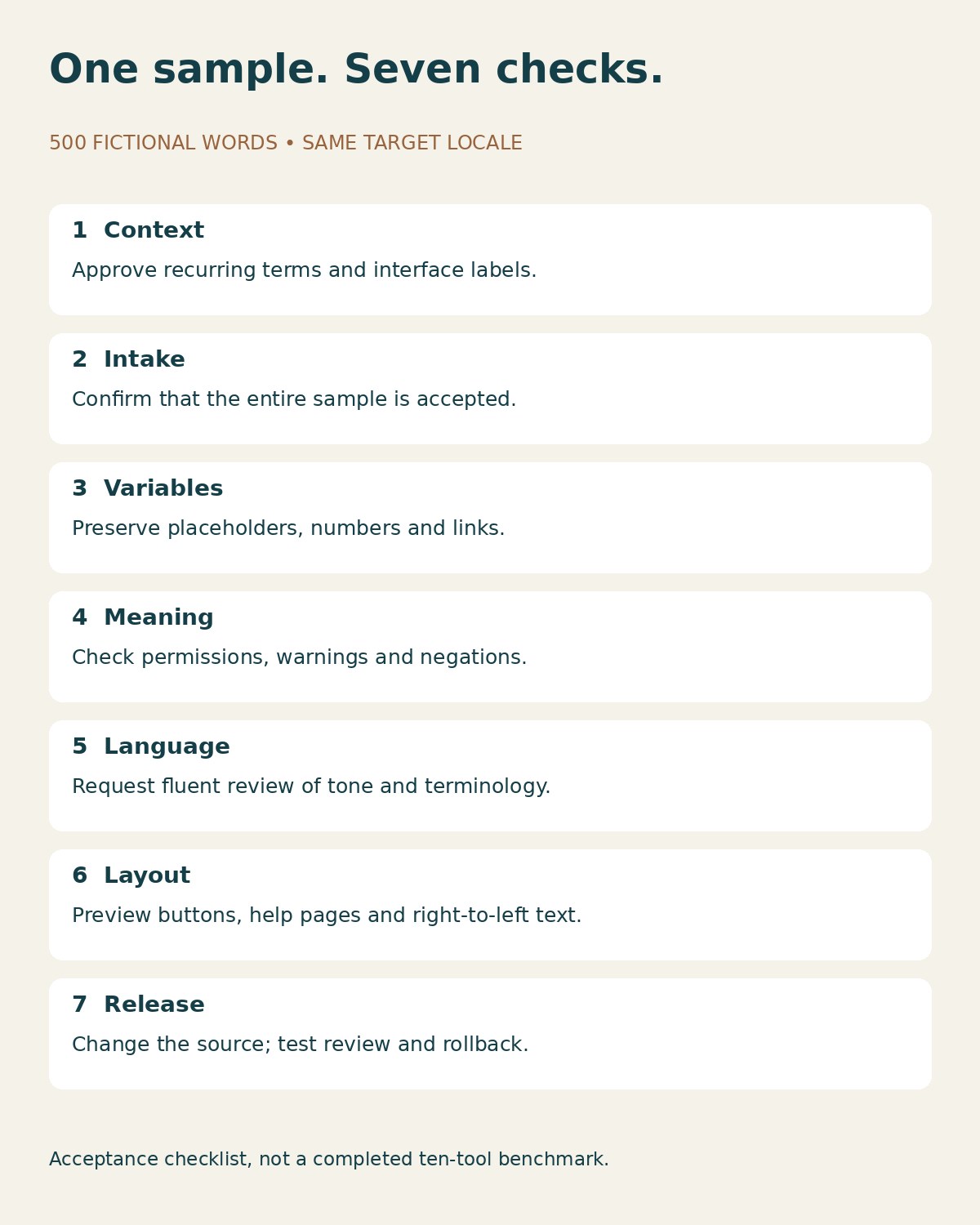
- Prepare approved translations for five recurring terms before running AI.
- Import or paste the sample without private customer information.
- Record whether the full sample is accepted and translated.
- Compare variables, numbers, links, role permissions and negations against the source.
- Have a fluent reviewer examine terminology, meaning and tone.
- Preview the approved text in the actual interface and help template.
- Change one source instruction and verify how review, publication and rollback work.
Check the Output, Not Just the Translation Score
A translated instruction can be grammatically smooth and operationally wrong. “Cannot change billing” must not become permission to change it. A missing variable may break a notification. A button label that differs from the help article can leave a user searching for an option that does not exist.
The W3C internationalization guidance highlights language declarations, local formats, navigation and right-to-left handling. These checks extend beyond producing translated sentences. Include layout expansion, keyboard navigation and language switching in acceptance testing.
Keep automated checks and linguistic review separate. A placeholder check can establish that a token survived; it cannot establish that the surrounding instruction is appropriate. Likewise, a fluent reviewer may miss a broken export unless someone tests the file in the receiving application. Assign both responsibilities.
Compare the Complete Cost
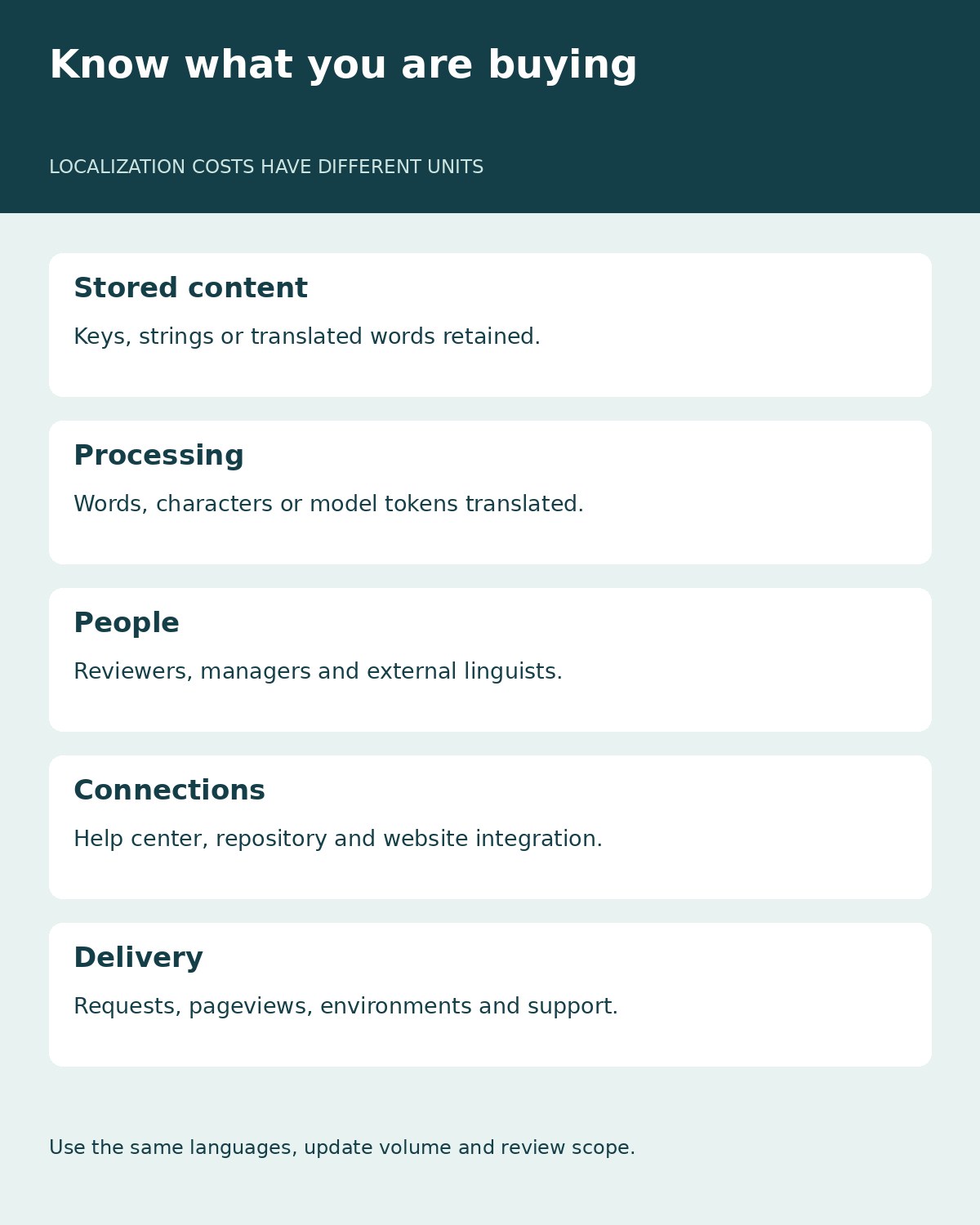
Ask every shortlisted supplier to price the same workload: source volume, target languages, monthly changes, reviewer access, integrations and publishing environments. Record whether the charging unit is a stored word, a processed word, a key, a string, a character or a model token. These are not interchangeable.
Include the cost of retranslation after source edits and the time spent correcting terminology. Confirm whether human translation means access to a review interface, your own staff’s work or a separately purchased service. A low subscription can still require substantial engineering and editorial effort.
Frequently Asked Questions
Can one tool localize both a SaaS website and its help center?
Sometimes, but verify both publishing systems. A website integration does not automatically cover a separate help-center domain, authenticated product screens or notification emails. Test each content surface and the approval path.
Is AI translation enough for product instructions?
It can provide a first pass. Review permissions, warnings, billing language, variables and interface labels before release. High confidence from an automated score does not prove that an instruction works in your product.
Which option is suitable for a small team?
Start with the workflow: a website-first team can evaluate Weglot; a file-based product team can examine POEditor or SimpleLocalize; a team with an established pipeline can test DeepL as an engine. Compare current allowances against a real sample before paying.
Do these rankings reflect measured translation accuracy?
No. This is an editorial shortlist based on documented fit and limited observed interactions. The only submitted translation sample described here produced partial output. No cross-platform accuracy score has been invented.
Choosing AI Localization Tools for Your Next Release
Choose AI localization tools by the complete path from source change to approved release. Shortlist two or three that fit your publishing systems, run the same sample and inspect the failure cases. The strongest choice is the one your team can review, maintain and correct consistently—not simply the one that translates the first paragraph fastest.