Software subscriptions rarely feel expensive when they arrive one at a time. A note app costs a few dollars, a PDF editor adds another charge, and a creative tool renews somewhere else. Together, those small payments can become a permanent line in the monthly budget. One-time-purchase apps offer another route: pay upfront, keep the version you bought, and avoid another automatic renewal.
That does not mean every buy-once license is a bargain. Some cover only one platform or major version. Cloud storage, collaboration, premium content, and later upgrades may still cost extra. Before replacing anything, identify the services that are actually charging you. A review of subscription tracker apps can help uncover renewals that are easy to miss.
The prices and license terms below were checked on November 5, 2026. This is a research-based comparison, not a hands-on test, and the apps are not ranked. Regional pricing, taxes, promotions, and product terms can change.
How to Choose One-Time-Purchase Apps Without Paying Twice
A genuine buy-once app should remain usable after the initial payment. That is different from software that charges once for a fixed three-year term or removes its core features when an update plan expires.
Before buying, check:
- Whether the license covers one device, several devices, or an entire household
- Whether Windows, macOS, Linux, iOS, and Android require separate purchases
- How long updates and technical support are included
- Whether cloud sync, storage, AI features, or collaboration require another plan
- What happens to files if the developer stops supporting the operating system
A perpetual license often means permanent use of the purchased version, not every future release. Microsoft’s comparison of Office 2024 and Microsoft 365 shows the distinction clearly: the one-time edition keeps working but does not receive the continuing feature additions bundled with the subscription.
If the goal is limited to planning, notes, or writing, compare the wider selection of productivity apps without a subscription. A paid app may not be necessary at all when one of the available free SaaS alternatives covers the same work.
12 One-Time-Purchase Apps at a Glance
| App | Best replacement for | Platform | Listed one-time price* | Main limitation |
|---|---|---|---|---|
| SoftMaker Office Professional 2026 | Office documents, spreadsheets, and presentations | Windows, macOS, Linux | $149.95 | No mobile apps or automatic future feature releases |
| Xodo PDF Studio Pro | Professional PDF editing | Windows, macOS, Linux | $149 | Later major upgrades may cost extra |
| Acorn 8 | Photo editing and web graphics | macOS | $29.99 | Mac only |
| DaVinci Resolve Studio 21 | Video editing, color, effects, and audio | Windows, macOS, Linux | $295 | Demanding hardware and learning curve |
| Procreate | Digital drawing and painting | iPad | $12.99 | Not a complete desktop design suite |
| Scrivener 3 | Books, scripts, and research-heavy writing | Windows, macOS, iOS | $59.99 desktop; $23.99 iOS | Sold by platform and major version |
| UpNote Premium Lifetime | Personal notes across devices | Windows, macOS, Linux, iOS, Android | $39.99 | 20 MB limit for individual attachments |
| Things 3 | Personal tasks and projects | Apple devices | From $9.99; platforms sold separately | No Windows, Android, Linux, or browser app |
| CleanShot X | Screenshots and screen recordings | macOS | $35 | One year of updates included |
| Eagle | Creative assets and reference libraries | Windows, macOS | $34.95 | Not a cloud-based team DAM |
| Paprika Recipe Manager 3 | Recipes, meal plans, and grocery lists | Windows, macOS, iOS, Android | $4.99 mobile; $29.99 desktop | Each platform is a separate purchase |
| Typora | Markdown writing and document export | Windows, macOS, Linux | $14.99 | No live collaboration or project management |
Prices were checked on November 5, 2026. The checkout total may differ by country, store, tax, or promotion.
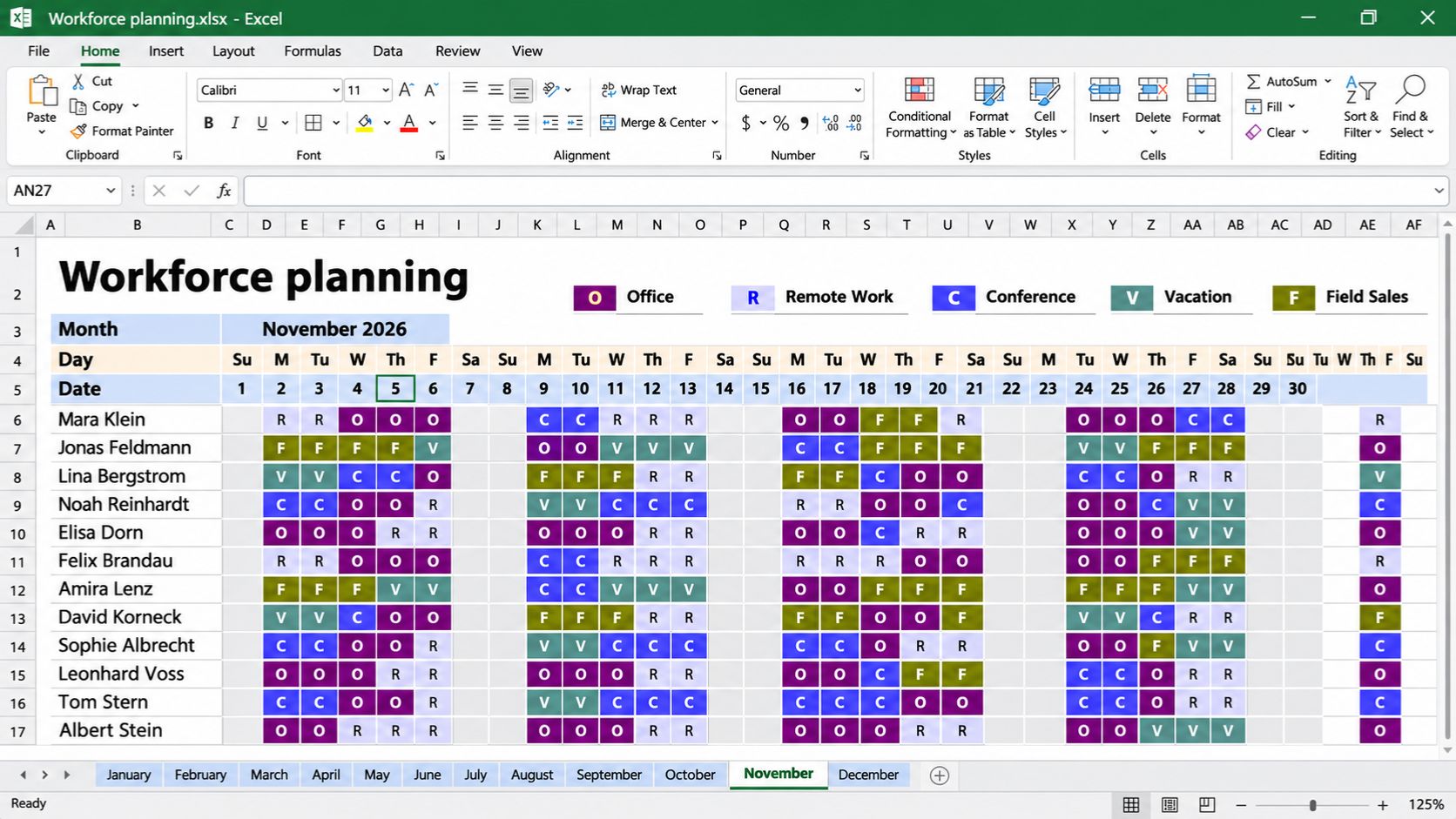
1. SoftMaker Office Professional 2026 for Desktop Office Work
SoftMaker Office Professional 2026 combines TextMaker, PlanMaker, and Presentations. DOCX, XLSX, and PPTX are its standard formats, so users can work with familiar Word, Excel, and PowerPoint files without converting every document first.
The one-time license covers Windows, macOS, and Linux. It can be installed on five computers in one household or one computer in a company or organization. Bug and security fixes arrive through service packs, but new features introduced in later editions are not automatically included.
For a freelancer or household that mainly creates files on a desktop, this can be a sensible replacement for an office subscription. The calculation changes for teams that depend on browser co-authoring, mobile editing, shared cloud storage, or bundled AI tools. Anyone using complex Excel formulas, macros, or carefully formatted client documents should test real files before switching.
2. Xodo PDF Studio Pro for Serious PDF Editing
PDF work is one area where local desktop software can still replace a cloud subscription cleanly. Xodo PDF Studio Pro, previously known as Qoppa PDF Studio, includes text and image editing, OCR, redaction, form tools, page organization, digital signatures, and document comparison.
Its $149 perpetual license covers the purchased version for one user on two computers running Windows, macOS, or Linux. Future major upgrades are optional. That package is enough for someone who regularly edits contracts, builds forms, makes scanned documents searchable, or removes sensitive information before sharing a file.
Large organizations may still need web review rooms, centralized license management, or an enterprise e-signature workflow. Those services are not interchangeable with a desktop editor. For ordinary PDF production and maintenance, however, PDF Studio Pro can remove a recurring Acrobat-style bill without dropping the essential editing tools.
3. Acorn 8 for Mac Photo Editing
Acorn sits between a basic photo app and a large professional creative suite. The $29.99 Mac editor supports layers, masks, selections, RAW images, text, shapes, effects, background removal, and non-destructive filters. It can also open layered PSD files, although perfect Photoshop compatibility is not guaranteed.
A blogger can clean up a featured image. A small shop can prepare product graphics. A teacher can build visual materials without subscribing to a full design platform. Updates within Acorn 8 are included, while a future major release may be an optional paid purchase.
The limitation is straightforward: Acorn is only for macOS. It is also a poor fit for studios built around Photoshop plugins, advanced prepress work, or exact PSD round-tripping. Creators who do most of their work on a phone or tablet should compare current photo editing apps for mobile first.
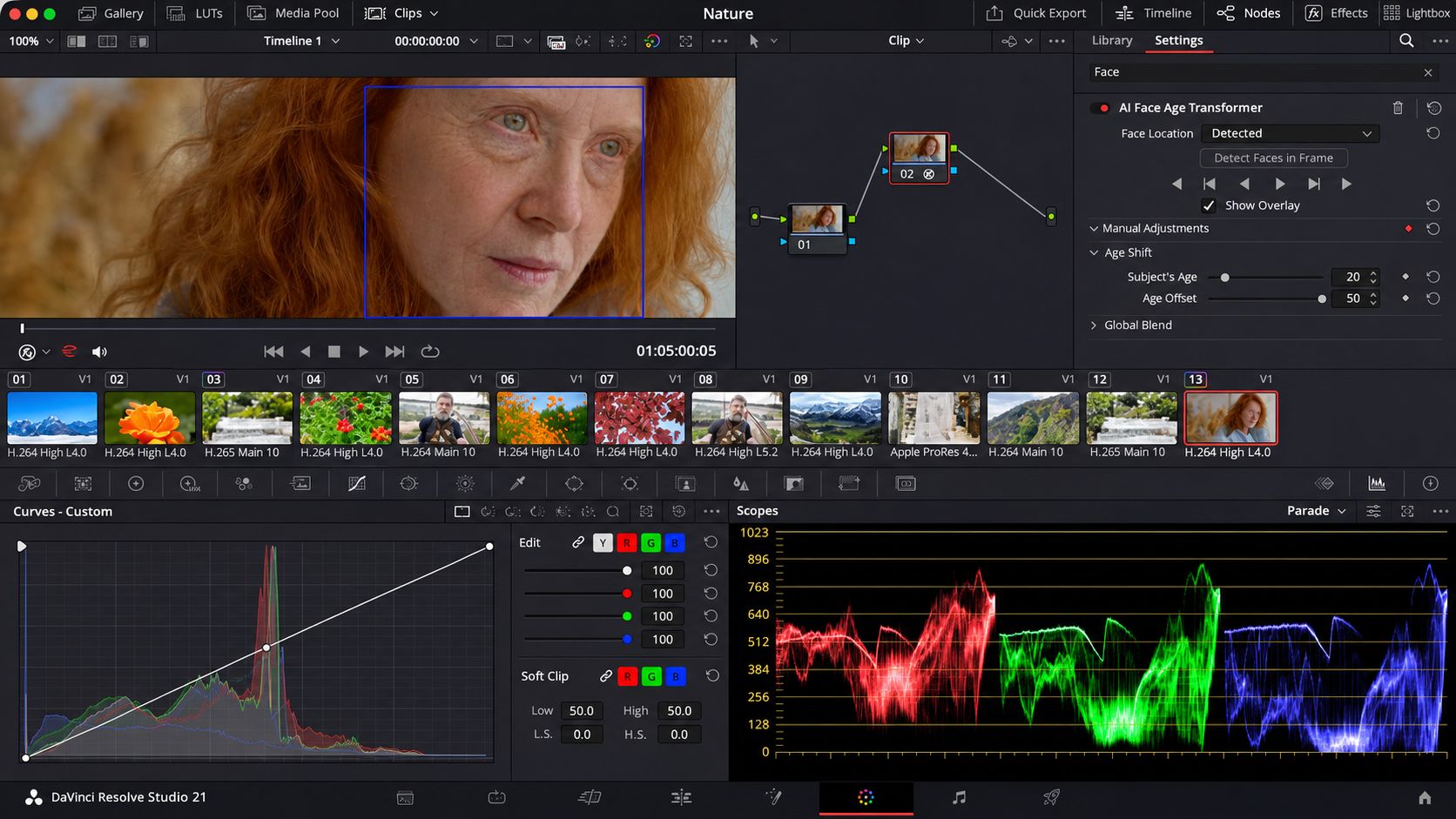
4. DaVinci Resolve Studio 21 for Video Post-Production
DaVinci Resolve Studio brings video editing, color grading, visual effects, motion graphics, and Fairlight audio into one application. The Studio license costs $295 and adds the DaVinci AI Neural Engine, more Resolve FX, broader format support, and other advanced tools to the already capable free edition.
The obvious question is whether to buy it at all. Many solo creators can edit substantial projects in the free version and upgrade only when a particular Studio feature becomes necessary. That makes Resolve an unusually low-risk route away from a recurring video-editing payment.
The real investment is time and computer power. Resolve is deep software, and older laptops may struggle with demanding footage or effects. Creators comparing professional workflows can use this breakdown of video editing software for YouTube marketers to check whether Resolve’s strengths match the work they actually publish.
5. Procreate for iPad Illustration
Procreate is easy to recommend to the right person. For $12.99, the iPad app provides hundreds of brushes, layers, masks, blend modes, drawing guides, animation tools, time-lapse recording, and PSD import and export. With an Apple Pencil, it becomes a portable studio for sketching, painting, lettering, and concept art.
It can replace a recurring drawing app, but it cannot replace every creative subscription. Procreate does not provide the full desktop-publishing, vector-design, shared-library, or approval workflow an agency may need. The purchase makes the most sense when drawing and painting are the main jobs, not when one app must handle an entire commercial design process.
6. Scrivener 3 for Long-Form Writing Projects
Ordinary word processors become awkward when a project contains 30 chapters, research notes, character profiles, interview transcripts, and several unfinished outlines. Scrivener keeps those materials inside one project while allowing writers to rearrange smaller sections instead of wrestling with a single enormous document.
A desktop license costs $59.99 for either macOS or Windows, and the iOS edition costs $23.99. Each license is perpetual for the platform and major version purchased. Minor updates are free; a future Scrivener 4 would be an optional paid upgrade.
This model fits novelists, screenwriters, researchers, and nonfiction authors who value structure more than live co-authoring. It is not a cloud writing service, and buying it on one platform does not unlock every edition. Someone who only wants a clean place to draft may prefer one of the simpler distraction-free writing apps.
7. UpNote Premium Lifetime for Cross-Platform Notes
UpNote’s $39.99 lifetime option works across Windows, macOS, Linux, iOS, and Android through one account. It includes unlimited notes, attachments, tables, exports, themes, notebook locks, web clipping, offline access, and cross-device syncing.
That combination suits people who want organized notes without building a complicated database workspace. Nested notebooks, tags, links between notes, and PDF or Markdown export cover everyday research, meetings, personal records, and writing.
UpNote is not a media archive. Each attachment must be smaller than 20 MB, and the service is aimed at personal knowledge rather than advanced team permissions. The best choice may change depending on whether the priority is handwriting, databases, local files, or quick capture, as this comparison of note-taking apps for different working styles explains.
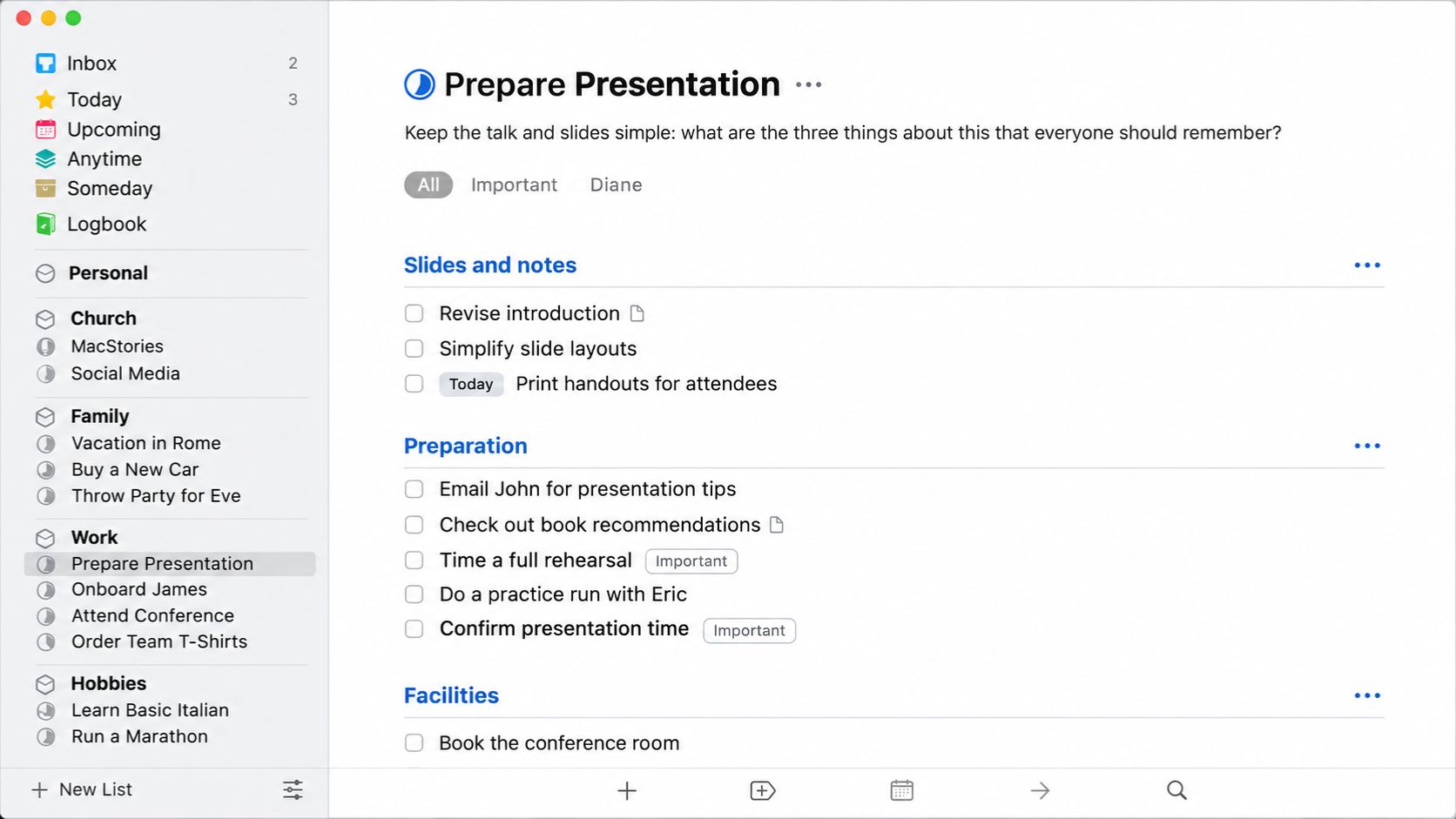
8. Things 3 for Personal Task Management
Things 3 keeps personal planning focused through Inbox, Today, Upcoming, projects, areas, headings, tags, deadlines, and recurring tasks. Things Cloud sync is included without a subscription.
The price needs a closer look because each Apple platform is sold separately. The Mac app costs $49.99, the iPhone and Watch edition costs $9.99, and the iPad edition costs $19.99. Someone using all three pays more than the lowest App Store price suggests.
For one person living entirely inside Apple’s ecosystem, the calm interface may be worth it. Things is not suitable for a mixed-device household or a team that needs shared task ownership. It has no Windows, Android, Linux, or browser version.
9. CleanShot X for Screenshots and Screen Recordings
CleanShot X is built for people who capture their Mac screen several times a day. It handles scrolling screenshots, annotation, OCR, video and GIF recording, camera and audio capture, polished backgrounds, and basic editing for recorded tutorials.
The $35 purchase includes one year of updates. After that year, the latest eligible version continues to work. Paying $19 for another year of updates is optional, as is CleanShot Cloud.
For an educator, support specialist, marketer, or product writer, the desktop tools can replace a recurring screenshot or lightweight recording service. A team that needs hosted videos, comments, centralized storage, branded links, and account administration may still need a cloud platform.
10. Eagle for Creative Asset Organization
Design folders rarely stay tidy for long. Eagle gathers images, screenshots, GIFs, videos, fonts, audio, links, and visual references into searchable libraries. Tags, folders, ratings, color search, duplicate detection, batch actions, and quick previews make a large collection easier to navigate.
The $34.95 license covers two Windows or Mac devices and currently includes future updates. It is a strong fit for one creator managing a local reference or asset library. It is not a cloud digital asset management system for a large team, and the user remains responsible for storage and backups.
Before importing thousands of files, follow the same precautions used with other digital decluttering tools: keep a separate recoverable copy, know where the originals are stored, and test restoration instead of assuming synchronization is a backup.
11. Paprika Recipe Manager 3 for Recipes and Meal Planning
Paprika replaces a specific kind of subscription: the recipe box and meal planner that keeps charging after a household has already saved its favorite meals. The app imports recipes from the web, organizes them into categories, scales ingredient quantities, creates meal plans, and combines similar items on grocery lists.
The iOS and Android editions normally cost $4.99 each, while the Mac and Windows versions normally cost $29.99. Each platform is purchased separately, but Paprika Cloud Sync connects the editions without another recurring payment.
It will not provide personalized nutrition coaching, grocery delivery, or a constantly expanding editorial recipe catalog. It works best for households that already know what they like to cook and want one dependable place to plan it.
This recommendation applies specifically to Paprika 3. Paprika 4 was still in beta during the research period, and the developer had indicated that at least one beta feature would require a subscription after testing. Check the version and feature terms shown at checkout.
12. Typora for Markdown Writing
Typora makes Markdown feel less like markup. Instead of placing raw syntax beside a separate preview, it renders formatting directly in the writing view while keeping the underlying document as a plain Markdown file.
The $14.99 license covers up to three devices used by one person and does not expire. Typora runs on macOS, Windows, and Linux and can export finished work to PDF and other formats.
Its narrow focus is part of its appeal. This is an editor, not a research manager, collaborative knowledge base, or book-planning system. Typora suits people who want clean local files and a polished writing surface without another account or recurring charge.
Calculate the Cost Before Canceling Anything
The purchase price alone does not show what a switch will cost. Add every required platform, optional upgrade, storage plan, and migration expense before comparing it with the current subscription.
Pay particular attention to:
- Additional platforms: Things, Scrivener, and Paprika may require more than one purchase.
- Future compatibility: An older version can remain licensed but eventually stop working well with a new operating system.
- Cloud features: Local software does not automatically replace shared storage, browser access, version history, or live co-editing.
- File migration: Open representative documents, media, and projects in the new app before canceling the old service.
- Backups: More local control also means more responsibility for recovery.
The basic calculation is simple:
Break-even months = total one-time cost ÷ current monthly subscription cost
Use the complete setup cost. If a $50 desktop app also needs a $20 mobile edition and $30 of storage each year, comparing only the first $50 will produce the wrong answer.
When One-Time-Purchase Apps Make Sense
The best one-time-purchase apps solve a clear problem without making continued access depend on another payment. They do not need to copy every feature of a subscription service. They need to cover the features a particular user relies on.
Begin with one narrow subscription, test the replacement with real files, and check the multi-device cost before canceling. If the workflow still works and the break-even period is reasonable, the recurring charge is probably safe to remove.