A polished project can catch someone’s attention. Then comes the question that matters more: What did you actually do? AI can help produce a draft, image, design, or piece of code. The finished result may reveal little about who defined the problem, made the important choices, caught the mistakes, or brought the work together.
I have used AI in my own work. When I think about showing an AI-assisted project, I want readers to understand my contribution without having to guess. That takes a clear account of the work, supported by a few pieces of evidence where they help.
Whether you are building a portfolio for a job, a client, or a course, these 10 steps will help you present AI-assisted work with confidence.
What Makes an AI-Assisted Portfolio Credible?
A useful project page connects the problem, your role, AI’s role, your decisions, and the outcome. A reader should be able to follow that story quickly.
You can support it with selected drafts, sketches, tests, feedback, or examples of the finished work. Each piece should answer a question about what you contributed.
10 Ways to Show What You Contributed
Start with the projects you choose. Then make your role clear at every stage, from the original brief to the final result.
1. Choose projects where your contribution is clear
You do not need to include every experiment you made with AI. Select projects that demonstrate skills you want to use again.
I would give more space to one project with a real problem and a thoughtful solution than to a gallery of polished outputs with little context. A good project may show how you improved an earlier version, worked within a difficult brief, or handled an unexpected problem.
Paid work is not your only option. Coursework, volunteer projects, and independent concepts can demonstrate ability too. Identify each one accurately. If something was a practice exercise, say so. Readers can still judge the quality of your work.
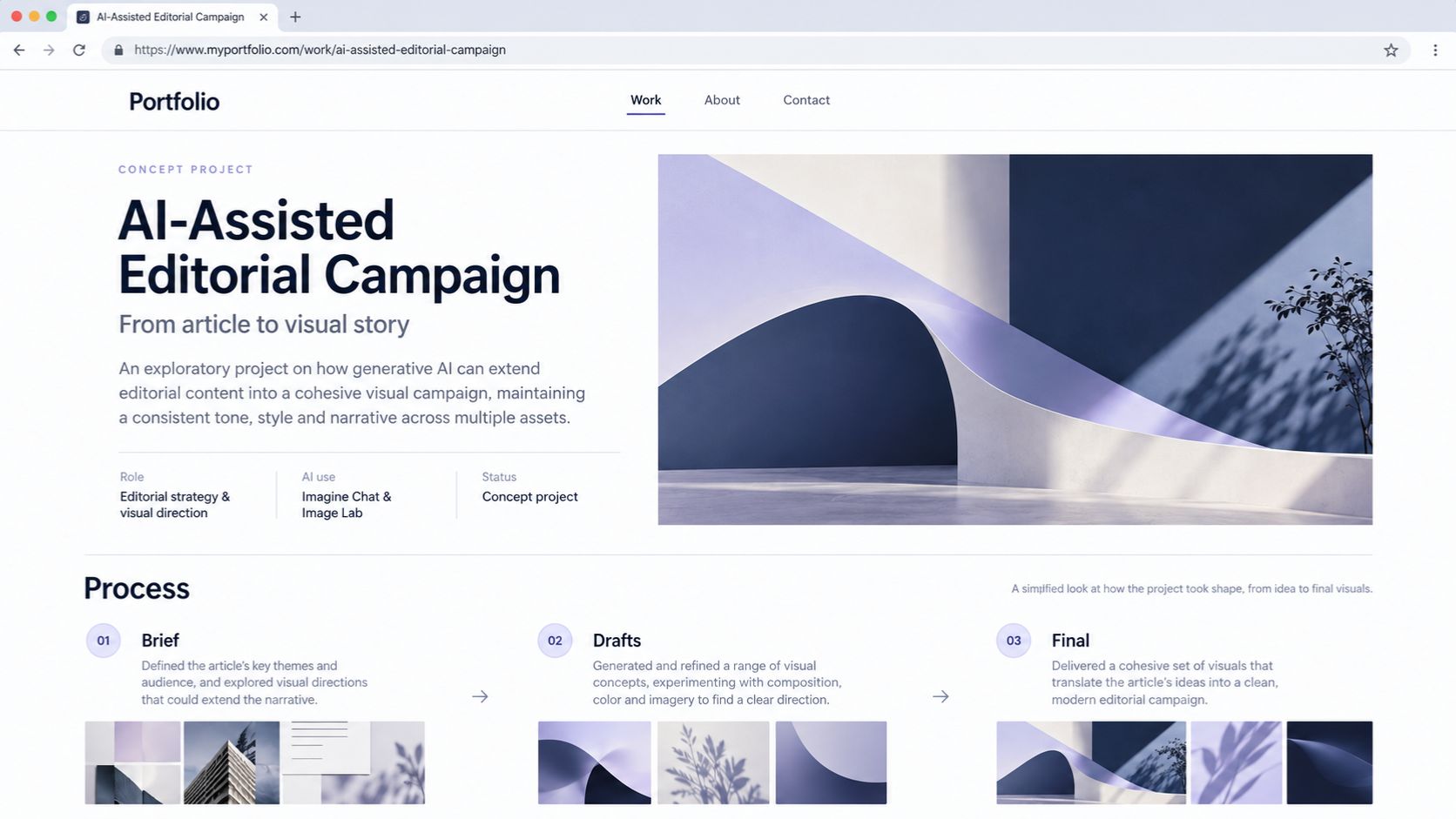
2. Explain the problem before showing the result
A screenshot shows what you made. The brief explains why it mattered.
“I redesigned a landing page” describes an output. “Visitors struggled to find the service price, so I reorganized the page to make it easier to understand” gives a reader a problem to follow.
Describe the intended audience, the goal, and any constraints that shaped your decisions. Perhaps you had to keep an existing brand style, work with limited source material, or finish within a short deadline. This context helps readers assess the choices behind the final piece.
3. Separate your role from the team’s work
A project may involve a client, editor, designer, developer, or researcher as well as AI. Give everyone appropriate credit while making your own responsibilities easy to find.
If you planned the page and wrote the copy while a colleague designed it, say that. If you designed an interface but another person built it, explain the handoff. “I worked on this website” leaves too much open to interpretation.
A short statement near the start of the case study can do the job:
My contribution: Audience research, page structure, and final copy. A colleague created the visual design, and the development team built the page.
That makes it easier for a reader to judge the skills you are presenting.
4. Say where AI helped and what happened next
An “AI-assisted” label tells readers that a tool was involved. Explain its place in the project.
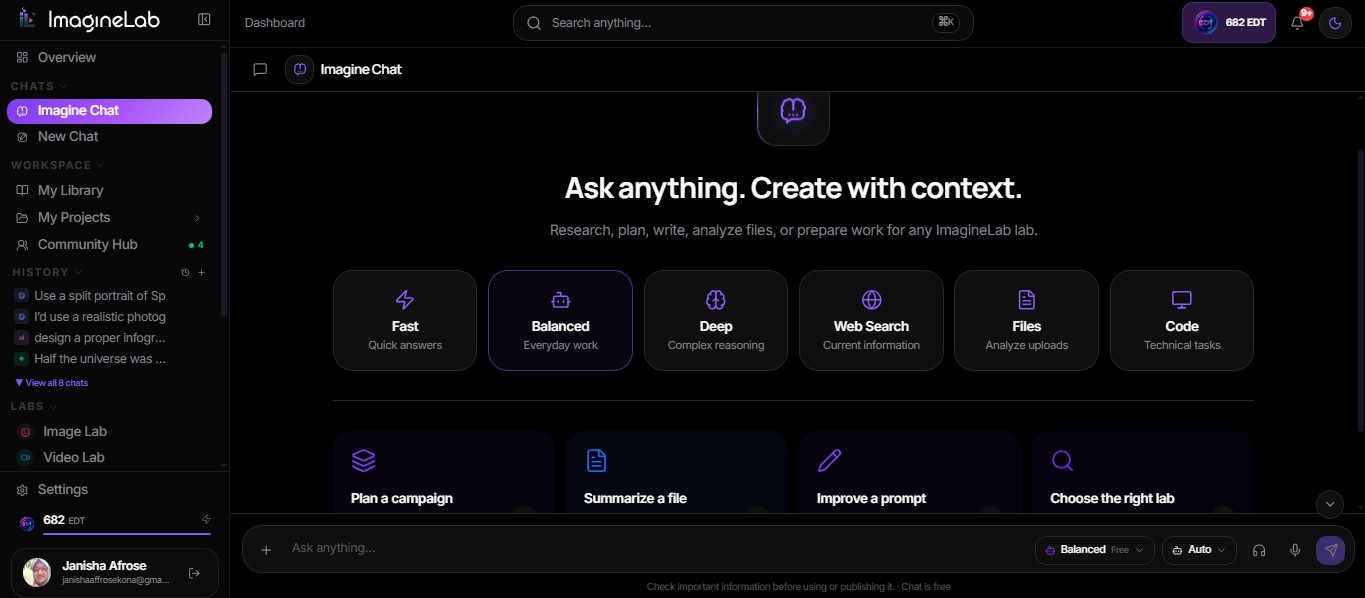
I have used Imagine Chat and Image Lab in ImagineLab Art, the platform our team built in-house. If I feature work made with either tool, I would identify the stage where it helped, then explain the choices and checks that were mine. Naming the platform gives readers context; describing my contribution shows them how I work.
For instance, an illustrative disclosure for a writing project could read:
I used AI to generate headline options. I rejected those that overstated the evidence, rewrote the selected option, and checked the final copy against the source material.
Use the level of detail the project requires. A small assist may need one sentence. A project with substantial AI-generated material calls for a fuller explanation. If you are submitting the portfolio for a job or assessment, follow that organization’s AI-use instructions.
5. Show a few meaningful stages of the work
The final version shows what survived. An earlier draft or sketch can reveal how you got there. Choose stages that explain a change: an outline before and after restructuring, a wireframe revised after feedback, or code updated when a test exposed a problem. Add a brief note about what changed and why.
I would keep this selective. A long series of screenshots can make the important decision harder to spot. A few annotated artifacts help readers follow the process.
Version histories and pull requests can provide additional context when you are able to share them. They are most useful alongside your explanation of the work.
6. Explain a decision that shaped the result
Show readers one choice that required judgment.
Perhaps AI suggested a headline that sounded appealing but made a claim you could not support. Perhaps a generated layout looked clean but buried essential information. Perhaps a code suggestion worked in a common case and failed another.
Explain what you changed and why. You do not need to display every rejected idea. One well-chosen example can show how you weighed the brief, spotted a weakness, and improved the result.
7. Describe how you checked the output
“I reviewed the work” gives a reader little to assess. Say what you checked.
For an article, explain how you verified factual claims. For code, describe the behavior you tested and the errors you corrected. For a design, identify the feedback you gathered or an accessibility issue you addressed. For an image, explain how you inspected it for visual mistakes and checked the materials you used.
Be equally clear about the limits of that review. Positive feedback from a colleague is useful, but it does not establish how customers will respond. Passing your current tests does not cover every possible use case. An honest description of the checks makes the project more convincing.
8. Connect the finished work to an honest outcome
If you can share the final article, page, design, repository, or demo, make it easy to find. Then tell readers what happened after you completed it.
Performance figures need context. State what was measured and over what period. If the outcome followed a team effort, describe your contribution without taking sole credit.
Many good projects have no traffic, sales, or conversion data. You can still report that the work met the brief, passed a test, received specific feedback, or resolved a problem identified during review. If a concept was never launched, say so. A project does not need an invented success figure to be worth showing.
9. Check what you have permission to publish
Before adding project material to a public portfolio, check whether you can share the client’s name, internal figures, customer details, drafts, or source files.
Prompts need the same care. A prompt may contain confidential information even when the generated result does not. You should be able to explain your process without exposing material entrusted to you.
If you cannot publish the original work, ask what you can share. An approved excerpt or a redacted case study may still let you describe the problem, your role, and your approach. Label any substitute example as a reconstruction or concept.
10. Make sure you can talk through the project
A portfolio page should give you a starting point for a conversation. You should be able to explain the brief, your contribution, where AI helped, a difficult decision, and what you would improve next time.
I use that as an editing test. If a sentence sounds impressive but I would struggle to explain it plainly, it needs to be more precise. A reader may never ask about every detail, but your account should hold up when they do.
What a Clear Project Entry Looks Like
Suppose you rewrote a landing page as a self-initiated exercise. This illustrative example shows how to describe it without claiming a real client or results that were never measured:
The brief: Rewrite a service page so visitors can understand the offer more quickly.
My contribution: Reviewed the original page, planned a clearer structure, wrote the copy, and checked its factual claims.
AI use: Generated headline options. I discarded those that made unsupported promises and revised the final choice.
Evidence: An annotated original page, a working draft, and the finished version.
Outcome: Gathered feedback on clarity. The page was not launched, so there are no conversion results.
The entry is short, but it gives a reader several ways to assess the work.
Let Your Decisions Tell the Story
When I look at an AI-assisted portfolio, the finished piece is only the beginning. I want to understand the problem behind it, the work the person owned, where AI helped, and how they decided the result was ready.
Give readers an account for every project you choose to show. Your portfolio will give them a clearer view of your skills and give you a stronger story to tell when they ask how the work came together.
Frequently Asked Questions About AI-Assisted Portfolios
Do I need to name every AI tool I used?
Name a tool when it matters to the skill you are demonstrating or when an employer or assessment asks. Readers also need to know what the tool helped produce and how you handled its output.
Should I publish my prompts as proof of my work?
Share a prompt excerpt if it explains an important decision and you have permission to reveal it. Review it for private information first. In many cases, the brief, selected drafts, checks, and final work will give readers a clearer view of your contribution.
Can I include a project that was never published?
Yes. Identify it as a concept, exercise, or unpublished project. Explain what you made and what feedback or testing you completed. Keep those findings separate from results that would require a live launch.
Can a mostly AI-generated piece belong in my portfolio?
It can, provided you describe it accurately and show the skills you contributed. Those might include art direction, selection, editing, integration, or evaluation. Make it clear which parts you produced and which parts the tool generated.