
For a long time, I used one prompt structure for almost every task I gave Claude. The format felt reliable. I had used it for writing, research, planning, and technical work. Because it usually produced an acceptable answer, I did not question this Claude prompting habits. Then I rewrote one instruction in a more direct way. The task did not change. The model did not change. Even the supporting information stayed the same. But Claude followed the revised instruction more accurately and produced a cleaner result.
That small test revealed a larger problem: I had been using prompting habits developed for older AI models without checking whether they still matched the way current models behave.
Prompting advice has a short shelf life. A technique may be useful when a model struggles with a certain behavior, then become unnecessary—or even limiting—after the model improves. This does not mean the earlier advice was foolish. It means the tool changed.
If you have used Claude for a year or more, some of your favorite prompt rules may now need an update. The following five changes can help you give clearer instructions, reduce avoidable errors, and get more useful responses without making every prompt unnecessarily complicated.
Why Prompting Techniques Become Outdated
A prompt trick is not a permanent law. It is usually a practical response to a model’s limitations at a particular time.
Suppose an older model often ignored important instructions. Users might respond by adding capital letters, repeated warnings, and phrases such as “YOU MUST” or “THIS IS CRITICAL.” That extra pressure could improve compliance.
However, a newer model may already follow instructions more literally. The same aggressive wording can then cause it to overreact, apply a rule too broadly, or focus on the warning instead of the real goal.
The same pattern appears across prompting. Some older habits now add unnecessary structure. Other habits need to become more precise because current models are less likely to guess what the user meant.
This is why prompts should be reviewed like any other working process. If the system changes, the instructions may need to change with it.
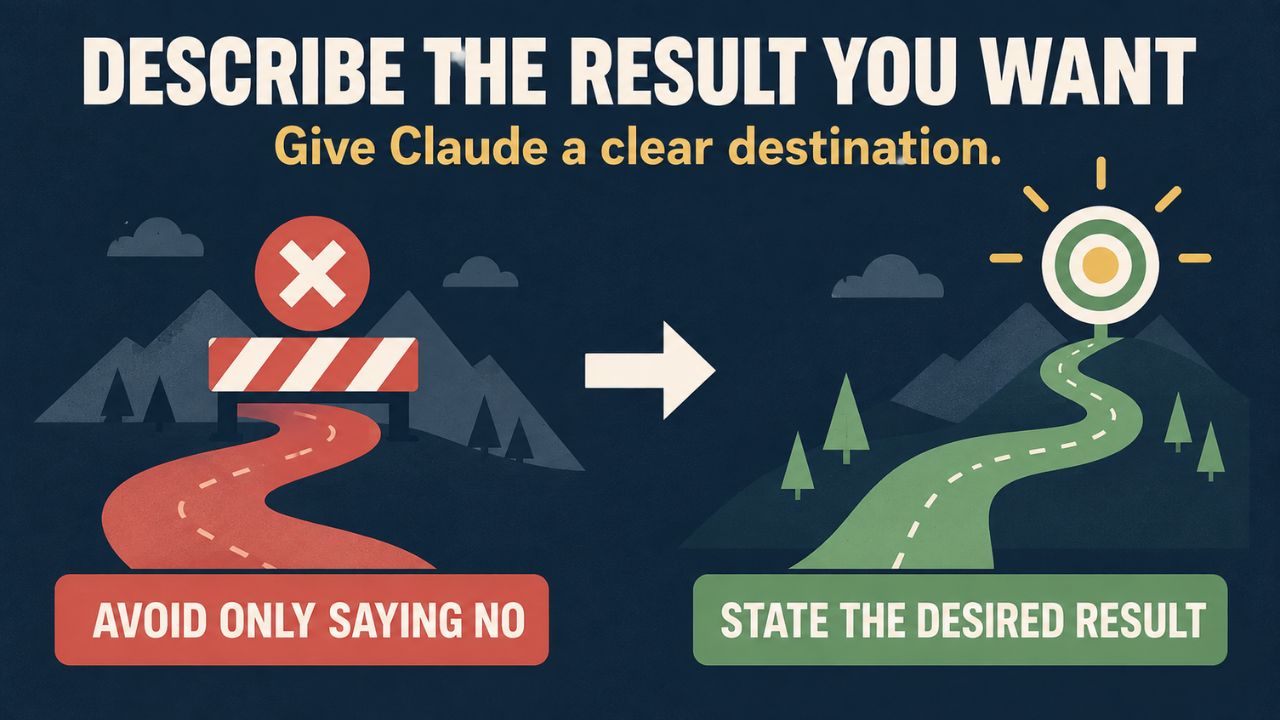
1. Describe the Result You Want, Not Only What You Want to Avoid
Negative instructions are easy to write:
Do not use a complicated tone. Do not repeat ideas. Do not use long paragraphs.
The problem is that this only tells Claude where not to go. It does not clearly describe the destination.
A stronger version would be:
Write in plain English. Use short paragraphs, explain each idea once, and keep the tone conversational.
Both prompts express a similar preference, but the second gives Claude a visible target. It defines the desired language, structure, and tone instead of leaving the model to guess what should replace the unwanted style.
This approach works beyond writing. Instead of saying, “Do not make the dashboard confusing,” explain the intended experience:
Create a clean dashboard with one primary action per section, clear labels, and a helpful empty state when no data is available.
Negative rules still have a place. They are useful when you need to protect a hard boundary, such as “Do not change the database schema” or “Do not include private customer data.” But whenever possible, pair the restriction with a positive instruction that explains what Claude should do instead.
A practical formula
Use this structure:
Produce [desired result] using [preferred method or style]. Avoid [specific risk].
For example:
Produce a concise executive summary using plain language and five short sections. Avoid unsupported claims.
That is more useful than a long list of prohibitions.
2. Use XML Tags When the Prompt Actually Needs Structure
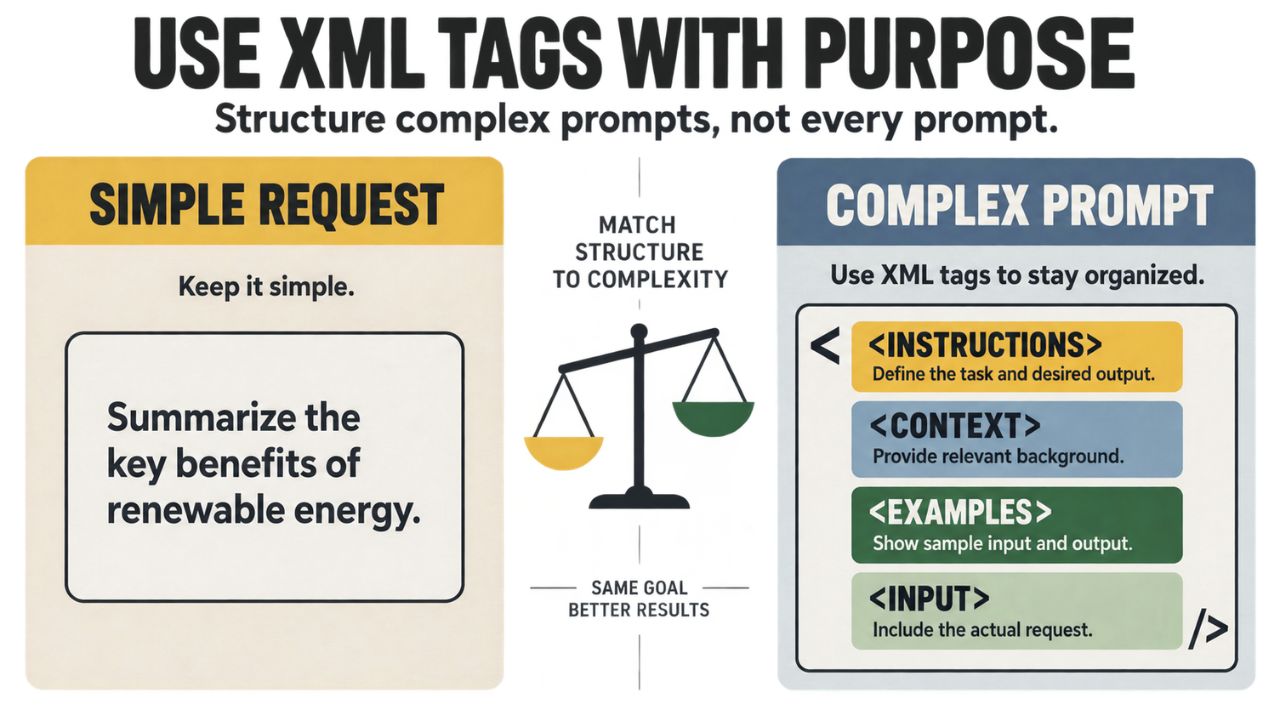
XML tags remain useful. The mistake is treating them as a requirement for every prompt.
If your request is simple, this is enough:
Summarize this email in three bullet points and identify the required action.
Wrapping that sentence inside several labeled sections does not automatically make it better. It may simply make a short request harder to scan. Tags become valuable when a prompt contains different types of material that Claude must keep separate. For example, you may provide:
- A customer complaint
- Your refund policy
- Examples of earlier support replies
- Instructions for the final response
In that situation, labels such as <customer_message>, <policy> "and"<instructions> can reduce confusion. They make it clear that the policy is a rule, the earlier replies are examples, and the customer message is the content that needs a response.
The decision is simple: if a person reading the prompt could easily confuse one section with another, add structure. If the request has one purpose and one short input, write it naturally.
The goal is not to make a prompt look technical. The goal is to make its parts unmistakable.
3. Stop Expecting Claude to Read Your Mind
Better instruction-following does not mean Claude automatically knows what you forgot to mention.
Consider this request:
Build an analytics dashboard.
Claude can respond to it, but almost every important decision is missing. Which metrics matter? Who will use the dashboard? What period should it cover? What happens when data is unavailable? Should users be able to filter or export the results?
The model may produce a generic page because the prompt asked for a generic page.
A more useful request would be:
Create an analytics dashboard for a small SaaS team. Show monthly recurring revenue, trial conversions, churn, and failed payments for the last 30 days. Add date and plan filters, a CSV export option, and a clear message when no data is available. Keep the existing database structure unchanged.
This is not about making the prompt longer for the sake of length. It is about documenting the decisions that affect the outcome.
Before sending an important prompt, answer five questions:
- What must Claude produce?
- Who will use the result?
- What information should be included?
- What limits must Claude respect?
- What would make the result acceptable?
For high-value work, add a final instruction:
Before starting, list any assumptions you need to make and ask about anything that could materially change the result.
This helps expose missing details before Claude builds an answer around the wrong assumption.
4. Use “Think Step by Step” as a Tool, Not a Ritual
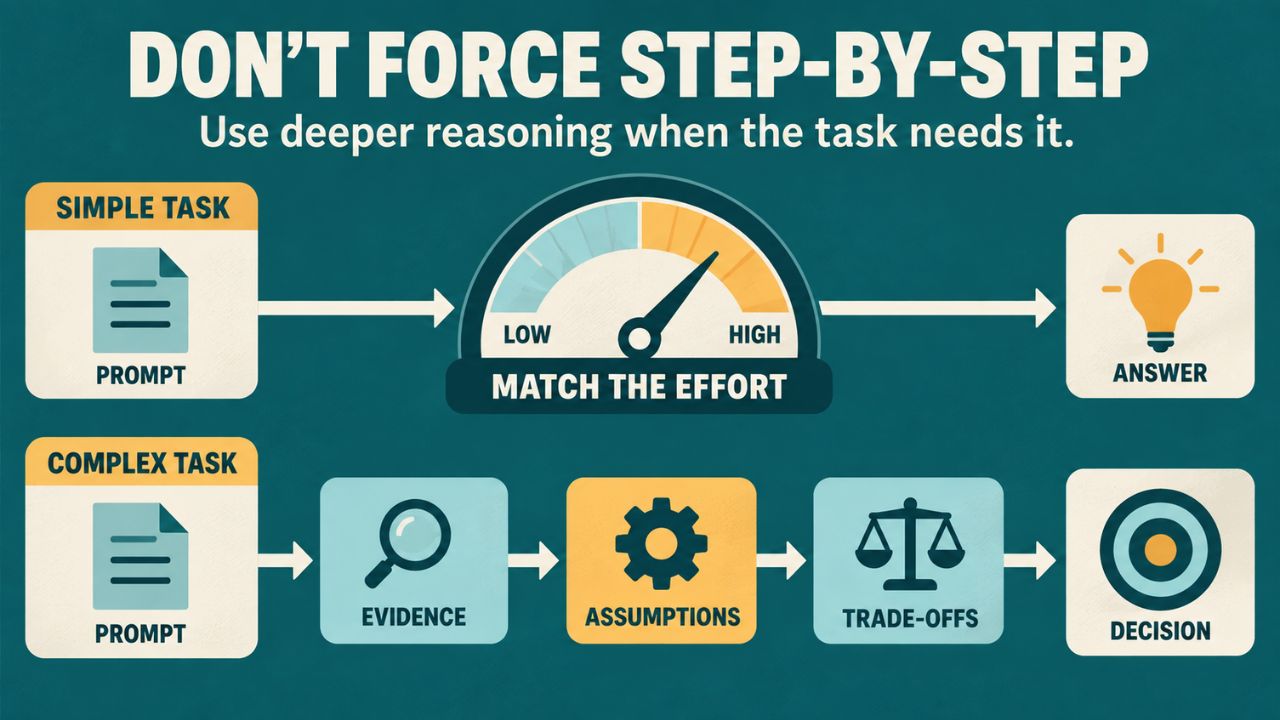
For years, “think step by step” was added to prompts almost automatically. It was a simple way to encourage more careful reasoning.
That phrase is not useless, but it should no longer be treated as a magic ending for every request.
Current Claude models can use adaptive thinking for tasks that require deeper reasoning. In supported configurations, Claude can decide when more thinking is needed, while effort controls can influence how much work it applies. Anthropic’s current guidance presents manual chain-of-thought prompting as a fallback when thinking is disabled—not as a compulsory phrase for every prompt.
For everyday tasks, a clearer success criterion is often more helpful than telling the model how to think.
Instead of:
Think step by step and review this marketing plan.
Try:
Review this marketing plan for audience fit, budget risk, unclear assumptions, and missing success metrics. Rank the three most important problems and recommend a practical fix for each.
The second prompt defines what a good analysis must cover. It gives Claude a stronger evaluation target without trying to script its internal reasoning.
For complex work, you can still request a useful, visible process without asking for private reasoning:
State your assumptions, show the evidence supporting the conclusion, and explain the key trade-offs.
That produces information you can evaluate. A generic request to “think harder” may not.
5. Give Claude Permission to Admit Uncertainty
AI assistants are designed to respond. When the available information is incomplete, that pressure can produce an answer that sounds more certain than the evidence allows.
One short instruction can improve this behavior:
If the available information is not enough to support a reliable answer, say so clearly. Do not invent missing facts. Explain what additional information would be needed.
Anthropic includes this idea in its guidance for reducing hallucinations. The purpose is not to make Claude hesitant about everything. It is to give the model a valid alternative to producing a confident guess.
You can make the instruction even more useful by asking Claude to separate three things:
- What is supported by the provided information
- What is a reasonable inference
- What remains unknown
For example:
Use only the attached report. Clearly label any inference. If the report does not contain the answer, say “The report does not provide enough information” and identify the missing data.
This is especially important for research, statistics, legal or financial information, health topics, product comparisons, and any decision where a plausible mistake could cause real harm.
An uncertain but honest answer is more useful than a polished invention.
Bonus: Save Reusable Context Instead of Rewriting It Every Time
Many people begin every new Claude conversation with the same long introduction: their role, company, audience, writing style, project background, and preferred format.
Repeating that information is not always necessary. Claude Projects can hold project instructions and supporting knowledge, while Claude’s personalization and memory features can preserve relevant preferences depending on the account and product configuration.
Reusable context works best when it contains information that is both stable and genuinely helpful, such as:
- Your role and recurring responsibilities
- Brand voice and audience
- Product terminology
- Formatting preferences
- Important rules that should apply across tasks
Do not store every temporary detail as permanent context. A campaign deadline, one-time discount, or unfinished idea may become outdated quickly. Keep stable rules in reusable instructions and put task-specific facts in the current prompt.
It is also worth reviewing saved instructions and memories from time to time. Old context can quietly become wrong, just as old prompting advice can.
When the Older Methods Are Still Useful
Updating a habit does not mean banning it.
XML tags are still valuable for long prompts with multiple documents or content types. Negative instructions remain important for strict limits. Manual reasoning prompts can help when adaptive thinking is unavailable or disabled. A detailed role can improve consistency when Claude must produce many outputs in the same professional voice.
The problem is not the technique. The problem is applying it automatically, even when the task does not need it. A good prompt uses only as much structure as the work requires.
A Simple Prompt Checklist for 2026
Before sending an important request to Claude, check the following:
- Have I described the result I want in positive, concrete language?
- Is the task specific enough to avoid a generic answer?
- Does the prompt contain multiple content types that need clear labels?
- Have I defined the evidence, limits, or success criteria?
- Have I allowed Claude to state uncertainty instead of guessing?
- Am I using a familiar technique because it helps this task—or only because I always use it?
This short review can improve a prompt more than adding fashionable phrases copied from social media.
Final Thoughts on Claude Prompting Habits
The biggest advantage in using Claude does not come from memorizing a secret set of words. It comes from noticing when the model, the product, or the official guidance has changed—and adjusting your workflow accordingly.
Prompting is not something you learn once and finish. It is an operating skill. The strongest users test their assumptions, compare outputs, read current documentation, and remove instructions that no longer improve the result.
Choose one prompt you use regularly. Run the original version, then create a second version with a clearer outcome, better context, and permission to admit uncertainty. Compare the two results against the same criteria.
That small experiment will teach you more than another list of “magic prompts.” The real unfair advantage is not knowing more tricks. It is knowing which habits still work—and being willing to update the ones that do not.