Finding reliable video marketing tools for non-editors comes down to speed, ease of use, and clean exports. Small teams rarely need complex timeline suites like Premiere Pro; they need intuitive platforms to convert raw footage, product shots, or blog posts into high-converting social media videos without running into unexpected paywalls or export watermarks.
This guide ranks top browser-based video editors based on template depth, automated workflow features, commercial licensing clarity, and beginner usability.
Our Selection Criteria
Selection focused on:
- Ease of editing without timeline experience
- Captions, templates, stock media, resizing, and brand controls
- Free-plan restrictions, watermarks, and export quality
- Room to improve a draft instead of accepting whatever the automation produces
Quick Comparison: Best Video Marketing Tools by Core Strength
The first four options suit the widest range of beginners. Tools lower in the ranking are not necessarily weaker; they address narrower jobs such as transcript editing, article repurposing, or lead-focused hosting.
| Tool | Strongest Use | Check Before Choosing |
| Canva | All-purpose branded content | Premium assets and music licensing |
| CapCut | Fast social videos | Asset licenses, regional access, and plan differences |
| Adobe Express | Campaign assets in several formats | Premium features and scheduling limits |
| Clipchamp | Straightforward free editing | 4K and brand kit require premium access |
| Descript | Talking-head and screen videos | Free video exports are 720p and watermarked |
| VEED | Browser-based captions and edits | Free exports are 720p and watermarked |
| InVideo AI | Prompt-led first drafts | Credit use and generic output |
| Animoto | Simple promotional slideshows | Free-plan watermark |
| Lumen5 | Turning written content into video | Free-plan branded outro |
| Wistia | Website video and performance tracking | Advanced marketing costs |
Plan limits and availability can change by country and billing route. Check official terms before purchasing.
10 Best Video Marketing Tools for Non-Editors
1. Canva: Best Overall for Small Marketing Teams
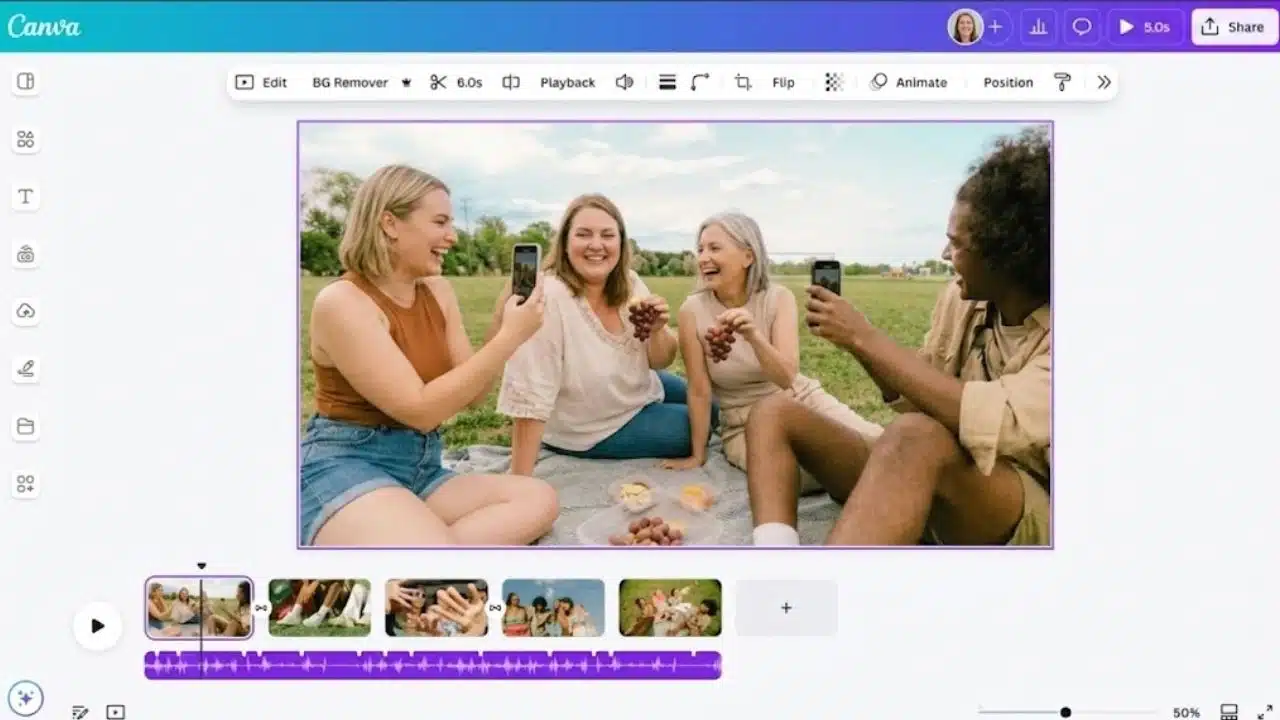
Canva earns first place because it handles more than video. A small business can turn the same product photos into a Reel, a Story, and campaign graphics without rebuilding the visual style elsewhere. The editor includes a multi-layer timeline, templates, stock content, transitions, and automatic captions.
It is less suitable for frame-level timing or complex audio. Brand Kit, premium stock, and some resizing or AI features sit behind paid plans. Check each music track: Canva’s Popular Music is not cleared for commercial or promotional use, while other stock music follows different terms.
2. CapCut: The Strongest Choice for Short Social Video
CapCut is the better pick for short social video. Auto captions, effects, speed controls, templates, and vertical workflows suit Reels, Shorts, and TikTok-style editing. Web, desktop, and mobile versions are available, although features and subscriptions can differ by platform or region.
Its template library also creates an easy licensing mistake. A downloadable template or music track is not automatically approved for a paid campaign. Look for commercial-use labels and confirm the applicable materials agreement before using CapCut assets in advertising or client work.
3. Adobe Express: Best for Branded Campaign Variations
Adobe Express makes sense when video is one part of a branded campaign. Users can trim clips, generate captions, create related graphics, and move between web and mobile. The free plan includes standard video tools and scheduling to one account per supported social network. Premium templates, broader stock access, extra AI credits, and one-click resizing require an upgrade. Teams already using Adobe fonts or Creative Cloud will get more from it; video-only users may prefer Canva or Clipchamp.
4. Microsoft Clipchamp: Best Free Option for Familiar Editing
Clipchamp is easy to overlook, but it is a strong free choice for straightforward business video. Microsoft currently lists unlimited watermark-free exports up to 1080p, basic editing, and free stock assets. The browser editor and Windows app cover screen recordings, webcam videos, captions, and product walkthroughs. Microsoft 365 Personal or Family adds 4K exports, premium stock, and one Brand Kit, which is most useful when that subscription is already in the budget.
5. Descript: Best for Videos Built Around Speech
When editing means shortening a rambling answer, Descript’s transcript is easier to manage than a conventional timeline. Delete words and the corresponding video changes with them. Screen recording, captions, filler-word cleanup, and social clipping suit webinars, interviews, podcasts, demos, and presenter-led lessons.
It is a poor fit for visual ads needing precise animation. The free plan exports at up to 720p with a watermark and limits media and AI use, so treat it as an evaluation tier.
6. VEED: Useful When Everything Must Stay in the Browser
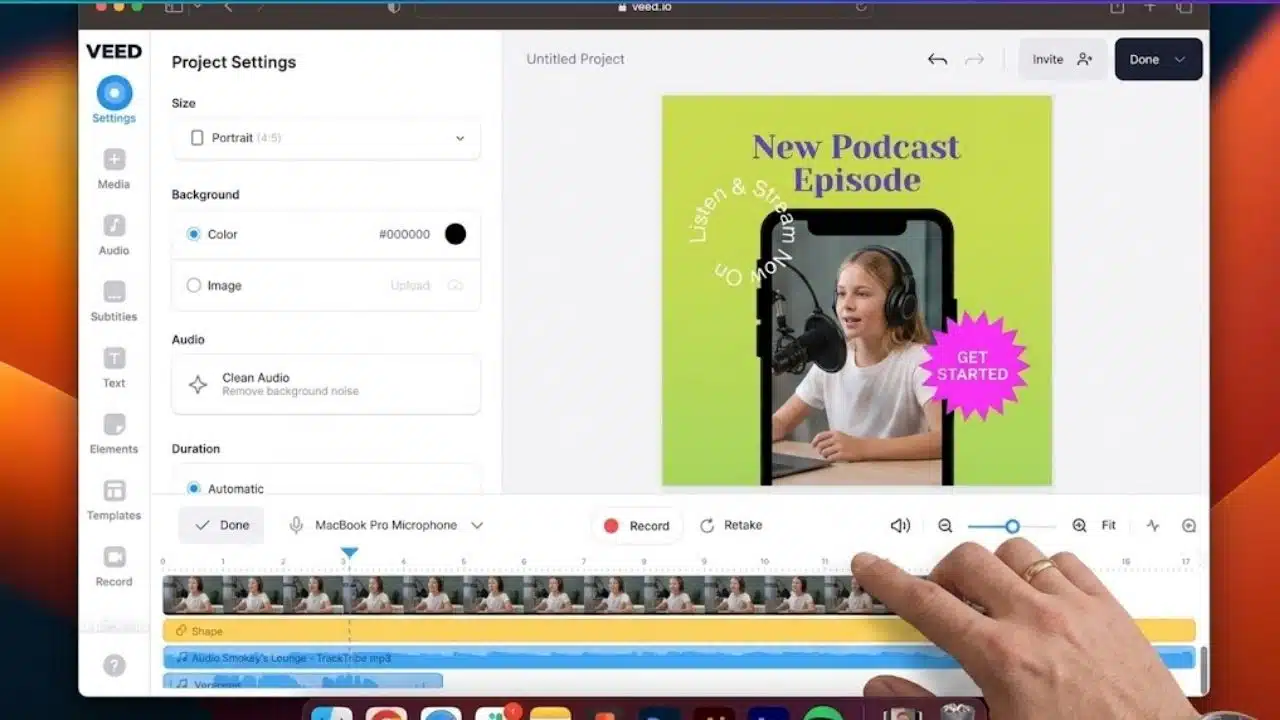
VEED keeps recording, editing, subtitles, translation, stock content, and social formatting inside the browser. Its caption workflow is the main draw: generate the transcript, correct it, style the text, and burn it into the video. The free tier exports at 720p with a watermark; subtitle downloads and higher limits depend on the plan. It suits browser-first teams, but is not the cheapest route to clean business exports.
7. InVideo AI: Best for Generating a Rough Video from a Prompt
InVideo AI helps when a marketer has a topic but no footage, script, or scene plan. A prompt can produce narration, stock clips, subtitles, music, and transitions. It removes the blank page, but can produce a suspiciously generic video if nobody intervenes.
Settle the script before regenerating scenes. Stock choices can be literal, narration may flatten the brand voice, and visual claims need review. Free credits reset weekly; paid plans remove watermarks and provide more capacity. It remains a drafting tool, even when the first result looks finished.
8. Animoto: Best for Simple Promotional Slideshows
Animoto is a narrower recommendation, and that is its advantage. Its block-based editor is enough for event recaps, property showcases, testimonials, or sale announcements assembled from photos, short clips, text, and music. The free plan allows unlimited creation but adds a persistent “Made with Animoto” watermark; paid plans remove it and enable HD downloads. Skip it if detailed caption styling or fine timing matters.
9. Lumen5: Best for Repurposing Articles and Documents
Lumen5 suits publishers and B2B teams with more written material than footage. It can extract ideas from an article or document, match them with media, and assemble a scene-based summary. The free Community plan adds a branded outro; paid plans remove it.
Automatic stock matching is also its weakness. A thoughtful article can become literal stock clips and crowded text cards. Keep the script selective, replace obvious media, and never paste full paragraphs onto the screen. Lumen5 repurposes an angle; it does not discover one.
10. Wistia: Best When Marketing Starts After the Export
Wistia ranks last because editing is not its main reason to exist. Its value appears after a video reaches the website. The free plan includes recording, transcript-based editing, captions, an ad-free player, basic analytics, no-code replacement, and 25 GB of storage for one user. That is enough to test an embedded demo without rebuilding the page after every revision.
The Business plan removes Wistia branding and adds engagement graphs, calls to action, lead forms, collections, and marketing integrations. Advanced automation is a separate, costlier step. Social-only creators should ignore Wistia; businesses tracking how website visitors watch and respond should not.
What Most Comparison Lists Miss
Easy editing does not guarantee permission to publish every included asset. Before paying, make one sample with the footage, music, captions, aspect ratio, and export quality required for the real campaign. Check four details at export:
- Does the final file contain a watermark?
- Is 1080p available on the chosen plan?
- Are the selected music, stock clips, fonts, voices, and templates licensed for the intended commercial use?
- Can another team member reopen and revise the project later?
Review auto-generated captions manually. Product names, accents, numbers, and industry terms are common failure points. Polished styling does not correct a bad transcript.
Final Thoughts
Do not choose a platform from its feature page alone. Take one campaign through the entire workflow: import the material, correct captions, create the required aspect ratio, add approved music, export at 1080p, and ask someone else to make a small revision. That exposes more than an AI feature count.
For most small teams, Canva remains the safest first choice. CapCut is stronger for short-form social content, Clipchamp offers unusually good free exports, and Descript fits speech-led video. The right video marketing tools for non-editors should make a repeatable format easier to maintain, not add another complicated system to the content calendar.