A smart home starts to feel less smart when every device asks you to install another app. The lights have one dashboard. The thermostat has another. The video doorbell sends alerts through its own service, while a smart speaker controls some devices but ignores others. One routine works from your phone, but nobody else in the house can run it. When the internet goes down, it is not clear which lights, locks, sensors, or automations should still respond.
Choosing a smart home automation system app is therefore about more than finding an attractive interface. The app is often only the control surface. Behind it, a command may pass through a home hub, a manufacturer’s cloud, a Matter controller, a Thread border router, or a local server running inside the house.
That hidden control path affects response time, privacy, reliability, and what happens when a company’s servers or your home internet connection stop working.
The eight apps below cover several different approaches. Apple Home, Google Home, Alexa, and SmartThings try to bring many brands into one household dashboard. Home Assistant provides a deeper local automation platform. Aqara Home, Philips Hue, and Smart Life make more sense when a home already contains products built around those ecosystems.
There is no honest universal winner. The right choice depends on the devices you own, the phones your household uses, how much setup you will tolerate, and whether you care more about convenience or control.
8 Smart Home Automation System Apps
The best smart home app depends less on the number of devices it claims to support and more on how well it fits the home’s existing hardware, phones, hubs, and automation needs. Some apps work best as simple family dashboards, while others provide deeper local control, stronger routines, or more detailed device settings. The eight options below cover both broad smart home platforms and specialist apps, with clear differences in compatibility, setup difficulty, cloud dependence, and everyday usefulness.
1. Apple Home
Apple Home is an easy place to begin when nearly everyone in the household already uses an iPhone.
The app keeps rooms, devices, scenes, cameras, and automations in a restrained interface. A bedtime scene might lock a compatible door, lower the thermostat, switch off downstairs lighting, and turn on a hallway night-light. Controls also extend naturally to Apple Watch, Siri, HomePod, Apple TV, iPad, and Mac.
A HomePod or Apple TV can act as the home hub for remote access and automation. Apple also requires a home hub when adding Matter accessories to the Home app. Thread-based accessories need a Thread-capable hub or compatible border router, although newer Thread-enabled Apple devices may assist with local pairing in supported setups.
The appeal is consistency. A household already invested in Apple hardware does not have to teach everyone a separate smart home interface.
Its limits become obvious in mixed-device homes. Android users do not receive the same experience, and a product’s advanced controls may remain inside its original app. A smart light may expose brightness and color in Apple Home while keeping animated effects or firmware tools inside the manufacturer’s software.
Apple Home works best as a clean household dashboard, not as proof that every native app can be deleted.
2. Google Home
Google Home is a practical choice for households built around Android phones, Nest equipment, Google speakers, or Chromecast devices.
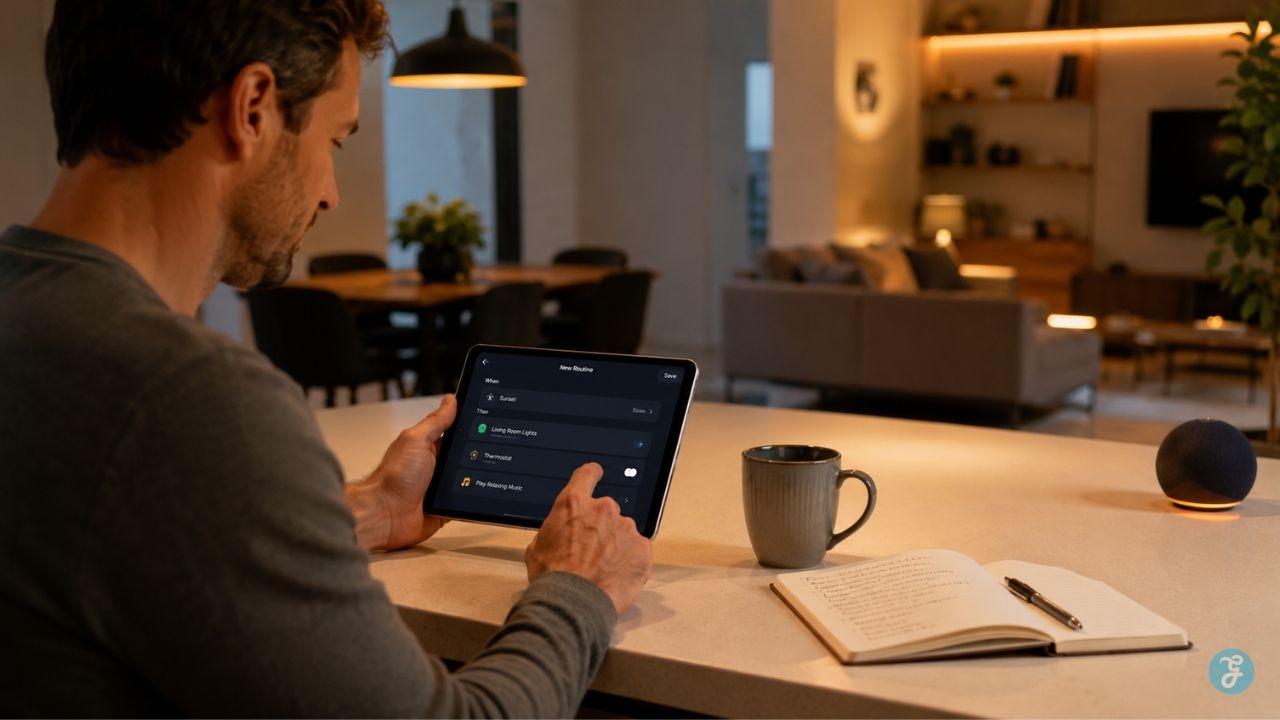
It handles the basics well. Devices can be organized by room, controlled manually, added to Favorites, operated by voice, and included in household automations. The current automation structure uses starters, optional conditions, and actions. That is simple enough for ordinary routines but flexible enough for examples such as switching off downstairs lights when everyone leaves or starting a vacuum only after the house becomes empty.
Matter is one of Google Home’s stronger areas. Compatible Google hubs can send commands directly to Matter devices over the home Wi-Fi or Thread network rather than sending every instruction through an outside cloud.
Not every connected product receives that local treatment. Many older devices and third-party integrations still rely on account linking and cloud-to-cloud communication. That is why a light may work perfectly in its manufacturer’s app but appear offline in Google Home.
The app also cannot invent controls that a manufacturer has not exposed. One thermostat may provide temperature, mode, humidity, and automation triggers. Another may only allow a basic setpoint change.
Google Home is approachable and broad enough for most everyday setups. It is less satisfying when someone wants precise local automation or detailed control over every device state.
3. Amazon Alexa
Alexa remains difficult to ignore in a voice-first smart home.
The app provides manual controls and routine management, but Echo speakers and displays are the real center of the experience. Lights, plugs, thermostats, locks, cameras, appliances, and entertainment devices can be operated without reaching for a phone.
Alexa supports several connection methods. Many devices use manufacturer cloud integrations. Matter products can connect locally to compatible Alexa controllers without requiring a traditional smart home skill, and selected Echo models also support protocols such as Zigbee or act as Thread border routers.
That flexibility gives Alexa a wide reach. It also makes the experience inconsistent.
Two devices carrying the same “Works with Alexa” promise may behave very differently. One plug may report its real state immediately and work as a routine trigger. Another may accept only on-and-off commands and take several seconds to respond because the request passes through the manufacturer’s cloud.
Alexa Routines are well suited to straightforward household sequences. A schedule, voice phrase, location event, or supported device state can start a set of actions. The system becomes harder to manage when routines are split between Alexa, a device manufacturer’s app, and another automation platform.
Alexa is the sensible choice when voice control and product breadth matter more than building a carefully local system. Buyers who want to know exactly where every automation runs may find it less transparent.
4. Samsung SmartThings
SmartThings is the most convincing middle ground in this roundup.
It offers more automation depth than a basic voice-assistant dashboard, but it does not ask the household to maintain a server. It is particularly useful when Samsung televisions and appliances need to sit alongside third-party lights, plugs, locks, thermostats, and sensors.
Routines can respond to schedules, device states, sensor activity, presence, or other supported conditions. SmartThings also supports Matter and works with products from hundreds of brands.
A separate hub is still necessary for certain Zigbee, Thread, Matter, or Z-Wave devices, but Samsung has made the hardware situation less obvious than it once was. Hub functions now appear inside selected Samsung televisions, monitors, appliances, and dedicated products. Some supported Samsung TVs include Matter, Thread, and Zigbee capabilities.
That can save a box, but it also creates a new question: which Samsung product is actually running the home? A television may be the hidden hub for lights and sensors. Replacing it later could affect more than television viewing. Dedicated hub hardware is often easier to identify, troubleshoot, and keep powered.
SmartThings is a strong option for a mixed-brand home that wants useful routines without Home Assistant-level involvement. Still, compatibility should be checked at the feature level. A supported device may expose its basic controls but withhold certain settings, measurements, or automation triggers.
5. Home Assistant
Home Assistant needs more explanation because calling it an app undersells what it is.
The phone app is a companion. The actual automation platform runs on hardware inside the home. That hardware might be Home Assistant Green, another supported appliance, or a computer configured to host the system.
This changes the relationship between the app and the devices. Instead of asking several vendor clouds to cooperate, Home Assistant can communicate directly with many local integrations. Its own documentation describes local control as communication over the home network without routing commands through a vendor cloud first.
Matter support also runs through a dedicated Matter controller component. Zigbee, Z-Wave, Bluetooth, Thread, and many brand-specific systems can be added with the appropriate hardware and integrations.
The advantage is not simply “more devices.” It is the ability to build automations around the household instead of around one brand.
A hallway light could turn on when motion is detected, but only after sunset, only when the television is off, and at a lower brightness when someone is sleeping. A leak sensor from one manufacturer could close a valve from another and send alerts to several phones.
Home Assistant has become easier to use, particularly through visual dashboards and automation tools, but it still demands ownership. Integrations can break. Networks need to be understood. Backups matter. Some products require extra radios or account credentials. Remote access must be configured securely.
For readers who want local control, privacy, and deep automation, it is the strongest platform here. For someone who wants to connect three bulbs before dinner and never think about the system again, it may be unnecessary work.
6. Aqara Home
Aqara Home makes sense when sensors are doing much of the automation.
The company sells contact sensors, motion detectors, presence sensors, wireless buttons, smart locks, switches, cameras, curtain motors, and hubs. Those devices can create a home that reacts without someone constantly opening an app.
Many Aqara products use Zigbee and connect through an Aqara hub. Newer hubs can also provide Matter controller, Matter bridge, and Thread border-router functions, although the exact combination depends on the model. Aqara’s advanced Matter bridging can expose selected automation conditions and actions to other ecosystems, not just basic device controls.
The native app usually remains the best place to configure those details. A lock’s biometric options, a camera’s behavior, or a presence sensor’s zones may be simplified or absent in Apple Home, Google Home, or another general dashboard.
Aqara Home is worth taking seriously when the house contains enough Aqara hardware to create meaningful sensor-based routines. With one isolated Aqara product, it is more likely to become another app on the phone than the center of the system.
7. Philips Hue
Philips Hue is not a full smart home platform, and it should not be judged as one.
It is a lighting system with an unusually capable app. Rooms, zones, scenes, timers, wake-up routines, arrival-based lighting, entertainment syncing, and dynamic effects are all easier to manage in Hue than in most general-purpose dashboards. The Hue Bridge stores settings and expands access to automations, remote control, and wider integrations.
Matter allows Bridge-connected Hue lights to appear in other compatible ecosystems. That is useful for everyday commands such as turning lights on, adjusting brightness, or changing color.
It does not make the Hue app redundant.
Detailed scenes, entertainment features, firmware updates, and brand-specific lighting controls remain richer in Hue. This is a good example of a sensible two-app setup: use Apple Home, Google Home, Alexa, SmartThings, or Home Assistant for household control, and keep Hue for the features that make the lighting system worth owning.
The mistake would be expecting Hue to manage unrelated locks, thermostats, kitchen appliances, and security products.
8. Smart Life
Smart Life often appears after someone buys an inexpensive smart plug, bulb, strip light, switch, fan, or small appliance.
The app is built on Tuya’s platform and supports products sold under many different brand names. It can group devices, create tap-to-run scenes, schedule actions, share access with household members, and run automations based on supported conditions. Tuya’s current app guidance describes multiple automation types and provides execution logs for troubleshooting tasks that do not run correctly.
Its broad reach is useful. It is also the reason quality varies. Two products can appear in the same Smart Life app while having different firmware support, sensor accuracy, electrical quality, privacy practices, and long-term manufacturer backing. The shared platform does not make the hardware interchangeable.
Smart Life is a practical home for several compatible budget devices. It is a weaker foundation for someone designing a new system around local control, predictable updates, and a clearly accountable manufacturer.
Another small trap is splitting devices between Smart Life and the separate Tuya app. Both are official Tuya applications, but their account and automation data are not simply one shared workspace. Pick one unless a specific product gives you a reason not to.
Which App Should Be the Main Dashboard?
The easiest choice usually follows the devices and phones already in the home.
- Apple Home fits a household that is firmly inside Apple’s ecosystem.
- Google Home is the straightforward option for Android, Nest, and Google speaker users.
- Alexa remains strong when voice control and Echo hardware are already central.
- SmartThings suits a mixed-brand home that wants more meaningful routines without managing a local server.
- Home Assistant is the strongest choice for people who prioritize local control, privacy, customization, and the ability to connect products in unconventional ways.
- Aqara Home becomes valuable in a sensor-heavy Aqara setup.
- Philips Hue should remain the specialist lighting app even when another platform serves as the main dashboard.
- Smart Life is most sensible when the home already contains several Tuya-powered budget products.
A well-designed home may still use two or three apps. The main dashboard handles ordinary family control. Manufacturer apps remain for setup, firmware updates, calibration, recordings, energy reports, or advanced effects.
That is manageable as long as the household knows which platform owns each important automation. Confusion starts when the same bedtime routine exists in Alexa, Google Home, the bulb app, and SmartThings at the same time.
How a Smart Home Automation System App Controls Devices
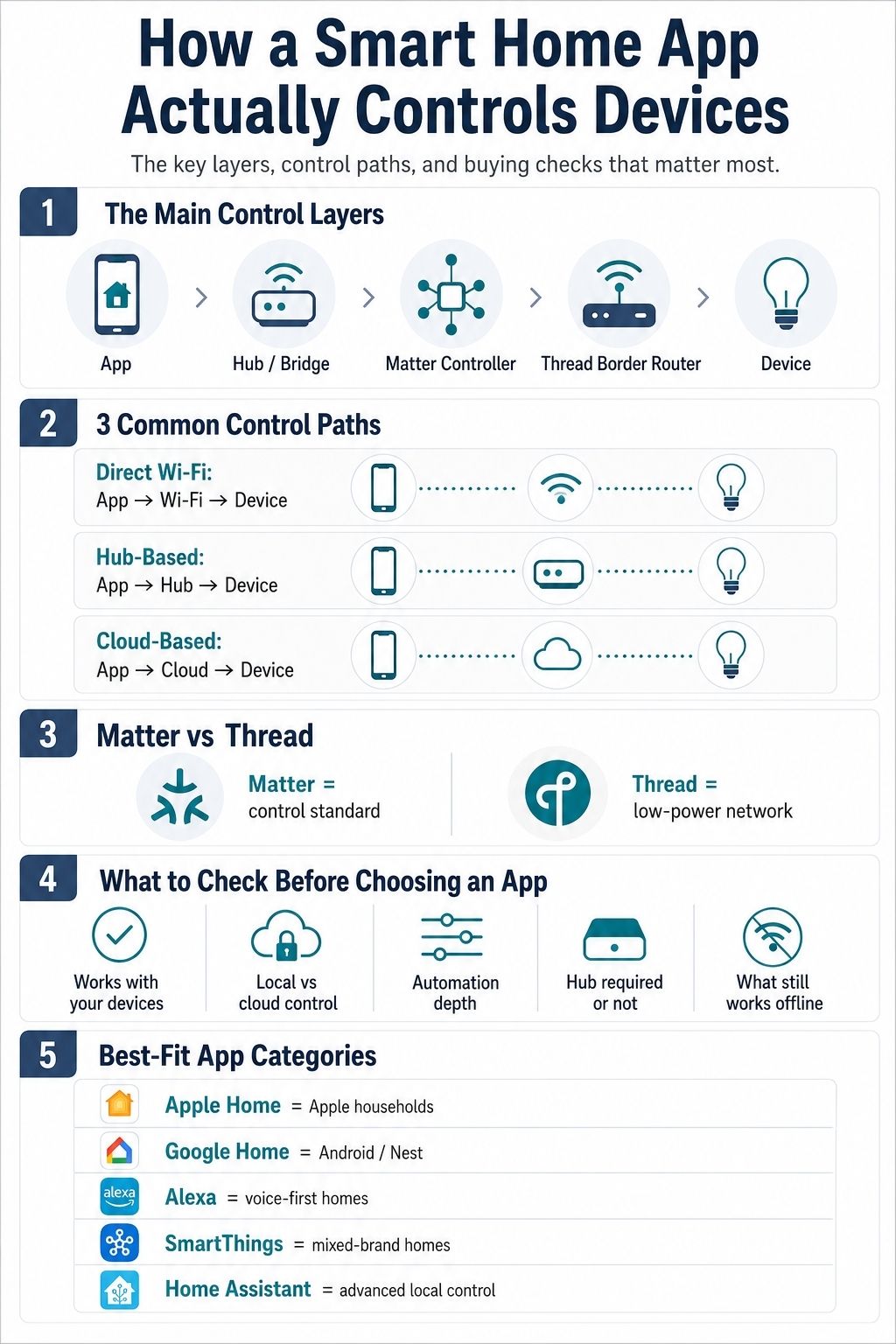
Tapping a light icon feels immediate. The actual command may travel a surprisingly long route. The app first creates an instruction: turn the kitchen lights on, set them to 60% brightness, use warm white, and report the result. Where that instruction goes next depends on the device.
Direct Wi-Fi Is Not Always Direct Control
A Wi-Fi bulb or plug connects to the home router without a separate wireless bridge. That does not mean the phone is talking straight to it.
A local path might be:
Phone app → home Wi-Fi → device
A common cloud path looks more like:
Phone app → manufacturer’s cloud → home internet → device
The second arrangement makes remote control easy. It also means that an internet outage or vendor-service problem can disable app control even when the product remains connected to the router.
“No hub required” may simply mean the manufacturer replaced a physical hub with a cloud dependency.
Hubs and Bridges Connect Different Device Networks
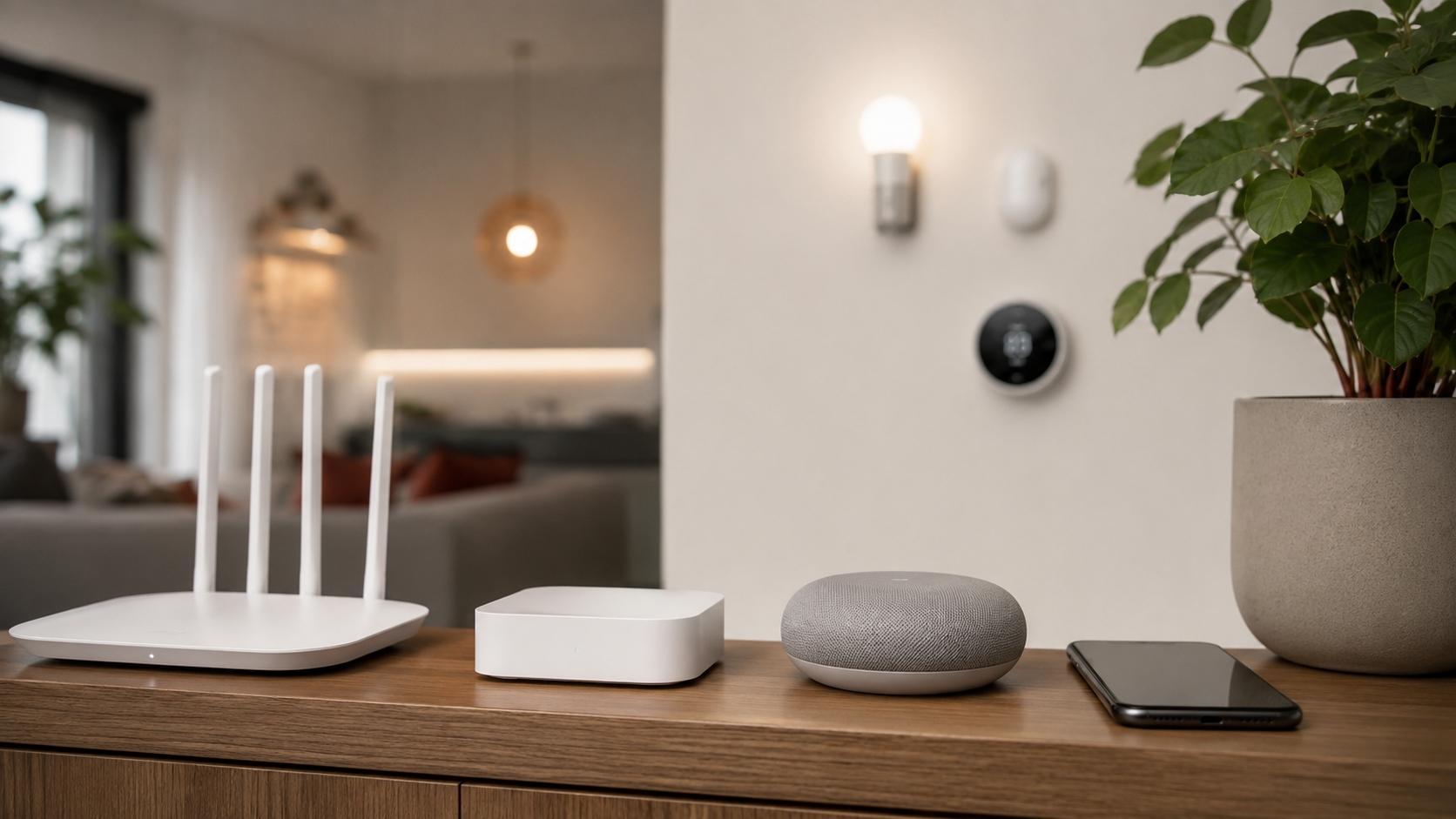
Zigbee and Z-Wave products usually do not connect directly to ordinary Wi-Fi. They use their own low-power networks. A hub or bridge sits between those devices and the app.
A Hue command may travel like this:
Hue app → home network → Hue Bridge → Zigbee light
A sensor routine could take another path:
Motion sensor → Zigbee hub → local automation → smart light
The hub may translate commands, maintain the device network, receive sensor reports, and run routines. If the automation is processed locally, it may keep working during an internet outage. The trade-off is concentration. If the required bridge loses power, everything attached to it may become unreachable from the system.
Cloud-to-Cloud Control Is Easy Until One Link Breaks
Many devices enter Alexa or Google Home through account linking rather than through a direct local connection.
The command path can become:
Alexa or Google Home → platform cloud → manufacturer cloud → device
This removes much of the setup work, but it creates several possible failure points:
- The ecosystem service must be available.
- The manufacturer’s cloud must respond.
- The account link must remain valid.
- The home internet must reach the device.
- The device must still be supported by the integration.
When a product works in its native app but appears offline in a wider smart home platform, the device itself may be fine. The broken part can be the account connection between the two services.
Matter Creates a Common Control Layer
Matter is not an app and it is not another wireless network. It is an IP-based interoperability standard that lets certified devices communicate with compatible smart home ecosystems using a shared protocol. Matter can operate over Ethernet, Wi-Fi, or Thread.
A typical Matter setup includes:
- A Matter-certified device
- A Matter controller
- A compatible smart home app
- A working home network
- A Thread border router when the product uses Thread
Matter’s multi-admin capability allows a compatible device to be connected to more than one platform or control app. That makes it possible, for example, to share a device between two supported ecosystems instead of resetting it each time.
Matter 1.6 was released on June 17, 2026. It added improvements around setup, coordinated multi-ecosystem management, device status, and context-aware control. Those changes are available for manufacturers and platform developers to implement; they do not instantly appear in every existing product or app.
Matter reduces compatibility friction. It does not guarantee that every platform will expose every advanced feature.
Thread Is the Network Underneath
Thread is a low-power IP mesh network designed for devices such as sensors, locks, plugs, shades, and lighting products.
A Thread border router connects that mesh to the rest of the home network. Because Thread already uses IP, the border router does not have to translate commands in the same way a traditional proprietary bridge does. The function can be built into smart speakers, displays, routers, television devices, or other powered equipment.
The terms are easier to understand when separated:
- App: The interface a person taps.
- Matter controller: Adds and controls Matter devices.
- Thread: The low-power mesh carrying the data.
- Thread border router: Connects the Thread mesh to the home network.
- Hub: Coordinates devices and may run automations.
- Bridge: Links one protocol or product ecosystem to another.
One physical product may perform several of these jobs. A smart speaker can be a voice interface, Matter controller, home hub, and Thread border router at the same time.
Choose the Control System Before the Devices
The right smart home automation system app is the one that matches the household rather than the one with the longest compatibility list.
Apple Home is an easy fit for an Apple household. Google Home and Alexa keep everyday control approachable. SmartThings gives mixed-brand homes more automation depth without requiring a self-managed server. Home Assistant offers the strongest local control and flexibility, but it asks more from the person maintaining it. Aqara Home, Philips Hue, and Smart Life remain useful when their hardware ecosystems already have a meaningful place in the home.
Do not judge the system by the dashboard alone. Find out where commands are processed, whether a hub or cloud account is required, what survives an internet outage, which app handles firmware and advanced settings, and whether every essential device still has a physical fallback.
Choose that control structure before filling the house with bulbs, plugs, cameras, locks, and sensors. It is much easier than trying to merge six unrelated systems after everything has been installed.
Frequently Asked Questions on Smart Home Automation System App
1. Can one app control every smart home device?
No app can guarantee control of every product or every feature. Matter and large smart home ecosystems have improved compatibility, but some devices still require a manufacturer app, proprietary bridge, cloud account, or specialist integration.
2. Do smart home apps work without the internet?
Some do. Matter devices, local hubs, Home Assistant integrations, and certain Zigbee or Z-Wave routines may continue operating inside the home. Products that rely on cloud services can lose app control until the internet or vendor service returns.
3. Is Matter an app, hub, or wireless network?
Matter is an IP-based smart home interoperability standard. It can run over Ethernet, Wi-Fi, or Thread. A compatible app and Matter controller are still needed to add and control a Matter device.
4. Do Wi-Fi smart devices need a hub?
Many connect directly to a router and do not require a separate radio hub. They may still depend on a manufacturer cloud, user account, Matter controller, or another device for remote access and automation.
5. Which smart home app offers the most local control?
Home Assistant places the strongest emphasis on local control among the options covered here. The final result still depends on the products being connected. A cloud-only device does not automatically become fully local because it appears in Home Assistant.