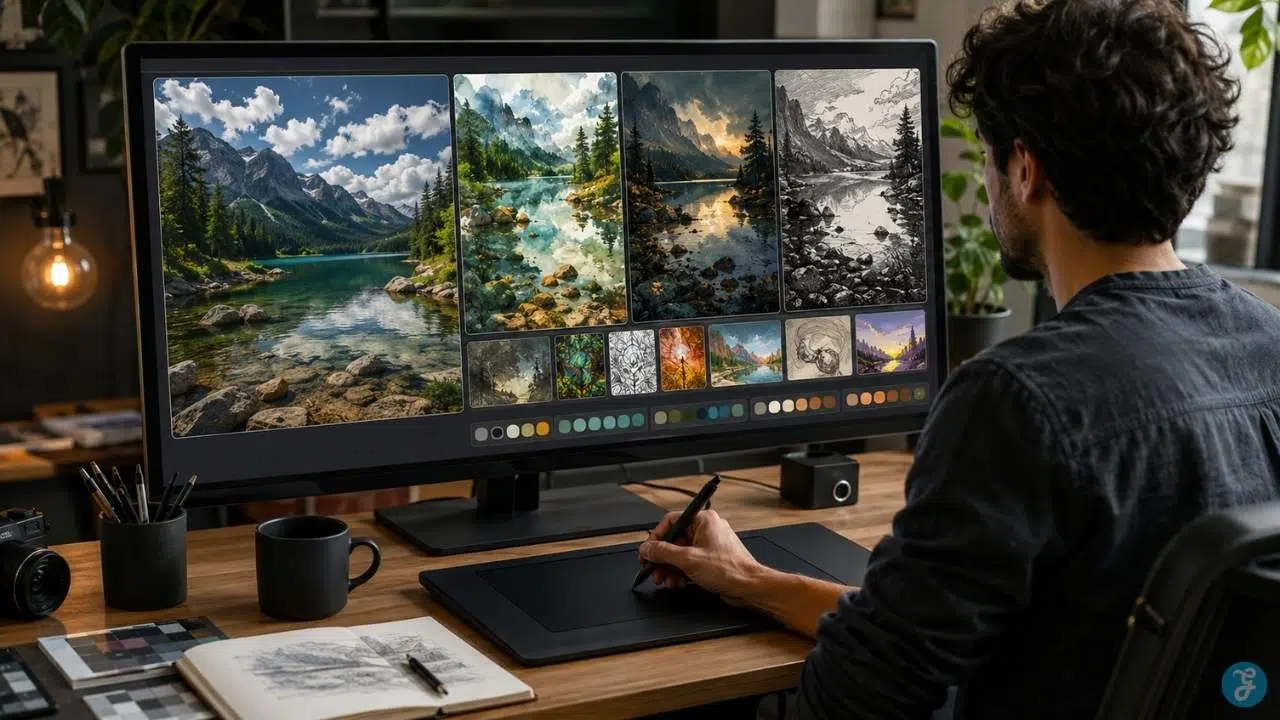
AI style transfer sounds simple until you try to use it well. You start with one image. You choose another image, painting, texture, visual reference, or art direction. Then the tool promises to blend them together. In theory, your photo keeps its subject while gaining the mood, color, brushwork, texture, or visual language of the style reference.
Sometimes the result looks beautiful. Sometimes it looks like your photo was attacked by a filter with too much confidence. That difference matters because AI style transfer is no longer just a fun image effect. It is now part of creative workflows for designers, publishers, marketers, artists, photographers, game teams, social media creators, and brands that want faster visual experimentation. But there is a catch.
Style transfer works best when you understand what “style” means in an AI image system. It is not only color. It is not only texture. It can include brush strokes, lighting, surface pattern, line quality, contrast, mood, composition influence, material feel, and even the visual habits of a reference image.
This guide explains AI style transfer in plain language. You will learn how neural style transfer works, how modern image style AI tools differ from classic algorithms, where AI art styles are useful, where they fail, and how to use style transfer without producing messy, misleading, or legally risky images.
What Is AI Style Transfer?
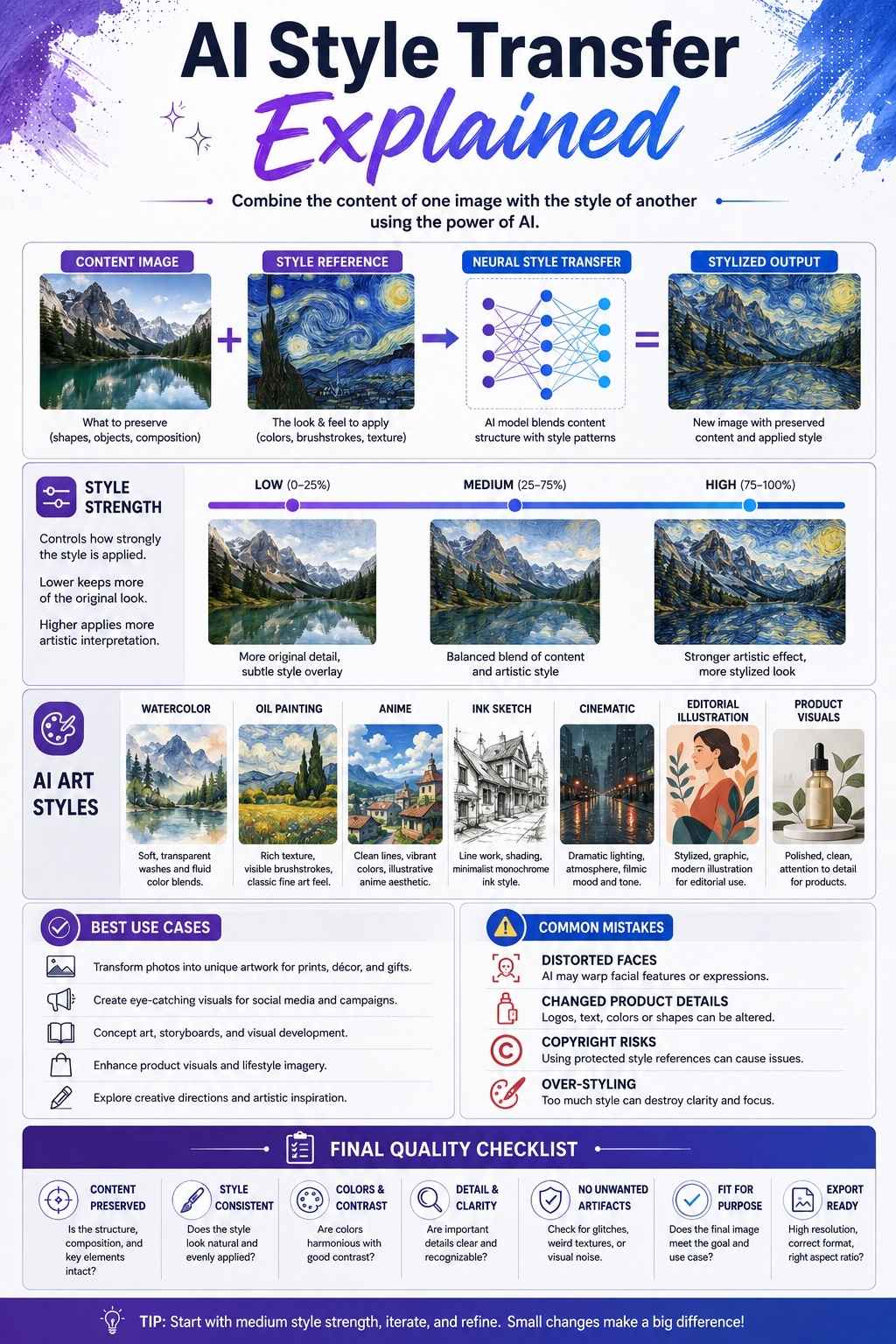
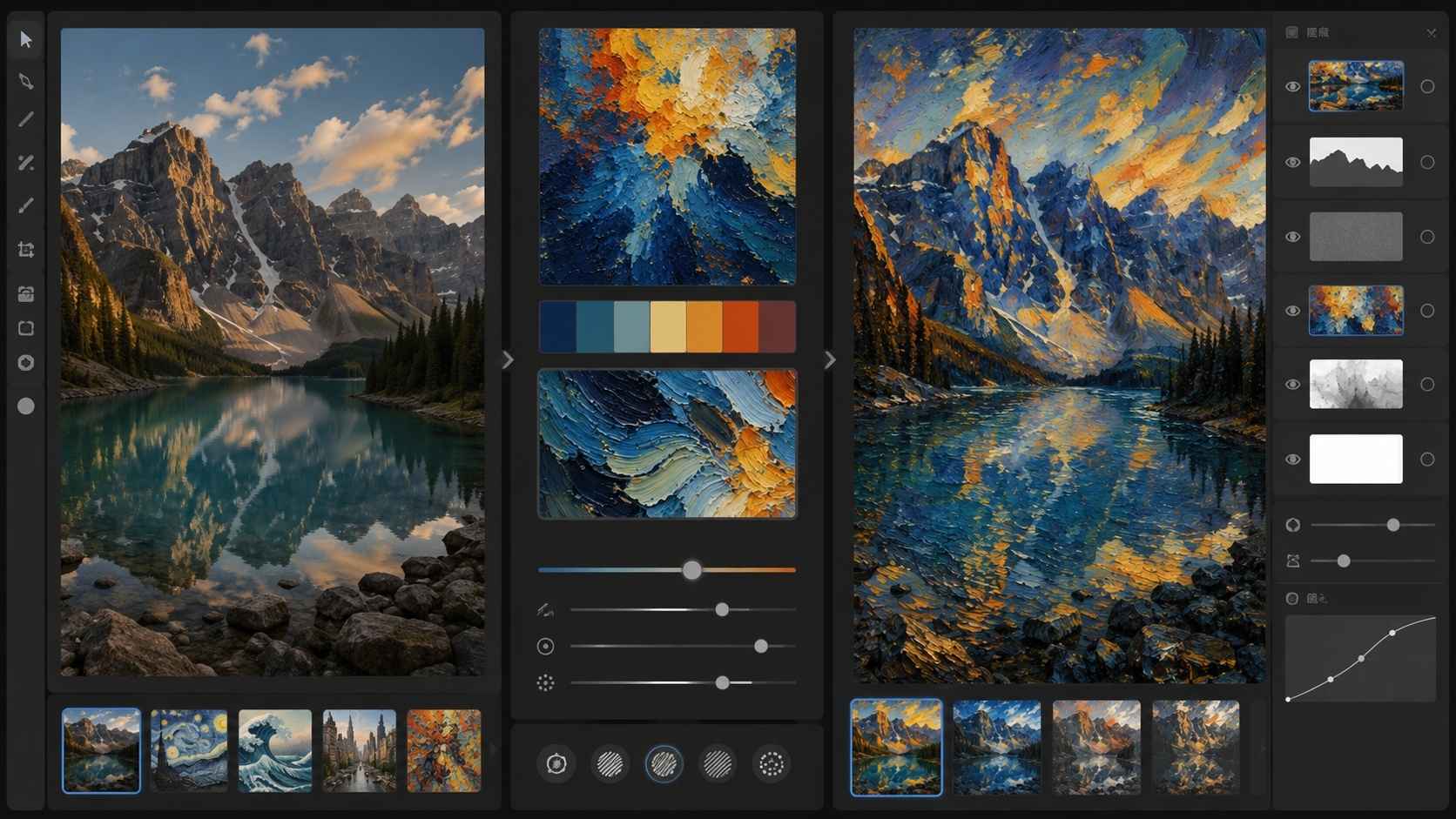
AI style transfer is a technique that applies the visual style of one image to another image. The first image is usually the content image. This is the image whose subject, structure, or composition you want to keep.
The second image is the style image or style reference. This is the image that provides the artistic look, color palette, texture, brushwork, lighting mood, or design language. The output is a new image that tries to preserve the content of the first image while borrowing the style of the second.
For example:
- A portrait can be transformed into a watercolor-style image.
- A city photo can be restyled like a cyberpunk illustration.
- A product image can adopt a clean editorial poster look.
- A landscape can take on the texture and color rhythm of an oil painting.
- A sketch can become a polished concept art scene.
The content gives the image its “what.” The style gives it its “how it looks.” That simple split is what makes AI style transfer so useful.
Neural Style Transfer Explained Simply
Neural style transfer is the classic deep learning method behind modern style transfer discussions. The idea became famous because researchers showed that a neural network could separate parts of an image’s content from parts of its style, then recombine them into a new image.
In simple terms, the model looks at the content image and asks: What is in this image?
Then it looks at the style image and asks:
What kind of visual texture, color relationship, pattern, or artistic treatment does this image have?
Then it creates a new image that tries to satisfy both. A classic neural style transfer process usually involves:
- A content image
- A style image
- A generated image
- A content loss
- A style loss
- Optimization until the generated image balances both
You do not need to understand every mathematical detail to use the concept well. The practical idea is enough:
Neural style transfer tries to keep the subject and structure of one image while applying the visual style of another.
That is why it became popular for turning photos into painterly, illustrated, textured, or stylized visuals.
How AI Style Transfer Works
AI style transfer can work in different ways depending on the tool, but most workflows follow the same creative logic.
1. The Tool Reads the Content Image
The AI first analyzes the image you want to transform.
It looks at things such as:
- Main subject
- Edges
- Shapes
- Objects
- Faces
- Background
- Composition
- Spatial structure
- Important details
- Light and shadow areas
This step helps the tool understand what should remain recognizable. If the content image is a woman standing beside a window, the output should still feel like a woman standing beside a window, even if the visual style changes.
2. The Tool Reads the Style Reference
Next, the AI analyzes the style source.
This may include:
- Color palette
- Texture
- Brush-like patterns
- Line quality
- Contrast
- Mood
- Grain
- Lighting treatment
- Surface detail
- Artistic rhythm
- Composition influence
A strong style reference gives the model a clear visual direction. A weak or messy style reference can create confused output.
3. The Tool Blends Content and Style
The AI then generates a new image by combining both signals. This is where the balance matters.
If the content influence is too strong, the image may barely change. If the style influence is too strong, the subject may become distorted or hard to recognize.
A good result usually keeps the content readable while making the style feel intentional. That balance is the skill.
AI Style Transfer vs Normal Filters
AI style transfer is often confused with normal photo filters. They are not the same thing.
A normal filter usually applies preset adjustments to the whole image. It may change color, contrast, saturation, sharpness, grain, or tone. It does not deeply understand the image.
AI style transfer is more flexible because it can analyze the content image and style reference, then generate a new image that reflects both.
| Feature | Normal Filter | AI Style Transfer |
| Main function | Applies preset effects | Rebuilds image with style influence |
| Input | One image | Content image plus style reference or style prompt |
| Flexibility | Limited | Higher |
| Style source | Preset look | Reference image, style prompt, or model style |
| Output | Adjusted photo | Reinterpreted image |
| Risk | Over-editing | Distortion, invented detail, style mismatch |
| Best use | Quick tone changes | Creative transformation and visual exploration |
Filters are useful for simple edits. AI style transfer is better when you want a deeper visual transformation.
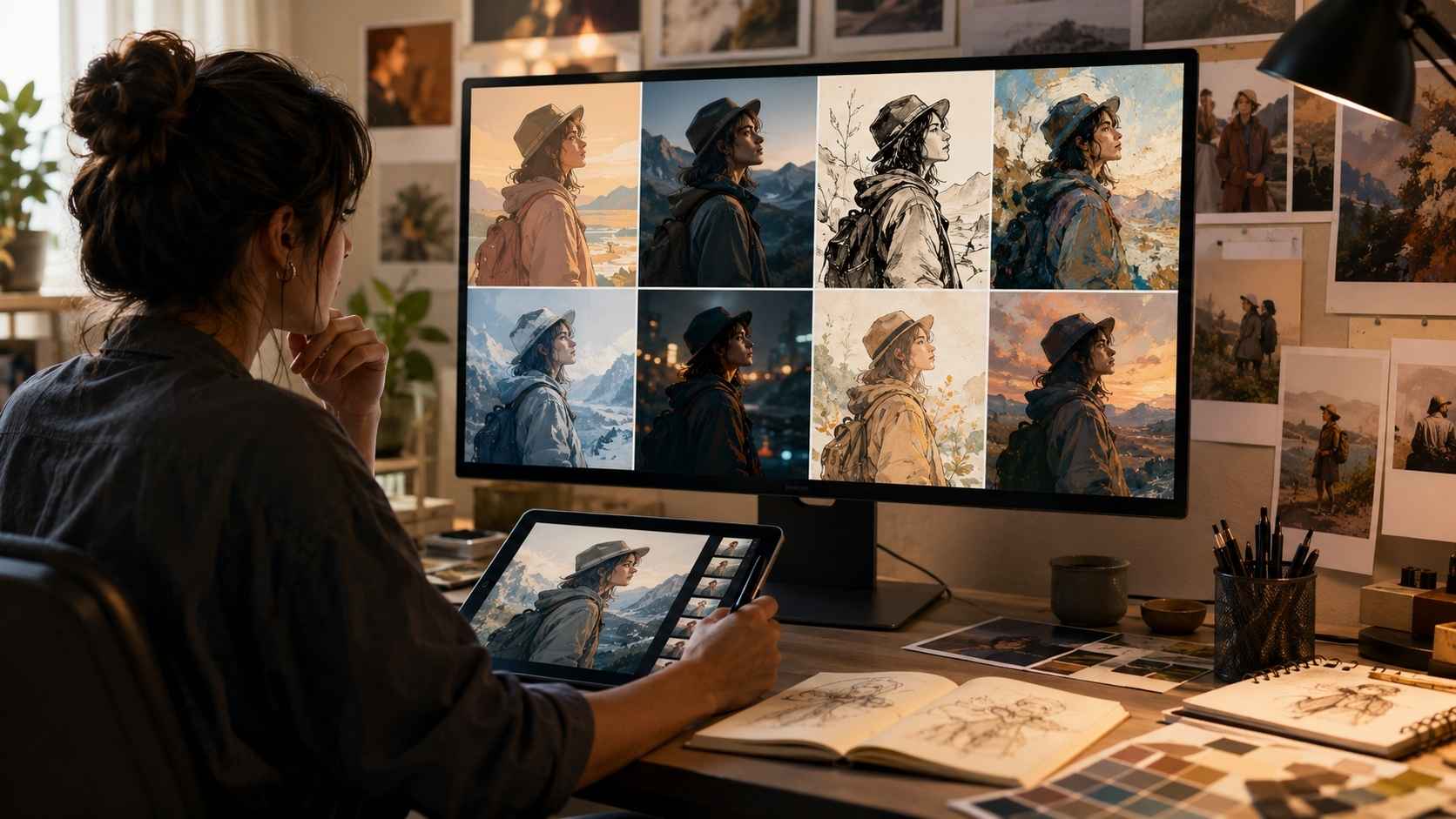
AI Style Transfer vs Image-to-Image Generation
AI style transfer and image-to-image generation overlap, but they are not identical. Image-to-image generation usually takes an input image and transforms it based on a prompt, strength setting, reference, or model behavior. It can change style, subject, background, details, composition, or even the meaning of the image.
AI style transfer is more specific. The goal is usually to keep the content while changing the visual style. In practice, many modern tools blend both ideas. A creator might upload a photo, add a prompt, choose a style reference, and adjust how strongly the AI should follow the original image.
That makes the line between style transfer and image-to-image generation blurry.
A simple distinction helps:
- Style transfer: “Keep this image, but make it look like this style.”
- Image-to-image: “Use this image as a starting point, then generate a new version based on my prompt.”
If accuracy matters, style transfer should preserve the original content more carefully. If creative freedom matters, image-to-image can go further.
AI Style Transfer vs LoRA and Custom AI Models
LoRA models and custom AI models are often used for repeatable styles, but they solve a different problem. AI style transfer usually works from a reference image or selected style. You use it to transform a specific image.
LoRA or custom model training teaches a model a reusable style, subject, or visual identity that can be used across many generations.
| Method | Best For | Main Difference |
| AI style transfer | Applying a style to an existing image | Uses a style reference or style setting |
| LoRA model | Repeating a specific style or subject | Trained as a reusable add-on |
| Custom AI model | Brand or creator-specific generation | Heavier, broader customization |
| ControlNet | Pose, edge, depth, and composition control | Controls structure more than style |
If you need to restyle one image, AI style transfer may be enough. If you need a whole campaign, character series, or brand image system in one consistent look, LoRA or custom model training may be better.
What Counts as Style in AI Images?
Style is more than a label like “watercolor” or “anime.” In image style AI workflows, style can include several visual ingredients.
Color Palette
Color is one of the easiest style elements to notice.
A style may be:
- Warm and golden
- Cool and cinematic
- Pastel
- Monochrome
- High contrast
- Muted and earthy
- Neon-heavy
- Vintage
- Soft and low saturation
But color alone is not enough. Two images can share a color palette and still feel completely different.
Texture
Texture affects how the surface of the image feels.
Examples include:
- Oil paint texture
- Watercolor wash
- Paper grain
- Ink lines
- Pencil marks
- Film grain
- Clay-like surface
- Digital airbrush
- Canvas texture
- Halftone dots
Texture is one of the main reasons style transfer can feel more artistic than a normal color filter.
Brushwork and Line Quality
For illustrated styles, line quality matters a lot.
An image may have:
- Clean vector lines
- Rough sketch lines
- Thick comic outlines
- Soft painterly edges
- Manga-inspired linework
- Loose ink strokes
- Detailed etching
- Minimal contour lines
This is especially important for AI art styles such as anime, manga, editorial illustration, children’s book art, concept art, and comic book styles.
Lighting and Mood
Style can also come from lighting.
A style reference may suggest:
- Soft studio lighting
- Dramatic rim light
- Moody shadows
- Golden hour warmth
- Neon reflections
- Horror lighting
- Dreamlike glow
- Harsh flash photography
- Low-key cinematic lighting
When the lighting transfers well, the image feels more coherent. When it transfers badly, the subject can look pasted into the wrong world.
Composition Influence
Some modern style-reference tools may also influence composition. That can be useful, but it can also create problems. If you only want the color and texture of a reference, but the AI also copies its layout, the result may drift away from your original content. This is why style strength and structure preservation settings matter..
Practical Uses of AI Style Transfer
AI style transfer is useful when it helps a creator move from one visual direction to another quickly.
1. Editorial and Blog Images
Publishers can use style transfer to make article visuals feel more consistent. For example, a site may use a soft editorial illustration style across several AI-related articles, or a clean sustainable-home style across green living content.
This can help articles feel part of the same visual system. But avoid making every image look identical. Consistency should not become monotony.
2. Social Media Content
Style transfer can help creators turn ordinary images into scroll-stopping visuals.
Useful examples include:
- Restyling portraits for campaign posts
- Turning product photos into illustrated posts
- Creating themed content series
- Matching seasonal visual moods
- Adapting images for different platforms
The risk is over-styling. If the image becomes too artificial, it may feel less trustworthy.
3. Brand Visual Exploration
Brands can use style transfer for early visual direction.
A team can test whether a campaign should feel:
- Soft and handmade
- Bold and graphic
- Futuristic
- Luxury editorial
- Warm and natural
- Youthful and playful
- Minimal and technical
This is especially useful during moodboarding. However, final brand assets need careful review. Style transfer can inspire direction, but it should not replace brand judgment.
4. Product and E-Commerce Visuals
Product teams may use style transfer to explore backgrounds, moods, and campaign treatments. But product accuracy matters. If the AI changes shape, color, label, texture, size, or material, the image can mislead buyers. Use style transfer carefully for e-commerce.
| Better Use | Riskier Use |
| Moodboard concepts | Final product listing images |
| Campaign background exploration | Technical product photos |
| Non-final creative tests | Color-sensitive product images |
| Stylized promotional art | Images with readable labels |
For product images, clarity and accuracy matter more than artistic style.
5. Game, Film, and Concept Art
Style transfer is useful for early concept development. A team can take rough sketches, 3D blockouts, or environment studies and test different visual directions quickly.
This helps with:
- Character mood exploration
- Environment style tests
- Lighting concepts
- Storyboard look development
- Creature design treatments
- Prop design ideation
- Worldbuilding moodboards
The output does not need to be final art. Its job is to help the team make visual decisions faster.
6. Photography and Portrait Editing
Photographers may use style transfer to create stylized portraits, painterly edits, cinematic looks, or experimental visuals. This works best when the subject remains recognizable.
Check carefully for:
- Changed facial identity
- Strange eyes
- Skin texture issues
- Hair distortion
- Unnatural teeth
- Over-smoothed features
- Clothing artifacts
For personal creative work, style transfer can be fun. For professional portraits, use moderation.
7. Education and Art Learning
Style transfer can help students understand visual style by comparing how the same subject changes under different artistic treatments.
It can show how color, texture, line, and lighting affect the feeling of an image. But it should not replace actual art study. AI can show variations quickly. It does not teach the full discipline behind composition, drawing, painting, photography, or design.
Choosing the Right AI Art Style
The best AI art style depends on where the image will be used.
For Blog Featured Images
Use styles that are clear at thumbnail size.
Good choices include:
- Editorial illustration
- Clean 3D style
- Soft realism
- Minimal vector
- Warm lifestyle illustration
- Conceptual digital art
Avoid overly detailed styles that look messy when small.
For Social Media
Use styles with strong visual contrast.
Good choices include:
- Pop art
- Bold illustration
- Cinematic lighting
- Graphic poster style
- Anime-inspired treatment
- Vibrant 3D render
But make sure the style matches the audience. A finance audience may not respond to the same style as an anime audience.
For Brand Content
Use styles that support consistency.
Good choices include:
- Clean editorial illustration
- Limited color palette
- Soft 3D visuals
- Minimal line art
- Branded texture style
- Controlled photography treatment
Avoid random trendy styles that do not fit the brand.
For Concept Art
Use styles that help decision-making.
Good choices include:
- Fantasy concept art
- Sci-fi cinematic
- Painterly environments
- Sketch-to-render
- Atmospheric matte painting
- Creature design style
The goal is exploration, not final polish.
For Product Visuals
Use controlled styles.
Good choices include:
- Clean studio lighting
- Soft premium editorial
- Minimal background stylization
- Controlled color grading
- Light 3D concept treatment
Avoid styles that change product appearance.
Common Mistakes With AI Style Transfer
Style transfer is easy to overuse because the results can look impressive at first glance. The problems usually show up when you inspect the image more carefully.
1. Using a Weak Content Image
If the source image is unclear, the stylized result will probably be unclear too. Start with a good image.
2. Choosing Style Only Because It Looks Cool
A style should support the purpose of the image. A beautiful style can still be wrong for the content.
3. Making the Style Too Strong
Heavy style transfer can destroy faces, hands, product details, architecture, and readability. Start moderate.
4. Ignoring Copyright and Artist Rights
Do not assume every style reference is safe to use. Using copyrighted artwork, anime frames, celebrity photos, brand campaigns, or living artists’ work as style references can create legal and ethical problems, especially if the output closely imitates the source.
5. Treating Style Transfer Like a Final Design
AI output still needs editing, cropping, quality control, and sometimes manual retouching.
6. Using It on Images Where Accuracy Matters
Be careful with style transfer for:
- Product listings
- News images
- Medical images
- Legal evidence
- Technical diagrams
- Historical archives
- Identity-sensitive portraits
Style transfer can change meaning.
7. Overusing the Same Style Everywhere
Consistency is good. Repetition is not. If every article, post, and campaign image uses the exact same stylized look, the visual system can become stale.
8. Forgetting the Audience
A style that appeals to AI artists may not work for homeowners, SaaS buyers, educators, or general readers. Style is communication. Choose it for the viewer.
Ethical and Copyright Issues in AI Style Transfer
AI style transfer raises important questions because it can imitate visual styles closely.
The safest approach is to use:
- Your own artwork
- Licensed references
- Public-domain art
- Brand-owned assets
- Commissioned style references
- Original textures
- Internal creative direction boards
- Style references you have permission to use
Be careful with:
- Living artists’ work
- Copyrighted anime or movie stills
- Celebrity images
- Brand campaigns
- Client materials
- Private photography
- Watermarked stock images
- Art scraped from the web
There is also a difference between broad inspiration and close imitation. A prompt like “warm watercolor editorial illustration” is broad. Uploading one living artist’s work and asking the model to mimic it closely is much riskier.
For commercial work, use references you have rights to use. For editorial commentary, the rules may differ depending on context and jurisdiction, but do not call copyrighted images royalty-free just because AI transformed them.
AI changes pixels. It does not erase rights.
Finally: AI Style Transfer Is a Creative Tool, Not a Magic Filter
AI style transfer is powerful because it lets creators separate two important ideas: what an image shows and how that image feels.
That is why it works so well for creative exploration. You can keep a subject, scene, or layout while testing different AI art styles, moods, textures, and visual languages. But good results still need judgment.
The source image matters. The style reference matters. The strength setting matters. The use case matters. The legal and ethical context matters. Human review matters most of all. This is the practical way to think about AI style transfer:
Use it when style helps the image communicate better. Avoid it when style makes the image less clear, less accurate, or less trustworthy. The goal is not to make every image look artistic. The goal is to make the right image feel more intentional.
Frequently Asked Questions About AI style transfer
1. What is AI style transfer?
AI style transfer is a technique that applies the visual style of one image, artwork, or reference to another image while trying to preserve the original subject or structure. It is often used to create painterly, illustrated, cinematic, or stylized versions of photos and designs.
2. What is neural style transfer?
Neural style transfer is a deep learning method that combines a content image with a style image. The goal is to create a new image that keeps the content of the first image while adopting visual features from the second, such as texture, color, brushwork, and artistic mood.
3. Is AI style transfer the same as a filter?
No. A normal filter usually applies preset color and tone adjustments. AI style transfer analyzes both the content image and style reference, then generates a new image that reflects the style more deeply. It can change texture, line quality, mood, and visual treatment, not just color.
4. What are common AI art styles for style transfer?
Common AI art styles include watercolor, oil painting, anime, manga, comic book, pixel art, cyberpunk, vintage poster, clay render, 3D cartoon, pencil sketch, ink drawing, editorial illustration, paper cutout, fantasy concept art, and cinematic realism.
5. Can AI style transfer change the meaning of an image?
Yes. AI style transfer can distort faces, alter products, change colors, remove details, or make factual images look less accurate. That is why it should be used carefully for product photos, portraits, journalism, legal images, medical images, or technical visuals.
6. Is it legal to use any artwork as a style reference?
Not always. You should avoid using copyrighted artwork, living artists’ work, brand campaigns, anime stills, celebrity images, or private images as style references without permission, especially for commercial projects. Use owned, licensed, public-domain, or commissioned references whenever possible.