YouTube can teach you web development for free. It can also waste six months of your life if you keep jumping from one “complete roadmap” to another.
That is the real problem.
A beginner starts with HTML, watches a CSS crash course, gets distracted by React, opens a Next.js tutorial, and sees someone building a full-stack app with MongoDB, then feels lost because none of it connects. The videos may be good. The learning path is broken.
This guide fixes that problem. It lists strong YouTube channels for web design and development, but it also explains where each channel fits. Some are better for beginners. Some are better for CSS. Some are better for React, Next.js, Node.js, or full-stack projects. Some are especially useful for Bangla and Hindi learners who want the first explanation in a familiar language before moving into official documentation.
This is not a ranking based on subscriber counts. Those numbers change, and they do not always reflect teaching quality. The better question is simple: which channel should you use for the exact skill you are trying to learn right now?
Start With the Learning Path, Not the Channel List
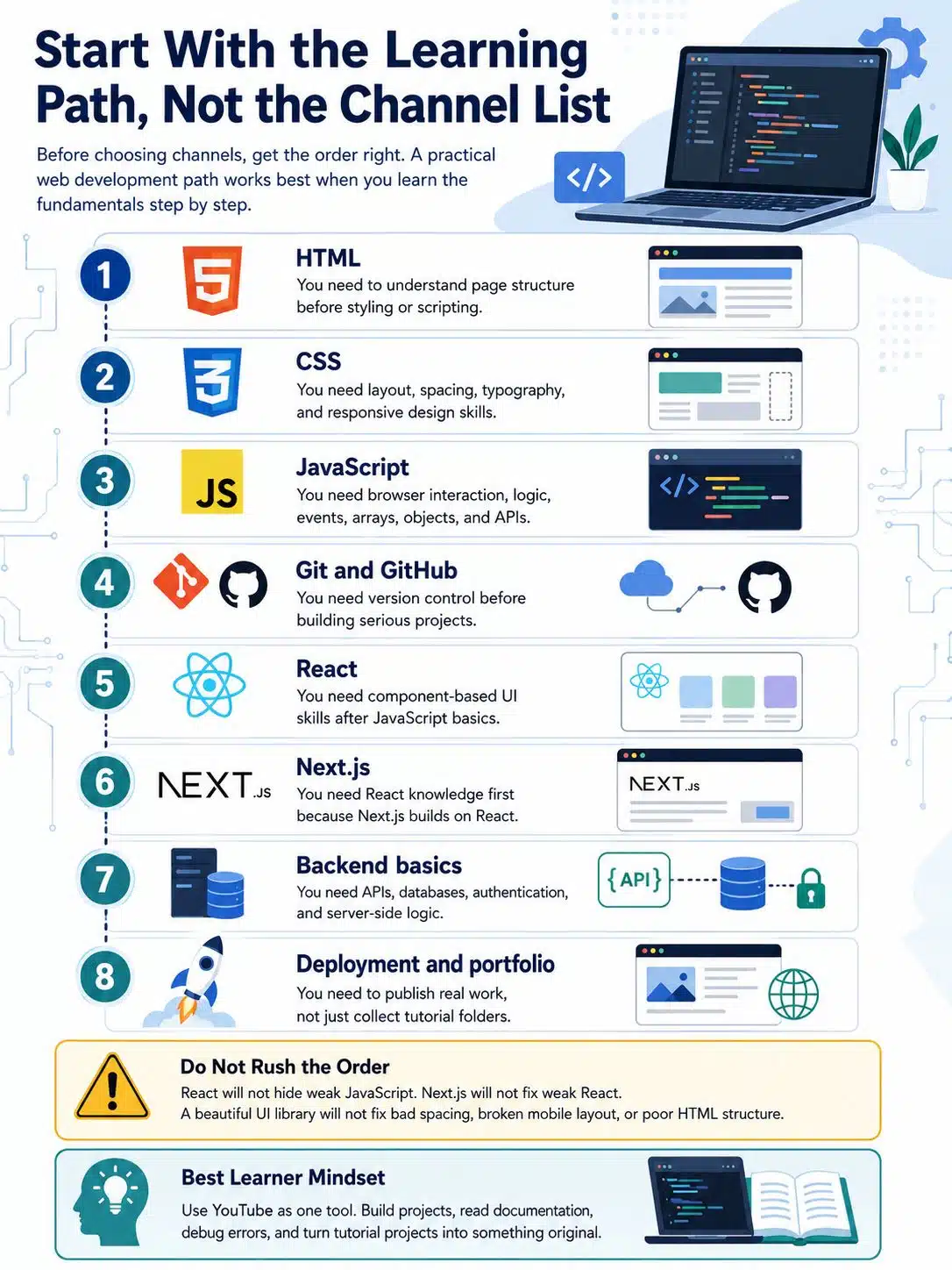
Before choosing channels, get the order right.
A practical web development path usually looks like this:
| Stage | What to Learn | Why It Comes First |
|---|---|---|
| 1 | HTML | You need to understand page structure before styling or scripting. |
| 2 | CSS | You need layout, spacing, typography, and responsive design skills. |
| 3 | JavaScript | You need browser interaction, logic, events, arrays, objects, and APIs. |
| 4 | Git and GitHub | You need version control before building serious projects. |
| 5 | React | You need component-based UI skills after JavaScript basics. |
| 6 | Next.js | You need React knowledge first because Next.js builds on React. |
| 7 | Backend basics | You need APIs, databases, authentication, and server-side logic. |
| 8 | Deployment and portfolio | You need to publish real work, not just collect tutorial folders. |
Do not rush this. React will not hide weak JavaScript. Next.js will not fix weak React. A beautiful UI library will not fix bad spacing, broken mobile layout, or poor HTML structure.
The best learners use YouTube as one tool. They still build projects, read documentation, debug errors, and change tutorial projects into something original.
Best YouTube Channels at a Glance
| Channel | Best For | Main Language | Strongest Use |
|---|---|---|---|
| freeCodeCamp.org | Full-length free courses | English | Complete beginner-to-intermediate courses |
| Traversy Media | Practical project learning | English | HTML, CSS, JavaScript, React, backend introductions |
| The Net Ninja | Structured playlists | English | JavaScript, React, Vue, Node.js, Firebase, MongoDB |
| Kevin Powell | CSS and responsive design | English | Layout, Flexbox, Grid, modern CSS |
| Web Dev Simplified | Fast concept clarity | English | JavaScript, React, CSS, browser APIs |
| Fireship | Modern tech awareness | English | JavaScript ecosystem, Firebase, frameworks, quick explainers |
| Programming with Mosh | Clean programming fundamentals | English | JavaScript, React, Python, general programming concepts |
| Academind | Framework depth | English | React, Next.js, Node.js, Angular, full-stack topics |
| Dave Gray | Full beginner courses | English | HTML, CSS, JavaScript, React, Node.js |
| Codevolution | Framework tutorials | English | React, Next.js, Angular |
| Lama Dev | Full-stack project builds | English | React, Next.js, Node.js, MongoDB |
| DesignCourse | UI and web design thinking | English | UI/UX, visual layout, design taste |
| Learn with Sumit | Bangla modern web development | Bangla | JavaScript, React, Next.js, Redux, Node.js |
| Anisul Islam | Bangla programming foundations | Bangla | HTML, CSS, JavaScript, MERN basics |
| Programming Hero Bangladesh | Beginner-friendly Bangla guidance | Bangla | Web development roadmap, HTML, CSS, JavaScript, React |
| Stack Learner | Bangla JavaScript and logic | Bangla | JavaScript, DOM, programming concepts |
| CodeWithHarry | Hindi beginner web development | Hindi | HTML, CSS, JavaScript, Python, full-stack basics |
| Chai aur Code | Hindi modern coding lessons | Hindi | JavaScript, React, backend, developer workflow |
1. freeCodeCamp.org
freeCodeCamp.org is one of the safest starting points for learners who want long, structured lessons without paying for a course.
The channel publishes full-length programming and computer science courses, including web development topics such as HTML, CSS, JavaScript, React, Node.js, MongoDB, Git, and backend development. The teaching style changes from course to course because different instructors teach different lessons, but the overall format is useful: sit down, follow a complete course, and build enough context to stop feeling lost.
Use freeCodeCamp.org when you want a full first pass through a topic. It works especially well for beginners who need structure but cannot yet judge which smaller tutorials are worth watching.
Best for:
- Absolute beginners
- Long-form free courses
- HTML, CSS, JavaScript, React, Node.js, and backend introductions
- Learners who want one course instead of 30 scattered videos
Be careful with:
- Passive watching. Long courses only work if you code along and rebuild parts without help.
- Course age. Check the upload date and comments when learning fast-moving tools.
2. Traversy Media
Traversy Media is a practical channel for learners who want to build things, not just listen to theory.
Brad Traversy’s content covers HTML, CSS, JavaScript, React, Vue, Node.js, Python, PHP, and other web technologies. The channel is especially helpful after you understand the basics and want to see how real pieces fit together in projects.
The strength here is practical flow. You see UI, routing, APIs, backend logic, and deployment-related thinking across many tutorials. That does not mean you should copy a project and call it a portfolio piece. Use the project as a base, then change the design, data, features, and structure.
Best for:
- Practical web development projects
- Frontend-to-backend introductions
- Learners moving from basics into real applications
Be careful with:
- Jumping into full-stack projects too early
- Copying code without understanding why each file exists
3. The Net Ninja
The Net Ninja is strong because of its playlist structure. Many learners do better when lessons are broken into a sensible sequence instead of one giant video.
The channel covers JavaScript, React, Vue, Node.js, Firebase, MongoDB, PHP, Laravel, and other development topics. The teaching pace is calm, which makes it useful for beginners and early intermediate learners.
If you often feel rushed by fast tutorials, The Net Ninja is a good fit. The videos usually give enough room for concepts to breathe.
Best for:
- Structured playlists
- JavaScript and frontend frameworks
- Node.js, Firebase, and database introductions
- Learners who prefer calm explanations
Be careful with:
- Older playlists. Some framework details may have changed, so compare with current documentation.
4. Kevin Powell
Kevin Powell should be on almost every frontend learner’s list.
Many beginners treat CSS like decoration. That is why their projects look broken on mobile, awkward on tablets, and inconsistent on desktop. Kevin Powell teaches CSS as a real frontend skill: layout, responsive design, Flexbox, Grid, custom properties, modern selectors, and practical styling decisions.
This channel is especially useful because CSS weakness shows immediately in portfolios. A React app with messy spacing still looks amateur. A simple HTML and CSS page with clean layout can look far more professional.
Best for:
- CSS fundamentals
- Responsive design
- Flexbox and Grid
- Frontend learners who want better-looking projects
- Developers who can code functionality but struggle with layout
Be careful with:
- Skipping practice. CSS makes sense when you build layouts yourself.
5. Web Dev Simplified
Web Dev Simplified is useful when you need a concept explained quickly and clearly.
The channel covers JavaScript, React, CSS, web APIs, browser behavior, and common development patterns. It works well as a reference channel while you are building projects. You may not need a full course on every small topic. Sometimes you need a focused explanation of one hook, one array method, one CSS behavior, or one browser API.
Use this channel when you get stuck on a specific idea and want a direct explanation.
Best for:
- JavaScript concepts
- React basics and patterns
- CSS explanations
- Quick fixes for knowledge gaps
Be careful with:
- Watching random short videos without a learning plan
- Mistaking a clear explanation for real mastery
6. Fireship
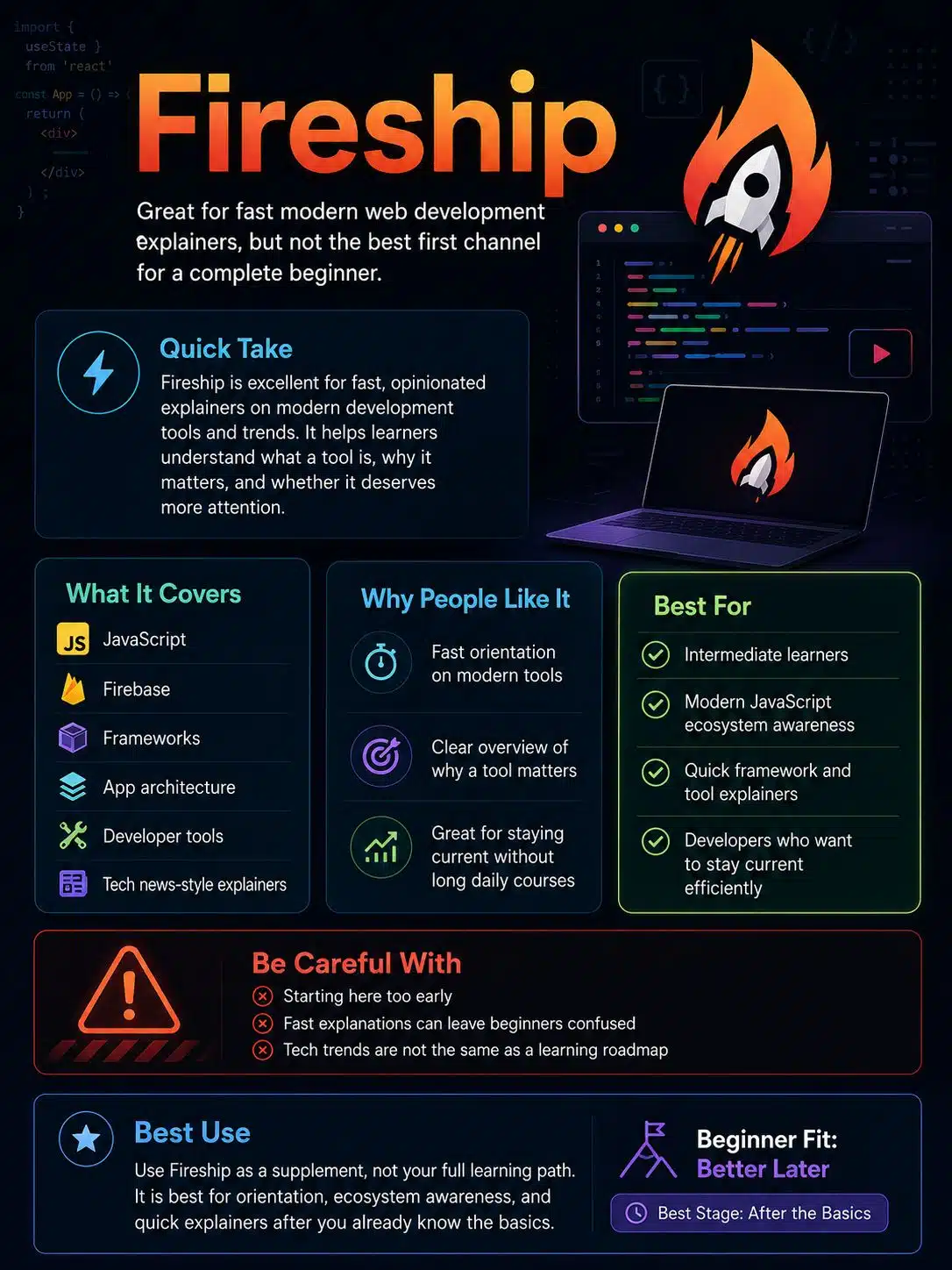
Fireship is excellent, but it is not the best first channel for a complete beginner.
The channel is fast, opinionated, and built for developers who want to understand modern tools quickly. It covers JavaScript, Firebase, frameworks, app architecture, developer tools, and tech news-style explainers.
The short explainers are great for orientation. They help you understand what a tool is, why people talk about it, and whether it deserves your time. But they are not a replacement for slow practice.
Best for:
- Intermediate learners
- Modern JavaScript ecosystem awareness
- Quick framework and tool explainers
- Developers who want to stay current without watching long courses every day
Be careful with:
- Starting here too early. Fast explanations can feel clever but leave beginners confused.
- Treating tech trends as a learning roadmap.
7. Programming with Mosh
Programming with Mosh is useful for learners who want clean explanations and stronger programming fundamentals.
The channel and related course platform cover JavaScript, React, Python, data structures, backend topics, and broader software-development skills. Mosh’s teaching style is polished and structured, which helps learners who want to understand the idea before copying code.
This channel is especially helpful if your web development progress is blocked by weak programming logic. Many frontend learners know how to follow a tutorial but struggle with functions, objects, debugging, or breaking a problem into smaller pieces.
Best for:
- Programming fundamentals
- JavaScript and React introductions
- Clear explanations of core concepts
- Learners who want a structured teacher-like style
Be careful with:
- Expecting every full course to be free on YouTube. Some deeper material may be on paid platforms.
8. Academind
Academind is a strong channel for learners who want more depth in modern frameworks and full-stack development.
It covers React, Next.js, Node.js, Angular, JavaScript, TypeScript, and related tools. The channel is especially useful once you are past the beginner phase and want to understand how modern app structure works.
React and Next.js learners can benefit from Academind because the explanations often go beyond “type this code” and move into routing, rendering, data fetching, project structure, and framework behavior.
Best for:
- React and Next.js depth
- Node.js and full-stack concepts
- Angular learners
- Developers who want framework-level understanding
Be careful with:
- Starting too early. Learn basic HTML, CSS, and JavaScript first.
9. Dave Gray
Dave Gray is a strong option for full beginner courses. His channel covers HTML, CSS, JavaScript, React, Node.js, and other web development topics through course-style lessons.
The teaching style is patient and organized. That makes the channel useful for learners who need a complete path through a topic instead of fast fragments.
If you are building your foundation, Dave Gray pairs well with MDN documentation and small practice projects.
Best for:
- Beginner-friendly full courses
- HTML, CSS, JavaScript, React, and Node.js
- Learners who want chapter-like instruction
Be careful with:
- Only coding along once. Rebuild the project later without watching.
10. Codevolution
Codevolution is especially useful for framework learners.
The channel includes detailed tutorials on React, Next.js, Angular, and related frontend topics. Its strength is step-by-step explanation. That matters when a beginner is trying to understand components, props, hooks, routing, rendering, and framework conventions.
Use Codevolution when you want to slow down and learn framework behavior carefully.
Best for:
- React fundamentals
- Next.js tutorials
- Angular tutorials
- Learners who want organized framework playlists
Be careful with:
- Learning frameworks before JavaScript. That usually leads to shallow understanding.
11. Lama Dev
Lama Dev is a project-heavy channel for frontend and full-stack learners.
The channel covers JavaScript, React, Next.js, Node.js, MongoDB, HTML, CSS, and web design inspiration. Many videos focus on building full applications such as dashboards, social apps, real estate apps, blog apps, booking systems, and similar projects.
This is useful after you know the basics. It is less useful if you are still confused by JavaScript functions, React state, or API requests.
Best for:
- Full-stack project practice
- React and Next.js app builds
- Node.js and MongoDB projects
- Portfolio inspiration
Be careful with:
- Copying a full project exactly. A copied clone is weak portfolio work.
- Skipping backend understanding. Authentication and database logic need careful study.
12. DesignCourse
DesignCourse is for the part many developers ignore: visual judgment.
A website can work technically and still look bad. Poor spacing, weak typography, confusing hierarchy, and clumsy mobile layout make projects feel unfinished. DesignCourse helps learners think about UI, UX, layout, and design decisions.
This channel is especially useful for frontend developers who want their projects to look more professional. Pair it with Kevin Powell for a stronger design-to-code workflow.
Best for:
- UI and UX basics
- Web layout thinking
- Design taste
- Developers who want stronger portfolio presentation
Be careful with:
- Treating design as decoration. Good UI affects readability, navigation, trust, and usability.
13. Learn with Sumit
Learn with Sumit is one of the strongest Bangla-language options for modern web development.
The channel and related learning platform cover JavaScript, React, Next.js, Redux, Node.js, and project-based frontend learning. It is especially useful for Bangladeshi learners who want modern stack concepts explained in Bangla before moving into English documentation.
That language bridge matters. Many learners are not weak at programming; they are slowed down by unfamiliar technical English. A good Bangla explanation can make the first layer clearer.
Best for:
- Bangla-speaking web development learners
- JavaScript, React, Next.js, Redux, and Node.js
- Learners who want modern frontend guidance in Bangla
Be careful with:
- Depending only on translated explanations. Use official documentation once the core idea is clear.
14. Anisul Islam
Anisul Islam is a helpful Bangla channel for learners who need patient programming and web development foundations.
The channel includes HTML, CSS, JavaScript, MERN full-stack topics, and general programming lessons. It works well for students who are starting from the basics and want explanations in Bangla.
This channel is especially useful for learners who need confidence before moving into faster English-language tutorials.
Best for:
- Bangla-speaking beginners
- HTML, CSS, JavaScript, and MERN introductions
- Programming basics
- Students who prefer a slower teaching style
Be careful with:
- Staying too long in beginner mode. Move into projects once you understand the basics.
15. Programming Hero Bangladesh
Programming Hero Bangladesh is useful for Bangla-speaking beginners who need roadmap guidance, motivation, and beginner-friendly web development explanations.
The channel is connected to a broader learning ecosystem, but its YouTube content can still help learners understand the path: HTML, CSS, JavaScript, React, career preparation, and common beginner mistakes.
It is a good channel for learners who feel overwhelmed and need structure.
Best for:
- Bangla beginners
- Web development roadmap guidance
- HTML, CSS, JavaScript, and React learners
- Students preparing for a career switch or first developer role
Be careful with:
- Confusing motivation with progress. You still need daily coding practice.
16. Stack Learner
Stack Learner is useful for Bangla learners who want stronger JavaScript and programming logic.
The channel covers software development, programming concepts, JavaScript, DOM projects, and broader technical learning. It is a good fit for learners who want to move beyond surface-level tutorial copying.
JavaScript becomes easier when you understand the DOM, events, functions, objects, arrays, asynchronous code, and project structure. Stack Learner can help with that middle layer.
Best for:
- Bangla JavaScript learners
- DOM projects
- Programming logic
- Learners who want to understand code more deeply
Be careful with:
- Watching advanced explanations before your basics are ready.
17. CodeWithHarry
CodeWithHarry is one of the most accessible Hindi channels for beginner web development.
The channel and official site cover HTML, CSS, JavaScript, Python, full-stack basics, and many programming topics. It is especially useful for learners who want Hindi explanations before moving into English documentation and advanced project work.
For beginners, accessibility matters. A clear explanation in your strongest language can make the first few months much less frustrating.
Best for:
- Hindi-speaking beginners
- HTML, CSS, JavaScript, and Python
- Broad programming exposure
- Students who want free beginner-friendly lessons
Be careful with:
- Learning too many languages at once. Pick one main web path first.
18. Chai aur Code
Chai aur Code is a strong Hindi channel for learners moving from basics into modern JavaScript, React, and backend development.
The channel covers JavaScript, React, backend development, and developer workflow in Hindi. The tone is relaxed, but the topics are practical. It is especially useful for learners who already know the basics and want to understand how working developers think about projects and tools.
Best for:
- Hindi learners beyond the beginner stage
- JavaScript and React
- Backend development concepts
- Developer workflow and project thinking
Be careful with:
- Jumping into backend too early. Make sure JavaScript basics are solid first.
How to Choose the Right Channel for Your Goal
Do not follow all 18 channels at once. That is how people collect tutorials instead of skills.
Use this simpler match:
| Your Goal | Start With |
|---|---|
| I am completely new | freeCodeCamp.org, Dave Gray, Anisul Islam, CodeWithHarry |
| I want stronger CSS | Kevin Powell |
| I want better design taste | DesignCourse |
| I want practical web projects | Traversy Media, Lama Dev |
| I want JavaScript clarity | Web Dev Simplified, Stack Learner, Programming with Mosh |
| I want React basics | Codevolution, The Net Ninja, Learn with Sumit, Chai aur Code |
| I want Next.js | Academind, Codevolution, Learn with Sumit, Lama Dev |
| I want backend basics | Traversy Media, Dave Gray, Chai aur Code, Learn with Sumit |
| I want Bangla lessons | Learn with Sumit, Anisul Islam, Programming Hero Bangladesh, Stack Learner |
| I want Hindi lessons | CodeWithHarry, Chai aur Code |
| I want to track modern tools | Fireship |
A good setup is one main course channel, one reference channel, and one project channel. More than that usually becomes noise.
A Practical 5-Month YouTube Learning Plan
Month 1: HTML, CSS, and the Browser
Start with HTML and CSS. Learn how pages are structured, how forms work, how links and images behave, and how CSS controls layout.
Build:
- A personal profile page
- A responsive landing page
- A simple contact form
- A small multi-section homepage
Use:
- freeCodeCamp.org
- Dave Gray
- Kevin Powell
- CodeWithHarry
- Anisul Islam
Do not obsess over frameworks yet. A beginner who can build a clean responsive page is already ahead of someone who only copied a React dashboard.
Month 2: JavaScript Basics
Now learn JavaScript properly. Focus on variables, functions, arrays, objects, conditions, loops, DOM selection, events, forms, and fetch.
Build:
- A calculator
- A quiz app
- A to-do app
- A weather or movie search app using an API
Use:
- Web Dev Simplified
- freeCodeCamp.org
- Programming with Mosh
- Stack Learner
- Learn with Sumit
- CodeWithHarry
- Chai aur Code
Do not skip debugging. The browser console is not an enemy. It is where your learning becomes real.
Month 3: Git, GitHub, and Better CSS
Before React, learn Git basics and improve your CSS. Push your projects to GitHub. Clean up your layouts. Make your pages responsive.
Build:
- A portfolio homepage
- A pricing table
- A responsive navigation menu
- A card-based layout
Use:
- Kevin Powell
- DesignCourse
- Traversy Media
- Dave Gray
This is also the right time to learn basic accessibility habits: semantic HTML, alt text, readable contrast, keyboard-friendly navigation, and clear form labels.
Month 4: React
Once JavaScript no longer feels completely mysterious, start React.
Learn:
- Components
- Props
- State
- Effects
- Events
- Forms
- Lists
- Conditional rendering
- Basic routing
- Data fetching
Build:
- A task manager
- A simple dashboard
- A movie search app
- A small blog-style frontend
Use:
- Codevolution
- The Net Ninja
- Web Dev Simplified
- Academind
- Learn with Sumit
- Chai aur Code
React is not just a syntax change. It is a different way to think about UI. Take it slowly.
Month 5: Next.js, Backend Basics, and Portfolio Projects
Now you can touch Next.js and backend development.
Learn:
- File-based routing or app routing concepts
- Server and client rendering basics
- API routes or backend APIs
- Node.js and Express basics
- Databases
- Authentication fundamentals
- Environment variables
- Deployment
Build:
- A blog
- A small e-commerce-style product listing
- A booking app
- A dashboard with login
- A content site with dynamic pages
Use:
- Academind
- Codevolution
- Lama Dev
- Traversy Media
- Dave Gray
- Learn with Sumit
- Chai aur Code
Keep one rule: never publish a tutorial clone unchanged. Change the design. Change the data. Add features. Remove features. Break it. Fix it. That is how the project becomes yours.
Common Mistakes Beginners Make With YouTube Tutorials
The first mistake is watching too much. Tutorials feel productive because someone else is doing the hard thinking. Your skill grows when you pause, rebuild, and debug without the instructor.
The second mistake is learning frameworks too early. React and Next.js make more sense after JavaScript. If functions, arrays, objects, promises, and DOM events are still confusing, slow down.
The third mistake is ignoring CSS. Many learners can fetch API data but cannot build a clean mobile layout. Employers and clients notice that immediately.
The fourth mistake is copying portfolio projects. A copied Netflix clone or e-commerce clone is not strong evidence unless you understand it and modify it deeply.
The fifth mistake is avoiding documentation. YouTube is good for explanation. Documentation is where you confirm current behavior, options, and limitations.
The sixth mistake is learning in too many languages at once. You can learn in Bangla or Hindi first, but gradually connect the concepts to English technical terms. Most documentation, error messages, GitHub issues, and job tasks will use English.
Editorial Recommendation
For most beginners, the best combination is:
- One full-course channel for structure
- One CSS/design channel for layout quality
- One concept channel for JavaScript and React problems
- One project channel for practice
- One local-language channel if English slows you down
A Bangla learner might use Learn with Sumit, Anisul Islam, Kevin Powell, and Traversy Media.
A Hindi learner might use CodeWithHarry, Chai aur Code, Kevin Powell, and Web Dev Simplified.
An English-first learner might use freeCodeCamp.org, Kevin Powell, Web Dev Simplified, and Traversy Media.
Do not try to finish the internet. Pick a path, build projects, and keep moving.