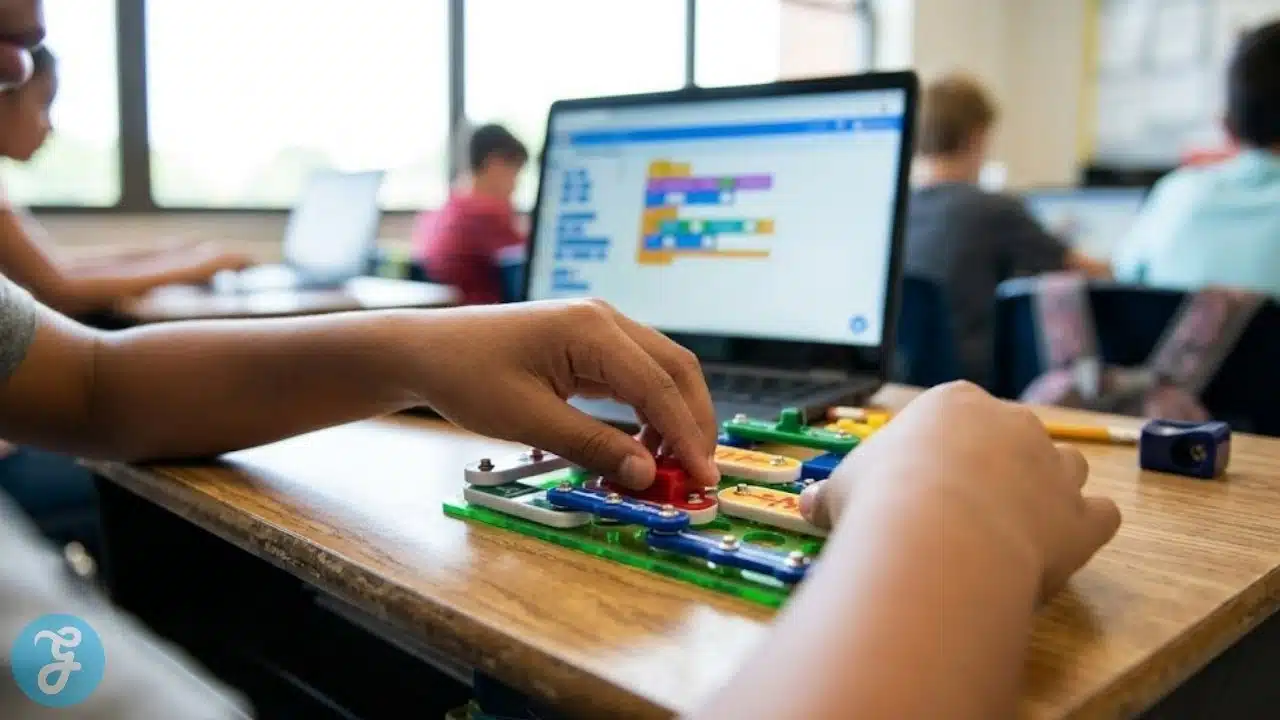
The transition from theoretical science to hands-on engineering requires educational software that can bridge the gap between digital code and physical reality. While major textbook publishers offer standard science curricula, independent Small and Medium-sized Enterprises across the United States are building the most innovative interactive platforms. These independent studios and non-profits are highly responsive to teacher feedback, developing dynamic applications that prioritise genuine problem-solving over rote memorisation.
How We Selected Our 15 Best SMEs for STEM Learning Tools in USA
Finding developers that maintain educational independence while delivering rigorous technical results requires strict vetting. We filtered numerous companies to highlight those genuinely supporting technical education without corporate bloat.
-
Geographic Baseline: Operated and headquartered strictly within the United States.
-
Scale Limit: Verified as independent SMEs or registered non-profits.
-
Curriculum Alignment: Direct mapping to Next Generation Science Standards and national computer science frameworks.
-
Practical Application: A clear focus on project-based learning and critical thinking.
Understanding these foundational criteria sets the stage for exploring the distinct capabilities of each developer.
Evaluating the Top 15 STEM Learning Tools in USA
The following independent developers are actively reshaping how robotics, coding, and scientific inquiry are delivered in modern classrooms. Here is our breakdown of the organisations driving this progress.
1. Generation Genius
Located in Los Angeles, Generation Genius produces high-quality educational videos and interactive lessons for science and mathematics. Built in partnership with the National Science Teaching Association, their platform pairs highly engaging videos with digital lesson plans and DIY activities. The platform is designed to bring dry textbook concepts to life through visual storytelling.
Best for: Bringing Next Generation Science Standards to life through engaging video content.
Why We Chose It: Production values rival mainstream children’s television programming.
Things to consider: It operates primarily as a content delivery system rather than a deeply interactive coding platform.
The 2026 Edge: New interactive video overlays allow students to answer hypothesis questions directly within the video player.
While video content provides excellent foundational knowledge, applying those concepts requires interactive digital environments.
2. Legends of Learning
Based in Washington, D.C., Legends of Learning offers a massive library of curriculum-aligned science and maths games. Their model is highly unique because they host mini-games created by independent developers globally. Teachers can easily build playlists of games that match their daily scientific lesson plans.
Best for: Supplemental science instruction through varied short-form gaming.
Why We Chose It: Unmatched variety of game mechanics keeps students engaged during complex scientific review.
Things to consider: Because different developers make the games, the visual quality varies from module to module.
The 2026 Edge: Streamlined playlist creation that automatically matches games to specific state standard codes.
Moving from general science into computer science requires platforms dedicated entirely to foundational logic.
3. Kodable
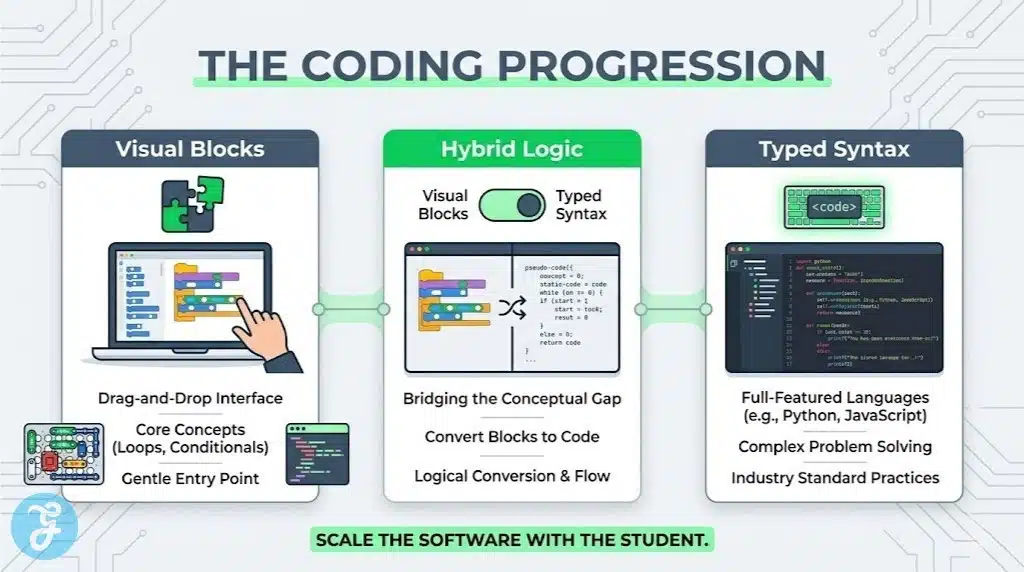
Operating out of North Carolina, Kodable provides a comprehensive coding curriculum designed specifically for elementary students. It starts with completely text-free logic puzzles for early learners and slowly transitions them into writing real JavaScript. The platform seamlessly bridges the gap between drag-and-drop block coding and actual typed syntax.
Best for: Introducing algorithmic logic and foundational coding to early elementary children.
Why We Chose It: Zero prior coding knowledge is required from the teacher to successfully run the programme.
Things to consider: Navigating the later text-based coding levels requires solid reading comprehension skills.
The 2026 Edge: Integration of basic machine learning logic training tailored for young learners.
As students grow older, they require coding environments that simulate real-world software development.
4. CodeCombat
San Francisco’s CodeCombat takes a highly immersive approach to teaching Python and JavaScript. Students control a hero character in a fantasy game world, but they must type actual lines of code to make the character move, attack, and solve puzzles. It forces students to learn strict syntax rules while maintaining the high engagement of an adventure game.
Best for: Transitioning middle and high school students from block coding to typed syntax.
Why We Chose It: Forces students to confront and fix real syntax errors in a supportive gaming environment.
Things to consider: The heavy fantasy gaming theme might not appeal to every student.
The 2026 Edge: Upgraded competitive multiplayer arenas where students write automated scripts to battle each other.
Writing code on a screen is powerful, but connecting that code to physical robots creates the ultimate learning experience.
5. Sphero
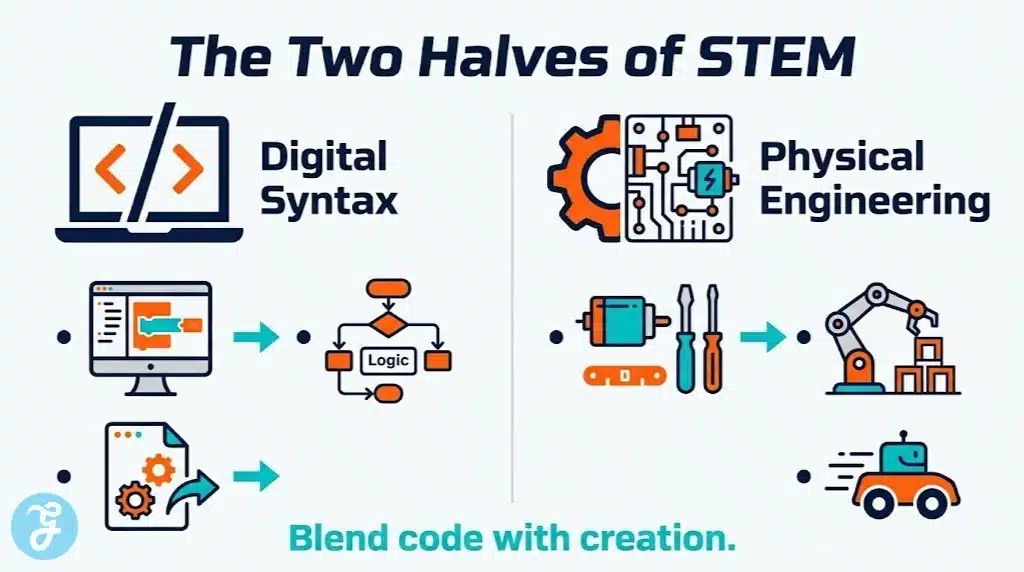
Headquartered in Boulder, Colorado, Sphero develops both the physical robotic hardware and the software required to programme them. Their digital app allows students to connect to rolling robots and programmable rovers. The software scales brilliantly, allowing young students to draw paths while older students write complex JavaScript to control the robot’s sensors.
Best for: Connecting digital coding concepts directly to physical robotic movement.
Why We Chose It: The software grows with the student from basic drawing controls to advanced text-based programming.
Things to consider: Utilising the software effectively requires purchasing their physical robotic units.
The 2026 Edge: Enhanced diagnostic software that helps students troubleshoot mechanical issues via the app.
For classrooms that need physical robotics on a smaller, more accessible scale, alternative screenless options exist.
6. Ozobot
Based in Redondo Beach, California, Ozobot creates tiny desk-friendly robots paired with a highly versatile digital platform. Students can programme the robots using digital block coding on a tablet or by drawing physical colour-coded lines on a piece of paper. This dual approach makes it incredibly accessible for young learners who need tactile engagement.
Best for: Integrating robotics into tight classroom spaces using both digital and screenless coding methods.
Why We Chose It: The colour-coding marker system removes the digital barrier for absolute beginners.
Things to consider: The optical sensors require frequent calibration in classrooms with bright or uneven lighting.
The 2026 Edge: Advanced colour-recognition algorithms that allow for much faster physical processing speeds.
When students are ready to build their own hardware from scratch, they need software that supports raw engineering.
7. BirdBrain Technologies
Pittsburgh’s BirdBrain Technologies provides the software and micro-controllers needed for students to turn cardboard and craft supplies into working robots. Their platform interfaces perfectly with tools like the Hummingbird Bit. The software encourages deep creative engineering, allowing students to programme servos and LEDs attached to their own physical creations.
Best for: Fostering creative engineering by mixing traditional craft supplies with programmable robotics.
Why We Chose It: Shifts the focus from pre-built robots to raw mechanical design and creativity.
Things to consider: Teachers must be comfortable managing complex craft projects alongside digital coding.
The 2026 Edge: Seamless wireless broadcasting that allows multiple student creations to interact with one another.
Sometimes, creative engineering happens entirely within a digital space without the need for physical hardware.
8. Scratch Foundation
Operating out of Boston, the Scratch Foundation is the non-profit entity behind the world’s most popular block-based coding language. Their web platform allows students to programme interactive stories, games, and animations. It is a highly collaborative environment where students can share their code globally and remix projects created by others.
Best for: Open-ended creative coding and digital storytelling for absolute beginners.
Why We Chose It: It is completely free and serves as the universal starting point for modern computer science education.
Things to consider: The open community gallery requires basic digital citizenship monitoring by educators.
The 2026 Edge: Refined accessibility tools that make block coding easier for students with fine motor skill challenges.
As teenagers outgrow block coding, they need platforms that connect programming to their personal interests.
9. Vidcode
New York’s Vidcode is a creative coding platform designed specifically to appeal to teenagers. Instead of programming robots or video games, students use JavaScript to create video filters, digital art, and interactive media. It successfully attracts students who might not typically identify with traditional engineering or computer science.
Best for: Engaging artistic and creative teenagers in text-based programming.
Why We Chose It: Connects complex JavaScript syntax directly to modern digital media creation.
Things to consider: Students expecting traditional video game design might prefer a different platform.
The 2026 Edge: Integration of basic artificial intelligence tools allowing students to code smart video filters.
For students interested in the architecture of computers themselves, hardware and software must blend seamlessly.
10. Piper Learning
Based in San Francisco, Piper Learning offers an immersive platform that teaches computer architecture and electronics. Students physically build a computer using wooden blueprints and electrical components, then use the proprietary software to navigate a Minecraft-style world. The software forces them to wire physical buttons and switches to progress in the digital game.
Best for: Teaching the physical architecture of computers and basic electrical engineering.
Why We Chose It: Perfectly bridges the gap between hardware assembly and software programming.
Things to consider: It requires the initial physical build process before the digital platform can be fully utilised.
The 2026 Edge: New diagnostic overlays that visually show students where their electrical circuits are failing.
Combining physical circuitry with digital interfaces can also turn everyday objects into interactive tools.
11. JoyLabz
Located in Santa Cruz, California, JoyLabz is the creator of the Makey Makey invention kit and its accompanying digital interface. The platform allows students to turn conductive objects like fruit or playdough into computer keyboards or game controllers. The software provides the visual feedback needed to understand electrical conductivity and circuit design.
Best for: Teaching electrical circuits through highly inventive and unconventional physical play.
Why We Chose It: Instantly transforms abstract electrical concepts into tangible and entertaining experiments.
Things to consider: The software relies heavily on third-party applications like Scratch to reach its full potential.
The 2026 Edge: Enhanced digital dashboards that measure and display the exact electrical resistance of connected objects.
For very young learners, exploring robotics requires removing wires and complex software entirely.
12. Modular Robotics
Headquartered in Boulder, Colorado, Modular Robotics creates Cubelets, which are magnetic robotic blocks that snap together. Their accompanying digital software allows educators to track how students are building their robotic structures and provides visual data on how the blocks communicate. It teaches the fundamentals of robotic sensing and acting without writing a single line of code.
Best for: Introducing complex systems thinking and robotic behaviour to early elementary students.
Why We Chose It: Allows students to build complex robotic behaviours through physical manipulation alone.
Things to consider: The physical blocks represent a significant financial investment for classroom sets.
The 2026 Edge: Updated digital lesson tracking that helps teachers see precisely which logic concepts a student has mastered.
Returning to software creation, mobile applications represent a highly motivating endpoint for student developers.
13. Bitsbox
Also operating from Boulder, Colorado, Bitsbox provides a digital platform where students type actual code to build functioning mobile applications. The software provides a simulated tablet on the computer screen so students can instantly see how their code alters the app. Once finished, students can scan a code to play their custom application on a real mobile device.
Best for: Teaching JavaScript through the highly motivating lens of mobile application development.
Why We Chose It: The ability to share their creation on a real phone provides massive student validation.
Things to consider: It requires strict attention to typing detail, which can frustrate students used to drag-and-drop blocks.
The 2026 Edge: Streamlined syntax highlighting that catches simple typing errors before the code is executed.
To truly understand technical concepts, students must apply them to real-world career scenarios.
14. Defined Learning
Based in Northbrook, Illinois, Defined Learning provides a project-based learning platform that focuses heavily on career exploration. The software presents students with real-world technical scenarios, such as designing a sustainable building or planning a space mission. It provides the digital rubrics, research materials, and portfolio tools needed to complete the project.
Best for: Grounding theoretical science and maths concepts in real-world career scenarios.
Why We Chose It: Shifts the focus from passing tests to solving authentic engineering and design challenges.
Things to consider: It is a facilitation tool for project management rather than a direct coding or maths drilling app.
The 2026 Edge: Upgraded digital portfolios that allow students to export their projects directly to college application platforms.
Finally, exploring the future of transportation and artificial intelligence requires highly specialised flight software.
15. Robolink
San Diego’s Robolink builds educational drones and the digital platforms required to programme them. Their software allows students to write code that dictates flight paths, altitude, and sensor reactions. They specifically focus on teaching students how artificial intelligence interfaces with autonomous vehicles in a safe classroom environment.
Best for: Teaching artificial intelligence and autonomous programming through educational drones.
Why We Chose It: Makes complex aerospace and AI concepts accessible to middle and high school students.
Things to consider: Flying drones in a classroom requires careful spatial management and strict safety rules.
The 2026 Edge: Advanced computer vision software modules that allow students to programme drones to recognise specific visual markers.
An Overview Of STEM Learning Tools in USA
To simplify your decision-making process, we have compiled the core details of these independent developers into a quick-reference format below.
Overview Comparison Table
Reviewing these core metrics side-by-side provides a clear snapshot of the digital learning landscape.
| SME Developer | Headquarter Location | Core Focus Area | Pricing Model |
| Generation Genius | Los Angeles, CA | Science Videos | Subscription |
| Legends of Learning | Washington, D.C. | Science Gaming | Freemium |
| Kodable | North Carolina | Early Logic | Freemium / Paid |
| CodeCombat | San Francisco, CA | Typed Syntax | District / Paid |
| Sphero | Boulder, CO | Programmable Robots | Hardware / Free App |
| Ozobot | Redondo Beach, CA | Screenless Robotics | Hardware / Free App |
| BirdBrain Tech | Pittsburgh, PA | Creative Engineering | Hardware / Free App |
| Scratch Foundation | Boston, MA | Block Coding | Free (Non-Profit) |
| Vidcode | New York, NY | Creative JavaScript | District / Paid |
| Piper Learning | San Francisco, CA | Computer Architecture | Hardware / Software |
| JoyLabz | Santa Cruz, CA | Circuit Invention | Hardware / Free App |
| Modular Robotics | Boulder, CO | Systems Thinking | Hardware / Software |
| Bitsbox | Boulder, CO | App Development | Subscription |
| Defined Learning | Northbrook, IL | Project-Based Learning | District / Paid |
| Robolink | San Diego, CA | Drones & AI | Hardware / Free App |
Evaluating these distinct approaches naturally brings us to our primary recommendations for standard use cases.
Our Top 3 Picks and Why?
Narrowing down the field, three developers stand out for their exceptional contribution to technical education. The Scratch Foundation remains the absolute gold standard for ensuring foundational block coding is completely free and accessible to everyone. Sphero provides an unmatched scalable robotic platform that seamlessly grows with a student from kindergarten through high school. Finally, CodeCombat offers the most engaging transition tool for moving students away from visual blocks into rigorous typed syntax.
How to Choose the Right STEM Learning Tools in the USA by Yourself?
Selecting the right digital tools for your classroom or child requires matching the software to their specific technical needs and learning style. Reviewing these key factors will ensure a positive implementation.
The Selection Framework:
- Identify the Goal: Determine if you are trying to teach foundational logic, hardware engineering, or syntax fluency.
- Assess the Interface: Ensure the navigation matches the user’s age because absolute beginners require block-based visual coding.
- Check Hardware Requirements: Verify if the software requires a substantial secondary purchase of physical robots or circuit boards.
- Evaluate the Feedback Loop: Look for software that explains exactly why a line of code failed rather than simply crashing the programme.
Applying this framework directly to your specific needs allows you to match the right developer to your student using the metrics below.
Decision Matrix
Matching your specific priorities with the right developer ensures a successful digital learning environment.
| Choose This SME… | If You Prioritize… |
| Kodable or Scratch Foundation | Introducing foundational algorithmic logic and block coding to beginners. |
| CodeCombat or Bitsbox | Transitioning older students into typed syntax and real-world application development. |
| Sphero or Ozobot | Integrating digital programming with immediate physical robotic movement. |
| BirdBrain Tech or JoyLabz | Fostering creative engineering through raw circuitry and craft materials. |
Before implementing any new software into a primary classroom, it is crucial to run through a rapid safety and usability check.
The Final Checklist
Running through this quick verification process guarantees you are utilising safe and effective software.
-
Verify the developer holds strict privacy certifications and does not monetise student performance data.
-
Ensure the interface is optimised for the specific hardware your students use in the classroom.
-
Test the input mechanisms to ensure the software provides adequate support for students struggling to type syntax correctly.
-
Confirm that the digital lessons map directly to your required state or national computer science standards.
-
Check that visual or auditory hints are available to prevent students from becoming completely stuck on a complex coding problem.
Empowering the Next Generation of Innovators
The push for advanced coding applications often ignores a glaring reality in primary education. Many classrooms simply lack the bandwidth and teacher training required to deploy complex STEM learning tools in USA effectively. We are creating incredible digital infrastructure while simultaneously defunding the physical arts and tactile play that build foundational spatial reasoning.
The future of technical education does not lie exclusively on a glowing screen. True innovation will require bridging the gap between tactile craft materials and sophisticated JavaScript syntax. Relying purely on virtual environments risks raising a generation of developers who can code an architectural simulation but lack the physical intuition to understand why a real bridge might collapse under stress.
Frequently Asked Questions (FAQs) About STEM learning tools in USA
Question 1: Do I need a computer science degree to teach with these platforms?
No, the vast majority of these independent platforms are specifically designed to be taught by general education teachers. Platforms like Kodable and Scratch provide highly detailed lesson plans and automatically grade the student’s code, removing the technical burden from the educator.
Question 2: Why should students learn block coding before typed syntax?
Block coding allows students to focus entirely on algorithmic logic and problem-solving without getting frustrated by minor typing errors. Once they understand how loops, variables, and conditionals work conceptually, learning the specific syntax of Python or JavaScript becomes significantly easier.
Question 3: Are these platforms accessible on school Chromebooks?
Yes, acknowledging the reality of modern American classrooms, nearly all of these SMEs have transitioned their software to web-based applications. This ensures that any device with a modern web browser can run the coding environments without requiring heavy local installations.
Question 4: How do robotics platforms protect student privacy?
Independent developers adhering to COPPA regulations ensure that their connected applications do not collect personally identifiable information. Accounts are typically anonymised through teacher portals, meaning the physical robots and apps only track coding progress rather than personal user data.
Question 5: What is the ideal age to introduce these tools to children?
Screenless robotics like Ozobot and logic puzzle apps like Kodable are highly effective for children as young as five years old. Introducing computational thinking early builds exceptional spatial reasoning skills that directly benefit their mathematical development in later grades.