
You sit down to write some React code, and everything feels smooth. Then BAM, your app crashes. A giant red message appears, reading “Cannot read property of undefined.” Your heart sinks as you stare at the screen, scrolling through your files to figure out where things went wrong. This specific error stops almost every developer cold, whether they just started coding yesterday or have been building apps for a decade.
Here is the reality check: this React ‘Cannot Read Property of Undefined’ Error happens constantly. According to recent data from software monitors like Noibu and Rollbar, DOM and undefined type issues account for over 50% of the JavaScript errors teams catch in production apps. You are definitely in good company. The good news? I found that squashing this bug is totally doable.
I am going to walk you through the exact steps I use to fix this, and I think you will be surprised at how easy it can be. We will cover why it pops up in your components and how you can protect your code before problems even start. So grab your favorite drink, open up your editor, and let’s go through it together.
Decoding the ‘Cannot Read Property of Undefined’ Error in React
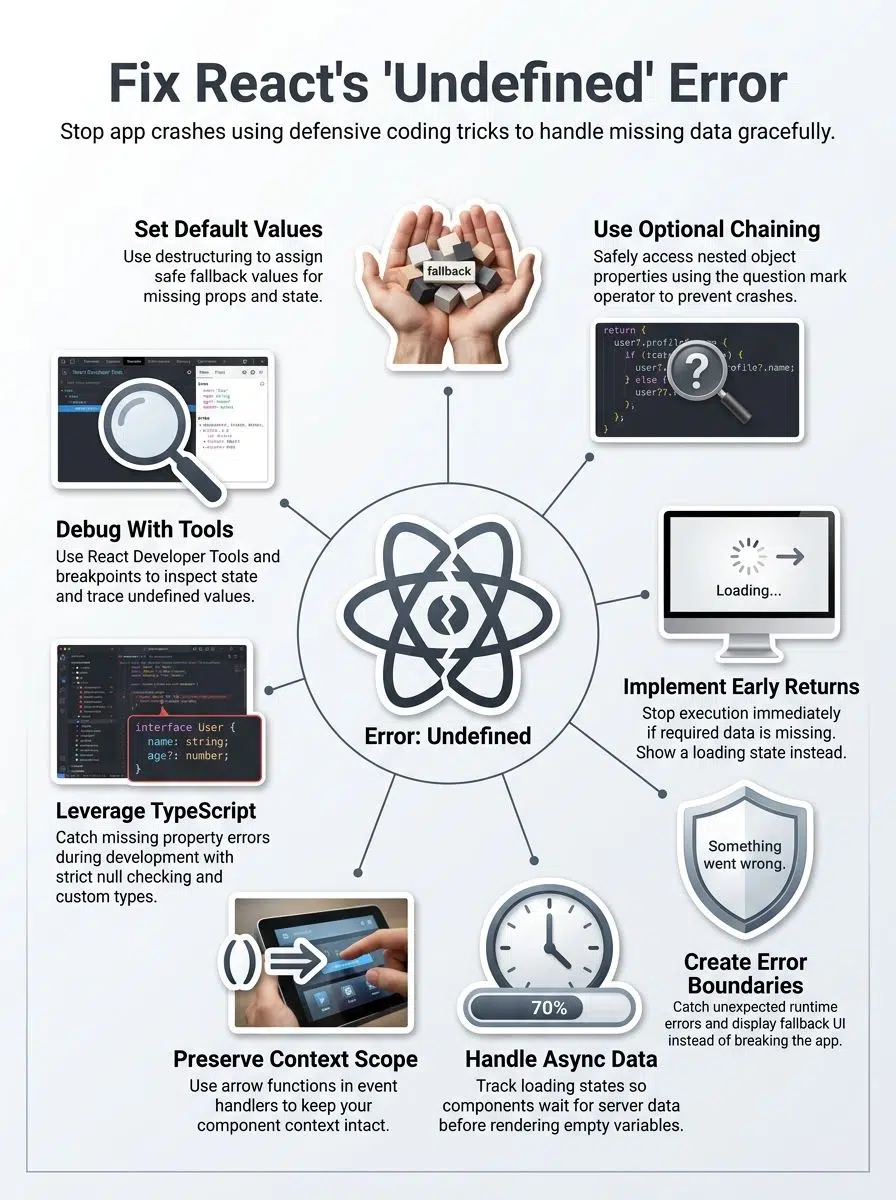
Undefined errors in React are like trying to read a book with missing pages; you hit a wall when the data isn’t there.
This TypeError stops your React app completely. It happens when the JavaScript engine running your browser, like Google Chrome’s V8 engine, tries to grab a property from a value that simply does not exist. Your component reaches out for a piece of data, finds nothing, and forces JavaScript to throw an error.
The error message is quite literal. It tells you that the value “undefined” does not have the specific property you typed out. Props might not load fast enough, state values might start completely empty, or a backend API object might lack the field you expected to see. The error feels so frustrating because your code looks completely correct on the surface.
React components often fail this way because data takes time to travel over the network. Your component attempts to render the screen before the server sends the information back. This leaves your variables sitting empty and waiting. If you dig deeply into an object without checking each level first, you hit undefined somewhere along the chain and the whole thing breaks.
Event handlers cause trouble, too. This happens frequently when context gets lost or when you try to read properties outside the current scope. These situations trigger the exact same error message, but they require different fixes.
Common Triggers for the Error
Several distinct situations trip up developers and cause this error to pop up in your React apps. You will start spotting the patterns once you know what to look for, making the fix much easier.
Undefined Props or State Access
Props and state form the true backbone of React components. Your component receives props from its parent, and state holds local data that changes over time. Accessing these values without checking if they exist first guarantees the “Cannot Read Property of Undefined” error.
JavaScript expects to read a property from a solid object. Your code crashes when you try to grab a property from an undefined value. It is literally like trying to open a door on a house that has not been built yet.
State and props often arrive late to the party. If you try to read user.name but the user object is still undefined, React throws an error immediately. Interestingly, if you are running React 18 or React 19 Strict Mode in your development environment, React intentionally double-invokes your components. This built-in feature aggressively exposes these missing state initializations before your code ever hits production.
Challenges with Asynchronous Data
Asynchronous data fetching creates a completely different set of challenges. Your component renders before your data arrives from the database, and that timing mismatch is where the trouble starts.
Your state variable sits empty, your props have not loaded, and you instantly get that dreaded “Cannot Read Property of Undefined” error. Modern developers often rely on robust fetching libraries to handle this. For example, TanStack Query (formerly React Query) provides a built-in isPending Property in version 5 and up. You check that property first, so you never accidentally render missing data.
If you build custom fetches, you must track whether your data has arrived manually. The component should always wait and show a loading message until the asynchronous operation finishes.
Asynchronous code is like ordering pizza; you don’t try to eat it before it arrives at your door.
Deep Property Access in Objects
Accessing properties deep inside objects causes major headaches in React apps. Picture a user object with nested address data, like user.address.street.name. If any level in that chain is undefined, your component crashes hard.
The error message “Cannot Read Property of Undefined” pops up because JavaScript tries to grab a property from something missing. This happens all the time with API responses that arrive late or skip certain fields entirely.
Defensive coding saves you here. Instead of using heavy utility libraries like Lodash and its_get function, modern developers use native optional chaining. A 2022 performance benchmark on Medium showed that native optional chaining is up to 12 times faster than Lodash for checking missing properties.
Context Issues in Event Handlers
Context objects sometimes vanish inside event handlers, leaving your code confused. This happens because the context scope changes when you move from your component body into an event handler function.
Your component might have access to state and props, but the event handler loses that connection. With modern functional components and hooks, developers often encounter a “stale closure.” This happens when a useEffect hook captures an old, undefined version of your state because you forgot to list it in the dependency array.
Fixing context issues requires you to pass the correct dependencies or test your event handlers with simple console logs. Finding where the data disappears prevents undefined values from sneaking into your live code.
Effective Strategies to Resolve the Error
You can fix this error with four practical methods that stop crashes before they happen. Each strategy tackles the problem from a different angle.
Applying Default Values Using Destructuring
Destructuring lets you set default values right when you pull props or state from your component. This approach stops errors before they happen by giving variables safe fallback values.
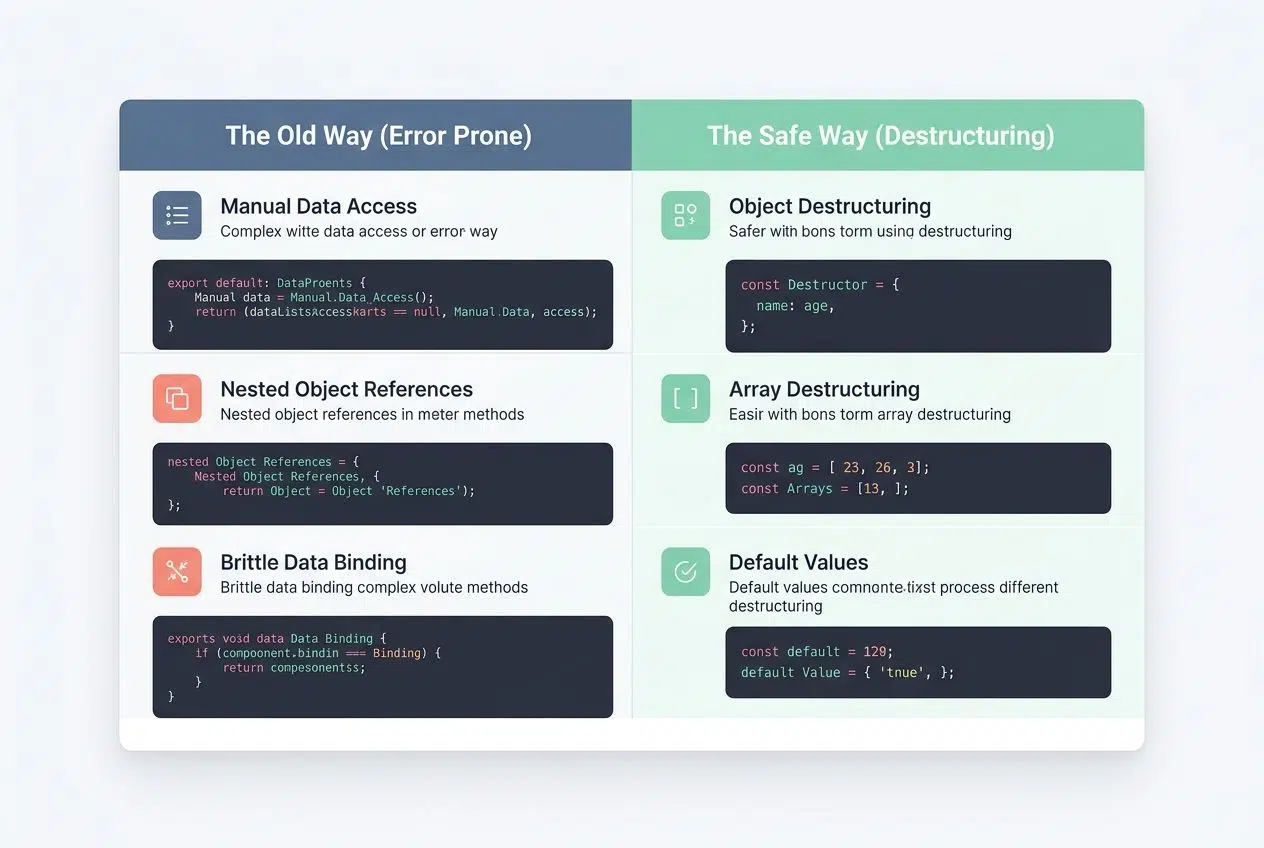
| The Old Way (Error Prone) | The Safe Way (Destructuring) |
|---|---|
| const name = props.user.name; | const { name = “Guest” } = props.user || {}; |
| const firstItem = items[0]; | const [firstItem = “None”] = items || []; |
| const theme = config.theme; | const { theme = “light” } = config || {}; |
Implementing Optional Chaining
Optional chaining takes your error handling to the next level. It offers a much cleaner way to access nested properties without triggering those frustrating TypeError messages. This feature became native to JavaScript in ECMAScript 2020.
- Use the question mark: Add?. to safely access properties that might not exist on your object.
- Fail gracefully: Your code returns undefined instead of crashing your entire component if it hits a missing value.
- Chain deeply: You can chain multiple accesses together, like user?.profile?.name?.first.
- Protect arrays: Array access benefits from optional chaining too, so you can write array?.[0] to grab the first item safely.
- Combine with fallbacks: Use the nullish coalescing operator (??) to provide a fallback value, like user?.name ?? “Guest”.
Setting Early Return Conditions
Early return conditions act like a strict safety net for your code. Many developers call this the “Bouncer Pattern” because it checks IDs at the door before letting the code run.
- Block bad data: Add a guard clause at the top of your component to check if required data exists before rendering anything.
- Show loading states: Verify that props arrive with actual values, then return a loading spinner if they sit empty.
- Check arrays: Always check array.length > 0 before accessing elements to protect your rendering process.
- Exit handlers fast: Return early from event handlers if the state has not loaded yet, preventing functions from running on thin air.
Using Error Boundaries for Handling Runtime Issues
Early return conditions catch problems before they spiral. However, sometimes unexpected errors slip through anyway. Error boundaries act as your absolute last line of defense to stop the whole screen from turning white.
- Wrap your app: Error boundaries catch JavaScript errors anywhere in their child component tree and display a fallback UI.
- Use the modern package: Instead of writing complex class components, modern teams use the react-error-boundary NPM package, which sees over 11 million weekly downloads.
- Log the issues: The package provides an onError callback, letting you send the crash details directly to your tracking server.
- Allow recovery: You can provide a resetKeys prop so users can click a “Try Again” button to reload the failed section gracefully.
Defensive Coding Techniques
Defensive coding techniques catch problems before they crash your app and leave you scrambling for fixes. Setting up these habits makes your codebase incredibly resilient.

Using Default Values with Destructuring
Default values in destructuring give your React components a safety net against undefined errors. This simple syntax change eliminates massive amounts of bugs.
- Set a fallback string like const { name = “Guest” } = props, and your component displays “Guest” instead of crashing.
- Use empty arrays as defaults for list rendering, so your .map() function runs cleanly even if the real data is missing.
- Assign empty objects as fallbacks with syntax like const { user = {} } = props to protect nested properties.
Apply destructuring defaults in function parameters directly to catch undefined values at the exact entry point.
Implementing Early Return Guards
Early return guards work like a shield for your code, stopping problems before they start rendering. This approach exists to exit the function early if something looks wrong.
- Place these guards near the top of your component, making them the first line of defense against empty values.
- Return a simple fallback component if required data is missing.
- Check for nested properties by testing the parent object first, ensuring it exists before drilling down.
- Validate that your asynchronous state has loaded fully before you allow users to click any buttons.
Applying Optional Chaining
Optional chaining lets you safely access properties that might not exist. This JavaScript feature stops your code from crashing when it tries to read undefined values.
- Apply optional chaining to object properties by writing user?.name instead of user. name.
- Make function calls safer by writing myFunction?. () to execute a function only if it is actually defined.
- Protect your event handlers when grabbing input values, just in case the event object drops a property.
- Handle unpredictable API responses gracefully since backends frequently omit fields when they are empty.
Leveraging TypeScript for Type Checking
Optional chaining helps you avoid errors when accessing nested properties, but TypeScript takes your defense strategy to an entirely different level. It catches undefined errors before your code even runs in the browser.
- TypeScript forces you to declare exact shapes for your props, stopping you from typing a property name that does not exist.
- Enable “strict null checks” in your tsconfig.json so the compiler treats null and undefined as completely distinct types requiring explicit handling.
- Use union types like string | undefined, which literally forces your code editor to demand an early return guard.
Catch the errors locally during development, saving your live users from ever experiencing the crash.
Techniques for Debugging React Applications
Debugging React applications takes some practice. Thankfully, the right tools make isolating that annoying “Cannot Read Property of Undefined” error incredibly simple.
- Use the newest DevTools: The 2026 React DevTools update (shipping alongside React 19.2) includes detailed Network and Performance panels right in your browser, helping you spot the exact millisecond a variable turns undefined.
- Track state changes: Add console.log statements or use strict breakpoints in your code to pause execution and step through your component logic line by line.
- Monitor production: Install a professional tracking tool like Sentry or LogRocket. These tools record user sessions and tell you exactly which line of code threw the undefined error for a live customer.
- Test the boundaries: Intentionally pass empty objects into your components during local development to verify your fallback UIs appear properly.
The Bottom Line
Fixing React’s “Cannot Read Property of Undefined” error comes down to writing smarter, more prepared code right from the start. You tackle this TypeError beautifully by using defensive coding techniques like optional chaining, default values, and early return conditions.
These strategies stop errors cold before they crash your app. TypeScript adds a phenomenal layer of protection by catching type issues during development instead of surprising you at runtime. Your components stay perfectly stable when you plan ahead and handle undefined values with clear intention.
The real magic happens when you combine multiple approaches for error handling. Use destructuring with defaults for props, apply optional chaining for object properties, and set up error boundaries to catch problems in your component tree. JavaScript development gets so much smoother when you treat undefined as something you completely expect.
Your debugging sessions will shrink dramatically once these defensive patterns become second nature in your code review process. You have got this.
Frequently Asked Questions (FAQs) on React ‘Cannot Read Property of Undefined’ Error
1. Why do I see the “Cannot Read Property of Undefined” error in React?
This error shows up when you try to access a property on something that doesn’t exist yet, like calling user.name when the user is still undefined. It’s one of the most common runtime errors in JavaScript applications.
2. How can I fix this error quickly?
Use optional chaining like user?.name or add a check like user && user.name before accessing properties. TypeScript can prevent this error entirely by catching undefined values at compile time.
3. What causes objects to be undefined in my component?
Your data might not have loaded yet from an API call, or you forgot to initialize state with a default value in useState. React renders immediately, but asynchronous operations take time to complete.
4. Can better coding habits help prevent this React error?
Yes, always initialize state with default values and check your props before accessing nested properties. The ESLint tool, with its React plugin, can catch many of these issues before you run your code.