Apple has officially rolled out the iOS 26 public beta, marking a significant leap forward in its mobile operating system. This update is being hailed as Apple’s most radical redesign since iOS 7, bringing a fresh visual language called Liquid Glass, along with powerful new features that enhance communication, productivity, and intelligence on the iPhone.
Whether you’re a tech enthusiast eager to try the latest iOS version early or just curious about what’s new, this detailed guide covers everything you need to know about iOS 26 — from supported iPhone models to Apple Intelligence compatibility, standout features, beta risks, and how to safely install it on your device.
What Is iOS 26 Public Beta?
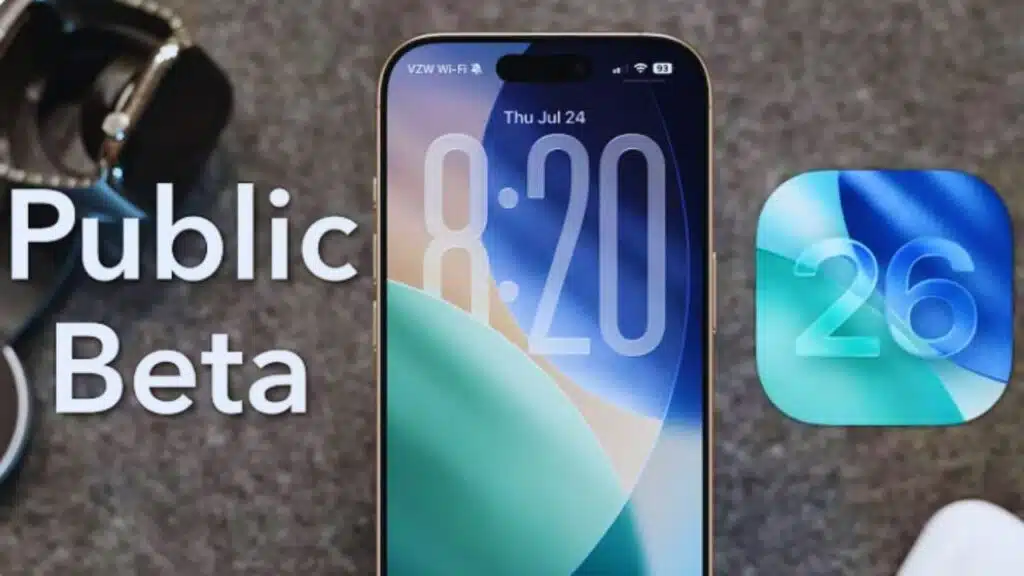
The iOS 26 public beta is a pre-release version of Apple’s upcoming iPhone operating system, now available to anyone enrolled in Apple’s Beta Software Program. It allows users to preview and test out the upcoming features before the final version is released to the general public later in the year — typically around September.
Apple warns that beta software may contain bugs or unfinished features, and is best installed on secondary devices.
This release is significant not only because of its extensive feature list but also because of its visual transformation and integration of advanced AI tools under the umbrella of “Apple Intelligence.”
Full List of iPhones Compatible with iOS 26
iOS 26 is not available for all iPhones. Apple has limited compatibility to newer devices that are powerful enough to run its revamped design and AI features smoothly.
Here’s the complete list of compatible iPhones:
| iPhone Model | Release Year |
| iPhone SE (2nd Gen and later) | 2020+ |
| iPhone 11, 11 Pro, 11 Pro Max | 2019 |
| iPhone 12, 12 Mini, 12 Pro, 12 Pro Max | 2020 |
| iPhone 13, 13 Mini, 13 Pro, 13 Pro Max | 2021 |
| iPhone 14, 14 Plus, 14 Pro, 14 Pro Max | 2022 |
| iPhone 15, 15 Plus, 15 Pro, 15 Pro Max | 2023 |
| iPhone 16, 16 Plus, 16 Pro, 16 Pro Max | 2024 |
Important: The Apple Intelligence suite — including generative AI features — is only available on:
- iPhone 15 Pro
- iPhone 15 Pro Max
- iPhone 16 series
due to the advanced A17 Pro chip and newer hardware requirements.
iOS 26 Key Features: What’s New?
iOS 26 brings design innovation, intelligent calling tools, productivity upgrades, and enhanced on-device AI capabilities. Here’s a closer look at what’s inside:
1. Liquid Glass Design Language
Apple has introduced a stunning new UI called Liquid Glass. This interface uses glass-like transparency, frosted edges, and fluid motion effects that provide a more immersive, futuristic feel across the operating system — from the home screen to control center.
2. Call Screening (Like Google Pixel)
Just like Google’s Pixel phones, Call Screening now lets your iPhone answer unknown calls automatically and shows a live transcript on screen so you can choose whether to take or ignore the call. This is useful for avoiding spam or robocalls.
3. Hold Assist
Sick of waiting on hold with support lines? The new Hold Assist will wait on your behalf, listen to hold music, and alert you the moment a human agent answers the line. This works with banks, airlines, customer care numbers, and more.
4. Apple Intelligence
Available on select iPhones only, this feature includes contextual Siri improvements, AI-generated summaries, auto-prioritization of notifications, and custom writing suggestions in apps like Notes and Mail. Think of it as Apple’s version of ChatGPT, but baked into iOS.
5. Live Translation Upgrades
iOS 26 boosts Apple’s built-in live translation tools, enabling real-time language translation during calls, text messages, and even in audio recordings.
6. Redesigned Camera App
The Camera app now features:
- New intuitive layout
- Improved low-light mode
- Easier access to Pro controls
- Built-in document scanner improvements
7. Updated Phone App
With the new design, the Phone app looks cleaner, and features like Call Screening and Hold Assist are deeply integrated.
8. Group Messaging Enhancements
- Improved reactions and replies
- Smart grouping of photos and media
- Better syncing across iCloud devices
9. Shortcuts and Automations
The Shortcuts app now supports:
- More powerful automation triggers
- Expanded third-party app integration
- New AI-powered suggestions
Things to Know Before You Install iOS 26 Beta
Installing beta software can be exciting, but there are risks involved. Before jumping in, make sure you follow these precautions:
| Tip | Why It Matters |
| Backup Your Device | Use iCloud or your Mac/PC to create a full backup. Beta software can break things. |
| Have Enough Storage | The update needs at least 15GB of free space to install and unpack. |
| Charge Your Phone | Ensure over 50% battery or connect to a charger to avoid interruptions. |
| Use a Secondary Device | Best to test betas on devices you don’t rely on daily. |
| Strong Wi-Fi Required | A stable, fast internet connection ensures smoother downloads. |
| Expect Bugs | Battery issues, app crashes, and performance glitches are common in beta stages. |
Step-by-Step Guide: How to Install iOS 26 Public Beta
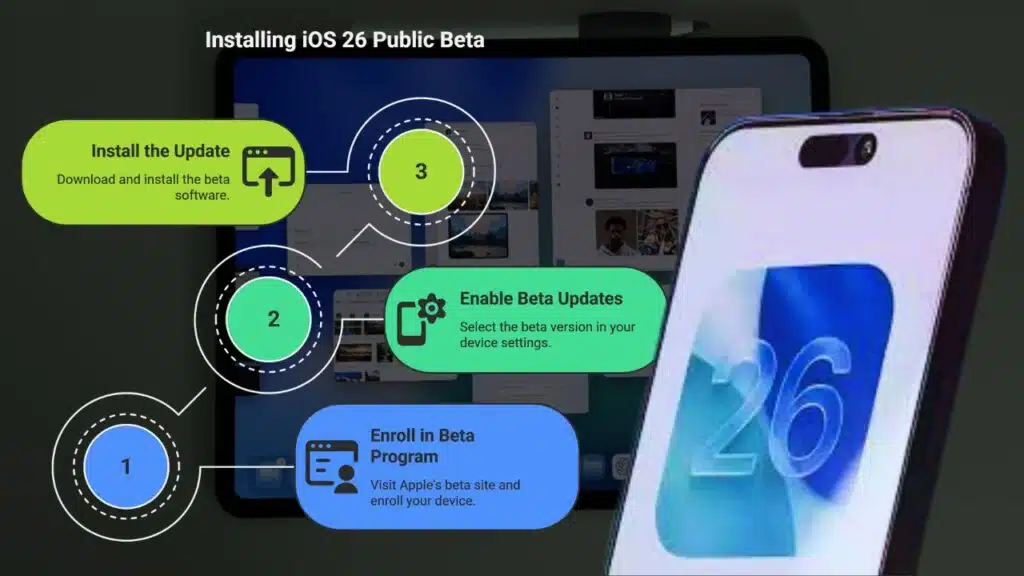
Here’s how to get the iOS 26 public beta on your iPhone:
Step 1: Enroll in the Beta Program
- Visit https://beta.apple.com
- Tap “Sign up” and log in using your Apple ID
- Enroll your iOS device under the Beta Software Program
Step 2: Enable Beta Updates
- Open Settings > General > Software Update
- Tap Beta Updates
- Choose “iOS 26 Public Beta” from the list
Step 3: Install the Update
- Go back to Settings > General > Software Update
- Tap Download and Install
- Follow the prompts — the process takes about 10–15 minutes
Pro Tip: You can schedule the update to install overnight by choosing “Update Tonight” when prompted.
When Will iOS 26 Be Officially Released?
The public beta is available now, but Apple is expected to release the final version of iOS 26 in September 2025, alongside the launch of the iPhone 17. Until then, expect multiple beta updates every few weeks with bug fixes and new features.
Should You Install iOS 26 Beta?
If you love trying new software and don’t mind the occasional bug or app crash, the iOS 26 beta offers a compelling look at the future of iPhone software. The visual redesign, AI-driven Apple Intelligence, and useful features like Call Screening and Hold Assist bring both beauty and functionality.
However, if you rely on your iPhone for mission-critical tasks — or if you’re uncomfortable with potential instability — it’s better to wait for the official release this fall.