


Most solo lawyers do not lose their week in court. They lose it on phone calls, invoices, and paperwork. The right tech tools solo lawyers can use today take that busywork off your plate, so more of your day goes to paid legal work.
The numbers show how big the problem is. Clio’s 2025 report on solo and small firms found that solo lawyers bill only about 27% of an eight-hour workday. That is a little over two hours. This guide covers 10 tools, the exact problem each one fixes, what it costs (where prices are public), and one AI safety rule every solo needs to know.
Why Solo Lawyers Run Short on Time
When you work alone, you are the lawyer, the receptionist, the billing clerk, and the IT person. Every hour spent on admin is an hour you cannot bill. That is why the best tech tools solo lawyers can use focus on three jobs: getting paid, cutting repeat work, and catching every new client call.
The legal tech market also changed fast. AffiniPay renamed itself 8am in August 2025, so MyCase and LawPay now carry the 8am name. Clio bought the research company vLex for $1 billion and closed the deal in November 2025. This guide uses names and prices current as of October 2026.
10 Legal Tech Tools Solo Lawyers Can Use to Save Time
Each pick below solves one clear problem. You do not need all ten on day one. Start with the tech tools solo lawyers can use to fix their biggest time drain, then add more as your caseload grows.
1. Clio Manage: Best Hub for Cases and Billing
Clio Manage keeps your matters, contacts, calendar, time records, and bills in one place. When everything lives in one system, you stop typing the same client name into five apps. Among all the tech tools solo lawyers can use, a practice management system is the base that every other tool plugs into.
Clio connects with hundreds of other apps. As of mid-2026, its pricing page shows only one number: the entry plan starts at $49 per user each month. Higher plans need a sales quote, so ask for the full yearly cost before you sign.
Best for: solos who want a large app library and room to grow.
2. 8am MyCase: Best for Easy Client Communication
MyCase is a simpler rival to Clio. It is known for its client portal, where clients can send messages, view documents, and pay bills without calling you. Fewer “just checking in” calls are real-time saved. If you are comparing tech tools solo lawyers can use for practice management, test MyCase and Clio side by side with free trials.
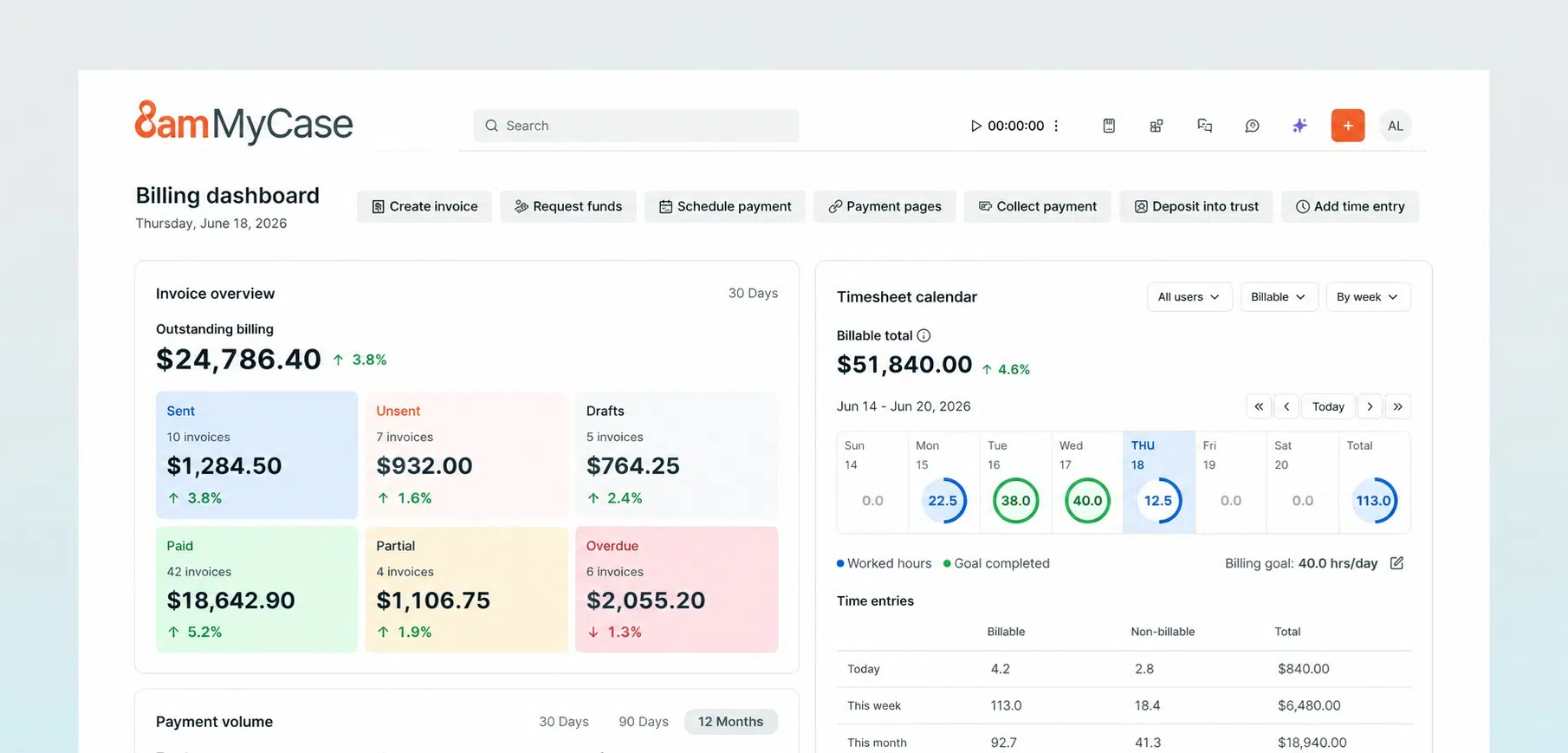
Watch the price. Pricing trackers report that the basic plan rose from $39 to $50 per user each month (billed yearly) in mid-2026. Its AI features, called 8am IQ, sit in the higher plans.
Best for: solos whose clients need frequent updates.
3. Smokeball: Best for Automatic Time Tracking
Many solos forget to log short tasks like a six-minute email or a quick call. Those small gaps add up to lost income. Smokeball’s AutoTime feature records the work you do inside the software and turns it into a daily list of time entries tied to each matter. If you bill by the hour, this is one of the tech tools solo lawyers can use to stop money from slipping away.
Smokeball also fills out court forms and letters with matter details. Pricing is by quote only.
Best for: hourly billers who hate entering time.
4. 8am LawPay: Best for Getting Paid Safely
Taking cards sounds simple, but lawyers have special rules. Client money paid in advance must stay in a trust account, often called an IOLTA account. Many regular card processors take fees out of each deposit, which can break trust account rules. LawPay keeps earned and unearned money apart and takes its fees from your operating account, never your trust account.
That makes it one of the safest tech tools solo lawyers can use for payments. Its listed rate for most cards is about 2.99% plus 30 cents per charge. Clients can also pay by eCheck or use payment plans.
Best for: any solo who takes retainers.
5. vLex Fastcase or Decisis: Best Free Legal Research
This is the tool most lists forget. Every state bar in the U.S. gives members free access to at least one research service, either vLex Fastcase or Decisis, according to a May 2025 review by Duke Law’s library. Many lawyers pay for Westlaw or Lexis without checking this first.
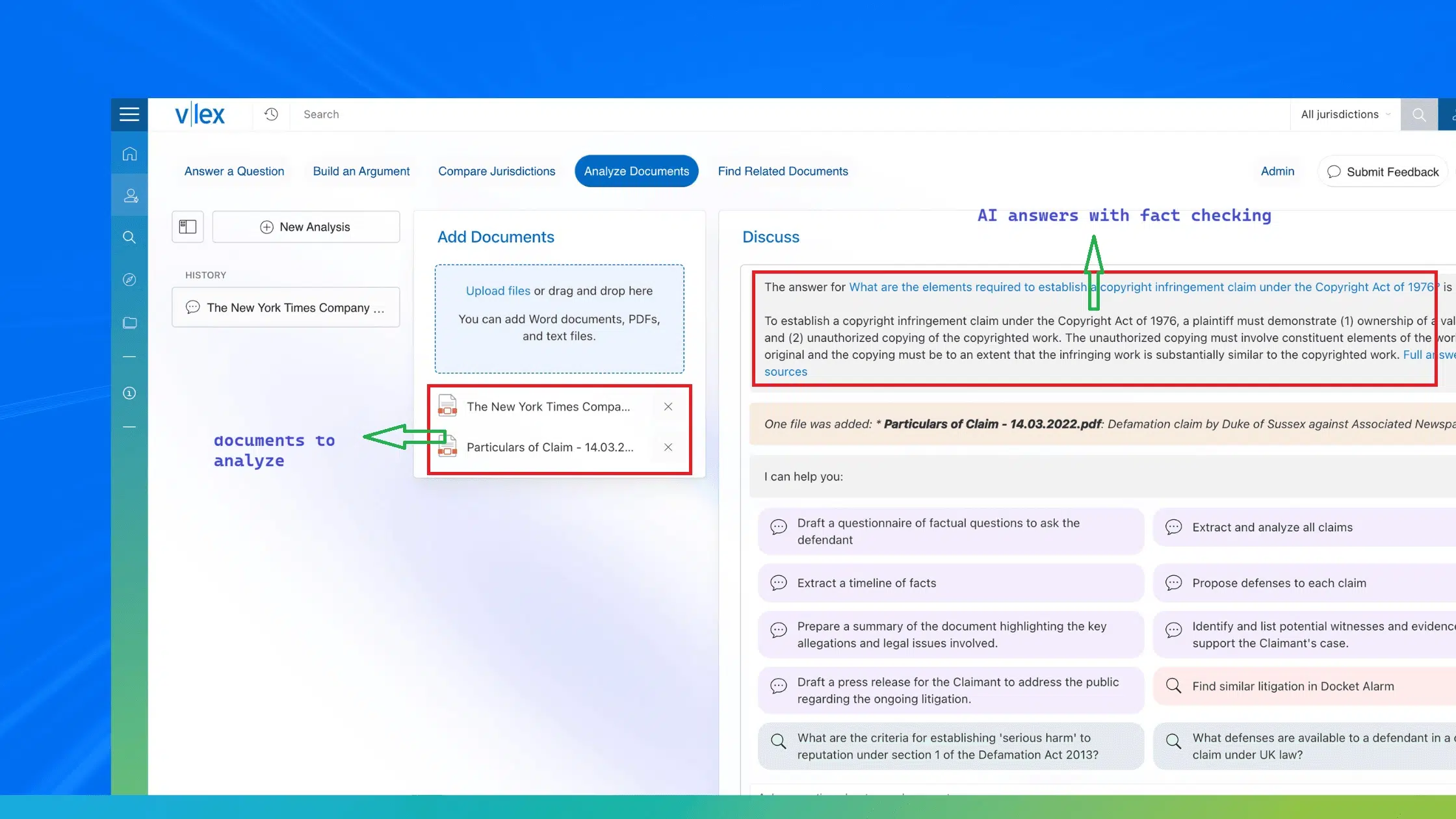
You log in through your bar’s member page. If you need all 50 states, some bars sell an upgrade. New York State Bar members, for example, can unlock the national library for $55 a month. Before you buy premium research, use the free tech tools solo lawyers can use through bar membership.
Best for: every solo, especially new ones.
6. Clio Work: Best AI Research Assistant
Clio Work is Clio’s AI workspace. It runs on Vincent AI and the vLex library, which holds more than one billion legal documents across 110 jurisdictions. It can answer research questions, summarize records, and draft first versions of arguments.
Clio launched it in October 2025 and opened it to solos as a standalone product in April 2026, at a reported starting price near $199 per user each month. Thomson Reuters CoCounsel is the main rival. Both are strong tech tools solo lawyers can use for research, but read the AI safety rule below before you file anything they write.
Best for: litigators who research often.
7. Spellbook: Best for Contract Drafting in Word
If you write contracts, Spellbook works right inside Microsoft Word. It suggests clauses, flags risky terms, and helps with redlines, so you never switch apps. Product listings say more than 4,000 legal teams use it. For deal work, it is one of the tech tools solo lawyers can use to cut drafting time.
Spellbook does not post its prices, but it offers a seven-day free trial.
Best for: business and transactional lawyers.
8. Gavel: Best for Document Automation
Gavel, formerly Documate, turns your own Word and PDF templates into smart forms. A client answers questions online, and Gavel builds the finished document with the right names, dates, and clauses. You set up these workflows without writing code. It connects with Clio, DocuSign, and Zapier.
For estate planning, family law, or any practice with repeat documents, Gavel is one of the tech tools solo lawyers can use to stop retyping the same forms.
Best for: practices with high document volume.
9. Smith.ai: Best Virtual Receptionist
A missed call can be a lost client, and you cannot answer the phone during a hearing. Smith.ai mixes an AI receptionist with live human agents who can screen new callers, book consultations, and send details to Clio or MyCase.
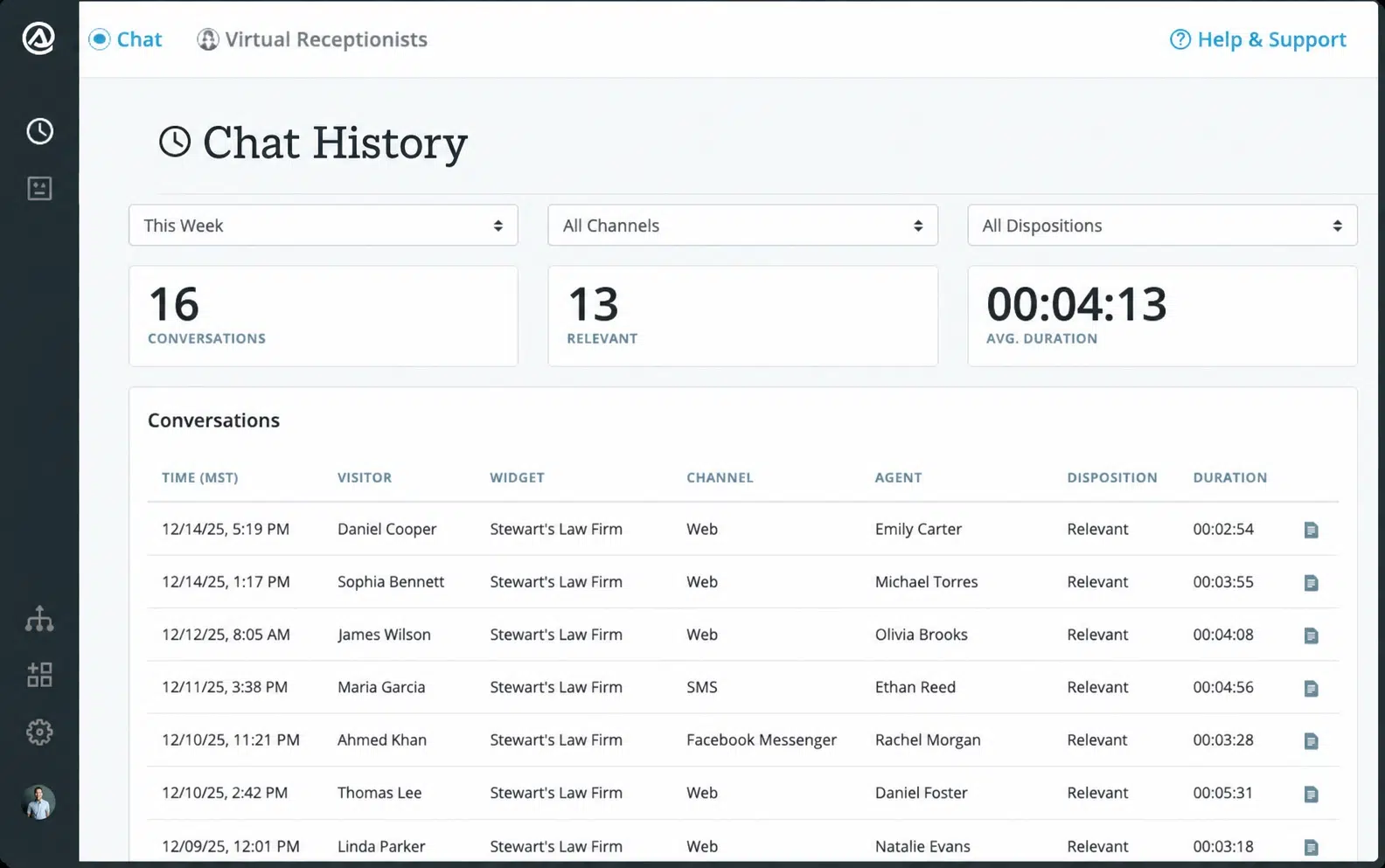
Its AI-only plan starts near $95 a month, and human plans start at $292.50 a month for 30 calls. Ruby is the main all-human option. This matters most in fields like personal injury, where callers often want fast answers about how personal injury lawyers help calculate settlements. Among the tech tools solo lawyers can use, a receptionist service protects new business while you work.
Best for: solos who spend hours in court or meetings.
10. Calendly: Best Low-Cost Scheduling
Back and forth emails to set a meeting waste more time than most lawyers notice. Calendly gives clients a link to pick an open slot that syncs with your Google or Outlook calendar. The free plan covers one meeting type, and paid plans start around $10 a month. It is the cheapest of the tech tools solo lawyers can use on this list, and it fits right on your website’s contact page.
Best for: solos who book many consultations.
Which Tools Should You Start With?
You do not need to buy everything at once. Here is a simple way to choose the tech tools solo lawyers can use based on where your practice is today.
| Stage | Start with | Why it helps |
|---|---|---|
| Just opened | Free bar research, Calendly free plan, LawPay | Covers research, booking, and payments at low cost |
| Growing caseload | Clio, MyCase, or Smokeball (pick one), plus Smith.ai | One home for every case and no missed calls |
| Busy practice | Gavel or Spellbook, plus Clio Work or CoCounsel | Automates drafting and speeds up research |
One tip: before you buy, ask each vendor if it connects with your practice management system. Connected tools save the most time.
The AI Safety Rule Every Solo Must Follow
AI can save hours, but it can also invent cases that do not exist. A public database run by researcher Damien Charlotin listed more than 1,600 court cases with fake AI content by June 2026. Courts have fined lawyers, and some have been sent to their state bar for discipline.
The ABA’s Formal Opinion 512, issued in July 2024, says lawyers who use generative AI must stay competent, protect client information, keep clients informed, and charge fair fees. In plain words: read and check every citation yourself before you file.
Clio’s 2026 survey found that 71% of solos use AI, yet 57% have no written AI policy. Even the best tech tools solo lawyers can use need a simple one-page rule: what client data goes in, who checks the output, and how you bill for AI time. For a bigger picture, see our expert take on whether AI will replace lawyers by 2030.
Frequently Asked Questions (FAQs)
Here are quick answers to common questions about tech tools solo lawyers can use.
What software do most solo lawyers use?
Most solo lawyers use a practice management system such as Clio, MyCase, or Smokeball, plus a payment tool like LawPay. These are the core tech tools solo lawyers can use to run cases and billing from one place. Research and scheduling tools usually come next.
Is Clio worth it for a solo practitioner?
Clio is worth it if you want many app connections and room to grow. Its entry plan starts at $49 per user each month, and higher plans need a quote. Since Clio, MyCase, and Smokeball are all popular tech tools solo lawyers can use, try the free trials and pick the one that fits how you work.
Can lawyers use ChatGPT for legal work?
Yes, with care. ABA Formal Opinion 512 allows generative AI if you protect client data, check the output, and bill fairly. General chatbots are behind many fake citation cases, so legal AI built on real case law is the safer choice among tech tools solo lawyers can use for research.
How can a solo lawyer get free legal research?
Log in to your state bar’s member page. Every state bar offers free access to vLex Fastcase or Decisis. It is the easiest of the free tech tools solo lawyers can use, and it covers your state’s cases and statutes.
How much should a solo lawyer spend on legal tech?
There is no set number. A lean starter setup can cost under $100 a month before card fees, using free bar research, Calendly’s free plan, and an entry practice management plan. Judge the tech tools solo lawyers can use by the hours they save. If a $50 tool frees up two billable hours a month, it pays for itself.
Final Thoughts
The best tech tools solo lawyers can use are the ones that fix your biggest time leak first. For most solos, that means one practice management system, safe online payments, and free bar research. Add AI and automation once the basics run well, and always check AI work before it reaches a court or a client. Pick one tool this week, track the hours it saves, and build from there.






















