


Fraud prevention can feel like guarding Fort Knox. You keep an eye on your credit report, but you still worry. You may fear a stranger could open a loan in your name. Freezing your credit can help.
A credit freeze is free and it does not hurt your credit score. We show you 7 ways to freeze your credit, from online steps to mail forms, and when each method fits your life. You will learn how to set a PIN, lock down your credit file, and lift the freeze fast if you need new credit.
Then, we share tips on credit monitoring so you can spot odd moves and stay ahead of identity theft. Keep reading.
Key Takeaways
- You can freeze your credit for free with Equifax, Experian, and TransUnion. It won’t hurt your credit score and blocks new loan or card requests.
- Use seven methods: online (locks in one business day), phone calls (takes 24 hours), mail (takes three business days), PIN setup, temporary lift, and ongoing credit monitoring.
- Set a strong PIN or password for each bureau, store it in a safe place, and test an unfreeze to learn the one-hour lift process.
- After major breaches—like 184 million passwords exposed in May 2025 or 16 billion logins in June 2025—freeze immediately. Also act when you spot odd charges, lose your wallet, or face identity theft.
- Check your credit reports monthly, get free FICO scores from Experian, and enable alerts to catch fraud fast.
Contact the Three Major Credit Bureaus
Call Equifax, Experian, and TransUnion on their customer service numbers or use their online portals to lock your credit report today. Pick a PIN that you can recall, this code helps you lift the freeze in minutes. Act now, shield your personal data and stop identity thieves in their tracks.
Freeze Your Credit Online for Convenience
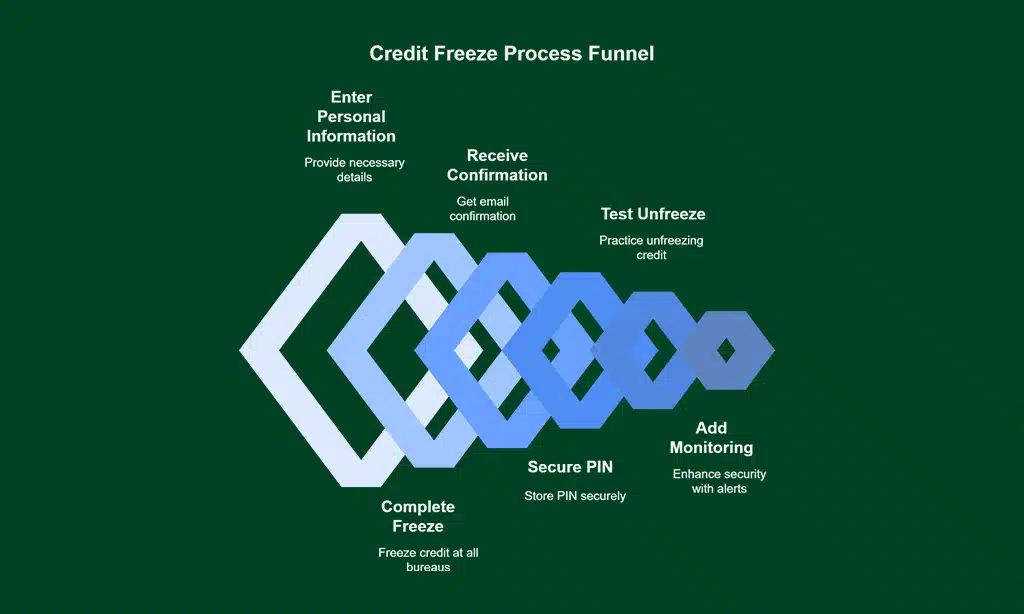
Online credit freezing cuts wait time. It stands as the fastest way to lock your credit file.
- Use a bureau’s secure portal to start a credit freeze online. Enter name, SSN, and address to guard your credit report.
- Complete a free credit freeze for each major bureau in one session to shield your credit score. I spent under 30 minutes across all three sites.
- Watch for a confirmation email that shows the freeze is in place. Bureaus process requests within one business day.
- Note the PIN or password you create to manage your lock. Store it in a secure password vault.
- Test an online credit unfreeze to learn the process. That action clears holds in under one hour, ideal for quick loans.
- Add credit monitoring tools after freezing. These alerts boost fraud prevention, credit security, and financial protection.
Place a Freeze by Phone for Quick Access
A phone call starts a credit freeze fast.
It gives you strong fraud prevention.
- Call Equifax at 888-298-0045 to freeze your credit file, stop unauthorized accounts, and get a notice that the freeze takes effect in 24 hours.
- Dial Experian at 888-397-3742, share your Social Security number, birthday, and address, and know the bureau must pause new inquiries by tomorrow.
- Reach TransUnion at 800-916-8800, ask for a credit lock, share your details, and see your report secure after a brief wait.
- Have your Social Security number at hand, verify your identity in a quick call, and hear the rep confirm the freeze on your credit report.
- Store the PIN or password you get in a safe spot, so you can lift the freeze for a new card or loan and keep your personal information secure.
Use Mail as an Alternative Method
Mail works well for a credit freeze. It gives solid financial security.
- Send a written freeze request to one credit bureau at its P.O. Box address, for example Equifax Info Services LLC P.O. Box 105788, Atlanta, GA 30348-5788, Experian Security Freeze P.O. Box 9554, Allen, TX 75013 or TransUnion P.O. Box 160, Woodlyn, PA 19094.
- Include your full name, current address, date of birth, Social Security number and a copy of an ID or utility bill.
- Sign the letter and state that you want a credit freeze on your credit file to block fraud.
- Mail your sealed envelope via certified mail for tracking and to prevent unauthorized access.
- Track the certified mail and note that bureaus process requests within three business days before locking the report.
- Save your delivery receipt and a copy of the letter for identity theft prevention and personal information security.
Set Up a Personal PIN or Password
Equifax assigns a PIN when you freeze your credit. TransUnion lets you pick or reset that PIN on its website or over the phone. Experian offers an option to create or generate a code you know or save.
These codes lock your credit file tight.
You type your code to lift a credit freeze for a new loan or card. This step adds financial protection and blocks unauthorized access. Store the PIN like a time capsule, only you know where it sits.
A strong secret code builds a solid wall around your credit report.
Understand How to Temporarily Lift a Freeze
Loan officers peek at your credit file before they approve a loan. You lift the freeze for just a bit, then slam it shut again.
- Use the online portal of each credit bureau, log into your account, request a free, temporary lift of your credit freeze, then watch it clear in one hour.
- Call each bureau’s phone line, share your personal identification number or password, state how long you need the freeze lifted, they process your request in under sixty minutes.
- Mail a signed request to every bureau, include full name, Social Security number, and address, then wait three business days for them to lift your credit freeze.
- Specify a start and end date for your thaw on all requests, this step cuts down opportunities for unauthorized access.
- Check your credit report through free annual reports or a credit monitoring tool, confirm the lift went live and note the refreeze date.
- Store your PINs securely in a locked drawer or digital vault, you speed up future credit locks and boost personal information security.
Monitor Your Credit Regularly After Freezing
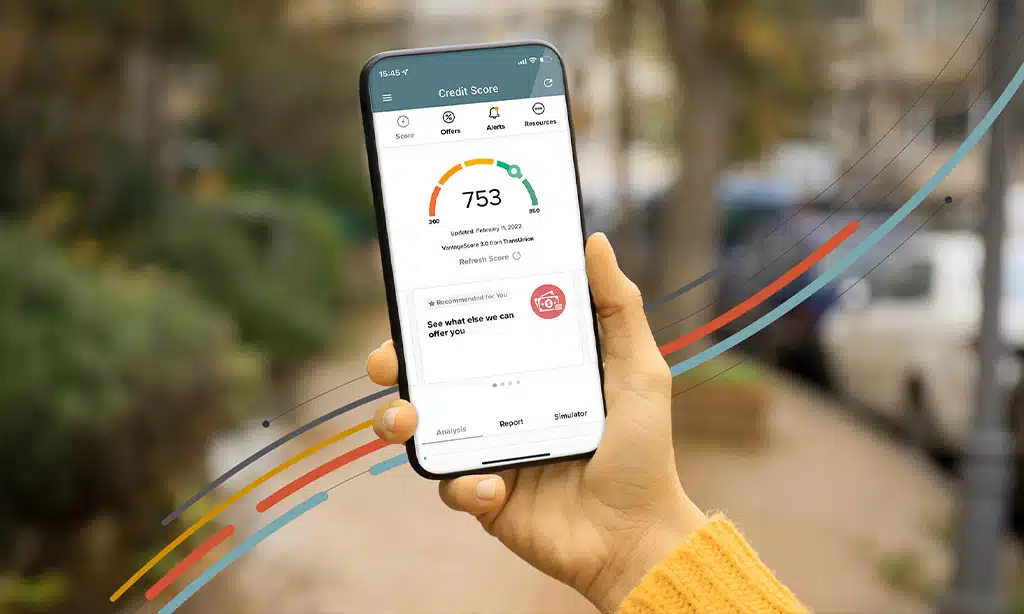
Credit freeze locks block new credit checks, but they leave your active cards wide open. Check your credit report at each credit bureau every month, so you spot odd moves fast. You can snag free FICO scores and reports from Experian, they cost nothing.
Annual credit reports deserve a close look; mark any odd charges or accounts you don’t recall.
Set up credit monitoring alerts, they flag unauthorized access in a flash. Picture them as security cameras for your credit file. This step keeps you one jump ahead of identity theft and financial fraud.
When You Should Consider Freezing Your Credit
Think of waking up to an email about a major data breach at your favorite retailer. Over 184 million passwords flew into the wrong hands in May 2025, and 16 billion login credentials fell prey by June 2025.
That kind of news should set off alarm bells. Spotting a fraud alert about odd credit card charges? A free credit freeze with Equifax, Experian, or TransUnion locks down your credit file in minutes.
Losing your wallet or key documents feels like a gut punch, so sealing your personal information security quickly helps block unauthorized access.
A sudden alert about strange bank withdrawals can jar anyone awake. Being the victim of identity theft or fraud hurts more than your wallet. Parents who guard a child’s credit can file a freeze to shield a young credit report from sneaky fraudsters.
Freezing your credit won’t ding your credit score, and it works like a sturdy credit lock. Lifting that lock takes a moment, but it keeps your financial security tight until you’re ready.
Takeaways
Freezing your credit is one of the most effective and proactive ways to protect yourself from identity theft and financial fraud. By placing a credit freeze, you restrict access to your credit reports at the major credit bureaus—Equifax, Experian, and TransUnion—making it nearly impossible for identity thieves to open new credit accounts in your name without your permission. This safeguard is especially important in today’s environment, where data breaches exposing sensitive information like Social Security numbers have become increasingly common.
The best part is that freezing your credit is free, does not affect your credit score, and can be easily lifted or reinstated whenever you need to apply for new credit. However, it’s important to remember that a credit freeze only blocks new credit inquiries; it does not prevent fraud on your existing accounts or stop scammers from using other personal information. Therefore, it should be used as part of a comprehensive identity protection strategy that includes monitoring your accounts, using strong passwords, and staying vigilant against phishing attempts.
FAQs on Ways to Freeze Your Credit
1. What is a credit freeze and how does it guard me?
A credit freeze stops new lenders from checking your credit file, it locks down your record like a suit of armor to block thieves. That adds credit security, fraud prevention, and identity theft prevention. It gives strong financial protection and personal information security.
2. How do I freeze your credit with each credit bureau?
It is as easy as pie. You go to each credit bureau site or call their number, you share your personal info and credit report details, they set the freeze and send you a PIN or password. Then your credit file is locked tight.
3. Can I get a free credit freeze?
Yes, the law lets you place a free credit freeze at each bureau at no cost. This boosts your credit protection. It also helps you keep watch on your credit score without fees.
4. Will freezing my credit hit my credit score or block credit monitoring?
No. Freezing your credit does not change your credit score. It does not stop credit monitoring for your active accounts. You can still see updates on your credit report.
5. When should I freeze and when should I unfreeze?
Freeze your credit after a breach or if you see signs of fraud, it shields against unauthorized access. Unfreeze when you apply for a loan, open new accounts, or want a quick credit lock for fast turns.





















