Games should be fun for everyone, right? But for some players, disabilities can make gaming hard or even impossible. Small text, tricky controls, and no sound options are common roadblocks that keep games out of reach.
Good news: this is changing fast! Video game developers now add accessibility features like customizable controls and subtitles. These tools open the door for many gamers who felt left out before.
In this blog, you’ll learn how these changes are making a big difference in modern games. Keep reading—you don’t want to miss it!
The Importance of Accessibility in Modern Games
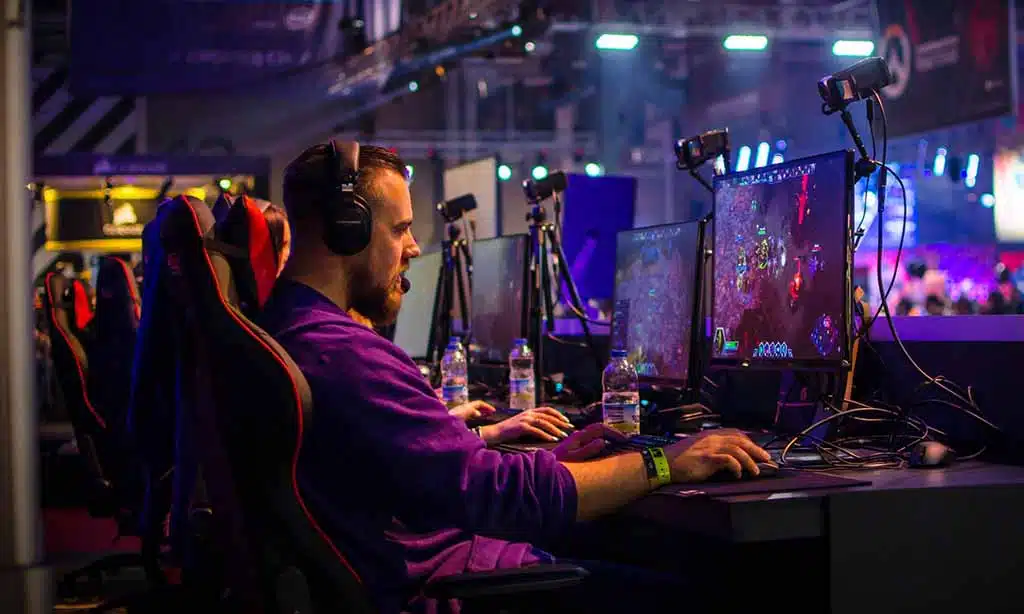
Accessibility helps more people enjoy video games. Gamers with disabilities can now play using tools like adaptive hardware or customizable controls. These features make it easier for those with fine motor control issues to participate.
Subtitles and text-to-speech options let deaf and hard-of-hearing players follow stories without missing key details.
Difficulty settings have transformed over the years, too. Games like *God of War: Ragnarök* offer flexible modes for all skill levels. Visual aids like high-contrast settings or colorblind modes assist gamers who struggle with certain visuals.
Developers create experiences that work for everyone, ensuring fairness and fun across the board.
Good accessibility is good design, says AbleGamers Foundation CEO Mark Barlet, championing inclusive gaming improvements worldwide!
Key Accessibility Features Transforming Gaming
Game developers now add features that help everyone play. These tools break barriers and create better gaming for all.
Customizable Controls and Key Bindings
Players can now change controls to fit their needs. Many video game developers allow full remapping of buttons. This helps people with fine motor control issues enjoy gaming. For example, in “The Last of Us Part II,” players can swap actions like jump or crouch to easier keys.
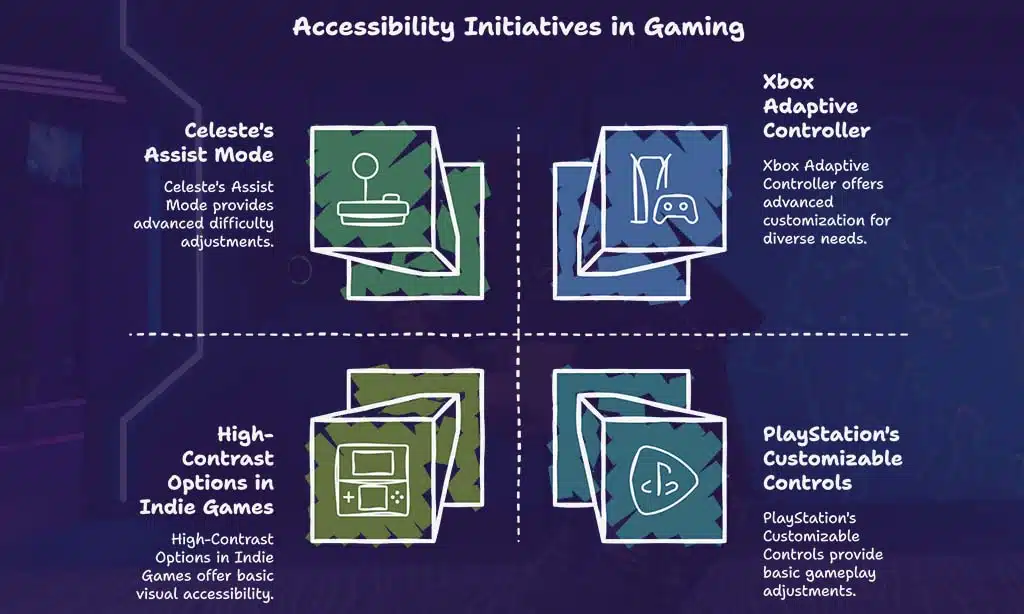
Adaptive hardware adds even more options. Devices like the Xbox Adaptive Controller work with multiple setups for physical disabilities. Customizable controls are not just extras; they make games open to everyone, no matter how they play.
Subtitles and Closed Captioning
Subtitles help gamers with hearing disabilities follow the story. Closed captions take it further. They show sound effects like “door creaks” or “explosion.” This helps players fully experience games, even without sound.
Games like *Marvel’s Spider-Man* and *Call of Duty Modern Warfare* now offer these features. Players can adjust text size, color, and background for easier reading. These options make gaming more inclusive for everyone.
Colorblind Modes and High-Contrast Settings
Colorblind modes help players with visual disabilities enjoy games. These settings adjust colors to make objects and details easier to see. For example, “Fortnite” offers options for different types of colorblindness, like Deuteranopia or Tritanopia.
High-contrast settings add bold outlines and bright contrasts to game elements. This makes text, menus, and icons stand out more clearly against backgrounds.
Games like “Marvel’s Spider-Man” use features that benefit all players, not just those with disabilities. Clearer visuals reduce eye strain and improve focus during gameplay. Developers follow game accessibility guidelines to design these tools thoughtfully.
Making visuals accessible boosts inclusivity and creates better user experiences for everyone involved in gaming.
Text-to-Speech and Screen Readers
Text-to-speech tools read game text out loud. This helps players with visual disabilities or reading challenges. Screen readers enhance this by converting on-screen menus and information into speech.
Both features improve accessibility in video games.
Games like “Spider-Man: Miles Morales” use these technologies effectively. They help more players enjoy the story without barriers. Voice assistants also assist gamers by guiding them through tasks hands-free, improving ease of play for all users.
Industry Leaders Driving Accessibility
Big companies and small developers are changing how games include everyone. They use new tools, ideas, and player input to make gaming better for all.
Xbox Accessibility Initiatives
Xbox has taken big steps to make gaming easier for everyone. The Xbox Adaptive Controller is a great example. It helps players with limited mobility use custom setups that fit their needs.
This controller works well with other assistive technologies, like switches or joysticks.
Game accessibility guidelines are also part of Xbox’s efforts. Developers are encouraged to add features like text-to-speech, high-contrast settings, and customizable controls in their games.
With options like these, more gamers can enjoy titles on platforms such as Xbox Game Pass without barriers holding them back.
PlayStation’s Inclusive Features
PlayStation has added big features for accessibility in gaming. The PS4 and PS5 let players change controls, making games easier to play for those with disabilities. For example, Marvel’s Spider-Man and God of War include adjustable difficulty levels and assist modes.
Screen readers help visually impaired gamers by reading out text in menus. Speech recognition tools can make chatting simpler during gameplay. High-contrast settings improve visibility for those with visual disabilities, creating a more accessible experience for all players.
Innovations by Independent Developers
Indie developers are pushing boundaries in accessibility. Many small studios now create games with customizable controls, assist modes, and adaptive hardware support. For example, the game *Celeste* added an Assist Mode that allows players to tweak difficulty settings for better access.
These creators also focus on visual disabilities. Some indie titles include high-contrast options or colorblind modes. Developers use these features to open their games to more players, proving you don’t need a big budget to make inclusive gaming possible.
The Role of Players in Shaping Accessibility
Players speak up, and game studios listen. Their input sparks better features for accessible gaming.
Feedback from Player Panels
Player panels help game developers create more accessible games. They give real feedback from gamers with disabilities, highlighting what works and what doesn’t.
- Game studios gather input from players with visual disabilities, fine motor control needs, and other challenges to improve accessibility features.
- Panels often test assist modes, adaptive hardware like controllers, or customizable controls that benefit everyone.
- Developers use player input to adjust features such as subtitles, colorblind modes, and screen readers for better usability.
- Advocacy groups like AbleGamers help bridge the gap between players and developers by sharing detailed insights from gamers with disabilities.
- Feedback shapes new features like text-to-speech tools or speech recognition technologies in modern games for an inclusive design experience.
- Panels also influence big titles like Marvel’s Spiderman or God of War, pushing for settings designed for diverse players’ needs.
- Independent developers rely heavily on this feedback because it helps meet recommended game accessibility guidelines without expensive trial-and-error testing.
Contributions of Advocacy Groups like AbleGamers
AbleGamers helps gamers with disabilities enjoy video games. They provide adaptive hardware, like customized controllers and switches. These tools make gaming accessible for those with fine motor control challenges or visual disabilities.
This group also works with game developers to follow game accessibility guidelines. By sharing feedback, they inspire inclusive designs in big studios and independent developers alike.
AbleGamers demonstrates how accessible gaming benefits all players while creating more user-friendly experiences for everyone.
Takeaways
Games are changing for the better. Accessibility options now let more people play, enjoy, and connect. Features like customizable controls, text-to-speech tools, and colorblind modes make a world of difference.
Game developers listen to players with disabilities and create solutions that work. Studios big and small lead this movement with heart and care. Why not ask yourself—what games do you think could improve next? Every gamer should feel included because gaming is for everyone.
FAQs
1. What is accessibility in video games?
Accessibility in video games means adding features that help gamers with disabilities play and enjoy games. These include options for visual disabilities, fine motor control, or hearing challenges.
2. How are game developers improving accessibility?
Game developers use tools like customizable controls, adaptive hardware, and assist modes to make their titles more inclusive. Many follow game accessibility guidelines to reach more players.
3. Can indie developers create accessible gaming experiences?
Yes! Indie developers often lead the way by designing inclusive gaming features like eye tracking or speech synthesis, ensuring everyone can join the fun.
4. Are there examples of popular games with strong accessibility features?
Games like “God of War,” “Spiderman: Miles Morales,” and “Street Fighter 6” have added settings for better access, helping gamers with different needs feel included.
5. How does artificial intelligence support accessible gaming?
AI chatbots, machine learning algorithms, and image recognition improve interfaces for players using adaptive controllers or web-based systems.
6. Why do game studios work on accessible design now more than before?
Groups like The AbleGamers Foundation push awareness about disability inclusion in gaming communities. Plus, tools like natural language processing and virtual worlds open new doors for innovation every day!