Learning about smart contracts might seem tricky. You may hear people talk about blockchain technology, cryptocurrencies, or decentralized applications and feel lost. Maybe you’ve wondered how these digital agreements work or how to create one yourself.
Here’s the good news: building a smart contract is simpler than it sounds. These tiny programs run on the Ethereum blockchain and follow clear instructions automatically. In this guide, you’ll learn step-by-step with beginner-friendly tools like MetaMask Wallet, Solidity programming language, and Hardhat.
Stick around—you’re closer to creating your first contract than you think!
Setting Up Your Development Environment

Start by creating the right setup for developing smart contracts. You’ll need specific tools to connect with the Ethereum blockchain and begin coding.
Install MetaMask Wallet
Download MetaMask from the Chrome Web Store. Install it as an extension in your web browser, like Google Chrome or Brave. This wallet acts as a bridge to access Ethereum blockchain networks.
Set up an account after installation. Create a strong password and back up your seed phrase. The seed phrase is essential for wallet recovery if you lose access. Don’t share this with anyone!
Connect to the Ethereum Network
Open your MetaMask wallet. Switch to the Ethereum blockchain network in its settings. Use the “Networks” tab and select a testnet like Goerli or Sepolia for practice. These networks mimic Ethereum’s mainnet but use test Ether instead of real money.
To get test Ether, find a faucet online, such as Goerli Faucet, and input your wallet address. Test Ether helps pay for gas fees during deployments without spending actual crypto assets.
Always verify you’re on a secure site before claiming tokens!
Install Hardhat and Initialize a Project
Download Node.js first. It’s free and needed for Hardhat. Open your terminal or command prompt and type: `npm install –save-dev hardhat`. This gets Hardhat onto your computer.
Next step, set up a project folder. Inside it, run the command: `npx hardhat`. Follow the prompts on-screen to create a new project. Choose “Create an empty hardhat.config.js.” This file sets up rules for building smart contracts with Solidity programming language later.
Preparing to Build Your Smart Contract
You need a few tools before you start coding. Get ready to set up folders, grab test ether, and create an account for Ethereum work.
Create an Ethereum Account
Download the MetaMask wallet from its official site or browser extension store. Install it to your preferred device. Follow the steps to create a new wallet, set up a strong password, and back up your secret recovery phrase.
This recovery phrase is crucial—if lost, you cannot access your digital currency again.
After setting up MetaMask, connect it to the Ethereum blockchain using “Ethereum Mainnet” as default. Your account will hold an address starting with “0x”. This address allows transactions like sending or receiving Ether and deploying smart contracts on blockchains.
Keep this info private for security reasons.
Guard your keys like treasure; they unlock everything in crypto.
Acquire Test Ether from a Faucet
Test Ether is fake money for practice. Open your MetaMask wallet and copy your account address. Visit a trusted Ethereum faucet like Goerli or Sepolia Testnet Faucet. Paste your wallet address there.
Press the “Send” button to request test ether. Wait a few seconds, then check MetaMask for the tokens. These tokens pay gas fees when deploying contracts with Hardhat on an Ethereum blockchain test network.
Set Up Hardhat Project Folders
Open your project folder in a file explorer. Inside, create folders named “contracts,” “scripts,” and “test.” The “contracts” folder will hold your Solidity code. Store deployment scripts in the “scripts” folder.
Use the “test” folder for writing tests to check your smart contract.
Include a “hardhat.config.js” file at the root of the directory. This file configures Hardhat tools like plugins and networks, making it essential for managing tasks like compiling or deploying contracts on Ethereum’s blockchain.
Proper setup saves time during development!
Writing Your Smart Contract
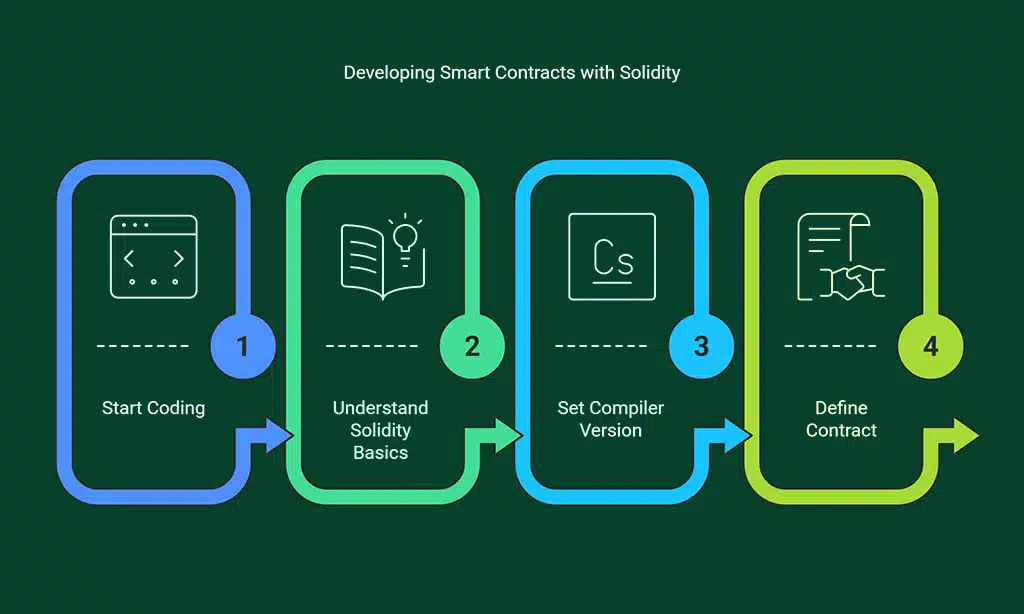
Start coding your smart contract using Solidity, a powerful programming language for building on the Ethereum blockchain—get ready to bring your ideas to life!
Understand Solidity Basics
Solidity is a statically typed language used for writing smart contracts. It works on the Ethereum Virtual Machine (EVM). Developers use it to set contract rules, handle transactions, and store data securely.
Solidity’s syntax looks like JavaScript but includes unique features for blockchain needs. You’ll find integers, booleans, arrays, and string types commonly used in code. State variables hold permanent data on the Ethereum blockchain.
Functions in Solidity perform actions like transferring funds or updating balances. A constructor function runs only once when deploying a contract. Visibility keywords control who can access specific functions or data: public means anyone can access it; private keeps details hidden from others.
Mastering these basics unlocks the power to build decentralized applications (DApps) with confidence using tools like Remix IDE and Hardhat!
Create Your First Contract Code
Start with a basic contract in Solidity programming language. Use `pragma solidity ^0.8.0;` to set the compiler version at the top of your file. Write `contract SimpleContract {}` to define your contract inside curly braces.
Add a state variable like `uint public myNumber;`. This creates an unsigned integer that anyone can read on the Ethereum blockchain.
Inside the contract, add functions for interaction. Use a `constructor()` to initialize values when deployed. For example, use `myNumber = 10;` inside it. Create another function like `setNumber(uint _num) public { myNumber = _num; }`.
This allows users to change the value stored in your smart contract by calling this function and paying gas fees through their MetaMask wallet on Ethereum’s network. Always test your code on Remix IDE or Visual Studio before deploying!
Deploying Your Smart Contract
Bring your code to life by deploying it on a testnet, where your smart contract meets its first challenge!
Compile the Contract with Hardhat
Hardhat makes compiling easy. Run the `npx hardhat compile` command in your terminal. This step checks your Solidity code for errors. It then converts it into bytecode, which runs on the Ethereum Virtual Machine (EVM).
If there is a problem with your code, Hardhat will show an error message. Fix those issues and recompile until everything works smoothly. Compilation also creates an ABI file, which helps other programs talk to your smart contract later.
Write and Execute the Deployment Script
Start by creating a new JavaScript file in your project folder. Name it something like `deploy.js`. Use Hardhat’s libraries to write the script. Import `ethers` from Hardhat at the top of the file.
Call the deployment function inside an asynchronous block. Load your smart contract using its name from your compiled files. Deploy it with the necessary gas fees and arguments, if any, defined earlier.
Once deployed, store its address for later use on decentralized applications (dapps).
Deploy to a Testnet Using MetaMask
Open MetaMask and switch to a test network, like Rinkeby or Goerli. These networks simulate Ethereum without real money. Use a faucet to get test Ether for free. Faucets are websites that send small amounts of fake cryptocurrency to your wallet.
Copy your wallet address from MetaMask. Paste it into the faucet’s request box, then claim your test Ether. Run Hardhat’s deploy script in the terminal to deploy the smart contract on the selected testnet.
After deployment, check MetaMask for the transaction details, including gas fees used during this process.
Takeaways
You now know how to set up, write, and deploy your smart contract. Tools like MetaMask, Hardhat, and Solidity make the process smooth. Building on Ethereum is practical for beginners and full of potential.
What will you create with this new skill? Start coding today and explore endless ideas!
FAQs
1. What is a smart contract, and where can it be used?
A smart contract is a computer protocol that runs on a public blockchain like Ethereum. It automates agreements in areas like supply chain management, decentralized finance (DeFi), or even rental agreements with landlords.
2. Which programming language should I use to build a smart contract?
You can use Solidity, an object-oriented programming language designed for the Ethereum Virtual Machine (EVM). It’s widely used for creating decentralized applications (dApps).
3. How do I start writing my first smart contract?
Use Remix IDE, which is browser-based and easy for beginners. You’ll also need MetaMask wallet to interact with the Ethereum blockchain and pay gas fees during deployment.
4. What are some key concepts I need to learn before coding?
Understand state variables, local variables, data types like boolean states or associative arrays, constructors, and functions called within your code’s scope.
5. How much does deploying a smart contract cost?
The cost depends on gas fees at the time of deployment on the Ethereum network. Gas prices vary based on network activity.
6. Can I test my smart contracts without spending money upfront?
Yes! Use test networks supported by frameworks like Remix IDE or package managers for development environments to avoid real costs while learning scripting languages effectively.