Have you ever wondered why visitors land on your website but leave within seconds without engaging? A high bounce rate indicates that users are not finding what they need or are experiencing frustration with your site.
This can hurt your SEO, lower your conversion rates, and reduce your overall business revenue.
In this guide, we’ll explore 7 key strategies to reduce website bounce rate, helping you create a more engaging, user-friendly experience. Whether you’re a blogger, e-commerce owner, or digital marketer, these proven tactics will keep visitors on your site longer and improve your website’s performance.
Understanding Website Bounce Rate
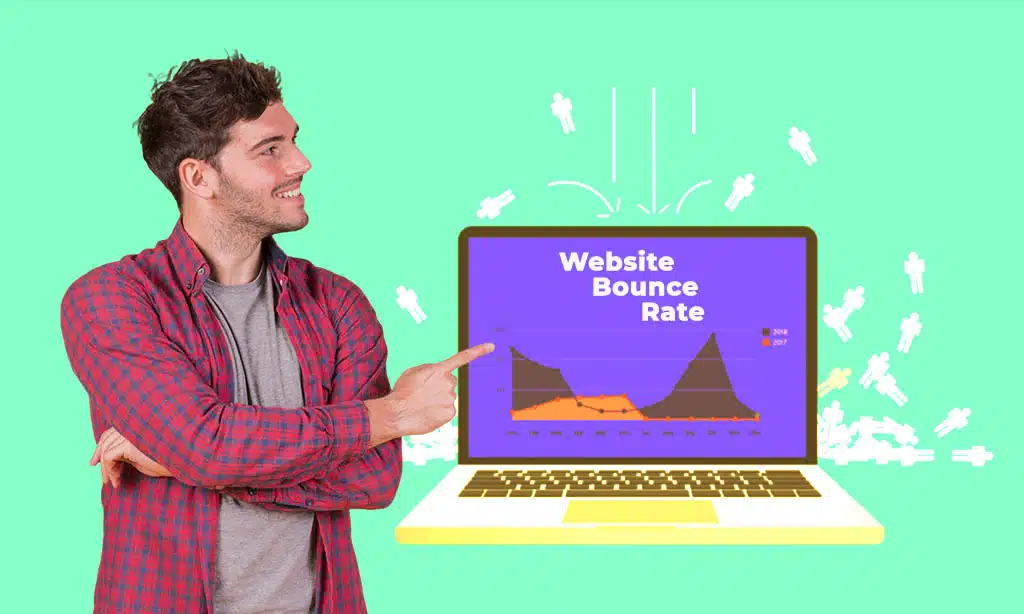
Bounce rate is the percentage of visitors who land on a webpage and leave without interacting with any other pages. Google Analytics calculates bounce rate based on single-page sessions. A high bounce rate often indicates that users didn’t find what they were looking for or faced usability issues.
Why High Bounce Rate is a Problem
A high bounce rate can negatively impact your website in multiple ways:
- Lower SEO Rankings: Google considers high bounce rates as a sign of poor user experience.
- Decreased Conversions: If visitors leave quickly, they aren’t taking the desired actions.
- Poor Engagement: Users aren’t exploring your site, leading to lower brand trust.
To counter these issues, implementing key strategies to reduce website bounce rate is essential.
7 Key Strategies to Reduce Website Bounce Rate
Reducing website bounce rate is crucial for maintaining user engagement and improving SEO rankings. By implementing key strategies to reduce website bounce rate, you can ensure visitors stay longer and interact more with your content. Below are seven proven techniques to enhance user retention and reduce bounce rates effectively.
1. Improve Page Load Speed
Website speed is one of the biggest factors affecting bounce rate. According to Google, 53% of mobile users leave a site if it takes longer than three seconds to load.
Actionable Steps to Optimize Load Speed
- Compress Images & Optimize Media Files: Use tools like TinyPNG or ShortPixel.
- Enable Browser Caching: Reduce server requests for repeat visitors.
- Use a Content Delivery Network [CDN]: Services like Cloudflare speed up loading times globally.
- Minimize HTTP Requests: Remove unnecessary scripts and plugins.
| Page Load Time | Bounce Rate Increase |
| 1s – 3s | 32% |
| 3s – 5s | 90% |
| 5s+ | 123% |
Faster pages lead to better user retention and engagement.
A confusing or cluttered website drives users away. When users struggle to find what they need, they are more likely to exit without exploring further. A clear, intuitive navigation ensures a smooth browsing experience, guiding users effortlessly through your website. By making navigation user-friendly, you encourage visitors to stay longer and interact with more pages, significantly reducing bounce rates.
- Simplify Menus: Avoid too many menu options; keep it clean and straightforward.
- Use Breadcrumbs: Help users track their navigation path, making it easier to backtrack.
- Optimize Mobile Navigation: Ensure menus are mobile-friendly with easy-to-click elements.
- Improve Search Functionality: Implement an advanced search bar with auto-suggestions for better user experience.
- Use Logical Page Hierarchy: Structure your site with well-defined categories and subcategories to enhance navigation.
- Highlight Important Pages: Feature key pages in the menu or footer to ensure visibility.
A well-structured website reduces frustration, keeps users engaged, and improves session duration, leading to a better overall experience.
3. Optimize Content for Readability and Engagement
Users don’t like reading walls of text. Large chunks of text can overwhelm visitors, making it difficult to absorb key information quickly. If the content is too dense, users may abandon the page before engaging further. Proper formatting improves readability and keeps them engaged by breaking down complex information into digestible sections.
Improving Content Structure
- Use Short Paragraphs: Limit to 2-3 sentences per paragraph to maintain readability and user interest.
- Incorporate Bullet Points & Lists: Breaking down complex ideas into lists makes information easier to scan and digest.
- Include High-Quality Visuals: Images, infographics, and videos enhance engagement, making content more interactive and appealing.
- Use Clear Headings [H2, H3, H4]: Structuring content with relevant subheadings helps users find the information they need quickly.
- Maintain a Logical Flow: Organize information in a sequential manner, guiding the reader naturally from one point to the next.
- Avoid Jargon and Complex Language: Keep the language simple, clear, and conversational to enhance accessibility for a broader audience.
A well-structured article enhances user experience and reduces bounce rates, ensuring visitors stay longer and interact more with your content.
4. Use Compelling Calls-to-Action [CTAs]
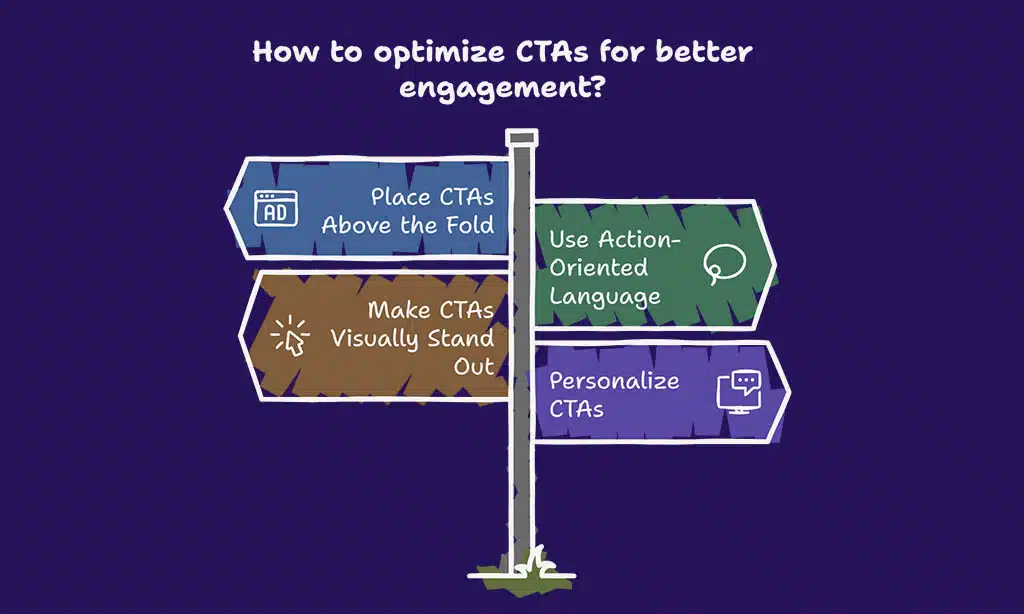
A strategically placed Call-to-Action [CTA] keeps visitors engaged and encourages interactions. CTAs serve as a crucial guide, directing users toward meaningful actions, whether it’s subscribing to a newsletter, making a purchase, or exploring more content. Without a clear and compelling CTA, visitors may leave without taking any action, contributing to a higher bounce rate.
Well-designed CTAs not only capture attention but also create a sense of urgency, prompting users to stay longer and interact with your site. They should be visually appealing, contextually relevant, and seamlessly integrated into the page design.
Best Practices for Effective CTAs
- Place CTAs Above the Fold: Users see them immediately upon landing on the page, increasing engagement rates.
- Use Action-Oriented Language: Phrases like “Get Started,” “Download Now,” or “Claim Your Offer” encourage immediate action.
- Make CTAs Visually Stand Out: Use contrasting colors, bold text, and buttons that grab attention.
- Personalize CTAs: Tailor the messaging based on user behavior, such as “Continue Reading” for blog visitors or “Exclusive Discount for You” for returning users.
- A/B Test Different CTAs: Experiment with colors, placements, and wording to determine the most effective approach.
- Reduce Friction: Avoid long forms or unnecessary steps before users can complete an action.
- Create a Sense of Urgency: Use phrases like “Limited Time Offer” or “Only a Few Spots Left” to encourage quick decision-making.
- Use Exit-Intent CTAs: When a user is about to leave, an engaging CTA can offer them an incentive to stay, such as a discount or free resource.
Effective CTAs guide users towards the next step, reducing exit rates and increasing conversion opportunities.
5. Reduce Pop-Ups and Intrusive Ads
Intrusive pop-ups can annoy users, leading to higher bounce rates. Google also penalizes websites with disruptive interstitials, as they interfere with user experience and navigation.
Pop-ups that appear immediately or obstruct content can frustrate visitors, causing them to exit the site rather than engage further. While pop-ups can be useful for lead generation, they should be implemented thoughtfully to avoid driving users away.
Alternatives to Annoying Pop-Ups
- Use Exit-Intent Pop-Ups: These are triggered when users attempt to leave, allowing you to offer an incentive without disrupting their browsing experience.
- Offer Non-Intrusive Slide-Ins: These appear subtly in the corner of the screen, making them less disruptive while still catching attention.
- Provide Value Before Asking for Actions: Instead of demanding information upfront, offer useful content, discounts, or incentives that encourage users to stay engaged.
- Time-Delayed Pop-Ups: Showing pop-ups only after users have spent a certain amount of time on the page reduces irritation.
- Use Sticky Bars Instead of Full-Screen Pop-Ups: A small, persistent notification bar can communicate key messages without interfering with content.
By minimizing disruptions, you improve user experience and reduce website bounce rates, keeping visitors engaged and encouraging them to take meaningful actions.
6. Improve Internal Linking Strategy
Internal linking is a powerful yet often overlooked strategy to keep users engaged and reduce bounce rates. By directing visitors to other relevant pages on your site, internal links encourage deeper exploration, improve SEO, and boost user retention. When implemented correctly, they create a seamless browsing experience that keeps users engaged.
Best Practices for Internal Linking
- Link to Relevant Content: Ensure internal links lead to valuable, related content that enhances the user experience.
- Use Descriptive Anchor Text: Avoid generic phrases like “click here.” Instead, use meaningful, keyword-rich anchor text.
- Balance Internal & External Links: Maintain a healthy mix of both to provide additional resources while keeping users engaged on your site.
- Avoid Overloading Links: Too many links can overwhelm users and dilute their effectiveness.
- Use a Strategic Link Hierarchy: Guide users through a logical flow of content to encourage deeper navigation.
A well-structured internal linking strategy ensures visitors stay longer, discover more content, and reduce bounce rates.
7. Optimize for Mobile Users
With more than 60% of web traffic coming from mobile devices, a mobile-friendly website is essential for reducing bounce rates. A site that isn’t optimized for mobile results in poor user experience, slow loading times, and high exit rates.
Key Mobile Optimization Techniques
- Use a Responsive Design: Ensure your website adapts seamlessly to different screen sizes.
- Optimize Images & Fonts: Large images and tiny fonts can negatively impact mobile usability.
- Improve Mobile Load Speed: Use accelerated mobile pages [AMP] or other optimizations to speed up mobile performance.
- Ensure Easy Navigation: Large, tappable buttons and well-structured menus enhance mobile usability.
- Test with Google’s Mobile-Friendly Tool: Identify and fix any mobile usability issues.
A mobile-optimized site significantly reduces bounce rate, improves engagement, and enhances the overall user experience.
Takeaways
Reducing bounce rate isn’t just about one fix—it requires a combination of technical improvements, content optimization, and user experience enhancements. By implementing these 7 key strategies to reduce website bounce rate, you can create a website that attracts, engages, and retains visitors.
Quick Recap:
- Improve page load speed
- Enhance website navigation & UX
- Optimize content for readability & engagement
- Use compelling CTAs
- Reduce intrusive pop-ups
- Improve internal linking strategy
- Optimize for mobile users
Start optimizing today and watch your website’s engagement and conversions soar! This can hurt your SEO, lower your conversion rates, and reduce your overall business revenue.