


Choosing productivity methods for different personalities is less about identifying a personality type than understanding where work gets stuck. Do you forget tasks, delay starting, struggle to choose what matters, or lose focus when plans change? Each problem calls for a different kind of support.
The useful question is not “Which system should everyone use?” but “What is making my work harder right now?” That gives you a practical way to choose a method, try it, and decide whether it deserves a place in your routine.
Start with the Problem
Labels such as “creative,” “disorganized,” or “easily distracted” may describe how you feel, but they do not explain what is getting in the way. Your needs can also change with the work. A freelancer may want a clear plan for a writing project and room to respond to client requests. A student may plan study sessions easily yet struggle to begin a difficult assignment.
Before choosing productivity methods for different personalities, ask yourself:
- Do I forget tasks unless I write them down?
- Do I put off starting because a task feels too large?
- Do I spend too long deciding what to do next?
- Do interruptions regularly break my focus?
- Does my schedule change too often for detailed planning?
Choose the problem that costs you the most time or attention. A capture list can hold commitments; a timer can make it easier to start; a calendar block can reserve time for planned work. These methods solve different problems, even when they are all called productivity systems.
If You Forget Tasks, Capture them
If reminders keep arriving at inconvenient moments, give them one place to go. The point is not to create a perfect to-do list. It is to record commitments somewhere you will review them.
Getting Things Done (GTD), David Allen’s productivity methodology, uses five steps: capture, clarify, organize, reflect, and engage. In practice, you collect what has your attention, decide what each item means, put it somewhere appropriate, review it, and choose what to do next.
You do not need a full GTD setup to use the basic idea. Keep one inbox for new tasks, turn vague entries into clear next actions, and review the list at a regular time. “Website” is hard to act on; “send the editor the revised homepage copy” tells you what to do.
This can suit people who track commitments in several places or frequently forget follow-ups. The risk is spending so much time organizing that the system becomes another task. If maintaining it is a burden, simplify it.
If Starting is Hard, Try Work Intervals
When a task feels intimidating or dull, a defined period of work can make the first step easier. The Pomodoro Technique is often associated with 25-minute sessions, but its creator describes that timer as one expression of a broader method—not the whole technique.
Try a short session with a clear starting action: open the document and draft one paragraph, read and annotate a few pages, or review the first section of a presentation. A short interval may help with routine work; complex work may need a longer stretch.
This can suit people who delay starting or feel overwhelmed by a large assignment. But a timer should not interrupt useful concentration just because it rings. Adjust the interval or finish the section before taking a break. Productivity methods for different personalities should support the work, not turn into rules you have to obey.
If the day gets away from you, block time
Time blocking means reserving parts of your calendar for particular tasks or types of work. You might set aside a morning block for a report, another period for meetings, and a short slot for email. This makes planned work visible and helps identify when the day is already full.
Start with one important task, group routine work into a separate period, and leave room for breaks or unexpected requests. If your schedule changes often, block only the time you control. A flexible plan is more useful than one that collapses after the first interruption.
How I Keep My Content Work Visible
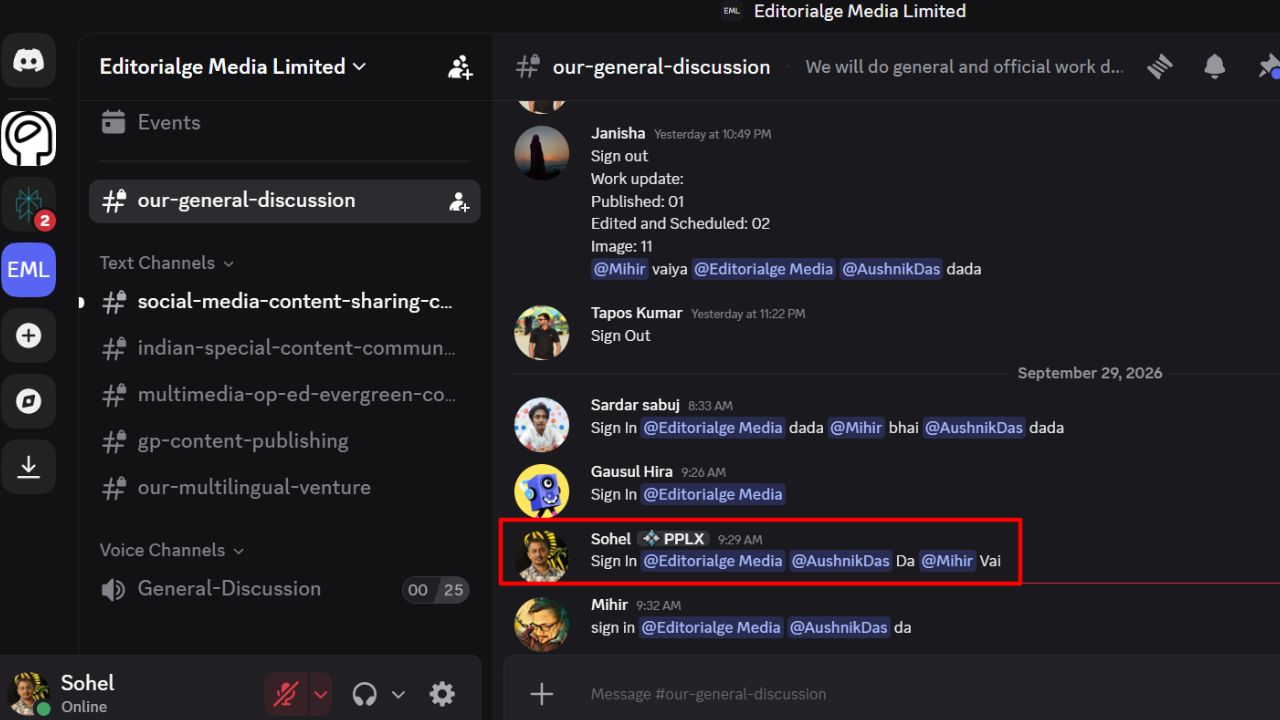
I follow a six-day working week and use Discord as my main space for team communication. I coordinate tasks, share updates, and sign in and out each day so the team can see when I’m working and available.
Our content calendar lives in Google Docs. I use it to check upcoming topics, assignments, deadlines, publishing dates, and the progress of each piece. Once I finish an article, our editor reviews its accuracy, structure, readability, grammar, SEO, factual consistency, and overall quality. If changes are needed, the editor sends it back to me. After I make the corrections and the editor approves the article, it moves to publishing.
This process helps me see what needs to happen next, from planning and writing through editing and publication. Discord keeps our conversations moving, while the calendar helps us track responsibilities and timing. They don’t prevent every delay, but they help me stay accountable and support a more predictable publishing schedule.
If everything feels urgent, use a decision filter
Sometimes the problem is not remembering tasks but deciding which one deserves attention. The Eisenhower Matrix sorts work by urgency and importance: do urgent and important tasks, schedule important but less urgent work, delegate urgent tasks when appropriate, and reconsider tasks that are neither. It is a decision aid, not a precise measure of a task’s value.
A shorter filter can work just as well: What must be done today? What matters but can be scheduled? What can someone else handle? What can be removed?
This approach may help when your list is long or every request seems urgent. Its weakness is easy to spot: if everything is classified as urgent, the filter cannot help you choose.
What people often get wrong
A productivity method is not a cure-all. Time blocking can reserve time; a capture system can keep track of commitments; work intervals can help with starting. None can make an unrealistic workload fit into a day.
Personality labels can also distract from more useful questions: How much control do you have over your schedule? How often are you interrupted? Are your tasks clear enough to start?
Task switching can carry a cost. Researcher Sophie Leroy studied how attention to an unfinished task can carry over when people move to another one. The finding does not mean interruptions can always be avoided, but it supports protecting focus where possible and noting where you left off before switching.
Final Thoughts
The right productivity method is the one that addresses the problem in front of you. If tasks slip your mind, capture them in one place. If you struggle to start, choose a small first step or a short work interval. If important work keeps getting pushed aside, reserve time for it—or make the team’s next steps visible in a shared calendar.
Start with one method and try it for a week. Keep it if it makes the work easier to manage; simplify or replace it if maintaining the system becomes another task.
Frequently Asked Questions about Productivity Methods
Which productivity method should I try first?
Start with your most common difficulty. Use a capture list for forgotten tasks, work intervals for trouble getting started, or time blocking when important work keeps getting displaced.
Can I combine productivity methods?
Yes. You could collect tasks in one list, choose priorities with a decision filter, and reserve calendar time for the work. Keep the routine manageable.
Does the Pomodoro Technique always use 25-minute sessions?
No. Twenty-five minutes is a familiar interval, not a requirement for every task. Adjust the timing to suit the work.
Is time blocking useful when my schedule changes often?
It can be. Block only the time you control, leave room for interruptions and move tasks when the day changes.
How can I tell whether a method is working?
Check whether it reduces the problem you chose to address—such as missed tasks, difficulty starting or neglected priorities. If maintaining the method takes too much effort, simplify it or try another.

























