

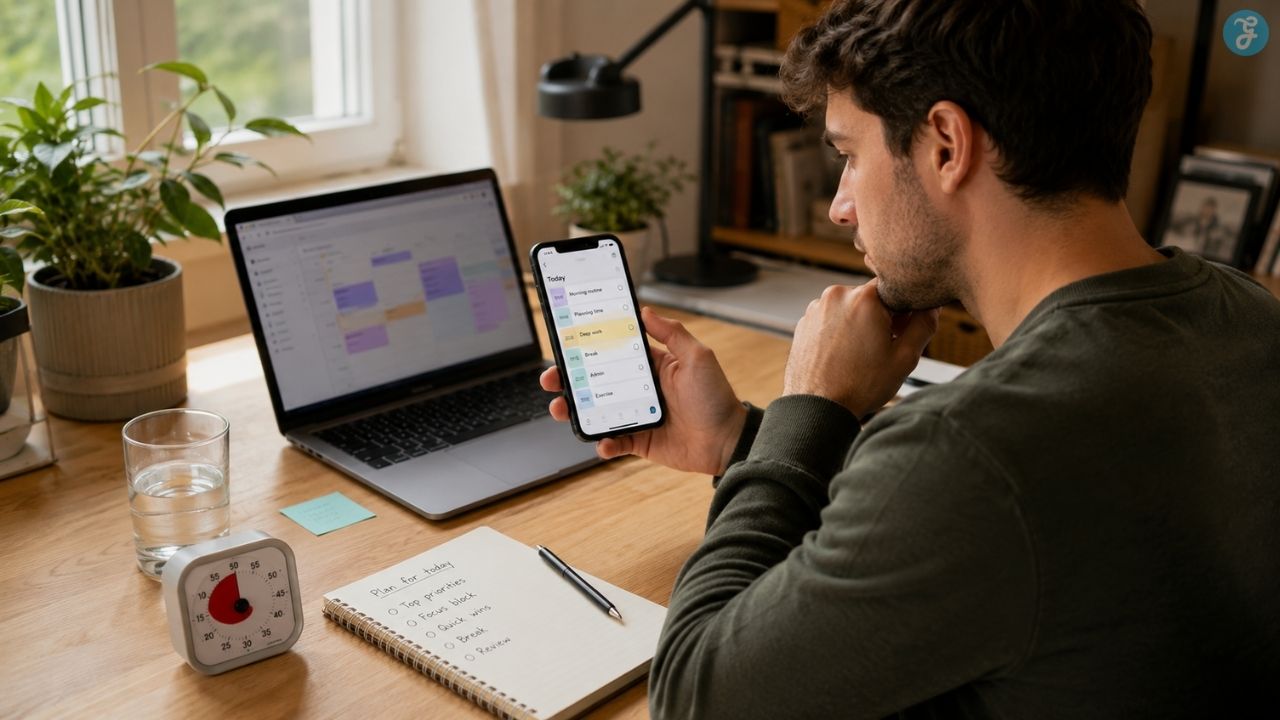
I do not think a productivity app should require someone to become good at maintaining a productivity system before it becomes useful. The app should make the day easier to enter. It should not become another place to configure, reorganize, fall behind, and eventually avoid opening. That distinction matters when choosing productivity apps for ADHD brains.
The problem is not always forgetting what needs to be done. Someone may understand the task, care about the outcome, and still struggle to begin. A detailed plan can exist while time disappears, transitions get missed, or the sight of a long task list shuts down any urge to act.
Adults with ADHD may have difficulty managing attention, completing lengthy tasks, staying organized, controlling impulses, and remaining consistent with daily responsibilities. Those difficulties vary considerably, so an app that helps one person may create more noise for another.
The useful apps in this category solve specific forms of friction. One makes time visible. Another uncovers the first action hidden inside an intimidating project. Some provide an external starting point, while others limit access to the digital distractions waiting one tab away.
The ten apps below are numbered for easier navigation. I am not ranking them from universally best to worst. I am matching them to the moments where a day commonly gets stuck.
These tools can support planning, routines, reminders, and concentration. They do not diagnose or treat ADHD. Anyone seeking an assessment or treatment should speak with a qualified healthcare professional.
Best Productivity Apps for ADHD Brains
The most useful productivity apps for ADHD brains do not all solve the same problem. Some make time easier to see, while others reduce task overwhelm, guide routines, create accountability, or remove distractions before they take over.
My rule is simple: choose the friction first and the app second. A sophisticated project manager will not help much when the immediate problem is starting one email. A visual planner may be ideal for someone who loses track of time but unnecessary for a person who mainly needs a quick place to capture tasks.
1. Tiimo: A Visual Planner for Time Blindness
A normal calendar can show three appointments without showing how much of the day those appointments will consume.
Travel, preparation, waiting, transitions, and recovery time often remain invisible. A meeting at 3:00 p.m. can make the entire morning feel unavailable, even when several hours are technically open.
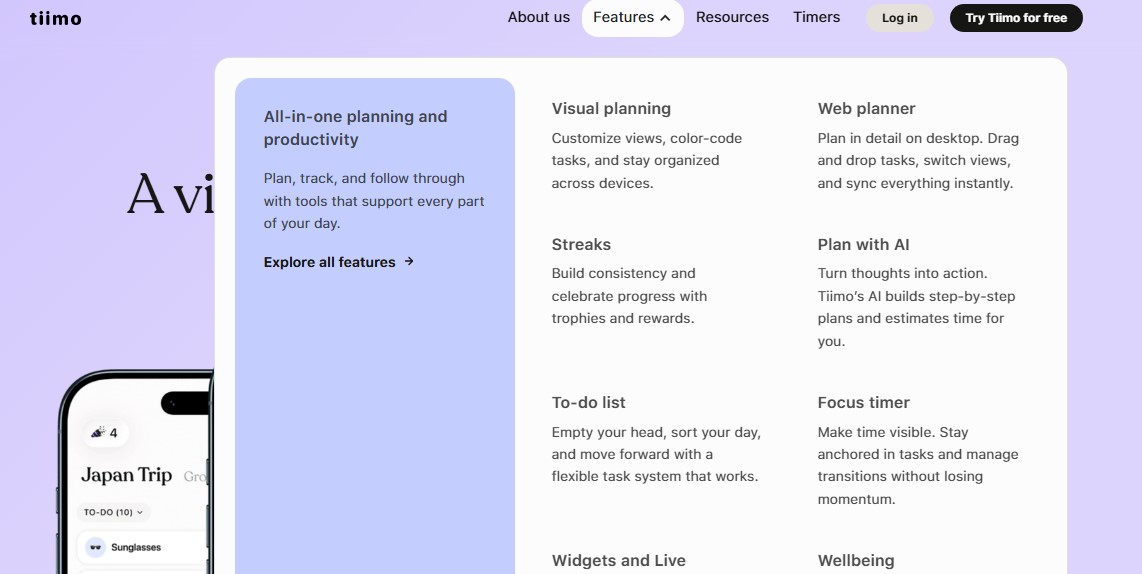
Tiimo approaches planning visually. It is designed for people with ADHD, autistic people, and anyone who benefits from flexible structure. Its current tools include visual schedules, a focus timer, to-do lists, AI-assisted planning, widgets, Live Activities, mood tracking, and a web planner. It is available across iOS, iPadOS, watchOS, Android, and the web.
Its real value is helping someone answer immediate questions:
- What is happening now?
- What comes next?
- How long is this meant to last?
- Is there room for another commitment?
- When can I stop?
That makes Tiimo useful for mixed days containing work, meals, medication reminders, appointments, housework, rest, and personal routines. Those parts of life do not always fit naturally inside a planner designed around projects and deadlines.
Filling every minute defeats the point. A visual schedule can become just as oppressive as a written list when it contains every email, drink of water, break, meal, and household task.
Start with the places where time regularly disappears: getting ready to leave, beginning focused work, eating lunch, preparing for bed, or stopping an absorbing activity.
Tiimo is worth considering when the clock is visible but the shape of the day is not.
2. Structured: When a Task List Hides an Impossible Day
A checklist can hold fifteen tasks without objecting. A timeline is less polite. Structured places tasks and calendar events against the actual hours of the day. That simple shift exposes overplanning quickly. What looked like a manageable list may require eleven hours once every item is given a realistic duration.
The app combines tasks and to-dos in one visual timeline and supports daily planning alongside weekly and monthly views. Core features are available for free, while calendar imports, recurring tasks, custom notifications, Structured AI, and certain replanning tools require Structured Pro or vary by platform.
Structured is especially useful when the difficulty is not remembering the work but assigning it a believable place.
“Finish the proposal” is an intention. “Work on the proposal from 10:15 to 10:50” creates a starting point and limits the commitment.
The app also exposes misleading gaps. Forty minutes between appointments may appear available, but not after accounting for travel, food, setup, and the effort of changing mental context.
The danger is treating the timeline as a contract. One late task can make every later block look like evidence that the day has failed.
Move the schedule instead. Shorten something. Delete something. Leave deliberate gaps before the day begins. A useful timeline reflects reality; it does not prosecute it.
3. Goblin Tools: Quick Help for Task Paralysis
“Sort out my finances” is not one task. Neither is “prepare for the move,” “apply for jobs,” “clean the apartment,” or “deal with the insurance problem.” Each phrase contains hidden decisions, dependencies, and physical actions. The project feels heavy partly because its starting point is buried.
Goblin Tools is a collection of small, simple utilities built for moments when something feels too large or complicated. Magic ToDo breaks tasks into smaller steps. Compiler turns an unstructured brain dump into actions. Estimator suggests how long an activity may take, while Taskmaster narrows attention to one task at a time.
Enter “prepare for apartment inspection,” and the result might include:
- Find the inspection notice
- Confirm the date and time
- Check which rooms will be entered
- Replace the hallway lightbulb
- Clear access to the smoke detector
- Put cleaning supplies in the bathroom
- Photograph existing damage
The project stops being one intimidating object and becomes a set of actions. Goblin Tools does not need to run an entire productivity system. I see it as a rescue tool. Open it when a task feels shapeless, edit the suggested steps, and move the useful actions into the planner already holding the rest of the day.
The editing step matters. AI-generated instructions can be redundant, strangely ordered, or incorrect. Treat them carefully when the task involves healthcare, money, legal requirements, workplace policy, or safety.
Among the productivity apps for ADHD brains covered here, Goblin Tools asks for one of the smallest commitments. A user can get help with one difficult task without migrating a calendar, importing a backlog, or designing a new workflow.
4. Routinery: Guidance Through the Awkward Middle of a Routine
Some people do not forget the routine. They lose it halfway through. The shower happens, but getting dressed stalls. The kitchen is partly cleaned, then another task takes over. A bedtime routine begins until a notification sends attention elsewhere. A static checklist shows the sequence. It does not remain involved while the sequence is happening.
Routinery combines a routine checklist with active timers and progress tracking. Users can create their own routines or begin with ready-made templates, then move through the sequence one activity at a time. The company has also added timer customization, timeline views, widgets, and other tools intended to support routine follow-through.
It fits repeated processes better than open-ended projects:
- Getting ready for work
- Taking medication and eating breakfast
- Preparing a child for school
- Closing a shop
- Resetting the kitchen
- Packing for the gym
- Beginning a bedtime routine
The value lies in continuity. Once the routine begins, the next action is already waiting. There is no need to reconstruct the sequence after every transition.
Timers can still create pressure. A five-minute estimate may quietly become, “I failed because this took seven minutes,” even when the time was only meant as a guide.
Build routines around the pace of a real morning—the one where something spills, an item goes missing, and a task occasionally needs more attention. A timer should reduce decisions, not become another judge.
5. Llama Life: For Starting the Thing in Front of You
Planning and execution are different activities. Someone can spend twenty minutes reorganizing priorities without starting the first item. When activation is the problem, seeing an entire week may add weight without producing movement.
Llama Life is built around timeboxing: assigning a fixed period to a task and working on one item at a time. It provides task timers, total list duration, estimated finishing times, overtime tracking, and tools for breaking down intimidating tasks.
Its question is deliberately narrow:
What am I working on for the next fifteen or twenty minutes?
That narrowness is useful. A large list invites scanning, reprioritizing, and avoidance. Llama Life brings attention back to the current item and gives it a limited working period.
When the timer ends, the user has several honest options:
- Continue for another block
- Reduce the scope
- Take a break
- Move to another task
- Accept that the original estimate was wrong
The timer does not have to represent a deadline. It can simply create a point where the work is reassessed.
Llama Life is better suited to helping someone move through today’s list than storing a complicated project with multiple collaborators, files, dependencies, and deadlines. Pairing it with a conventional task manager makes more sense than forcing it to hold everything.
6. Focusmate: When Another Person Makes Starting Easier
Some tasks become easier when another person is present, even if that person is doing unrelated work.
Focusmate offers scheduled virtual coworking. A user books a session, joins a video call with another member, states what they intend to work on, completes the session independently, and checks in again at the end. Current sessions are available in 25-, 50-, and 75-minute lengths.
The platform describes this approach as body doubling: working while another person is present without that person participating in the task.
The appointment supplies an external starting point. The other participant is not a manager and does not need to monitor the work. Their presence simply makes it a little harder to postpone the task, disappear into another tab, or return to bed.
Focusmate can be used for more than desk work. Its own guidance allows activities such as studying, reading, cleaning, cooking, art, music, and at-home exercise, provided the participant remains visible on camera.
That camera expectation is the main trade-off. Some people find the presence grounding. Others become self-conscious or socially drained. A muted call with a friend, a public library, a coworking room, or working quietly beside someone at home may offer similar external structure without using a matching service.
Focusmate should be treated as a productivity method, not as ADHD treatment.
7. Todoist: A Reliable Capture System—Until It Gets Too Full
A task manager sometimes needs to do one job exceptionally well: catch a thought before it disappears.
Todoist supports fast natural-language task entry, recurring dates, Today and Upcoming views, custom filters, calendar planning, and project organization. A task can be typed in ordinary language and given a date or recurrence without opening several menus.
That reduces the distance between remembering and storing:
- Call the pharmacy tomorrow at 10
- Take the recycling out every Thursday evening
- Check the passport six months before expiry
- Submit the report every last Friday
The fewer steps involved, the less chance there is for the thought to vanish before it reaches a reliable place.
The problem begins when capture is effortless but review never happens. An inbox containing 137 unsorted tasks is no longer external memory. It is another environment filled with unfinished business.
Keep the structure smaller than the app allows:
- Inbox
- Today
- This week
- Waiting for
- Later
Do not begin by creating a project for every area of life or building an elaborate label system. The purpose is to remove obligations from working memory and bring back only the items that matter now.
Todoist is the strongest conventional task manager in this lineup for quick capture. It is less useful when someone needs active guidance through the task itself.
8. TickTick: One App, Many Tools—and One Obvious Risk
TickTick can replace several separate productivity apps. It combines task lists with yearly, monthly, weekly, daily, and agenda calendar views. It also includes Pomodoro timing, habit tracking, an Eisenhower Matrix, countdowns, natural-language date recognition, recurring reminders, filters, and cross-platform syncing.
That breadth can reduce app switching. Someone who would otherwise maintain a task manager, calendar planner, focus timer, habit tracker, and priority matrix may prefer keeping those functions together.
A task can be captured, placed on a calendar, attached to a focus session, and viewed alongside recurring habits. My reservation is equally obvious: TickTick offers many ways to work on the system instead of working on the task.
Lists get rebuilt. Tags are adjusted. Themes are changed. Calendar views are tested. Habits are redesigned. Filters are refined. All of that can feel productive while the overdue form remains untouched.
TickTick suits someone who already knows an integrated system reduces mental load. It is a riskier fit for a person who repeatedly turns productivity setup into a separate hobby. Start with tasks and one calendar view. Leave the rest untouched until a specific problem justifies adding it.
9. Finch: For Care Tasks That Ordinary Planners Dismiss
Most productivity systems treat showering, eating, drinking water, resting, taking prescribed medication, or stepping outside as background maintenance. Those tasks can still require real effort.
Finch connects personal goals to a virtual pet. Completing goals supports the user’s “birb,” while the app adds adventures, rewards, quests, and streaks around the self-care process. Finch describes its streaks as support for gentle consistency rather than perfection and offers earned streak repairs. Its value is partly emotional.
“Drink one glass of water” may look trivial inside a professional project manager and still remain undone all day. Finch treats it as a legitimate action.
On a difficult day, the useful goals may be:
- Eat something before noon
- Take medication
- Brush teeth
- Reply to one important message
- Sit outside for five minutes
- Put clean clothes within reach
The pet, rewards, decorations, and playful interface will not suit everyone. Gamification can motivate one person while distracting or irritating another. It can also create a new sense of obligation if the user starts worrying about maintaining the character rather than caring for themselves.
Finch earns its place because productivity is not limited to work output. An app that helps someone complete basic care tasks may be more valuable than one that adds another polished business dashboard.
10. Freedom: For When the Environment Is the Problem
There are days when the plan is fine. The task is clear. The first action is small. Enough time has been reserved. The browser still offers news, shopping, messaging, streaming, social media, and an endless supply of more stimulating choices.
Freedom takes an environmental approach. It can block websites, desktop applications, mobile apps, or the wider internet across supported devices. It also provides scheduled and recurring sessions, multi-device syncing, website exceptions on supported platforms, and Locked Mode. Feature availability differs between macOS, Windows, iOS, Android, and Chromebook.
Cross-device blocking is the useful distinction. Blocking social media on a laptop accomplishes little when the phone is lying beside it with the same apps available.
A practical blocklist might allow:
- Google Docs
- A company knowledge base
- A research database
- A password manager
while temporarily restricting:
- Social media
- News
- Shopping
- Video platforms
- Personal messaging
- Entertainment apps
Test a short session before enabling Locked Mode. That setting prevents a session from being ended early, which is helpful only after the blocklist has been checked carefully.
A poorly configured block can remove access to a required video, login page, urgent message, or research source. Environmental friction should protect the task, not create a technical emergency. Freedom is useful when the problem is access to distraction rather than uncertainty about what to do.
Why Productivity Apps for ADHD Brains Get Abandoned
A thoughtfully designed app can still fail the person using it. I do not find “you lacked discipline” to be a useful explanation. More often, the system asks for more maintenance than it returns in relief.
Setup Feels Rewarding Before the App Has Earned Trust
Choosing icons, importing calendars, creating labels, and designing routines can feel productive. The real test begins once the novelty fades. An app should reduce friction within its first few sessions. It should not require a complex architecture before anything can be completed.
The Screen Shows Too Much
A full brain dump can bring temporary relief. Looking at all of it every morning may create paralysis. Capture everything when needed, but keep the daily surface small. It should guide attention toward the next action rather than display every unfinished obligation accumulated over six months.
Every Reminder Becomes Equally Loud
Too many alerts eventually become wallpaper. Medication, an appointment, a low-priority household task, and an optional habit do not need identical notifications. Reserve the stronger cues for situations where missing the reminder has a meaningful consequence.
A Missed Day Makes Returning Expensive
Rigid streaks, red overdue counts, and accumulated notifications can make reopening the app feel like facing a disappointed supervisor. A useful system allows tasks to move, routines to restart, and yesterday’s plan to be abandoned without a cleanup ritual. Recovery is a feature.
The Tool Stores the Work but Cannot Start It
A task manager may remember the obligation perfectly without helping someone begin.
That is where a second, smaller tool may help. Todoist can hold the task. Goblin Tools can break it down. Llama Life can start a timebox. Focusmate can provide an appointment. Freedom can close the digital escape routes. No app needs to control every stage.
Test an App Against One Real Problem
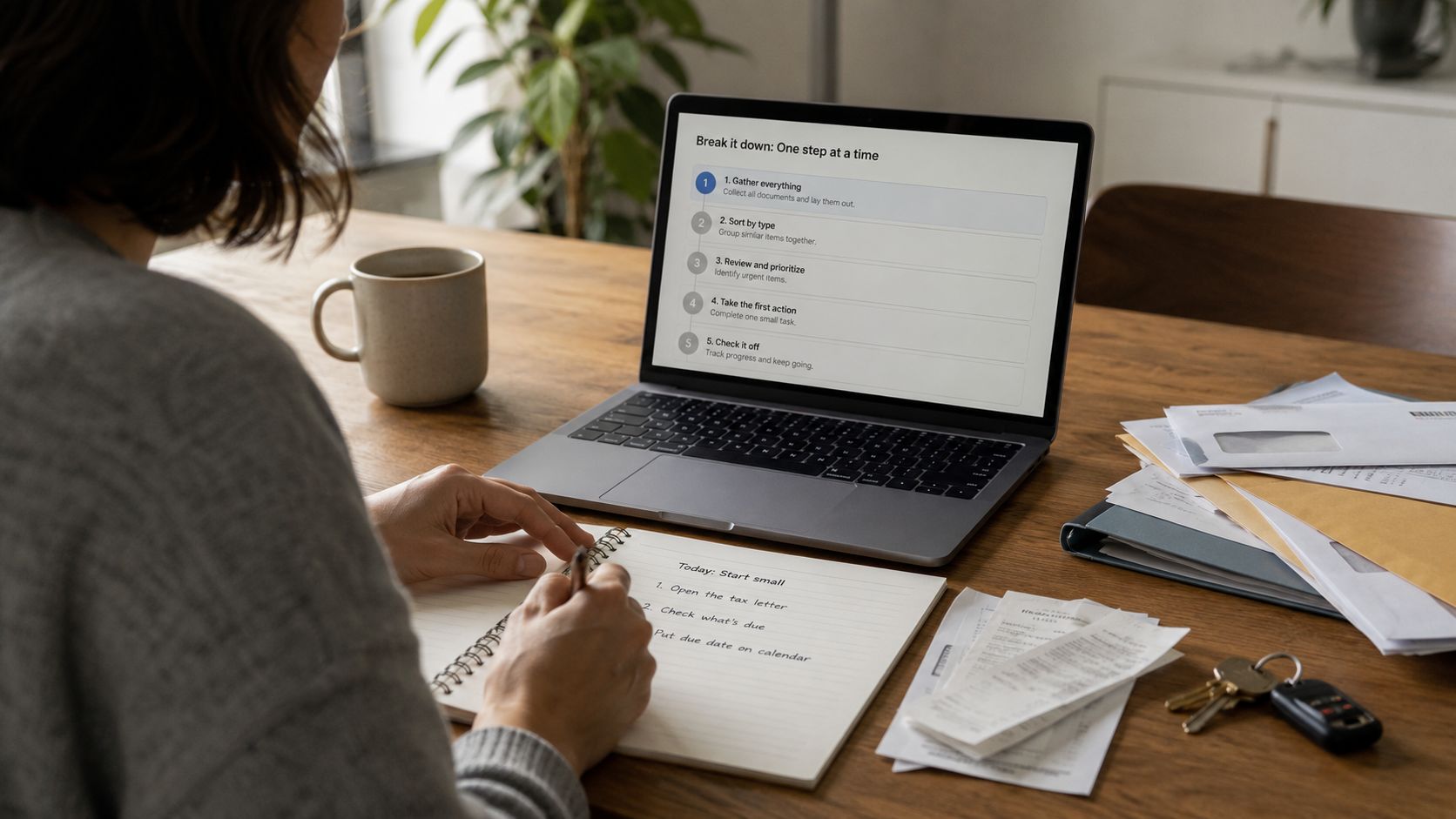
Do not move an entire life into a new app on the first evening.
Run a seven-day test instead:
- Name one recurring point of friction.
- Enter only the tasks connected to that problem.
- Keep notifications minimal.
- Use the app on a difficult day, not only during setup enthusiasm.
- Notice whether it helps action or simply produces more organization.
- Move or miss a task and see how recovery feels.
- Compare the maintenance time with the relief the app creates.
Delete it when it produces more administration, pressure, or visual noise than practical help. Money already spent and time already invested are not good reasons to keep a system that makes returning harder.
Keep the Tool You Can Reopen After a Bad Week
The most useful productivity apps for ADHD brains are not the ones that produce a perfect Monday. They are the ones that still feel usable after a missed deadline, an illness, an exhausting work period, a disrupted routine, or several days when the system was ignored.
Tiimo and Structured make time more visible. Goblin Tools exposes the hidden actions inside overwhelming projects. Routinery supports transitions. Llama Life and Focusmate provide different forms of activation. Todoist and TickTick create external storage. Finch gives small care tasks more weight. Freedom reduces access to distractions that planning alone cannot solve.
Choose the recurring point of friction first. Then choose the smallest tool that makes that moment easier. A simple app that can be reopened after a bad week is worth more than a perfect system that feels impossible to return to.
Frequently Asked Questions on Productivity Apps for ADHD Brains
1. What type of productivity app works best for ADHD?
It depends on the friction being addressed. Visual planners may help when time feels abstract. Task-breakdown tools can help when a project feels too large. Timers, guided routines, body doubling, and distraction blockers solve different problems. Match the app to the difficulty instead of choosing one by feature count.
2. Are productivity apps an ADHD treatment?
No. Apps may support planning, reminders, task breakdown, routines, and concentration, but they do not diagnose or treat ADHD. Diagnosis and treatment should involve qualified healthcare professionals.
3. Is a visual planner better than a to-do list?
A visual planner may be more useful when the main problem is understanding time or fitting tasks into the day. A to-do list may work better when the priority is capturing obligations quickly. Some people use both successfully when each has a separate purpose.
4. What is body doubling?
Body doubling means working while another person is present without that person doing the task for you. The presence may be physical or virtual. Some people find that it gives a task a clearer starting point and makes it easier to stay engaged.
5. Why do I keep abandoning productivity apps?
Common reasons include excessive setup, feature overload, unrealistic daily plans, too many notifications, visual clutter, rigid streaks, and systems that organize tasks without helping someone start. The app may also be addressing the wrong problem.

























