Standard corporate marketing imagery feels painfully generic. Stock photography repositories are overcrowded with artificial smiles and repeating visual tropes, while poorly targeted AI outputs often look like chaotic digital art instead of clean commercial assets.
The rollout of Midjourney V8.1 has made generating brand visual prompts far more practical, introducing native 2K output and sharper detail retention. However, achieving production-quality results requires precise formatting constraints rather than descriptive guesswork. Marketers need formulas that enforce clean spacing, logical lighting, and authentic textures.
Why Commercial Image Generation Fails Without Parameters
Standard text-to-image prompts often fail because text models lean heavily toward high-contrast fantasy art styles by default. When an operator asks for a simple business scenario, the model frequently injects dramatic, unprompted neon colors, unnatural cinematic distortion, or hyper-stylized glossy surfaces that look unprofessional on a clean corporate web page.
To bypass this default bias, creative teams must rely on engine-specific styling instructions. Enforcing raw photographic parameters tells the model to follow the literal text string rather than its built-in artistic interpretations.
The Master List of Midjourney Prompts for Marketing
The following prompt frameworks target specific commercial use cases, formatting each asset for modern, mobile-friendly design systems.
1. The High-End Product Flat Lay
This framework is optimized for packaged goods, skincare lines, and consumer tech. It emphasizes a top-down perspective with ample negative space for text overlays.
Prompt Template:
Commercial product photography of a minimalist glass perfume bottle placed on a dry clay tile surface, surrounded by subtle shadows and scattered botanical elements, crisp daylight, soft neutral tones, top-down flat lay composition, clean advertising style –v 8.1 –style raw –hd –ar 16:9
2. The Authentic Lifestyle Hero Shot
Finding realistic corporate imagery without cheesy expressions is a common pain point. This framework forces the model to focus on realistic skin textures and candid work environments.
-
The Objective: Generate human-centric assets that feel documentary rather than staged.
-
The Technique: Avoid using broad words like photorealistic; instead, name specific focal lengths.
Prompt Template:
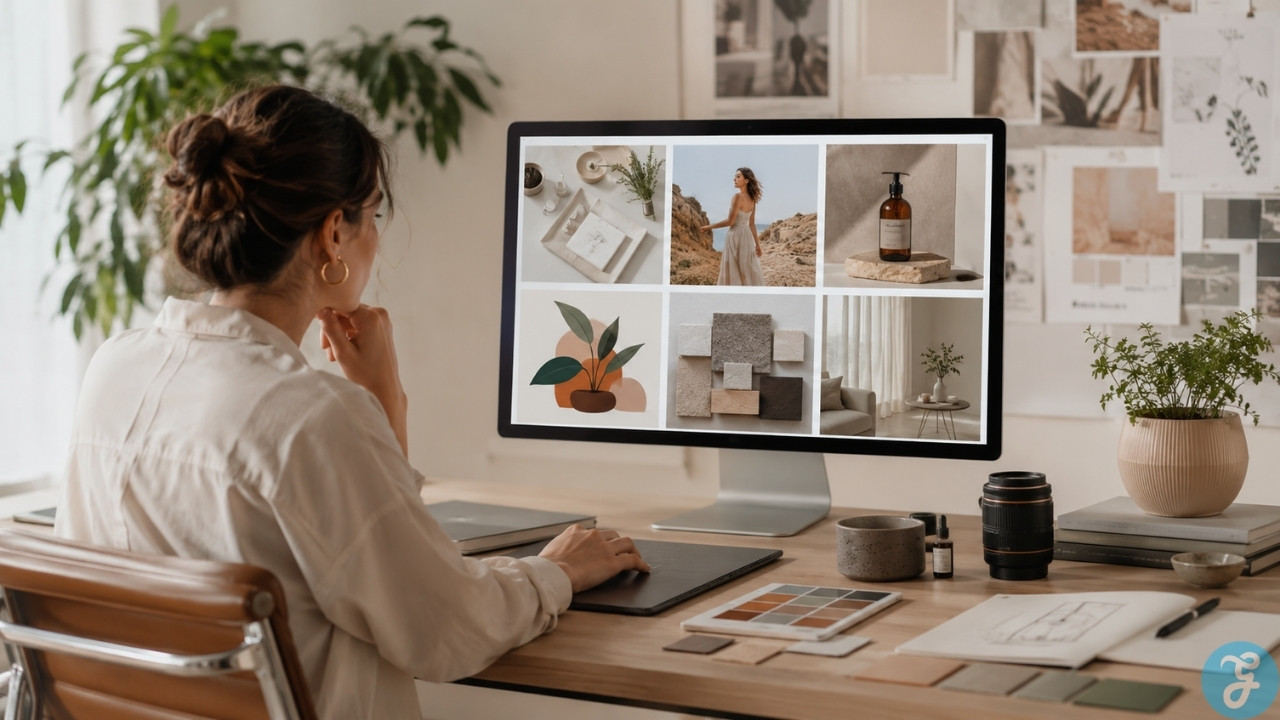
A candid editorial photograph of a professional designer organizing color swatches on a modern light wood table in a sunlit workspace, neutral clothing, clear skin texture, soft ambient light, warm color grading, shot on 50mm lens –v 8.1 –style raw –ar 16:9
3. The E-Commerce Studio Minimalist
When your marketing channel requires clean, isolated items with solid backdrops, this template strips away distracting environmental details.
Prompt Template:
Studio product photography of a modern ergonomic running shoe floating at a slight angle, plain solid off-white background, hard dramatic drop shadows below the object, crisp professional catalog lighting, ultra sharp focus –v 8.1 –hd –ar 16:9
4. The Corporate Editorial Portrait
Annual reports and executive bio pages require dignified, consistent framing. This setup replicates standard corporate studio headshots.
-
The Risk: Midjourney easily over-polishes faces, making them look plastic.
-
The Fix: The raw style modifier scales back the artificial smoothing filter.
Prompt Template:
A professional corporate headshot of a mature operations director in a dark gray linen blazer, natural smile, out of focus clean architectural window background, diffuse workspace lighting, shot on 85mm portrait lens –v 8.1 –style raw –ar 16:9
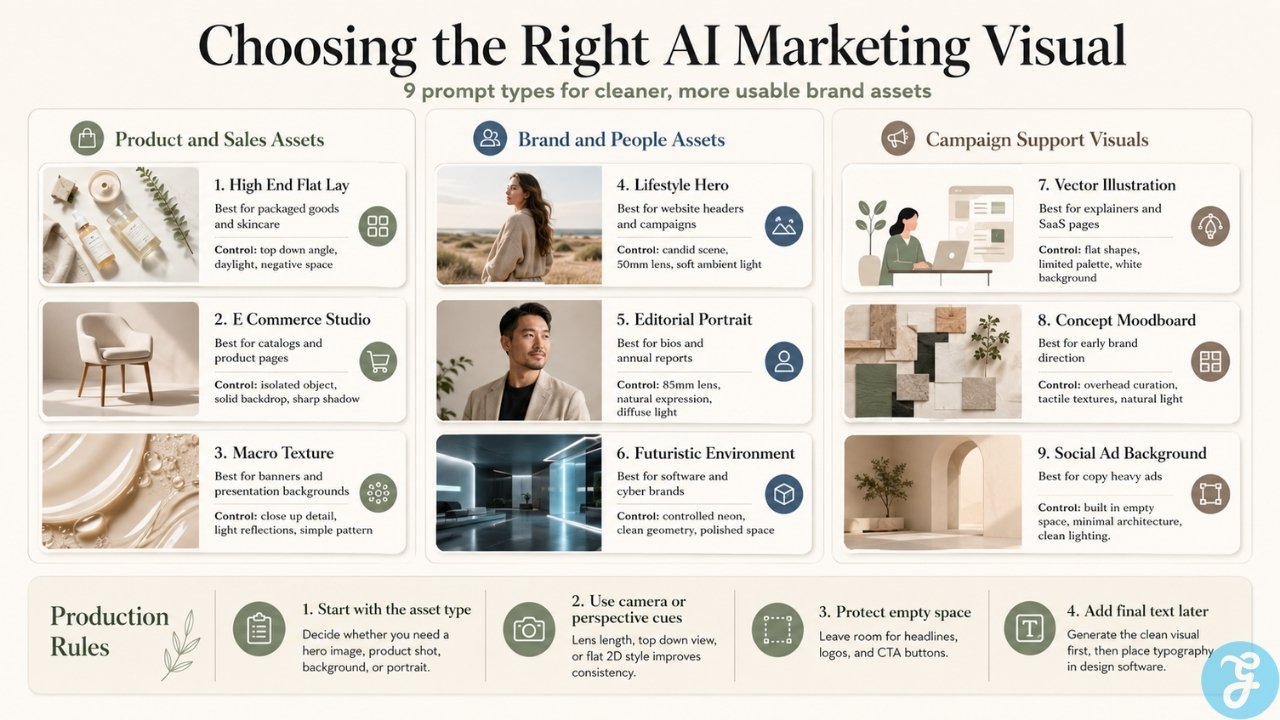
5. The Vector Tech Illustration
Not all marketing visual prompts need to be photographic. Modern landing pages frequently utilize flat, abstract art styles to explain complex digital systems.
| Visual Category | Color Guidelines | Perspective Choice |
| Corporate SaaS | Deep blue base with warm orange accents | Isometric view |
| Eco Tech | Muted sage green with charcoal gray | Flat 2D view |
Prompt Template:
Flat 2D vector illustration of two professional analysts reviewing a clear financial growth chart on a floating interface, clean minimal lines, solid geometric shapes, simple corporate palette of slate blue and soft teal accents, isolated on a white background –v 8.1 –ar 16:9
6. The Macro Detail Texture Background
Abstract background graphics are ideal for sliding web banners and presentation decks where direct product imagery might compete with headline copy.
Prompt Template:
Macro close-up abstract photograph of brushed titanium surfaces running horizontally, crisp geometric shadows, high contrast light reflections, technical metallic pattern, clean minimalist composition –v 8.1 –hd –ar 16:9
7. The Concept Moodboard Curation
Creative teams frequently need early-stage imagery to pitch brand identities before a final photo shoot occurs. This template compiles aesthetic textures.
Prompt Template:
A conceptual corporate branding moodboard for a sustainable lifestyle brand, featuring organic linen textile samples, earth-toned ceramic fragments, recycled cardboard textures, warm natural sunlight casting leaf shadows, overhead view –v 8.1 –style raw –ar 16:9
8. The Social Media Ad Background
Social ad performance relies heavily on distinct copy placement. This prompt creates built-in, un-cluttered target zones specifically designed to host typography.
Prompt Template:
An abstract modern interior background featuring a plain concrete wall, architectural minimalist geometric cutouts allowing natural daylight to stream in, large empty space on the left side of the frame for text layout, contemporary design aesthetic –v 8.1 –ar 16:9
9. The Futuristic Branding Environment
For software development companies or cybersecurity platforms, this setup introduces controlled neon hues without generating messy visual artifacts.
Prompt Template:
Wide cinematic shot of a clean, high-tech dark server facility room, soft cyan and muted indigo indicator lights reflecting on a polished glossy floor, technical network grid architecture, modern geometric layout –v 8.1 –hd –ar 16:9
Integrating generative tools into an active brand system reveals minor mechanical hurdles. While the V8.1 engine handles text rendering far better than legacy platforms when target words are placed inside quotation marks, complex layout spacing can still throw erratic letter placements.
For high-profile ad creative prompts, the cleanest workflow involves generating empty background assets or isolated product mockups first, then dropping them into standard vector editing software to lay down the final graphic design system components and text elements.
Additionally, keeping your personalization settings turned off or strictly managed via specific style codes is vital when your enterprise needs to replicate identical color palettes across multi-channel campaigns.