


You feel stuck when your CMS can’t keep up with your code. The headless CMS market hits 3.94 billion dollars in 2025. This guide names seven top platforms, from API first tools to GraphQL systems, to speed up content delivery and web development.
Keep reading.
Key Takeaways
- The headless CMS market will grow to $3.94 billion by 2025. This guide covers seven top platforms for U.S. developers.
- Contentful ($300/mo) offers a global CDN, multi-space architecture, and GraphQL or REST APIs for fast builds.
- Strapi is open source under MIT, runs on your servers, and uses plugins for flexible custom code.
- Sanity has a free tier with unlimited admins and live editing; paid seats cost $10/mo. Prismic starts at $150/mo with reusable Slices and instant publishing.
- Storyblok ($99/mo) offers a WYSIWYG editor and reusable blocks; Contentstack uses drag-and-drop with enterprise governance; Hygraph (from $199/mo) delivers GraphQL-based structured content.
What makes Contentful the best choice for scalable content management?
Contentful costs $300 each month and offers strong localization and a multi-space architecture. Cloudflare speeds up page loads around the world. Developers plug in Apollo GraphQL or REST interfaces with little fuss.
Complex content structures ride alongside third-party plugins. Teams set detailed permissions and work together in the new Studio. Visual Editor brings reusable components and live collaboration.
Why is Strapi the best open-source option for customization?
This system runs on your servers. Strapi is Opensource under MIT license. It offers full API control with REST style and query language endpoints. Teams can pick free Selfhosted setup or paid cloud Hosting plans.
Technology Rivers listed it as one of seven top headless CMS for 2025.
Customization shines with its Plugins system. Flexibility kicks in at every step. Extensions snap into code like LEGO blocks. Teams link Node.js runtime, React library pages, Angular projects, or Vue interfaces in minutes.
Integration feels like adding extra chapters to a favorite book. Editors see clear Workflows that match their tasks. Maintenance work on updates, security, and infrastructure sits with users.
How does Sanity support real-time collaboration?

Sanity offers live collaboration on content like a shared document. Editors push updates and content management happens in a flash. Teams can edit blog posts at once with a free tier that gives unlimited admin users and live editing.
People love the $10 per seat per month paid plan for extra features. Editors watch changes roll in like sports scores thanks to a custom query syntax called GROQ. It uses that tool to fetch data in record time.
Schema customization and flexible steps help shape any workflow. A multilingual control panel aids global content teams. Sanity spins up both standard API endpoints and a structured query tool for instant content delivery.
E-commerce sites, media brands, and creative shops sing praise. Community feedback highlights easy integration and a helpful forum, though power users note a steep learning curve for advanced workflows.
What features make Prismic ideal for flexible content modeling?
Prismic sports a modular design, so teams build reusable content blocks with Slices. Content authors drag sections into the CMS with a click. Slice Machine acts as a development tool for local prototyping and content updates.
Developers link React framework or Vue framework projects in minutes. This setup cuts dev time and keeps content fresh.
The query API support and Sveltekit plugin boost custom layouts on the front end. Editors love the user interface and instant publishing across unlimited environments. The Content Management System costs start at $150 per month.
Localization flows smoothly with one click. Some fields can’t lock in as required yet, and rich text editing shows a few limits.
How does Storyblok enhance visual editing and user experience?
Storyblok shows content in a WYSIWYG visual editor. Editors type and watch real time changes. It pushes edits across web, mobile, and social channels at once for true multichannel publishing.
This system costs $99 per month at the start. A user-friendly UI presents a library of reusable blocks. The platform uses component-based architecture for flexible pages. Teams hook it to Vue.js, Next framework, Astro site builder, and Nuxt.js.
Users praise its intuitive editor, seamless user experience, and fast publishing.
Admins set up collaborative features like workflows, roles, and permissions. Teams track status, add tasks, and cut review delays. Some find its JavaScript libraries clunky. Asset uploads can stall on lower plans.
Backup options stay locked away from small budgets. Still most praise a clean layout and fast rollouts. Developers embed content with simple API calls. Marketers tweak layouts without typing any code.
This blend of functions speeds launches and lifts team spirits.
Why choose Contentstack for enterprise automation and governance?
Big firms need clear rules for content. Contentstack offers enterprise-grade governance with role-based access and approval workflows. It ties into single sign-on, so teams collaborate fast.
Automation features cut manual work and speed up launches. Safety checks log every change. You scale content management across servers and sites with no fuss.
The Visual Builder works like drag-and-drop blocks, with live previews you share in a click. Developers use a suite of APIs, like CDN, Management, Image, and GraphQL to build fast apps.
Users love the clean UI, yet big lists and complex templates can lag. Pricing comes by request and fits big projects that need top-tier governance and smooth automation.
How does Hygraph utilize GraphQL for structured content?
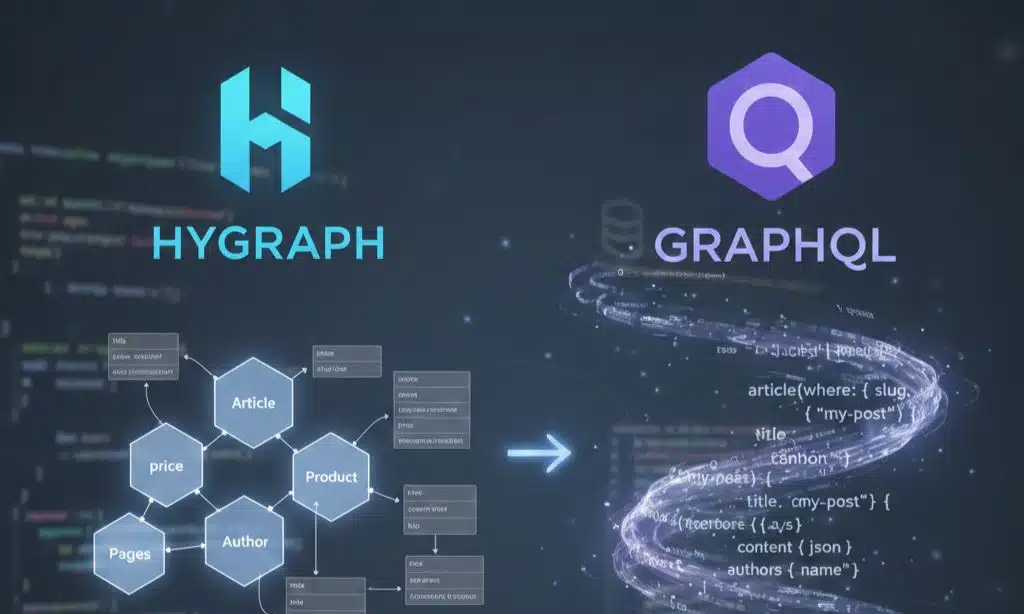
Hygraph runs on GraphQL. It offers a set of APIs that serve structured content in seconds. Developers plug its API into Next.js or Astro sites. A free plan comes with limits on calls and users.
Paid tiers start at $199 a month. Teams use webhooks, localization, and roles to power Jamstack projects.
Content teams build complex relationships through flexible content modeling. They send content out for multichannel delivery to web pages, mobile apps, and devices. Some folks hit a steep curve if they lack GraphQL know-how.
Official docs skip deep query examples. Smart API tweaks cut data waste and load pages faster.
What key features should I consider when choosing a headless CMS?
Picking a headless CMS guides content workflows. Teams must weigh diverse key features.
- Core Editing Tools: Look for portals that let you craft articles, media, and pages in one hub.
- API Integration: Check if the web service interface and query language link smoothly to your front ends.
- Scalability: Pick a platform that taps global edge caches and content delivery networks to speed pages.
- User Experience: Find a modern editor interface, live previews, and local drafts to help marketers work fast.
- Security Protocols: Seek two factor logins, role based access, data encryption, and GDPR, SOC 2 checks.
- Developer Tools: Choose a system that works with popular UI libraries, MVVM frameworks, SSR frameworks, and lets you add plugins.
- Collaboration Features: Test user roles, draft workflows, comments, and approval flags so teams stay in sync.
- Pricing Structure: Read tier costs, API call limits, and check for extra fees on users or data storage.
- Community Support: Scan forums, consult guides, and test response times for help from peers and staff.
- Content Modeling: Inspect if you can build flexible templates, reuse fields, preview drafts, and set up locales.
Takeaways
Seven great options await your pick. Each tool speeds up API-First Development. They act as Developer Tools and link smoothly to Frontend Frameworks. A solid backend drives content Delivery.
This lineup lifts your Digital Experience. Go with the CMS that fits your project and team.
FAQs on Best Headless CMS Options for Developers in the U.S. Market
1. What is a headless CMS and why do developers in the US market care?
A headless CMS is a content platform that splits content from its display. Devs can share content to any device through an API, and they get more freedom to use modern web tools.
2. How do I pick the best headless CMS option for my US project?
Think about your team skills, budget, and plan for growth. If you want to host your own platform, go for an open source option. If you want less ops work, choose a hosted API first system. Look at the docs, support, and plug in options too.
3. Can headless CMS options fit with my existing tools?
Yes, most systems offer plug ins and custom webhooks for popular tools. You can link to image hosts, e commerce platforms, and analytics. It works like a puzzle that snaps into place.
4. Are headless CMS solutions cost effective for developers?
They range from free open source projects to paid cloud based services. You can start small and pay as you grow. The price often matches the feature set and level of support.























