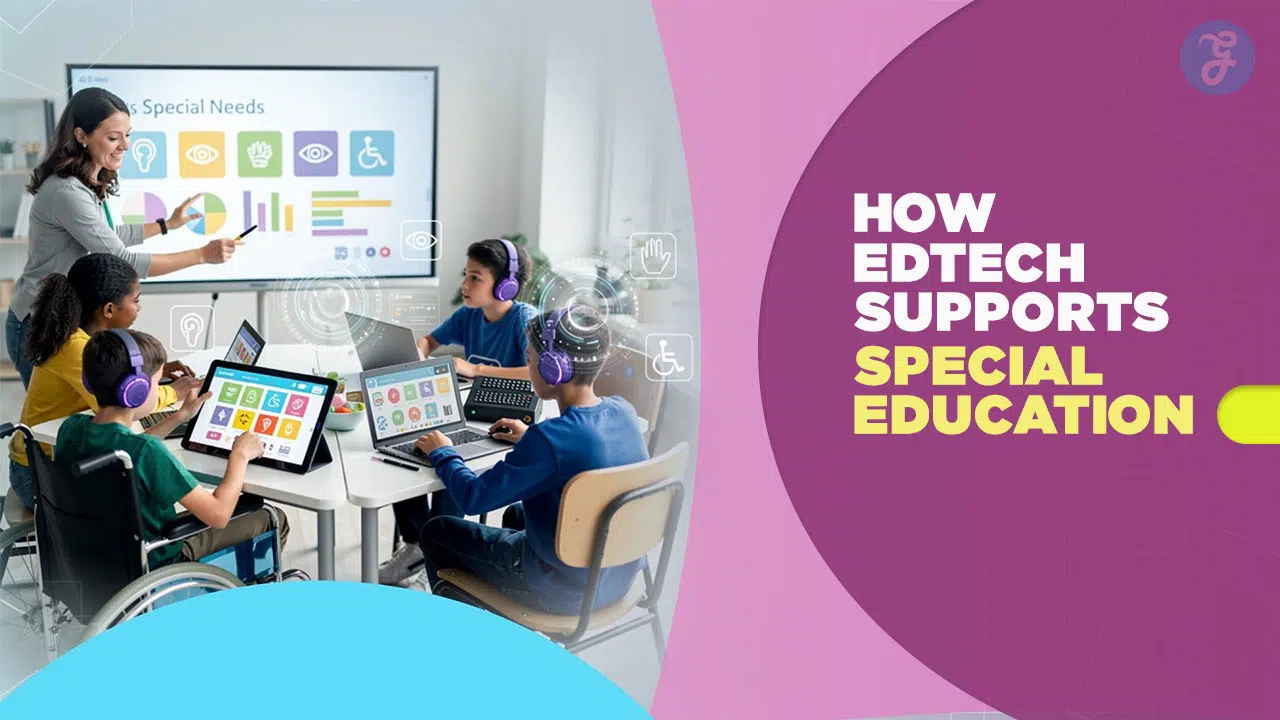
Have you ever watched a bright student shut down simply because a lesson didn’t click with how their brain works? It is a heartbreaking sight for parents and teachers alike. You want to help, but sometimes the standard textbooks and chalkboards just don’t cut it. You are not the only one feeling this way.
Globally, over 240 million children live with disabilities. In the United States alone, the National Center for Education Statistics reports that 7.5 million students receive special education services. That is about 15% of all public school students.
The good news is that technology is finally catching up to these needs. We are talking about smart tools that adapt to the child rather than forcing the child to adapt to the tool.
Understanding the Need for Inclusive EdTech
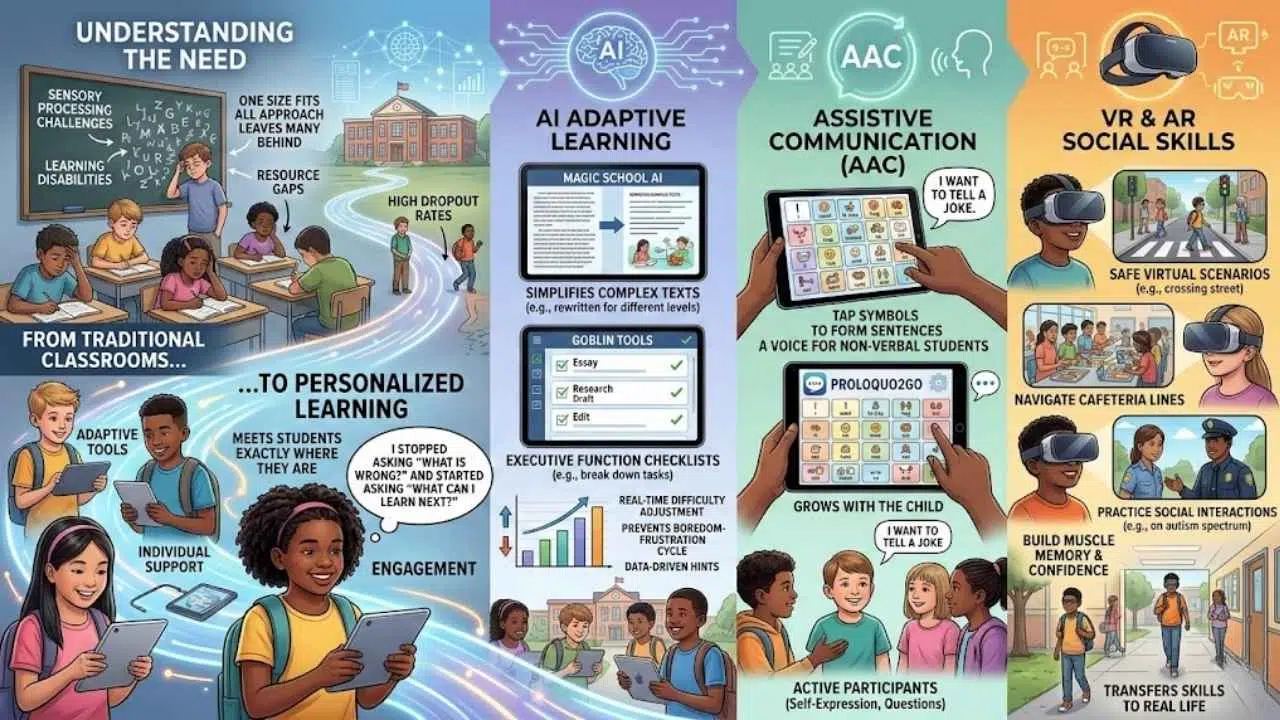
Traditional classrooms often operate on a “one size fits all” model. This approach leaves many capable students feeling frustrated or invisible.
New educational technology, or EdTech, flips this script. It offers personalized support that meets students exactly where they are.
Challenges in traditional classrooms
Imagine trying to read a textbook when the words seem to dance on the page. Or picture sitting in a noisy classroom when you have sensory processing issues.
These are daily realities for millions of students. In a standard setup, a teacher with 30 students often lacks the time to create thirty different lesson plans. This resource gap can lead to significant learning loss.
Fact Check: According to a 2023 report by the National Center for Learning Disabilities, students with specific learning disabilities drop out of high school at nearly three times the rate of their peers. This highlights the urgent need for better support systems.
Without the right tools, students often fall behind not because they lack intelligence, but because they lack access. Chalkboards are great for some, but they do nothing for a student who is visually impaired or needs audio reinforcement.
The power of personalized learning
Technology solves the staffing gap by acting as a personal tutor. It doesn’t get tired and it doesn’t judge.
Personalization is the key here. A student with ADHD might need a gamified math app to stay engaged. A student with dyslexia might need a font that is heavier at the bottom to anchor the letters.
When a child realizes they can control their learning environment, everything changes. They stop asking “What is wrong with me?” and start asking “What can I learn next?”
Key EdTech Innovations for Special Needs
We are seeing a massive shift from basic “computer time” to sophisticated tools that address specific disabilities. Let’s look at the three biggest game-changers.
AI-powered adaptive learning tools
Artificial Intelligence (AI) is more than just a buzzword. In special education, it is a lifeline.
Tools like MagicSchool.ai allow teachers to instantly rewrite complex texts into simpler language for different reading levels. This keeps students in the same curriculum but adapts the difficulty to their needs.
Another standout is Goblin Tools. This AI platform is incredible for students with executive function challenges. It takes a vague task like “write an essay” and breaks it down into a step-by-step checklist automatically.
These systems use data to adjust in real-time. If a student answers a math problem quickly, the next one gets harder. If they struggle, the system offers a hint or a simpler problem. This prevents the boredom-frustration cycle that causes many kids to check out.
Assistive communication devices (AAC)
For non-verbal students, technology provides a voice. Augmentative and Alternative Communication (AAC) apps have moved from clunky, expensive machines to everyday iPads.
Proloquo2Go is the industry standard here. It allows users to tap symbols to create full sentences. While it comes with a price tag around $250, it is a complete communication system that grows with the child.
These tools do more than just help a child ask for lunch. They allow for jokes, questions, and self-expression. They turn passive observers into active participants.
Virtual Reality (VR) creates a safe sandbox for social practice. This is particularly helpful for students on the autism spectrum.
Floreo is a leading VR platform used in schools and therapy centers. It places students in virtual scenarios like crossing a street, interacting with police officers, or handling a cafeteria line.
The student can practice these stressful situations as many times as they need without any real-world consequences. They build muscle memory and confidence. Then they take those skills into the real hallway or street.
Real-World Examples of Inclusive EdTech
Let’s get specific. You need to know which tools actually work and what they do. Here is a breakdown of the top apps making a difference today.
Top tools for dyslexia and reading support
Reading barriers are among the most common challenges. Fortunately, the tech here is robust and often affordable.
| Tool Name | Best Feature | Why It Helps |
|---|---|---|
| Microsoft Immersive Reader | Line Focus & Picture Dictionary | It strips away page clutter and reads text aloud. It is free and built into Word, Edge, and OneNote. |
| Voice Dream Reader | High-quality text-to-speech | It turns any PDF or web page into an audiobook. Note: It recently moved to a subscription model. |
| Ghotit Real Writer | Context-aware spell check | It catches distinct errors that regular spellcheckers miss, specifically designed for people with dyslexia. |
| Learning Ally | Human-read audiobooks | Instead of a robot voice, students hear real human narration. This aids comprehension and engagement. |
Other notable mentions include OpenDyslexic, a font designed to prevent letter confusion, and Read&Write by Texthelp. These tools integrate directly into web browsers so the support is always there.
Technology for visual and hearing impairments
Accessibility features are now standard in many devices, but specialized tools go a step further.
- Seeing AI (Microsoft): This free app narrates the world around you. You point your phone camera at a document, a product barcode, or even a person, and it tells you what it sees.
- JAWS (Job Access With Speech): This is a powerful screen reader for Windows users. It allows visually impaired students to navigate complex websites and software using keyboard shortcuts.
- Caption.Ed: This tool provides instant, accurate captions for any media playing on a screen. It helps students with hearing impairments follow videos or Zoom lectures in real-time.
- Otter.ai: While often used for business meetings, this is excellent for students who are hard of hearing. It transcribes lectures live so students can read what the teacher is saying.
Benefits of EdTech for Special Needs
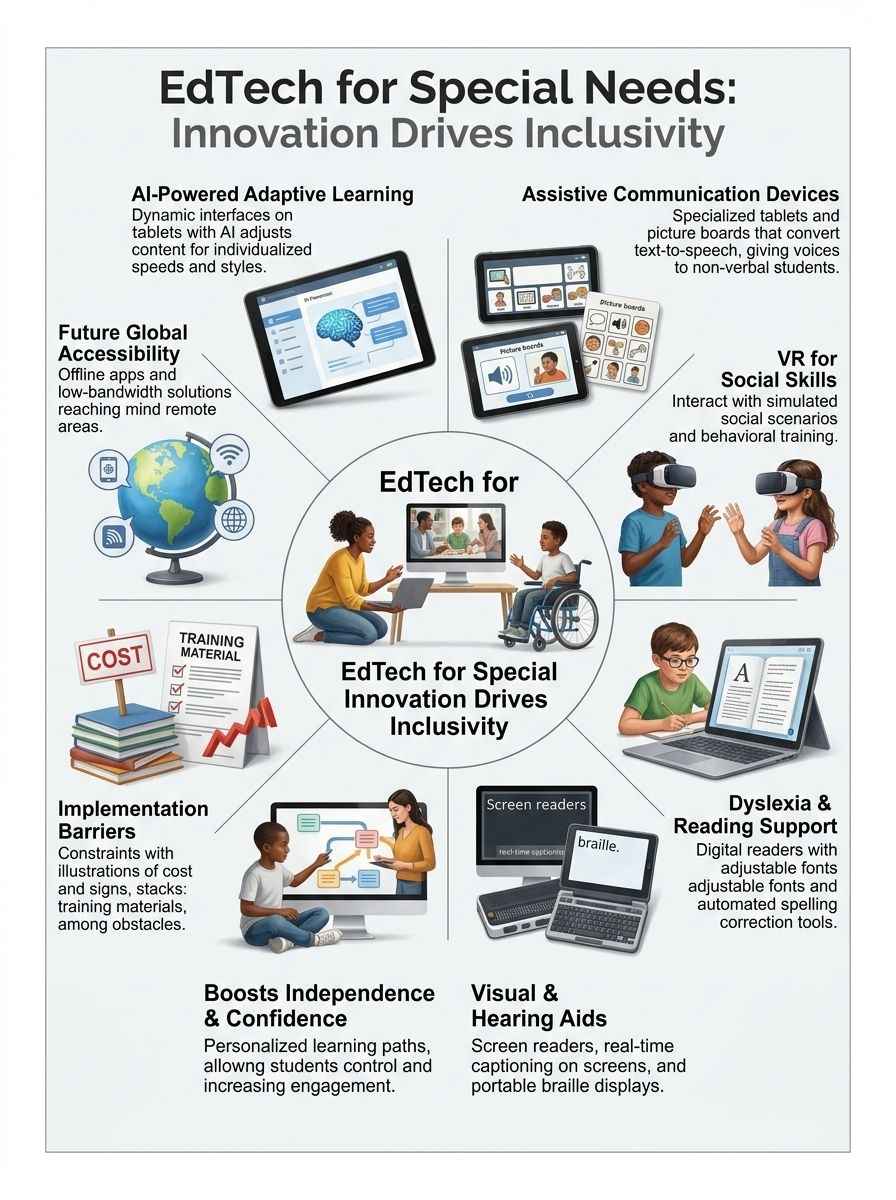
Why invest the time and budget into these tools? The return on investment goes far beyond better grades.
Building independence
The biggest gift technology gives a student is autonomy. Before text-to-speech, a student with a reading disability had to ask a teacher or parent to read every worksheet to them.
Now, they can scan it with an iPad and do the work themselves. That shift from “I need help” to “I can do this” builds massive self-esteem. It prepares them for college and the workforce, where independence is required.
Boosting participation
Tech levels the playing field. In a class discussion, a student who types slowly or speaks with a stutter might shy away from answering.
With a tool like Padlet or a digital whiteboard, that same student can post their thoughts instantly alongside their peers. They get to share their ideas without the pressure of oral performance.
Barriers to Implementation
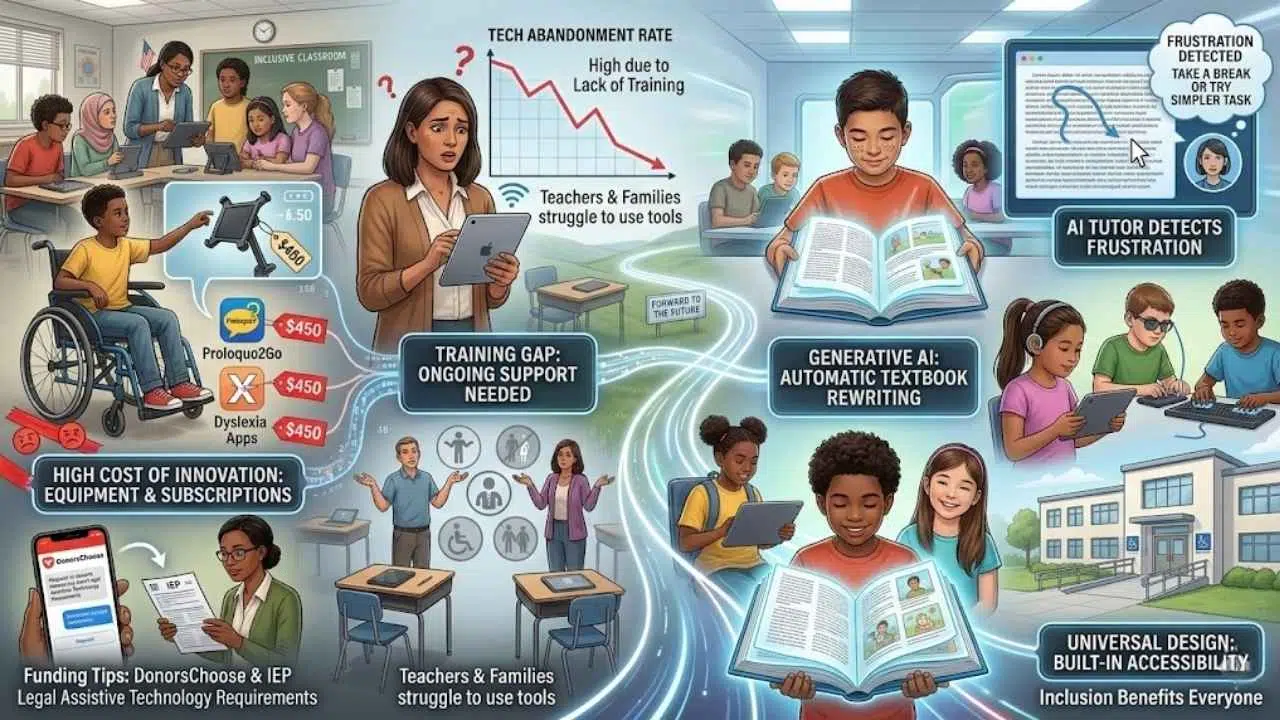
It is not all smooth sailing. We have to be honest about the hurdles schools and families face.
The cost of innovation
Quality tech is expensive. A specialized tablet mount for a wheelchair can cost hundreds of dollars. Subscriptions for top-tier apps like Proloquo2Go or specific dyslexia software add up quickly.
Pro Tip for Funding: Many US teachers use DonorsChoose to fund specific technology requests for their classrooms. Additionally, parents should check if their child’s Individualized Education Program (IEP) can legally require the school district to provide necessary Assistive Technology (AT).
The training gap
Buying the tool is only step one. The “abandonment rate” for assistive technology is high because teachers and families aren’t trained on how to use it.
If a teacher doesn’t know how to turn on the accessibility features in Google Classroom, those features might as well not exist. Schools need to prioritize ongoing training, not just a one-time workshop.
The Future of Inclusive EdTech
We are standing on the edge of a new era. Generative AI is about to make personalization easier than ever before.
Imagine a textbook that automatically rewrites itself to match a student’s reading level and interests. That is where we are heading. AI tutors will soon be able to detect when a student is getting frustrated by their mouse movements and suggest a break or a different approach.
We are also seeing a push for “Universal Design.” This means building accessibility into products from day one, rather than adding it as an afterthought. When products are built for inclusion, everyone wins.
Final Thoughts
EdTech for special needs is about more than gadgets. It is about equity. It is about making sure that a reading disability or a speech impediment does not stop a brilliant mind from shining.
Whether it is a simple text-to-speech app or a complex VR social skills program, these tools open doors. They turn “I can’t” into “I just did.”
If you are a parent or teacher, start small. Pick one tool—maybe the Immersive Reader in Word or a free trial of a reading app—and try it out this week. You might be surprised at how a small change can unlock a world of potential.