Building a website can feel overwhelming, especially when coding and design skills are limited. Many small business owners, creators, and professionals struggle to create an online presence while managing busy schedules.
Website Builders For Non-Designers solve this problem by simplifying the entire process. These platforms offer drag-and-drop tools, ready-made templates, and built-in features like responsive design, making website creation fast and accessible.
A notable insight: after testing 20 tools, Wirecutter ranked Wix as the best website builder for most users in 2025. This highlights how modern builders eliminate technical barriers, removing the need for coding, CSS, or complex hosting setups.
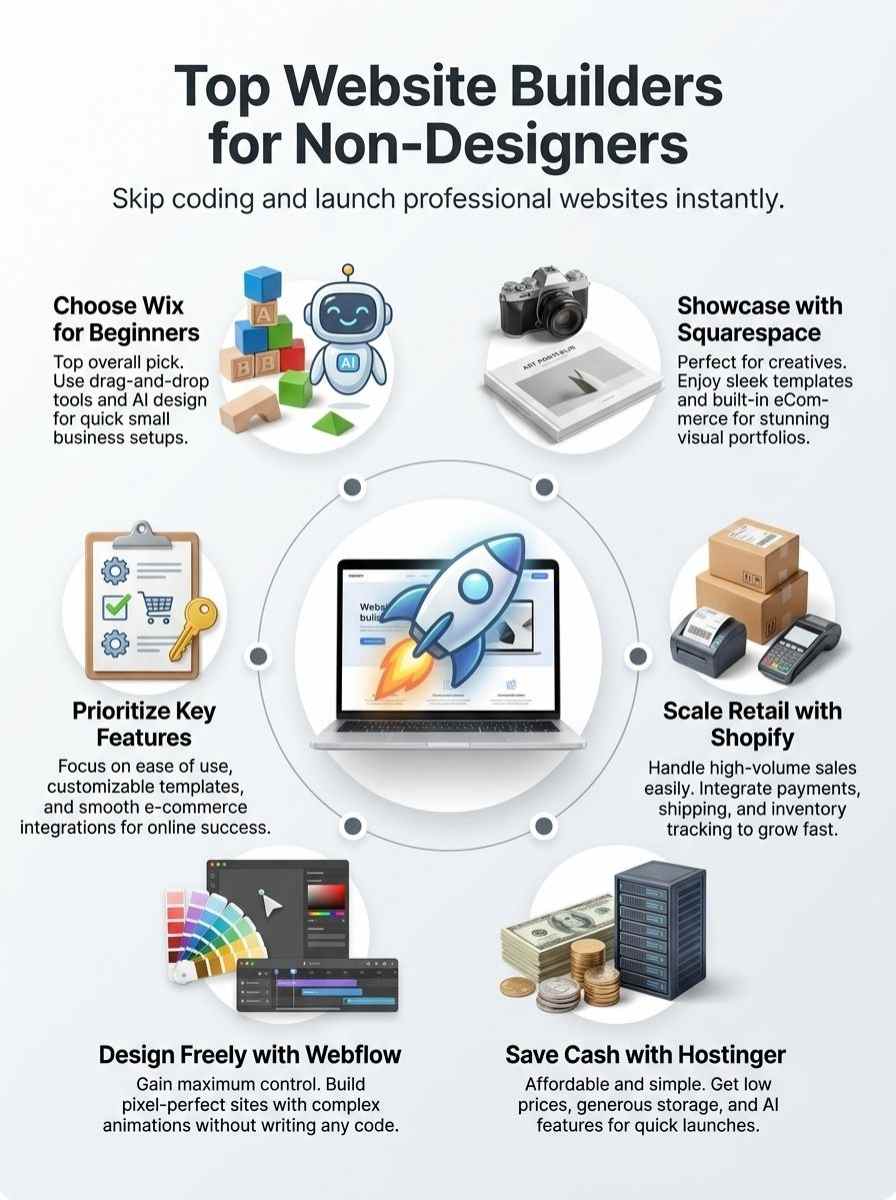
Top options include Squarespace for creatives, Shopify for e-commerce, Hostinger for budget users, and Webflow for advanced customization—each offering unique features, pros, and SEO tools to help choose the right fit.
Why Non-Designers Need Website Builders
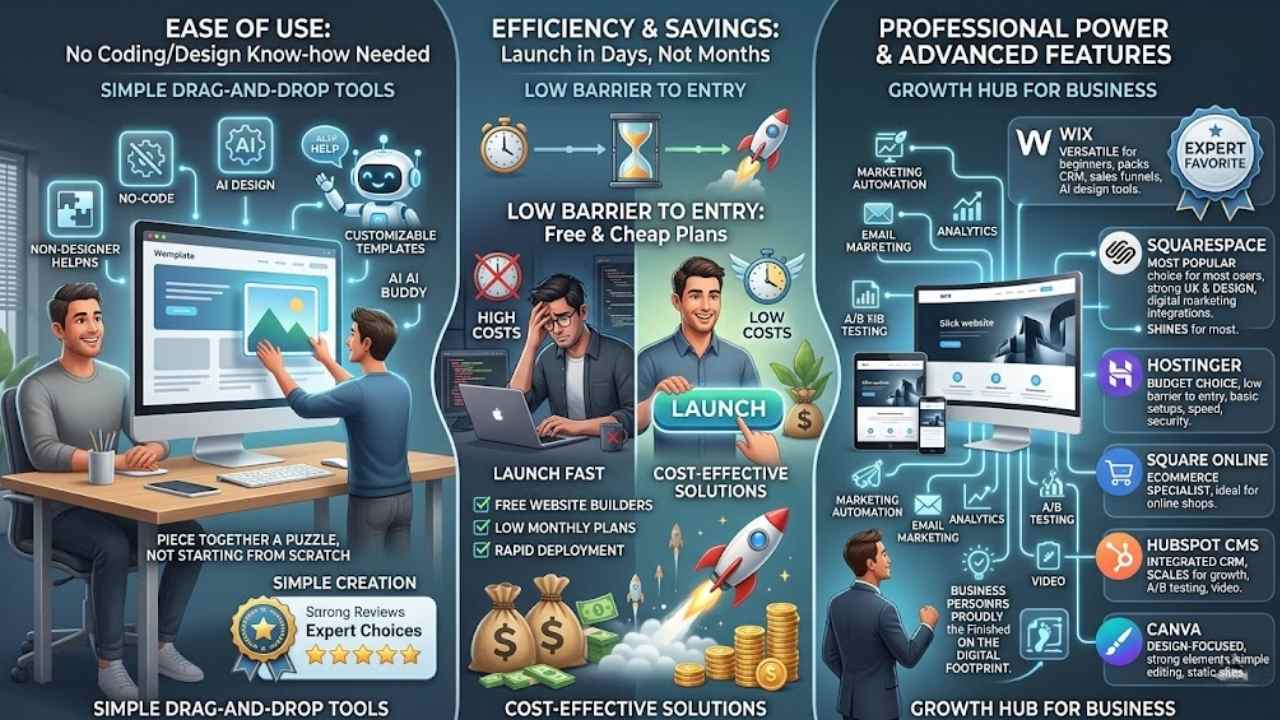
Imagine, you’re a busy entrepreneur with zero coding chops, yet you dream of launching a slick online presence. Website builders, packed with AI tools and drag-and-drop interfaces, cut through the chaos, saving you cash and hours while delivering pro-level user experience without the sweat.
No coding or design skills required
Website builders let you skip the tough stuff. You build sites without coding or design know-how. Take Wix, for example. Experts tested 20 tools and picked it as the top choice on November 13, 2025.
GoDaddy Websites + Marketing uses AI tools for site design, plus it gives plenty of storage. No-code options like these rely on drag-and-drop tools. They offer customizable templates for fast results.
Think of it as piecing together a puzzle, not starting from scratch.
Picture a non-designer jumping into web design with ease. Squarespace shines for most users, per a February 7, 2026 review. Hostinger keeps costs low as the best budget pick. Square Online handles eCommerce well, while HubSpot CMS suits growing businesses.
Canva crafts static sites with strong design elements. These platforms boost user experience through simple image editing and design flexibility. You get marketing automation too, like email marketing integrations.
It’s like having a helpful buddy guide you, step by step.
Time-saving and cost-effective solutions
You need fast ways to build sites without wasting hours or cash. Imagine: you drag and drop elements, skip the coding mess, and launch a site in days, not months. Builders like Wix cut time after testing 20 tools, as Wirecutter noted on Nov 13, 2025.
They offer free website builders or cheap plans from Hostinger, the best budget pick per PCMag on Feb 7, 2026. GoDaddy Websites + Marketing adds AI-powered site design, generous storage, and monthly perks for small businesses.
Squarespace shines for most users with strong features in website design and digital marketing. Even Canva handles static sites beautifully, while HubSpot CMS grows with your business needs.
No-code tools, think drag-and-drop and templates, make creation quick, per a Jan 27, 2026, report on 12 best options.
These solutions save bucks too, especially for non-designers eyeing e-commerce or portfolios. Square Online tops for online shops, blending with Etsy or Shopify vibes. Hostinger keeps costs low, ideal for simple setups with website security and performance boosts.
Wix stands out for beginners, packing CRM and sales funnels without high fees. Tools like Framer or Simvoly add flexibility, but stick to basics for speed. Experts like Jeffrey L. Wilson and Jordan Minor praise these for easing website performance woes.
SaaS platforms handle video hosting and A/B testing, turning ideas into reality fast.
Website builders let you build an online presence without coding. After testing 20 of these tools, we found that Wix is best at the job. – Reviews by Wirecutter, Nov 13, 2025
Wix: Best for Beginners and Local Businesses
Picture yourself as a local coffee shop owner, fumbling with tech, yet Wix steps in like a friendly neighbor, offering drag-and-drop editors that let you build a sharp site without breaking a sweat.
Dive deeper into its templates and apps, and you’ll see how it turns your small business dreams into a buzzing online spot, ready to draw in customers from down the street.
Features & Benefits (Wix)
Wix stands out as a top choice for non-designers who want to build sites fast. It packs strong features that skip the need for coding skills, making it ideal for small businesses.
- Drag-and-drop tools let you craft sites without tech headaches, much like piecing together a puzzle, and tests from Wirecutter on Nov 13, 2025, named Wix the best after checking 20 options, perfect for beginners ditching complex software like WordPress.
- AI-powered design speeds up your setup, offering blueprint suggestions that feel like a helpful buddy guiding you, and it beats out tools like Canva websites for solid small business needs, as noted in Feb 7, 2026 reviews.
- Custom templates give you a pro look right away, think of it as slipping into a well-fitted suit, with features that outshine free builders like Google Sites, earning Wix praise for small businesses in various sources.
- E-commerce integrations make selling online a breeze, similar to flipping a switch, and while Shopify leads in high-volume retail, Wix’s solid setup rivals it for starters, backed by its top rating after testing 20 tools.
- Mobile optimization happens automatically, saving you time like a smart assistant handling the details, and unlike basic options such as Strikingly, Wix delivers on design flexibility without coding, as highlighted in Sep 4, 2025 lists for solid features.
- SEO tools boost your site’s visibility, acting like a spotlight on your work, and experts like Jacob Roach point to Wix over Duda for easy use, with no need for white label tweaks or extra software.
- App market expands your site’s power, imagine adding gadgets to a Swiss Army knife, and it integrates well beyond simple builders like Blueprint, earning spots in 2026 reviews for most users.
- Free plan lets you test the waters, a real lifesaver for budget folks, and compared to paid ones like Clickfunnels, Wix’s solid features shine for small business creation, as per key takeaways on no-code tools from Jan 27, 2026.
- Analytics track your site’s performance, giving insights like a dashboard in your car, and while Squarespace GPT might innovate, Wix’s tested edge from Wirecutter makes it a go-to for non-designers.
- Reliable hosting keeps things smooth, no downtime worries, and folks like Stan Petrov note how Wix tops lists over Wired recommendations, focusing on ease without technical skills.
Pros & Cons (Wix)
Wix packs a punch for folks like you who want a site without the hassle.
| Pros | Cons |
|---|---|
|
|
Squarespace: Best for Portfolios and Creative Professionals
Squarespace shines for artists, photographers, and designers who want a sleek online showcase. Picture your portfolio popping with elegant layouts and easy drag-and-drop editing, all without coding headaches.
Features & Benefits (Squarespace)
Squarespace stands out as the top choice for most folks building sites, according to reviews from February 7, 2026. It lets you create a pro online spot without any coding skills, perfect for portfolios and creative pros.
- Drag-and-drop tools make site building a breeze, you just pull elements into place like arranging furniture in your living room, and customizable templates give you a head start on designs that fit your style without the hassle of starting from scratch.
- Squarespace offers stunning visuals right out of the box, think of it as your personal art gallery online, where images pop and layouts flow smooth for photographers or artists showing off their work.
- Built-in eCommerce options handle sales with ease, so if you’re selling prints or services, you integrate payments and track inventory like a pro shop owner, all without extra plugins.
- Mobile optimization happens automatic, your site looks great on phones and tablets, no tweaks needed, imagine your portfolio shining on any screen, drawing in clients on the go.
- Analytics tools track visitors and performance, giving you insights like a backstage pass to your site’s success, helping you tweak and grow your creative business over time.
- SEO features boost your visibility in searches, you add keywords and descriptions easy, it’s like planting signposts that lead more eyes to your work without paying for ads.
- Customer support stands ready with guides and chat, so when you hit a snag, help arrives quick, picture a friendly neighbor lending a hand during a home project.
Pros & Cons (Squarespace)
Squarespace stands out as a top pick for many folks, especially if you want sleek designs without the hassle.
| Pros | Cons |
|---|---|
| Experts call it the best website builder for most users, per a February 7, 2026 review. | Costs can add up for premium templates and extra features. |
| Drag-and-drop tools make customization a breeze, like painting on a blank canvas. | Limited options for deep code tweaks if you crave total control. |
| Perfect for portfolios, it helps creative pros shine online with ease. | E-commerce setup lags behind rivals like Square Online for big shops. |
| Customizable templates fit no-code needs, letting you build fast and pro-level sites. | Free plans? Nope, you pay from the start, unlike some budget picks. |
| Integrates well with tools for growing your site, think of it as a reliable sidekick. | Learning curve hits if you skip the basics, but hey, practice makes perfect. |
Shopify: Best for E-Commerce and High-Volume Retailers
Picture your small shop exploding into a bustling online empire, no tech headaches in sight. Shopify packs tools like easy store setups and sales trackers that let you sell big, and hey, it feels like having a business buddy who gets retail chaos.
Features & Benefits (Shopify)
Shopify powers online stores for folks who sell a lot. It fits e-commerce needs, much like how Square Online tops lists as the best for that purpose in recent reviews from September 4, 2025.
- Shopify offers drag-and-drop tools that let you build your store fast, no coding needed, just like those no-code builders from the January 27, 2026 roundup that use customizable templates for quick setups.
- You get built-in e-commerce features, such as secure payments and inventory tracking, which help high-volume retailers manage sales smoothly, echoing how Square Online shines for online shops in the September 4, 2025 best free builders list.
- Shopify includes app integrations for marketing and shipping, making it easy to grow your business, similar to HubSpot CMS for expanding companies as noted in that same September 4 report.
- The platform provides strong analytics to track customer behavior, giving you insights that drive better decisions, in line with Wix’s strong features for small businesses from the February 7, 2026 reviews.
- You can customize themes with ease, offering flexibility for your brand, much like GoDaddy’s AI-powered designs and attractive templates highlighted in the 4-days-ago update.
- Shopify supports mobile optimization out of the box, so your site looks great on phones, tying into the no-code trend of drag-and-drop simplicity from the January 27, 2026 article on 12 top builders.
- It handles high traffic without crashes, perfect for busy retailers, as website builders in general let users create pro sites fast per that key takeaway.
- Shopify’s pricing starts affordable, with options for scaling up, comparable to Hostinger as the best cheap pick in the February 7, 2026 best builders guide.
- You access 24/7 support, which feels like a lifeline during setup, aligning with Squarespace’s top spot for most users in those same February reviews.
- The platform integrates with tools like email marketing, boosting your reach, just as e-commerce capabilities stand out in various builders tested in November 13, 2025 by Wirecutter.
Pros & Cons (Shopify)
You know, jumping into e-commerce feels like opening a lemonade stand on the busiest street corner, and Shopify steps up as your trusty setup kit.
| Pros | Cons |
|---|---|
|
|
Hostinger: Best for Affordable and Simple Websites
Hostinger shines when you want a website without breaking the bank or wrestling with complex setups. Imagine this, you drag elements around like rearranging furniture in your living room, and boom, your site goes live affordably.
Features & Benefits (Hostinger)
Hostinger stands out as a top pick for folks on a tight budget who want a simple site without breaking the bank. It earns praise as the best cheap website builder, letting you start site creation with ease and affordability.
- Affordable pricing plans start low, making Hostinger ideal for beginners or small projects that need value without high costs, and you get generous storage to store plenty of images or files right from the start.
- Drag-and-drop tools simplify the process, so you build your site like stacking blocks, no coding needed, which saves time and cuts frustration for non-designers chasing quick results.
- Customizable templates offer a range of styles, think of them as ready-made outfits you tweak to fit your vibe, drawing from options that suit blogs, portfolios, or basic stores with minimal effort.
- AI-powered features help generate site designs fast, almost like having a smart buddy suggest layouts, and this ties into GoDaddy’s similar tech but keeps things budget-friendly for everyday users.
- Built-in e-commerce options let you add shops without extra fees on basic plans, perfect if you’re testing online sales like Square Online suggests for retail, yet Hostinger keeps it simple and low-cost.
- Reliable hosting comes included, ensuring your site loads quickly and stays up, which beats juggling separate services and aligns with no-code trends from January 27, 2026 reports on easy site creation.
- Free domain and SSL security protect your online spot right away, acting as a sturdy lock on your digital door, so visitors trust your page from day one without added hassle.
- Mobile-responsive designs adapt to phones and tablets automatically, imagine your site shifting like water to fit any screen, boosting access for on-the-go audiences in today’s fast world.
- Integration with tools like email marketing adds extra punch, letting you connect apps seamlessly, much like HubSpot CMS for growing setups but at a fraction of the price for starters.
Pros & Cons (Hostinger)
People love Hostinger for its rock-bottom prices, making it a steal for budget-conscious folks. You get drag-and-drop tools that simplify site creation, no coding needed, just like the no-code builders praised in recent reviews. Think of it as your wallet’s best friend, offering customizable templates that let you whip up a professional site in no time. Reviews from February 2026 call it the top cheap option, perfect for those pinching pennies. Plus, it packs generous storage, much like GoDaddy’s setup, so you store plenty without stress.
Drawbacks hit when you crave fancy features, as Hostinger keeps things basic to stay affordable. Users sometimes gripe about limited e-commerce tools compared to giants like Square Online. Support can feel spotty during peak times, leaving you hanging like a bad phone connection. Costs creep up if you add extras, turning that bargain into a surprise bill. Still, for simple sites, it shines without breaking the bank.
Webflow: Best for Advanced Customization and Design Flexibility
Webflow shines when you crave deep tweaks without drowning in code, like a playground for your wild design ideas. Picture crafting a site that bends to your vision, with tools for animations and interactions that make visitors stick around longer.
Features & Benefits (Webflow)
You need advanced customization without deep coding skills. Webflow delivers that flexibility for creative minds like yours.
- Drag-and-drop tools make site building a breeze, letting you pull elements into place just like arranging furniture in a cozy room, and they speed up creation for quick professional results as noted in reports on no-code platforms from January 2026.
- Customizable templates give you a starting point that’s easy to tweak, imagine molding clay into your dream shape, so users establish an online presence fast without technical headaches, drawing from tests of 20 tools where similar builders shone.
- Advanced design options allow pixel-perfect control, like a painter with a full palette, enabling creative professionals to craft sites that stand out, all while skipping coding knowledge as key takeaways from 2025 reviews highlight for growing businesses.
- No-code interface empowers you to add interactions and animations effortlessly, think of it as sprinkling magic dust on your pages, which supports easy site creation for non-designers per September 2025 insights on free builders with robust features.
- Integration capabilities connect with e-commerce and other apps smoothly, picture snapping puzzle pieces together, offering design flexibility that rivals top picks like those in February 2026 evaluations for most users seeking budget-friendly yet powerful solutions.
Pros & Cons (Webflow)
Webflow shines with its drag-and-drop tools that let you craft sites like a pro, even without code. Imagine you tweak every detail for that perfect look, thanks to those customizable templates from no-code builders. It fits folks who crave advanced tweaks, much like the strong features in tools such as Wix. Folks love how it boosts design flexibility, saving time on complex setups. One user I know built a portfolio site in days, and boy, it popped with style.
On the flip side, Webflow can feel pricey for basic needs, unlike Hostinger’s budget vibe. Steep learning hits beginners hard, not as easy as Squarespace for most. You might face limits on free options, pushing you to paid plans fast. Tech glitches pop up now and then, frustrating quick fixes. Still, if you push through, it rewards with top-notch sites.
Key Factors to Consider When Choosing a Website Builder
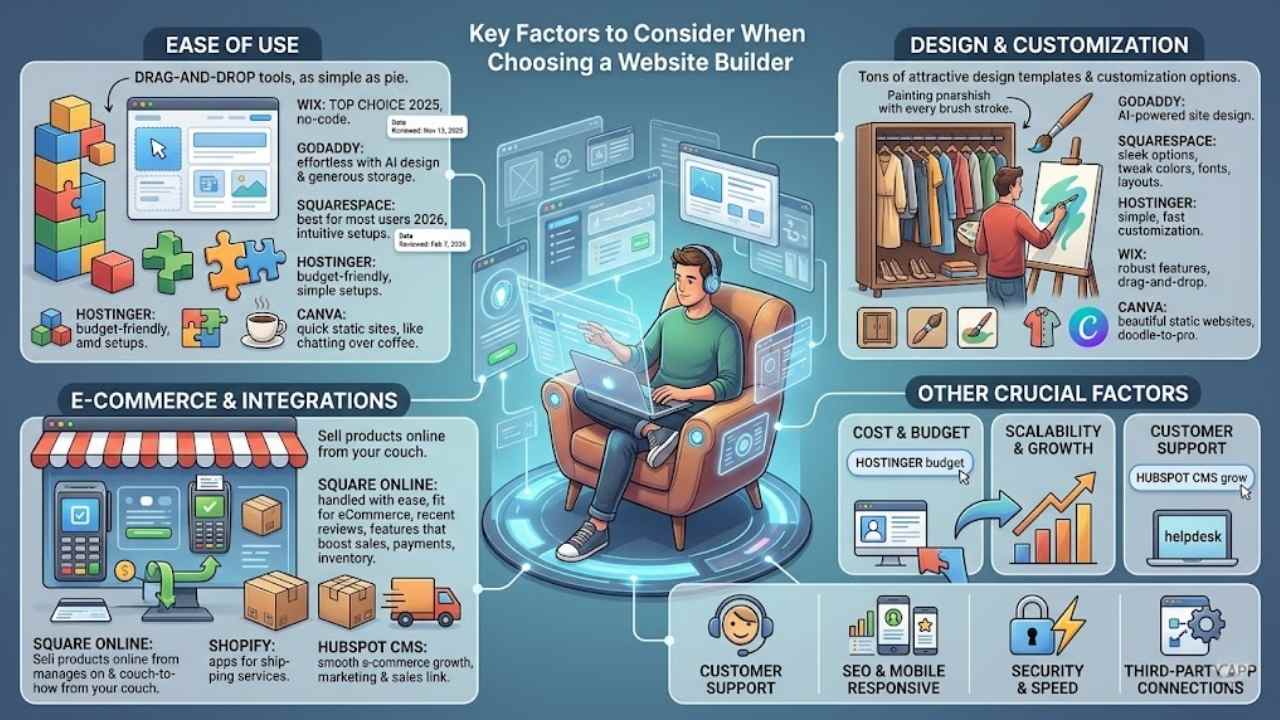
Picking the right site creator feels like choosing a comfy chair for your online space, it has to support you without any fuss. Focus on drag-and-drop editors that let you tweak layouts easily, and check app connections for smooth online shops, so your site grows with you.
Ease of use
Ease of use sets the stage for your website journey, especially if coding feels like a foreign language. Website builders shine here, letting you create sites without any tech skills.
Think drag-and-drop tools that act like building blocks, simple as pie. No-code options, like those from Wix, make it a breeze after folks tested 20 tools and picked it as top dog on November 13, 2025.
GoDaddy Websites + Marketing throws in AI-powered design, plus loads of storage, to keep things effortless. You drag, drop, and customize templates, feeling like a pro without the hassle.
Squarespace tops the list for most users, as noted on February 7, 2026, with intuitive setups that save your sanity. Hostinger keeps costs low while staying user-friendly for budget fans.
Square Online handles eCommerce with ease, and HubSpot CMS grows right along with your business needs. Canva crafts stunning static sites, quick as a wink. These platforms use customizable templates, so you build fast, like chatting with an old friend over coffee.
Design templates and customization options
Website builders offer tons of design templates that fit your style, like a closet full of outfits ready to mix and match. GoDaddy Websites + Marketing shines with its attractive templates and AI-powered site design, making things feel like a breeze for beginners.
Squarespace stands out as the best for most users, thanks to those sleek options that let you tweak colors, fonts, and layouts without sweat. Hostinger keeps it budget-friendly with simple templates you can customize fast, perfect if you’re pinching pennies.
Wix, tested as top dog among 20 tools back in November 2025, packs robust features for small businesses, including drag-and-drop tools that turn ideas into reality.
Customization gets even better with no-code options, imagine painting a canvas where every brush stroke is yours. Square Online excels for eCommerce sites, letting you adjust templates to sell products smoothly.
HubSpot CMS suits growing businesses with flexible designs that scale up. Canva delivers beautifully designed static websites through easy tweaks, almost like doodling on a napkin that turns pro.
These builders use customizable templates to skip the coding hassle, so you create a site that screams “you” in no time.
E-commerce capabilities and integrations
E-commerce tools let you sell products online without hassle. Square Online stands out for e-commerce needs. It handles payments and inventory with ease. Builders like Shopify offer apps that connect to shipping services.
These integrations save you time on orders. Picture running a shop from your couch, no tech headaches involved.
Growing businesses turn to HubSpot CMS for smooth e-commerce growth. It links with tools for marketing and sales. No-code options use drag-and-drop for quick setups. Custom templates make your store pop.
Square Online fits e-commerce perfectly, as noted in recent reviews. You get features that boost sales right away.
Final Words
You’ve seen how Wix shines for beginners with its drag-and-drop ease, while Squarespace fits creatives who want stunning portfolios. Shopify powers online stores without a hassle, and Hostinger keeps things cheap yet functional for simple sites.
These tools skip the coding mess, save you time, and cut costs like a smart shortcut through traffic. Pick one that matches your needs, and you’ll launch a site that boosts your business or ideas fast.
Check out reviews from Wirecutter or PCMag for detailed looks into free options like Canva. Go build that site now, your online presence awaits, and hey, I once started mine with zero skills, turned it into a thriving spot overnight.
Frequently Asked Questions (FAQs) About Website Builders for Non-Designers
1. What makes a website builder great for non-designers?
Hey, if you’re no artist with pixels, look for drag-and-drop tools that feel like playing with building blocks. Platforms like Wix and Squarespace let you snap templates together without sweating the code. It’s like magic, turning your ideas into a pro site in hours, and you won’t pull your hair out.
2. How do I pick the right website builder without design skills?
Start simple; think about your needs, like easy mobile-responsive designs. Weebly offers affordable plans with user-friendly interfaces that guide you step by step.
3. Can these builders handle e-commerce for beginners?
Absolutely, non-designers love how Shopify integrates shopping carts without tech headaches. You drag elements, add products, and boom, your store’s live. Plus, it’s got built-in support to keep things smooth, like a helpful neighbor watching your back.
4. Are there free options for non-designers starting out?
WordPress.com gives you free templates to experiment with, no design degree required.