Finding the best reading apps kids can actually benefit from is harder than downloading the cutest one in the app store. That is where many parents get stuck. One app has cartoons. Another has rewards. Another has a giant library. Another promises to teach phonics. Another says it builds fluency. And somehow, after 20 minutes of “educational screen time,” your child has mostly tapped balloons, changed avatars, and learned that digital coins are more exciting than vowel sounds.
A good reading app should do more than keep kids busy. It should help them practice something real: letter sounds, phonics, decoding, vocabulary, fluency, comprehension, read-aloud confidence, or simply the habit of choosing books.
That does not mean every app must teach reading from scratch. Some apps are best for preschoolers learning letters. Some are better for early readers practicing phonics. Some are digital libraries for kids who already read. Some help teachers assign leveled books. Some help children read aloud and get feedback.
The right app depends on your child’s age, reading level, attention span, device access, language needs, and whether you want structured lessons or open reading choice. This guide compares 11 kids reading apps worth considering in 2026, with clear notes on who each one is best for.
What Makes a Kids Reading App Actually Useful?
A useful reading app should support reading skills, not just decorate screen time with books and badges.
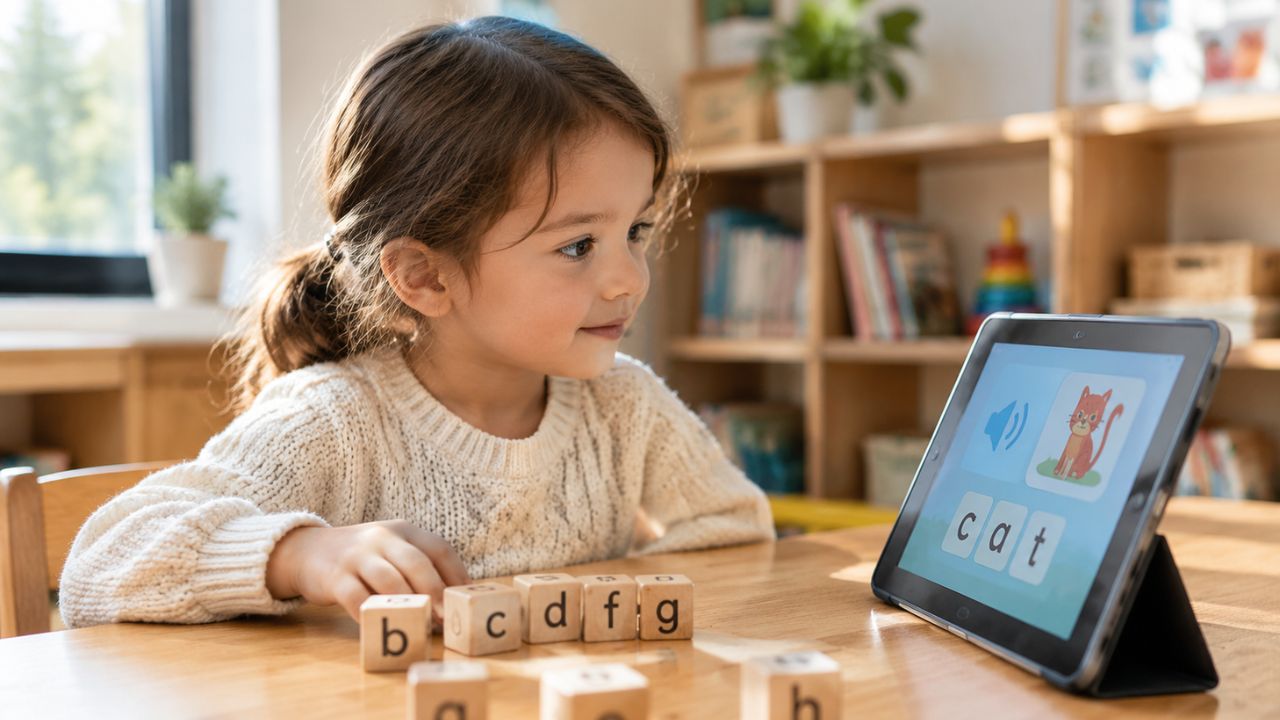
For beginning readers, the strongest apps usually include phonemic awareness, phonics, letter-sound practice, decoding, sight words, vocabulary, and simple stories that match the child’s level. For growing readers, a good app may focus more on fluency, comprehension, read-aloud practice, audiobooks, ebooks, or interest-based reading.
The best reading apps for kids usually do at least one of these things well:
- Teach letter sounds and phonics in a clear sequence
- Give children practice reading words and simple sentences
- Offer books at the right reading level
- Encourage read-aloud practice
- Support comprehension with questions or discussion
- Let parents or teachers track progress
- Make reading feel enjoyable without turning it into a reward-machine circus
- Keep the environment child-safe and age-appropriate
A reading app should never replace adults reading with children. But the right one can support practice, confidence, and consistency.
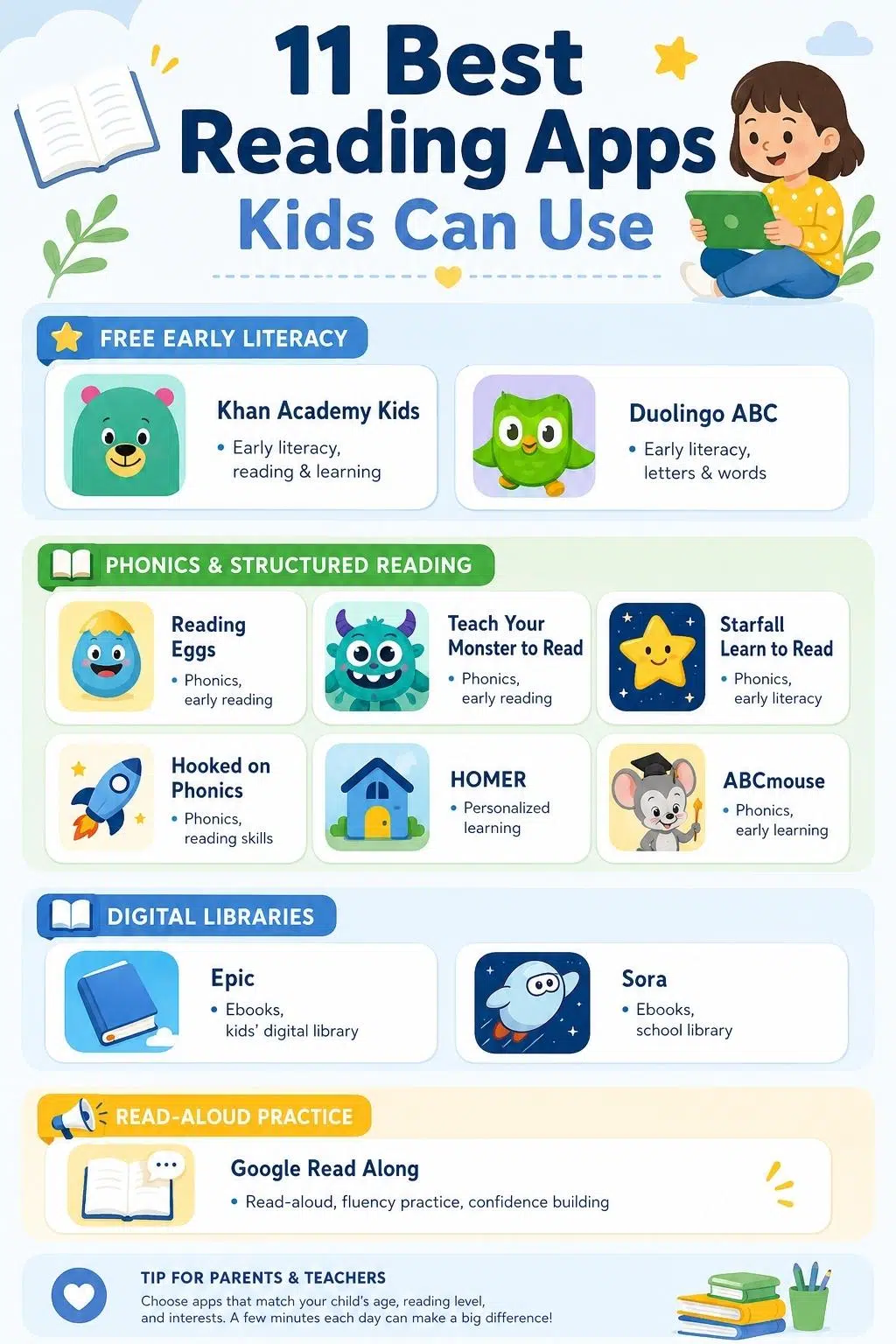
11 Best Reading Apps Kids Can Use
The apps below are not ranked from “perfect” to “bad.” They serve different needs. A preschooler learning letter sounds does not need the same app as a third grader, who needs more book choice.
1. Khan Academy Kids
Khan Academy Kids is one of the easiest kids reading apps to recommend because it is genuinely free and broad enough for early learners.
It includes reading games, phonics lessons, interactive storybooks, videos, and early learning activities for children ages 2–8. The app also covers math, social-emotional learning, and creative activities, so it works well as a general early learning app, not only a reading tool.
The biggest strength is accessibility. There are no ads, no subscriptions, and no pressure to unlock learning through payment. That makes it especially useful for families who want a safe starting point before committing to paid learn-to-read apps.
It is best for younger children, especially preschool, kindergarten, and early elementary learners. Older kids who already read independently may outgrow it.
A strong match for: Families who want a free, safe, early literacy app.
Best feature: Free access to reading games, storybooks, phonics, and early learning content.
Worth considering: It is broad, so parents may need to guide children toward reading activities instead of letting them wander only into games.
2. Duolingo ABC
Duolingo ABC is a simple, cheerful learn-to-read app for young children who are building early literacy skills.
It focuses on letters, phonics, tracing, spelling, vocabulary, and short reading activities. The lessons are bite-sized, which helps younger kids stay engaged without feeling like they are doing a long reading lesson.
This app is a good fit for preschoolers, kindergarteners, and first graders who need early reading practice. It is especially useful for families who want something lightweight and free rather than a large subscription program.
The main limitation is depth. Duolingo ABC is not a full reading curriculum for every child. It works better as daily practice or a gentle introduction.
Ideal for: Preschool to first-grade learners building early reading confidence.
Best feature: Short, friendly lessons that make letter and phonics practice feel manageable.
Before using: Sit with your child at first so you can hear whether they are saying sounds correctly and understand the activity.
3. Brighterly
Brighterly is best for families who want a real tutor guiding reading progress, not just an app running on its own.
It’s a 1:1 learning platform built around a student-first approach, pairing children in grades K–12 with a professional tutor through Brighterly reading tutors for personalized reading lessons. Because sessions are one-on-one, kids can ask questions in real time and get direct help with whatever is tripping them up, whether that’s decoding, fluency, or comprehension. Lessons follow US educational standards, so practice lines up with schoolwork and exam prep instead of existing separately from it.
Parents get monthly progress summaries showing which reading skills their child has mastered and which still need work, giving a clearer read on progress than an in-app score.
The trade-off is that Brighterly depends on a live tutor and a stable internet connection, and it doesn’t offer group classes, so it works better as a personalized addition than a self-guided reading library.
Best for: Kids who need one-on-one tutor guidance to build reading skills.
Best feature: Live 1:1 reading lessons matched to US educational standards, with monthly progress reports for parents.
Worth considering: Sessions require a stable internet connection.
4. Reading Eggs
Reading Eggs is one of the more complete learn-to-read apps because it combines structured lessons, phonics games, spelling, comprehension, and a large ebook library.
It is designed for a wide age range, from toddlers and preschoolers through older children who need reading practice. The program includes different learning areas, including early reading, phonics, spelling, comprehension, and books.
This is a stronger choice for families who want a guided reading path instead of random activities. It can be especially useful when parents want the app to decide what comes next.
The trade-off is cost. Reading Eggs is subscription-based, so it makes sense if your child will use it regularly.
Works well for: Families who want a structured reading program with lessons and books.
Best feature: A broad reading pathway that covers phonics, spelling, comprehension, and ebooks.
Practical note: Use the placement or starting level carefully. If the app starts too easy or too hard, kids may lose interest.
5. Teach Your Monster to Read
Teach Your Monster to Read is one of the best play-based reading apps for early phonics.
Children create a monster and guide it through reading games that build early literacy skills. The format is playful, but the core is phonics practice. That makes it useful for kids who resist traditional reading lessons but enjoy game-style learning.
It works best for children around ages 3–6, especially those learning letter sounds, blending, and early reading patterns. The monster theme gives the app personality without making it feel too noisy or overwhelming.
The limitation is age range. Older children may find it too young unless they specifically need foundational phonics support.
Great match for: Young kids who need phonics practice through play.
Best feature: Game-based reading practice that keeps early phonics fun.
Small drawback: It is strongest for beginners, not fluent readers.
6. Starfall Learn to Read
Starfall Learn to Read is a long-standing favorite for early phonics because it keeps things simple, structured, and child-friendly.
The app and platform focus on letter-sound relationships, CVC words, vowel sounds, songs, games, and simple reading practice. It is especially useful for children moving from knowing letters to actually reading words.
Starfall is not flashy in the modern app sense, and that can be a strength. The activities feel focused. Kids are not constantly pushed into unrelated games, rewards, or noisy extras.
This is a good option for parents and teachers who want a phonics-centered tool that supports early decoding.
Most useful for: Pre-K, kindergarten, first grade, and emerging readers.
Best feature: Clear phonics practice with simple stories, sounds, and activities.
Worth knowing: Some Starfall content is free, while expanded access may require membership or app purchase.
7. Hooked on Phonics
Hooked on Phonics is one of the most recognizable names in learn-to-read programs, and the app version brings that step-by-step approach into a digital format.
It is built for children around ages 3–8 and includes reading, spelling, math, ebooks, games, and progress features. The reading path is especially useful for families who want a more traditional phonics-based structure with digital practice.
The app is a good fit for preschool, kindergarten, first-grade, and second-grade learners who need systematic practice. It may also help families who want a familiar brand with a clear learning path.
The trade-off is that it is subscription-based after the trial. It is worth using only if your child responds well to the format and you plan to use it consistently.
Recommended for: Families who want a classic phonics-based reading program.
Best feature: Step-by-step lessons supported by practice activities and ebooks.
Final buying note: Try the free trial first and watch whether your child actually engages with the reading lessons, not just the reward features.
8. HOMER
HOMER is designed as a personalized early learning app with reading at the center.
It uses your child’s age, level, and interests to create a learning pathway. The app includes reading, phonics, stories, songs, math, creativity, thinking skills, and social-emotional learning. That makes it broader than a pure phonics app but more personalized than many general learning platforms.
HOMER is a good fit for children ages 2–8, especially those who like learning through stories, characters, and playful activities. The personalization can help children feel more connected to the content.
The caution is that broad apps can become scattered if parents do not check what the child is actually doing. If reading is the goal, make sure your child spends time in the reading pathway.
A good choice for: Young learners who respond well to personalized content and playful lessons.
Best feature: Personalized early learning pathway based on age, level, and interests.
One thing to note: It is broader than reading, so parent guidance helps keep the focus on literacy.
9. ABCmouse
ABCmouse is a full early learning platform rather than only a reading app.
It covers reading, math, science, social studies, art, music, books, videos, songs, puzzles, and learning games. For children ages 2–8, it can be useful as a broad learning environment with reading included.
The strength is variety. If your child likes a lot of activity types, ABCmouse can feel engaging and full. It is also useful for parents who want one platform for multiple early learning subjects.
The weakness is also variety. If the specific goal is reading improvement, parents may need to guide children toward reading lessons and books rather than letting them bounce from game to game.
Best suited to: Families who want an all-in-one early learning app.
Best feature: Large early learning environment with reading, books, and read-to-me activities.
Worth considering: It may be too broad if you only want focused phonics practice.
10. Epic
Epic is best for children who need access to more books, not necessarily children who need phonics instruction from scratch.
It offers a large digital library of children’s books, audiobooks, Read-To-Me books, learning videos, and reading recommendations. This makes it a strong choice for kids who already know how to read but need more choice, motivation, or convenient access to books.
Epic is especially useful for reluctant readers because interest matters. A child who hates generic reading passages may happily read about sharks, soccer, comics, space, animals, or silly facts.
The main limitation is that Epic is more of a reading library than a structured phonics program. It helps with reading volume and engagement, but it is not the same as a step-by-step learn-to-read app.
Perfect for: Kids who need more book choice and reading motivation.
Best feature: Large library with ebooks, audiobooks, and Read-To-Me options.
Before subscribing: Check whether the available books match your child’s interests and reading level.
11. Google Read Along
Google Read Along is one of the most useful reading practice apps for children who need to read aloud.
The app uses a reading assistant named Diya to listen as children read stories aloud, then gives verbal and visual feedback. It also supports multiple languages, which makes it especially helpful for multilingual families or children practicing reading in more than one language.
This app is different from a phonics game or digital library. Its strongest use is oral reading practice. A child reads, the app listens, and the child gets support while practicing fluency and confidence.
It is best for children who already know some basics and are ready to read aloud with help.
Especially useful for: Read-aloud practice, multilingual families, and children building confidence.
Best feature: Voice-based reading feedback with stories in multiple languages.
Practical note: An adult should still listen sometimes. Speech recognition can help, but it is not the same as a parent or teacher noticing expression, frustration, and comprehension.
Quick Comparison: 11 Best Reading Apps Kids Can Use
| Reading App | Best For | Strongest Use Case | Best Age Fit |
| Khan Academy Kids | Free early literacy | Reading games, books, phonics, early learning | 2–8 |
| Duolingo ABC | Early learn-to-read practice | Letters, phonics, tracing, simple stories | Preschool–Grade 1 |
| Brighterly | Structured reading lessons | Phonics, spelling, comprehension, ebooks | 2–13 |
| Teach Your Monster to Read | Play-based phonics | Early phonics through game-based practice | 3–6 |
| Starfall Learn to Read | Foundational phonics | Letter sounds, CVC words, vowel patterns | Pre-K–Grade 2 |
| Hooked on Phonics | Step-by-step reading program | Phonics, early reading lessons, ebooks | 3–8 |
| HOMER | Personalized early reading | Reading, phonics, stories, early learning | 2–8 |
| ABCmouse | Broad early learning | Reading plus math, art, music, and more | 2–8 |
| Epic | Digital reading library | Ebooks, audiobooks, Read-To-Me books | 4–12 |
| Google Read Along | Read-aloud practice | Voice-based reading feedback and multilingual stories | 5+ |
| Sora by OverDrive | School ebook access | Ebooks and audiobooks through school libraries | K–12 |
Best Reading Apps by Child’s Need
| If Your Child Needs… | Try This |
| A free early literacy app | Khan Academy Kids |
| Simple learn-to-read lessons | Duolingo ABC |
| Structured phonics and comprehension | Reading Eggs |
| Game-based phonics | Teach Your Monster to Read |
| Foundational phonics practice | Starfall Learn to Read |
| A classic reading program | Hooked on Phonics |
| Personalized early learning | HOMER |
| All-in-one early learning | ABCmouse |
| More book choice | Epic |
| Read-aloud practice | Google Read Along |
| School library ebooks and audiobooks | Sora |
What Parents Should Check Before Choosing a Reading App
Do not choose a reading app only by star rating or cartoon design.
Check these things first:
- Does it teach the skill your child actually needs?
- Is it focused on phonics, books, fluency, comprehension, or general learning?
- Is the age range realistic for your child?
- Does it adjust to the child’s level?
- Are there ads or distracting upsells?
- Does it require a subscription?
- Can parents or teachers track progress?
- Does the child read words and sentences, or mostly tap through games?
- Does it encourage real reading outside the app?
- Can you sit with your child for the first few sessions?
A reading app should support the child’s reading life, not become the whole reading life.
Common Mistakes Parents Make With Kids Reading Apps
- Assuming that more screen time equals more reading practice. It does not. Some apps are educational in name but mostly reward tapping, guessing, and game progression.
- Choosing an app that is too easy. If a child already reads simple sentences, endless alphabet games will feel boring.
- Choosing an app that is too hard. If a child cannot blend sounds yet, a digital library full of books may frustrate them.
- Ignoring read-aloud practice. Silent tapping can hide reading struggles. Hearing your child read is still important.
- Using only apps. Children still need print books, adult read-aloud time, conversation, library visits, and real-world reasons to read.
How to Use Reading Apps Without Overdoing Screen Time
A reading app works best when it has a clear role. For young children, 10–15 minutes of focused practice may be enough. For older kids using ebook apps, the time can be longer if they are genuinely reading. The key is quality, not just minutes.
Try this simple routine:
- Choose one app for the child’s current reading need.
- Use it at the same time each day or a few times a week.
- Sit with the child for the first few sessions.
- Ask what they learned or read.
- Follow the app session with a real book, short read-aloud, or a conversation.
- Review progress every few weeks.
The goal is not to make children dependent on an app. The goal is to make reading easier, more confident, and more consistent.
Final Thoughts
The best reading apps kids can use are the ones that match the child’s actual reading stage.
Khan Academy Kids is the best free early learning option. Duolingo ABC is great for simple early reading practice. Reading Eggs gives a more complete structured pathway. Teach Your Monster to Read makes phonics playful. Starfall keeps early decoding focused. Hooked on Phonics offers a classic step-by-step reading path. HOMER personalizes early learning. ABCmouse works for broad early learning. Epic gives kids more books. Google Read Along supports read-aloud confidence. Sora gives students school library access.
No app can replace a caring adult, a good book, and regular reading time. But the right app can make practice easier, give kids more confidence, and help reading feel less like a battle.
Frequently Asked Questions About the Best Reading Apps Kids Can Use
1. What are the best reading apps for kids?
Some of the best reading apps kids can use include Khan Academy Kids, Duolingo ABC, Reading Eggs, Teach Your Monster to Read, Starfall Learn to Read, Hooked on Phonics, HOMER, ABCmouse, Epic, Google Read Along, and Sora.
2. What is the best free reading app for kids?
Khan Academy Kids is one of the strongest free options for younger children because it includes reading games, books, phonics, and early learning activities without ads or subscriptions. Google Read Along is also useful for free read-aloud practice, especially for multilingual families.
3. Which reading app is best for learning phonics?
Reading Eggs, Teach Your Monster to Read, Starfall Learn to Read, Hooked on Phonics, and Duolingo ABC are strong phonics-focused options. The best choice depends on your child’s age and whether they prefer games, structured lessons, or short daily practice.
4. Are reading apps good for kids?
Reading apps can be helpful when they teach real reading skills, match the child’s level, and are used with adult support. They are less useful when they mostly rely on rewards, games, or passive screen time without real reading practice.
5. What is the best reading app for reluctant readers?
Epic can work well for reluctant readers who need more book choice, because it offers many topics, ebooks, audiobooks, and Read-To-Me options. Teach Your Monster to Read may work better for younger reluctant readers who need phonics through play.
6. Can reading apps replace books?
No. Reading apps should support books, not replace them. Kids still need print books, adult read-aloud time, library access, conversation, and chances to read for pleasure away from screens.