
A customer can open a new feature and still miss its most useful action. Another may finish onboarding, then disappear before reaching the moment that makes the product valuable. A well-timed message can help them move forward. A short survey can show the team where they got stuck.
The challenge is choosing software that can do the work you actually need. Some platforms combine tours, announcements, product analytics, and surveys. Others specialize in feedback or support conversations. Their entry prices can also hide differences in user limits, survey access, and mobile support.
I looked at ten in-app messaging and survey tools through a practical lens: who can you reach, what can you ask, what happens to the answer, and what will the required plan cost? If you want a quick starting point, compare Userpilot for engagement plus analytics, Appcues for web and native mobile onboarding, Intercom for communication tied to support, and Survicate for surveys across channels.
The best in-app messaging and survey tools at a glance
The figures below are US dollar price snapshots, not like-for-like quotations. Some vendors charge by monthly active users (MAUs), others by tracked users, seats, messages, or survey responses. Where annual billing is specified, the figure is the monthly equivalent of an annual commitment.
| Tool | Best for | Price snapshot | Check before buying |
| Userpilot | Product guidance, feedback, and analytics together | Starter $299/month; Growth from $849/month | Advanced surveys and native mobile need a higher tier or add-on |
| Appcues | Onboarding and surveys across web and native mobile | Current main plans require a quote | Published experience limits vary by tier |
| Pendo | Connecting product usage with sentiment | Free up to 500 MAUs; paid plans by quote | Paid survey access depends on Sentiment |
| Chameleon | Custom web guidance and short surveys | Startup from $279 for 2,000 monthly tracked users | Confirm billing terms; no native mobile support |
| Userflow | Putting questions inside guided onboarding | Essentials $240/month with annual billing | Native iOS and Android apps are unsupported |
| Intercom | Proactive messages within customer support | Essential $29/seat/month annually; relevant add-on $99/month | Seats, add-on, and message usage all affect cost |
| Product Fruits | Web onboarding on a smaller budget | Starter $111/month annually or $149 monthly | Check content limits and native mobile requirements |
| Survicate | In-product and multichannel surveys | Growth shown at $114/month annually for 250 monthly responses | Response allowance and plan features matter |
| Sprig | Structured product research | Custom quote | Scope and deployment determine the offer |
| Refiner | Contextual SaaS surveys and targeted messages | MAU-based custom quote | Check usage caps and targeting tier |
A low entry price does not settle this comparison. The plan must include the survey type, audience rules, delivery platform, and response handling your team needs.
1. Userpilot: Best for engagement, feedback, and analytics together
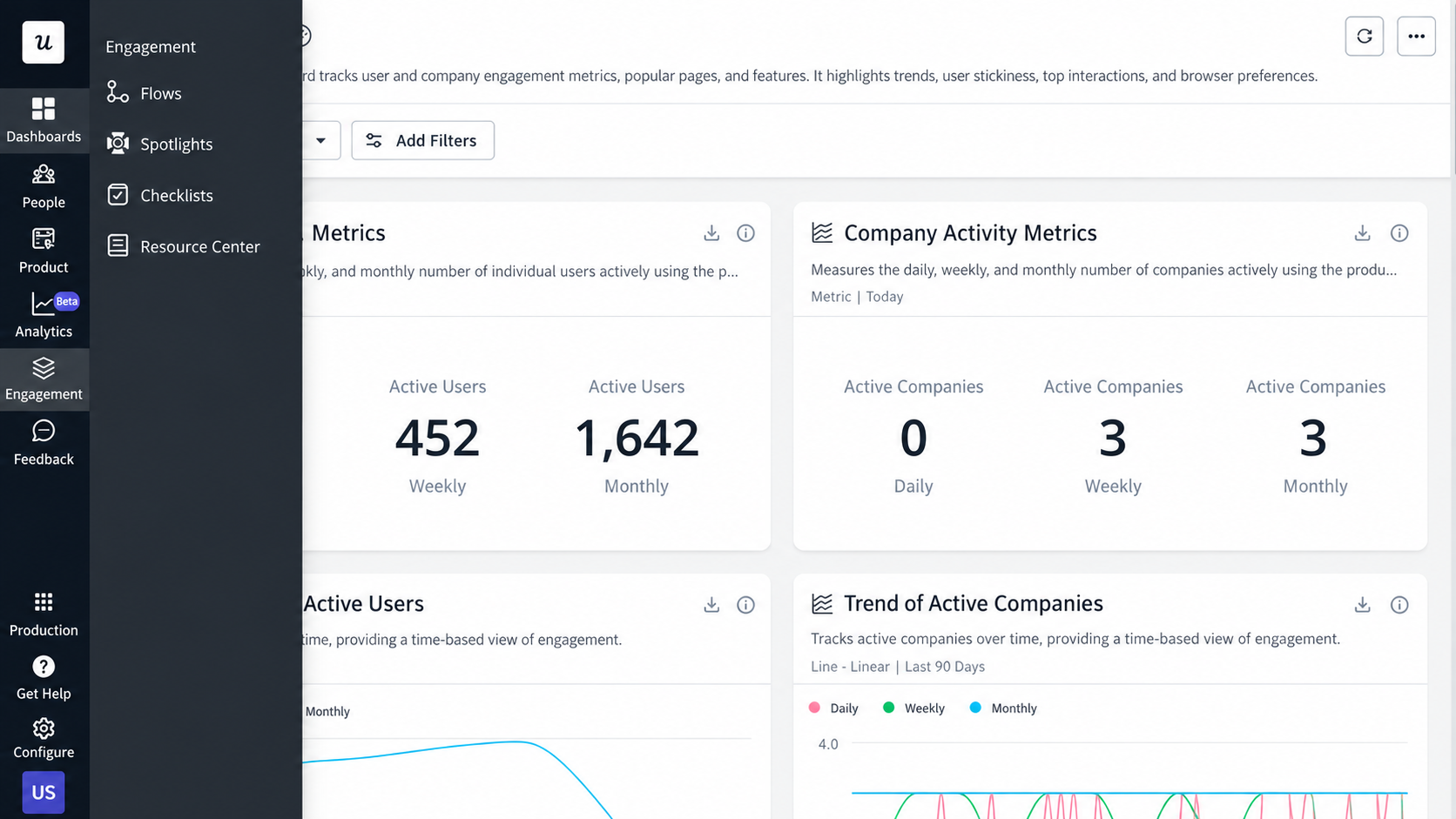
Userpilot makes sense when a SaaS team wants to guide users and understand what happens afterward. Its platform brings in-app engagement, product analytics, NPS, and other feedback tools into the same product workflow.
Surveys can use conditional branching and appear according to attributes or product behavior. Frequency controls help prevent repeated prompts. That gives a product manager room to ask a focused question after a specific action, then examine the answer alongside usage.
I would consider it for a team launching features regularly or investigating where adoption stalls. If the only requirement is one basic satisfaction question, the broader platform and its price deserve a closer look.
Price and catch: Starter lists $299/month for up to 2,000 MAUs, with NPS included; the vendor identifies annual billing for this starting offer. Advanced in-app surveys sit on Growth, starting at $849/month. Native mobile engagement is a Growth add-on and included with Enterprise, so price the mobile requirement separately.
2. Appcues: Best for onboarding across web and native mobile
Appcues is built around guided product experiences. A team can use it to introduce a feature, steer someone through a task, and collect an answer within that journey.
For web surveys, the documented components include ratings, single- and multiple-selection questions, and text. Its native mobile survey components include text input, ratings, and selection questions. That breadth makes Appcues worth examining when customers move between a browser product and an app.
There is a design detail worth knowing before you build: web survey components belong in modal or slideout steps, rather than tooltip or hotspot steps. A long or complex questionnaire may call for an embedded external survey.
Price and catch: The current main pricing page lists Start, Grow, and Enterprise without public dollar figures. It shows allowances of 10, 25, and 100 published experiences, respectively. Ask for a quote based on your MAUs, installations, and planned number of live experiences. Appcues is strongest here when guided adoption is central to the project.
3. Pendo: Best for reading sentiment alongside product behavior
A feedback score becomes more useful when you can see how the respondent uses the product. That is Pendo’s main appeal in this comparison. It combines analytics and in-app guides with survey capabilities in its Sentiment offering.
Sentiment documents NPS, product-market-fit, CSAT, and UX-Lite survey templates. If users give a feature mixed ratings, the product team can examine the relevant segments and behaviors before deciding what to investigate. This does not make a score a diagnosis, but it gives the team better questions to pursue.
Pendo documents NPS for web and mobile. Verify the exact mobile format you intend to send if your study requires something beyond NPS.
Price and catch: Pendo Free supports up to 500 MAUs and includes analytics, guides, and Pendo-branded NPS. Paid plans require a quote. On a paid subscription, survey access depends on Sentiment being part of the contract; buying paid analytics alone does not establish that entitlement.
4. Chameleon: Best for tailored web guidance and microsurveys
Chameleon pairs tours, tooltips, modals, and checklists with short, contextual surveys. Its microsurveys cover formats such as NPS, satisfaction and effort ratings, text input, dropdowns, and button choices.
Standard microsurveys can add up to two follow-up questions. Response logic and actions let a team adapt the next step. For example, a customer who reports difficulty during setup could see guidance connected to that problem.
The format suits a clear question asked at a particular moment. Teams planning extended research questionnaires should check whether its short survey design matches their needs.
Price and catch: The Startup offer begins at $279 for 2,000 monthly tracked users and permits 10 live experiences. Confirm the billing term and included capabilities for your quote. Chameleon supports web and mobile web applications, but its documentation excludes native mobile apps. Monthly tracked users are its stated pricing unit; do not treat that figure as interchangeable with every vendor’s MAU definition.
5. Userflow: Best for surveys inside onboarding flows
Userflow lets a team add questions to the steps of a guided flow. An answer can then shape the path a user sees. That is a natural fit when onboarding needs to respond to the user’s goal or level of experience.
Its documented question types include NPS, satisfaction and effort questions, star ratings, and feature feedback. Teams can inspect responses, export them as CSV, or access them through an API. One practical sequence is to ask a new customer what they came to do, show the relevant steps, and ask about the effort after completion.
I would shortlist Userflow when the guide is the main experience and feedback should live within it. It has a different emphasis from a broad research platform.
Price and catch: Essentials is shown at $240/month with annual billing, including 1,000 MAUs and unlimited team members. Usage above that level costs more. “Unlimited experiences” should not be read as unlimited survey questions: the documentation says some plans may have an account-wide allowance for questions in published flows. Userflow works on mobile web, not native iOS or Android apps.
6. Intercom: Best for messaging tied to customer support
If your team already handles customer conversations in Intercom, its proactive tools are a logical place to evaluate in-app communication. The Messenger and support workflow give the messages a route back to a person who can respond.
Proactive Support Plus includes posts, checklists, product tours, surveys, and the Series campaign builder. Survey branching can follow closed-ended answers. A team could explain a change to affected customers, ask whether it solved the issue, and route unresolved feedback to support.
That support context is the reason to choose Intercom here. A team purchasing primarily for product analytics or deep research should compare the specialists as well.
Price and catch: Essential is $29 per seat per month with annual billing. Proactive Support Plus adds $99 per month and includes 500 messages; additional usage can add cost. Mobile surveys are supported. For automatic mobile event rules, delivery waits for a subsequent user update, so a survey may not appear at the exact moment the event occurs. An API trigger is another route.
7. Product Fruits: Best for affordable web onboarding
Product Fruits packages tours, hints, tooltips, checklists, banners, announcements, a feedback widget, and surveys. That makes it a practical shortlist entry for a smaller team that wants guidance and feedback in one web product.
Survey formats include emoticons, NPS, numerical ratings, selection questions, and text responses. Answers can become user properties for segmentation. For instance, a team can use a response about setup progress to decide who should see the next guide.
Its entry price is appealing, but the Starter plan’s content and seat limits matter once several teams begin publishing guidance.
Price and catch: Starter starts at $111/month with annual billing or $149 on a monthly subscription, at 1,500 MAUs. It lists 15 tours, two checklists, three seats, and one language. Mobile web guidance is documented. If you need delivery inside a native app, ask the vendor to confirm the SDK and the specific message and survey formats you require.
8. Survicate: Best for surveys across product and other channels
Survicate is the survey-focused choice for teams collecting feedback at several touchpoints. It supports in-product, website, and native mobile surveys alongside email, links, and supported messaging integrations.
Its product surveys can use NPS, CSAT, CES, question logic, and targeting by attributes or events. The answer can feed into another customer workflow through an integration. That is valuable when the same team studies active users in the app and customers reached through other channels.
Survicate should be high on the list if collecting feedback is the main job. Teams seeking a full suite of tours and onboarding checklists should compare the adoption platforms above.
Price and catch: Its Growth pricing display shows $114/month with annual billing at an allowance of 250 responses per month. Other response volumes change the price. A continuing Free account allows 25 responses each month but does not include data export. Confirm the targeting and integrations available in your chosen plan.
9. Sprig: Best for structured product research
Sprig is aimed at teams that want more than a quick satisfaction pulse. Its published platform covers in-product surveys, distribution by email and research panels, adaptive questions, and AI-assisted study design and analysis.
On mobile, Sprig documents targeting by events and user attributes, dynamic follow-ups, and session replay clips around responses. It lists support for iOS, Android, and React Native. Those capabilities can help a researcher examine what was happening around a reported problem, then decide what deserves deeper study.
I would put Sprig in a research-led evaluation rather than a shortlist centered on tours or announcements. AI summaries can speed review, but consequential findings still need to be checked against responses and study design.
Price and catch: The current pricing route is a demo and custom quote. Response volume, chosen research capabilities, and deployment environments shape the offer. Request a proposal for your actual study volume and mobile requirements.
10. Refiner: Best for contextual SaaS feedback and targeted messages
Refiner centers on asking users questions at meaningful product moments. It documents NPS, CSAT, CES, product-market-fit surveys, custom questions, logic jumps, tagging, and reporting.
It also offers targeted in-app messages and calls to action. A team could ask a defined customer segment about a feature, send the response to the right owner, and display a follow-up message to eligible users. Its documented platform coverage includes web, iOS, Android, React Native, and Flutter.
Refiner is especially relevant when feedback and customer data need to move between the product and business systems. It deserves a direct comparison with a broader onboarding suite if tours are a major requirement.
Price and catch: Paid plans describe unlimited survey responses, while MAU, pageview, published survey, and other limits still apply. Growth adds event tracking, behavioral segmentation, multilingual surveys, and advanced integrations. The current pricing page directs buyers to tailored quotes; get one for the audience size and targeting you need.
Start with one customer moment
Before choosing a platform, pick a moment that matters: the first completed task, a feature people overlook, or an action that often fails. Build the same message and survey sequence in your top two or three candidates. Check whether the right users see it, whether the question feels timely, and whether the answer reaches someone who can act.
That small evaluation will tell you more than a long feature checklist. The right tool should help a customer make progress and help your team understand what to improve next.
Frequently asked questions on the Best In-app Messaging and Survey Tools
1. Which tool is best if I need both messages and surveys?
For a broad product adoption program, start with Userpilot or Appcues, then compare Chameleon, Userflow, Product Fruits, and Pendo against your specific requirements. Intercom is compelling when support conversations are central. Refiner combines targeted messages and contextual feedback. The best fit depends on platform support, survey depth, and the plan you can afford.
2. Are any in-app survey tools free?
Pendo Free includes branded NPS for up to 500 MAUs. Survicate offers a continuing Free account with 25 survey responses per month, although data export is unavailable. Check whether a vendor’s advertised free access is an ongoing plan or a time-limited trial.
3. Which tools support native mobile apps?
Appcues, Userpilot, Pendo, Intercom, Survicate, Sprig, and Refiner document native mobile capabilities. Features, supported SDKs, and plan entitlements vary. Chameleon and Userflow document mobile web support without native app support. For Product Fruits, get a direct answer about native delivery for the specific experience you intend to build.
4. Should I ask NPS, CSAT, or CES?
Use NPS for willingness to recommend, CSAT for satisfaction with an experience, and CES for ease or difficulty. The timing and wording of the question matter as much as the acronym. Ask a short follow-up if the score alone cannot explain what to improve.
5. Can in-app messaging reduce churn?
It may help customers discover features, finish tasks, and find assistance, but the result depends on the product and campaign. Measure retention or activation with an appropriate experiment or comparison. Message views and survey responses alone do not establish that churn fell.