

Preschool app stores make almost everything look educational. A game includes a few letters, numbers, or animal facts, adds cheerful music, and suddenly promises kindergarten readiness. Parents need a more useful way to choose.
The best apps preschoolers can use should solve a specific learning problem. One child may need help blending letter sounds. Another may understand stories but struggle with counting quantities. A third may benefit more from puzzles, creative play, or guided speech practice than another alphabet game.
This list ranks apps by educational purpose, age fit, cost, usability, platform access, and practical value. Free options rank highly when they provide substantial learning without advertisements or payment pressure. Subscription apps appear only where they offer something meaningfully different.
The order is not based on download numbers or brand recognition. It reflects which apps are likely to help the most families, followed by stronger specialist and niche choices. For recommendations covering toddlers, school-age children, and older learners, see the age-based guide Best Educational Apps for Kids by Age.
How We Selected the Best Apps Preschoolers Can Use?
A large content library did not automatically earn an app a high position. Thousands of activities are not useful when a child only watches the same song or jumps between games without practicing anything long enough to improve.
The selection focused on:
- Suitability for children ages four to six
- A clear literacy, maths, language, reasoning, speech, or creative purpose
- Active participation rather than long periods of passive viewing
- Advertising, subscriptions, trials, and payment pressure
- Offline access where available
- Device and regional limitations
- Value for parents, teachers, and speech professionals
- The quality of the free version, not only the paid plan
- Whether the activity can connect with books, conversation, or real-world play
Published age ranges are only a starting point. A four-year-old who already reads simple words may need harder material than a six-year-old who is still learning individual letter sounds. Most literacy apps on this list teach English. That may support children in the USA, UK, and India, but English app use should not replace reading and conversation in Bengali, Hindi, Urdu, Welsh, or another home language.
Quick Comparison of the 11 Best Preschool Apps
Prices are not included because app-store charges, trials, taxes, and promotions can vary by country and device. Parents should check the final renewal amount before approving any subscription.
| App | Strongest Use | Access Model | Main Limitation |
| 123 Magic Number Fun: Math Kid | Broad foundational early math practice | Free with ads and purchases | Very broad difficulty range requires adult guidance, while structured progression and detailed learning reports are not clearly provided. |
| Alphabet Magic Trace & Phonics | Letter tracing and beginner phonics | Free and reportedly ad-free | Useful for alphabet practice, but it lacks a complete phonics sequence, decodable reading, and progress tracking. |
| Khan Academy Kids | Broad early learning | Free | Large library needs some direction |
| Teach Your Monster to Read | Structured phonics | Free browser access; mobile model changing | Strong UK phonics foundation may not match every school sequence |
| Duolingo ABC | English reading practice | Free | Does not cover maths or broader subjects |
| Moose Math | Counting and early maths | Free | Narrow subject range |
| PBS KIDS Games | Curriculum-based educational games | Free | Most relevant to children familiar with US programmes |
| Thinkrolls 1 | Logic and spatial reasoning | One-time purchase | Harder puzzles may require adult support |
| Pok Pok | Open-ended creative play | Subscription after trial | No formal reading or maths sequence |
| Lingokids | Large multi-subject library | Limited free plan and subscription | Full plan may offer more content than a family will use |
| Endless Alphabet | Vocabulary and letter awareness | Paid access varies by platform | Not a complete phonics programme |
A preschooler does not need all 11. One literacy app and one maths, reasoning, or creative option are usually enough.
Before Downloading Anything
Open the app without the child first. Check whether it requires an account, starts a trial automatically, offers purchases from the child-facing area, sends notifications, or needs a large initial download. Device-level purchase controls matter just as much as the app’s educational description.
Then look at the activity itself. Does the child need to predict, count, sort, blend sounds, remember instructions, test a solution, or create something? Or does the app mostly reward tapping and watching? The strongest learning usually continues after the screen is turned off. A counting activity can lead to counting plates at dinner. A vocabulary word can appear in a bedtime story. A puzzle can be recreated with blocks, cups, or cardboard.
Educational branding should not excuse unlimited use. Current pediatric guidance asks families to consider content quality, the individual child, communication, and what screen use may be replacing. For children ages three and four, World Health Organization guidance recommends limiting sedentary screen time to no more than one hour a day, with less considered better.
1. 123 Magic Number Fun: Math Kid
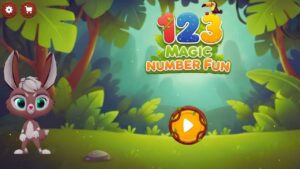
123 Magic Number Fun is recommended because it offers more variety than a typical counting or number-tracing app. Its 12 activities move between number recognition, guided writing, counting, matching, sequencing, dot-to-dot play, missing-number problems, and basic arithmetic. A colorful jungle setting and animated bunny connect the games, giving children a familiar guide without turning every lesson into the same repetitive exercise.
The developer positions the app for ages two to eight, although its strongest fit is likely preschoolers and early kindergarten learners. Younger children can listen to number names, trace numerals from 1 to 50, match identical numbers, and count pictured objects. Children with stronger number knowledge can try addition and subtraction races or puzzles involving multiplication and division. Because that skill range is unusually broad, parents should choose activities deliberately rather than allowing a beginner to move freely into problems that are too advanced.
A simple weekly routine could look like this:
Monday: Number recognition and tracing
Wednesday: Counting objects and matching quantities
Friday: Sequencing or an age-appropriate arithmetic game
Keep each session to about ten minutes, then continue the idea away from the screen. A child might write the featured number on paper, count toy animals, or arrange buttons into two small groups. Teachers could use the app as a short independent practice station after teaching the same concept directly.
The broad age range is also the app’s main weakness. Toddlers do not need multiplication or division, while older children may require clearer explanations, adaptive difficulty, and a structured learning path. The store listings do not describe detailed progress reports or a curriculum showing what children should complete next. The app also contains advertising and optional purchases, including paid game unlocks and ad removal.
123 Magic Number Fun deserves its ranking because it brings several foundational number skills together without becoming a single-purpose tracing tool. It is best for families wanting short, supervised math practice and enough activity variety to keep a preschool learner interested.
2. Alphabet Magic Trace & Phonics
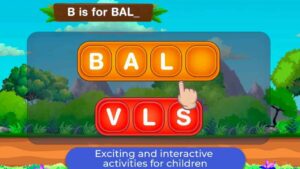
Alphabet Magic Trace & Phonics stands out by giving children several ways to work with the same letters. Instead of limiting practice to tracing, it combines uppercase and lowercase formation with letter matching, sound-based activities, spelling practice, and short themed games. That variety is useful for young learners who lose interest when an alphabet app repeats one task for too long.
From an instructional standpoint, its strongest audience is likely preschool and early kindergarten learners, roughly ages three to six. Children can practise recognizing letters, following guided tracing paths, connecting letters with sounds, and beginning to spell simple words. The app includes eight activities, ranging from star-matching and letter-discovery games to uppercase and lowercase tracing, phonics challenges, and an ocean-themed alphabet adventure.
Parents will get better results by using it as a short practice tool rather than leaving a child to move randomly between games. A practical routine might include ten minutes of tracing on Monday, letter matching on Wednesday, and phonics or spelling practice on Friday. After each session, ask the child to find the same letter in a book, say a word beginning with its sound, or write it using a pencil. Teachers could also use one activity as an independent literacy station after introducing the target letter directly.
The app is less suitable for children who already know the alphabet and need systematic blending, decodable reading practice, or detailed instruction in phonemic awareness. The store pages also do not describe adaptive lessons, parent progress reports, or a structured sequence that shows what a child should learn next. Another consideration is privacy: Apple’s listing says the developer reports collecting no data, while Google Play says device identifiers may be collected and shared, are not encrypted, and cannot be deleted. Parents should review the disclosures for their chosen platform.
Alphabet Magic Trace & Phonics deserves its ranking because it offers more activity variety than a basic tracing app while keeping the learning goals appropriately narrow. It is best for families seeking supervised, game-based practice with letter formation, recognition, and introductory phonics.
3. Khan Academy Kids
Khan Academy Kids is the strongest general recommendation because it covers several preschool learning areas without charging for lessons or placing advertisements in front of children. Designed for ages two to eight, it includes phonics, reading, writing, maths, books, drawing, creative activities, and social-emotional learning. Its range is wide enough to support a four-year-old working on letter sounds and a six-year-old practising early comprehension or number skills.
That does not mean children should browse the entire library without direction. Too much choice can turn a learning session into channel surfing. Parents can make the app more useful by selecting one area for several days at a time.
A simple weekly plan might look like this:
- Monday and Wednesday: letter sounds and rhyming
- Tuesday and Thursday: counting and comparing quantities
- Friday: a book and drawing activity
Khan Academy Kids is not the most specialised phonics course or the most inventive digital play environment. It ranks first because it offers the best overall balance of subject coverage, accessibility, and cost. Families unsure where to begin should start here before paying for a larger subscription.
4. Teach Your Monster to Read
Teach Your Monster to Read is a better choice when the child needs a clear phonics sequence rather than a broad collection of preschool activities. Children create a monster and guide it through stages covering letter-sound recognition, blending, segmenting, tricky words, sentence reading, and comprehension. The adventure format makes repetition easier to tolerate without burying the reading task beneath unrelated rewards.
Its classic content follows the systematic synthetic phonics approach widely used in UK schools. That makes it especially useful for Reception and early Year 1 pupils. Families elsewhere can still use it, but they should not assume its pronunciation, terminology, or lesson order will match every American, Indian, or international curriculum.
The browser version remains free. The publisher announced in May 2026 that its updated mobile app would move toward subscription access. Previous mobile purchasers are expected to retain access under the transition arrangements, but new users should check the current app-store terms. This app is most valuable in the middle stage of early reading. It is more structured than an alphabet game, but it may be unnecessary for a child already reading short books fluently.
5. Duolingo ABC
Duolingo ABC is the strongest free choice for short, focused English literacy sessions. Its activities cover phonics, letter tracing, sight words, vocabulary, writing, and interactive stories for children ages three to eight. Lessons are brief, and downloaded content can be used offline. There are no advertisements or in-app purchases.
Compared with Teach Your Monster to Read, Duolingo ABC is easier to use in small bursts. A child can complete one lesson before breakfast or while waiting for an appointment. The trade-off is that the experience feels less like one continuous reading course.
Parents should watch for comfortable repetition. Children naturally return to familiar activities, even when they are ready for harder material. Completing a favourite tracing task repeatedly may look productive without adding much new learning. For multilingual families, Duolingo ABC should remain one part of a wider language routine. Reading in English is useful, but it does not measure the child’s vocabulary, storytelling ability, or comprehension in another language.
6. Moose Math
Moose Math is a focused numeracy app, which is precisely why it deserves a high position. Rather than mixing counting with videos, songs, phonics, and dozens of unrelated subjects, it concentrates on number recognition, counting, addition, subtraction, sorting, and basic geometry. Children complete activities in settings such as a juice shop, pet shop, and lost-and-found area.
The app is designed for ages three to seven and contains five multi-level activities. It is free and available across major mobile platforms. Its design looks older than some newer preschool apps. That matters less than the clarity of the tasks. Children can see what needs to be counted, sorted, or combined without excessive animation competing for attention.
Do not rush a child toward addition simply because it appears more advanced. Recognising quantities, matching numbers to groups of objects, and understanding that the final number counted represents the total are more important foundations. Moose Math works best beside a separate reading app. It is not intended to be an all-in-one preschool platform.
7. PBS KIDS Games
PBS KIDS Games offers a large free library linked to programmes such as Daniel Tiger’s Neighborhood, Wild Kratts, Alma’s Way, and Curious George. The app includes more than 280 games across reading, maths, science, creativity, emotional learning, and problem-solving. Selected games can be downloaded for offline play, which makes the app practical for travel and unreliable internet connections.
Its ranking comes with a regional qualification. Children in the United States may already understand the characters and programme references. Families in the UK or India can still use many activities where the app is available, but the voices, vocabulary, and cultural context may feel less familiar. The app’s size also creates unnecessary choice. A preschooler does not benefit simply because hundreds of games are available.
A better approach is to choose and download three or four activities:
- One literacy game
- One maths game
- One science or nature game
- One activity focused on emotions or creativity
PBS KIDS Games offers excellent free value, but parents still need to curate the experience.
8. Thinkrolls 1
Thinkrolls 1 is one of the most useful apps on the list for children who enjoy solving problems. The standalone app contains 207 maze puzzles for ages three to eight. Children move characters around crates, balloons, rocks, fire, ice, and other objects while learning how weight, heat, gravity, movement, and buoyancy affect the route.
Its easier mode is aimed at younger children, while the harder puzzles suit older preschoolers and early primary pupils. The gameplay relies very little on language, which makes it accessible across countries and multilingual homes. Thinkrolls 1 is also easy to confuse with Avokiddo’s newer subscription service. The original standalone app remains a separate one-time purchase without in-app purchases.
Some levels will frustrate a four-year-old. That is not automatically a problem. The adult should avoid taking over and solving the puzzle immediately.
Useful prompts include:
- What changed when you moved that box?
- Which object is blocking the path?
- What else could you try?
- Can you put it back and test another idea?
For families that prefer a focused paid app over another recurring subscription, Thinkrolls 1 is an underrated option.
9. Pok Pok
Pok Pok does not resemble schoolwork, and parents should not buy it expecting a sequence of phonics or maths lessons. It works more like a digital playroom. Children explore homes, characters, machines, drawing tools, music, dress-up activities, puzzles, dinosaurs, and pretend-play environments. There are no standard tests, reading levels, scores, or fixed answers.
That open structure supports planning, experimentation, storytelling, cause-and-effect reasoning, and independent play. Many activities use little language, which reduces the difficulty for children outside English-speaking households. Current listings place the intended age range at roughly two to eight, although the publisher’s own pages have not always used exactly the same upper age. Parents should treat the range as guidance and judge whether the activities still hold the child’s attention.
Pok Pok offers a trial followed by a monthly or annual subscription. It supports recent iOS, Android, and compatible Amazon Fire devices. Families using an older tablet should check operating-system requirements before starting the trial. The app can work offline after setup, although the device must reconnect occasionally for updates and account checks.
Pok Pok is worth considering for children who already receive direct reading and maths practice elsewhere. It is a poor choice when the main concern is letter recognition, counting, or measurable academic progression.
10. Lingokids
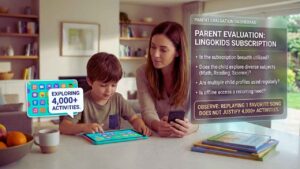
Lingokids sells breadth. Its library includes English learning, reading, maths, science, engineering, music, art, songs, videos, and social-emotional activities for ages two to eight. The free Basic plan can be used without entering payment information, but it provides limited access. The paid Plus version opens a library of more than 4,000 activities, offline use, progress information, and multiple child profiles.
That sounds impressive, but the number of activities should not drive the decision.
Lingokids is most useful when:
- More than one child will use the available profiles
- The family wants a single multi-subject subscription
- The child explores several parts of the library
- Offline access will be used regularly
It is much harder to justify when a child needs only phonics or early maths. Khan Academy Kids, Duolingo ABC, and Moose Math already cover those areas without a recurring payment. Subscription rates and trials vary by country, platform, and promotion. Families should check the actual renewal amount shown in the US, UK, or Indian app store rather than relying on a price quoted in an older review.
During the trial, observe what the child really does. Replaying one favourite song does not justify paying for thousands of unused activities.
11. Endless Alphabet
Endless Alphabet teaches vocabulary through animated letter puzzles. Children drag letters into position, hear exaggerated sound effects, and watch a short scene explaining the completed word. The full app contains 100 words, including vocabulary such as “gargantuan” and “cooperate.”
The platform model differs. Android users receive a small free sample before a one-time unlock, while Apple sells the complete app as a paid download. Regional prices may differ. Its strongest feature is memorability. A strange animation can make an unfamiliar word easier to recall. That benefit becomes much stronger when an adult uses the word again later.
For example, after completing “gargantuan,” the child might be asked:
- Which object in the room looks gargantuan to a toy figure?
- Can you draw a gargantuan animal?
- What is the opposite of gargantuan?
Endless Alphabet should not be mistaken for a complete phonics course. It works better as a vocabulary supplement beside books and structured reading practice.
How to Build a Preschool App Routine That Lasts?
The most manageable setup is usually smaller than the one parents first imagine.
| Current Need | Sensible Starting Option |
| Broad kindergarten preparation | Khan Academy Kids |
| Letter sounds and English reading | Duolingo ABC |
| Structured phonics progression | Teach Your Monster to Read |
| Counting and early maths | Moose Math |
| Logic and problem-solving | Thinkrolls 1 |
| Creative, open-ended play | Pok Pok |
| Professionally guided speech practice | Articulation Station Hive |
Use the app for a clear purpose several times before adding another. Constantly switching between new downloads makes it difficult to see what is helping. A practical routine might be ten to fifteen minutes of Duolingo ABC, followed by reading a printed book. Moose Math can be followed by counting fruit, stairs, toy cars, or spoons. A Thinkrolls puzzle can lead to building a simple obstacle course with blocks.
Review the routine after two or three weeks. Keep the app when the child shows stronger understanding, confidence, curiosity, or independent problem-solving. Remove it when most of the time is spent chasing rewards, repeating passive content, or asking for the paid section. The broader guide Best Educational Apps for Kids by Age can help when a child begins to outgrow preschool-level material.
Final Thoughts
Finding the best apps preschoolers can use does not require building a large digital library. Start with the child’s clearest need. Choose Khan Academy Kids for broad learning, Duolingo ABC or Teach Your Monster to Read for literacy, Moose Math for numbers, or Thinkrolls 1 for reasoning. Add a subscription only when its distinct value is clear and the child will use it regularly.
Use the selected app for two or three weeks. Watch what the child understands, not just what they complete. Connect the activity with a book, conversation, drawing, movement, or real object whenever possible. An educational app should make the rest of the child’s learning richer. It should not become the center of the day. When the child is ready for material beyond preschool level, use Best Educational Apps for Kids by Age to choose the next step.
Frequently Asked Questions (FAQs) About Best Apps Preschoolers
What Is the Best Completely Free Preschool App?
Khan Academy Kids is the strongest free all-round choice. It covers literacy, maths, books, creativity, and social-emotional learning without a subscription. Duolingo ABC is better when the main concern is early English reading. Moose Math is the more focused choice for numeracy, while PBS KIDS Games offers a large variety of subject-based games. The right free app depends on the skill the child needs, not the number of activities included.
Should a Four-Year-Old Use an App Alone?
Some independent use is reasonable when an adult has reviewed the app, secured purchases, and confirmed that the child understands the controls. Shared use is more valuable when the activity introduces a new concept. Parents do not need to supervise every tap, but they should occasionally ask the child to explain what happened or show how a problem was solved. A child repeatedly asking for help may be using material that is too difficult. A child tapping without thinking may be using material that is too easy.
Are Subscription Apps Better Than Free Preschool Apps?
No. Several of the strongest apps preschoolers can use are free. A subscription earns its place when it provides something distinct, such as Pok Pok’s open-ended play, Lingokids’ large multi-subject library, or specialist professional tools. Paying only for a larger quantity of ordinary tracing games and videos rarely improves the experience. Always check the renewal date and local price before starting a trial.
Can Learning Apps Replace Books and Hands-On Play?
They should not. Apps can provide repetition and immediate feedback, but printed books, conversation, drawing, pretend play, outdoor movement, blocks, puzzles, and ordinary household tasks teach skills that a touchscreen cannot reproduce fully. The strongest routine uses an app to introduce or practice an idea, then takes that idea away from the device.
When Should Parents Consider a Speech App?
A speech app is worth considering after a speech-language pathologist has identified a suitable target and provided a practice method. Parents who are concerned about unclear speech, limited vocabulary, stuttering, hearing, or language development should seek professional advice rather than relying on an app to identify the problem.

























