
Ever get stuck with a bot that keeps apologizing but never fixes anything? That is why an ai agent for customer service is getting so much attention in customer interaction and support right now, it promises faster answers, shorter waits, and a better shot at useful customer support.
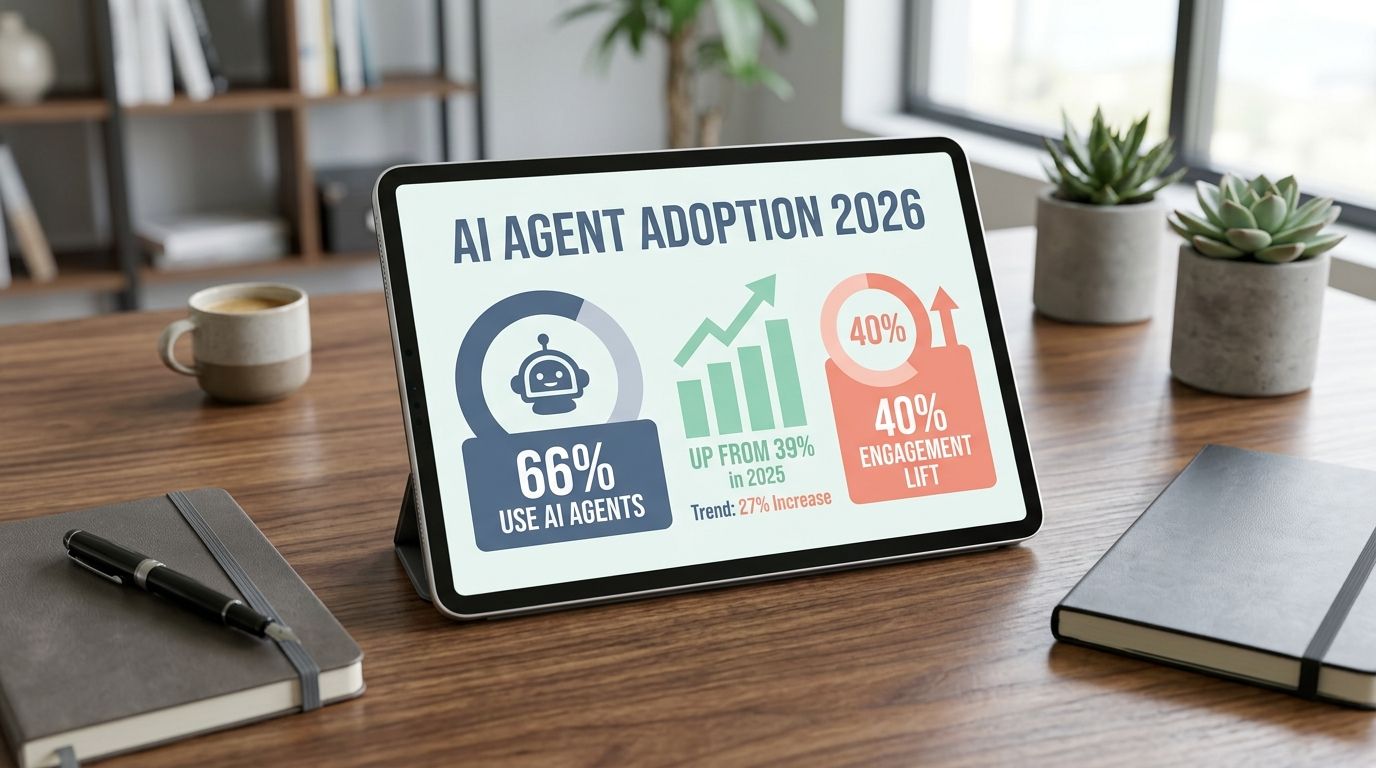
Some of that promise is real. Salesforce reported in May 2026 that 66% of customer service organizations now use AI agents, up from 39% in 2025, and IBM says Camping World lifted customer engagement by 40% while cutting wait times to 33 seconds after rolling out its virtual agent.
I am going to walk you through what AI agents do, where they help, where they fall short, and how I decide when a human agent should step in.
What Are AI Agents?
When I talk about AI agents in customer service, I mean software that can understand a request, choose the next step, use tools, and complete part of the work on its own. A large language model, or LLM, handles the language side. The agent layer handles planning, retrieval, actions, and handoff.
Definition and core functionalities
A traditional chatbot usually follows a script. An AI agent goes further. It can read a messy question, ask a follow-up, pull account data, and try to resolve the issue instead of just pointing to a help article.
I think of it as conversational AI with hands. The language model interprets the request, then the agent uses approved systems and workflows to do something useful with that information.
- Understand intent: It reads the request and the context, not just a few keywords.
- Retrieve trusted knowledge: It pulls from your knowledge base, CRM, or help desk before answering.
- Take approved actions: Tools like Zendesk AI, Kustomer, and Salesforce Agentforce can connect to APIs and internal systems so the agent can update records, fetch status, or open a case.
- Escalate cleanly: It passes the conversation to a support agent with notes, history, and the reason it stopped.
One detail I always check is whether the platform goes beyond chat. Zendesk’s current AI agent stack includes generative procedures, authorized actions, API integrations, and analytics, which matters because a support bot that cannot complete a workflow still leaves your team doing the slow part by hand.
Role of AI agents in customer service
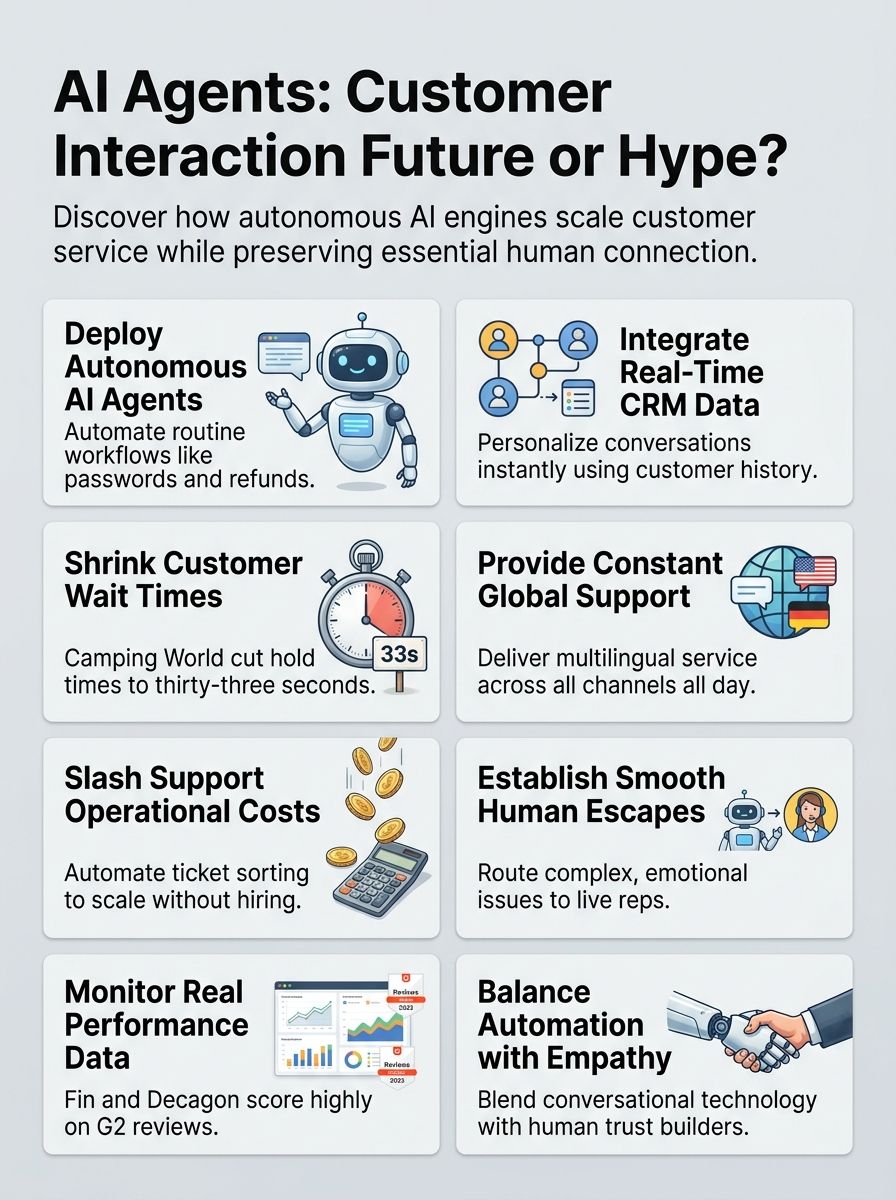
In customer service, AI agents do best on repetitive, high-volume work. Think order status, account lookups, password resets, appointment changes, delivery questions, and simple refund checks.
Gartner said in February 2026 that service leaders feel intense pressure to implement AI while also investing in knowledge management, and that pairing makes sense to me. If your knowledge base is messy, the agent will scale confusion faster than a human ever could.
The pattern I keep seeing is simple: clean knowledge plus tight workflows equals useful automation. Weak knowledge plus loose permissions equals a very polite mess.
Before I trust customer service with AI agents at scale, I want the system to do three things well:
- Answer routine questions from approved sources.
- Take one or two safe actions inside real systems.
- Hand complex issues to a human agent without dropping context.
How AI Agents Work in Customer Interaction
I like to break this into three layers: language, action, and knowledge. If one layer is weak, the whole customer interaction feels shaky.
Natural language processing and sentiment analysis
Natural language processing helps the agent read what the customer wrote or said. Sentiment analysis helps it tell whether the person sounds confused, frustrated, or close to leaving.
Kustomer is a good example of why this matters. Its current AI for Customers setup combines a reasoning engine with multilingual and sentiment-aware support across chat, email, SMS, WhatsApp, Messenger, and forms, which helps the system route conversations with more context instead of treating every message like plain text.
- Intent detection: figures out what the customer is actually asking for.
- Follow-up questions: fills in missing details before the agent acts.
- Urgency detection: flags angry or risky conversations sooner.
- Conversation summaries: gives human agents a short brief instead of a long transcript.
Autonomous task resolution and escalation
This is where an AI agent earns its keep. After it understands the request, it follows a procedure, checks data, uses a tool, and either closes the issue or escalates it.
Salesforce’s own Agentforce example for a “where is my order” request shows the right pattern: authenticate the customer, retrieve the latest order details from the order management system, and return a real-time status update with an estimated delivery date. That is much more helpful than a generic chatbot answer that sends the customer back to search on their own.
I also pay attention to how easy it is to reach a person. Help Scout keeps human help very close in its website widget, and its AI agents work only within the permissions you set, which is exactly how a careful rollout should feel.
- Good auto-resolve work: order status, password resets, subscription updates, shipping FAQs.
- Escalate fast: billing disputes, fraud flags, legal threats, repeated failed identity checks.
- Escalate with context: include the summary, customer history, actions attempted, and the reason the AI stopped.
Knowledge management and retrieval
Knowledge management is where many AI projects win or lose. The agent needs approved articles, policy pages, CRM records, and system data it can trust.
Help Scout and Gumloop both push the same discipline: target the pages with the best information, resync sources after pricing or policy changes, and connect only the few apps an agent actually needs. I like that advice because most bad answers come from stale content or unnecessary tool access, not from the model alone.
| Data source | What it helps resolve | Common mistake |
| Help center and FAQs | How-to questions, basic policy checks, setup steps | Uploading everything, including outdated or duplicate pages |
| CRM records | Personalized replies, account status, customer history | Using incomplete or duplicate contact records |
| Order or billing systems | Tracking, subscriptions, invoices, refunds | Giving read access without clear action limits |
| Internal policies | Escalation rules, approvals, exceptions | Letting the AI guess when policy language is vague |
Use Cases of AI Agents in Customer Interaction
I see the best results when teams start with narrow, repetitive requests first. That is where AI agents handle volume well and free human agents for harder work.
Addressing customer queries
For everyday customer questions, I look for fast retrieval, clean handoff, and a pricing model I can explain without a spreadsheet.
According to July 2026, official pricing pages and help docs show how different the billing units can be: Intercom Fin is listed at $0.99 per resolution, Help Scout AI Answers at $0.75 per resolution after the trial, and Salesforce Agentforce Conversations at $2 per conversation. That difference matters because these systems do not all measure value the same way.
| Platform | Good fit | Billing cue | Strong first use case |
| Intercom Fin | High-volume chat teams | $0.99 per resolution | Routine questions grounded in help content |
| Help Scout AI Answers | Smaller teams with strong docs | $0.75 per resolution after trial | Website questions and simple support |
| Salesforce Agentforce | Salesforce-heavy service teams | $2 per conversation | Authenticated order status and case updates |
The best AI agents for customer service usually begin with one narrow queue, not the whole inbox. I would start with order status, password resets, or account lookup because those are repetitive, measurable, and easy to audit.
Personalized recommendations and support
Personalized service works when the agent can see the right customer data, not when it guesses. Kustomer builds this around its AI Reasoning Engine and unified customer timeline, which helps the system read the full relationship instead of one isolated ticket.
Decagon takes a similar approach across chat, voice, and email with one intelligence layer. I like that setup because it keeps a customer from starting over every time they switch channels.
- Use AI for: product suggestions, renewal reminders, plan guidance, and next-step recommendations.
- Keep a human involved for: high-value upsells, delicate retention cases, and situations where the customer’s history sends mixed signals.
- Clean your data first: outdated preferences, duplicate records, and missing ownership fields can make “personalized” replies feel off very quickly.
Troubleshooting and technical assistance
Technical support is where flashy demos often break down. The agent has to diagnose the issue, follow a real procedure, and know when the policy or the product state is too messy for automation.
Forethought is useful here because its Autoflows engine is built around business policies and historical support data. In practice, that means the tool can do more than answer from a knowledge base, it can guide a multi-step fix or triage the case to the right person.
Zendesk is pushing the same direction with Action Flows for AI Agents and prebuilt workflow connectors. That matters if your customer service team needs the agent to check identity, update an internal system, and log the result in one pass.
- Let the AI diagnose simple, repeatable faults.
- Require a human review for credits, exceptions, or policy overrides.
- Audit failed resolutions every week so your procedures get sharper instead of noisier.
Order status and tracking
Order status is one of my favorite use cases because customers want speed, accuracy, and zero drama. It is also easy to measure.
IBM’s Camping World case shows why this queue is such a strong starting point. Its virtual agent, Arvee, gave customers quicker answers and gave live agents more room to handle tougher conversations.
If I were deploying AI agents for customer support in ecommerce or logistics, I would wire up these data points first:
- Order management: current status, carrier, promised date, and exceptions.
- Identity checks: email, phone, or authenticated account session.
- Policy rules: resend, refund, return, or wait.
- Proactive alerts: shipment delays, failed delivery attempts, and address issues.
Once that foundation is in place, an AI-powered customer service flow can answer tracking questions in seconds and pass rare exceptions to a human with the timeline already attached.
Benefits of AI Agents for Customer Interaction
The real upside is not just speed. It is consistency, coverage, and better use of your support team.
24/7 availability
The biggest day-one win is simple: an AI agent never clocks out. Customers can get help at midnight, on weekends, or during a surprise spike without waiting for your next shift to log in.
That value grows when the tool is truly omnichannel. Zendesk’s latest voice AI expansion supports more than 60 languages, and Decagon unifies chat, voice, and email in one layer, which is exactly what busy service teams need when customers bounce between channels.
- Good for: after-hours questions, seasonal spikes, and global coverage.
- Best paired with: strong self-service content and clear handoff rules.
- Common mistake: leaving the bot live all night without a path for urgent escalation.
Reduced operational costs
Cost savings are real, but they show up fastest in narrow workflows. Order status, account lookup, password reset, and shipping questions usually pay back sooner than technical troubleshooting or billing disputes.
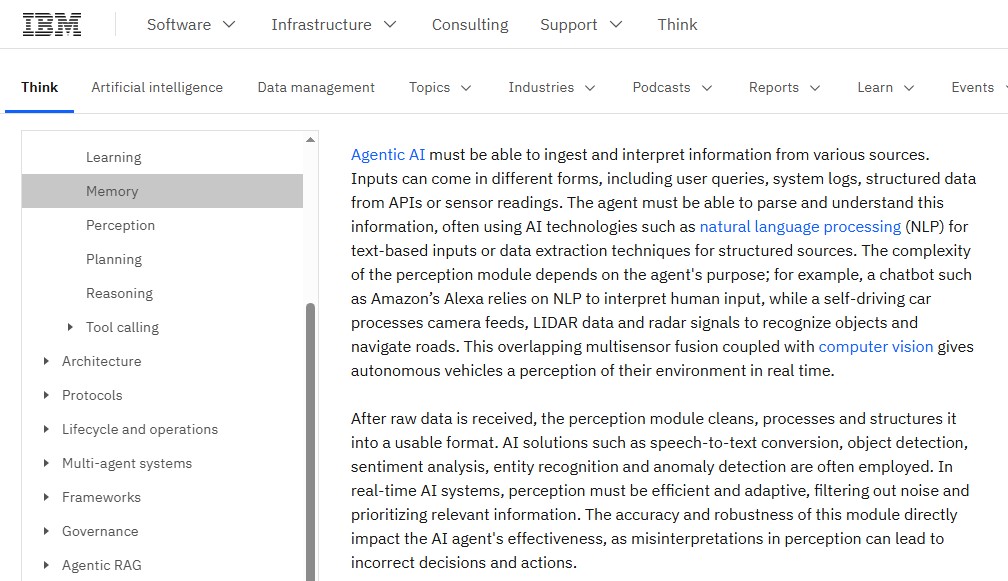
IBM’s Camping World case and Salesforce’s 2026 service research point to the same pattern: AI agents work best when the requests are repetitive, high volume, and easy to verify against system data. In those cases, waits fall, backlogs shrink, and teams start seeing measurable value quickly.
| Where savings show up first | Why it works |
| Routine questions | High volume, low ambiguity, easy to verify against system data |
| Ticket triage | AI can classify, summarize, and route before a person reads the full thread |
| After-hours coverage | You reduce backlog growth before the morning shift starts |
| Agent assist | Humans spend less time searching, rewriting, and switching tools |
I also watch pricing models closely. Per-resolution and per-conversation billing can be great for low-volume pilots, but once contact volume climbs, the cheaper system on day one may not stay cheaper.
Improved customer satisfaction and experience
Faster answers help, but customer satisfaction usually improves because the experience feels smoother. Good AI customer support cuts the dead time between steps, keeps context across channels, and stops asking customers to repeat themselves.
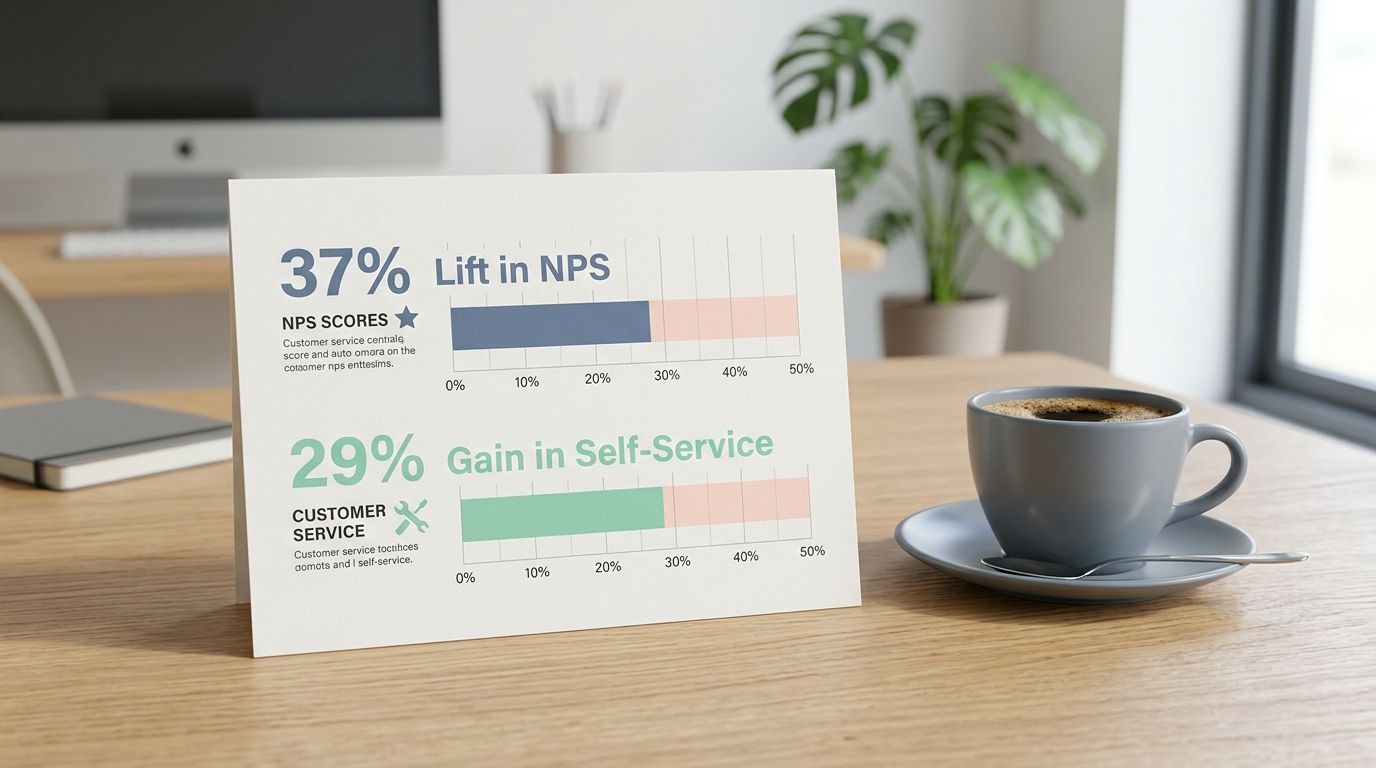
Salesforce’s May 2026 research and a June 2026 Nubank paper both support that view, with Salesforce saying customer satisfaction was the top KPI teams improved after deployment, and Nubank reporting a 37 percentage-point lift in AI transactional NPS plus a 29 percentage-point gain in self-service rate after improving evaluation and context design.
My takeaway is that customer experience gets better when the agent is grounded in real data and measured like a product, not when it is simply told to sound human.
Scalability for businesses
Scalability is where AI in customer service starts to feel less like a tool and more like infrastructure. A good setup lets a customer service team absorb more tickets without adding the same number of people.
Forethought trains on historical support data from day one, and Gumloop supports subagents that can split work into focused tasks. Those features matter when one agent needs help from another, like a billing assistant, a shipping checker, or a policy reviewer.
Before I trust an ai agent platform for growth, I check these four things:
- Knowledge freshness: Can I update sources quickly?
- Action controls: Can I limit what the agent is allowed to do?
- Observability: Can I see why it answered, acted, or escalated?
- Load behavior: Can it stay steady during launches, outages, or holiday spikes?
Challenges and Limitations of AI Agents
AI agents can be excellent at routine work, but I would never mistake that for unlimited judgment. The limits matter, especially once money, risk, or emotion enters the conversation.
Over-reliance on automation
AI agents can analyze customer data fast, but speed is not the same thing as judgment. If you push automation into every queue, you will save labor in one spot and create frustration in another.
A June 2026 SurveyMonkey study found that four in five Americans strongly prefer human support for high-stakes issues, especially for billing disputes, data security problems, troubleshooting, and pricing questions. That lines up with what I see in practice: customers accept AI for simple service, and they push back when risk or emotion shows up.
- Bad fit for full automation: billing disputes, fraud concerns, legal complaints, bereavement, accessibility problems.
- Better fit for automation: tracking, FAQs, account updates, appointment changes, knowledge lookups.
- Hidden cost: weak knowledge bases make the same avoidable question show up again and again, which raises usage charges and agent frustration.
That is why I keep guardrails tight. AI should protect the queue, not trap the customer.
Addressing complex customer needs
Complex customer needs usually fail for one of two reasons: the policy context is missing, or the handoff happens too late.
A 2026 field experiment on Alibaba’s Taobao platform found that human intervention helped preserve service quality in technical escalations beyond the AI’s capability, while emotional escalations were still harder to fix well. I read that as a strong case for hybrid support. The AI can gather facts and do the first pass. A human still needs to handle ambiguity, empathy, and exceptions.
In practice, I keep humans in the loop when any of these appear:
- Policy exceptions or manual credits.
- Regulated data or account security questions.
- Multiple failed attempts in the same conversation.
- Signals of anger, vulnerability, or cancellation risk.
If you want better customer outcomes, train the support team on the AI’s limits, keep policy content fresh, and review escalations as carefully as you review resolved tickets.
Are AI Agents a Marketing Hype or the Future?
I think the honest answer is both less dramatic and more useful: AI agents are real, they are improving fast, and they still need guardrails.
Industry trends and innovations
I do not see AI agents as pure hype, and I do not think they are magic either. They are becoming a normal part of service operations, but the winners are the teams that build around governance, data quality, and measurement.
Recent signals from Salesforce, Gartner, and Zendesk all point the same way, adoption is rising fast, leaders feel pressure to implement AI, and transparency is becoming part of the product, not a nice extra, with Zendesk’s 2026 CX Trends report adding the clearest warning: 95% of consumers want to know why AI made a decision, while only 37% of CX leaders say they currently offer that explanation.
That gap tells me the future of customer service will not belong to the bot with the cutest demo. It will belong to the platform that can explain itself, act safely, and hand off cleanly.
Balancing AI with human interaction
The best model I have seen is not AI versus people. It is AI for speed, people for judgment.
| Let AI lead | Let humans lead |
| FAQs, order status, password resets, simple troubleshooting, ticket summaries | Disputes, exceptions, complaints at emotional peak, retention saves, sensitive medical or financial situations |
| High-volume workflows with clear rules | Low-volume workflows with messy context |
| After-hours coverage and triage | Relationship repair and trust-building |
That balance is why I keep saying a human in the loop is not a failure. It is part of good design. The future of customer service looks hybrid, and that is a good thing for customers and support teams alike.
Wrapping Up
My view is simple: an ai agent is worth the hype only when it resolves real customer issues, not when it just replies fast. Tools like watsonx Orchestrate, Zendesk AI, Fin, Help Scout, and Agentforce make that path easier than it was even a year ago.
If I were choosing today, I would score each option on five things: knowledge quality, integrations, action permissions, pricing model, and handoff quality. That tells me much more than a polished demo ever will.
Start with one repetitive use case, measure containment, CSAT, recontact rate, and escalation quality, then expand. That is the path I trust if you want customer service with AI agents to improve customer interaction, not just automate it.
Frequently Asked Questions on AI Agents in Customer Service
1. What are AI agents, are they real help or just marketing hype?
AI agents are software that handles customer inquiries and conversation, using large language models to generate replies and ai generated content. They can boost customer interaction and automate content creation, but they are not a silver bullet, they need good data and human oversight.
2. How do AI agents help businesses with marketing?
They speed up marketing automation, personalize customer interactions, and analyze customer data to predict consumer behavior. They also help with keyword research and making marketing materials faster.
3. Can AI agents create marketing materials or product demos?
Yes, they can create content, draft seo friendly copy, and help make highly realistic images or product demo videos with help from software developers. Human review keeps the output accurate and on brand.
4. Are AI agents easy to implement, and what risks should I watch for?
Implementing generative ai can be quick for simple tasks, but complex work needs planning and technical support. Risks include wrong or out of date information, bias in data, and weak seo if you skip keyword research, so keep human oversight and strong data practices.