Lead-in Part
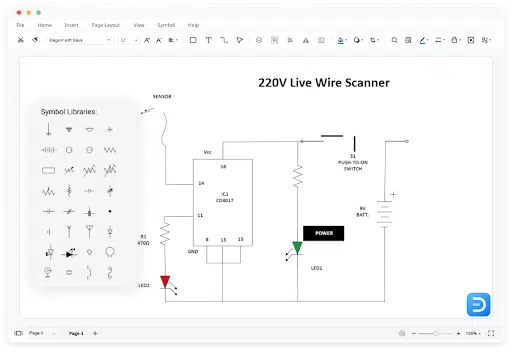
A circuit diagram or an electronic schematic is an abridged graphical representation of an electrical circuit. Most electrical engineers or students create a circuit diagram to understand the distinct parts, standard symbols, and how different electrical components, like wires, diodes, and resistors, will perform when they are congregated. When we talk about electrical engineering, there are important reasons to create an electric circuit diagram, like:
- It illustrates different electrical parts of a system
- It provides information about how the signal flow moves through different components
- It provides information related to voltage and waveforms;
- And more
As you see, creating a circuit diagram is a mandatory activity when one is working on a complex system for any project, but often engineers find the diagramming complicated. In these cases, checking out some circuit diagram software that helps create all types of circuit diagrams is highly recommended.
What is EdrawMax?
EdrawMax is the best circuit diagram software in the market because of the amazing features it offers to users. This free circuit diagram tool provides free templates and symbols that make it easier and more efficient for engineers to work on complex schematics. With EdrawMax, an electrical engineer can work on different types of circuit diagrams, like:
- Basic electrical
- Circuits & logic
- Industrial control system
- Complex systems;
- And more
This circuit diagram tool also offers various circuit diagram symbols, like transmission paths, switches and relays, qualifying symbols, and more. EdrawMax also lets you import Visio’s Stencils to the diagramming board, making collaboration extremely efficient for those who are coming from different circuit diagram software.
Key Features of EdrawMax
These days, electrical engineers are looking for circuit diagram software that lets them create circuit diagrams easily and share them with their team members without worrying about security or dependency on any third-party tool. Keeping all the current requirements in mind, experts from different fields recommend going ahead with EdrawMax.
EdrawMax allows the user to create 280+ diagrams, offers a wide range of pre-built templates, provides access to 26,000+ vector-enabled symbols, and more. In addition, some of the key features of EdrawMax are: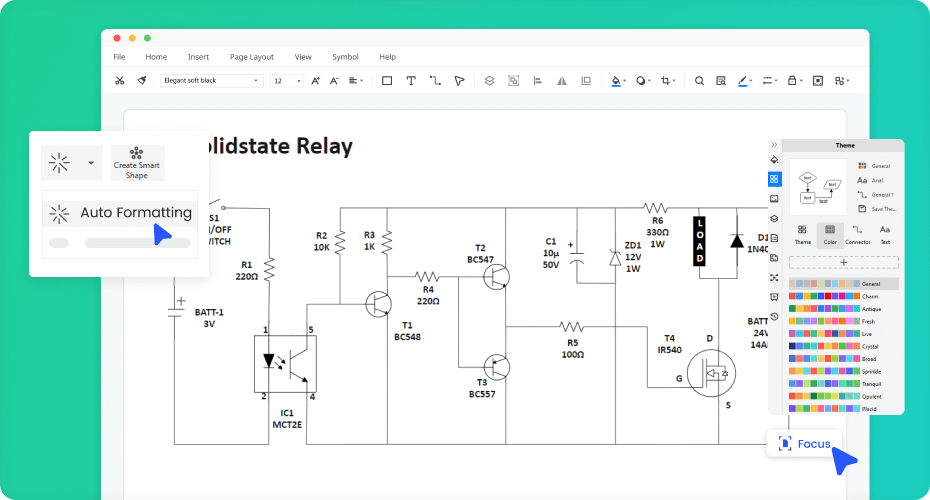
- An all-in-one diagram software: EdrawMax is a powerful diagramming tool that lets you work on different diagrams, like network diagrams, software & database diagrams, building plans, infographics, UI & UX diagrams, and more. In addition, this all-in-one circuit diagram software lets you access pre-built templates, customize the canvas, get on online collaboration, export, and share in different formats, present the circuit diagram live from the screen, enable focus mode, create your vector-enabled symbols, and much more — making it the best choice for the students and professionals.
- Enterprise-scale Security: For an enterprise, security is one of the most important aspects that they look for when they start accessing a particular diagramming tool. With EdrawMax, an individual representing a business or a business solution itself can work on any diagram without worrying about data privacy and security. This circuit diagram software comes with enterprise-scale security, enabling best-in-class encryption of all the exported files. In addition, the data that is stored in the personal cloud is protected by the highest level of SSL certification, ensuring that all of your company’s designs and diagrams are securely stored in the cloud.
- Beautiful built-in templates: What makes EdrawMax different from other circuit diagram software is the collection of astounding built-in templates. In the EdrawMax template community, one can access 1,500+ pre-built templates. All of these templates are 100 percent customizable, where a user can reshape the symbols, change the fonts, update the layout, modify the theme, and more. As a registered EdrawMax user, one can even publish the circuit diagrams to the community to inspire other beginners and professionals.

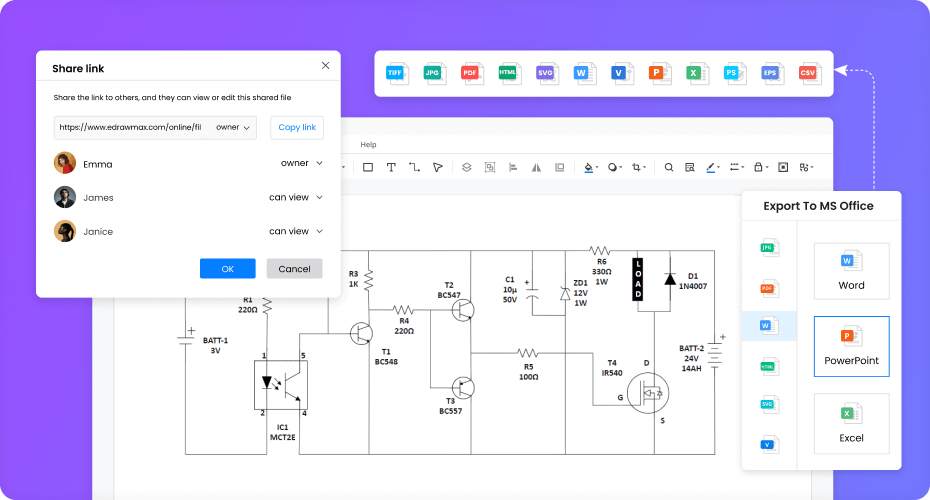
Photo Credit: edrawsoft - Online collaboration: EdrawMax has an online collaboration feature that allows the remote team to work virtually on detailed circuit diagrams. This online collaboration feature allows team members to check and review files and make changes instantly. With this free circuit diagram tool, one can access the remotely stored file from anywhere in the world.
- Export as your wish: Unlike other circuit diagram software, EdrawMax lets you export your circuit and other related diagrams in multiple formats. Some of the most common formats are JPEG, PNG, GIF, SVG, HTML, Doc, Excel, PDF, Visio’s VSDX, and more. At the same time, if you plan to distribute the circuit diagram offline, you can also take a printout from the tool or give a live presentation.
Free Circuit Diagram Software
When it comes to creating a detailed schematic of an electrical layout, you need to rely on a tool that comes with high-grade symbols and component options. EdrawMax is one such circuit diagram software that offers support by providing online guides, video tutorials, and more. This free circuit diagram tool is completely free forever but also offers a 7-day trial option where users can access the subscription-based models.
One can start creating circuit diagrams in EdrawMax, but if looking for advanced features, you must try the subscription-based model. In the yearly or lifetime plan, this circuit diagram tool offers some amazing features, like:
- Multiple cloud storage options
- Import and export Visio files
- Support to templates and other pre-built templates
- Access to previous revisions of any designs;
- And more.
Another important feature you get when you subscribe to a paid model is unlimited access to all the features on all different operating systems, like Windows, Mac, Linux, and the Web (EdrawMax Online).
Final Thoughts
An electric circuit diagram graphically illustrates the information related to different circuit components, how the current flows from the neutral to logical ends, and more. In order to create a detailed circuit diagram, we recommend using EdrawMax. The tool has pre-built circuit symbols, like wire, multi-line bus, terminal block, protective earth, signal ground, resistor, battery, and more. With this free circuit diagram maker, you do not have to think twice. Everything you would require to create a technically and factually correct circuit diagram for your team is available in EdrawMax.