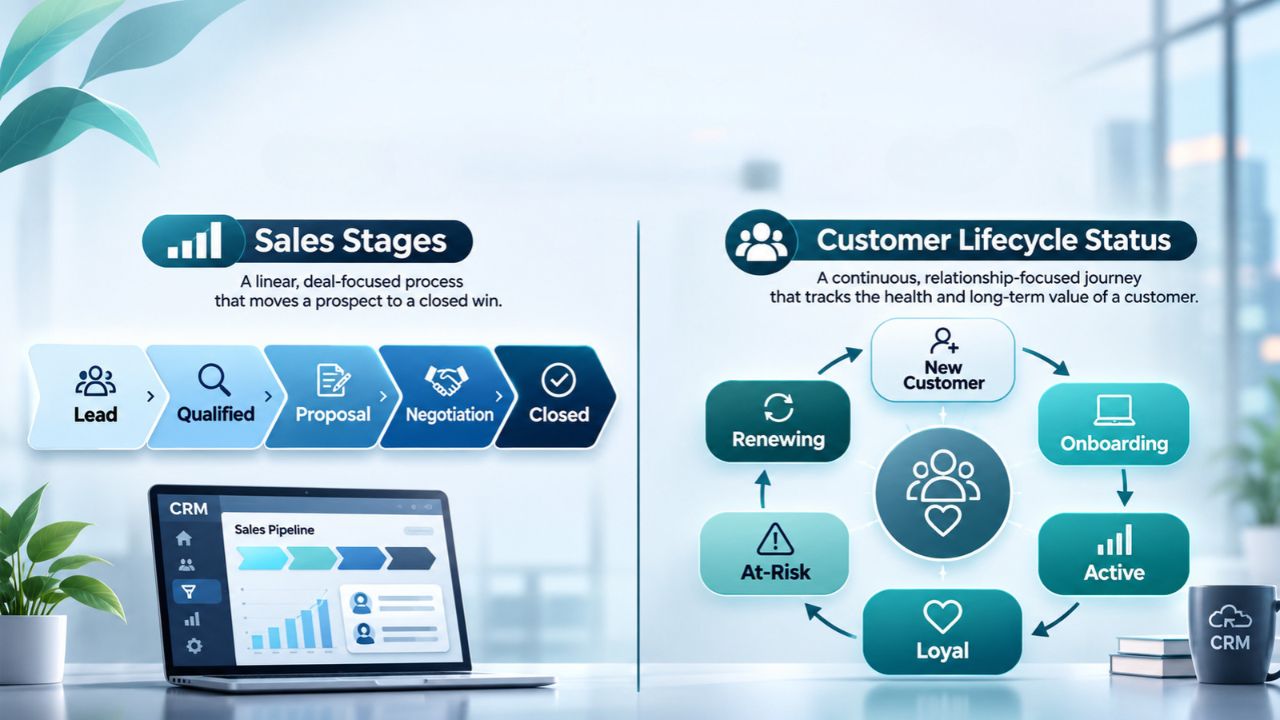
Tools for validating CSV files before a CRM import help you catch problems while they are still rows in a file, rather than incorrect customer records. A missing email, repeated contact ID, or text value in a numeric field can derail an import. Yet a file that passes a CSV checker can still update the wrong person if its identifiers or field mappings do not match your CRM.
The useful choice depends on who handles the file. An operations specialist may need a visual cleanup tool. A data engineer may want repeatable schema checks. A software team accepting customer uploads needs a correction interface inside its application. These seven options cover those different jobs; they are not a performance ranking or seven interchangeable CRM integrations.
What We Checked
On November 21, 2026, we ran a three-record synthetic CSV through the European Commission’s CSV Validator with rules for a unique contact ID, a required email, and an integer seat count. It reported three errors. After correcting those values and rerunning the same schema, it reported zero errors and a successful result. No real contacts or CRM connection were involved.
We also opened CSVLint’s dialect controls, selected a semicolon delimiter and a header row, and checked OneSchema’s public template instructions, including the requirement to push template changes. The screenshots below distinguish the executed validator test, a configuration-only check, and a documentation review. The other product assessments draw on current official documentation. We did not benchmark large files, verify deliverability of email addresses, or test a production import.
Compare Tools for Validating CSV Files Before a CRM Import
| Tool | Most useful when | Main boundary |
|---|---|---|
| OpenRefine | An operator needs to inspect and clean inconsistent values | Visual review is not automatic enforcement of every CRM rule |
| Frictionless Framework | The same file structure arrives repeatedly | Someone must maintain the schema and validation workflow |
| European Commission CSV Validator | You want a browser-based check against Table Schema | A schema pass says nothing about existing CRM records |
| CSVLint | You need to investigate readability, delimiters, or file structure | Business rules require a suitable schema and separate destination checks |
| CSVbox | Your application needs an embedded mapping and correction flow | Integration work and plan limits still apply |
| Dromo | Users should correct flagged cells before submitting an import | Destination lookups require configured hooks or application logic |
| OneSchema | Multiple imports should follow reusable validation templates | Rules and environment changes must be managed deliberately |
1. OpenRefine: Inspect the Mess Before Defining the Rules
OpenRefine is a useful starting point when you know a file is inconsistent but do not yet know every variation it contains. Its facets group values and show their counts, letting you narrow the working view. For a CRM migration, that can make unexpected company categories or inconsistent status labels easier to investigate than scrolling through a large spreadsheet.
Use that inspection to build a deliberate mapping. For example, decide whether “Prospect” and “Potential customer” should become the same destination value before changing either. A similar-looking company name is not sufficient evidence that two records represent one company. Keep the original identifier and a record of the decision.
There is an easily missed export issue: OpenRefine’s manual says many export options use the current filtered view. Clear unwanted filters or explicitly choose the intended rows, then reconcile the exported count. A cleanup session that removes inconsistencies but accidentally leaves out half the contacts is not import-ready.
This is an open-source preparation tool, not a ready-made guarantee that your file satisfies a particular CRM. Pair human inspection with explicit validation rules when the same import will recur.
2. Frictionless Framework: Make Repeat Checks Reproducible
Frictionless Framework suits teams that would rather describe the expected file once than inspect each delivery from scratch. Its validation workflow is available through Python and the command line, and its reports identify structural and data problems. The official examples include duplicate headers, missing or extra cells, and values that do not match the expected type.
The practical advantage is repeatability. A weekly partner export can be checked against the same maintained definition before it reaches the import queue. An engineer can retain the report alongside the file version, making it easier to distinguish a new supplier error from a change to the validation rules.
Do not rely on inferred structure alone for important business fields. Decide which columns are required, which values are allowed, and which identifiers must remain text. A postal code or account number can contain digits without being a quantity that should be converted to a number.
The tradeoff is technical ownership. Someone must install and operate the workflow, interpret failures, and update the schema when the CRM changes. We reviewed the documented validation behavior; we did not execute the Framework or measure its throughput.
3. European Commission CSV Validator: Test Explicit Rules in a Browser
The European Commission’s CSV Validator accepts CSV content and a Table Schema describing the expected fields. The public interface offers file upload or direct input, making it useful for checking a small synthetic example before building a more automated process.
Our test contained three contacts and three intentional problems: contact ID C001 appeared twice, the last email was blank, and the last seat count was “four.” The schema required unique, nonempty contact IDs, a nonempty email, and an integer seat count. The validator identified all three configured failures and pointed to their rows and fields.
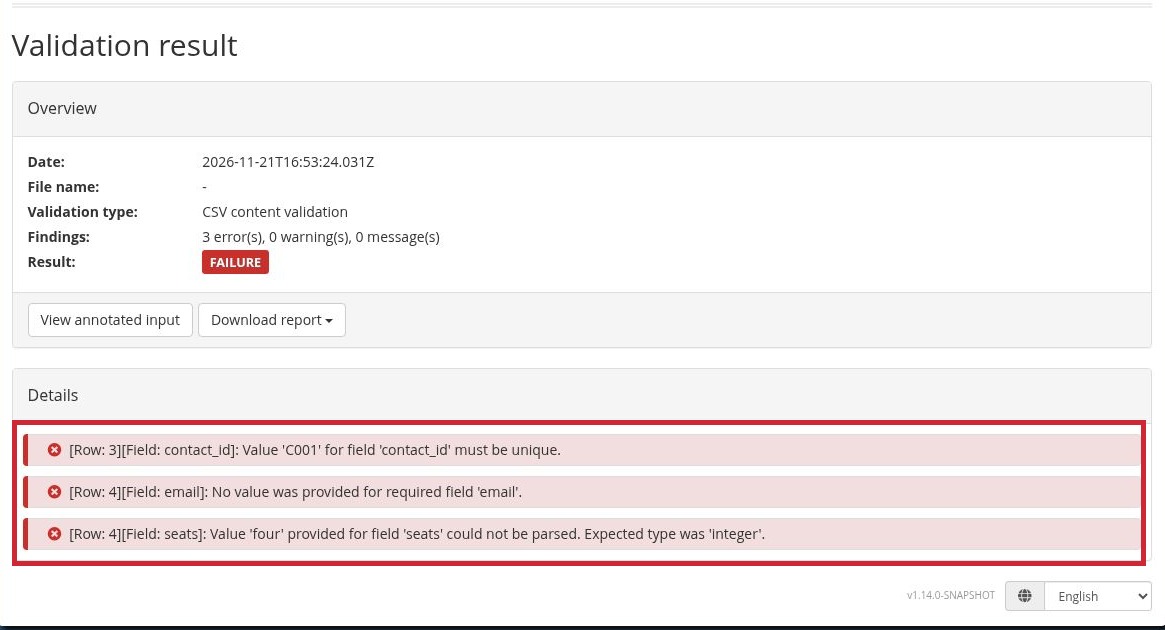
We then changed the repeated ID to C002, supplied the missing synthetic email, and replaced “four” with 4. The rerun returned SUCCESS with zero errors. The displayed service version was v1.14.0-SNAPSHOT. This was a small rule check, not a reliability benchmark.
Notice what was not tested: the email field had a required-value rule, not a deliverability check. The validator also had no access to existing CRM contacts. A successful result therefore meant the sample satisfied the supplied rules, not that an actual CRM would safely accept it.
4. CSVLint: Investigate How the File Is Being Read
CSVLint focuses on whether a CSV is readable and, when a schema is supplied, whether its columns and values fit that description. This is particularly helpful when the first problem is interpretation: a file exported with semicolons may be read as one long column by a workflow expecting commas.
In our interface check, opening the dialect options exposed controls for the delimiter, quote and escape characters, line terminator, null sequence, and header behavior. We entered a semicolon and set “Header Row Present” to True. Those settings were visible in the captured screen; we did not submit a file to CSVLint or claim a validation result from it.
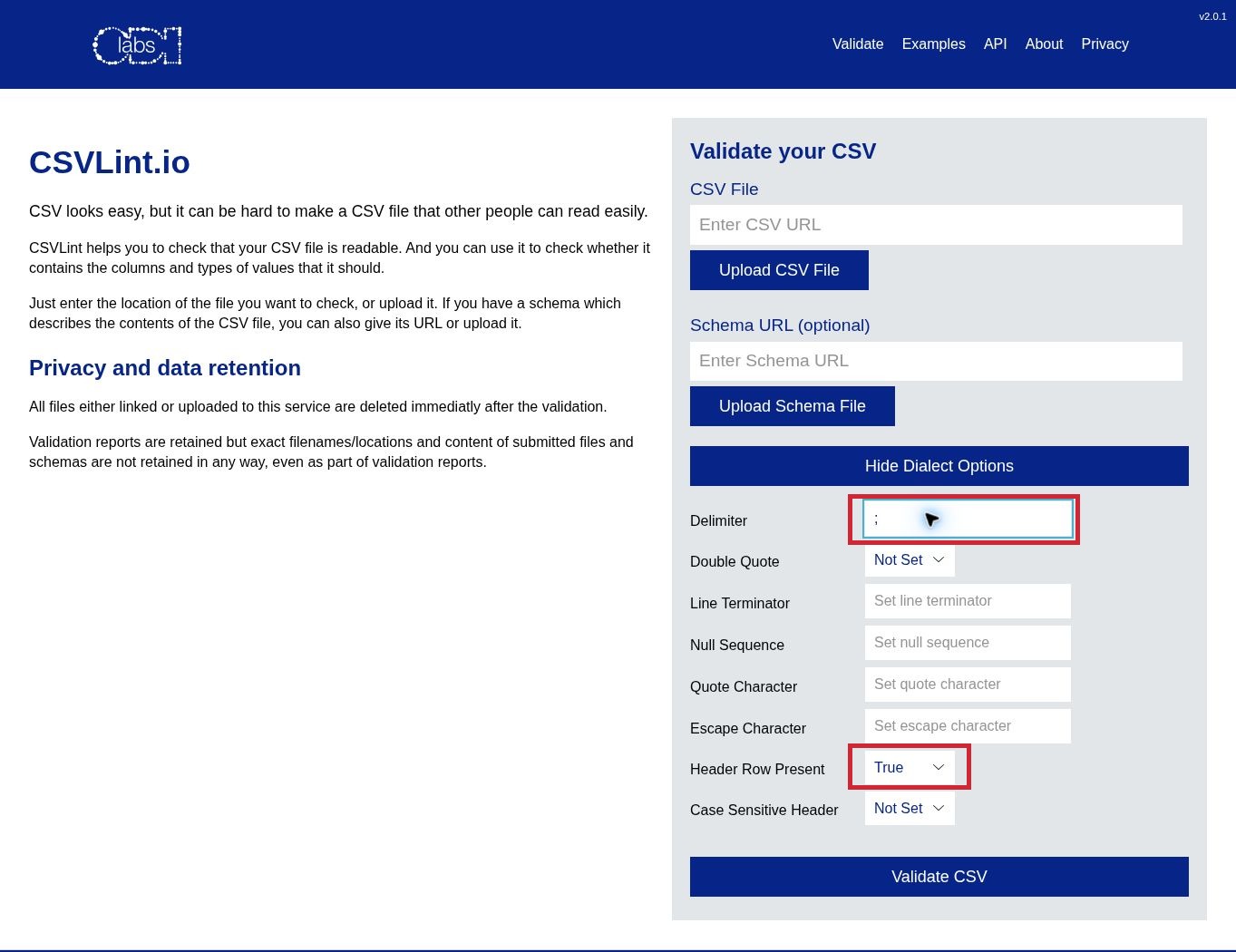
Start here when a file looks fine in one application but is split incorrectly in another. Match the settings to the actual export rather than changing them until an error disappears. Then add the schema checks needed for the destination.
A readable file is only the beginning. CSVLint cannot infer your intended owner assignments, lifecycle stages, or update policy from a filename. For confidential contact data, use an organization-approved processing route rather than assuming any public upload form is suitable.
5. CSVbox: Put Validation Inside the Upload Journey
CSVbox is an embedded importer for teams building an upload experience into an application. Its documented workflow includes column mapping, required fields, type and pattern checks, duplicate detection, and inline error messages. That changes who can resolve the problem: the person supplying the file can see and correct issues instead of sending successive versions to an administrator.
For a CRM-facing workflow, define the destination columns first, then make the mapping step explicit. A source column called “Owner” might contain a person’s name while the destination expects an account identifier. A required-field check alone would not catch that mismatch; you need an appropriate lookup or rule.
CSVbox documents API and webhook delivery, but a delivery mechanism is not proof of a finished integration with your particular CRM. Your application still needs to handle authentication, accepted values, failed destination writes, and repeat submissions.
Check capacity before adopting it for real files. On the pricing page reviewed for this article, the free Sandbox allowed five rows per import. That is useful for a small test, not a production-sized migration. Paid plans have separate row and monthly-import allowances; validate both against your workload.
6. Dromo: Make Errors Fixable Before Submission
Dromo’s embedded importer gives users a spreadsheet-style review stage with flagged cells and error navigation. Its documented rules include required values, uniqueness, patterns, length limits, and conditional requirements. This suits an onboarding flow where the uploader needs to understand what to change without learning the receiving database’s structure.
One distinction matters for CRM work: a duplicate inside the uploaded file and a contact already in your database are different checks. Dromo documents asynchronous column hooks for consulting an application’s own API, plus row hooks for checks involving multiple fields. Those mechanisms can support destination-aware rules, but your team must implement the relevant lookup.
Also decide what should happen to unresolved rows. The documented interface warns how many rows would be discarded when a user tries to finish with problems remaining and offers an Excel download for offline correction. Your acceptance policy should make that outcome visible instead of treating a completed screen as evidence that every input row was imported.
Evaluate Dromo as a commercial embedded component, not a standalone CRM migration service. We reviewed its documented flow and rules; we did not test an account, its AI-assisted corrections, or a live CRM write.
OneSchema organizes validation around reusable templates that describe the output data. Its documentation distinguishes requiring a column to be uploaded and mapped from requiring cells in that column to be nonempty. That distinction is valuable: a file can contain an Email header while leaving individual email cells blank.
Templates support unique values, validation types, character limits, and row constraints involving another column. Validation webhooks can send selected columns to an endpoint your team hosts and receive errors or warnings. That provides a route for checks against another system, rather than assuming every useful rule can be expressed as a simple field type.
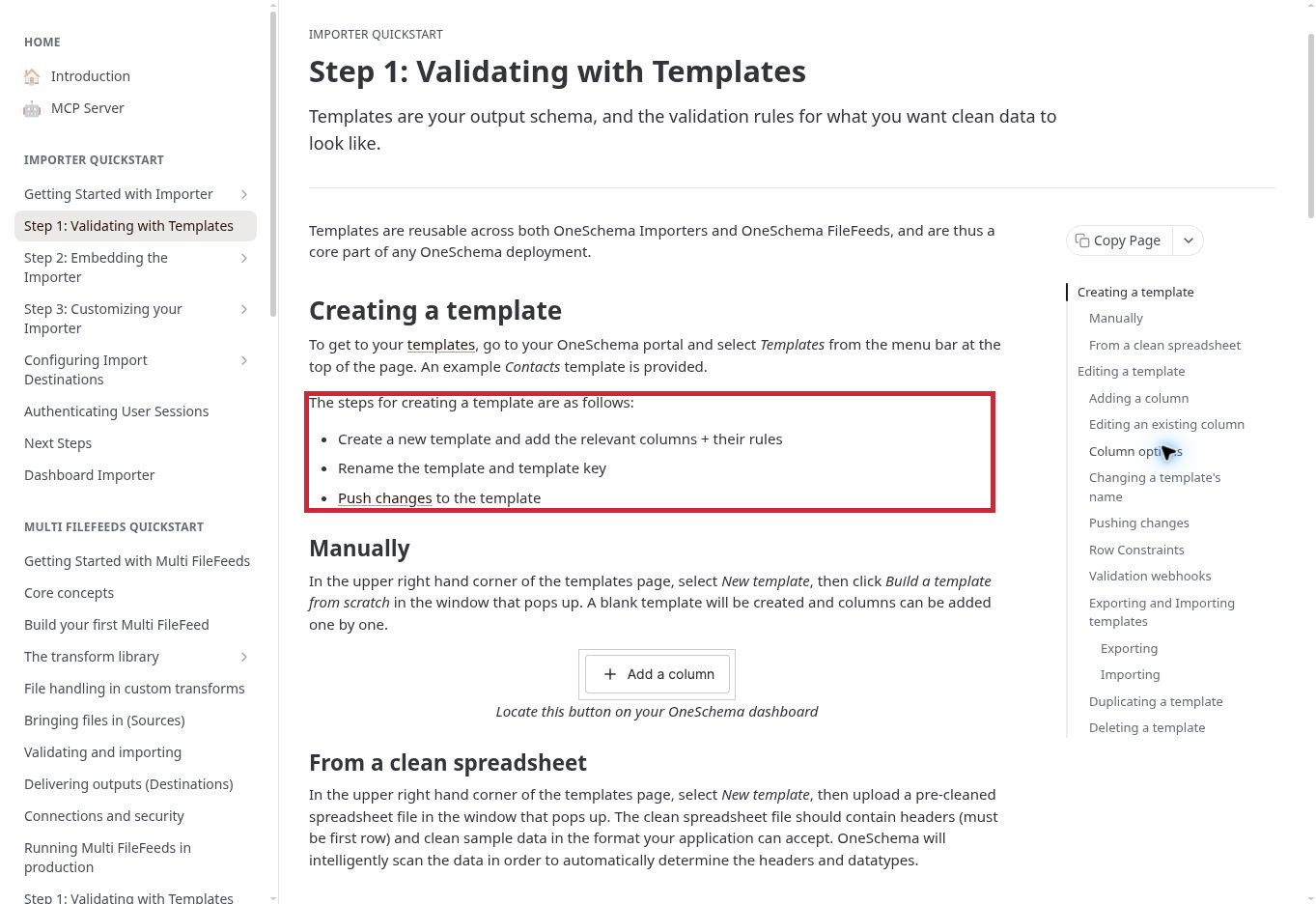
Our public-documentation review also found a deployment step worth recording: template changes must be pushed to the appropriate environment. Editing a rule is not the same as applying it to the importer users are running. Keep the template version and environment with your test result.
This is a better fit for an ongoing import program than a single casual file inspection. Confirm the commercial terms and needed features for your account. We did not access a OneSchema customer dashboard, change a template, or run an import.
Separate File Checks From CRM Checks
A useful validation plan has three layers. First, confirm that the file is parsed correctly: headers, separators, quoted values, encoding, and row boundaries. Second, check the values against explicit rules. Third, check the intended operation against the destination’s current state. The last layer is where an otherwise valid file can still cause trouble.
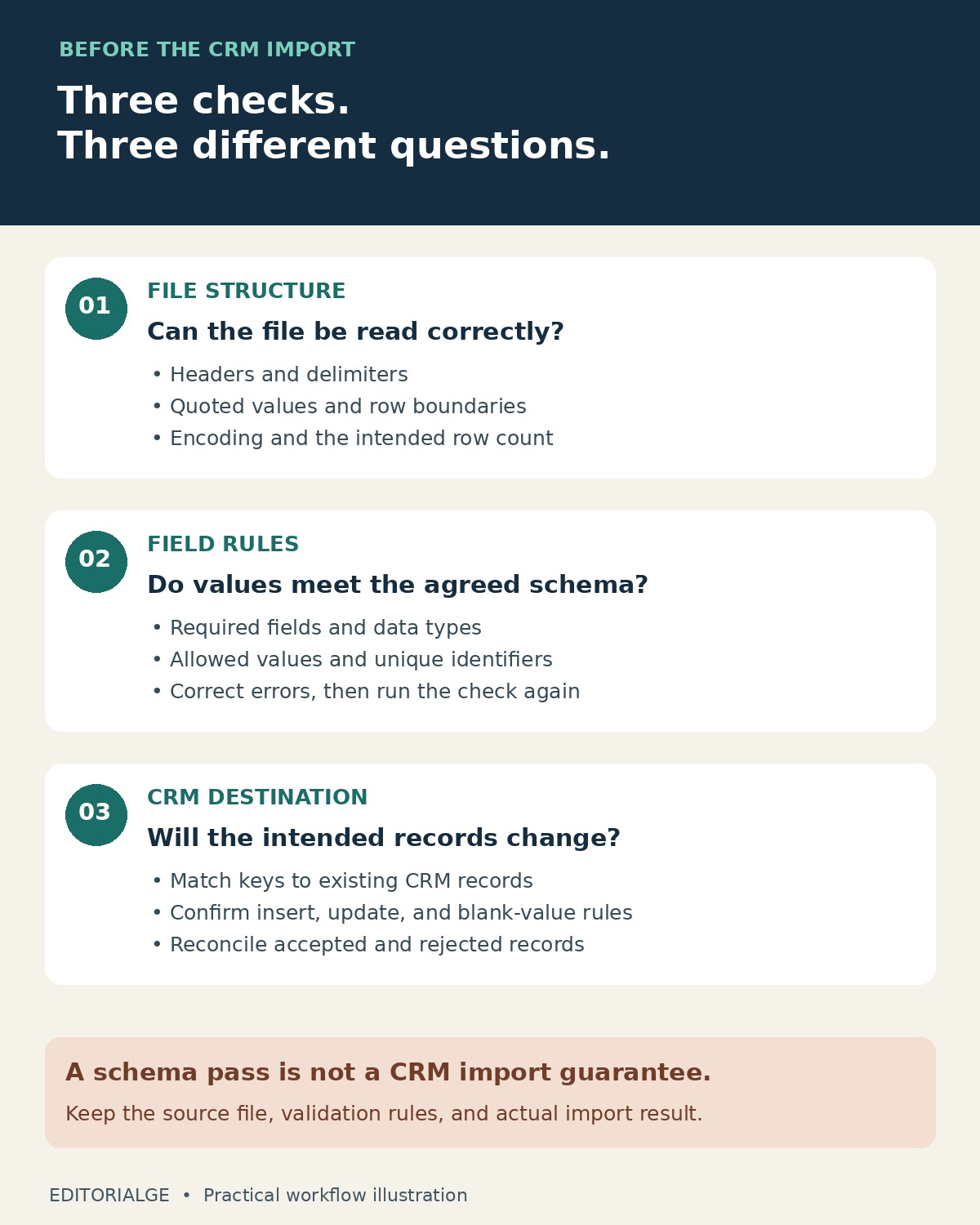
For example, a file may contain a unique contact ID on every row while those IDs already exist in the CRM. That could be correct for an update and wrong for an insert. Similarly, “Active” may be a valid text value but not an allowed value for the particular field you selected. Before uploading, record the target object, matching key, field mapping, and intended operation.
Be cautious with automatic cleanup. Converting identifiers to numbers can remove leading zeros; interpreting an ambiguous date can change its meaning. Keep an untouched source and compare a small set of transformed values with it. Our guide to silent AI spreadsheet errors explains why plausible-looking spreadsheet output still needs checking.
A Practical Pre-Import Checklist
- Save the original file and record its row count, export date, and source.
- Write down the destination fields, accepted values, required fields, and matching identifier.
- Test the validator with synthetic mistakes you expect it to reject. Check the individual findings, not just a red or green badge.
- Correct the working copy, rerun validation, and preserve the result alongside the rules used.
- Use the CRM’s supported preview, test environment, or controlled small-batch process. Confirm how inserts, updates, duplicates, and blank values are handled.
- Reconcile accepted, rejected, and unchanged records after the actual import. Keep the error report and retry only the appropriate records.
The last step matters even after successful preflight checks. A destination can reject a write for reasons the file validator cannot see. Our comparison of tools for documenting partially failed imports covers the evidence to retain when only part of a job succeeds.
Questions to Resolve Before Choosing
Can a CSV validator tell whether an email belongs to a real person?
Not from a required-field or format check alone. Those rules can identify an empty value or a value that does not match a pattern. They do not establish mailbox ownership, deliverability, or permission to contact the person. Keep those separate from file validation.
Do I need an embedded importer for a one-time migration?
Not necessarily. A visual preparation tool plus explicit schema checks may be enough when a trained operator controls the process. An embedded importer becomes more useful when many customers repeatedly supply files and need a guided way to correct their own errors.
Should invalid rows be skipped automatically?
Only under a defined policy. If you allow a partial import, preserve the rejected rows and reconcile the accepted count. If related records must arrive together, stopping the batch may be more appropriate. Decide before the production run rather than improvising after an error.
Choose the Check You Can Maintain
The right tools for validating CSV files before a CRM import fit both the file and the people responsible for it. Start with OpenRefine for investigative cleanup, a schema-based validator for repeatable checks, or an embedded importer when uploaders need to fix their own data. Then connect those checks to the CRM’s actual mappings and update behavior. A useful success result is one you can explain: which file, which rules, which destination, and which records were ultimately accepted.