PBS KIDS Games is a useful free starting point for downloaded activities, Thinkrolls offers self-contained logic puzzles, and Sago Mini World suits children who prefer making up their own stories. The best no-WiFi offline games for kids have one practical requirement in common: the part your child wants to play must already be on the device before the connection disappears.
That detail matters more than a download button. Some apps contain a limited offline library; others need individual games downloaded separately. A free installation may also lead to a subscription or paid unlock.
This research-based selection uses official developer documentation and app-store listings checked on November 4, 2026. The entries are grouped by play style, rather than ranked by testing scores. They include individual games and collections of playable activities.
Choose No-WiFi Offline Games for Kids by the Kind They Enjoy
The age bands below are editorial starting points, not official content ratings or guarantees of suitability. Check the exact edition, store rating, device compatibility, and local payment terms before installing. “Paid” refers to the standalone edition discussed; subscriptions such as Play Pass may offer a separate route.
| Game or collection | Suggested starting age | Why consider it? | Payment model | Offline preparation |
|---|---|---|---|---|
| PBS KIDS Games | 3–8 | Familiar-character mini-games | Free | Update app and download supported games |
| Khan Academy Kids | 2–8 | Early-learning activities | Free; no ads or subscription | Set up account; use Kodi’s Suitcase and Create |
| Sago Mini World | 2–5 | Open-ended pretend play | Subscription for full access | Download chosen games inside app |
| Toca Boca Jr | 3–6 | Cooking, building, and experimenting | Subscription for full access | Download chosen games inside app |
| Pok Pok | 2–7 | Exploration without scores or levels | Subscription | Download and activate subscription online |
| Thinkrolls 1 | 3–8 | A first maze-and-physics puzzler | Paid standalone | Install the standalone game |
| Thinkrolls 2 | 3–9 | More physics puzzle variety | Paid standalone | Install before travel |
| Thinkrolls Space | 5+ | Alien-themed logic challenges | Paid standalone | Install; select suitable difficulty |
| Thinkrolls Kings & Queens | 5+ | Castle puzzles and moving mechanisms | Paid full edition available | Install and unlock correct edition |
| Pettson’s Inventions | 5+ | Completing quirky machines | Paid | Install before travel |
| Inventioneers | 6+ | Building working contraptions | Free starter content; paid full unlock | Purchase/unlock wanted content online |
| Monument Valley | 7+ | Optical illusions and spatial puzzles | Paid; optional extra chapters | Install; obtain wanted extras online |
| Monument Valley 2 | 7+ | Perspective puzzles with a parent-child story | Paid | Install standalone edition |
| Alto’s Adventure | 8+ | Snowboarding and timed jumps | Android: free with ads and purchases | Install; preview monetization |
| Alto’s Odyssey | 8+ | Sandboarding with a score-free Zen mode | Android: free with ads and purchases | Install; preview monetization |
For the last seven entries, the specific Android listings were inspected for their offline labels. That is documentation evidence, not a device test or a guarantee for another store edition. The Alto payment details above describe Android; do not assume the same offer on iPhone or iPad.
Free collections and open-ended play
1. PBS KIDS Games: A free collection with familiar characters
PBS KIDS Games brings together activities featuring characters such as Daniel Tiger and the Wild Kratts. It is a sensible first download for families who want variety without buying a game immediately.
There is an update worth checking before a trip: recent iOS release notes confirm that downloading games for offline play is available again. Older comments describing restricted offline access may refer to earlier versions. Update the app, download the supported games your child wants, and check those exact games with the connection off. Do not assume the full catalog is stored locally.
2. Khan Academy Kids: Free learning activities with a defined offline area
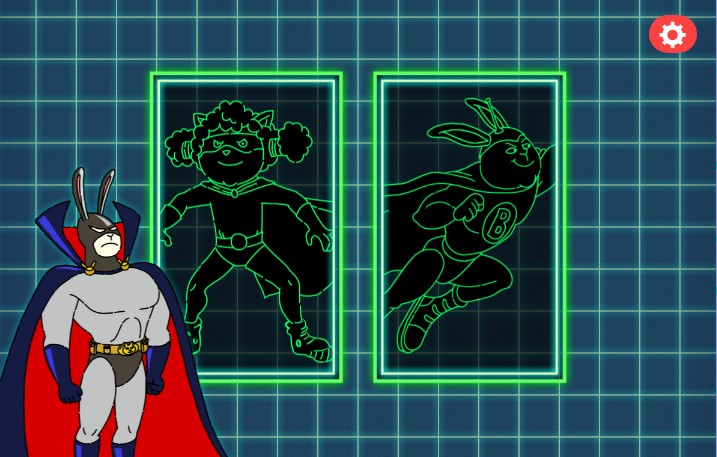
Khan Academy Kids is free and has no ads or subscriptions. Its activities cover early literacy, numbers, stories, and creative play for ages two to eight.
Its offline access is narrower than the complete app. Khan Academy identifies Kodi’s Suitcase, in the Library, and Create as available without Wi-Fi. The suitcase includes activities involving stories, letters, numbers, logic, and tracing. Initial account creation needs a connection.
Choose this for a small, clearly identified offline learning collection. Avoid promising a child that any activity visible in the online library will open later.
3. Sago Mini World: Pretend play for younger children
Sago Mini World is a collection of places and activities to explore, making it a good candidate for children who would rather invent a story than solve a puzzle with a fixed answer. Full access is subscription-based.
The developer confirms that downloaded games work offline. Open the parent area and check the Games section before leaving. A blue download arrow means that game still needs downloading; the support page explains the other status icons.
Download a few familiar favorites first. Installing the main app alone does not mean every world is ready. The inspected Android listing also carries ads and in-app-purchase labels, so preview the current edition rather than assuming it is universally ad-free.
4. Toca Boca Jr: Several kinds of imaginative play in one collection
Toca Boca Jr bundles activities such as cooking, building, and exploring nature. It suits a child who likes moving between different pretend-play tasks rather than repeating one type of challenge.
Downloaded games work offline, according to the developer. As with Sago Mini World, use the parent-area Games screen to check which activities are actually present on the device. Full access involves a subscription, and the Android listing carries ads and in-app-purchase labels.
Check the current bundle before paying: familiar Toca titles may now appear inside a collection, and an old standalone recommendation may describe a different purchase arrangement.
5. Pok Pok: A digital playroom without levels to finish
Pok Pok uses open-ended digital toys rather than scores, winning, or losing. That makes it worth considering when a child prefers exploring how objects respond to completing a sequence of challenges.
The developer’s FAQ says an internet connection is needed to download the app and subscribe, after which it works offline. It recommends reconnecting every few weeks for updates. Access is subscription-based; a trial should not be mistaken for permanent free access.
Its format is the reason to choose it. Claims that an app will reliably calm a particular child would require more evidence than a product description.
Logic games with clear puzzles to solve
The four Thinkrolls games below are related alternatives with different themes and difficulty ranges. Most families can start with one. These entries refer to the individual games, rather than the separate Thinkrolls subscription collection.
6. Thinkrolls 1: A starting point for younger puzzle players
The original Thinkrolls asks children to move rolling characters through mazes while working out how obstacles behave. Its largely visual play is useful for children who are not yet comfortable reading instructions.
Avokiddo lists an easy mode for ages three to five and a harder mode for ages five to eight. Its product page confirms play without Wi-Fi and states that the standalone game has no third-party ads or in-app purchases.
Start here if a child is new to this kind of puzzle. The later games are options for different interests, not required purchases.
7. Thinkrolls 2: More varied physics-based obstacles
Thinkrolls 2 expands the maze format with obstacles involving effects such as buoyancy, electricity, and levitation. Its appeal is working out what an object will do, then changing the sequence of moves when an attempt fails.
The developer lists easy puzzles for ages three to five and harder puzzles for ages five to nine. It explicitly states that no internet connection is required and that the standalone game contains no third-party ads or in-app purchases.
Choose it when a child enjoys the original idea and wants more variety. Its learning themes are documented; improved school performance is not established by those descriptions.
8. Thinkrolls Space: Logic puzzles for children who like aliens
Thinkrolls Space changes the setting to planets, alien characters, teleporters, and other unusual obstacles. The developer lists easier levels for ages five and up, with harder levels aimed at ages eight and up.
Unlimited retries and no time limits allow a child to reconsider a move without racing a countdown. Avokiddo confirms offline play and no third-party ads or in-app purchases for the standalone game.
This is the stronger thematic match for an older child drawn to space. A younger child may still need help with the sequence of actions.
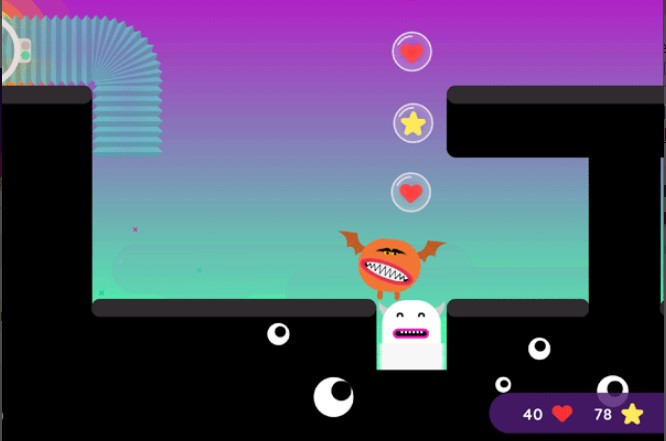
9. Thinkrolls Kings & Queens: Castle puzzles and mechanisms
Thinkrolls Kings & Queens uses castles, keys, gates, and moving objects to create its challenges. The task is to arrange a workable route rather than simply move the character quickly.
Avokiddo identifies an easier mode for ages five to eight and a harder mode for ages eight and up, and confirms play without Wi-Fi. On Android, a separately named Full edition is available for purchase.
Check the edition carefully. A free download and a paid full game can have different access arrangements, even when their names look similar.
10. Pettson’s Inventions: Finish a machine and see what happens
Pettson’s Inventions asks players to choose objects and put them into a contraption so it works. It is a useful alternative to maze games for children who enjoy looking at a mechanism and predicting the result.
The paid Android game is labeled offline. Its difficulty can be adjusted by including or removing misleading objects, giving a parent a practical way to simplify a puzzle without solving it.
Check the title against any Pettson collection already owned. The developer notes that this game’s inventions are also included in Pettson’s Inventions Deluxe.
11. Inventioneers: Build a contraption of your own
Inventioneers combines ready-made invention puzzles with a creation tool. It is a promising option for a child who wants to experiment with parts rather than only follow a prepared route.
The Android listing labels the game offline and describes free starter content plus a one-time purchase for the full game. Unlock the content you want while connected. Sharing inventions is a separate feature; offline play should not be taken to mean online sharing will also work.
There is a purchase detail for families to check: the listing warns that the in-app unlock cannot be shared with family members and points buyers toward the full-version app instead.
Visual puzzles and action games for older children
12. Monument Valley: Work out a route through an optical illusion
Monument Valley asks the player to rotate and reshape unusual architecture to guide Ida through a scene. The challenge is recognizing a path that was not obvious from the first view.
The standalone Android listing labels it offline. It is a paid game, with Forgotten Shores offered as a separate chapter purchase. Obtain any wanted extras before disconnecting; cloud saving is a separate feature from playing locally.
This is a candidate for children who enjoy visual puzzles and patient observation. The suggested age of seven and up is an editorial starting point, not a claim that every seven-year-old will solve it independently.
13. Monument Valley 2: A different story built around perspective
Monument Valley 2 follows a mother and child through shifting architecture. Its developer describes it as a standalone adventure, so there is no need to finish the first game before starting this one.
The paid standalone Android edition is labeled offline. It belongs here for families who like the perspective-puzzle format but prefer its parent-child premise or want another set of scenes to work through together.
Check that the store edition matches this recommendation. A subscription edition or alternative storefront can have different account requirements from the standalone purchase.
14. Alto’s Adventure: Snowboarding for children who enjoy timing
Alto’s Adventure exchanges puzzle-solving for movement: the player snowboards, jumps over gaps, and times tricks using a one-button control system. The controls are simple in principle, but successful runs require attention and practice.
The Android version is labeled offline and is free to install with ads and in-app purchases. Preview that monetization before handing over the device. Offline capability does not establish that every edition is ad-free.
Choose this for an older child who enjoys repeating a challenge to improve a run. Children who dislike falls and restarts may prefer one of the untimed puzzle games above.

15. Alto’s Odyssey: Sandboarding with an optional score-free mode
Alto’s Odyssey moves the series into dunes, canyons, and temples, with features including wall riding and hot-air balloons. It is a standalone game; the first Alto title is not a prerequisite.
Its Zen mode removes scores, coins, and power-ups. That offers a different way to play for a child who likes the movement but does not want to chase a score.
The Android listing confirms offline play and shows ads and in-app purchases. Check purchases and the current edition online before leaving, then confirm the intended mode opens with the connection off.
Make your chosen games ready before you travel
Downloading fifteen apps is unnecessary. A practical starting set is one familiar favorite, one puzzle game, and one creative activity. If several subscriptions overlap, check what is already included before buying another. At Editorialge, we have our in-house no-WiFi offline games for kids learning: Alphabet Magic Trace and Phonics, and 123 Magic Number: Math Kid.
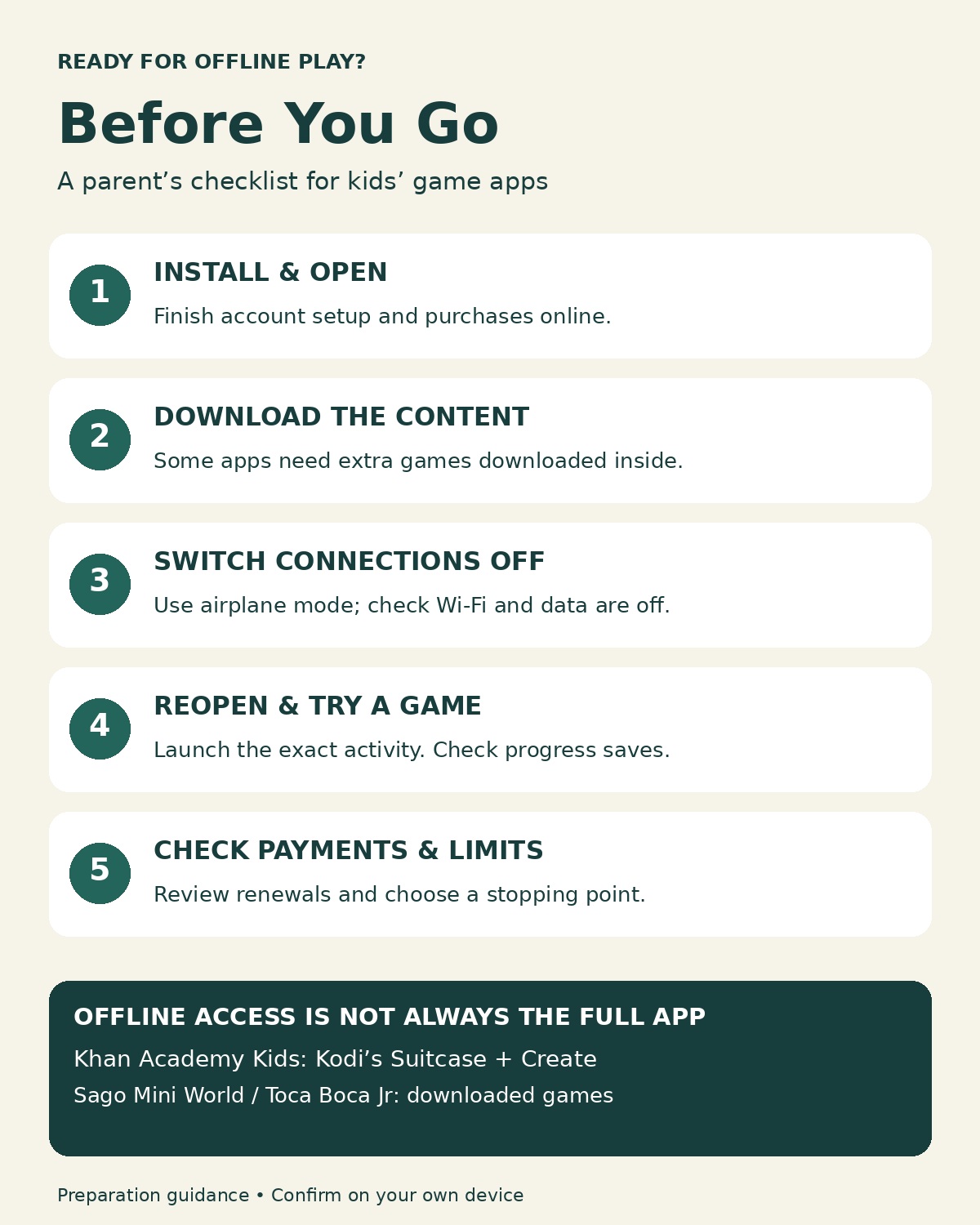
Use this short check on the actual device your child will carry:
- Install and open the exact game: Finish account setup, purchases, and any additional content downloads while connected.
- Check the offline area: Download individual games where required; in Khan Academy Kids, locate Kodi’s Suitcase and Create.
- Turn on airplane mode, then confirm Wi-Fi and cellular data are off: Some devices allow Wi-Fi to stay on or be re-enabled in airplane mode.
- Close and reopen the app: Start the exact activity, play briefly, exit, and check whether progress resumes as expected.
- Review payments and stopping points: Check purchase controls and subscription renewals, and agree on where the session will end.
This is a suggested preparation check, not a report of tests performed for this article. Repeat it after a major update or when changing devices. If an app fails while fully disconnected, choose a working alternative before the journey.
For learning activities, decide what the child will practice before opening the app. Making screen time educational offers a practical framework for choosing an activity and discussing it afterward.