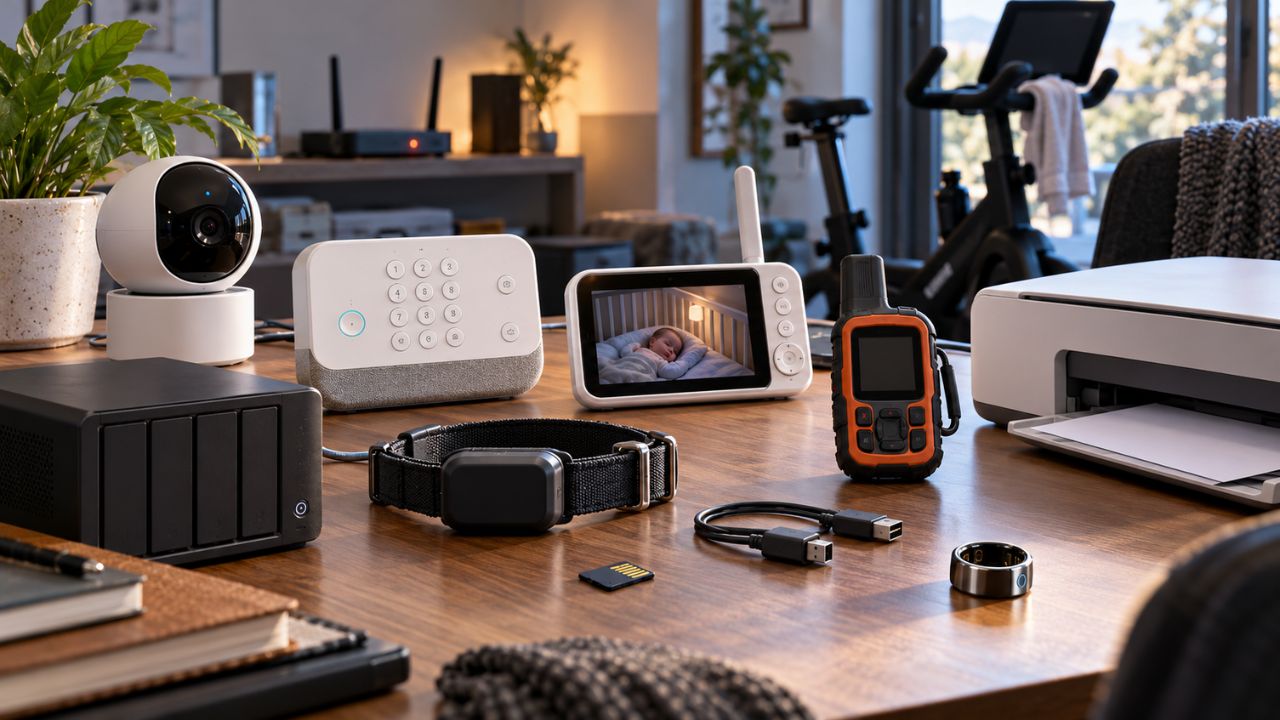
Subscription gadgets are changing what it means to own hardware. Paying for a camera, printer, fitness machine, tracker, or sleep device no longer guarantees permanent access to everything it can do. Many of these products reserve their most useful features for a recurring plan or vendor-controlled cloud service.
Subscriptions are not automatically unreasonable. Cloud storage, cellular data, professional monitoring, and licensed classes cost money to provide. The problem begins when an expired payment, account problem, internet outage, or discontinued service prevents the hardware from performing its basic job.
A proper offline fallback does not need to preserve every premium feature. It should keep the core function available. A camera should record locally, an alarm should sound, a baby monitor should provide audio or video, and exercise equipment should offer a basic manual mode.
A subscription tracker app can reveal recurring charges. It cannot restore a feature that disappears when the payment stops.
What Should an Offline Fallback Protect?
“Offline” can describe several different failures:
- The subscription ends.
- The internet connection fails.
- The local Wi-Fi network stops working.
- The device loses power.
- The manufacturer closes its cloud service.
- The user becomes locked out of the associated account.
The appropriate fallback depends on the gadget.
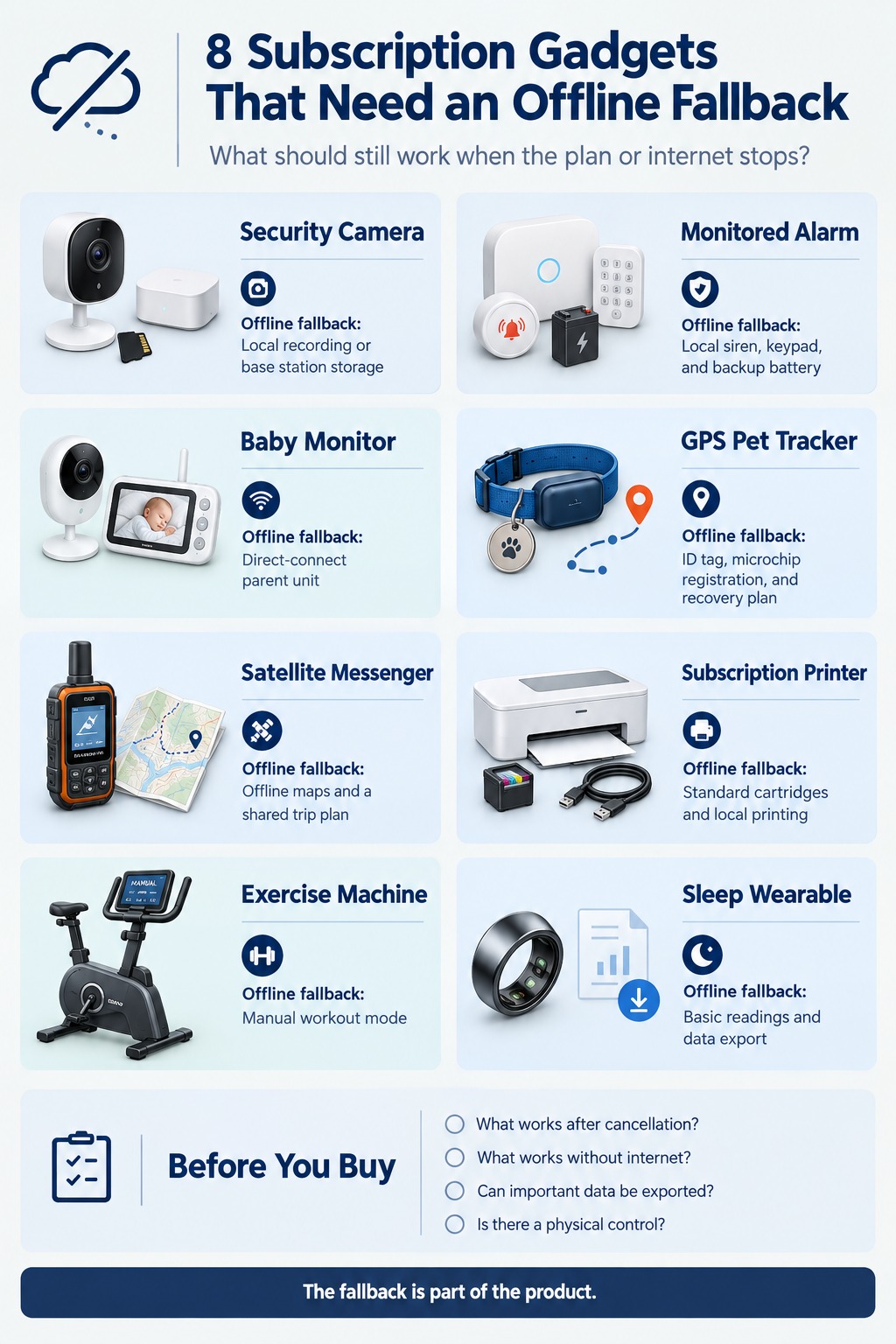
| Subscription Gadget | Minimum Fallback |
|---|---|
| Security camera | Local recording or base-station storage |
| Monitored alarm | Local siren, keypad, and backup battery |
| Baby monitor | Dedicated direct-connect receiver |
| GPS pet tracker | Physical identification and recovery plan |
| Satellite messenger | Offline navigation and shared trip plan |
| Subscription printer | Standard cartridges and local printing |
| Exercise machine | Manual workout mode |
| Sleep wearable | Basic readings and data export |
1. Cloud-Connected Security Cameras
Security cameras often divide their functions between free live viewing and paid recording. Ring, for example, allows live video and real-time alerts without a subscription, but recorded video history requires a plan. A separate problem appears during an internet outage, when cloud-dependent viewing, alerts, and recording may become unavailable.
A camera’s minimum fallback should be local recording to a microSD card, base station, or network video recorder. A video doorbell should also retain its physical chime where possible.
Local storage has limitations. A stolen camera may take the recording card with it, and a failed drive can erase the only copy. A hybrid system with local recording and optional cloud backup may offer better resilience.
When comparing smart home automation apps, check whether the camera, app, cloud account, and home internet must all work before an alert reaches you.
2. Professionally Monitored Alarm Systems
Professional monitoring can provide emergency dispatch, cellular backup, and remote support. Those services reasonably require an active plan. However, the local alarm should not become silent when the subscription or internet connection stops.
SimpliSafe’s current plan information illustrates the distinction. Professional plans add emergency dispatch and network backup. Without monitoring, certain basic app controls remain available but still require internet access.
The minimum fallback should include:
- A loud local siren
- Keypad-based arming and disarming
- Backup power for the base station
- Lost-connection and low-battery warnings
- A documented test mode
A local-capable smart home hub may preserve some automations, but it cannot replace professional emergency dispatch. Always use the manufacturer’s official test process instead of triggering an uncontrolled alarm.
3. Wi-Fi Baby Monitors
A phone-based monitor is convenient until the phone battery dies, notifications are muted, or the internet fails.
A hybrid monitor provides a stronger fallback. Some Alecto models use a dedicated parent screen that connects directly to the camera without internet. Nanit also documents limited local-network operation for certain functions when the phone and camera remain connected to the same home Wi-Fi network.
The basic monitoring path should not depend entirely on a remote server. Look for:
- A dedicated parent screen or direct radio connection
- Continuous audio
- A clear lost-signal warning
- Audible alerts from the camera or receiver
- Practical battery life
Cloud video history and sleep summaries can remain optional. Basic audio or video monitoring should continue locally. Consumer baby monitors also do not replace attentive caregiving or medical equipment prescribed for a child.
4. Cellular GPS Pet Trackers
A GPS tracker may calculate a position, but it needs a communication network to send that position to the owner.
Tractive explains that its trackers use built-in SIM cards and cellular networks. Without an active subscription, the tracker cannot communicate its location. Weak coverage can also delay updates or interrupt live tracking.
The fallback is not another app feature. It is a separate identity and recovery system:
- A readable collar tag with a current phone number
- Updated microchip registration where available
- A recent photograph of the pet
- Veterinary and emergency contacts
- A plan for searching familiar routes
- More than one authorized tracker user
Keep those details in a protected family digital emergency kit. Test the tracker around the home and regular walking areas before relying on it.
5. Satellite Messengers
Satellite communicators work beyond ordinary mobile coverage, but their communication features still depend on an active subscription.
Garmin states that inReach SOS, messaging, tracking, weather, and location-sharing features require a service plan. Compatible devices may retain navigation, waypoints, and activity recording without one.
Offline maps and a paper route plan cannot replace satellite SOS. They provide a second layer of preparedness if the device fails, its battery dies, or the plan is inactive.
Before a trip:
- Confirm that the subscription is active.
- Run the manufacturer’s approved test.
- Download maps to another device.
- Carry appropriate physical navigation tools.
- Leave the route and return time with a trusted person.
- Agree on what that person should do if a check-in is missed.
Never assume a subscription can be activated after reaching an area without ordinary connectivity.
6. Subscription Ink Printers
Subscription ink can turn local printing into an account-controlled service.
HP’s Instant Ink terms state that subscription cartridges may be disabled if the printer remains disconnected from the internet. The cartridges are also disabled after cancellation, requiring eligible standard cartridges before printing can continue.
Before enrolling, confirm:
- Whether the printer accepts regular retail cartridges
- Which cartridges are compatible
- Whether USB or local-network printing is available
- Which functions require an HP account
- Whether the model has additional HP+ restrictions
Configure and test the local printing path before an urgent document is due. Simply connecting a USB cable may not bypass a cartridge, driver, account, or model restriction.
7. Connected Exercise Machines
A connected bike, treadmill, or rower may last much longer than the owner’s interest in one class subscription.
Peloton provides a useful example. Without an active membership, supported equipment retains limited modes such as Just Ride, Just Run, or Just Row. Most classes and saved workout history become unavailable, and displayed metrics may not be saved.
A connected exercise machine should retain:
- Manual resistance, speed, or incline controls
- Essential stop and safety functions
- A basic uncoached workout mode
- Useful session metrics where possible
Subscription cancellation and internet failure are different tests. Confirm what survives in both situations before buying expensive equipment.
8. Subscription Sleep and Recovery Wearables
Sleep and recovery wearables may place detailed data and analysis behind a membership.
Without an active membership, newer Oura rings show only three daily scores, battery information, basic settings, and limited content. Oura does, however, allow users without an active membership to request a copy of their personal data.
The minimum fallback should include:
- Basic device and battery status
- Access to essential readings
- Exportable historical data
- Clear cancellation and retention rules
- A usable file format that does not require the original app
Export options matter because years of personal records may otherwise remain trapped inside one account. Sleep and recovery scores should also support general wellness decisions, not replace qualified medical advice.
Test the Fallback Before Depending on It
Before buying any subscription gadget, ask five questions:
- What works after the subscription ends?
- What works when the internet fails but local Wi-Fi remains active?
- Is there a physical, Bluetooth, USB, or direct-radio control path?
- Can important recordings or personal data be exported?
- What happens if the manufacturer closes the service?
Test the answer after setup where it is safe to do so. Security, emergency, and monitoring devices should only be tested through their approved procedures.
These questions also matter for smart home sustainability. Hardware that becomes useless after a cloud shutdown creates financial waste and unnecessary electronic waste.
Frequently Asked Questions about Subscription Gadgets
Are gadget subscriptions always bad?
No. They can fund storage, cellular connectivity, professional monitoring, support, and licensed content. The concern is whether ending the service also removes a reasonable basic hardware function.
Is local storage better than cloud storage?
Each has risks. Local storage avoids permanent cloud dependence but can be damaged, stolen, or filled. A hybrid arrangement may provide better protection.
Does offline always mean turning off Wi-Fi?
No. A home may lose external internet while its local Wi-Fi continues working. Some devices communicate locally, while others require access to the manufacturer’s cloud.
The Fallback Is Part of the Product
Subscription gadgets should offer more convenience when connected, not become useless when the connection or payment stops. Before buying, find the local storage slot, direct receiver, manual mode, standard cartridge, physical control, or export button.
That less exciting feature may determine whether the gadget remains useful after the subscription ends.