


Your podcast app eats storage, loses your place, or hides half your shows behind a paywall. Pocket Casts is the best of the podcast apps for Android and iPhone, with free sync between both and pro playback tools.
Below, you’ll get a side-by-side table of all 10 apps and a 3-step plan to switch without losing subscriptions.
Podcast Apps for Android and iPhone Compared
Every app below runs on both platforms, so you can switch phones without starting over. Here’s how these podcast apps for Android and iPhone stack up at a glance.
| App | Best for | Price |
|---|---|---|
| Pocket Casts | Serious listeners who switch devices | Free; plus about $4/mo or $40/yr |
| Spotify | Music and podcasts in one app | Free; premium optional |
| YouTube Music | Video podcasts | Free, with background play |
| Apple Podcasts | iPhone users who want simple | Free (Android via Apple’s website) |
| Snipd | AI notes and transcripts | Free; Premium $6.99/mo |
| Castbox | Huge catalog on a budget | Free with ads; premium is optional. |
| Amazon Music | Prime members | Included with Prime |
| Podbean | Listeners who also record | Free with ads |
| Player FM | Niche topic discovery | Free; Premium $39.99/yr |
| Goodpods | Social discovery | Free |
The split matters. Five of these apps are built for podcasts first, and five treat podcasts as one feature among many.
What Separates a Good Podcast App in 2026
The truth is, how people listen has shifted fast. In Sounds Profitable’s 2026 survey, YouTube was the most used podcast platform for 40% of US listeners, while podcast-native apps slipped to 15% from 19% a year earlier, as reported by Net Influencer. Edison Research’s Q3 2026 data puts Spotify at 17% and Apple Podcasts at 9% of weekly listeners.
So the best podcast apps for Android and iPhone now have to do more than play audio. Look for these five things:
- Cross device sync: Pause on your phone and resume on your laptop at the same second.
- Smart downloads: Auto-download new episodes on WiFi and delete them after you listen.
- Playback tools: Speed control, silence trimming and volume boost for quiet guests.
- Open RSS: The option to add any public feed, so no-shows get locked away from you.
- Video support: More shows now publish video, and some apps handle it far better than others.
Here’s the catch: storage adds up. A one-hour episode at 128 kbps is about 58 MB, so 20 downloaded episodes eat over 1 GB before you notice. Video episodes take far more.
The 10 Best Podcast Apps for Android and iPhone
These podcast apps for Android and iPhone are ranked by how well they handle daily listening, not by catalog size alone.
1. Pocket Casts: Best Overall
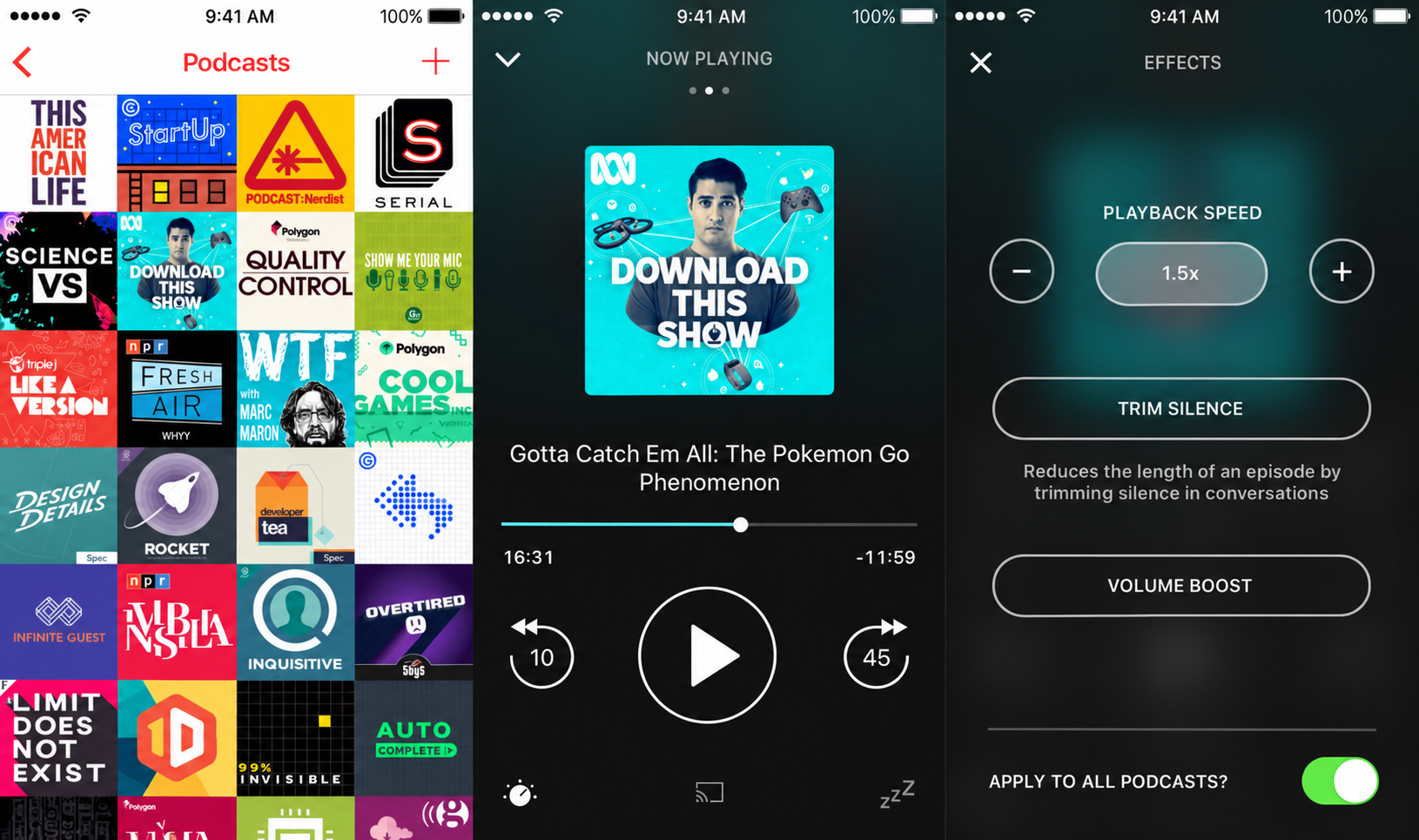
Picture this: you start an episode on your Android phone during the commute, then finish it on your iPad at home. Pocket Casts picks up at the exact second, and since March 2025, its web player and desktop apps are free too.
- Speed control, silence trimming, volume boost and chapter support.
- Plus costs about $4 a month or $40 a year and adds folders, extra themes and 10 GB of cloud storage.
It’s a great home for shows like these best productivity podcasts.
Honest flaws:
- Folders sit behind Plus, so big libraries get messy on the free tier.
- Listening on a smartwatch without a paired phone still requires a paid plan.
Who Should Skip This: casual listeners who only follow two or three shows.
2. Spotify: Best for Music and Podcasts in One App
Spotify keeps your playlists and shows in one place, and video podcasts play right in the app. Edison Research puts it at 17% of weekly US podcast listening.
Honest flaws:
- You can’t add any podcast by its RSS feed, so some shows are simply missing.
- Playback tools are basic next to dedicated apps. There’s no silence trimming or volume boost.
Who Should Skip This: listeners who want full control over feeds and downloads.
3. YouTube Music: Best for Video Podcasts
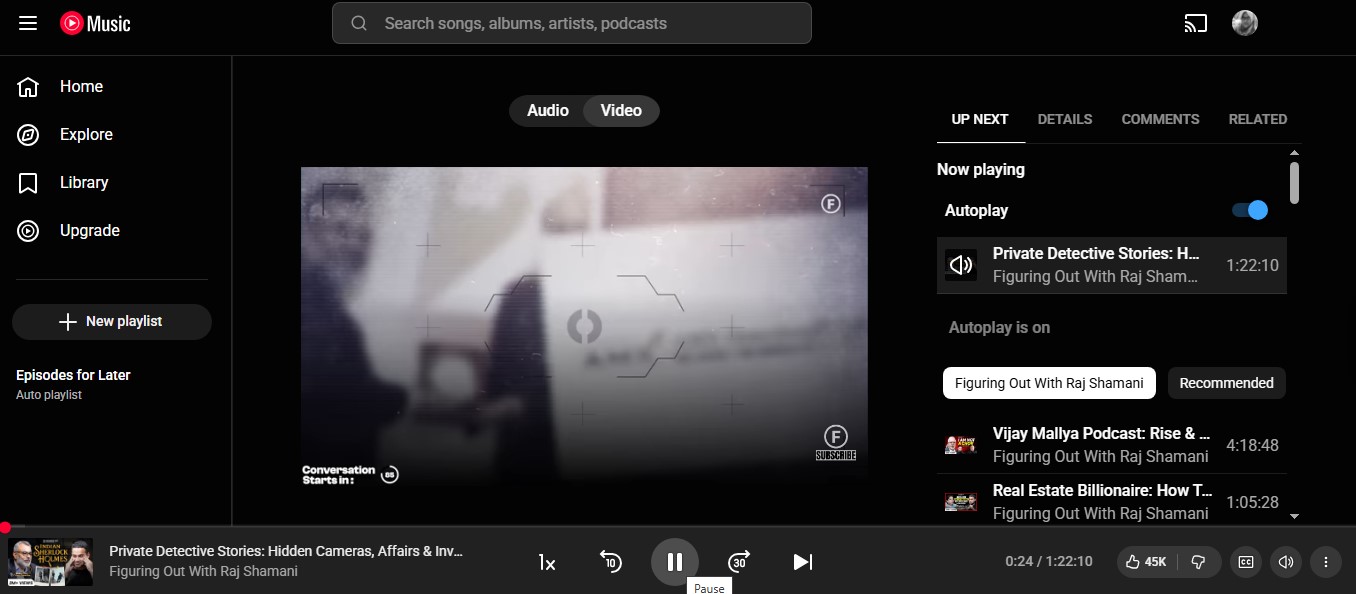
YouTube is now the most used podcast platform in the US. YouTube Music plays shows in the background and offline without YouTube Premium, and you can flip between audio and video.
Honest flaws:
- Video episodes burn through data and storage fast.
- Podcasts share space with your music library, which gets cluttered.
Who Should Skip This: audio purists who never watch.
4. Apple Podcasts: Best for Simple iPhone Listening
Apple Podcasts comes preinstalled on every iPhone and handles premium subscriptions well. On Android, you install it from Apple’s website as a web app, not from the Play Store.
Honest flaws:
- The Android version is web-based, so it feels less polished than a true native app.
- Fewer power tools than Pocket Casts, with no silence trimming.
Who Should Skip This: Android users who want a native Play Store app.
5. Snipd: Best for AI Notes and Transcripts
Snipd turns a quick tap of your headphones into a saved clip with a transcript and summary. It’s ideal for learning shows like these EdTech podcasts for educators.
- Free: unlimited listening, but AI features cover only 2 episodes a week.
- Premium: $6.99 a month for unlimited AI, chatting with an episode and up to 900 minutes of AI processing.
Honest flaws:
- The free AI cap runs out by Tuesday for heavy listeners.
- The Android app rates about 4.0 stars, below most rivals here.
Who Should Skip This: people who listen for fun, not to take notes.
6. Castbox: Best Free Catalog on a Budget
Castbox carries a deep catalog, offline downloads and in-audio search. It holds a 4.8-star rating on the App Store.
Honest flaws:
- The free version shows ads.
- Premium pricing is confusing, with a long list of monthly, quarterly and yearly options in the store.
Who Should Skip This: anyone who hates ads and won’t pay to remove them.
7. Amazon Music: Best for Prime Members
On the flip side, if you already pay for Prime, Amazon Music’s podcast side costs nothing extra. It keeps podcasts separate from music, and it has a car mode. Android Authority called it surprisingly good for casual listeners in April 2026.
Honest flaws:
- No folders for organizing shows.
- It can’t automatically download new episodes, which hurts on flights and subway rides.
Who Should Skip This: heavy listeners with 30+ subscriptions.
8. Podbean: Best for Listeners Who Also Record
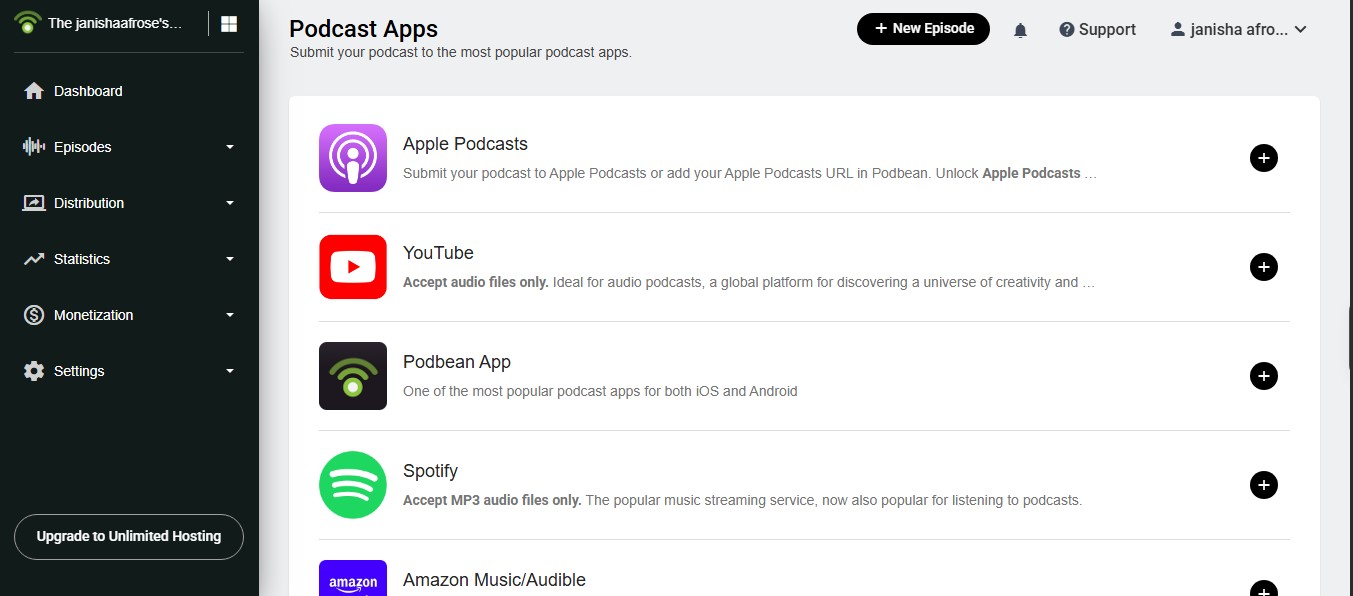
Podbean is a solid player with smart speed, volume boost, CarPlay and a sleep timer. The best part? It also includes a built-in recorder for anyone starting a show, which pairs well with this guide to AI podcast production.
Honest flaws:
- The app is ad-supported, and ads make up most of its revenue.
- Extras like relaxation sounds and audiobooks crowd the interface.
Who Should Skip This: listeners who want a clean podcast-only app.
9. Player FM: Best for Niche Topic Discovery
Player FM organizes shows by topic, which helps you find small, specific podcasts. It syncs the following across devices and supports offline listening. The yearly premium plan costs $39.99.
Honest flaws:
- The App Store lists at least six paid options, from monthly to Patron at $119.99, which is hard to compare.
- Discovery is the strength. Playback tools lag behind Pocket Casts.
Who Should Skip This: listeners who already know exactly what they follow.
10. Goodpods: Best for Social Discovery
Goodpods is a free podcast app built around what your friends and favorite listeners are playing. It’s a fun way to find shows outside the usual top charts.
Honest flaws:
- The social features only shine if people you know use it too.
- It has fewer power playback tools than dedicated players.
Who Should Skip This: private listeners who don’t want to share their queue.
The Biggest Mistake Listeners Make When Switching Apps
That brings us to the biggest mistake people make: picking a new app and resubscribing to 40 shows by hand. Big mistake. Most podcast apps for Android and iPhone can import and export your library as an OPML file.
Now, you might be wondering how to switch cleanly. Do it in three steps:
- Export your subscriptions as OPML from your old app’s settings.
- Import that file into the new app, then check that every show came over.
- Set downloads to WiFi only and “delete after playing” before your first commute.
Apps built around their own catalog, like Spotify and YouTube Music, handle this differently. Expect some manual searching there.
Frequently Asked Questions (FAQs)
What is the best free podcast app for Android and iPhone?
Pocket Casts. Its free tier includes cross-device sync, speed control and silence trimming on both platforms.
Is Apple Podcasts available on Android?
Not in the Play Store. You can install it from Apple’s website as a web app that sits in your app drawer.
What happened to Google Podcasts?
Google shut it down and moved listeners to YouTube Music, which now plays podcasts free in the background and offline.
How much storage do podcasts use?
About 58 MB per hour of audio at 128 kbps. Video episodes use far more, so set auto delete after playing.
Can I listen to podcasts offline?
Yes. Every app on this list supports downloads, though Amazon Music won’t auto download new episodes.
Final Thoughts
Bottom line: the best podcast apps for Android and iPhone keep your place, respect your storage and let you leave with your library. Start with Pocket Casts, add YouTube Music if you watch video shows, and try Snipd if you listen to learn.
Pick one, import your OPML file tonight, and give it a full week of commutes before you judge it.























