Private family photo sharing apps can keep pictures away from a public feed. They cannot always keep those pictures within the family. A relative you invite may be able to save your child’s photo, download the file, or send it to someone else.
I have used FamilyAlbum, Google Photos, and PhotoCircle. I like FamilyAlbum as a dedicated space for family pictures. Google Photos is convenient because it came on my phone and is already part of how I manage photos. For the other six apps, I checked their published sharing and download controls. The question throughout this guide is simple: once someone can see a photo, what can they do with it?
A Private Album Can Still Give Someone a Copy
“Private” usually describes who can open an album. It says less about what invited people can do after opening it.
A viewer might be able to save a photo to their own cloud library, download it to a device, or take a screenshot. Some apps let you turn off their download button. That reduces easy copying, but it cannot guarantee that an image visible on a screen will never be captured another way.
Revoking access has a limit, too. It can stop someone from seeing future updates, but it does not retrieve copies they already kept. Keep that in mind when choosing relatives to invite, particularly if an album contains years of children’s photos.
8 Private Family Photo Sharing Apps Compared
Here is the short version of who gets access and what they can keep.
| App | Who Can See the Photos? | What Can They Keep? | Detail Worth Checking |
| FamilyAlbum | Invited members see family posts; admins can keep posts admin-only. | Members can normally download visible photos. Admins can restrict downloads. | Download control is available on the free plan. |
| Google Photos | Invited accounts and, if enabled, anyone with the album link. | Viewers can save or download copies. | Removing a member does not switch off link sharing. |
| Apple Photos Shared Albums | Invited or approved participants, depending on the album’s settings. | Participants can save photos to their own libraries. | Link access and options vary by software version. |
| PhotoCircle | People who join an invited Circle. | Members can save individual photos. | Download restrictions require an organizational Premium Plan. |
| Tinybeans | Invited journal followers. | Followers can download unless the owner disables it. | New followers normally see older memories. |
| Ente Photos | Invited Ente users or people with a public album link. | Invited viewers can download; a link setting can hide the download option. | Hiding the button does not prevent other ways of copying. |
| Proton Drive Photos | Proton users invited to a shared album. | Viewers can download photos. | Entire photo albums cannot currently be shared by public link under Proton’s album instructions. |
| Amazon Photos | Invited shared-group members, eligible Family Vault members, or link holders when enabled. | People with access may download and share copies. | A shared group and Family Vault work differently. |
1. FamilyAlbum
FamilyAlbum gives parents an ongoing album for relatives they invite. It works well when the family has a mix of phones, and nobody wants to send the same pictures through several message threads.
This is the app I personally like for family sharing. Its audience settings are useful, but they need attention. An admin can mark a photo Shared with Family or Admins Only. A member invited months later can see earlier photos marked Shared with Family. If an older picture should stay between parents, check its visibility before sending a new invitation.
Grandparents and other members can normally download photos they are allowed to see. An admin who wants to limit that can open the album settings and change Download Permission to Admins Only. The setting is available on the free plan. Paid Share Groups offer more specific audiences for individual photos, such as a selected set of relatives.
FamilyAlbum is my pick here when the goal is an organized, invite-only family space. I would still review its member list and older uploads periodically.
2. Google Photos
Google Photos wins on convenience for me. It is already on my phone, so creating a shared album does not require moving pictures into another service first.
Its access settings deserve a second look after the album is created. You can share with specific Google Accounts, but you can also turn on link sharing. Someone who gets that link may be able to open the album even if you did not invite their account directly. If you remove a person while link sharing stays on, they may be able to return through the link.
Viewers can save shared photos to their own Google Photos libraries or download files to their devices. Turning off sharing later does not erase those copies. I am comfortable using Google Photos for pictures I am happy for relatives to keep. For a more limited audience, I would check the link setting before uploading.
Shared Albums are a familiar option for families already using Apple Photos. The owner invites participants, and people with the right permissions can add photos and comments.
The important question is how someone joins. In Apple’s version 27 software, an album owner can choose invited or approved access, or allow people with the link to join without approval. Albums created under older versions may offer a Public Website setting. Turning that on publishes the album to a website that others can view, so it needs a deliberate check.
Participants can save shared photos and videos to their own libraries. Those saved items remain there if the owner later deletes the album or stops sharing. Apple’s photo-quality rules have changed as well: photos shared under version 27 are stored in their original format at full resolution, while earlier versions reduced shared photo resolution. Check the devices and album settings your family actually uses before relying on a Shared Album to preserve originals.
4. PhotoCircle
PhotoCircle organizes sharing around a Circle. You invite relatives, and members can add pictures to the same collection. I have used it, and I can see its appeal for a trip, reunion, or other event where photos are coming from several people.
For personal use, the app is free with ads. Members can save individual photos to their camera rolls. PhotoCircle has role permissions that can restrict downloading, but those belong to its organizational Premium Plans. They are not a control you have in an ordinary free family Circle or through PhotoCircle+.
There is also a quality limit to consider. Standard PhotoCircle photos are reduced to a maximum of 3 megapixels, and standard video clips are limited to 60 seconds. I would use a Circle to collect and enjoy an event’s pictures, while keeping the original files somewhere else.
5. Tinybeans
Tinybeans feels more like a child’s journal than a general photo archive. Invited relatives can follow memories and milestones as they are added.
Before inviting someone, look back through the journal. Followers normally gain access to previously posted memories as well as future ones. Posts marked hidden during their initial upload are an exception. The owner can also give certain followers permission to add moments or act as a co-owner, so those roles should be reserved for people who need them.
Followers can usually download individual memories, although the journal owner can disable downloads. On the free plan, Tinybeans currently allows up to 20 photo and video uploads per month and 5 GB of total storage. That may suit occasional updates; a family posting several times a week could reach the monthly limit quickly.
6. Ente Photos
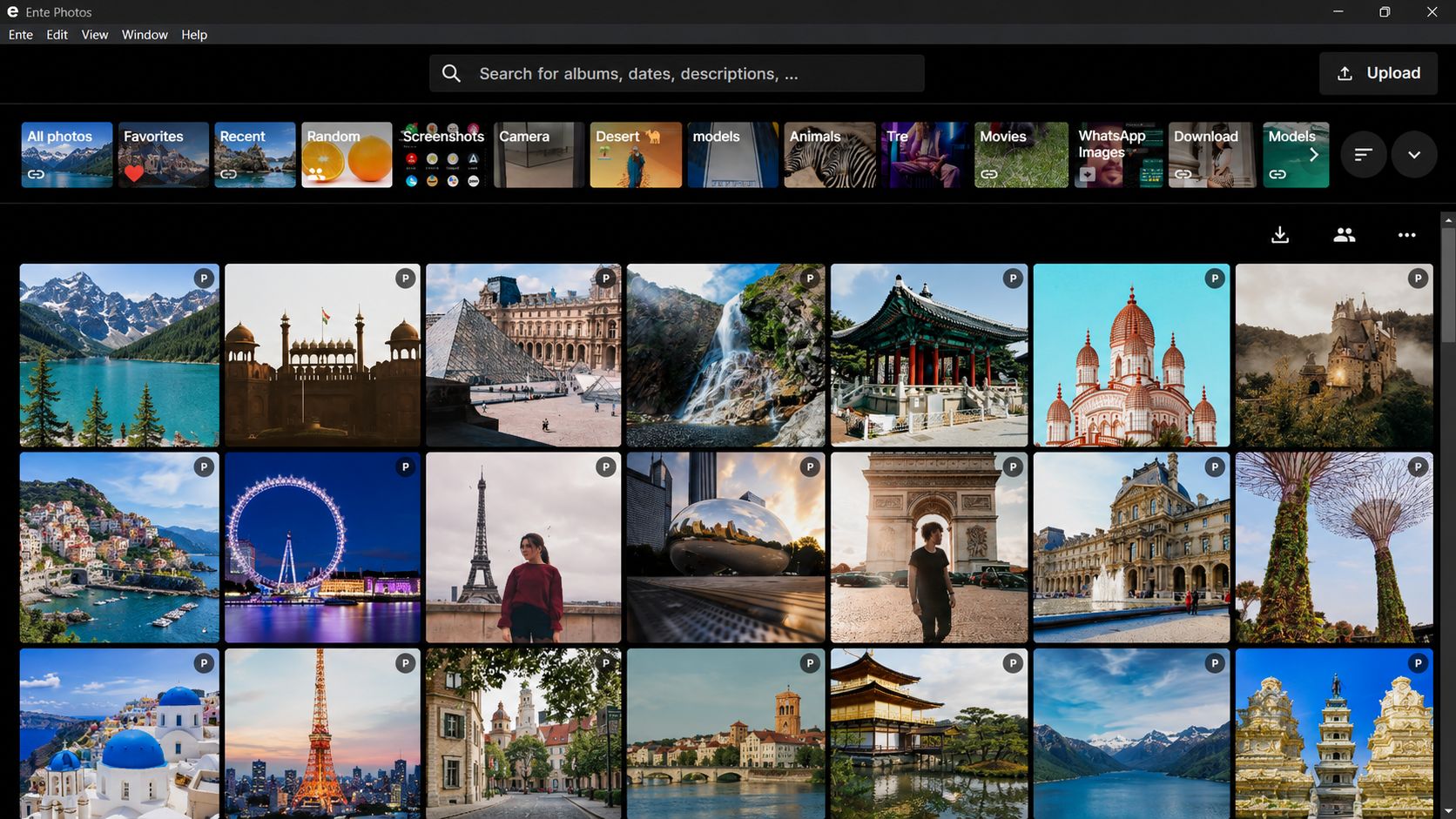
Ente is worth considering when the privacy of the stored files matters as much as the album’s member list. It uses end-to-end encryption and lets you invite other Ente users as Viewers, Collaborators, or Admins.
Those roles have different powers. Viewers can look at and download photos. Collaborators can add photos, while Admins can help manage participants and album content. Give a relative the level of access they actually need.
You can also create a public album link for someone without an Ente account. Passwords and expiry settings can narrow access, but a working link can be forwarded. Ente lets an owner hide the download option on a public link and explicitly warns that this does not prevent browser copying or screenshots. Shared albums are available on its free plan; free public links currently have a 10-device limit.
Ente offers strong protection for photos stored with the service. Once you authorize a person to view an image, you still need to trust that person with what they see.
7. Proton Drive Photos
Proton Drive also offers end-to-end encrypted photo storage. Its current instructions for sharing an entire photo album say you invite other Proton users and assign Viewer or Editor access. Viewers can see and download photos; Editors can add photos to the album.
This distinction is easy to miss when comparing private family photo sharing apps: Proton supports public links for files and individual photos, but its album-specific instructions say public links for whole photo albums are coming soon. Do not set up a family album expecting a relative without a Proton account to open the entire collection through one public link.
Proton Drive includes 5 GB on its free plan. It is a reasonable fit if your closest relatives already use Proton or do not mind creating accounts. A large family photo and video collection will need more storage.
8. Amazon Photos
Amazon Photos offers shared groups and Family Vault. They serve related purposes, but they should not be treated as the same setting.
In a shared group, the owner can invite members and switch off link sharing. With link sharing off, access is limited to the people invited to that group. Family Vault is a shared archive for up to six people, including an eligible Prime account owner. Prime storage benefits and some features depend on the country.
People who can access shared photos may download or print them. Amazon’s terms also allow Family Vault or group members to share contributed files with people outside that space. Discuss that possibility before adding pictures you want kept within a small circle.
One useful clarification: an Amazon Photos family plan that shares a storage allowance does not automatically make each member’s personal uploads visible to everyone else. Photos have to be shared separately.
How to Choose Without Adding Another App You Will Not Use
Start with the relatives who need access. If they already use Google Photos, a carefully managed shared album may be enough. If everyone is comfortable with Apple Photos, check the Shared Album’s participant and link options. An app nobody in the family opens will not make sharing easier.
For my own use, FamilyAlbum offers the clearest dedicated family space of the three apps I have tried. Google Photos remains convenient because it is already part of my phone. PhotoCircle makes sense when several people want to contribute pictures from one occasion, with the understanding that ordinary Circle members can save them.
If your priority is encrypted storage, look at Ente and Proton. If your priority is preventing an invited relative from keeping a copy, be realistic about what any app can enforce. A download setting helps, but the safest audience is still a small group of people you trust.
Check the Album Before Sending the First Invitation
A few minutes with the settings can prevent an unpleasant surprise later:
- Review the audience: Check existing members, pending invitations, and who has permission to add others.
- Inspect any sharing link: Find out whether someone can join immediately, must request approval, or cannot enter without a direct invitation.
- Check download and contributor permissions: Viewing, adding, managing, and downloading may be separate privileges.
- Look through older photos: A newly invited person may receive access to the album’s history.
- Check the images themselves: School uniforms, house numbers, routines, other children in the frame, and location information can reveal details you did not intend to share.
Tell relatives whether they may repost pictures outside the album. That conversation is particularly important for children’s photos, because changing a setting later cannot pull back an image someone has already shared.
Frequently Asked Questions about Private Family Photo Sharing Apps
Start with an album that lets you invite specific people, then check whether it also has a link anyone could forward. If you want relatives to view photos without easily downloading them, look for a separate download setting. FamilyAlbum offers one, but no app can guarantee that a person who sees a photo will never make a copy. Tell relatives whether they may repost pictures, especially photos of children.
Which App Is Best for Sharing Private Photos?
For an ongoing family album, I prefer FamilyAlbum. Its invited audience and admin-controlled download setting suit the way I want to share family pictures. Google Photos is easier for me when I want to use the app already on my phone, but relatives can save their own copies. PhotoCircle works well when several people are contributing to one event’s collection; ordinary Circle members can save individual photos.
What Is the Best App for Private Photos?
That depends on what you want to protect. If you mean who can enter a family album, look at its invitations, links, and member permissions. If you mean who can access the files while they are stored online, Ente Photos and Proton Drive offer end-to-end encryption. Encryption does not prevent someone you invited from downloading a photo, so keep the album’s audience small even when the storage is encrypted.
Let the Album Stay in the Family
The most useful private family photo sharing apps make the audience clear and give you settings you can manage without constant effort. I like FamilyAlbum for a dedicated family space and Google Photos for its everyday convenience. Both still require a decision about who gets invited and whether those people may keep copies.
Choose the app your relatives can use, then set the smallest audience that makes sense. Review that audience as the family changes. Privacy here is an ongoing choice, not a label on the album.