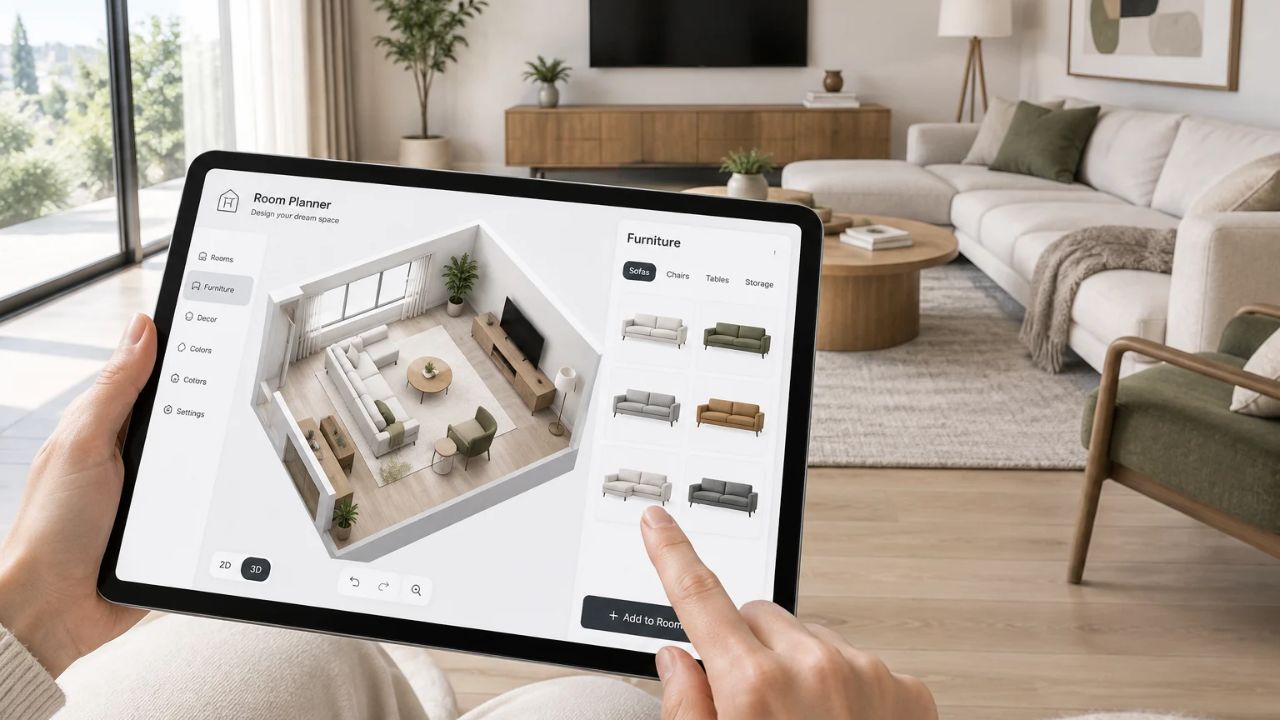
A new sofa that blocks the door. A rug that looks huge in the store and tiny at home. Most room mistakes come from guessing sizes. Good room planner and home design apps fix that by letting you test a layout on screen before you move a single thing.
The hard part is picking one. Many apps that rank high in search are really AI photo filters. They make a pretty picture of a new room, but they do not give you real measurements. Others look free until you try to save or export your plan.
This guide covers 10 apps that plan to scale, with their 2026 prices, what the free version really lets you do, and which ones can scan a room with your phone.
Quick Comparison
The table shows how these room planner and home design apps compare on cost and devices. Prices are in US dollars and can change, so check the app store before you pay.
| App | Free version | Paid price | Works on | Best for |
|---|---|---|---|---|
| Planner 5D | Yes, half the furniture catalog | $59.99 a year | Phone, tablet, web, desktop | Most people |
| Homestyler | Yes, unlimited 1K renders | From $6.80 a month | Phone, web | Free lifelike pictures |
| RoomSketcher | Yes, no measurements | $144 a year | Desktop, tablet | Accurate floor plans |
| magicplan | 2 free projects | Plan based | iPhone, Android, web | Scanning and renovation |
| IKEA Kreativ | Fully free | Free | Phone, web | Shopping IKEA furniture |
| Live Home 3D | Yes, with limits | $59.99 once | iPhone, iPad, Mac, Windows | Apple users |
| Floorplanner | 5 free projects | Credits from $8.15 | Web browser | Quick browser plans |
| Sweet Home 3D | Fully free | Free | Windows, Mac, Linux, phone, web | Zero budget |
| SketchUp | Limited web version | $10.75 a month | iPad, web, desktop | Custom builds |
| Houzz | Free | Free | Phone | Ideas and AR preview |
The pattern is clear. Free apps are great for testing furniture. If you need a plan with exact measurements to hand to a builder, expect to pay.
The 10 Best Room Planner and Home Design Apps
The apps are ranked for a regular homeowner or renter. Apps that only restyle photos with AI did not make the list, since they cannot tell you if a bed fits.
1. Planner 5D
Planner 5D is the best all-round pick among room planner and home design apps. It runs on phones, tablets, the web, and desktops, so you can start a plan on a laptop and check it in the store on your phone.
The free plan gives you unlimited projects but only about half of the furniture catalog. Premium costs $19.99 a month or $59.99 a year. It unlocks the full catalog of more than 10,000 items, turns an uploaded floor plan into 3D, and adds 100 AI Studio credits a month. The Professional plan, at $399.99 a year, is for designers who need 4K renders and CAD export.
Pick the yearly premium plan if you are redoing more than one room. The monthly price adds up fast.
2. Homestyler
Homestyler gives away more than most apps. The free plan includes unlimited 1K renders and over 100,000 free 3D models and materials. That is enough to see a lifelike picture of your living room without paying.
Sharper pictures cost extra. A 2K render is $0.99, and a 4K render is $1.99 if you pay one at a time. Pro+ starts at $6.80 a month and adds 75 renders each at 2K and 4K, plus AI credits. It is a good choice if you care most about how a room will look.
3. RoomSketcher
RoomSketcher is the one to use when the numbers matter. Pro plans print to scale and show measurements and total floor area, which helps when you talk to a contractor.
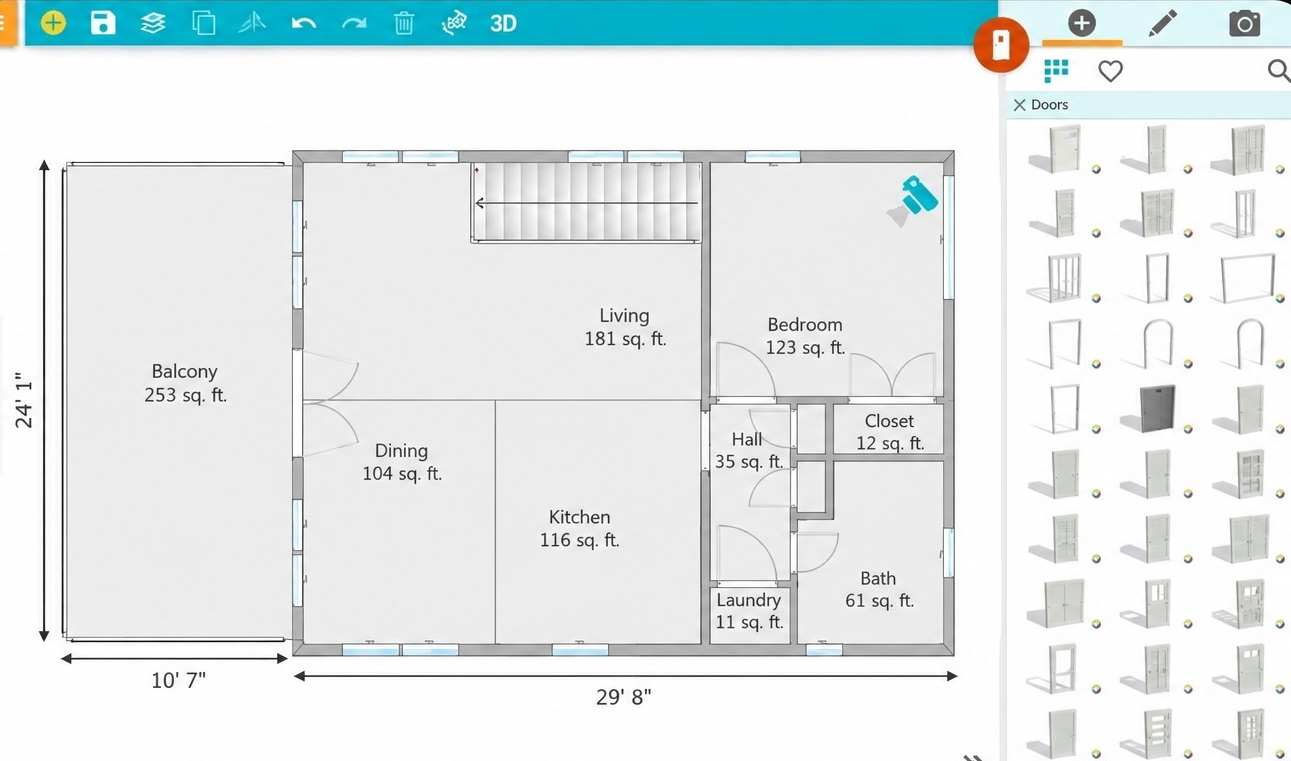
The free plan is very limited. It has no measurements at all and only one free AI floor plan conversion. Pro costs $12 a month billed yearly ($144) or $24 a month. Note that RoomSketcher works on desktops and tablets, not phones.
4. magicplan
MagicPlan turns a phone scan into a floor plan. On iPhone and iPad Pro models with LiDAR, the scan is faster and more accurate. Android phones can still draw plans but do not get LiDAR scanning.
The app is built for renovations. It tracks photos, notes, and costs inside each project. You get 2 free projects with full features. After that, paid plans start at 10 projects a month, and extra projects cost $40 each. That makes it a strong fit for a remodel and a poor fit for moving one couch.
5. IKEA Kreativ
IKEA Kreativ is free and has a trick most room planners and home design apps lack. You scan your room with the IKEA app, and it can erase your current furniture from the picture. Then you place IKEA pieces in the empty space.
There is one big limit. Only IKEA products are in the catalog. Use it to test a specific IKEA bed or shelf, not to plan a whole house.
6. Live Home 3D
Live Home 3D is the best pick for Apple users. It runs on iPhone, iPad, and Apple Vision Pro, and projects open on Mac and Windows too. Its Room Scanner uses the LiDAR sensor to build a 3D copy of a room.
The app is free to download, but it adds watermarks and limits you to two floors. Standard Features remove those limits for $59.99 once, or $19.99 a year. Pro features cost $129.99 once. Paying once is rare in this space, and it saves money over time.
7. Floorplanner
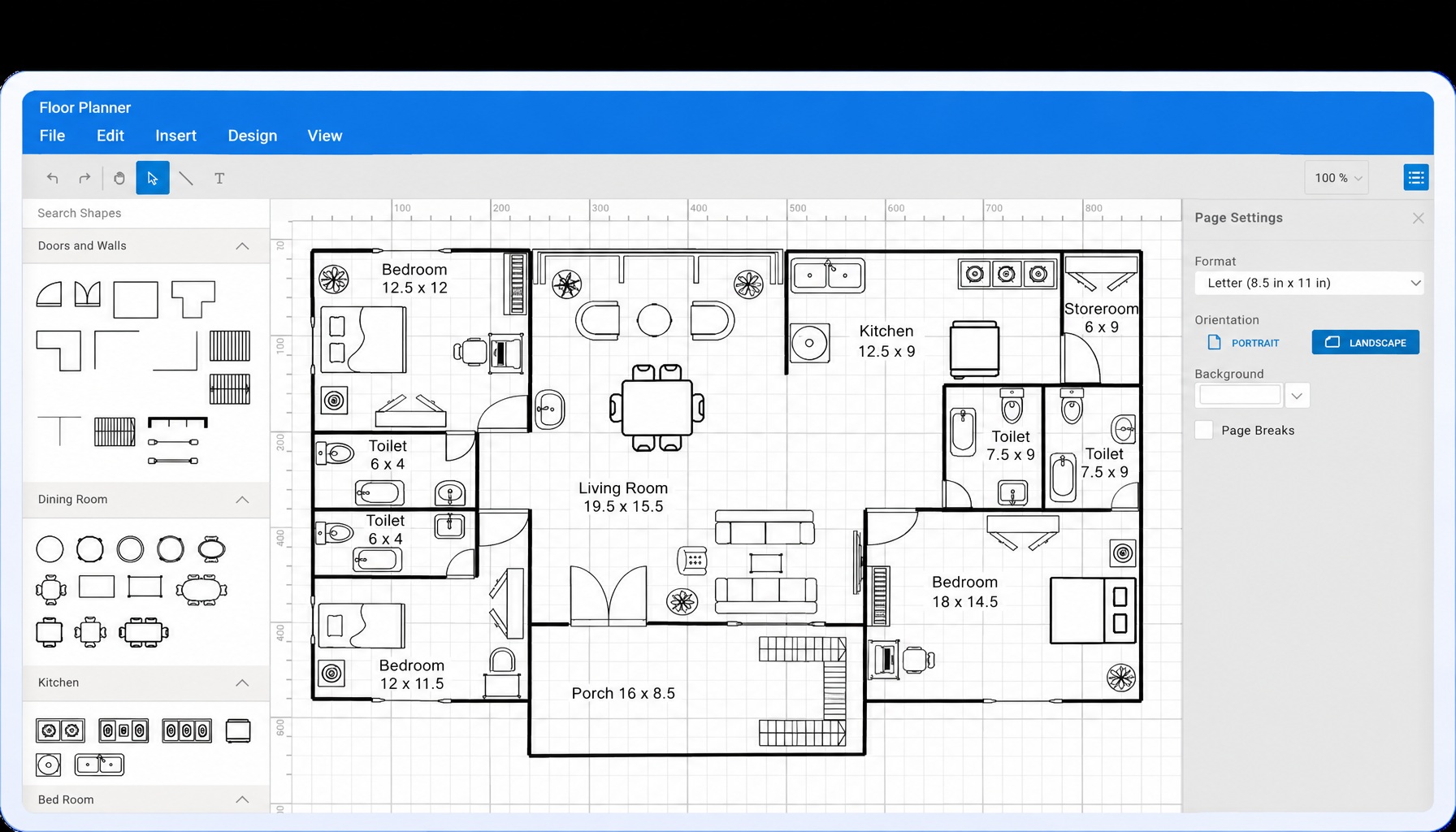
Floorplanner works in any web browser with nothing to install. You get 5 free projects, each with up to 3 floors. The free exports are small (960 by 540 pixels) and carry a watermark. To get HD or 4K images, you buy credits, starting at $8.15 for 5. It is handy for a quick layout on a work computer.
8. Sweet Home 3D
Sweet Home 3D costs nothing. It is open source and runs on Windows, Mac, Linux, iOS, Android, and in a web browser. You draw walls on a 2D plan and see the room in 3D at the same time. The look is plain and dated next to Homestyler, but there are no credits, ads, or upgrade screens.
9. SketchUp
SketchUp is a 3D modeling tool, so you can build anything, including custom shelves or a new deck. It takes time to learn. SketchUp Go costs $10.75 a month billed yearly and works on iPad and the web. The free web version still exists, but in 2026 some users report limits on new files and downloads, which SketchUp staff say are tests. Do not count on it staying unlimited.
10. Houzz
Houzz is less a planner and more an idea book. You can browse a huge library of room photos, save ones you like, and use View in My Room 3D to place products in your space with augmented reality. It is free. Use it before you plan to decide on a style.
How to Pick From These Room Planner and Home Design Apps
Before you download any room planner and home design apps, think about your goal and your device:
- Rearranging furniture? Try Homestyler or Sweet Home 3D for free.
- Buying from one store? Use IKEA Kreativ or Houzz.
- Planning a remodel? Pay for MagicPlan or RoomSketcher.
- Own an iPhone Pro? Live Home 3D or MagicPlan can scan the room for you.
Scans Are Not Perfect
LiDAR scans are fast, but they can miss a window ledge or a radiator. Measure each wall with a tape before you buy anything big, and fix the plan by hand. Ten minutes with a tape can save a return trip.
Plan for Light and Comfort, Too
Room planner and home design apps can do more than fit furniture. Use your plan to see where sunlight lands and where heat escapes, then read our energy efficient home design tips. If you want more plants and daylight in your plan, see our guide to biophilic home design. And if money is tight, these eco friendly home design ideas on a budget pair well with a free app.
Frequently Asked Questions (FAQs)
What is the best free room planner app?
Sweet Home 3D is the best fully free option, with no ads or credits. Among free room planner and home design apps with a modern look, Homestyler gives you the most, including unlimited 1K renders.
Is there an app that can scan a room and make a floor plan?
Yes, MagicPlan and Live Home 3D can scan a room on iPhones and iPads with LiDAR. MagicPlan also draws plans on Android, but without LiDAR scanning.
Can I design my room with my phone camera?
Yes. IKEA Kreativ uses your camera to scan a room and erase your current furniture. Houzz lets you place products in your room with augmented reality.
Is Planner 5D free?
Planner 5D has a free plan with unlimited projects, but only about half the furniture catalog. Premium costs $59.99 a year.
Are AI interior design apps accurate?
Most AI design apps restyle a photo. They are good for ideas, but they do not measure your room. Use a real planner before you buy furniture.
Final Thoughts
The best room planner and home design apps are the ones that match the job. For most people, Planner 5D on the yearly plan is the safest choice. If you want to spend nothing, start with Homestyler or Sweet Home 3D. If you are tearing down walls, pay for MagicPlan or RoomSketcher. Measure your room tonight, pick one app, and plan a single room before you move a thing.