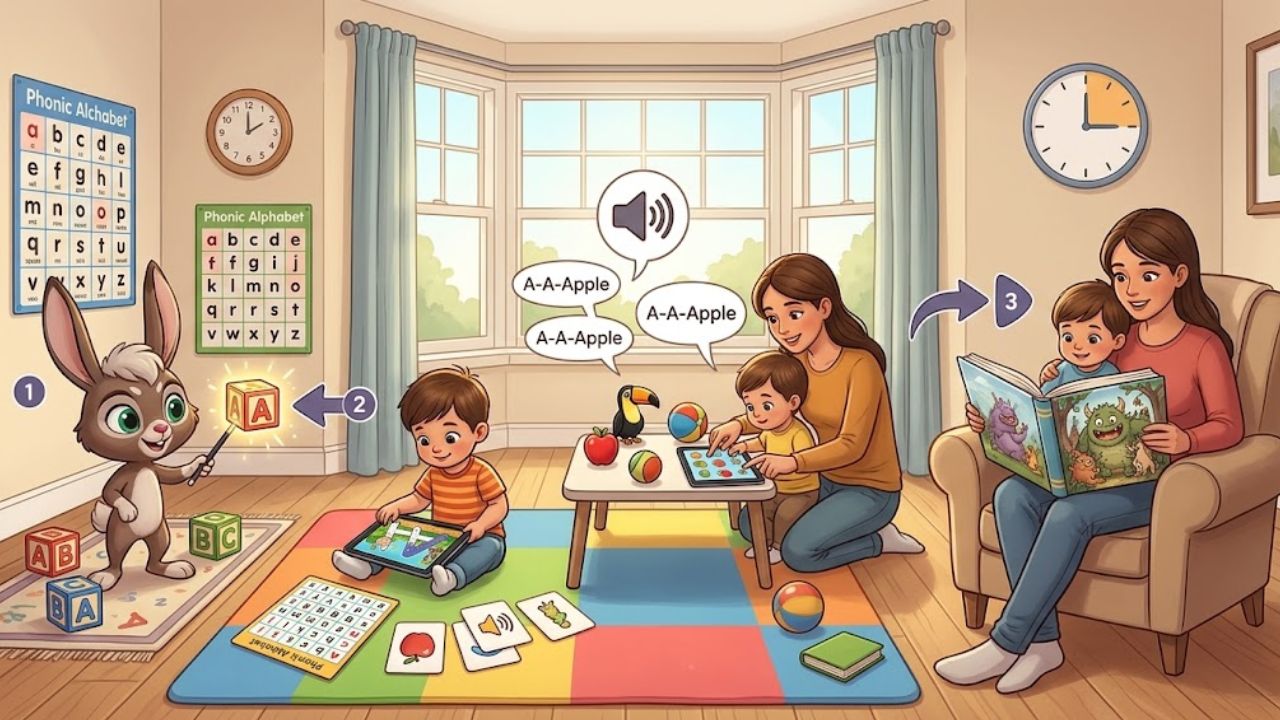
A short learning Home Routine for Alphabet, Phonics, and Numbers works best when it feels like time together, not a lesson squeezed between chores. In 15 minutes, a family can practice one letter, listen for its sound, count a small group of objects, and read a few pages.
I’d use Alphabet Magic trace and phonics for a brief, guided letter activity, then move away from the screen. A few minutes with 123 Magic Number Fun: Math Kid can add number practice. A picture book, a handful of toys, and a caregiver’s conversation do the rest.
The schedule below is a flexible example, not a promise that a child will master a skill in 15 minutes. Young children differ in what they know, how long they want to focus, and whether they are ready to trace, count, or sit for a story. Stop or change activities when the child is tired or frustrated.
How Alphabet Magic Trace and Phonics Fits into a Short Routine
The Alphabet Magic trace and phonics listing describes uppercase and lowercase tracing, letter matching, letter discovery, phonics activities, and spelling games. It is listed as suitable for ages 3 and up. Those are the app’s stated features, not a guarantee of learning outcomes.
For this routine, I’d choose one familiar letter rather than moving through several activities. A child who is just beginning might look at a letter, hear its sound, and try tracing it. A child who already recognizes it might match the uppercase and lowercase forms or find a word that starts with the same sound.
The goal is to connect the screen activity with something the child can say, see, or handle. After tracing A, for example, look for an object that starts with /m/—perhaps an ALLIGATOR. Say the word naturally and emphasize the starting sound without turning the moment into a test.
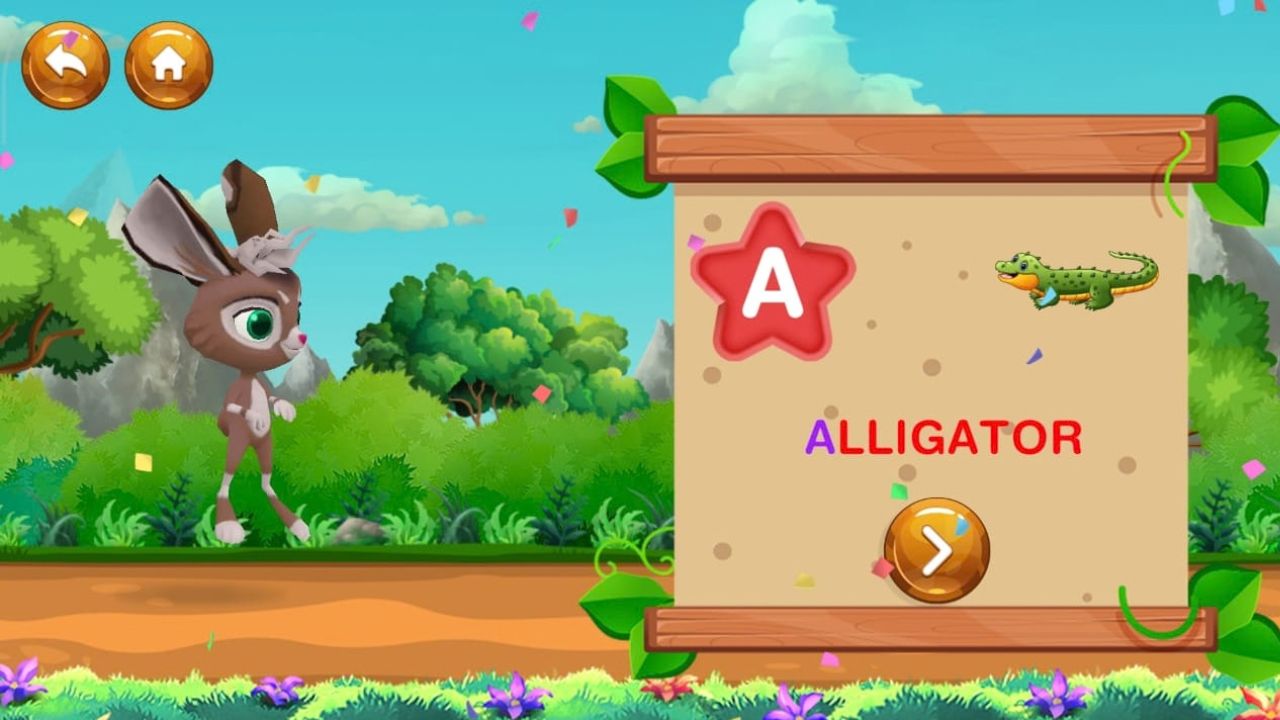
A 15-minute alphabet magic trace and phonics schedule
| Time | Activity | What to do |
| 0–2 minutes | Choose a letter | Pick one letter the child knows or wants to explore. Say its name and, if useful, its common sound. |
| 2–6 minutes | Alphabet Magic | Open one relevant activity. Let the child try the letter task while you watch and talk together. |
| 6–9 minutes | Number practice | Use one short activity in 123 Magic Number Fun, or count real objects instead. |
| 9–15 minutes | Read aloud and connect | Read a few pages. Invite the child to notice a letter, sound, or number in the pictures. |
The timing is a guide. If the child wants to spend longer tracing, shorten the app portion another day or skip it. If the child is restless, finish with a quick count and one page rather than insisting on all four parts.
Minutes 0–2: Set one small goal with alphabet magic trace and phonics
Choose just one letter and one simple goal: “Let’s find M,” or “Let’s listen for the sound at the start of monkey.” A clear goal gives the child something to notice without requiring a long explanation.
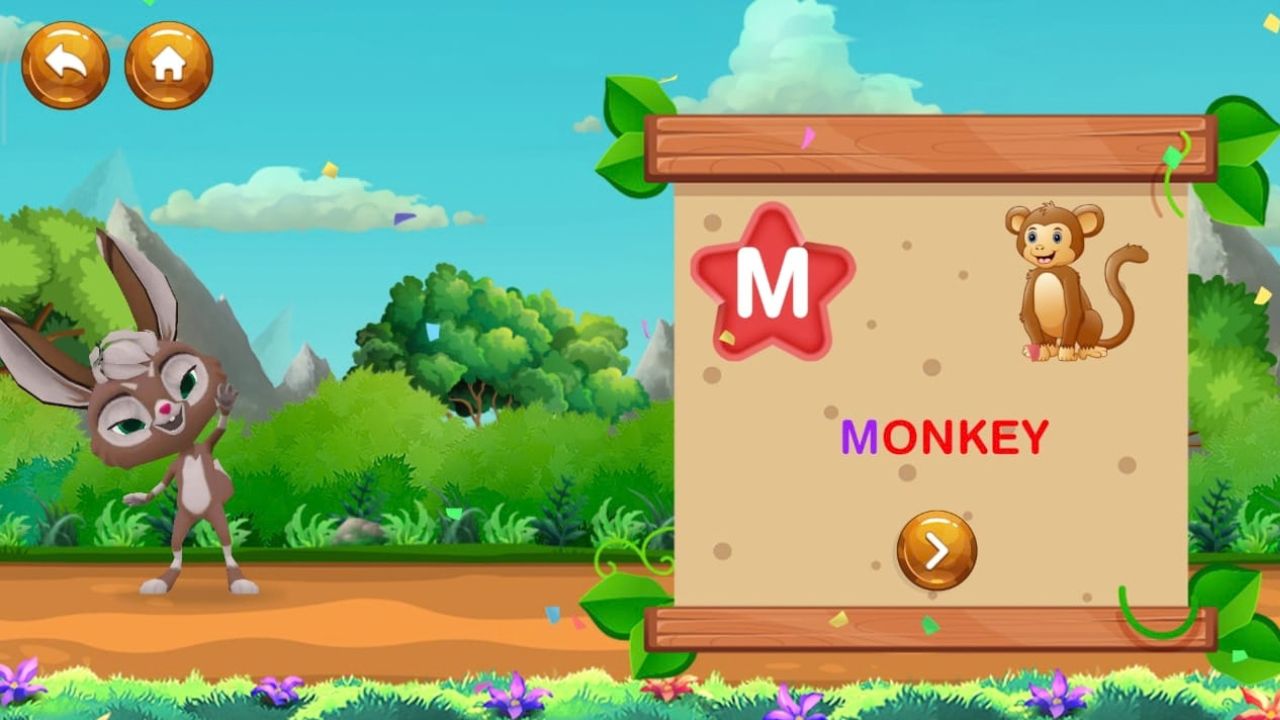
Use a letter from the child’s name, a recent book, or something in the room. The point is not to cover the whole alphabet. It’s to make a small link between a printed letter and speech.
Minutes 2–6: Use alphabet magic trace and phonics for one activity
Open the app and select a relevant activity from the current menu. The Play listing describes uppercase and lowercase tracing, matching, letter discovery, phonics, and spelling. The exact screen names or navigation may change with app updates, so use the labels shown in your installed version.
Stay nearby. Ask the child what they notice, or say the letter name and sound together. If the child misses a trace or taps the wrong choice, give them time to try again. Offer a hint only if they seem stuck.
I wouldn’t treat a completed trace or correct tap as proof that the child can write or identify the letter away from the app. After the activity, ask them to point to the same letter in a book or on a package. A paper-and-crayon attempt can also show what they remember without a guided on-screen path.
Minutes 6–9: Add number practice with alphabet magic trace and phonics nearby
Switch to 123 Magic Number Fun: Math Kid for one short number activity, or skip the app and count objects at home. Describes number tracing, number recognition, matching, counting objects, and other math games. It says the app is designed for ages 2–8.
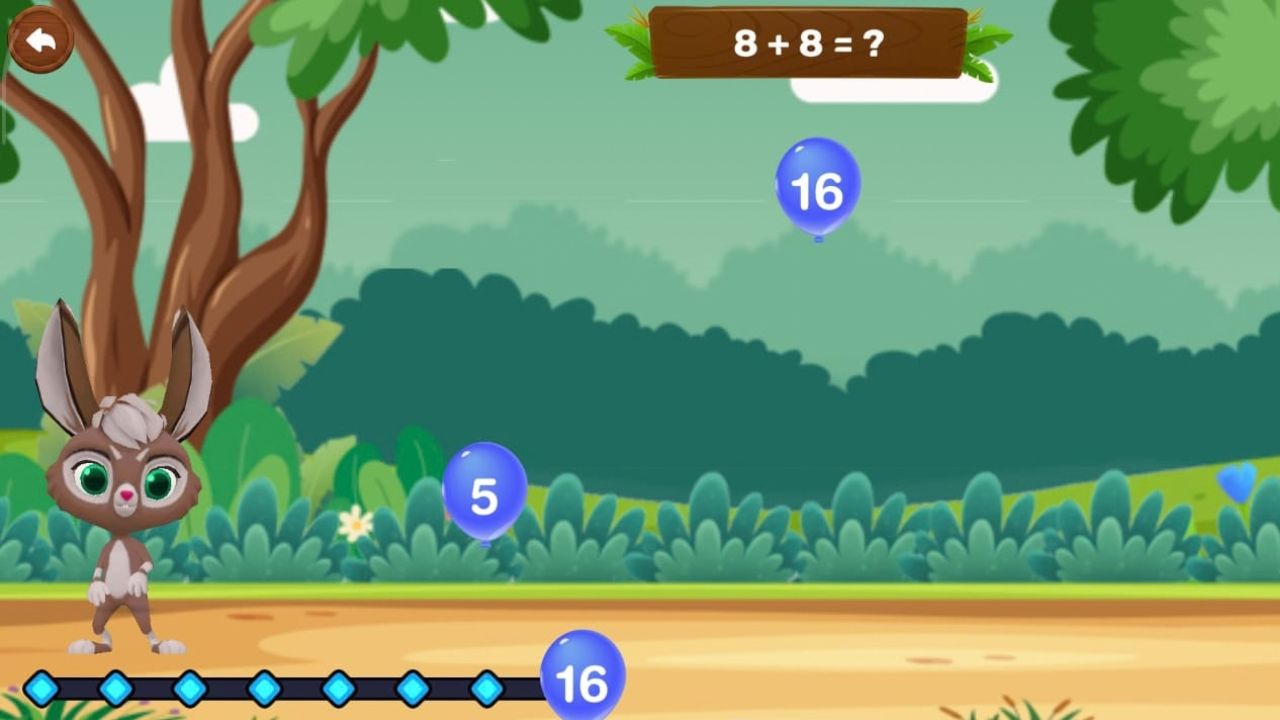
For a brief routine, choose a task that matches the child’s current interest. The listing describes “Count Objects” as a way to count items and select an answer; it also lists number tracing and balloon-tapping activities. Keep the session on one activity instead of browsing through the full collection.
Afterward, count a small set of real objects together: three blocks, four spoons, or five steps to the door. Point to each object as you count it, then ask, “How many are there?” This gives the child a chance to connect number words with a group of things. The Institute of Education Sciences’ early math guidance also emphasizes one-to-one counting and using the last number counted to identify how many objects are in a group.
Minutes 9–15: Read aloud and revisit the alphabet magic trace and phonics idea
Choose a picture book with a few clear images. Read at a relaxed pace, point to details, and leave room for the child to comment. You don’t need to ask a question on every page. A simple observation—“That word starts like moon”—can be enough.
If the child is interested, look for the letter from the app or count something in the illustration. If not, just enjoy the story. Reading aloud is not a quiz, and the child does not have to identify a target on demand.
NAEYC recommends making read-alouds conversational and responsive to children’s language, rather than turning them into a test. The American Academy of Pediatrics also describes co-viewing as an opportunity for caregivers to share a child’s media experience and talk about it together.
What to observe during an alphabet magic trace and phonics routine
A useful routine gives the caregiver small things to notice, not a scorecard. During the app activity, watch whether the child:
- recognizes a familiar letter before being prompted;
- says a letter name, sound, or related word;
- follows the tracing path with or without help;
- asks to repeat an activity or chooses another one;
- becomes frustrated, distracted, or ready to stop.
Away from the screen, notice whether the child can find the letter in a book, make a related sound, or count a few real objects with one number word for each object. These observations can help you choose what to do next. They aren’t a formal assessment.
A child may enjoy tracing but not yet remember the letter later. Another may identify letters in books but resist tracing. Both are useful signals. Keep practice brief and return to the skill another day.
Limits to keep in mind with alphabet magic trace and phonics
An app can offer guided practice, but it cannot replace conversation, books, play, or a caregiver noticing when a child needs help. It also can’t tell you by itself whether a child understands a letter or number in a different setting.
Check the current app listing and installed version before you describe its features in a published review. Alphabet Magic may collect or share device or other IDs; its listing also says data isn’t encrypted and can’t be deleted. The listing calls the app ad-free, but families should review the current disclosures and their own device settings.
The 123 Magic Number Fun listing says the app contains ads and in-app purchases. It also says the app may collect device or other IDs and that data is encrypted in transit, while noting that data can’t be deleted. These are developer-provided disclosures on Google Play and may change. Review them before installing, especially if a child will use the device.
For an article based on personal testing, record the device, operating system, app version, activity name, and test date. Include screenshots of the real screens you describe. If an error occurs, note what happened and whether you could repeat it; don’t generalize from one failed attempt.
A practical follow-up after alphabet magic trace and phonics
The most useful part of this routine may happen after the device is put away. Let the child draw the letter in the air, trace it on paper, or look for it on a cereal box. Count toys into a basket, steps on the way to the bathroom, or pieces of fruit at snack time.
Repeat the same letter or number on another day if the child enjoys it. Change the activity if they don’t. A 15-minute plan should make family learning easier to begin—not become another rule a child has to finish.
Final Thoughts on the Alphabet Magic trace and phonics routine
A 15-minute routine can bring together letter practice, phonics, counting, and a read-aloud without making the session feel like a lesson. Use Alphabet Magic trace and phonics for one short letter activity, add a number game or count household objects, then finish with a few pages of a book. Follow the child’s interest and stop when they’ve had enough. The aim is to make learning part of time together, both on and away from the screen.
Frequently Asked Questions about Alphabet Magic Trace and Phonics
How long should a young child use Alphabet Magic in this routine?
The schedule allows about four minutes, but that is a flexible guide, not a recommended screen-time limit. A child may need less time or want to finish one activity. Keep the session responsive and balance app use with play, conversation, and reading.
What can my child practice with Alphabet Magic trace and phonics?
Uppercase and lowercase tracing, letter matching, letter discovery, phonics activities, and spelling games. Available activities and screens may change, so check the current app version and listing.
How can I connect app practice with real objects?
After a letter activity, look for that letter in a book or on a package, or find an object whose name begins with its sound. After number practice, count a small group of toys or household items together. Point to each object as you count.
Does 123 Magic Number Fun include counting activities?
Aactivities for counting objects, number recognition, number tracing, matching, and more. Choose one activity that suits your child’s current skills, then try counting real objects together.
What if my child makes mistakes or loses interest?
Give them a chance to try again, then offer a simple hint if they seem stuck. If they’re frustrated or ready to stop, switch to a book, a hands-on activity, or another day’s practice. A short routine should fit the child, not become a task they must complete.
Do these apps replace reading aloud or hands-on practice?
No. They can offer guided activities, but families can also build letter and number practice through books, conversation, play, and everyday routines. Read together because the story is enjoyable; the child does not need to identify a target on every page.
Should parents check the apps’ privacy and purchase details?
Yes. Review each app’s current Google Play Data safety and purchase disclosures before installing. The listings report different data practices, and 123 Magic Number Fun is listed with ads and in-app purchases. Disclosures can change over time.