Alphabet Magic vs LetterSchool is a comparison I care about personally. Our Editorialge team built Alphabet Magic trace & phonics, so I have a connection to one of the apps. I tested both myself and then gave both to my three-year-old nephew to see how he approached letter tracing.
He enjoyed Alphabet Magic’s easy guided practice. LetterSchool interested him too, especially its more structured approach to forming letters, though he found it a little difficult on his first try. After using both apps, I saw him continue practising letters away from the screen.
That experience tells me something useful about how each app felt to him. A claim about which app detects tracing mistakes more accurately needs a closer look at the same letter attempts. The screenshots in this article can help show that distinction.
How I looked at the tracing experience
An adult can understand a tracing instruction immediately and still miss what makes it easy or difficult for a young child. I wanted to pay attention to both: what each app asks the user to do, and how my nephew responded when he was the one holding the device.
Enjoyment and accuracy answer different questions
Watching my nephew told me which experience he found easier to approach. It also showed me that both apps held his interest in different ways. To judge error detection, I would look separately at what happened when a finger left the path or an essential stroke was missed.
That distinction matters here. I can describe what I saw him enjoy. I would need matched attempts and their responses before giving either app an accuracy score.
Why Alphabet Magic worked well for him
Alphabet Magic’s tracing was the activity my nephew took to most readily. He enjoyed following its guided letters and could treat the practice as a casual game. For a three-year-old trying an activity on a screen, that ease of approach was noticeable.
Guided uppercase and lowercase practice
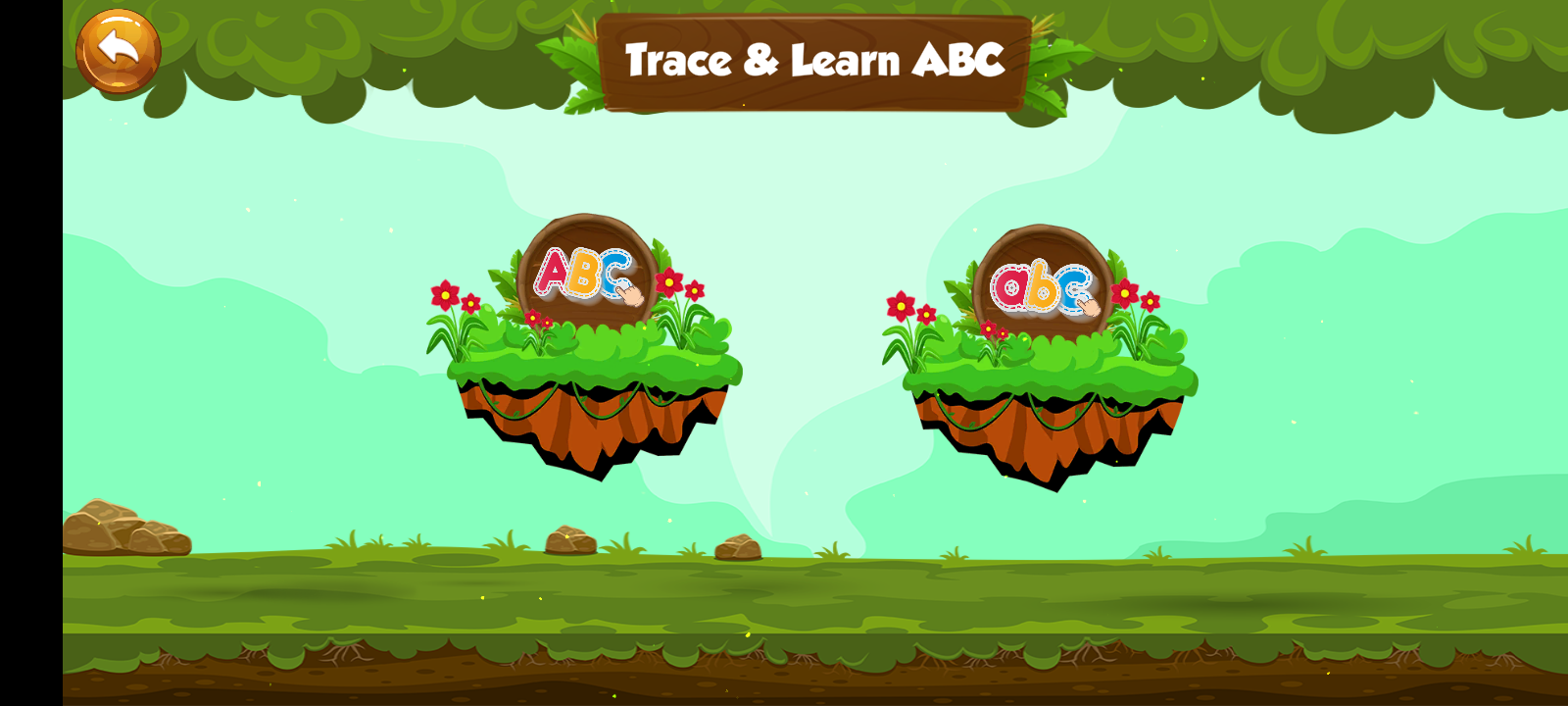
Alphabet Magic has separate activities for tracing capital and lowercase letters. A child can select a form, choose a letter, and follow the visible guide with a finger. The task is easy to identify: this is the letter to trace, and this is the path to follow.
I value that separation because B and b, for example, give a child different shapes to learn. A child can become familiar with one form and return to practise the other without treating them as the same tracing task.
Tracing within a wider alphabet game
The tracing activity also sits alongside letter matching, sounds, discovery games, and early spelling practice. Those activities give a child other opportunities to encounter a letter they have traced.
My nephew’s enjoyment of the tracing is the firsthand observation I can make here. The wider activities explain what the app offers beyond it; I would not use success in a matching or sound game as proof of tracing accuracy.
What interested him about LetterSchool
LetterSchool caught my nephew’s attention for a different reason. Its approach to handwriting is more visibly structured. On his first try, he found it somewhat difficult, while still showing interest in the activity. I would take that first-use difficulty into account when describing his experience, rather than treating it as a flaw established by one session.
Tap, Trace, and Write
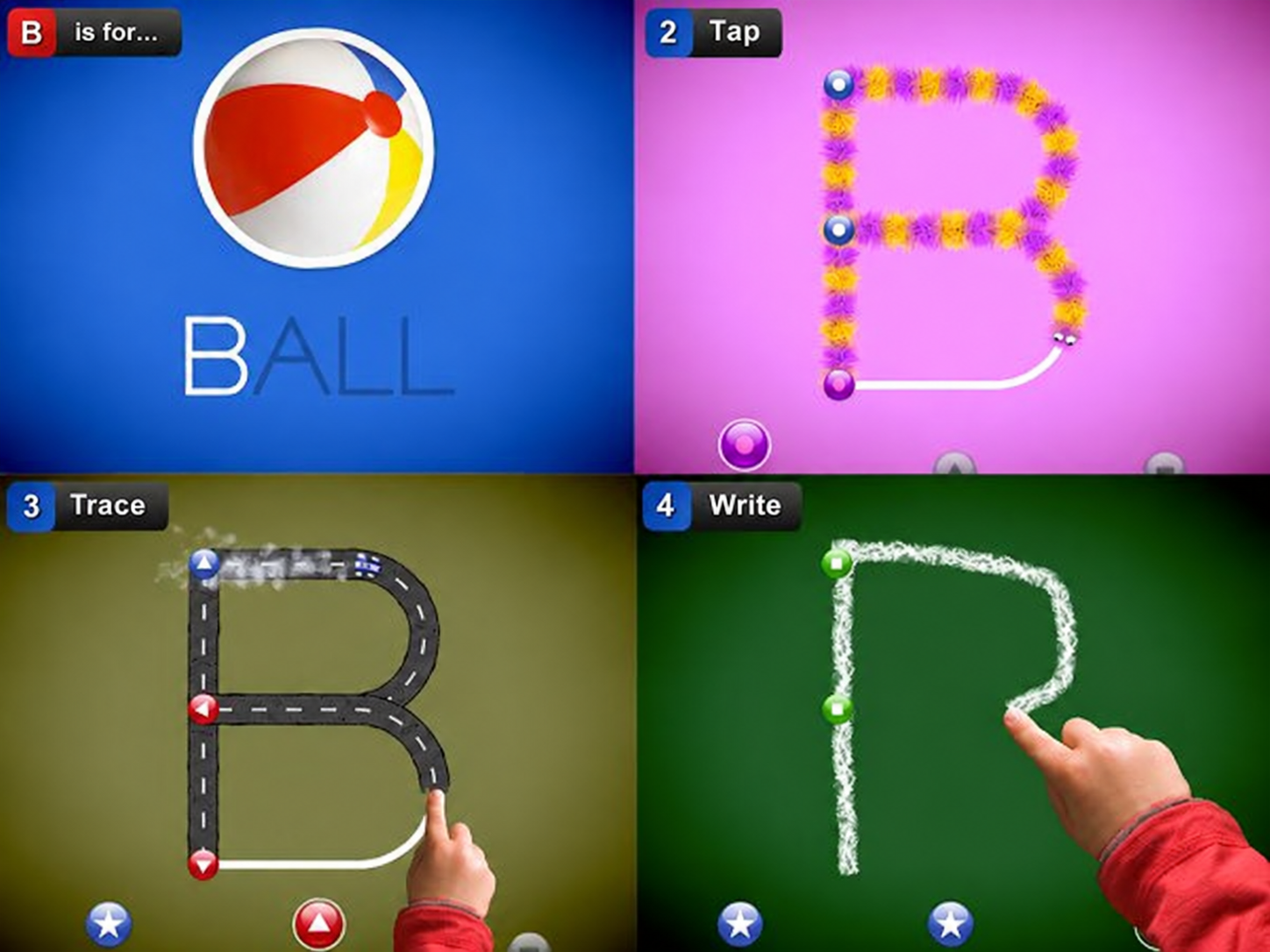
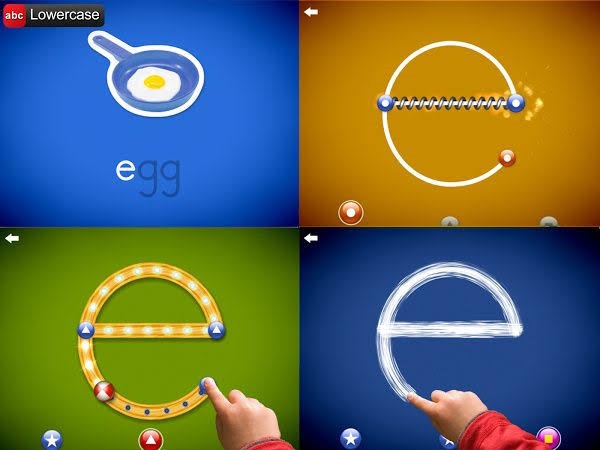
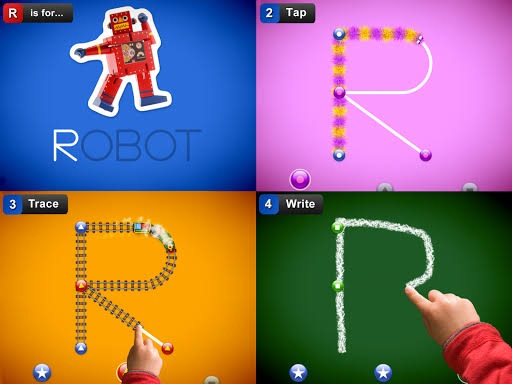
LetterSchool moves through Tap, Trace, and Write steps. Tap introduces starting points and their order. Trace asks the child to follow the letter. Write gives them less visible guidance.
A handwriting style to check
LetterSchool offers different English handwriting styles. That may be useful when a family wants an app’s letter forms to resemble the style a child is learning in class.
What to watch across different letters
A child may follow a straight stroke easily, then hesitate when a letter curves or changes direction. Those are the moments I paid attention to in both apps: how each one shows where to start, what comes next, and when the letter is finished.
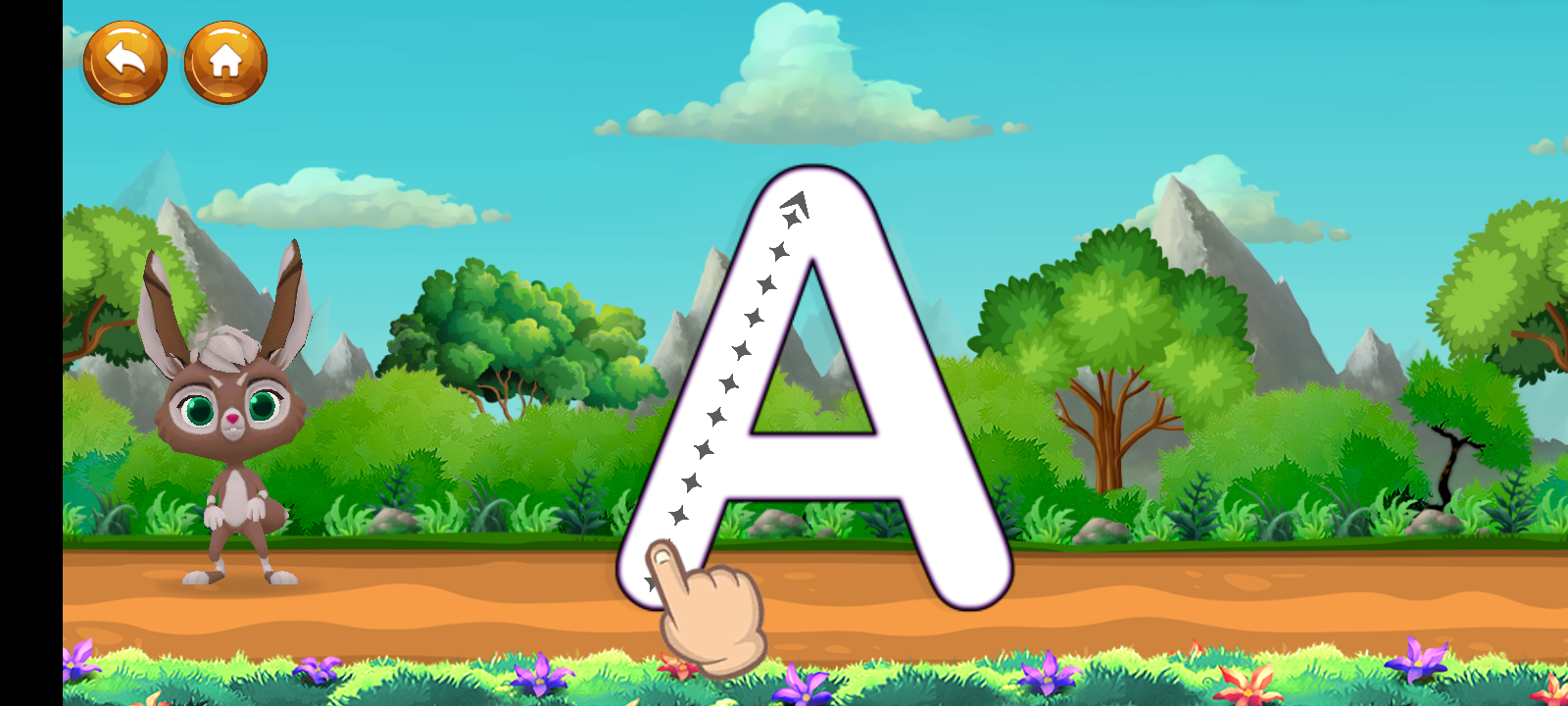
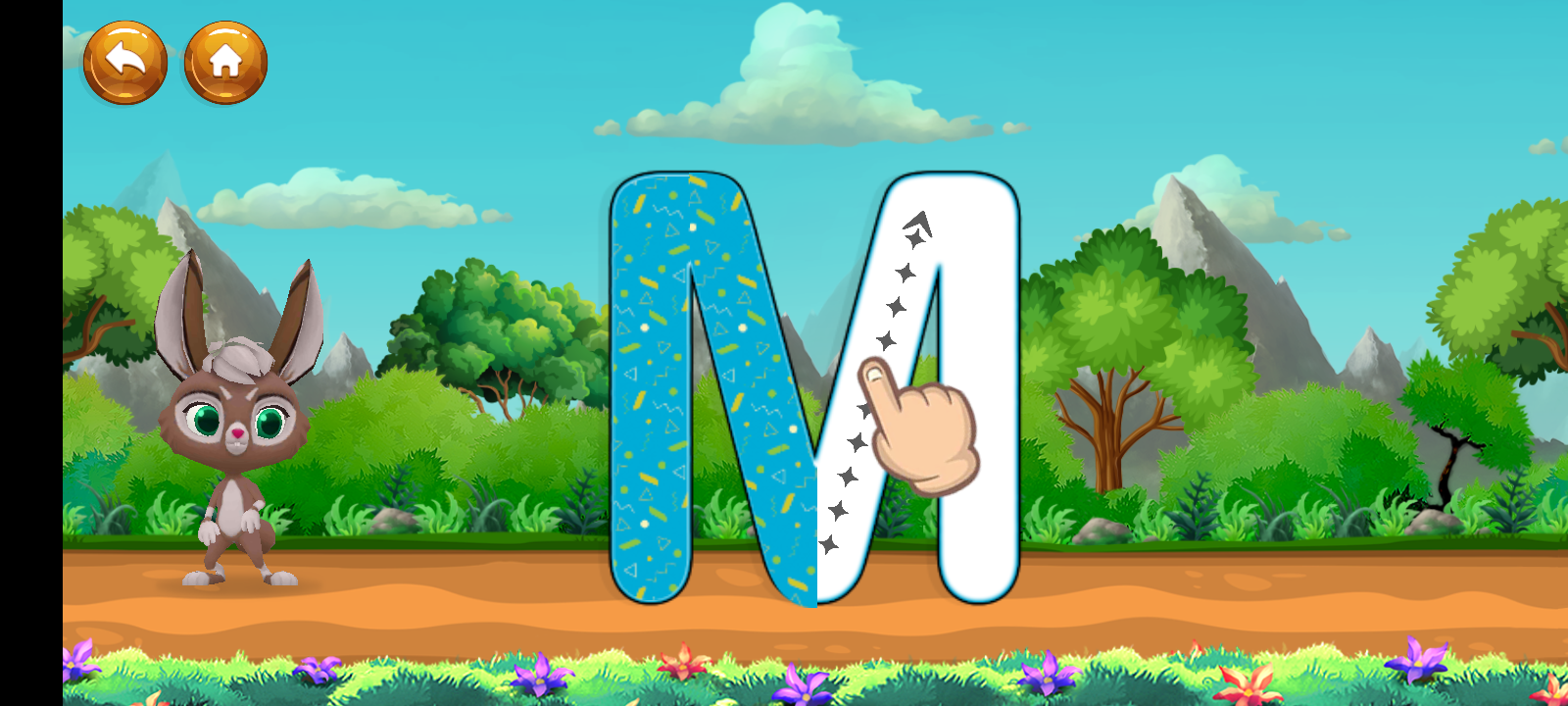
A, E, M, and T: Where does the next stroke go?
These letters help me look beyond whether the finished shape is recognizable. A needs a crossbar, E and T have separate horizontal strokes, and M changes direction more than once. In Alphabet Magic, I look at how the guided path shows the next move. In LetterSchool, I look at the starting points and stroke order shown in Tap and Trace. An image taken partway through a letter can reveal more about that guidance than the finished letter alone.
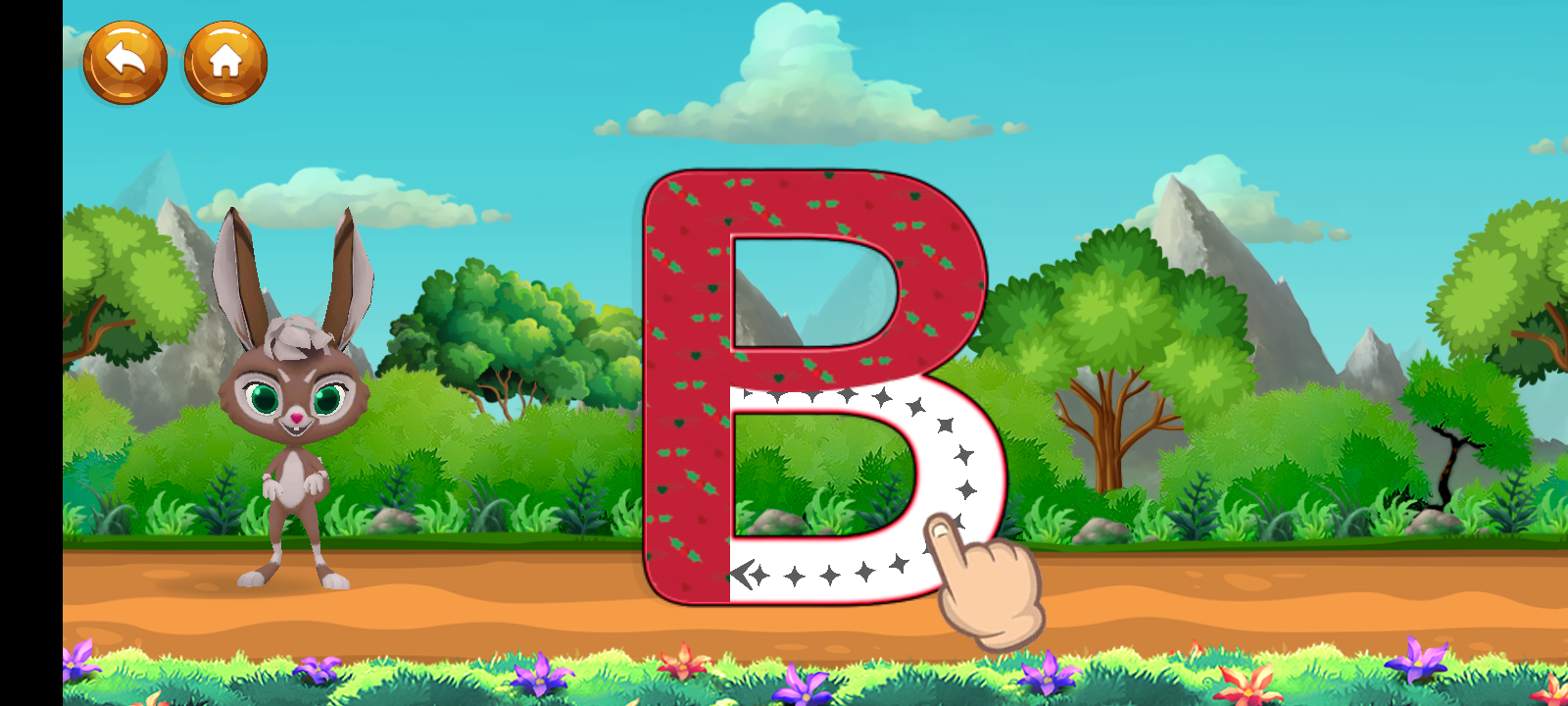
B, C, G, J, and S: How easy is the curve to follow?
Curves ask more of a tracing guide. C follows an open arc; B pairs a stem with two rounded sections; G adds an inward stroke; J hooks at the bottom; and S bends back on itself. I look for whether the path remains clear through each turn, especially when a child’s finger covers part of the screen. The screenshots below can show the guides, but they cannot show whether either app accepts a finger that slips off the path.
R: Can the child move from one shape to another?
R brings straight, curved, and diagonal strokes into one letter. The rounded top can make it look nearly complete before the diagonal leg is drawn. Here I look at how each app points the child toward that final movement, and whether its guidance makes “almost finished” feel different from “done.”
What I can say about tracing accuracy
The apps give children different kinds of guidance. Alphabet Magic offers guided letter paths within a wider alphabet game. LetterSchool makes starting points, tracing, and less guided writing distinct steps. Seeing those approaches side by side helps explain why my nephew responded differently.
His enjoyment tells me which activity he found easier to settle into. Error detection is a separate question. To say which app checks tracing more accurately, I would need to compare what each one did with the same correctly formed and incomplete letters. A completed-letter screenshot alone would not establish that.
For this article, my firsthand finding is narrower and clearer: my nephew enjoyed Alphabet Magic’s accessible tracing right away, while LetterSchool’s structured approach interested him despite being harder on his first try.
What happened when the apps were put away
I was pleased to see my nephew continue practising the alphabet outside the apps. It is the part of this experience I remember most: letters remained interesting to him after the screen time ended.
Both apps were part of that experience, so I cannot assign the change to one of them. I can say that using them gave him opportunities to practise and that his interest continued beyond the tracing activities.
For a parent, that is worth watching. Notice what a child does when the guide is gone. Do they want to try a letter again? Do they recognise it elsewhere? Those moments tell you more about their growing familiarity than a completion animation can.
Which app would I choose for a young beginner?
For my nephew at three, I would begin with Alphabet Magic’s guided tracing. He found it easy to enjoy, and the other alphabet activities gave him ways to keep engaging with letters.
I would keep LetterSchool in mind for its more deliberate handwriting sequence. My nephew was interested in it, and I would give him time to become familiar with the steps before judging how well they suited him.
That is a personal recommendation based on what I observed, with my connection to Alphabet Magic stated plainly. It is not a measured claim that one app detects mistakes better or produces stronger handwriting results for every child.
The Practice That Stayed With Him
Alphabet Magic made tracing feel easy and enjoyable for my nephew. LetterSchool introduced him to a more structured way of forming letters, and he remained interested even when that felt unfamiliar. Then he took his interest in the alphabet beyond both apps.
That is the experience I can honestly share. For a young beginner like him, Alphabet Magic was the easier place to start. LetterSchool offered a different route to explore as he became comfortable with handwriting practice.
Frequently Asked Questions on Alphabet Magic vs LetterSchool
1. What is the main difference between Alphabet Magic and LetterSchool?
Alphabet Magic combines guided letter tracing with phonics and alphabet games. LetterSchool takes a more structured handwriting approach: children tap the starting points, trace the letter, then try writing it with less guidance.
2. Which app is easier for a child who is new to tracing?
I would start with Alphabet Magic for casual, guided practice. LetterSchool’s steps are useful when a child is ready to pay closer attention to where each stroke starts and which direction it goes.
3. Do both apps teach uppercase and lowercase letters?
Yes. Both include uppercase and lowercase letter practice. Alphabet Magic offers guided tracing for each; LetterSchool also teaches how to form the letters through its Tap, Trace, and Write activities.
4. Does LetterSchool correct tracing mistakes more precisely?
LetterSchool says it corrects individual lines as a child draws them. Alphabet Magic provides guided tracing, but its public description does not explain its error detection in enough detail to make a fair accuracy ranking between the two.
5. Can children try LetterSchool for free?
Yes. On Android, children can complete the activities for A–E in both uppercase and lowercase for free. Access to the rest of the alphabet requires a purchase.