
If you want to know how to add AI features to an existing SaaS, start with your churn data, not with a model. Pick one problem your users already have. Connect it to an AI model through an API. Meter the cost of every call. Test it many times. Then check whether retention moves.
I’m the chief technical advisor for ImagineLab.art, a live AI creative platform, and RankPilot AI, a unified SEO platform we’re still building. On both products, I’ve had to decide which AI features to add, which models to use, and how to charge for them. This guide is what that work taught me.
How to Add AI Features to an Existing SaaS: The Quick Answer
- Use churn and usage data to pick the feature.
- Build on data your product already has.
- Connect several model providers, not just one.
- Meter every AI call in a credit system before launch.
- Keep the AI layer separate so it can’t break your app.
- Test repeatedly, then let real users shape it.
- Measure retention, not clicks.
Step 1: Let Churn Data Show You How to Add AI Features to an Existing SaaS
At ImagineLab, we ran a cohort analysis by acquisition channel. We wrote plain SQL against our own tables instead of using a product analytics tool. The result was clear. Users from paid search churned by month two. Users from referrals, who joined in the same months, stayed.
That gap told us what to build. We changed our pricing and added two AI features: Imagine Chat and Long Video Lab. We didn’t add them because AI chat was popular. We added them because the data showed where users were leaving.
If your product is too new for cohort data, look at where people already complain. Our guide to SaaS ideas from Reddit pain points shows how to read those threads.
Step 2: How to Add AI Features to an Existing SaaS Using Data You Already Have
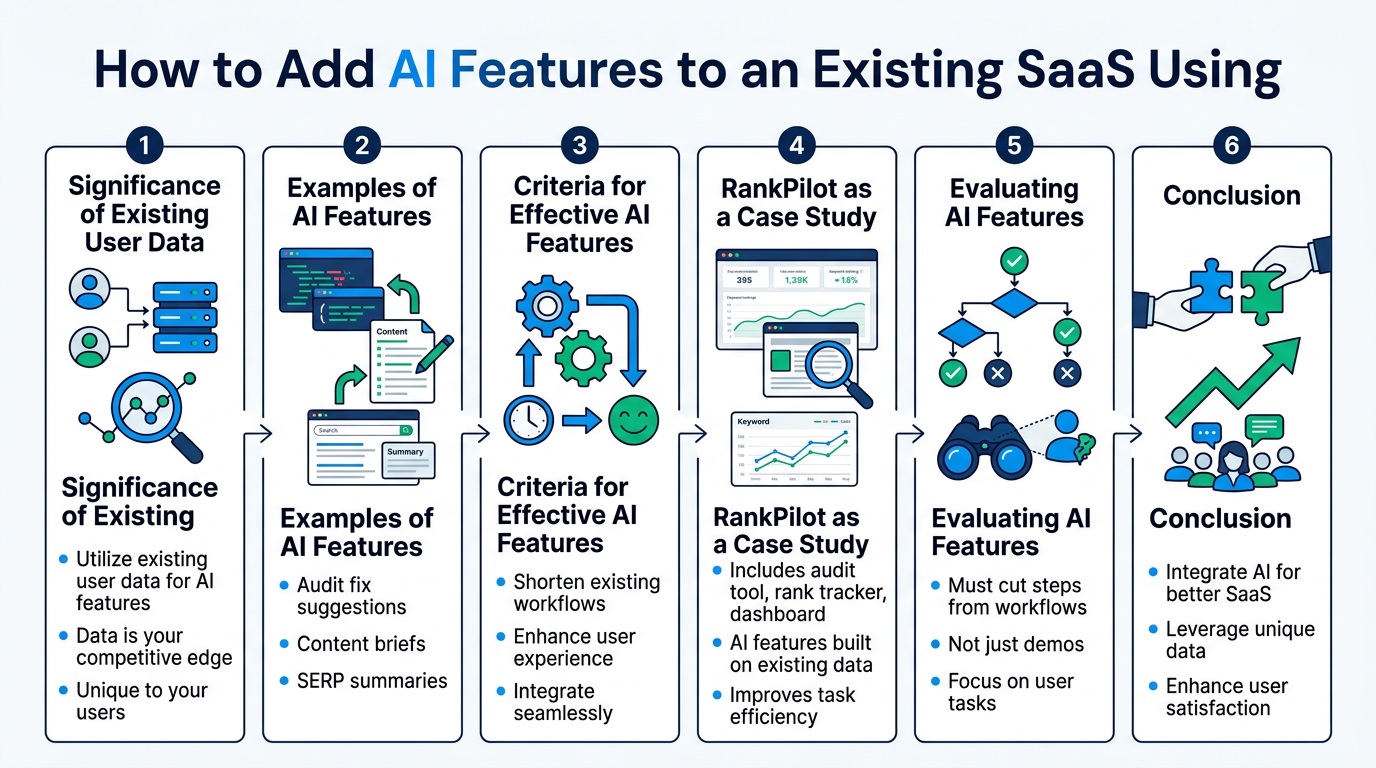
The best AI features sit on top of data your product already collects. That data is your edge. Anyone can call the same model you call. Nobody else has your users’ data.
RankPilot is a good example. The platform already has an audit tool, a rank tracker, and a dashboard. The AI features we’re building use that data:
- Audit fix suggestions: The audit finds a problem. The AI explains how to fix it on that specific page.
- Content briefs: The AI turns keyword and competitor data into a writing plan.
- SERP summaries: The AI reads what’s ranking and tells you, in plain words, what those pages have in common.
None of these is a new product. Each one shortens a task users already do inside the tool. That’s the test I use. If an AI feature doesn’t cut steps from an existing workflow, it’s probably a demo, not a feature.
Step 3: How to Add AI Features to an Existing SaaS With Several Models, Not One
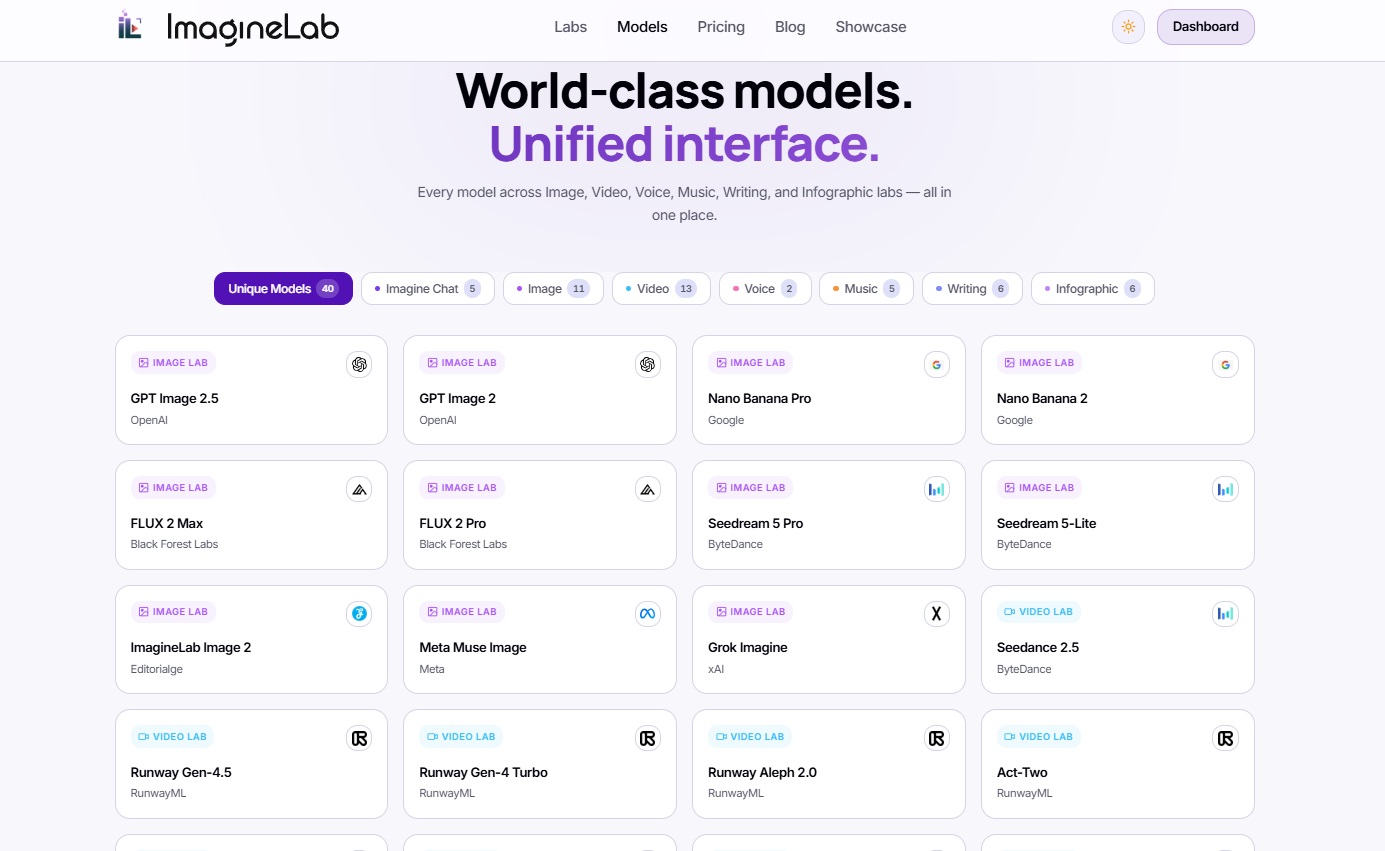
ImagineLab connects to models from Anthropic, Google, OpenAI, MiniMax, ByteDance, ElevenLabs, Alibaba, and more. That sounds like a lot. For a creative platform, it’s necessary.
No single provider is best at everything. A model that writes well may not make good video. A voice provider like ElevenLabs does a job text models don’t. Prices also change, and providers have outages. If your whole feature depends on one API, you inherit all of that provider’s problems.
So we designed an Auto Router. It decides which model handles each request, based on the task. The rest of the app doesn’t need to know which model answered. That makes it easy to swap a model out when a better or cheaper one arrives.
You don’t need seven providers on day one. But build the connection layer so adding a second one takes hours, not weeks.
Step 4: How to Add AI Features to an Existing SaaS Without Losing Money
AI features have a cost that normal SaaS features don’t. Every request costs money. A power user can burn through more in API fees than they pay you.
Our fix at ImagineLab was EDT, a ledger system that tracks AI usage as credits. Every AI call, from any provider, is converted to EDT and logged against the user’s balance. Different models cost different amounts, but users see one simple unit. And we can see exactly which features cost the most.
Build this before launch, not after. Adding billing to a feature people already use for free is painful.
A few cost levers are worth knowing:
- Batch jobs: Anthropic’s Batch API gives a 50% discount on both input and output tokens for requests that don’t need an instant answer. Nightly SEO audits or bulk content briefs fit this well.
- Prompt caching: When the same long instructions or documents are reused, cached reads cost about one-tenth of the normal input price on most Claude models, and this discount stacks with batch pricing.
- Smaller models for simple tasks: Not every request needs the biggest model. A router helps here too.
Step 5: How to Add AI Features to an Existing SaaS Without Breaking It
On RankPilot, one of the hardest parts of the build was an API integration that broke deployment. The security layer and user database were also tough. I supervised that build, which we did mainly with Claude Code, with a little help from Replit and Cursor. The lesson was simple: third-party AI calls should never be able to take down your core app.
ImagineLab runs on NestJS microservices, so AI features live in their own services. If a provider times out, that one feature fails. Login, billing, and saved projects keep working.
This setup also makes shipping faster. Once the router, the EDT ledger, and the service structure were in place, getting a new AI feature into the live platform took us almost three days. Most of that speed came from work done earlier. The first AI feature is slow. The next ones are fast if the base is right.
Step 6: How to Add AI Features to an Existing SaaS Users Can Trust
AI output changes. The same prompt can give a different answer tomorrow, especially after a provider updates a model. So we test many times before release, then keep testing after it.
Our process is not fancy:
- Run the same set of prompts again and again, and compare the results.
- Retest when a provider updates or replaces a model.
- Watch what users actually type, and fix the cases that fail.
User input is the most useful part. Real users try things your team never thinks of. Their failed requests become your next test cases.
Trust also has a legal side now. Article 50 of the EU AI Act has applied since August 2, 2026. If people in the EU use your chatbot, they must be told they’re talking to an AI unless it’s already obvious, and this applies to companies outside the EU too. Fines can reach €15 million or 3% of worldwide annual turnover.
Systems already on the market before August 2 have until December 2, 2026, only for the rule on marking AI-generated content. If your SaaS generates images, video, or audio, check these rules now. This isn’t legal advice, so confirm the details with a lawyer for your case.
Step 7: How to Add AI Features to an Existing SaaS and Prove They Worked
Launch numbers can fool you. People click on anything new. The real question is whether they stay.
We went back to the same cohort analysis that started this. After the pricing change and the new AI features, month-two churn dropped. We can’t credit that to one feature alone, since we changed pricing at the same time. But it’s the number we built for, and it moved the right way.
Pick your success metric before you build. For most SaaS products, it should be retention or paid conversion. Feature usage alone doesn’t pay the API bill.
Final Thoughts
The hard part of learning how to add AI features to an existing SaaS isn’t the model. It’s everything around it: choosing the right problem, metering cost, keeping your app stable, and checking the results honestly.
My advice is to start with one feature tied to one churn problem. Build the credit ledger and the model router early, even if you only use one provider at first. Then let your users show you what to fix.
If you’re still deciding what to build, look at these AI SaaS ideas with high market demand and these AI SaaS niches where founders hit $10K MRR.