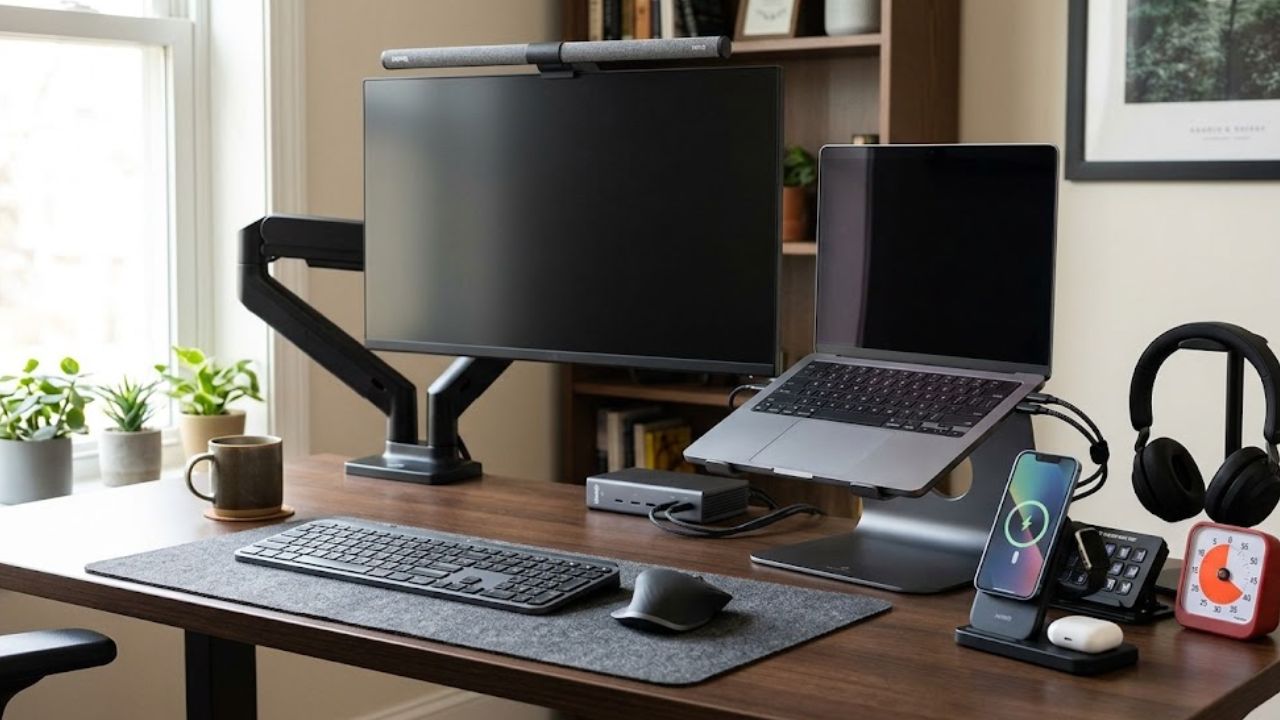
A desk can become frustrating for surprisingly small reasons. The mouse feels awkward by midafternoon. The laptop needs five cables every morning. The desk lamp reflects off the monitor. The best productivity gadgets fix those recurring problems without creating another device to charge, configure, or move out of the way.
This ranking puts broadly useful equipment first and narrow conveniences last. It considers daily usefulness, setup effort, desk space, and compatibility—not novelty. Prices and package contents vary by country, so confirm the exact model number and included accessories before buying.
How We Chose the Best Productivity Gadgets
Products used throughout the day rank above accessories that solve an occasional problem. A mouse or keyboard can affect hundreds of small actions; a three-device charger matters only to someone with the matching devices. The best productivity gadgets should repay their cost through regular use, not merely make a desk look more elaborate.
Before You Buy
Even the best productivity gadgets can be a poor fit for the wrong workstation. Before spending money:
- Measure the available desk and clamp space.
- Check the laptop’s ports, the monitor’s VESA pattern, and the operating system.
- Read the exact package contents instead of assuming every regional version is identical.
OSHA’s workstation guidance recommends placing the monitor in front of the user and keeping the keyboard at a height that allows relaxed shoulders. Adjustability helps only when the equipment is set up properly.
1. Logitech MX Master 3S
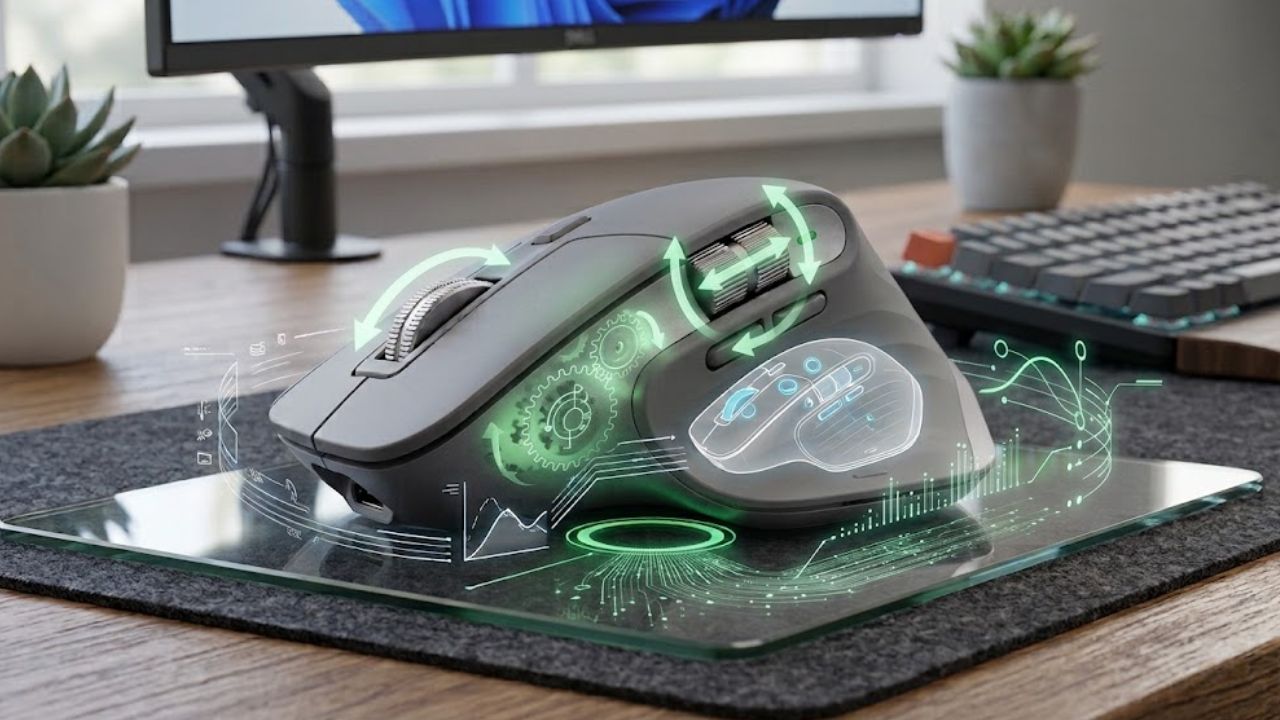
The mouse is touched constantly, which is why the MX Master 3S ranks first among the best productivity gadgets. It has a sculpted right-handed body, horizontal thumb wheel, programmable controls, and an 8,000 DPI sensor designed to track on glass at least 4 mm thick. Logi Options+ assigns app-specific actions on Windows and macOS, such as horizontal scrolling in a spreadsheet and undo in an editor.
There are two clear reasons to skip it. At about 141 grams, it is not a light travel mouse, and its shape is unsuitable for left-handed use.
2. Logitech MX Keys Mini
MX Keys Mini is a practical keyboard for writers and general office work. It combines quiet scissor switches, backlighting, and three-device switching.
The compact layout gives the mouse more room but removes the number pad. Anyone entering figures for hours will probably work faster with the full-size MX Keys. Bluetooth needs no receiver, while Logi Bolt receiver inclusion differs across consumer, Business, and regional versions.
3. Twelve South Curve Flex
Do not buy an elevated laptop stand unless an external keyboard and mouse can join the setup. Typing for hours on a sharply raised laptop simply replaces one awkward position with another.
With that condition met, Curve Flex is a useful adjustable stand. It changes height and angle, folds flat, and includes a travel sleeve. Twelve South lists support for laptops at least 8.66 inches wide and weighing up to 7 pounds, despite the MacBook-focused branding.
4. Ergotron LX Pro Monitor Arm
The LX Pro may improve a cramped desk more than a new screen. It removes the factory stand and allows height, distance, tilt, and rotation adjustments.
Compatibility cannot be guessed from screen size alone. Check the monitor’s weight without its stand, VESA pattern, desk thickness, and clearance for a clamp or grommet mount. LX Pro configurations support different loads; use the exact model specification rather than a general listing for the series.
5. BenQ ScreenBar Pro
ScreenBar Pro lights the keyboard and nearby papers without taking desk space. It offers automatic dimming, presence-based on/off control, and a webcam accessory. BenQ lists support for monitors 0.17–2.56 inches thick and curves from 1000R to 1800R.
A properly positioned lamp is enough for many desks. ScreenBar Pro becomes one of the best productivity gadgets mainly when space is tight, reflected light is troublesome, or a conventional lamp would disturb someone nearby.
6. CalDigit TS4
For a laptop that moves between a bag and a full workstation, the TS4 reduces reconnection to one cable. Its 18 ports cover Thunderbolt 4, USB, DisplayPort, media cards, 2.5-gigabit Ethernet, and audio. The host port supplies up to 98 watts to a compatible computer.
That range suits creators, developers, and people with several wired peripherals. For a laptop, one monitor, and a keyboard, a smaller hub is the better purchase.
The port shape does not guarantee every feature. Display count, resolution, charging, and data speed remain limited by the host. USB-C may expose fewer capabilities than Thunderbolt, and no dock can add display support the laptop lacks.
7. Jabra Evolve3 65
The Evolve3 65 suits people whose working day is built around calls. It combines a three-microphone voice system, four-microphone adaptive noise cancellation, dual-device connectivity, and a Bluetooth adapter. Jabra lists Microsoft Teams, Google Meet, and Zoom certifications, although the Teams status and adapter type depend on the variant.
It is a premium office tool, not an automatic upgrade for everyone. Someone who joins one short meeting a week should keep using the headphones already on the desk.
8. Elgato Stream Deck Neo
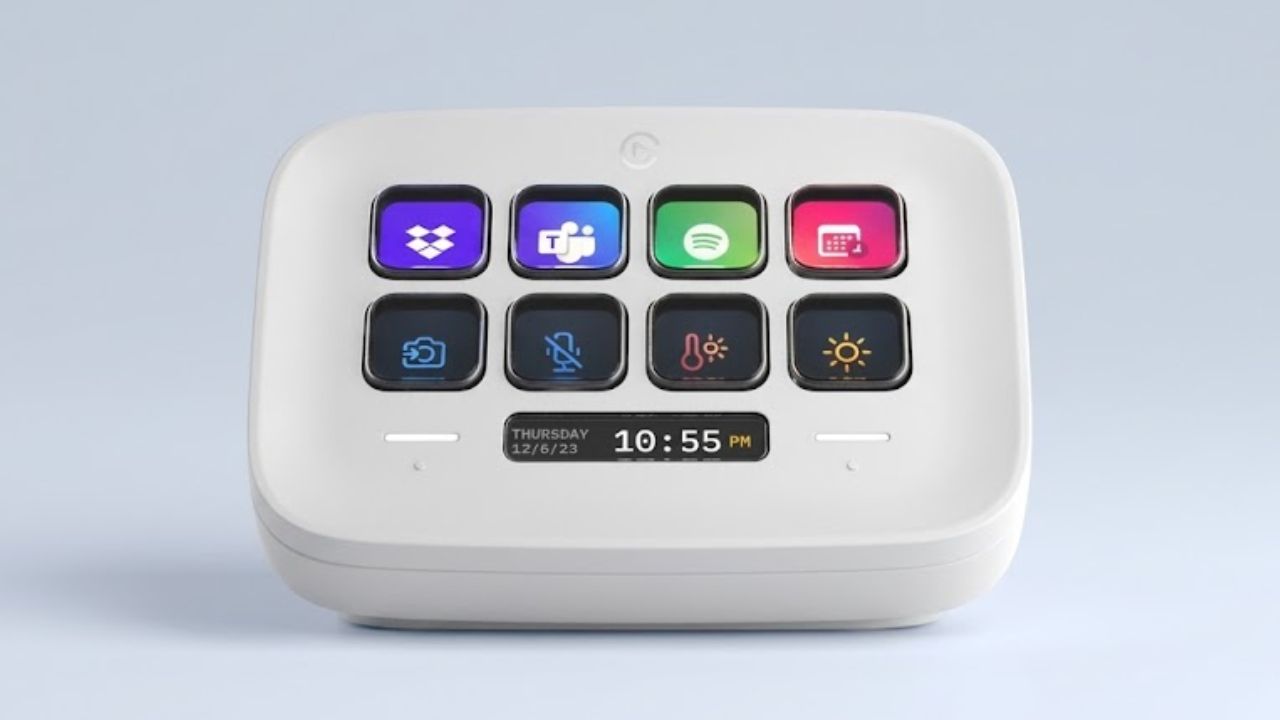
Stream Deck Neo is often dismissed as streaming equipment, but repetitive office work is a better reason to consider it. Its eight LCD keys can trigger hotkeys, insert standard text, open apps or websites, and run actions in sequence. One key could open a morning set of work apps.
It qualifies as one of the best productivity gadgets only after those actions are configured. Occasional commands are better left to free keyboard shortcuts. Elgato’s software supports 64-bit Windows 10 or later and macOS 12 or later—not Chromebook- or tablet-only desks.
9. Time Timer MOD
Time Timer MOD displays a shrinking colored disk across a 60-minute interval, runs on one AA battery, and makes no ticking sound. The completion alert can be disabled.
It keeps a focus timer off the phone, which is useful for writing sessions, study blocks, or meetings. It cannot make anyone obey the timer, but it makes passing time difficult to ignore.
10. Anker MagGo 3-in-1 Dock Stand
Anker’s A25M4 charges a compatible iPhone at up to 15 watts alongside an Apple Watch and wireless-charging earbuds. It also holds the phone upright.
It ranks last because its audience is narrow. The stand does not support Android phones or watches, and Anker excludes the iPhone 16e. It recommends a magnetic case no thicker than 2.5 mm. For one device, a basic pad or cable is cleaner.
Final Thoughts
The best productivity gadgets should solve a problem you can name before visiting a product page. Notice what interrupts work for a week: repeated cable swapping, poor screen position, noisy calls, or unnecessary clicks. Fix the most frequent problem first.
Then stop. A desk needs working space more than it needs a complete collection. Measure carefully, confirm the exact model, and buy the simplest device that removes the friction.
Frequently Asked Questions (FAQs)
Which of the best productivity gadgets should I buy first?
Start with the item you touch most or the problem that interrupts work most often. For many people, that is the mouse, keyboard, or monitor position. Prioritize a dock only when reconnecting peripherals is a daily nuisance.
Do desk gadgets actually improve focus?
Some reduce distractions or repeated steps. A timer can define a work block, while a call headset may make a noisy room more manageable. Neither fixes constant notifications, an unrealistic task list, or habitual tab switching.
Can any desk support a monitor arm?
No. The desktop must support the clamp or grommet mount, and the arm must match the monitor’s weight and VESA pattern. Glass, hollow-core, unusually thin, or shaped desktops need particular care. Check the desk manufacturer’s guidance before concentrating weight at one edge.
Is a Thunderbolt dock the same as a USB-C hub?
No. The connectors can look identical while offering different bandwidth, display support, charging, and downstream features. Both the laptop and the dock specifications matter.
How much should I spend?
There is no useful universal figure. Pay for capabilities that will be used regularly, not for the longest feature list. A simple hub, lamp, or timer is often the more productive purchase.