

If you make content for a living, you probably pay for four or five AI tools that do not talk to each other. One for images. One for video. Something else for voiceovers. A writing assistant. Maybe a music generator you use twice a month and forget to cancel. Each has its own login, its own billing date, and its own idea of what a credit is worth.
That fragmentation is the problem ImagineLab.art was built to solve, and it is the lens I used for this ImagineLab.art review. The platform puts seven creative labs behind one account and one credit balance, then charges everything against a single wallet. The question worth answering is not whether it can generate an image. Almost anything can. The question is whether one wallet and one interface actually save you money and time compared with the tools you already pay for.
Disclosure: ImagineLab.art is a sister concern of Editorialge Media LLC. I have day-to-day access to the platform, so I know the interior of it well. I have tried to keep the criticism as direct as I would keep it for any other tool, and every cost figure below comes from the platform’s own published guides and pricing page rather than from marketing copy.
What ImagineLab.art Actually is
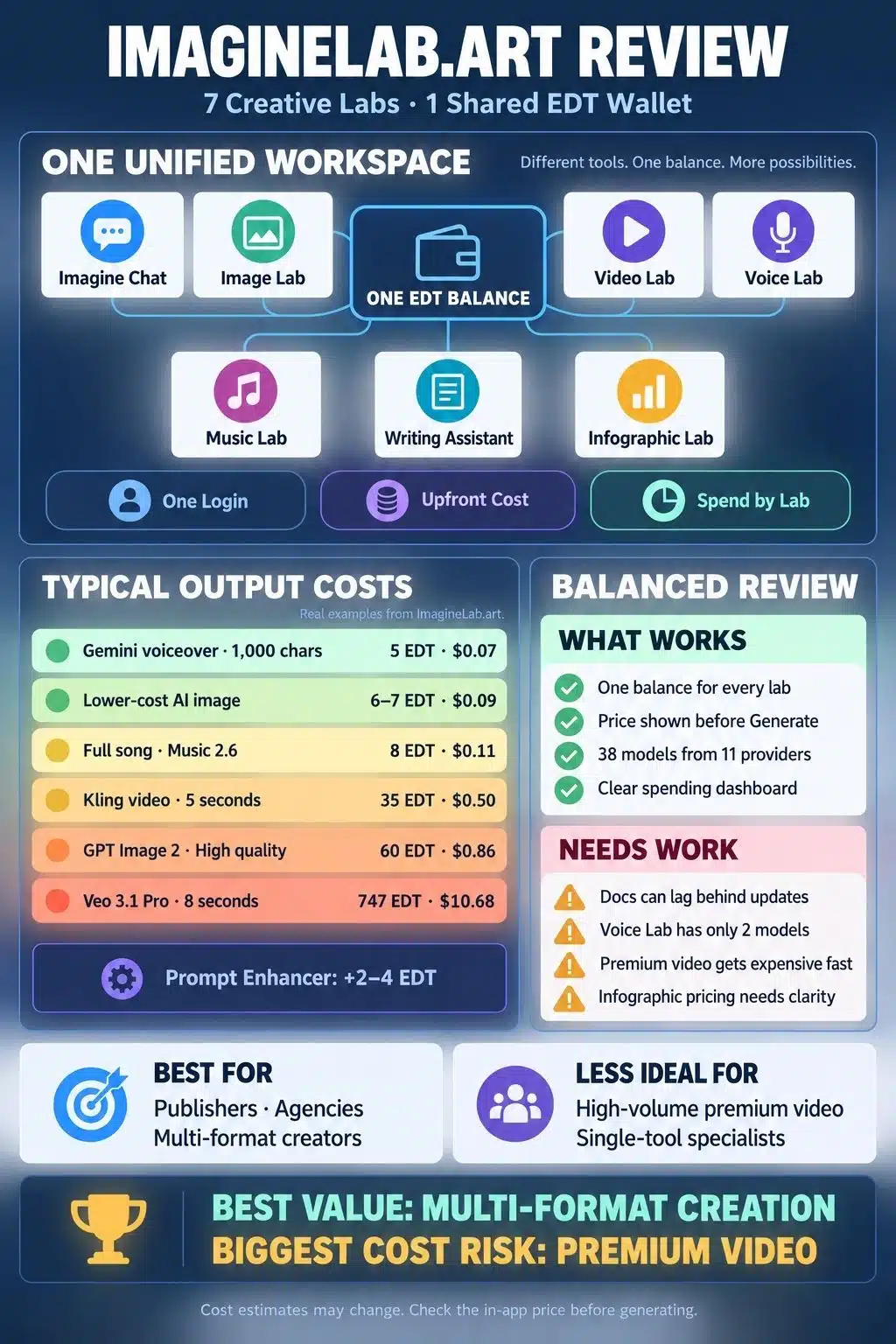
ImagineLab Art positions itself as a unified AI creative workspace. In practice that means seven labs sharing one dashboard, one history panel, and one credit balance called EDT, short for Editorialge Digital Token.
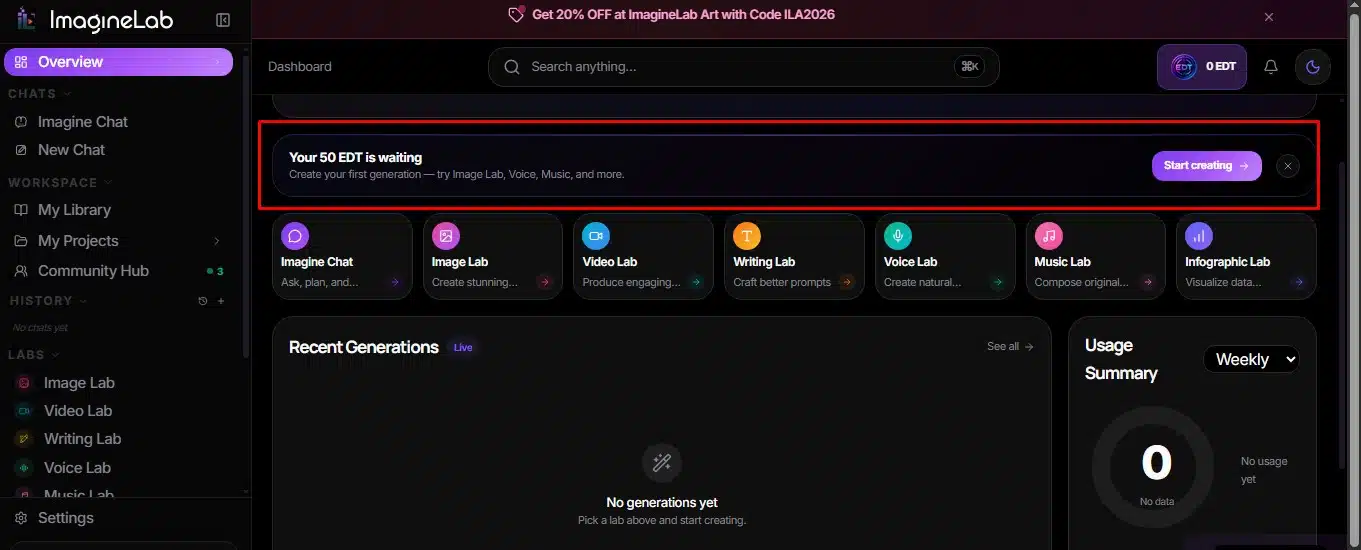
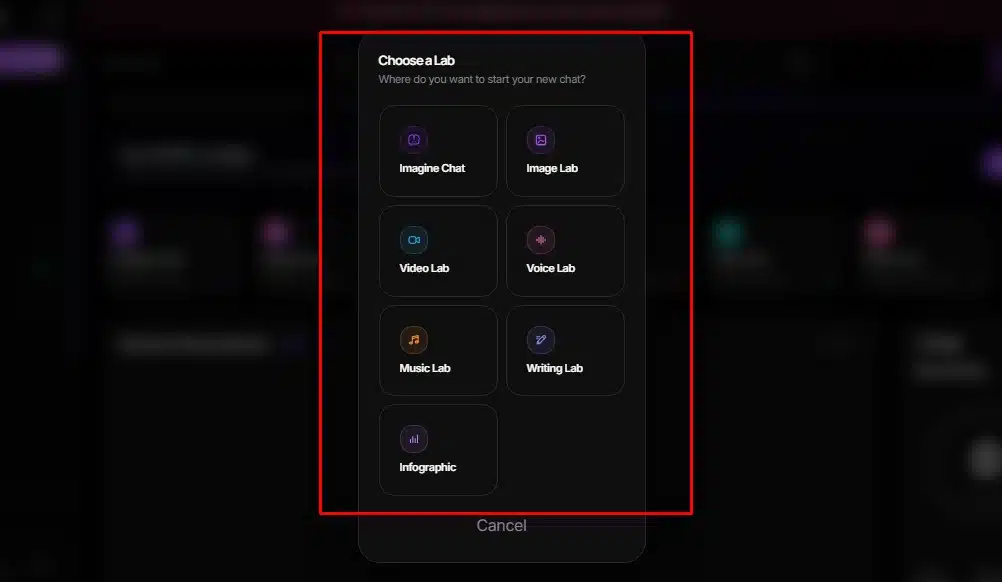
The live labs are Imagine Chat, Image Lab, Video Lab, Voice Lab, Music Lab, Infographic Lab, and Writing Assistant Lab. Three more are marked as coming next: a Music Video Lab, a Long Video Lab, and an Ad Creative Studio. Behind those labs sit 38 models from OpenAI, Google, Anthropic, ByteDance, Black Forest Labs, ElevenLabs, MiniMax, RunwayML, Meta, Kuaishou, and Editorialge’s own in-house routes.
The company is registered in Sheridan, Wyoming, with offices in the UK, Estonia, India, and Bangladesh, and launched publicly in August 2026 with coverage in The Times of India, The Business Standard, and TechBullion. We covered the fuller backstory in the rebirth of ImagineLab.art.
New accounts get 50 EDT free after a verified signup, with no credit card required and no watermarks on output. That free balance is small, and I will come back to what it realistically buys you.
The Seven Labs at a Glance
| Lab | What it does | Models available |
|---|---|---|
| Imagine Chat | Conversational assistant for research, prompt building, and routing tasks to other labs | 5 |
| Image Lab | Text to image, image to image, and focused AI editing | 9 |
| Video Lab | Text to video, image to video, video to video | 13 |
| Voice Lab | Single and multi-speaker voiceovers from scripts | 2 |
| Music Lab | Songs, instrumentals, hum-to-song, short clips | 5 |
| Writing Assistant Lab | Ten writing tools, including blog posts, ads, rewrites, and translation | 6 |
| Infographic Lab | Data visuals and structured graphics | 5 |
The labs are not equally mature. Images and videos have the deepest model choice and the most granular controls. Voice Lab has exactly two models. Infographic Lab has the thinnest documentation of the group, and both official guides openly say detailed cost estimates for it were not available at the time of writing, which tells you where the product team’s attention has been.
EDT: The Part That Decides Whether You Like This Platform
Everything on ImagineLab is priced in EDT. One EDT works out to roughly $0.0143 for planning purposes, and the top-up page currently sells 500 EDT for $7, which lines up almost exactly with that rate.
The wallet page is genuinely good. It shows your balance, an approximate dollar value, and a spending breakdown by lab across daily, 7-day, 30-day, all-time, or custom date ranges. Each lab row gives you generation count and total EDT spent, so you can see which workflow is quietly eating your budget. Anyone who has tried to reconstruct AI spending from four separate invoices will appreciate this. It is closer to real subscription analytics for a SaaS business than to the usual “credits remaining” counter.
Two things about EDT are worth knowing before you top up.
First, the price you see in the app before you hit Generate is the number that matters. The published guides say this repeatedly, and they are right to. Model rates shift when providers change their pricing.
Second, Prompt Enhancer is billed separately from generation. It costs 2 to 4 EDT depending on the lab and length. It improves your instruction and nothing else. If you enhance five prompts and generate five images, you paid for ten actions, not five. This trips people up.
Here is what your money actually converts into:
| What you generate | Estimated EDT | Roughly |
|---|---|---|
| One image, lower-cost model | 6–7 EDT | $0.09 |
| One image, GPT Image 2 at high quality, landscape | 60 EDT | $0.86 |
| One 1,000-character voiceover, Gemini 3.1 Flash TTS | 5 EDT | $0.07 |
| One 1,000-character voiceover, ElevenLabs v3 | 42 EDT | $0.60 |
| One full song, Music 2.6 | 8 EDT | $0.11 |
| One 5-second clip, Kling v3 Standard | 35 EDT | $0.50 |
| One 5-second clip, Runway Gen-4.5 at 720p | 94 EDT | $1.34 |
| One 8-second clip, Veo 3.1 Pro | 747 EDT | $10.68 |
Look at the spread in that table and the whole platform makes sense. A blog post, its featured image, and a short voiceover cost under 60 EDT together. One premium video clip costs twelve times that. The 50 free credits will get you a handful of images or one basic video test, not an afternoon of experimenting.
Image Lab and Video Lab in Practice
Image Lab has three modes, and choosing correctly is most of the skill. Text-to-image builds something new. Image to Image transforms an existing file while keeping selected elements. AI image editing makes one focused change, like removing a background or swapping a product’s setting.
The mode split works because the guidance is specific. The prompt formula the platform teaches is subject, setting, composition, lighting, mood, style, restrictions, and editing prompts are structured around what to preserve versus what to change. That framing prevents the most common failure, where you ask for a background swap and get a different person’s face.
Cost runs from 6 to 60 EDT depending on model, quality, and orientation. The most useful habit is drafting on a cheaper route and switching to GPT Image 2 at high quality only for the final version. That one change cuts image spend by roughly 80 percent on a typical project.
Video Lab is where budgets die. Most video models bill by the second, so duration drives cost more than anything else. Aspect ratios run from 16:9 down to 9:16 and 21:9, durations from 2 to 10 seconds depending on the model, and resolution options vary because some models charge separately for 1080p while others do not accept a resolution setting at all.
The August 2026 update added Seedance 2.5 from ByteDance at about 24 EDT per second, Hailuo 3 from MiniMax at about 31 EDT per second, and Alibaba’s HappyHorse 1.1 at about 24 EDT per second. Compare those to Veo 3.1 Pro, which lands near 93 EDT per second in the published examples, and the practical workflow becomes obvious: block out your motion and composition on a cheap model, then spend once on the premium render.
Voice, Music, and Writing
Voice Lab is small but the pricing gap inside it is the largest on the platform. Billing is by character count in the script, not by the length of the finished audio. A 1,000-character script costs 42 EDT on ElevenLabs v3 and 5 EDT on Gemini 3.1 Flash TTS. That is more than eight times the price for the same script.
ElevenLabs earns the premium when you need expressive delivery, character voices, or ad reads. For a narrated explainer or a long tutorial script, Gemini is the sensible default, and the difference over a month of production is substantial. Voice Clone is still marked as coming soon.
Music Lab handles five modes, including Lyrics to Song and Hum to Song, and supports Bengali, Hindi, Arabic, Chinese, Japanese, Thai, Russian, and Hebrew alongside English. Pricing splits in two. Music 2.6 and the Editorialge M3 routes charge a flat 8 to 19 EDT per generation regardless of length. ElevenLabs Music V1 charges by duration and climbs fast: 106 EDT for 30 seconds, 210 for a minute, and 1,050 for five minutes. Unless you need duration control, the flat-price models are far better value.
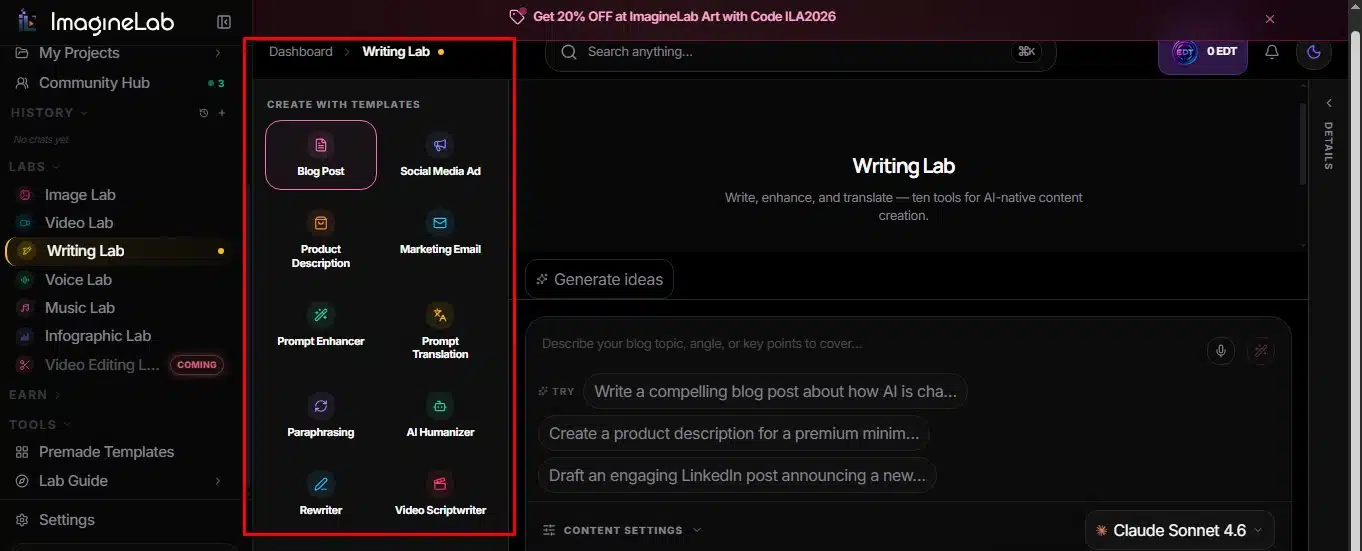
Writing Assistant Lab is the cheapest lab on the platform and the one I would guess is most underused. Ten tools cover blog posts, social ads, product descriptions, marketing emails, translation, paraphrasing, humanizing, rewriting, and video scripts. A long article on GPT-4o is estimated at 4 EDT. On GPT-5.5 it is 8 EDT. You can produce a week of copy for the price of one video clip.
Imagine Chat sits alongside all of this as a conversational layer with Claude Sonnet 5, Claude Opus 5, Gemini 3.5 Flash, Gemini 3.1 Pro, and an Auto route. Its billing is different from every other lab: usage-based, calculated from actual tokens rather than a fixed price per prompt. Long conversations cost more because earlier context gets sent again. If you want a sense of why different providers price so differently, our piece on how AI models are trained covers the economics behind that.
What This ImagineLab Art Review Found Works Well
- One balance across everything: No more mental math across four credit systems. You look at one number, and the wallet tells you which lab spent it.
- Cost shown before you commit: Every lab displays the EDT charge before generation. Almost no competitor does this consistently.
- Model breadth without vendor lock: Thirty-eight models from eleven providers means you are not stuck when one company raises prices or degrades a model. You switch inside the same interface.
- No watermarks, and commercial use is permitted: For agency and publisher work, that removes a real obstacle.
- The documentation is unusually honest: Both official guides repeatedly say their own numbers are estimates and that the in-app figure is the authority.
- Regional payment support: Stripe, PayPal, Mercury, UPI, and bKash, which matters a lot for creators in South Asia who get shut out of card-only checkouts.
Where It Falls Short
The documentation lags the product. The August 2026 user guide lists Imagen 4 Ultra and Imagen 4 Fast in Image Lab, but the current models page shows Seedream 5 Pro, Seedream 5-Lite, and Meta Muse Image instead. Anyone budgeting from the PDF will hit numbers that no longer match. The guides tell you to trust the app, which is correct advice, but it also means the printed cost tables have a short shelf life.
Infographic Lab is under-documented. It has five models and appears throughout the interface, yet neither official guide provides cost estimates for it. You find out what it charges by opening it.
Video costs will surprise beginners. A creator who signs up, picks Veo 3.1 Pro out of curiosity, and generates an 8-second clip has spent about $10.68 in one click. The estimate is displayed first, but the platform does not warn you that you just picked the most expensive option available.
Voice Lab needs more models. Two options are thin, and Voice Clone has been listed as coming soon since launch.
Who Should Actually Use It
ImagineLab Art makes sense if you produce across formats. A publisher who needs a featured image, a social clip, and a voiceover for the same article gets real benefit from one wallet and one history panel. Small agencies handling client work across media are the clearest fit, along with solo creators in markets where five separate USD subscriptions are painful and where bKash or UPI checkout removes a barrier.
The other honest answer this ImagineLab Art review has to give is that it makes less sense if you do one thing at professional depth. A photographer who only needs images will find a dedicated image tool with unlimited monthly generation cheaper at volume. A studio producing hours of finished video will hit the per-second pricing wall fast. And if you need fine-grained control over model parameters that the interface does not expose, you will feel the ceiling.
For a wider view of where this category is heading, we compared the top unified AI creative platforms and looked at the future of all-in-one AI creative platforms in more depth.
Final Thoughts
The honest summary of this ImagineLab.art review is that the platform is strong on workflow economics and still uneven on depth. The wallet, the pre-generation cost display, and the lab-by-lab spending breakdown are better than what most competitors ship, and they solve a real problem for anyone tracking creative spend. The model range is wide enough that you rarely need a second subscription for routine work.
The weak spots are documentation drift, a thin Voice Lab, and video pricing that punishes casual experimentation. None of those are fatal, and two of the three are fixable with a documentation update.
If you want to evaluate it yourself, start with the free 50 EDT and spend it deliberately. Run a writing task, generate two images on a cheap model, and produce one short voiceover on Gemini TTS. That combination costs under 25 EDT and shows you the workflow without burning your balance on a single video clip. Then check the wallet’s spending panel. That page will tell you more about ImagineLab Art fitting your work than any review, including this one.
Frequently Asked Questions (FAQs) on ImagineLab Art Review
1. Do EDT credits expire or roll over?
The published wallet guide deliberately avoids claiming anything about expiry, transferability, or refunds, and says to check the current platform terms instead. The FAQ page addresses expiry, rollover, and cancellation directly, so read those answers before committing to an annual plan.
2. Can I use the output commercially?
Yes, commercial use is permitted and no watermarks are applied. For voice cloning and any uploaded lyrics, recordings, or melodies, the platform requires that you own the material or have permission.
3. Is there an API?
Yes, with developer documentation available and access granted on request rather than automatically to every account.
4. Why does one lab show 0 percent in my spending chart when I know I used it?
The interface rounds to whole percentages, so any lab below one percent of total spend displays as 0 percent. Read the EDT total and generation count alongside the percentage rather than relying on the share figure alone.























